cruise control JEEP RENEGADE 2018 Owner handbook (in English)
[x] Cancel search | Manufacturer: JEEP, Model Year: 2018, Model line: RENEGADE, Model: JEEP RENEGADE 2018Pages: 356, PDF Size: 6.11 MB
Page 96 of 356
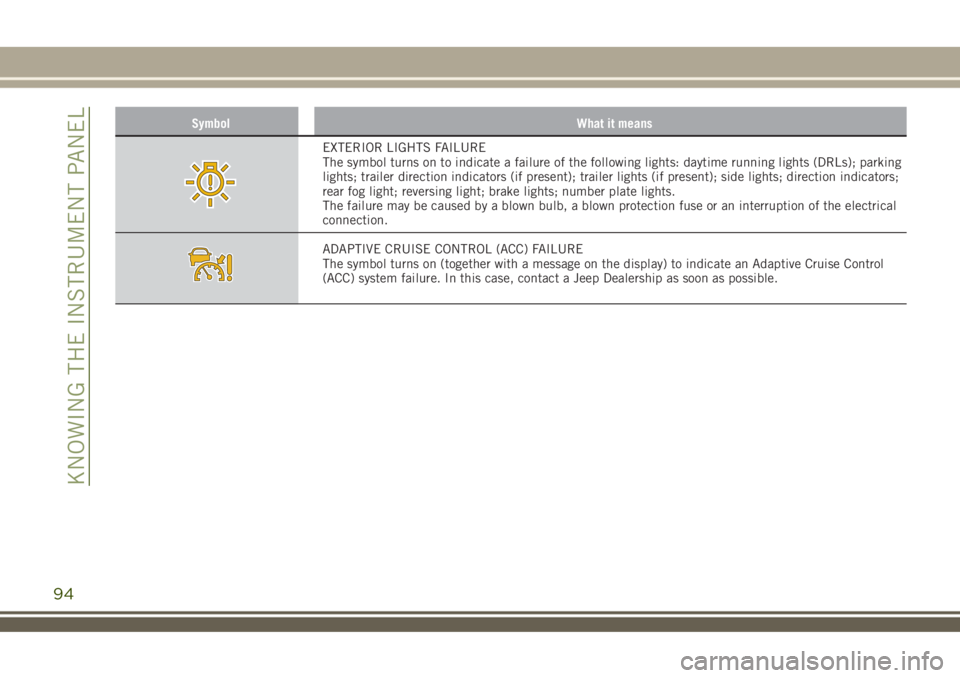
Symbol What it means
EXTERIOR LIGHTS FAILURE
The symbol turns on to indicate a failure of the following lights: daytime running lights (DRLs); parking
lights; trailer direction indicators (if present); trailer lights (if present); side lights; direction indicators;
rear fog light; reversing light; brake lights; number plate lights.
The failure may be caused by a blown bulb, a blown protection fuse or an interruption of the electrical
connection.
ADAPTIVE CRUISE CONTROL (ACC) FAILURE
The symbol turns on (together with a message on the display) to indicate an Adaptive Cruise Control
(ACC) system failure. In this case, contact a Jeep Dealership as soon as possible.
94
KNOWING THE INSTRUMENT PANEL
Page 98 of 356
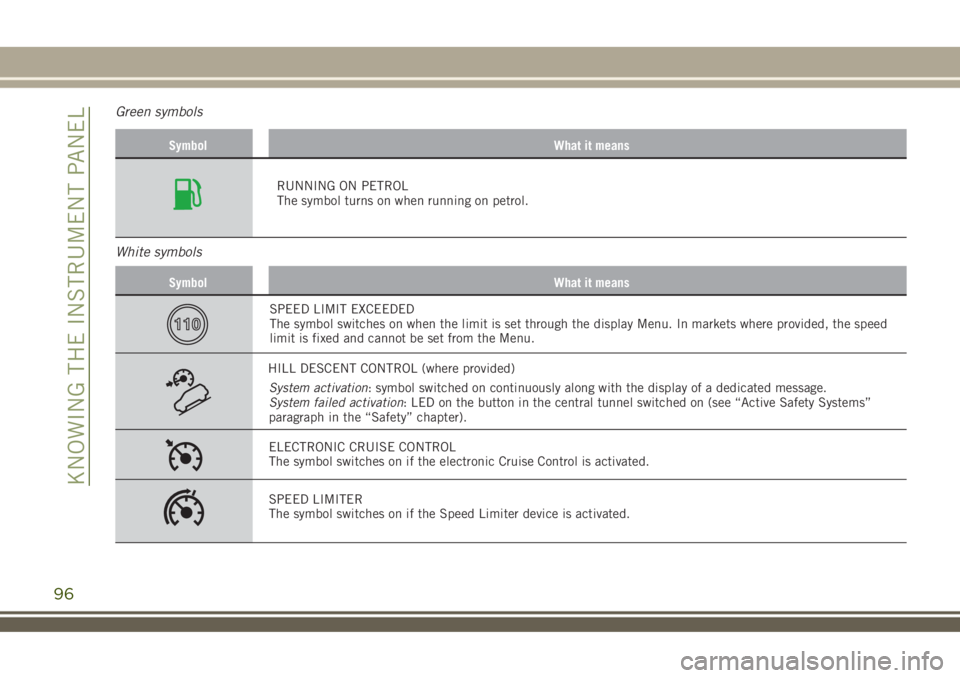
Green symbols
Symbol What it means
RUNNING ON PETROL
The symbol turns on when running on petrol.
White symbols
Symbol What it means
SPEED LIMIT EXCEEDED
The symbol switches on when the limit is set through the display Menu. In markets where provided, the speed
limit is fixed and cannot be set from the Menu.
HILL DESCENT CONTROL (where provided)
System activation: symbol switched on continuously along with the display of a dedicated message.
System failed activation: LED on the button in the central tunnel switched on (see “Active Safety Systems”
paragraph in the “Safety” chapter).
ELECTRONIC CRUISE CONTROL
The symbol switches on if the electronic Cruise Control is activated.
SPEED LIMITER
The symbol switches on if the Speed Limiter device is activated.
96
KNOWING THE INSTRUMENT PANEL
Page 147 of 356
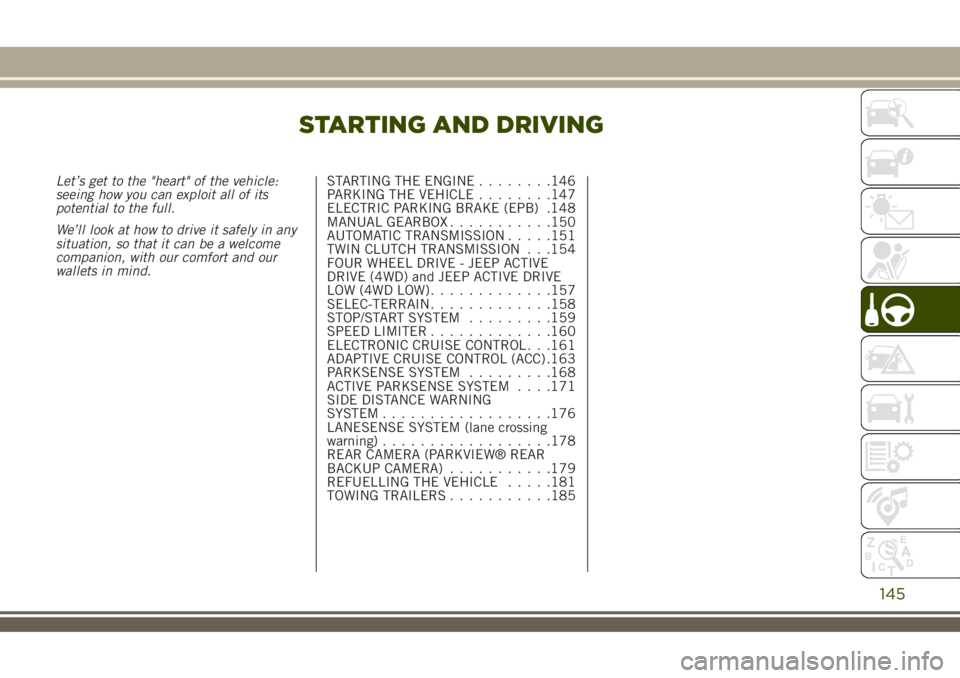
STARTING AND DRIVING
Let’s get to the "heart" of the vehicle:
seeing how you can exploit all of its
potential to the full.
We’ll look at how to drive it safely in any
situation, so that it can be a welcome
companion, with our comfort and our
wallets in mind.STARTING THE ENGINE........146
PARKING THE VEHICLE........147
ELECTRIC PARKING BRAKE (EPB) .148
MANUAL GEARBOX...........150
AUTOMATIC TRANSMISSION.....151
TWIN CLUTCH TRANSMISSION . . .154
FOUR WHEEL DRIVE - JEEP ACTIVE
DRIVE (4WD) and JEEP ACTIVE DRIVE
LOW (4WD LOW).............157
SELEC-TERRAIN.............158
STOP/START SYSTEM.........159
SPEED LIMITER.............160
ELECTRONIC CRUISE CONTROL . . .161
ADAPTIVE CRUISE CONTROL (ACC) .163
PARKSENSE SYSTEM.........168
ACTIVE PARKSENSE SYSTEM. . . .171
SIDE DISTANCE WARNING
SYSTEM..................176
LANESENSE SYSTEM (lane crossing
warning)..................178
REAR CAMERA (PARKVIEW® REAR
BACKUP CAMERA)...........179
REFUELLING THE VEHICLE.....181
TOWING TRAILERS...........185
145
Page 163 of 356
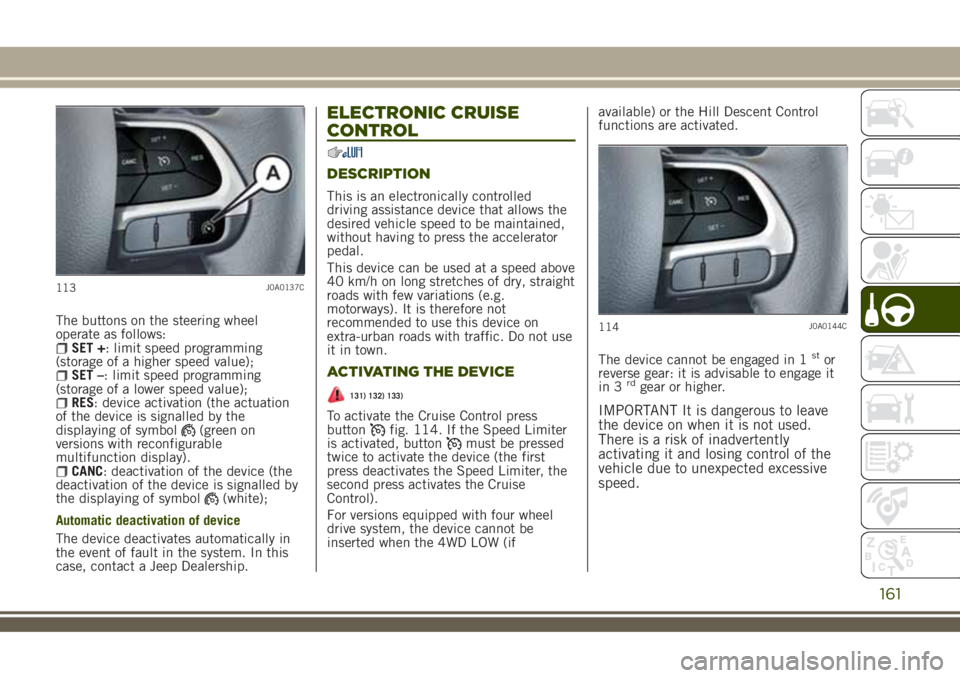
The buttons on the steering wheel
operate as follows:
SET +: limit speed programming
(storage of a higher speed value);
SET –: limit speed programming
(storage of a lower speed value);
RES: device activation (the actuation
of the device is signalled by the
displaying of symbol
(green on
versions with reconfigurable
multifunction display).
CANC: deactivation of the device (the
deactivation of the device is signalled by
the displaying of symbol
(white);
Automatic deactivation of device
The device deactivates automatically in
the event of fault in the system. In this
case, contact a Jeep Dealership.
ELECTRONIC CRUISE
CONTROL
DESCRIPTION
This is an electronically controlled
driving assistance device that allows the
desired vehicle speed to be maintained,
without having to press the accelerator
pedal.
This device can be used at a speed above
40 km/h on long stretches of dry, straight
roads with few variations (e.g.
motorways). It is therefore not
recommended to use this device on
extra-urban roads with traffic. Do not use
it in town.
ACTIVATING THE DEVICE
131) 132) 133)
To activate the Cruise Control press
buttonfig. 114. If the Speed Limiter
is activated, buttonmust be pressed
twice to activate the device (the first
press deactivates the Speed Limiter, the
second press activates the Cruise
Control).
For versions equipped with four wheel
drive system, the device cannot be
inserted when the 4WD LOW (ifavailable) or the Hill Descent Control
functions are activated.
The device cannot be engaged in 1
stor
reverse gear: it is advisable to engage it
in 3
rdgear or higher.
IMPORTANT It is dangerous to leave
the device on when it is not used.
There is a risk of inadvertently
activating it and losing control of the
vehicle due to unexpected excessive
speed.
113J0A0137C
114J0A0144C
161
Page 164 of 356
SETTING THE DESIRED SPEED
Activate the device and then, when the
vehicle has reached the desired speed,
press button SET + (or SET –) and
release it to activate the device. When
the accelerator is released, the vehicle
will proceed at the selected speed.
If needed (when overtaking for instance),
you can accelerate simply by pressing the
accelerator; when you release the pedal,
the vehicle goes back to the speed stored
previously.
When travelling downhills with the device
active, the vehicle speed may slightly
exceed the stored one.
IMPORTANT Before pressing buttons
SET + (or SET –) the vehicle must be
travelling at a constant speed on a flat
surface.
INCREASING/DECREASING
SPEED
Once the electronic Cruise Control has
been activated, the speed can be
increased by pressing button SET + or
decreased by pressing button SET – .
ACCELERATING WHEN
OVERTAKING
Depress the accelerator pedal: when this
is released the vehicle will gradually go
back to the stored speed.
IMPORTANT The device keeps the
speed stored even uphill and downhill.
A slight variation in the speed on slight
rises is completely normal.
RECALLING THE SPEED
Versions with automatic
transmission(operating in Drive mode -
automatic): press and release the RES
button.
Versions with manual gearbox or
automatic transmission in Autostick
(sequential) mode: before recalling the
previously set speed you should
accelerate until getting close to it, then
press and release the RES button.
DEACTIVATING THE DEVICE
Pressing the CANC button or pressing the
brake pedal as the vehicle is slowing
down deactivates the electronic Cruise
Control without deleting the stored
speed.
The Cruise Control can also be
deactivated if the electric parking brake(EPB) is activated or if the braking
system intervenes (e.g. the ESC system).
DEACTIVATING THE DEVICE
The device is deactivated by pressing
buttonor bringing the ignition device
to STOP.
WARNING
131)When travelling with the device
active, never move the gear lever to
neutral.
132)In case of a malfunction or failure of
the device, contact a Jeep Dealership.
133)The electronic Cruise Control can be
dangerous if the system cannot keep a
constant speed. In specific conditions
speed may be excessive, resulting in the
risk of losing control of the vehicle and
causing accidents. Do not use the device
in heavy traffic or on winding, icy, snowy
or slippery roads.
162
STARTING AND DRIVING
Page 165 of 356
ADAPTIVE CRUISE
CONTROL (ACC)
(where provided)
134) 135) 136) 137) 138) 139)
54) 55) 56) 57) 58) 59) 60)
DESCRIPTION
The Adaptive Cruise Control (ACC) is a
driver assist device which combines the
Cruise Control functions with one for
controlling the distance from the vehicle
ahead.
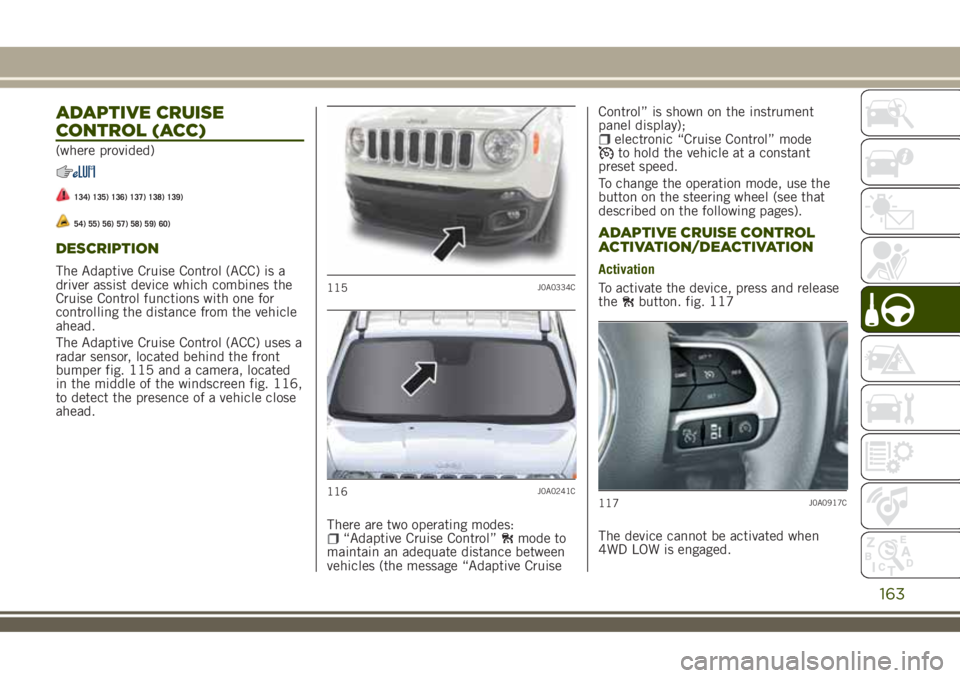
The Adaptive Cruise Control (ACC) uses a
radar sensor, located behind the front
bumper fig. 115 and a camera, located
in the middle of the windscreen fig. 116,
to detect the presence of a vehicle close
ahead.
There are two operating modes:
“Adaptive Cruise Control”mode to
maintain an adequate distance between
vehicles (the message “Adaptive CruiseControl” is shown on the instrument
panel display);
electronic “Cruise Control” modeto hold the vehicle at a constant
preset speed.
To change the operation mode, use the
button on the steering wheel (see that
described on the following pages).
ADAPTIVE CRUISE CONTROL
ACTIVATION/DEACTIVATION
Activation
To activate the device, press and release
the
button. fig. 117
The device cannot be activated when
4WD LOW is engaged.115J0A0334C
116J0A0241C117J0A0917C
163
Page 166 of 356
IMPORTANT It is dangerous to leave
the device activated when it is not
used. There is a risk of inadvertently
activating it and losing control of the
vehicle due to unexpected excessive
speed.
Deactivation
With the device active, to deactivate it
press and release the
button. The
display will show a dedicated message.
SETTING THE DESIRED SPEED
The device can be set only with speeds
above 30 km/h (or 20 mph for markets
with instrument panels giving mph) and
under 160 km/h (or 100 mph for
markets with instrument panels
giving mph).
When the vehicle reaches the desired
speed, press and release the button SET
+ or SET to set the speed to the current
speed. The display will show the set
speed. Then take your foot off the
accelerator pedal.
The system cannot be set
when pressing the brake pedal;when the brakes are overheated;when the electric parking brake is
engaged;
when the shift lever is in the P (park),
R (reverse) or N (neutral) positions
(versions with automatic transmission orautomatic transmission with double
clutch);
when the shift lever is in the R
(reverse), neutral or in 1st (first gear
engaged) positions (versions with manual
transmission);
when the clutch is pressed (versions
with manual transmission);
when the engine speed exceeds a
maximum threshold (versions with
manual transmission and versions with
automatic transmission/automatic
transmission with double clutch) or goes
below a minimum threshold (only
versions with manual transmission);
when the car speed is not within the
settable speed range;
when the ESC (or ABS or other
stability control systems) are operating or
have just operated;
when the ESC system is off;during automatic braking by the
Forward Collision Warning Plus system
(where provided);
when the Speed Limiter is active;when the electronic Cruise Control is
active;
in case of failure of the device;when the engine is off;in case of obstruction of the radar
sensor (in this case the bumper area
where it is located must be cleaned).
IMPORTANT The device does not
deactivate on reaching speeds higher
than those that can be set (160 km/h
or 100 mph for instrument panel set
to mph) with the accelerator pedal
pressed. In these conditions, the
device may not work correctly and it is
advisable to deactivate it.
CHANGING SPEED
Speed increase
After having set the device, the stored
speed can be stored by holding the SET
+ button pressed.
Press the SET + button once: the set
speed will increase by 1 km/h (or by
1 mph when the measurement unit is set
to mph). Each touch of the button once
will increase the speed by 1 km/h (or by
1 mph, the latter for instrument panels
set to miles per hour).
Hold the SET + button pressed: the set
speed will increase in 10 km/h steps (or
in 5 mph steps when the measurement
unit is set to mph) until the button is
released. The set speed increase is
shown on the display.
Decreasing speed
After having set the device, the stored
speed can be reduced by holding the
SET – button pressed.
164
STARTING AND DRIVING
Page 168 of 356
The setting is 4 (maximum) the first time
the device is used. After the distance has
been modified by the driver, the new
distance will be stored also after the
system is deactivated and reactivated.
To decrease the distance
Press and release the
button to
decrease the distance setting.
The distance setting decreases by one
bar (shorter) every time the button is
pressed.
The set speed is held if there are no
vehicles ahead. Once the shortest
distance has been reached, a further
press of the button will set the longest
distance.
The vehicle holds the set distance until:
the vehicle ahead accelerates to a
speed higher than the set speed;
the vehicle ahead leaves the lane or
the detection field of the Adaptive Cruise
Control device sensor;
the distance setting is changed;the Adaptive Cruise Control device is
deactivated/cancelled.
IMPORTANT The maximum breaking
applied by the device is limited. The
driver may apply the brakes in all
cases, if needed.IMPORTANT If the device predicts that
the braking level is not sufficient to
hold the set distance, the warning
message “BRAKE!” will blink on the
display while approaching the vehicle
ahead. An acoustic signal is also
emitted. In this case, it is advisable to
brake immediately as necessary to hold
a safe distance from the vehicle ahead.
IMPORTANT The driver is responsible
for ensuring that there are no
pedestrians, other vehicles or
objectives along the direction of the
vehicle. Failure to comply with these
precautions may cause serious
accidents and injuries.
IMPORTANT The driver is fully
responsible for holding a safe distance
from the vehicle ahead respecting the
highway code in force in the respective
country.
DEACTIVATION
The device is deactivated and the set
speed is cancelled if:
thebutton is pressed on the
Adaptive Cruise Control;
thebutton is pressed on the
electronic Cruise Control;
the Speed Limiter button is pressed;
the ignition device is in the STOP
position;
4WD LOW mode is activated.
The device is cancelled (the set speed
and distance are stored):
when the CANC button is pressed;when the conditions shown in the
“Setting the desired speed” paragraph
occur;
when the vehicle speed drops under
the minimum set speed (e.g. in presence
of slow vehicles).
If these conditions occur while the
system is decelerating with respect to a
vehicle ahead, the system could continue
the deceleration, if necessary, also after
it is cancelled or deactivated within the
minimum speed settable on the system.
ELECTRONIC CRUISE CONTROL
MODE
Electronic Cruise Control mode is
available for travelling at constant speed
in addition to the Adaptive Cruise Control
(ACC) mode.
If the Adaptive Cruise Control (ACC)
function is implemented on the vehicle,
the electronic Cruise Control works in the
same manner as the ACC (by pressing
the
button of the Cruise Control) with
the difference that:
it does not hold the distance from the
vehicle ahead;
166
STARTING AND DRIVING
Page 351 of 356
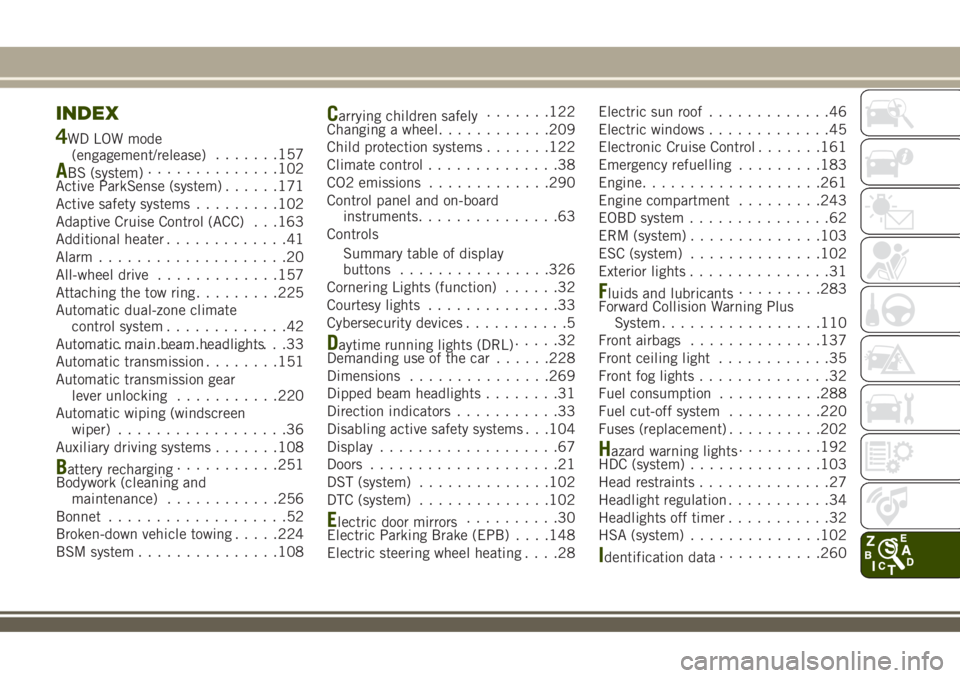
INDEX
4WD LOW mode
(engagement/release).......157
ABS (system)..............102
Active ParkSense (system)......171
Active safety systems.........102
Adaptive Cruise Control (ACC) . . .163
Additional heater.............41
Alarm....................20
All-wheel drive.............157
Attaching the tow ring.........225
Automatic dual-zone climate
control system.............42
Automatic main beam headlights......................33
Automatic transmission........151
Automatic transmission gear
lever unlocking...........220
Automatic wiping (windscreen
wiper)..................36
Auxiliary driving systems.......108
Battery recharging...........251
Bodywork (cleaning and
maintenance)............256
Bonnet...................52
Broken-down vehicle towing.....224
BSM system...............108
Carrying children safely.......122
Changing a wheel............209
Child protection systems.......122
Climate control..............38
CO2 emissions.............290
Control panel and on-board
instruments...............63
Controls
Summary table of display
buttons................326
Cornering Lights (function)......32
Courtesy lights..............33
Cybersecurity devices...........5
Daytime running lights (DRL).....32
Demanding use of the car......228
Dimensions...............269
Dipped beam headlights........31
Direction indicators...........33
Disabling active safety systems . . .104
Display...................67
Doors....................21
DST (system)..............102
DTC (system)..............102
Electric door mirrors..........30
Electric Parking Brake (EPB). . . .148
Electric steering wheel heating....28Electric sun roof.............46
Electric windows.............45
Electronic Cruise Control.......161
Emergency refuelling.........183
Engine...................261
Engine compartment.........243
EOBD system...............62
ERM (system)..............103
ESC (system)..............102
Exterior lights...............31
Fluids and lubricants.........283
Forward Collision Warning Plus
System.................110
Front airbags..............137
Front ceiling light............35
Front fog lights..............32
Fuel consumption...........288
Fuel cut-off system..........220
Fuses (replacement)..........202
Hazard warning lights.........192
HDC (system)..............103
Head restraints..............27
Headlight regulation...........34
Headlights off timer...........32
HSA (system)..............102
Identification data...........260