display KIA CARENS RHD 2017 User Guide
[x] Cancel search | Manufacturer: KIA, Model Year: 2017, Model line: CARENS RHD, Model: KIA CARENS RHD 2017Pages: 723, PDF Size: 40.8 MB
Page 165 of 723

469
Features of your vehicle
Service in OFF
If the service interval is not set,
“Service in OFF” message is dis-
played on the LCD display (for type A).
✽✽NOTICE
If any of the following conditions
occurs, the mileage and days may be
incorrect.
- The battery cable is disconnected.
- The fuse switch is turned off.
- The battery is discharged.
User Settings Mode
Description
On this mode, you can change set-
ting of the doors, lamps, and so on.
Driving Assist (if equipped)
Rear Cross Traffic Alert (if equipped) : If this item is checked,
the rear cross traffic alert function
will be activated.
❈ For more details, refer to "Blind SpotDetection System" in chapter 6.
BSD (Blind Spot Detection)Sound (if equipped) : If this item
checked, the blind spot detection
sound will be activated.
❈ For more details, refer to "Blind SpotDetection System" in chapter 6.
ORP046315L
ORP046317L
WARNING
Do not adjust the User Setting
whilst driving. You may lose
your steering control and cause
severe personal injury or acci-dents.
Page 167 of 723
471
Features of your vehicle
Service interval
Service Interval : On this mode,
you can activate the service inter-
val function with mileage (km or
mi.) and period (months).
- Off : The service interval function will be deactivated.
- On : You can set the service inter- val (mileage and months).
Other Features
Fuel Economy Auto Reset
- Off : The average fuel economy will not reset automatically whenever refuelling.
- On (Auto Reset) : The average fuel economy will reset automaticallywhen refuelling.
❈ For more details, refer to “Trip
Computer” in this chapter.
Temperature Unit : Choose the
temperature unit. (°C,°F)
Language
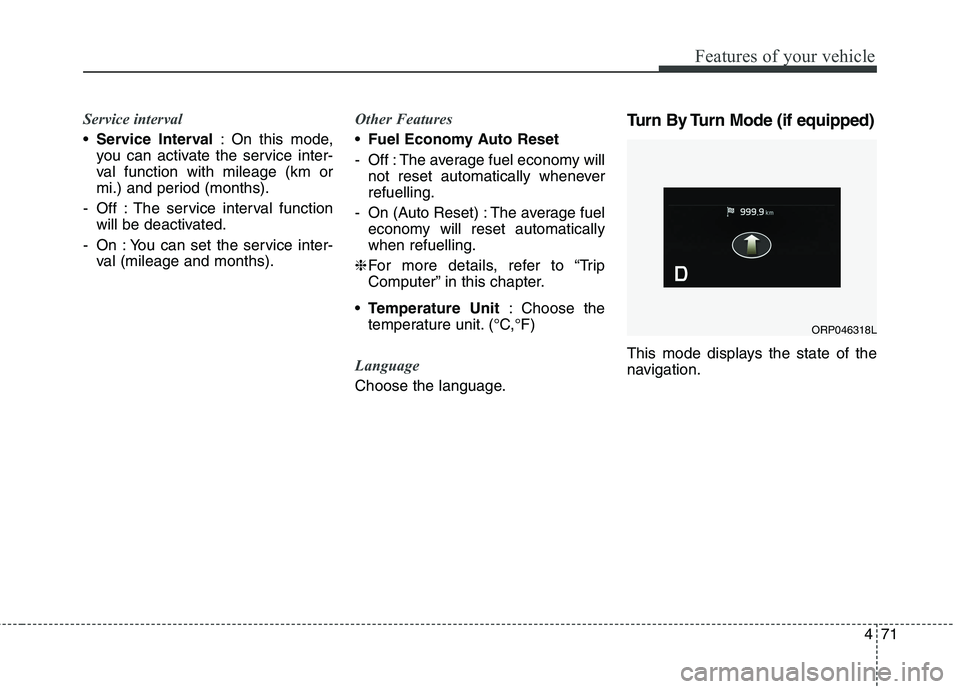
Choose the language. Turn By Turn Mode (if equipped)
This mode displays the state of the
navigation.
ORP046318L
Page 173 of 723

477
Features of your vehicle
Overview
Description
The trip computer is a microcomput-
er-controlled driver information sys-
tem that displays information related
to driving.
✽✽NOTICE
Some driving information stored in
the trip computer (for example
Average Vehicle Speed) resets if the
battery is disconnected.
Trip Modes (Type A) Trip Modes (Type B)
TRIP COMPUTER
To change the trip mode, press the
TRIP button .
To change the trip mode, press the
MOVE button .
Tripmeter A
Tripmeter B
Distance To Empty
Average Fuel Economy
Instant Fuel Economy
Average Vehicle Speed
Elapsed Time
Service mode
User settings
Accumulate Info
Digital speedometer
Drive Info
TRIP
Page 174 of 723
Features of your vehicle
78
4
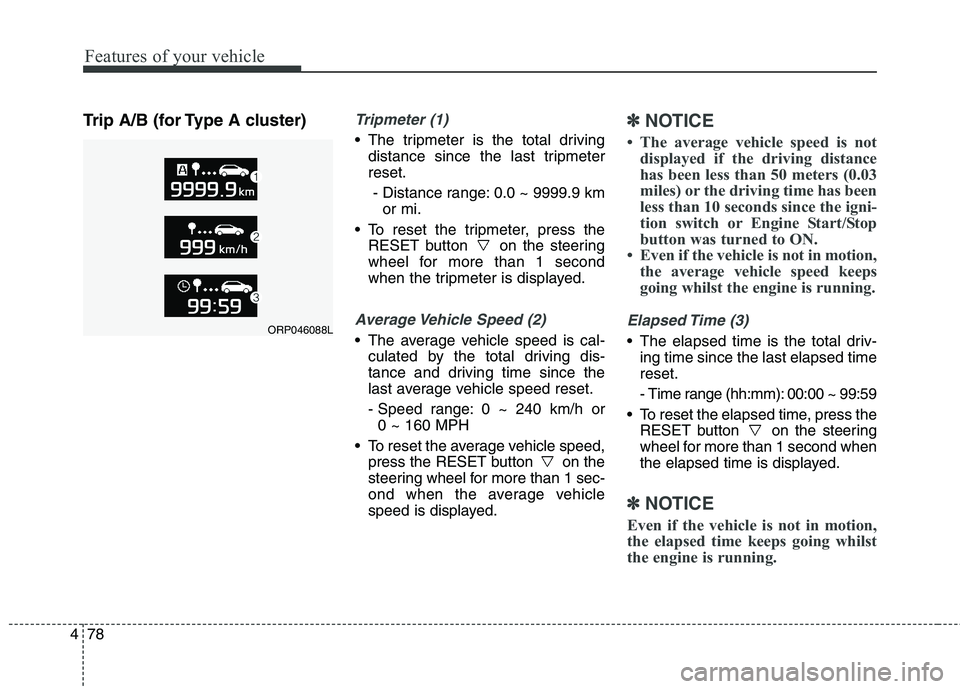
Trip A/B (for Type A cluster)Tripmeter (1)
The tripmeter is the total driving
distance since the last tripmeter reset.
- Distance range: 0.0 ~ 9999.9 km or mi.
To reset the tripmeter, press the RESET button on the steering
wheel for more than 1 second
when the tripmeter is displayed.
Average Vehicle Speed (2)
The average vehicle speed is cal-culated by the total driving dis-
tance and driving time since the
last average vehicle speed reset.
- Speed range: 0 ~ 240 km/h or 0 ~ 160 MPH
To reset the average vehicle speed, press the RESET button on the
steering wheel for more than 1 sec-
ond when the average vehicle
speed is displayed.
✽✽ NOTICE
The average vehicle speed is not displayed if the driving distance
has been less than 50 meters (0.03
miles) or the driving time has been
less than 10 seconds since the igni-
tion switch or Engine Start/Stop
button was turned to ON.
Even if the vehicle is not in motion, the average vehicle speed keeps
going whilst the engine is running.
Elapsed Time (3)
The elapsed time is the total driv-ing time since the last elapsed time reset.
- Time range (hh:mm): 00:00 ~ 99:59
To reset the elapsed time, press the RESET button on the steering
wheel for more than 1 second when
the elapsed time is displayed.
✽✽ NOTICE
Even if the vehicle is not in motion,
the elapsed time keeps going whilst
the engine is running.
ORP046088L
Page 176 of 723

Features of your vehicle
80
4
Choose the average fuel reset mode
you prefer with in "User settings" of
the "LCD Display" as below ;
- OFF (manual reset)
The average fuel economy will not
reset automatically.
To clear the average fuel economy
manually, press the RESET button
" " on the steering wheel for more
than 1 second when the average fuel
economy is displayed.
- After Ignition (automatic reset) The average fuel economy will reset
4 hours after the engine is turned off.
- After refuelling (automatic reset) The average fuel economy will reset
to zero (---) when the vehicle speed
exceeds 1 km/h after refuelling
more than 6 litres.✽✽ NOTICE
The average fuel economy is not dis-
played for more accurate calculation
if the vehicle does not drive more
than 10 seconds or 50 meters (0.03
miles) since the ignition switch or
Engine Start/Stop button is turned
to ON.Instant Fuel Economy (3)
This mode displays the instant fuel economy during the last few sec-
onds when the vehicle speed ismore than 10 km/h (6.2 MPH).
- Fuel economy range: 0.0 ~ 20.0L/100km or 0.0 ~ 50.0 MPG
Page 184 of 723

Features of your vehicle
88
4
Low Fuel Level Warning
Light
This warning light illuminates:
When the fuel tank is nearly empty.
If the fuel tank is nearly empty:
Add fuel as soon as possible.
Low Tyre PressureWarning Light (if equipped)
This warning light illuminates:
Once you set the ignition switch or Engine Start/Stop Button to the ON position.
- It illuminates for approximately 3seconds and then goes off.
When one or more of your tyres are significantly underinflated (The
location of the underinflated tyres
are displayed on the LCD display).
For more details, refer to “Tyre
Pressure Monitoring System
(TPMS)” in chapter 7. This warning light remains on after
blinking for approximately 60 seconds
or repeats blinking and off at the
intervals of approximately 3 seconds:
When there is a malfunction with
the TPMS.
In this case, we recommend that
you have the vehicle inspected by
an authorised Kia dealer as soon
as possible.
For more details, refer to “Tyre
Pressure Monitoring System
(TPMS)” in chapter 7.
CAUTION - Low Fuel
Level
Driving with the Low Fuel Level
warning light on or with the fuellevel below “0 or E” can cause the engine to misfire and dam-age the catalytic converter (ifequipped).WARNING - Safe Stopping
The TPMS cannot alert you to severe and sudden tyre dam-
age caused by external factors.
If you notice any vehicle insta- bility, immediately take your
foot off the accelerator pedal,
apply the brakes gradually with
light force, and slowly move to
a safe position off the road.
Page 185 of 723

489
Features of your vehicle
Door Ajar Warning Light
This warning light illuminates:
When a door is not closed securely.
Tailgate Open WarningLight
This warning light illuminates: When the tailgate is not closed
securely.
Fuel Filter Warning Light(Diesel Engine)
This warning light illuminates:
Once you set the ignition switch or Engine Start/Stop Button to the ON position.
- It illuminates for approximately 3seconds and then goes off. When water has accumulated
inside the fuel filter.
In this case, remove the water from
the fuel filter.
For more details, refer to “Fuel
Filter” in chapter 8.
Exhaust system (DPF)
warning light (Diesel Engine)
This warning light illuminates:
When there is a malfunction with Diesel Particulate Filter (DPF) system.
When this warning light illumi- nates, it may turn off after driving
the vehicle: - at more than 60km/h (37 mph), or
- at more than 2nd gear with 1500~ 2000 engine rpm for a certain
time (for about 25 minutes).
If the this warning light blink in spiteof the procedure (at this time LCD
warning message will be displayed),
we recommend that you have the
DPF system checked by an autho-
rised Kia dealer.
CAUTION - Fuel Filter
Warning Light
When the Fuel Filter Warning
Light illuminates, enginepower (vehicle speed & idlespeed) may decrease.
If you keep driving with the warning light on, engine parts(injector, common rail, high pressure fuel pump) may bedamaged. If this occurs, werecommend that you have the vehicle inspected by an autho-rised Kia dealer as soon aspossible.
CAUTION - Diesel Engine
with DPF (if equipped)
If you continue to drive with the DPF warning light blinking for along time, the DPF system can be damaged and fuel consump-tion can worsen.
Page 195 of 723
499
Features of your vehicle
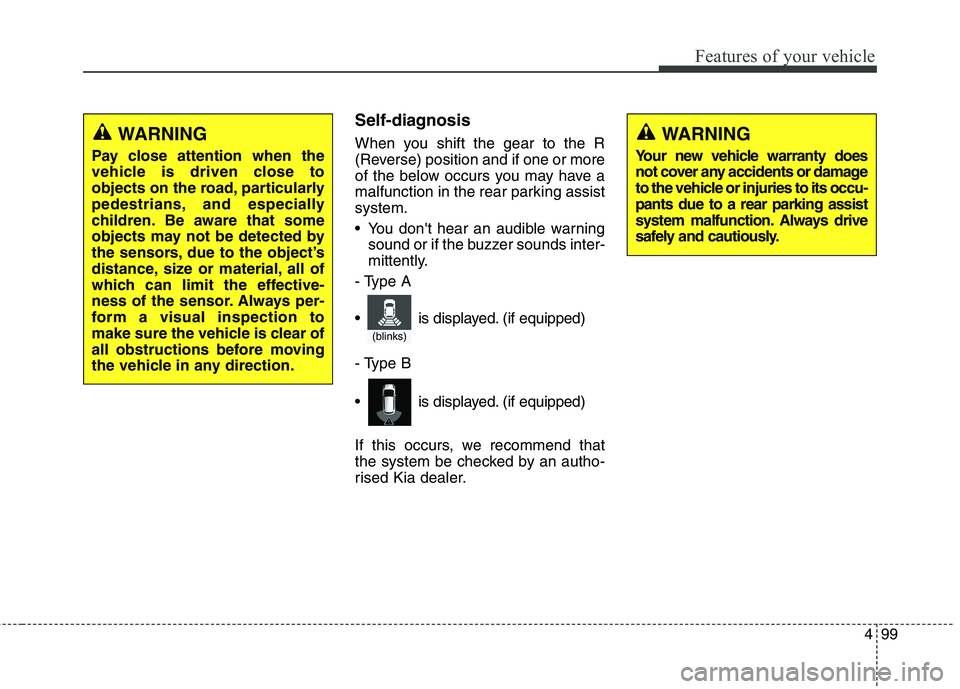
Self-diagnosis
When you shift the gear to the R
(Reverse) position and if one or more
of the below occurs you may have a
malfunction in the rear parking assistsystem.
You don't hear an audible warningsound or if the buzzer sounds inter-
mittently.
- Type A
- Type B
If this occurs, we recommend that
the system be checked by an autho-
rised Kia dealer.WARNING
Pay close attention when the
vehicle is driven close to
objects on the road, particularly
pedestrians, and especially
children. Be aware that some
objects may not be detected by
the sensors, due to the object’s
distance, size or material, all of
which can limit the effective-
ness of the sensor. Always per-
form a visual inspection to
make sure the vehicle is clear of
all obstructions before moving
the vehicle in any direction.WARNING
Your new vehicle warranty does
not cover any accidents or damage
to the vehicle or injuries to its occu-pants due to a rear parking assist
system malfunction. Always drive
safely and cautiously.
(blinks)
is displayed. (if equipped)
is displayed. (if equipped)
Page 196 of 723
Features of your vehicle
100
4
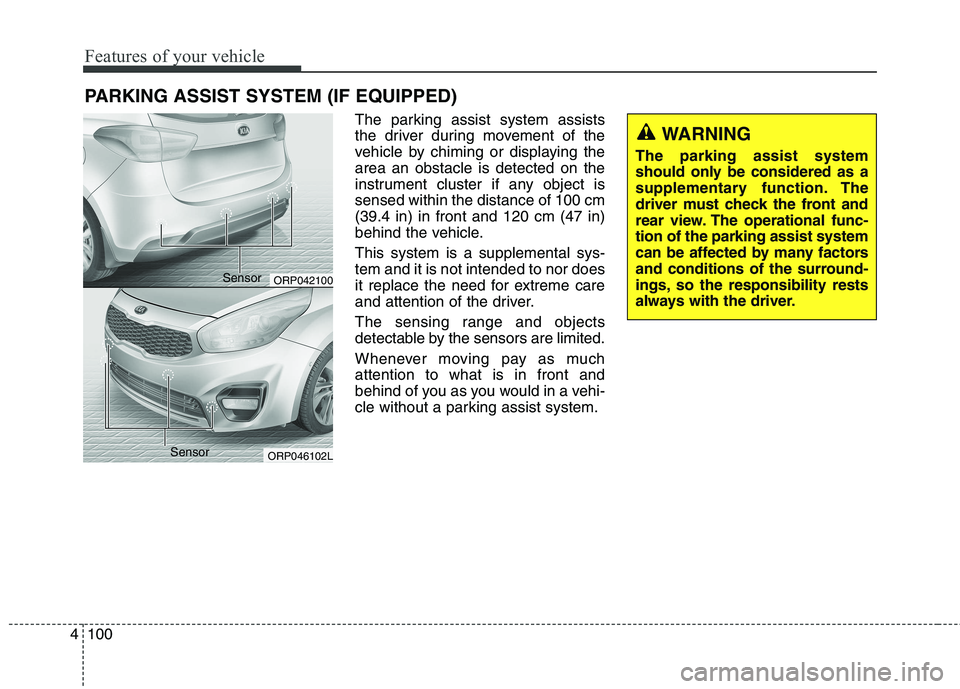
The parking assist system assists
the driver during movement of the
vehicle by chiming or displaying thearea an obstacle is detected on the
instrument cluster if any object issensed within the distance of 100 cm(39.4 in) in front and 120 cm (47 in)
behind the vehicle. This system is a supplemental sys- tem and it is not intended to nor does
it replace the need for extreme care
and attention of the driver.
The sensing range and objects
detectable by the sensors are limited.
Whenever moving pay as much attention to what is in front and
behind of you as you would in a vehi-
cle without a parking assist system.
PARKING ASSIST SYSTEM (IF EQUIPPED)
WARNING
The parking assist system
should only be considered as a
supplementary function. The
driver must check the front and
rear view. The operational func-tion of the parking assist system
can be affected by many factors
and conditions of the surround-
ings, so the responsibility rests
always with the driver.
ORP042100
ORP046102L
Sensor
Sensor
Page 201 of 723
4105
Features of your vehicle
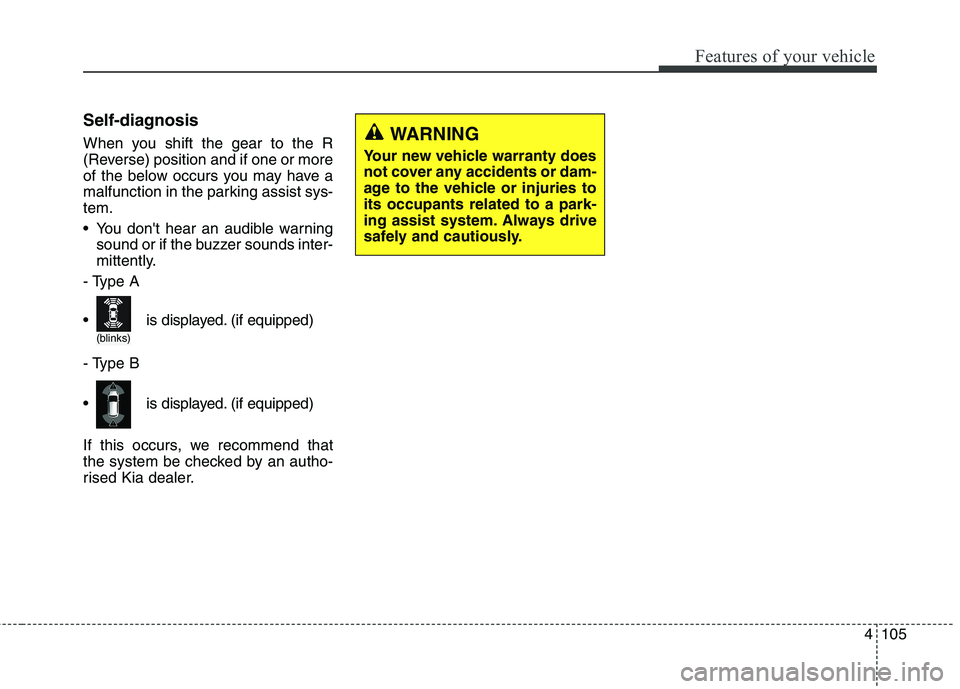
Self-diagnosis
When you shift the gear to the R
(Reverse) position and if one or more
of the below occurs you may have a
malfunction in the parking assist sys-tem.
You don't hear an audible warningsound or if the buzzer sounds inter-
mittently.
- Type A
- Type B
If this occurs, we recommend that
the system be checked by an autho-
rised Kia dealer.WARNING
Your new vehicle warranty does
not cover any accidents or dam-
age to the vehicle or injuries toits occupants related to a park-
ing assist system. Always drive
safely and cautiously.
(blinks)
is displayed. (if equipped)
is displayed. (if equipped)