turn KIA FORTE 2023 Navigation System Quick Reference Guide
[x] Cancel search | Manufacturer: KIA, Model Year: 2023, Model line: FORTE, Model: KIA FORTE 2023Pages: 324, PDF Size: 10.59 MB
Page 193 of 324

9-5
Driving Convenience (if equipped)
Sets the properties of Driving Convenience system.
A
The Driving Convenience system operates based on the information from the navigation
system so you must use the system only when the navigation system operates properly.
•Highway Driving Assist: Assists driving in a highway according to the set speed and
distance to the leading vehicle while keeping the vehicle centered in the lane.
A
The highway driving assist system operates only on a highway. When the vehicle exits
from the highway, the system is turned off automatically.
•Highway Auto Speed Zone Slowdown: Automatically decelerates in a highway speed
enforcement zone.
A
The highway auto speed zone slowdown system operates only on a highway. When
the vehicle exits from the highway, the system is turned off automatically.
A
It operates considering the speed cameras located on the selected route.
•Highway Auto Curve Slowdown: Automatically decelerates in a highway curve zone.
A
It operates based on the curve zones on the route. When the destination is not set, it
operates based on the curve zones on the expected path.
Warning Timing (if equipped)
Sets the timing of the warning.
Warning Volume (if equipped)
Sets the volume of the warning sound.
Driver Attention Warning (if equipped)
Sets the properties of the Driver Attention Warning system.
•Leading Vehicle Departure Alert: Alerts the driver during a stop, when the leading
vehicle departs.
ÝWarning
Be sure to always check the road conditions ahead or surroundings before departure. An
accident caused by distracted driving can be prevented.
•Safety Notice Call: When abnormal driving is detected, a Connected Services Center
representative will call to check on your safety.
•Inattentive Driving Warning: Provides a warning when signs of driver inattentiveness
are detected, and recommends a rest if needed.
Page 194 of 324
9-6
Forward Safety (if equipped)
Sets the properties of the Forward Safety system.
•Active Assist: Provides a warning and vehicle control when a risk of forward collision is
detected.
ÝWarning
This function is only a supplemental function and it is not intended to, nor does it replace
the need for extreme care and attention of the driver. The sensing range and objects
detectable by the sensors are limited. Pay attention to the road conditions at all times.
•Warning Only: Provides a warning when a risk of forward collision is detected.
•Off: Disables the Forward Safety functions.
Lane Safety (if equipped)
Sets the properties of the Lane Safety system.
•Lane Keeping Assist: Automatically assists with steering to help prevent the vehicle from
leaving the lane.
ÝWarning
Lane Keeping Assist is a supplementary function for safe driving and does not replace
driving. It is the responsibility of the driver to always be aware of the surroundings and
steer the vehicle.
A
When the lanes are not recognized well by front view camera, always check the
surroundings because Lane Keeping Assist may not work properly.
•Lane Departure Warning: Provides a warning when the vehicle leaves the lane without
operating the turn signal switch.
•Off: Disables the Lane Safety functions.
Blind-Spot Safety (if equipped)
Sets the properties of the Blind-Spot Safety system.
•Blind-Spot View: Displays the blind-spot view in the cluster when operating the turn
signal switch.
•Safe Exit Assist: Provides a warning and door control when an approaching vehicle is
detected in the vehicle's blind spot.
Page 198 of 324
9-10
Automatic Ventilation (if equipped)
You can set to prevent condensation inside and keep inside air pleasant using this feature.
•Auto Dehumidify: Once the inside air circulation mode has been used for a long time, it
is switched to the outside air inflow mode to prevent condensation.
Defog/Defrost Options (if equipped)
You can set to enable the defogger to secure driver visibility.
•Auto Defog: When the sensor detects fog on the windshield, the automatic ventilation is
run for defogging.
Climate Features (if equipped)
You can set or change the settings for the climate system.
•Rear Climate Controls: Used to move to the climate control screen for the rear seat. You
can check or set the climate status for the rear seat.
A
For more information about controlling the rear-seat climate control system:
> see "Using the rear-seat climate control function (if equipped)"
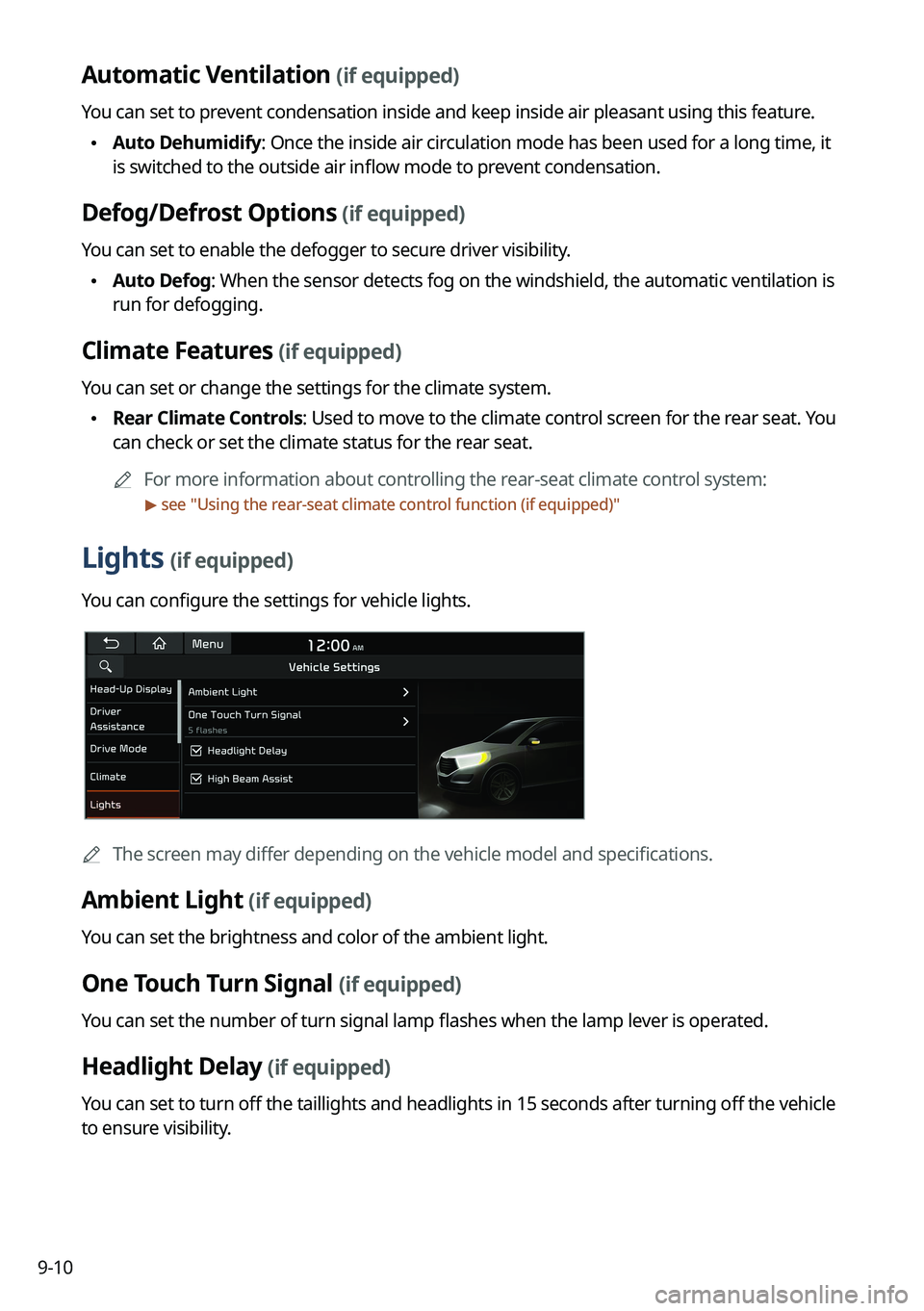
Lights (if equipped)
You can configure the settings for vehicle lights.
A
The screen may differ depending on the vehicle model and specifications.
Ambient Light (if equipped)
You can set the brightness and color of the ambient light.
One Touch Turn Signal (if equipped)
You can set the number of turn signal lamp flashes when the lamp lever is operated.
Headlight Delay (if equipped)
You can set to turn off the taillights and headlights in 15 seconds after turning off the vehicle
to ensure visibility.
Page 201 of 324
9-13
Cluster Voice Guidance Volume (if equipped)
You can adjust the volume of guiding beep.
Welcome Sound (if equipped)
You can set to generate the notification sound when turning on or off the instrument cluster.
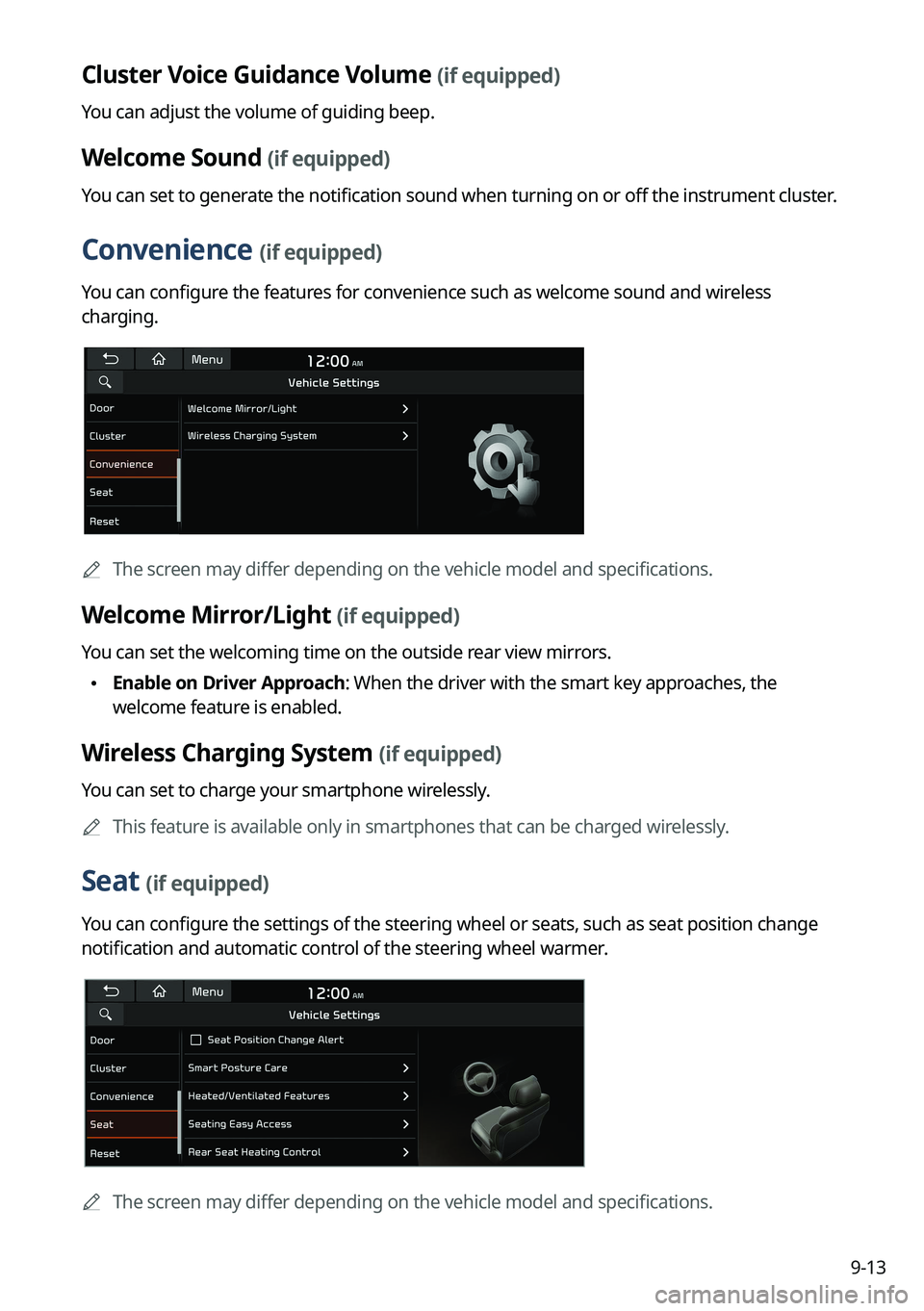
Convenience (if equipped)
You can configure the features for convenience such as welcome sound and wireless
charging.
A
The screen may differ depending on the vehicle model and specifications.
Welcome Mirror/Light (if equipped)
You can set the welcoming time on the outside rear view mirrors.
•Enable on Driver Approach: When the driver with the smart key approaches, the
welcome feature is enabled.
Wireless Charging System (if equipped)
You can set to charge your smartphone wirelessly.
A
This feature is available only in smartphones that can be charged wirelessly.
Seat (if equipped)
You can configure the settings of the steering wheel or seats, such as seat position change
notification and automatic control of the steering wheel warmer.
A
The screen may differ depending on the vehicle model and specifications.
Page 206 of 324
9-18
Forward Safety (if equipped)
Sets the properties of the Forward Safety system.
•Forward Cross-Traffic Safety: Provides a warning and emergency braking when a risk of
forward cross-traffic collision is detected.
•Active Assist: Provides a warning and vehicle control when a risk of forward collision is
detected.
ÝWarning
This function is only a supplemental function and it is not intended to, nor does it replace
the need for extreme care and attention of the driver. The sensing range and objects
detectable by the sensors are limited. Pay attention to the road conditions at all times.
•Warning Only: Provides a warning when a risk of forward collision is detected.
•Off: Disables the Forward Safety functions.
Lane Safety (if equipped)
Sets the properties of the Lane Safety system.
•Assist: Automatically assists with steering to help prevent the vehicle from leaving the
lane.
ÝWarning
Lane Keeping Assist is a supplementary function for safe driving and does not replace
driving. It is the responsibility of the driver to always be aware of the surroundings and
steer the vehicle.
A
When the lanes are not recognized well by front view camera, always check the
surroundings because Lane Keeping Assist may not work properly.
•Warning Only: Provides a warning when the vehicle leaves the lane without operating
the turn signal switch.
•Off: Disables the Lane Safety functions.
Blind-Spot Safety (if equipped)
Sets the properties of the Blind-Spot Safety system.
•Blind-Spot View: Displays the blind-spot view in the cluster when operating the turn
signal switch.
•Safe Exit Assist: Provides a warning and door control when an approaching vehicle is
detected in the vehicle's blind spot.
•Safe Exit Warning: Provides a warning when an approaching vehicle is detected in the
vehicle's blind spot.
Page 210 of 324
9-22
Sport Mode Seat Support (if equipped)
Reinforces seat side bolstering to offer a sporty driving experience.
Coasting (if equipped)
You can enable coasting while driving to improve fuel efficiency. This setting allows the
transmission to disengage the engine while driving in ECO mode or SMART mode, provided
that the coasting conditions are met.
A
Coasting is available only when the drive mode supports ECO or SMART mode.
A
Available settings may differ depending on the vehicle model and specifications.
Reset ECO/NORMAL/SPORT (if equipped)
You can reset the drive mode settings to the default values.
A
The display may differ depending on the vehicle model and specifications.
A
See how to improve ECO potential by pressing the Help button from an EV (Electric
Vehicle). In most cases, a vehicle can travel a longer distance when its ECO potential score
is higher (EV only).
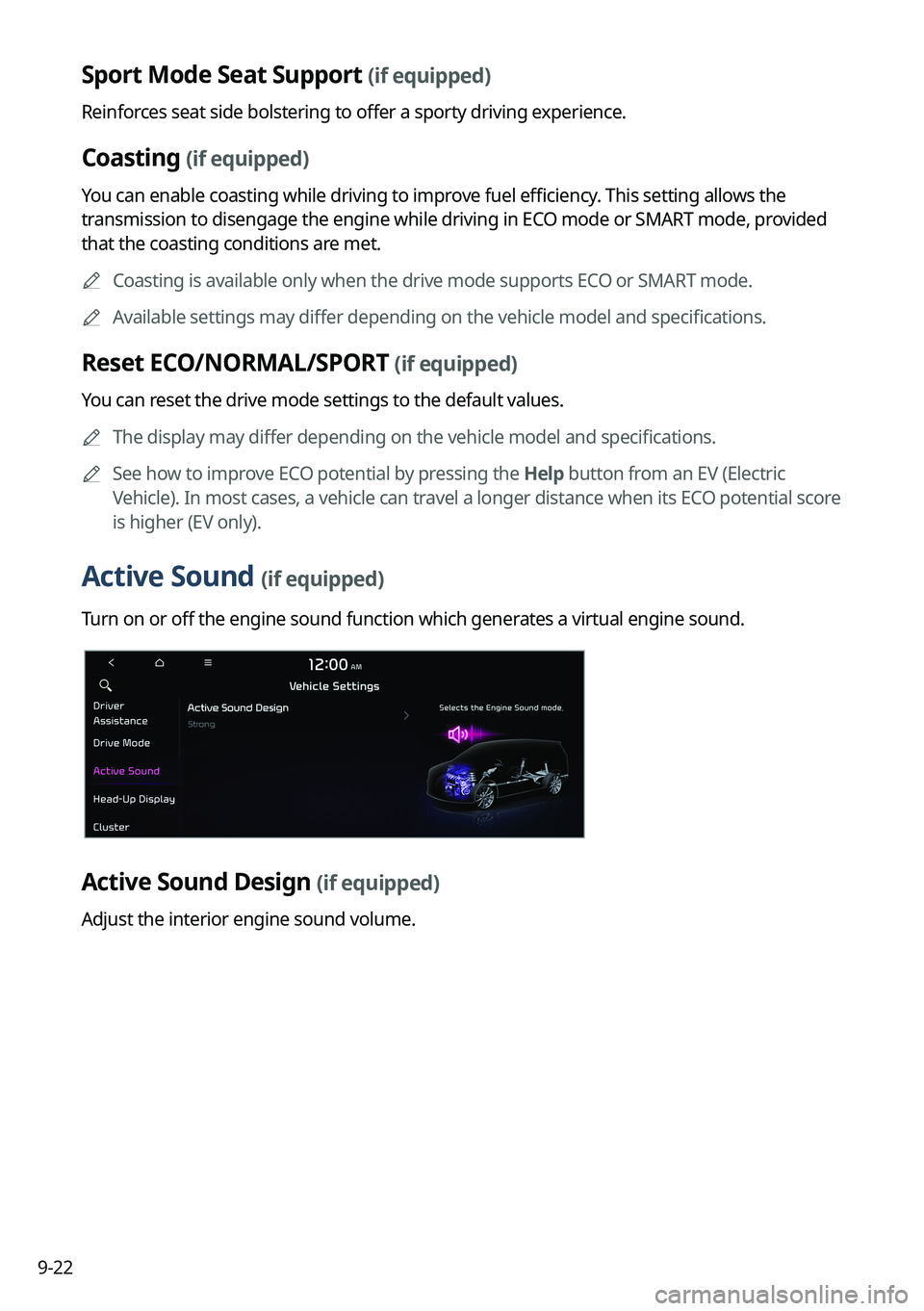
Active Sound (if equipped)
Turn on or off the engine sound function which generates a virtual engine sound.
Active Sound Design (if equipped)
Adjust the interior engine sound volume.
Page 213 of 324
9-25
Energy Consumption Reset (if equipped)
You can set to automatically initialize the average fuel economy.
•After Ignition: The average fuel economy is automatically initialize whenever you drive
the vehicle.
•After Refueling
: The average fuel economy is automatically initialize whenever you refuel
the vehicle.
• After Recharging: The average fuel economy is automatically initialize whenever you
charge the vehicle (EV only).
•Off: The average fuel economy initialize is unavailable.
Reset Fuel Economy (if equipped)
Select which average fuel economy to display on the cluster.
•At Vehicle Start: Displays the fuel economy after engine restart.
•After Refueling: Displays the fuel economy after refueling.
•After Recharging: Displays the fuel economy after recharging (EV only).
•Manually: Displays the accumulated fuel economy.
Content Selection (if equipped)
You can set the content to display on the instrument cluster.
•Wiper/Lights Display: When the wiper or light lever operates, the operation mode
appears.
•Traffic Signs: Displays the road information such as speed bumps and speed limits.
•Blind-Spot View: Displays the blind spot view on the instrument cluster when the turn
signal lamp is operating.
•Icy Road Warning: When the outside temperature drops below 4 °C (39 °F), the
possibility of road icing appears.
Cluster Voice Guidance Volume (if equipped)
You can adjust the voice guidance volume of the cluster.
Welcome Sound (if equipped)
You can set to generate the notification sound when turning on or off the instrument cluster.
Page 217 of 324
9-29
Ambient Light (if equipped)
You can set the brightness and color of the ambient light.
One Touch Turn Signal (if equipped)
You can set the number of turn signal lamp flashes when the lamp lever is operated.
Headlight Delay (if equipped)
You can set to turn off the taillights and headlights in 15 seconds after turning off the vehicle
to ensure visibility.
Travel Mode (if equipped)
Prevents blinding oncoming traffic by decreasing the headlamp illumination range. This
option is applicable in countries where traffic can move in opposite directions.
High Beam Assist (if equipped)
You can set to automatically control the high beam when an oncoming vehicle is approaching
to decrease the high beam glare.
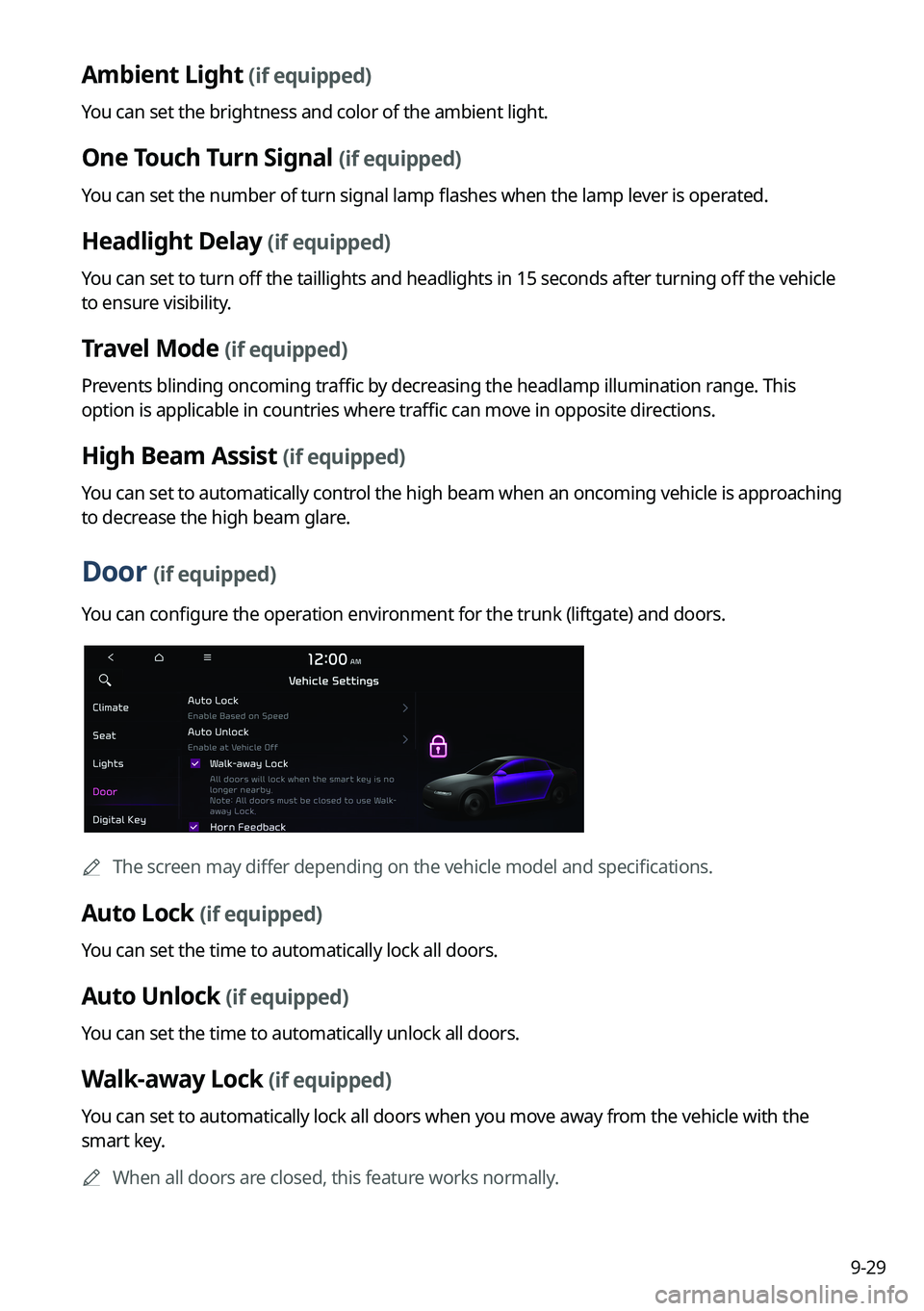
Door (if equipped)
You can configure the operation environment for the trunk (liftgate) and doors.
A
The screen may differ depending on the vehicle model and specifications.
Auto Lock (if equipped)
You can set the time to automatically lock all doors.
Auto Unlock (if equipped)
You can set the time to automatically unlock all doors.
Walk-away Lock (if equipped)
You can set to automatically lock all doors when you move away from the vehicle with the
smart key.
A
When all doors are closed, this feature works normally.
Page 218 of 324
9-30
Horn Feedback (if equipped)
You can set to generate guiding beep when all doors are locked.
Remote Power Doors & Liftgate (if equipped)
Easily open the doors by pressing the unlock button on the smart key for more than 3
seconds.
2 Press Unlock (if equipped)
You can set to unlock all doors by pressing the door unlock button twice.
A
When you press the door unlock button once, only the driver's seat door is unlocked.
Smart Sliding Door (if equipped)
Set the sliding door to automatically open when you move close to the sliding door carrying
your smart key.
Power Trunk or Power Liftgate (if equipped)
Open or close the trunk (liftgate) automatically using the power trunk (liftgate) button.
A
The displayed name may differ depending on the vehicle model and specifications.
Power Trunk Opening Speed or Power Liftgate Opening Speed
(if equipped)
Set the opening speed for the power trunk (liftgate).
A
The displayed name may differ depending on the vehicle model and specifications.
Power Trunk Opening Height or Power Liftgate Opening Height
(if equipped)
Set the opening height for the power trunk (liftgate).
A
The displayed name may differ depending on the vehicle model and specifications.
Smart Trunk or Smart Liftgate (if equipped)
Opens the trunk (liftgate) automatically when approaching the trunk (liftgate) with the smart
key.
A
The displayed name may differ depending on the vehicle model and specifications.
Liftgate Auto Close (if equipped)
Set the liftgate to automatically close when you move away from the back of the liftgate while
carrying the smart key.
Remote Window Control (if equipped)
Turns on the remote window control function.
Page 222 of 324

9-34
Bluetooth Connections
You can register or delete a Bluetooth device from the system and connect or disconnect a
registered device.
A
You can add one Bluetooth hands-free kit or up to two Bluetooth audio devices.
Auto Connection Priority
Set the priority order for automatic Bluetooth connection to the system when it turns on.
A
On the device list, press
on the right and drag the item to reposition.
Message Notification
Set to receive message notifications.
A
This option may not be available in some phone models.
Predefined Messages
Edit message templates for quick replies.
A
This option may not be available in some phone models.
Bluetooth Voice Prompts
Set whether to hear voice prompts for events related to Bluetooth connections.
Privacy Mode
Enable or disable Privacy Mode. Hide data including contacts and call history from showing
up on the system screen to protect privacy.
Bluetooth System Info
You can see and edit the Bluetooth information of the system.
Reset
You can delete all registered Bluetooth devices and initialize Bluetooth settings. All data for
Bluetooth devices are also deleted.