mirror KIA FORTE 5 2017 User Guide
[x] Cancel search | Manufacturer: KIA, Model Year: 2017, Model line: FORTE 5, Model: KIA FORTE 5 2017Pages: 595, PDF Size: 11.53 MB
Page 170 of 595
Features of your vehicle
98 4
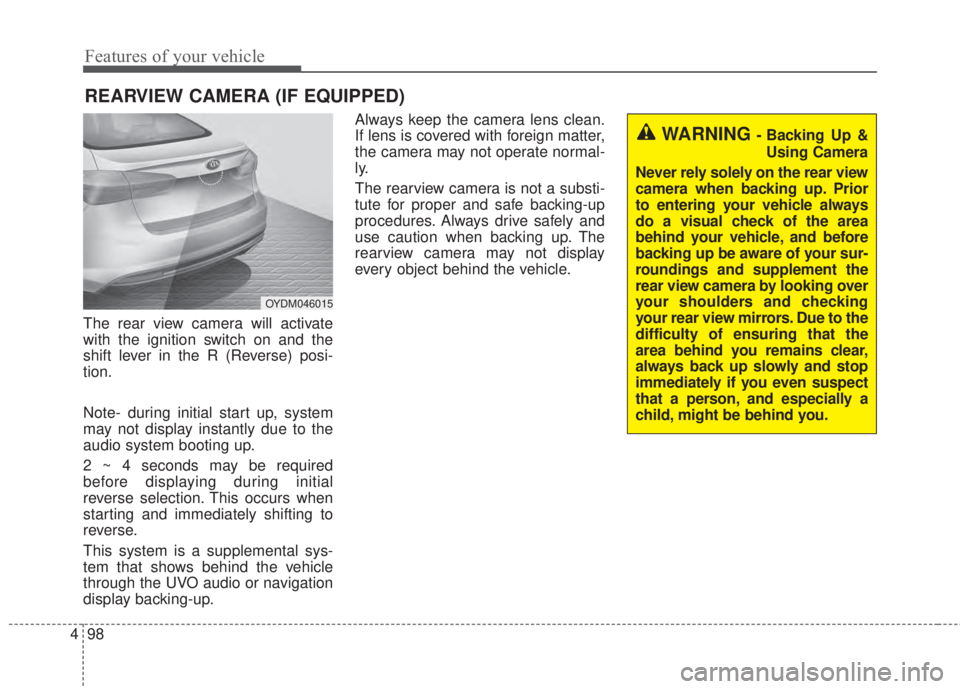
The rear view camera will activate
with the ignition switch on and the
shift lever in the R (Reverse) posi-
tion.
Note- during initial start up, system
may not display instantly due to the
audio system booting up.
2 ~ 4 seconds may be required
before displaying during initial
reverse selection. This occurs when
starting and immediately shifting to
reverse.
This system is a supplemental sys-
tem that shows behind the vehicle
through the UVO audio or navigation
display backing-up.Always keep the camera lens clean.
If lens is covered with foreign matter,
the camera may not operate normal-
ly.
The rearview camera is not a substi-
tute for proper and safe backing-up
procedures. Always drive safely and
use caution when backing up. The
rearview camera may not display
every object behind the vehicle.
REARVIEW CAMERA (IF EQUIPPED)
WARNING - Backing Up &
Using Camera
Never rely solely on the rear view
camera when backing up. Prior
to entering your vehicle always
do a visual check of the area
behind your vehicle, and before
backing up be aware of your sur-
roundings and supplement the
rear view camera by looking over
your shoulders and checking
your rear view mirrors. Due to the
difficulty of ensuring that the
area behind you remains clear,
always back up slowly and stop
immediately if you even suspect
that a person, and especially a
child, might be behind you.
OYDM046015
Page 183 of 595
4 111
Features of your vehicle
Glove box lamp
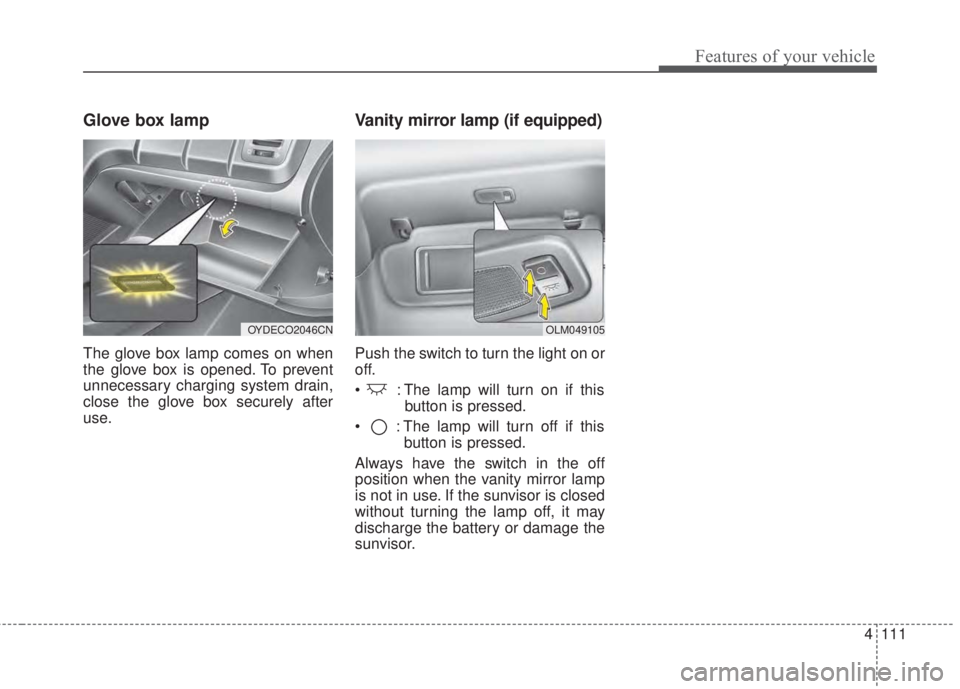
The glove box lamp comes on when
the glove box is opened. To prevent
unnecessary charging system drain,
close the glove box securely after
use.
Vanity mirror lamp (if equipped)
Push the switch to turn the light on or
off.
• : The lamp will turn on if this
button is pressed.
• : The lamp will turn off if this
button is pressed.
Always have the switch in the off
position when the vanity mirror lamp
is not in use. If the sunvisor is closed
without turning the lamp off, it may
discharge the battery or damage the
sunvisor.
OLM049105OYDECO2046CN
Page 185 of 595
4 113
Features of your vehicle
If you want to defrost and defog the
front windshield, refer to "Windshield
Defrosting and Defogging" in this
section.
Rear window defroster
The defroster heats the window to
remove frost, fog and thin ice from
the interior and exterior of the rear
window, while the engine is running.
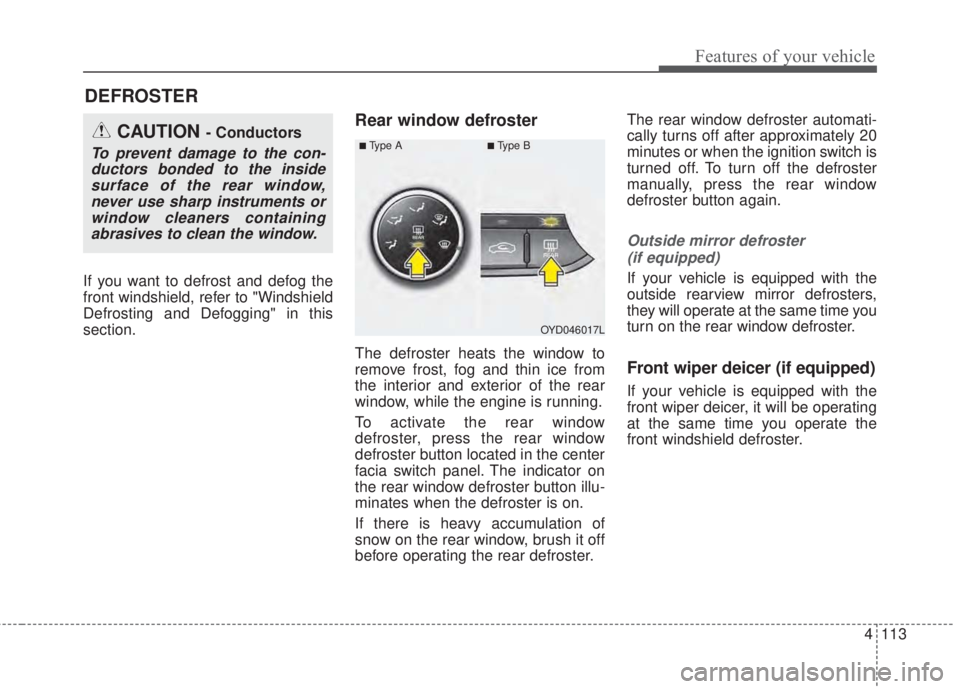
To activate the rear window
defroster, press the rear window
defroster button located in the center
facia switch panel. The indicator on
the rear window defroster button illu-
minates when the defroster is on.
If there is heavy accumulation of
snow on the rear window, brush it off
before operating the rear defroster.The rear window defroster automati-
cally turns off after approximately 20
minutes or when the ignition switch is
turned off. To turn off the defroster
manually, press the rear window
defroster button again.
Outside mirror defroster
(if equipped)
If your vehicle is equipped with the
outside rearview mirror defrosters,
they will operate at the same time you
turn on the rear window defroster.
Front wiper deicer (if equipped)
If your vehicle is equipped with the
front wiper deicer, it will be operating
at the same time you operate the
front windshield defroster.
DEFROSTER
OYD046017L
CAUTION - Conductors
To prevent damage to the con-
ductors bonded to the inside
surface of the rear window,
never use sharp instruments or
window cleaners containing
abrasives to clean the window.■Ty p e A■Type B
Page 206 of 595
Features of your vehicle
134 4
WINDSHIELD DEFROSTING AND DEFOGGING
• For maximum defrosting, set the
temperature control to the extreme
right/hot position and the fan speed
control to the highest speed.
• If warm air to the floor is desired
while defrosting or defogging, set the
mode to the floor-defrost position.
• Before driving, clear all snow and
ice from the windshield, rear win-
dow, outside rear view mirrors, and
all side windows.
• Clear all snow and ice from the
hood and air inlet in the cowl grill to
improve heater and defroster effi-
ciency and to reduce the probabili-
ty of fogging up the inside of the
windshield.Manual climate control system
To defog inside windshield
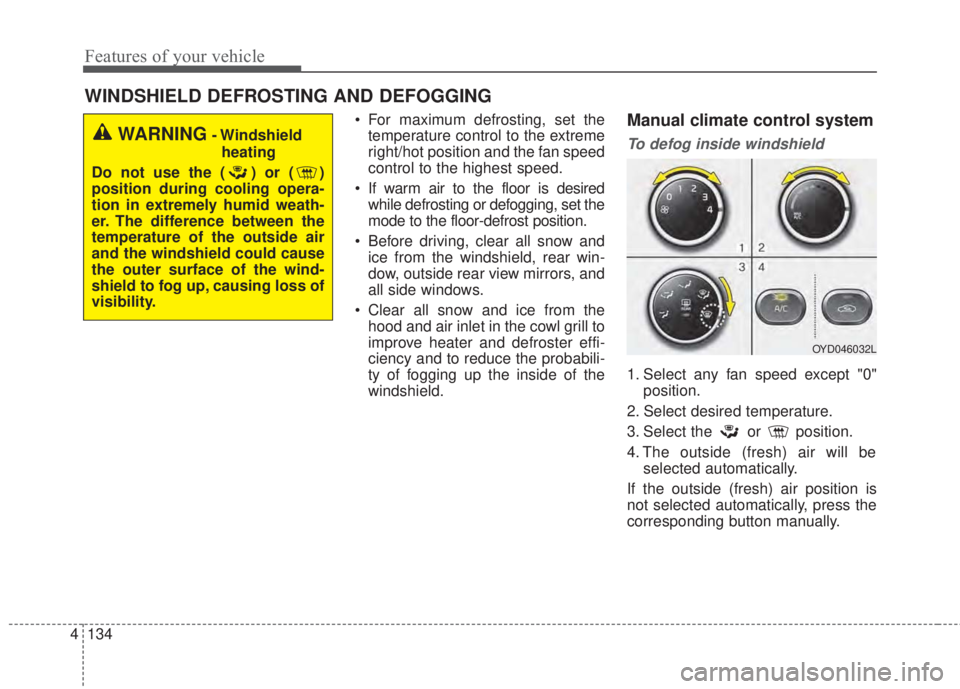
1. Select any fan speed except "0"
position.
2. Select desired temperature.
3. Select the or position.
4. The outside (fresh) air will be
selected automatically.
If the outside (fresh) air position is
not selected automatically, press the
corresponding button manually.
WARNING- Windshield
heating
Do not use the ( ) or ( )
position during cooling opera-
tion in extremely humid weath-
er. The difference between the
temperature of the outside air
and the windshield could cause
the outer surface of the wind-
shield to fog up, causing loss of
visibility.
OYD046032L
Page 212 of 595
Features of your vehicle
140 4
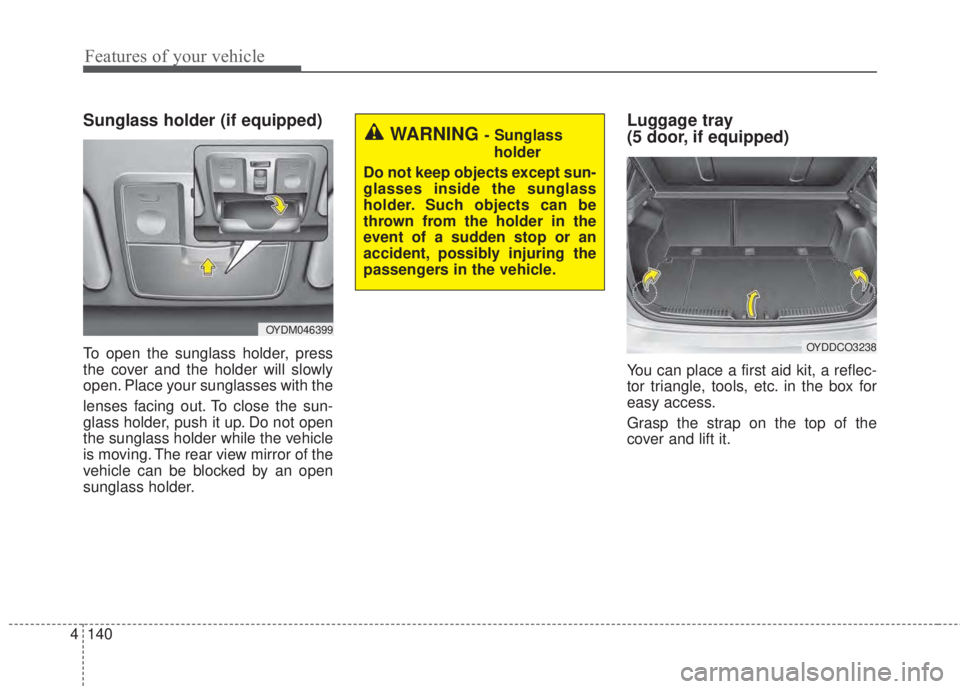
Sunglass holder (if equipped)
To open the sunglass holder, press
the cover and the holder will slowly
open. Place your sunglasses with the
lenses facing out. To close the sun-
glass holder, push it up. Do not open
the sunglass holder while the vehicle
is moving. The rear view mirror of the
vehicle can be blocked by an open
sunglass holder.
Luggage tray
(5 door, if equipped)
You can place a first aid kit, a reflec-
tor triangle, tools, etc. in the box for
easy access.
Grasp the strap on the top of the
cover and lift it.
OYDM046399
WARNING - Sunglass
holder
Do not keep objects except sun-
glasses inside the sunglass
holder. Such objects can be
thrown from the holder in the
event of a sudden stop or an
accident, possibly injuring the
passengers in the vehicle.
OYDDCO3238
Page 215 of 595
4 143
Features of your vehicle
Sunvisor
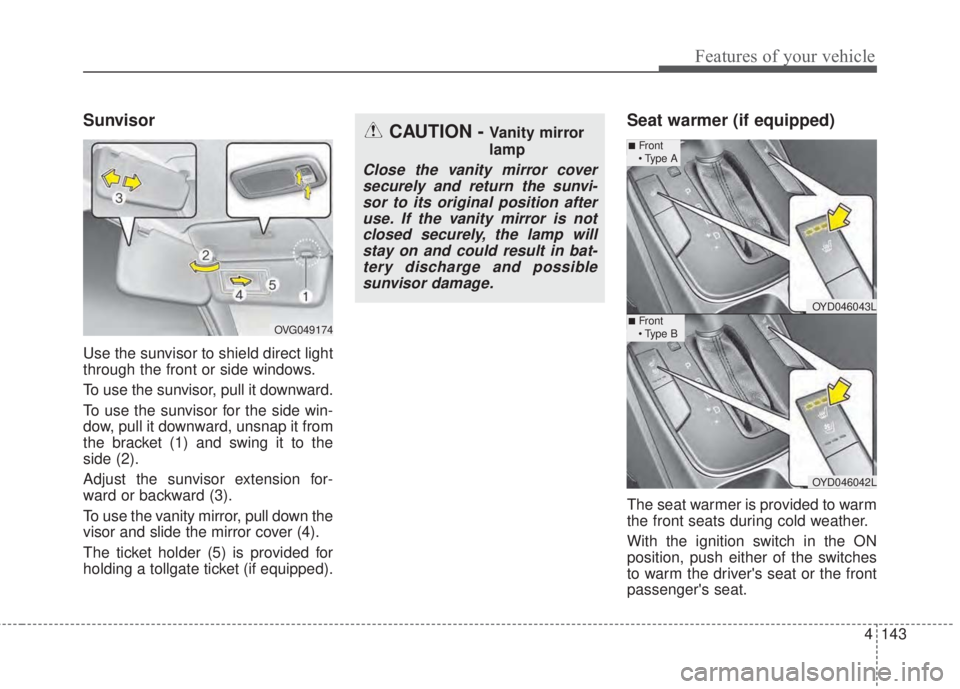
Use the sunvisor to shield direct light
through the front or side windows.
To use the sunvisor, pull it downward.
To use the sunvisor for the side win-
dow, pull it downward, unsnap it from
the bracket (1) and swing it to the
side (2).
Adjust the sunvisor extension for-
ward or backward (3).
To use the vanity mirror, pull down the
visor and slide the mirror cover (4).
The ticket holder (5) is provided for
holding a tollgate ticket (if equipped).
Seat warmer (if equipped)
The seat warmer is provided to warm
the front seats during cold weather.
With the ignition switch in the ON
position, push either of the switches
to warm the driver's seat or the front
passenger's seat.
CAUTION - Vanity mirror
lamp
Close the vanity mirror cover
securely and return the sunvi-
sor to its original position after
use. If the vanity mirror is not
closed securely, the lamp will
stay on and could result in bat-
tery discharge and possible
sunvisor damage.
OVG049174
OYD046043L
OYD046042L
■Front
• Type A
■Front
• Type B
Page 347 of 595
Driving your vehicle
4 5
Before entering vehicle
• Be sure that all windows, outside
mirror(s), and outside lights are
clean.
• Check the condition of the tires.
• Check under the vehicle for any
sign of leaks.
• Be sure there are no obstacles
behind you if you intend to back up.
Necessary inspections
Fluid levels, such as engine oil,
engine coolant, brake fluid, and
washer fluid should be checked on a
regular basis, with the exact interval
depending on the fluid. Further
details are provided in Chapter 7,
“Maintenance”.
Before starting
• Close and lock all doors.
• Position the seat so that all con-
trols are easily reached.
• Buckle your seat belt.
• Adjust the inside and outside
rearview mirrors.
• Be sure that all lights work.
• Check all gauges.
• Check the operation of warning
lights when the ignition switch is
turned to the ON position.
• Release the parking brake and
make sure the brake warning light
goes off.
For safe operation, be sure you are
familiar with your vehicle and its
equipment.
BEFORE DRIVING
WARNING- Distracted
driving
Focus on the road while driving.
The driver's primary responsi-
bility is in the safe and legal
operation of the vehicle. Use of
any hand held devices, other
equipment or vehicle systems
that distract the driver should
not be used during vehicle
operation.
Page 407 of 595
Driving your vehicle
64 5
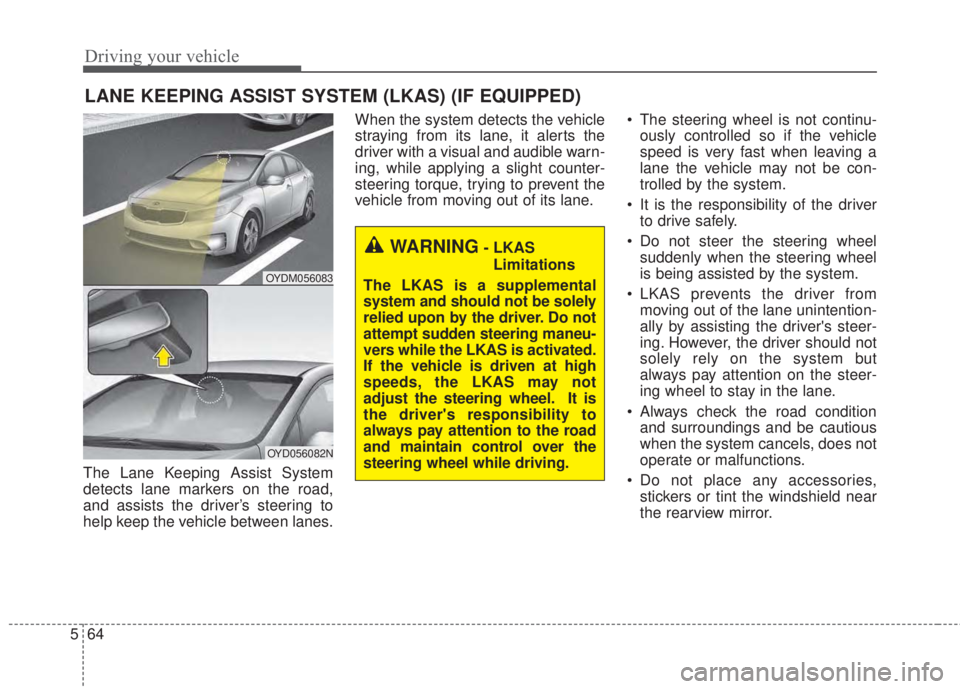
The Lane Keeping Assist System
detects lane markers on the road,
and assists the driver’s steering to
help keep the vehicle between lanes.When the system detects the vehicle
straying from its lane, it alerts the
driver with a visual and audible warn-
ing, while applying a slight counter-
steering torque, trying to prevent the
vehicle from moving out of its lane.• The steering wheel is not continu-
ously controlled so if the vehicle
speed is very fast when leaving a
lane the vehicle may not be con-
trolled by the system.
• It is the responsibility of the driver
to drive safely.
• Do not steer the steering wheel
suddenly when the steering wheel
is being assisted by the system.
• LKAS prevents the driver from
moving out of the lane unintention-
ally by assisting the driver's steer-
ing. However, the driver should not
solely rely on the system but
always pay attention on the steer-
ing wheel to stay in the lane.
• Always check the road condition
and surroundings and be cautious
when the system cancels, does not
operate or malfunctions.
• Do not place any accessories,
stickers or tint the windshield near
the rearview mirror.
LANE KEEPING ASSIST SYSTEM (LKAS) (IF EQUIPPED)
OYDM056083
OYD056082N
WARNING- LKAS
Limitations
The LKAS is a supplemental
system and should not be solely
relied upon by the driver. Do not
attempt sudden steering maneu-
vers while the LKAS is activated.
If the vehicle is driven at high
speeds, the LKAS may not
adjust the steering wheel. It is
the driver's responsibility to
always pay attention to the road
and maintain control over the
steering wheel while driving.
Page 408 of 595
565
Driving your vehicle
• The system detects lane markers
and controls the steering wheel by
a camera, therefore, if the lane
markers are hard to detect, the
system may not work properly.
Please refer to "Driver's Attention".
• Do not remove any LKAS parts or
apply impact.
• Do not place objects on the dash-
board that reflects light such as
mirrors, white paper, etc. The sys-
tem may malfunction if the sunlight
is reflected.
• Loud audio sounds may interfere
with the passenger from hearing
warning chimes.
• Always have your hands on the
steering wheel while the LKAS sys-
tem is activated. If you continue to
drive with your hands off the steering
wheel after the "Hand on" warning,
the system will not control steering
automatically. When system does
not control steering automatically, if
you hold steering wheel, system will
control steering automatically
• If you drive very fast, the vehicle
may stray out of the lane. Always be
cautious when using the system.LKAS operation
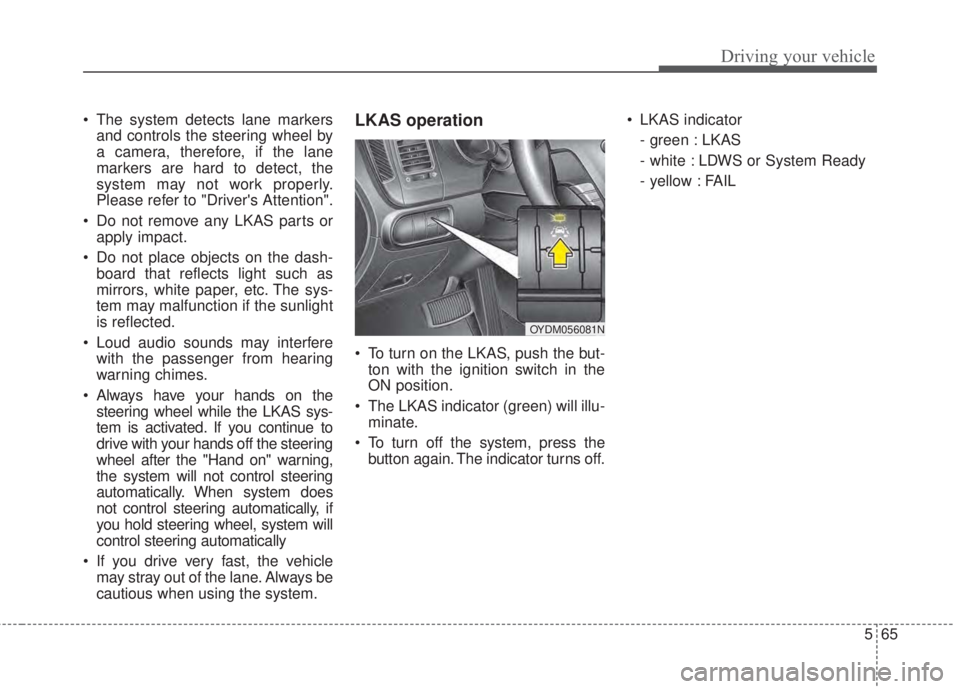
• To turn on the LKAS, push the but-
ton with the ignition switch in the
ON position.
• The LKAS indicator (green) will illu-
minate.
• To turn off the system, press the
button again. The indicator turns off.• LKAS indicator
- green : LKAS
- white : LDWS or System Ready
- yellow : FAIL
OYDM056081N
Page 412 of 595
569
Driving your vehicle
DRIVER'S ATTENTION
The driver must be cautious in the
below situations for the system may
not assist the driver and may not
work properly.
• The lane is not visible due to snow,
rain, stain, a puddle or many other
things.
• The brightness of the outside
changes suddenly such as passing
through a tunnel.
• Not turning on the headlight or
the light is weak even at night or in
a tunnel.
• Difficult to distinguish the color of
the lane marker from the road.
• Driving on a steep grade or a curve.
• Light reflects from the water on the
road such as sunlight, streetlight or
the light of oncoming vehicles.
• The lens or windshield is stained
with foreign matter.
• The sensor cannot detect the lane
because of fog, heavy rain or
heavy snow.
• The surrounding of the inside rear
view mirror temperature is high
due to direct light.
(Continued)(Continued)
• The lane is very wide or narrow.
• The lane marker is damaged or
indistinct.
• The shadow is on the lane marker
by a median strip.
• There is a mark similar to a lane
marker.
• There is a boundary structure.
• The distance from vehicle ahead is
very short or the vehicle ahead
drives hiding the lane marker.
• The vehicle shakes heavily.
• The lane number increases or
decreases or the lane marker are
crossing complicatedly.
• Placing something on the dash-
board.
• Driving with the sun in front of
you.
• Driving in areas under construction.
• The lane marker is more than two.
• The lane marker in a tunnel is hard
to distinguish due to dust or grease.
• The lane marker is hard to distin-
guish after raining at night.
• The lane marker is hard to distin-
guish due to dust.
(Continued)(Continued)
• MDPS (motor driven power steer-
ing) is not operational.
• Some objects are attached in steer-
ing wheel.
• The windshield is fogged by
humid air in the vehicle.
• The distance from the vehicle
ahead is very short or the vehicle
ahead drives covering the lane line.
• The lane line is merged or divided.
• Driving through a toll plaza or toll
gate.
• Driving on uneven surface
• An object on roadside which may
resemble road markers.