hybrid KIA OPTIMA 2020 Workshop Manual
[x] Cancel search | Manufacturer: KIA, Model Year: 2020, Model line: OPTIMA, Model: KIA OPTIMA 2020Pages: 589, PDF Size: 11.37 MB
Page 216 of 589
481
Features of your vehicle
❈Example of a deceleration event is
going down an extended hill, slow-
ing down approaching a toll booth,
and approaching reduced speed
zones.
• User settings
Press the Engine Start/Stop button
and put the shift lever in P(Park). In
the User Settings Mode, select
Driving Assist, Coasting Guide, and
then On to turn on the system.
Cancel the selection of coasting
guide to turn off the system. For the
explanation of the system, press and
hold the [OK] button.
To activate the system, take the fol-
lowing procedures. Enter your desti-
nation information on the navigation
and select the driving route. Select
the ECO mode in the Integrated
Driving Control System. Then, satisfy
the following.
- The driving speed should be
between 60 km/h (37 mph) and 160
km/h (99 mph).
❈ The operating speed may vary due
to difference between instrument
cluster and navigation effected by
tire inflation level.Unplug vehicle to start
(Plug-in hybrid)
This message is displayed when you
start the engine without unplugging
the charging cable. Unplug the
charging cable, and then start the
vehicle.
Remaining time (Plug-in hybrid)
This message is displayed to notify
the estimated remaining time to fully
charge the battery.
Shift to P to charge (Plug-in hybrid)
This message is displayed when the
charging connector is plugged with
the shift lever in R (Reverse), N
(Neutral) or D (Drive). Move the shift
lever to P (Park) and re-start the
charging process.
Page 217 of 589
Features of your vehicle
82
4
EV/HEV (Plug-in hybrid)
A corresponding message is dis-
played when a mode is selected by
pressing the HEV button.
Low battery. Maintaining Hybrid
mode (Plug-in hybrid)
This message is displayed when
unable to convert to EV mode even
when pressing the HEV button dur-
ing HEV mode driving due to insuffi-
cient high-voltage(hybrid) battery
level.
Charger Error! (Plug-in hybrid)
This message is displayed when
there is a problem with the charger.
The purpose of this message is to let
you know an error has occurred in
charger itself not in vehicle.
Low/High System Temp.Maintaining Hybrid (Plug-in hybrid)
This message is displayed when
unable to convert to EV mode even
when pressing the HEV button dur-
ing HEV mode driving due to
low/high system temperature.
Switching to Hybrid mode toallow heating (Plug-in hybrid)
When the coolant temperature is lower than -14°C (57°F), and you
turn the climate control On for
heating, this message will be dis-
played in the cluster. Then, the
vehicle will automatically switch to
HEV mode.
When the coolant temperature is higher than -14°C (57°F), or you
turn the climate control Off, the
vehicle will automatically return to
EV mode.
Wait until fuel door opens
(Plug-in hybrid)
This message is displayed when you
attempt to open the fuel filler lid with
the fuel tank pressurized. Wait until
the fuel tank is depressurized.
✽ ✽ NOTICE
• It may take up to 20 seconds to
open fuel filler lid.
• When the fuel filler lid is frozen and does not open after 20 seconds
at freezing temperature, slightly
tap the fuel filler lid and then
attempt to open it.
Page 218 of 589
483
Features of your vehicle
Fuel door open (Plug-in hybrid)
This message is displayed when the
fuel filler lid is opened.
Also means “Ready to refuel”.
Check fuel door (Plug-in hybrid)
This message is displayed when the
fuel filler lid is open or an abnormal-
ity has occurred.
Refuel after stopping (Plug-in hybrid)
This message is displayed when the
fuel filler lid open button is pressed
when a vehicle equipped with a plug-
in hybrid seal-type fuel tank is in
motion (vehicle speed is greater than
0 km/h(mi/h)).
Disconnect charging cable beforeopening fuel door (Plug-in hybrid)
This message is displayed when you
press the fuel filler lid open button
while charging.
This message explains that refueling
is allowed to finish charging.
Fuel lid is not opened when charging
cable is connected to vehicle.
Charging Door Open (Plug-in hybrid)
This message indicates that the
charging door is open while in driv-
ing-ready state to encourage you to
inspect and close the door.
(Driving with the charging door open
may result in moisture inflow or dam-
age. This message is used to prevent
such occurrences.)
Page 219 of 589

Features of your vehicle
84
4
Warning lights
✽ ✽
NOTICE - Warning lights
Make sure that all warning lights
are OFF after starting the engine. If
any light is still ON, this indicates a
situation that needs attention.
Hybrid system warning
light
This warning light illuminates:
when there is a malfunction with the
hybrid system.
In this case, have the vehicle
inspected by an authorized Kia deal-
er.
Air bag Warning Light
This warning light illuminates:
Once you set the Engine Start/Stop Button to the ON posi-
tion.
- It illuminates for approximately 6seconds and then goes off.
When there is a malfunction with the SRS.
In this case, have your vehicle
inspected by an authorized Kia
dealer.
Seat Belt Warning Light
This warning light informs the driver
that the seat belt is not fastened.
❈ For more details, refer to the “Seat
Belts” in chapter 3.
WARNING AND INDICATOR LIGHTS
Page 227 of 589
Features of your vehicle
92
4
Engine Coolant
Temperature WarningLight
This warning light illuminates:
When the engine coolant tempera- ture is above 120°C (248°F). This
means that the engine is overheat-
ed and may be damaged.
If your vehicle is overheated, refer
to “Overheating” in chapter 6.
Indicator Lights
Charging Cable
Connection Indicator (Plug-in hybrid)
This indicator illuminates in red when
the charging cable is connected.
Electronic StabilityControl (ESC) IndicatorLight
This indicator light illuminates:
Once you set the Engine Start/Stop Button to the ON posi-
tion.
- It illuminates for approximately 3seconds and then goes off.
When there is a malfunction with the ESC system.
In this case, have your vehicle
inspected by an authorized Kia
dealer.
This indicator light blinks:
While the ESC is operating.
❈ For more details, refer to
“Electronic Stability Control (ESC)”
in chapter 6.
CAUTION - Engine
Overheating
Do not continue driving with the
engine overheated. Otherwisethe engine may be damaged.
Page 267 of 589
Features of your vehicle
132
4
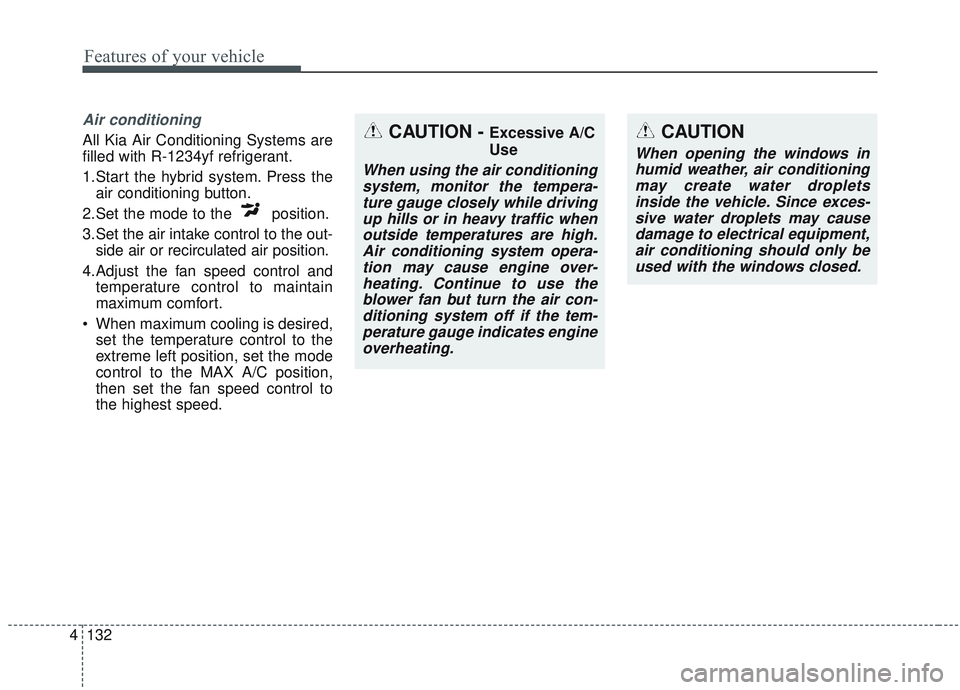
Air conditioning
All Kia Air Conditioning Systems are
filled with R-1234yf refrigerant.
1.Start the hybrid system. Press the
air conditioning button.
2.Set the mode to the position.
3.Set the air intake control to the out- side air or recirculated air position.
4.Adjust the fan speed control and temperature control to maintain
maximum comfort.
When maximum cooling is desired, set the temperature control to the
extreme left position, set the mode
control to the MAX A/C position,
then set the fan speed control to
the highest speed.CAUTION - Excessive A/C
Use
When using the air conditioningsystem, monitor the tempera-ture gauge closely while drivingup hills or in heavy traffic whenoutside temperatures are high.Air conditioning system opera-tion may cause engine over-heating. Continue to use theblower fan but turn the air con-ditioning system off if the tem-perature gauge indicates engineoverheating.
CAUTION
When opening the windows inhumid weather, air conditioningmay create water dropletsinside the vehicle. Since exces-sive water droplets may causedamage to electrical equipment,air conditioning should only beused with the windows closed.
Page 300 of 589
57
Driving your vehicle
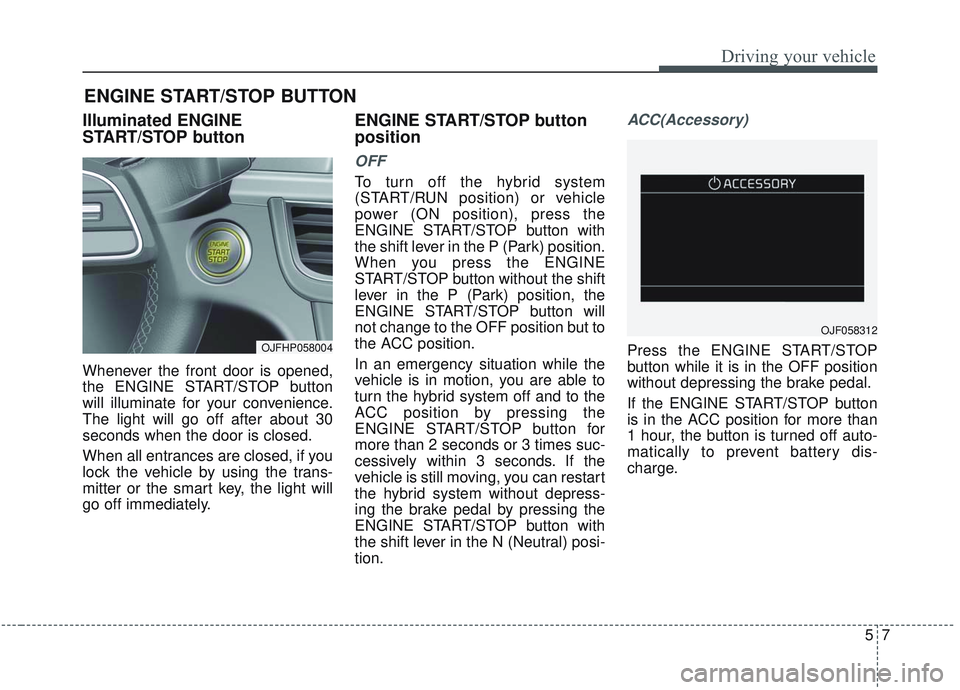
Illuminated ENGINE
START/STOP button
Whenever the front door is opened,
the ENGINE START/STOP button
will illuminate for your convenience.
The light will go off after about 30
seconds when the door is closed.
When all entrances are closed, if you
lock the vehicle by using the trans-
mitter or the smart key, the light will
go off immediately.
ENGINE START/STOP button
position
OFF
To turn off the hybrid system
(START/RUN position) or vehicle
power (ON position), press the
ENGINE START/STOP button with
the shift lever in the P (Park) position.
When you press the ENGINE
START/STOP button without the shift
lever in the P (Park) position, the
ENGINE START/STOP button will
not change to the OFF position but to
the ACC position.
In an emergency situation while the
vehicle is in motion, you are able to
turn the hybrid system off and to the
ACC position by pressing the
ENGINE START/STOP button for
more than 2 seconds or 3 times suc-
cessively within 3 seconds. If the
vehicle is still moving, you can restart
the hybrid system without depress-
ing the brake pedal by pressing the
ENGINE START/STOP button with
the shift lever in the N (Neutral) posi-
tion.
ACC(Accessory)
Press the ENGINE START/STOP
button while it is in the OFF position
without depressing the brake pedal.
If the ENGINE START/STOP button
is in the ACC position for more than
1 hour, the button is turned off auto-
matically to prevent battery dis-
charge.
ENGINE START/STOP BUTTON
OJFHP058004
OJF058312
Page 301 of 589
Driving your vehicle
85
ON
Press the ENGINE START/STOP
button while it is in the ACC position
without depressing the brake pedal.
The warning lights can be checked
before the hybrid system is started.
Do not leave the ENGINE
START/STOP button in the ON posi-
tion for a long time. The battery may
discharge, because the engine is not
running.
START/RUN
To start the hybrid system, depress
the brake pedal and press the
ENGINE START/ STOP button with
the shift lever in the P (Park) or the N
(Neutral) position. For your safety,
start the hybrid system with the shift
lever in the P (Park) position.
If you press the ENGINE START/STOP
button without depressing the brake
pedal for automatic transmission vehi-
cles, the hybrid system will not start and
the ENGINE START/STOP button
changes as follow:
OFF ➔ACC ➔ON ➔OFF or ACC
✽ ✽
NOTICE
If you leave the ENGINE START/
STOP button in the ACC or ON
position for a long time, the battery
will discharge.
WARNING- Starting
vehicle
Never press the ENGINE
START/STOP button while the
vehicle is in motion except in an
emergency. This will result in
the engine turning off requiring
increased braking and steering
effort.
Page 302 of 589
59
Driving your vehicle
Starting the hybrid system
✽ ✽NOTICE
• The hybrid system will start by
pressing the Engine Start/Stop
button, only when the smart key is
in the vehicle.
• Even when the smart key is in the vehicle, if it is far away from the
driver, the hybrid system may not
start.
• When the Engine Start/Stop but- ton is in the ACC or ON position,
and any door is open, the system
checks for the smart key. When
the smart key is not in the vehicle,
the " " indicator will blink and
the warning "Key not in vehicle"
will come on. When all doors are
closed, the chime will also sound
for about 5 seconds. Keep the
smart key in the vehicle when in
the ACC position or if the hybrid
system is ON.
1. Always carry the smart key with
you.
2. Make sure the parking brake is applied.
3. Make sure the shift lever is in P (Park).
4. Depress the brake pedal.
5. Press the Engine Start/Stop but- ton. If the hybrid system starts, the
" " indicator will come on.✽ ✽NOTICE
• Do not wait for the engine to warm
up while the vehicle remains sta-
tionary.
Start driving at moderate engine
speeds. (Steep accelerating and
decelerating should be avoided.)
• Always start the vehicle with your foot on the brake pedal. Do not
depress the accelerator while
starting the vehicle. Do not race
the engine while warming it up.
• If ambient temperature is low, the " " indicator may remain illu-
minated longer than the normal
amount of time.
Page 303 of 589
Driving your vehicle
10
5
✽ ✽
NOTICE
To prevent damage to the vehicle:
• If the " " indicator turns off
while you are in motion, do not
attempt to move the shift lever to
the P (Park) position.
If traffic and road conditions per-
mit, you may put the shift lever in
the N (Neutral) position while the
vehicle is still moving and press
the Engine Start/Stop button in an
attempt to restart the hybrid sys-
tem.
• Do not push or tow your vehicle to start the hybrid system.
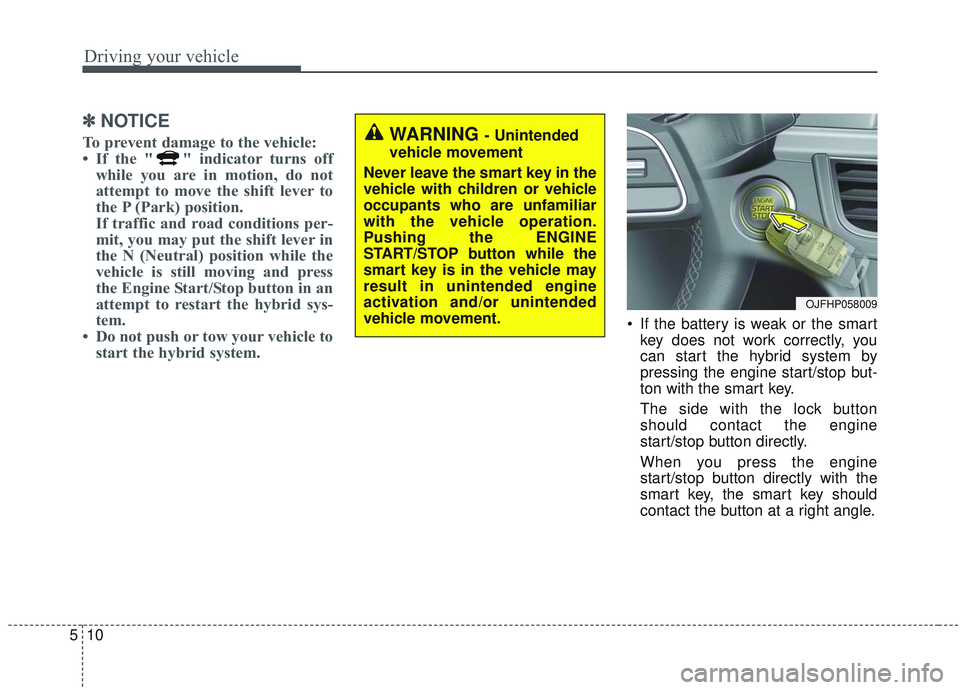
If the battery is weak or the smart
key does not work correctly, you
can start the hybrid system by
pressing the engine start/stop but-
ton with the smart key.
The side with the lock button
should contact the engine
start/stop button directly.
When you press the engine
start/stop button directly with the
smart key, the smart key should
contact the button at a right angle.
WARNING - Unintended
vehicle movement
Never leave the smart key in the
vehicle with children or vehicle
occupants who are unfamiliar
with the vehicle operation.
Pushing the ENGINE
START/STOP button while the
smart key is in the vehicle may
result in unintended engine
activation and/or unintended
vehicle movement.
OJFHP058009