ECO mode KIA RIO 2022 User Guide
[x] Cancel search | Manufacturer: KIA, Model Year: 2022, Model line: RIO, Model: KIA RIO 2022Pages: 528, PDF Size: 11.8 MB
Page 143 of 528
Features of your vehicle
64
4
LCD DISPLAY (FOR TYPE B CLUSTER)
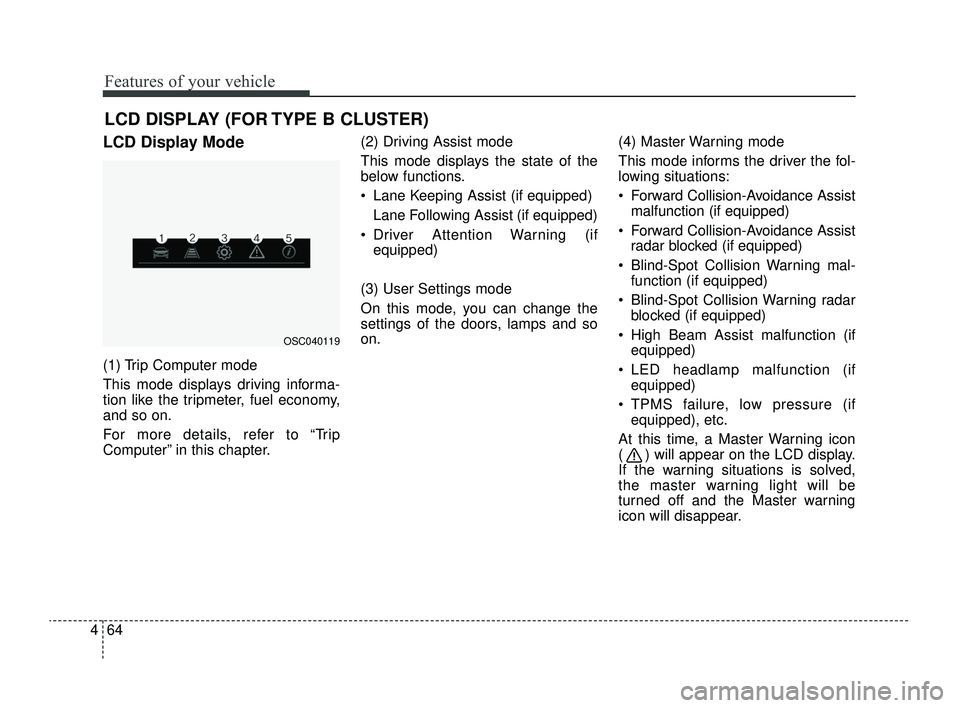
LCD Display Mode
(1) Trip Computer mode
This mode displays driving informa-
tion like the tripmeter, fuel economy,
and so on.
For more details, refer to “Trip
Computer” in this chapter. (2) Driving Assist mode
This mode displays the state of the
below functions.
Lane Keeping Assist (if equipped)
Lane Following Assist (if equipped)
Driver Attention Warning (if equipped)
(3) User Settings mode
On this mode, you can change the
settings of the doors, lamps and so
on. (4) Master Warning mode
This mode informs the driver the fol-
lowing situations:
Forward Collision-Avoidance Assist
malfunction (if equipped)
Forward Collision-Avoidance Assist radar blocked (if equipped)
Blind-Spot Collision Warning mal- function (if equipped)
Blind-Spot Collision Warning radar blocked (if equipped)
High Beam Assist malfunction (if equipped)
LED headlamp malfunction (if equipped)
TPMS failure, low pressure (if equipped), etc.
At this time, a Master Warning icon
( ) will appear on the LCD display.
If the warning situations is solved,
the master warning light will be
turned off and the Master warning
icon will disappear.
OSC040119
SC PE USA 4.QXP 9/9/2021 6:04 PM Page 64
Page 180 of 528
4101
Features of your vehicle
To vary the speed setting, turn the
speed control knob (1).
If the wiper switch is set in AUTO
mode when the ignition switch is ON,
the wiper will operate once to per-
form a self-check of the system. Set
the wiper to off position when the
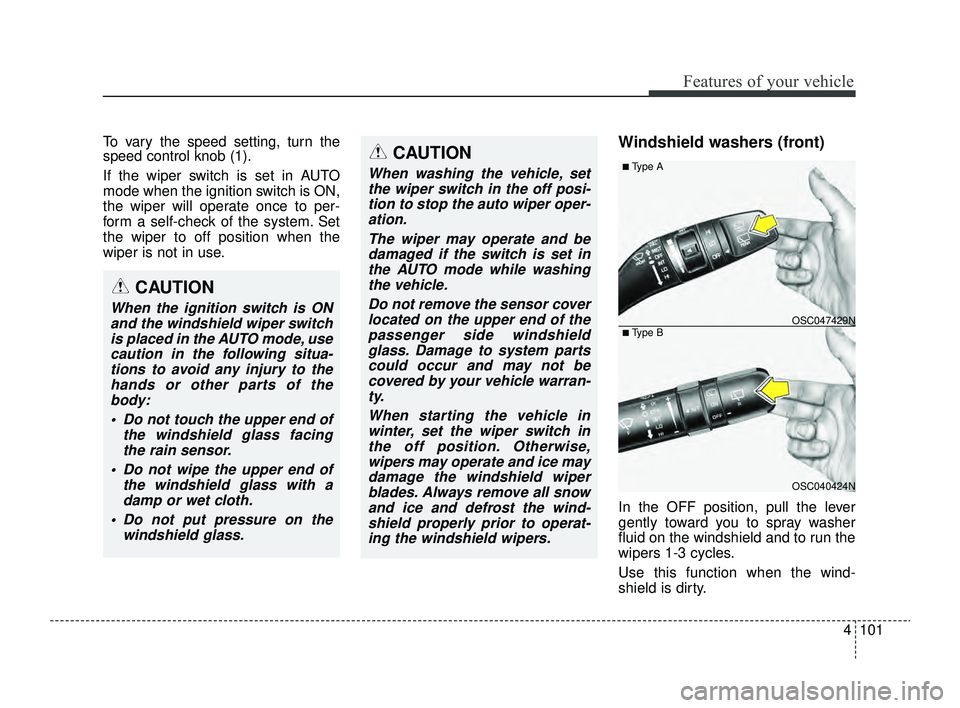
wiper is not in use.Windshield washers (front)
In the OFF position, pull the lever
gently toward you to spray washer
fluid on the windshield and to run the
wipers 1-3 cycles.
Use this function when the wind-
shield is dirty.
CAUTION
When washing the vehicle, setthe wiper switch in the off posi-tion to stop the auto wiper oper-ation.
The wiper may operate and bedamaged if the switch is set inthe AUTO mode while washingthe vehicle.
Do not remove the sensor coverlocated on the upper end of thepassenger side windshieldglass. Damage to system partscould occur and may not becovered by your vehicle warran-ty.
When starting the vehicle inwinter, set the wiper switch inthe off position. Otherwise,wipers may operate and ice maydamage the windshield wiperblades. Always remove all snowand ice and defrost the wind-shield properly prior to operat-ing the windshield wipers.
OSC040424N
OSC047429N
■ Type A
■ Type B
CAUTION
When the ignition switch is ONand the windshield wiper switchis placed in the AUTO mode, usecaution in the following situa-tions to avoid any injury to thehands or other parts of thebody:
Do not touch the upper end of the windshield glass facingthe rain sensor.
Do not wipe the upper end of the windshield glass with adamp or wet cloth.
Do not put pressure on the windshield glass.
SC PE USA 4.QXP 9/9/2021 6:06 PM Page 101
Page 197 of 528
Features of your vehicle
118
4
Air conditioning system operation tips
If the vehicle has been parked in
direct sunlight during hot weather,
open the windows for a short time
to let the hot air inside the vehicle
escape.
To help reduce moisture inside of the windows on rainy or humid
days, decrease the humidity inside
the vehicle by operating the air
conditioning system.
During air conditioning system operation, you may occasionally
notice a slight change in engine
speed as the air conditioning com-
pressor cycles. This is a normal
system operation characteristic.
Use the air conditioning system every month for a few minutes to
ensure maximum system perform-
ance.
When using the air conditioning system, you may notice clear water
dripping (or even puddling) on the
ground under the passenger side
of the vehicle. This is a normal
operating characteristic of the sys-
tem. Operating the air conditioning sys-
tem in the recirculated air position
provides maximum cooling, how-
ever, continual operation in this
mode may cause the air inside the
vehicle to become stale.
During cooling operation, you may occasionally notice a misty air flow
because of rapid cooling and
humid air intake. This is a normal
operating characteristic of the sys-
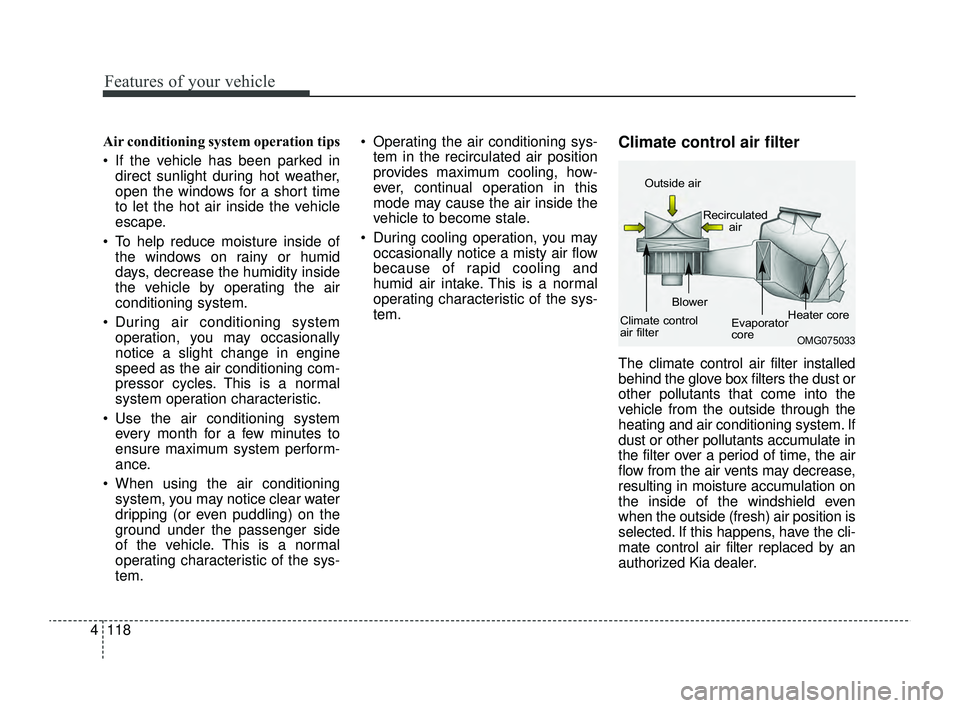
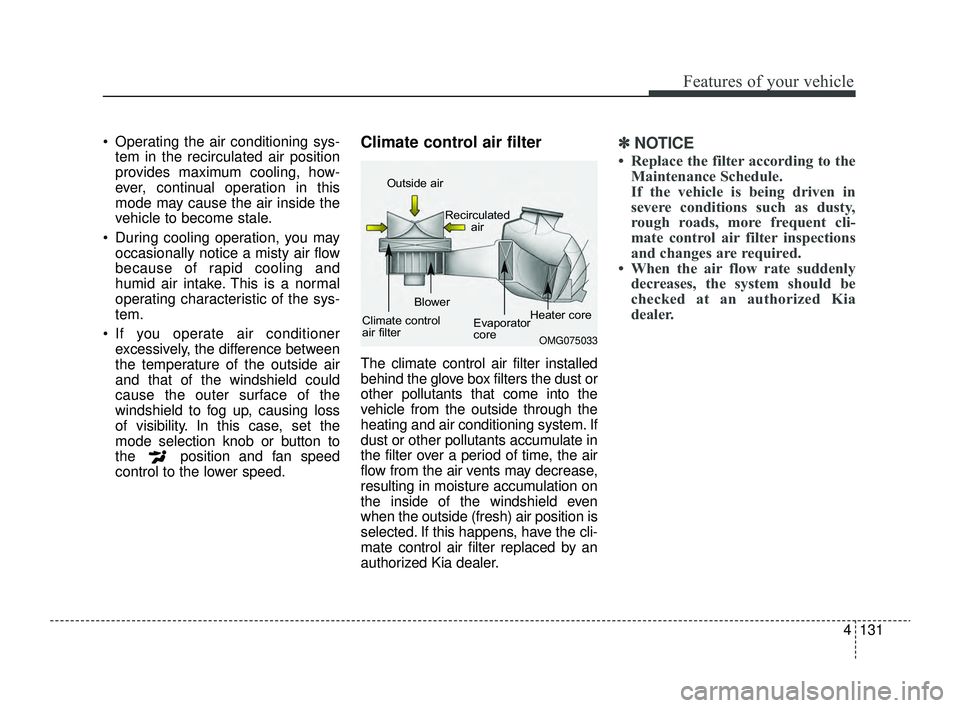
tem.Climate control air filter
The climate control air filter installed
behind the glove box filters the dust or
other pollutants that come into the
vehicle from the outside through the
heating and air conditioning system. If
dust or other pollutants accumulate in
the filter over a period of time, the air
flow from the air vents may decrease,
resulting in moisture accumulation on
the inside of the windshield even
when the outside (fresh) air position is
selected. If this happens, have the cli-
mate control air filter replaced by an
authorized Kia dealer.
OMG075033
Outside air
Recirculatedair
Climate control
air filter Blower
Evaporator
coreHeater core
SC PE USA 4.QXP 9/9/2021 6:07 PM Page 118
Page 200 of 528
4121
Features of your vehicle
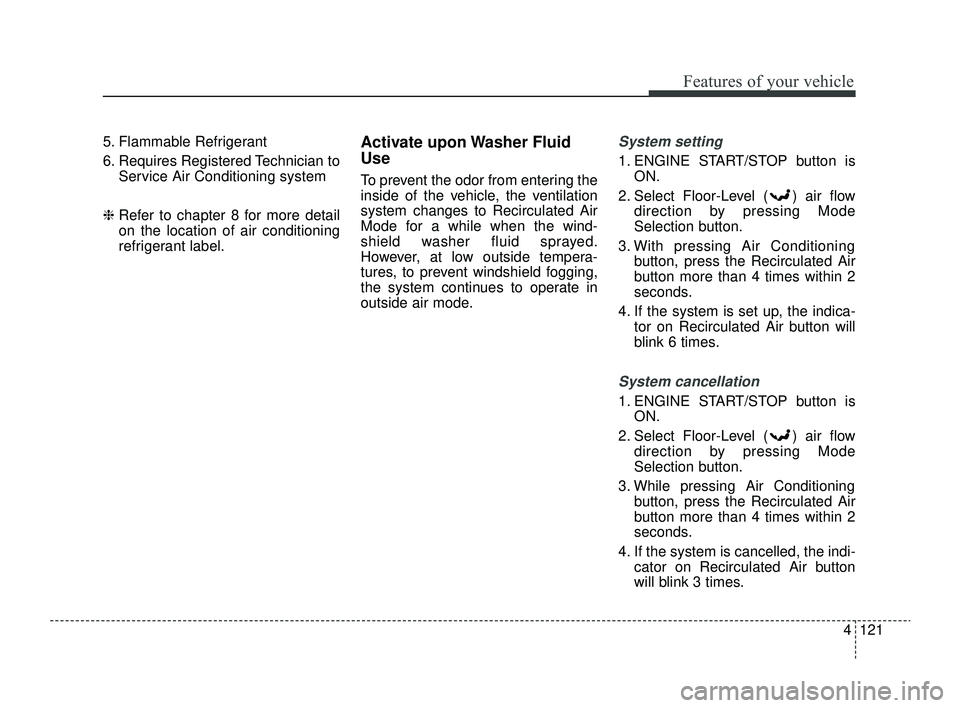
5. Flammable Refrigerant
6. Requires Registered Technician toService Air Conditioning system
❈ Refer to chapter 8 for more detail
on the location of air conditioning
refrigerant label.Activate upon Washer Fluid
Use
To prevent the odor from entering the
inside of the vehicle, the ventilation
system changes to Recirculated Air
Mode for a while when the wind-
shield washer fluid sprayed.
However, at low outside tempera-
tures, to prevent windshield fogging,
the system continues to operate in
outside air mode.
System setting
1. ENGINE START/STOP button is
ON.
2. Select Floor-Level ( ) air flow direction by pressing Mode
Selection button.
3. With pressing Air Conditioning button, press the Recirculated Air
button more than 4 times within 2
seconds.
4. If the system is set up, the indica- tor on Recirculated Air button will
blink 6 times.
System cancellation
1. ENGINE START/STOP button isON.
2. Select Floor-Level ( ) air flow direction by pressing Mode
Selection button.
3. While pressing Air Conditioning button, press the Recirculated Air
button more than 4 times within 2
seconds.
4. If the system is cancelled, the indi- cator on Recirculated Air button
will blink 3 times.
SC PE USA 4.QXP 9/9/2021 6:07 PM Page 121
Page 210 of 528
4131
Features of your vehicle
Operating the air conditioning sys-tem in the recirculated air position
provides maximum cooling, how-
ever, continual operation in this
mode may cause the air inside the
vehicle to become stale.
During cooling operation, you may occasionally notice a misty air flow
because of rapid cooling and
humid air intake. This is a normal
operating characteristic of the sys-
tem.
If you operate air conditioner excessively, the difference between
the temperature of the outside air
and that of the windshield could
cause the outer surface of the
windshield to fog up, causing loss
of visibility. In this case, set the
mode selection knob or button to
the position and fan speed
control to the lower speed.Climate control air filter
The climate control air filter installed
behind the glove box filters the dust or
other pollutants that come into the
vehicle from the outside through the
heating and air conditioning system. If
dust or other pollutants accumulate in
the filter over a period of time, the air
flow from the air vents may decrease,
resulting in moisture accumulation on
the inside of the windshield even
when the outside (fresh) air position is
selected. If this happens, have the cli-
mate control air filter replaced by an
authorized Kia dealer.
✽ ✽ NOTICE
• Replace the filter according to the
Maintenance Schedule.
If the vehicle is being driven in
severe conditions such as dusty,
rough roads, more frequent cli-
mate control air filter inspections
and changes are required.
• When the air flow rate suddenly decreases, the system should be
checked at an authorized Kia
dealer.
OMG075033
Outside air
Recirculatedair
Climate control
air filter Blower
Evaporator
coreHeater core
SC PE USA 4.QXP 9/9/2021 6:08 PM Page 131
Page 213 of 528
Features of your vehicle
134
4
Activate upon Washer Fluid
Use
To prevent the odor from entering the
inside of the vehicle, the ventilation
system changes to Recirculated Air
Mode for a while when the wind-
shield washer fluid sprayed.
However, at low outside temperature,
to prevent windshield fogging, the
system continues to outside air
mode.
System setting
1. ENGINE START/STOP button is
ON.
2. Select Floor-Level ( ) air flow direction by pressing Mode
Selection button.
3. With pressing Air Conditioning button, press the Recirculated Air
button more than 4 times within 2
seconds.
4. If the system is set up, the indica- tor on Recirculated Air button will
blink 6 times.
System cancellation
1. ENGINE START/STOP button isON.
2. Select Floor-Level ( ) air flow direction by pressing Mode
Selection button.
3. While pressing Air Conditioning button, press the Recirculated Air
button more than 4 times within 2
seconds.
4. If the system is cancelled, the indi- cator on Recirculated Air button
will blink 3 times.
SC PE USA 4.QXP 9/9/2021 6:08 PM Page 134
Page 216 of 528
4137
Features of your vehicle
Defogging Logic
To reduce the probability of fogging
up inside of the windshield, the air
intake or air conditioning are con-
trolled automatically according to
certain conditions such as or
position. Logic can be disabled and
enabled by doing following :
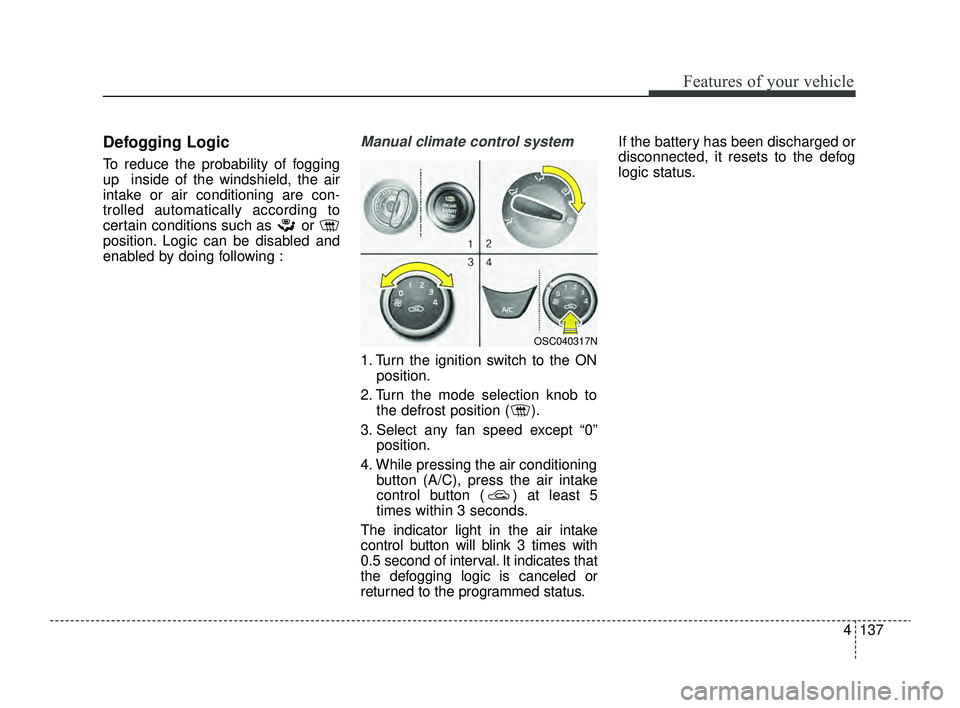
Manual climate control system
1. Turn the ignition switch to the ONposition.
2. Turn the mode selection knob to the defrost position ( ).
3. Select any fan speed except “0” position.
4. While pressing the air conditioning button (A/C), press the air intake
control button ( ) at least 5
times within 3 seconds.
The indicator light in the air intake
control button will blink 3 times with
0.5 second of interval. It indicates that
the defogging logic is canceled or
returned to the programmed status. If the battery has been discharged or
disconnected, it resets to the defog
logic status.
OSC040317N
SC PE USA 4.QXP 9/9/2021 6:08 PM Page 137
Page 217 of 528
Features of your vehicle
138
4
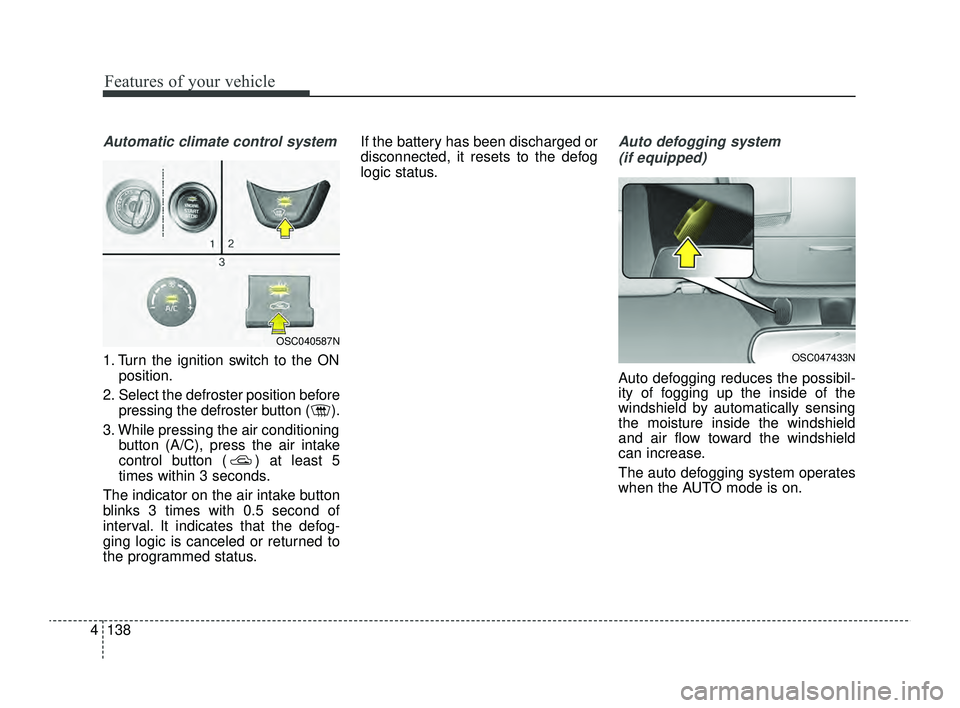
Automatic climate control system
1. Turn the ignition switch to the ON
position.
2. Select the defroster position before pressing the defroster button ( ).
3. While pressing the air conditioning button (A/C), press the air intake
control button ( ) at least 5
times within 3 seconds.
The indicator on the air intake button
blinks 3 times with 0.5 second of
interval. It indicates that the defog-
ging logic is canceled or returned to
the programmed status. If the battery has been discharged or
disconnected, it resets to the defog
logic status.
Auto defogging system
(if equipped)
Auto defogging reduces the possibil-
ity of fogging up the inside of the
windshield by automatically sensing
the moisture inside the windshield
and air flow toward the windshield
can increase.
The auto defogging system operates
when the AUTO mode is on.
OSC047433N
OSC040587N
SC PE USA 4.QXP 9/9/2021 6:08 PM Page 138
Page 243 of 528
59
Driving your vehicle
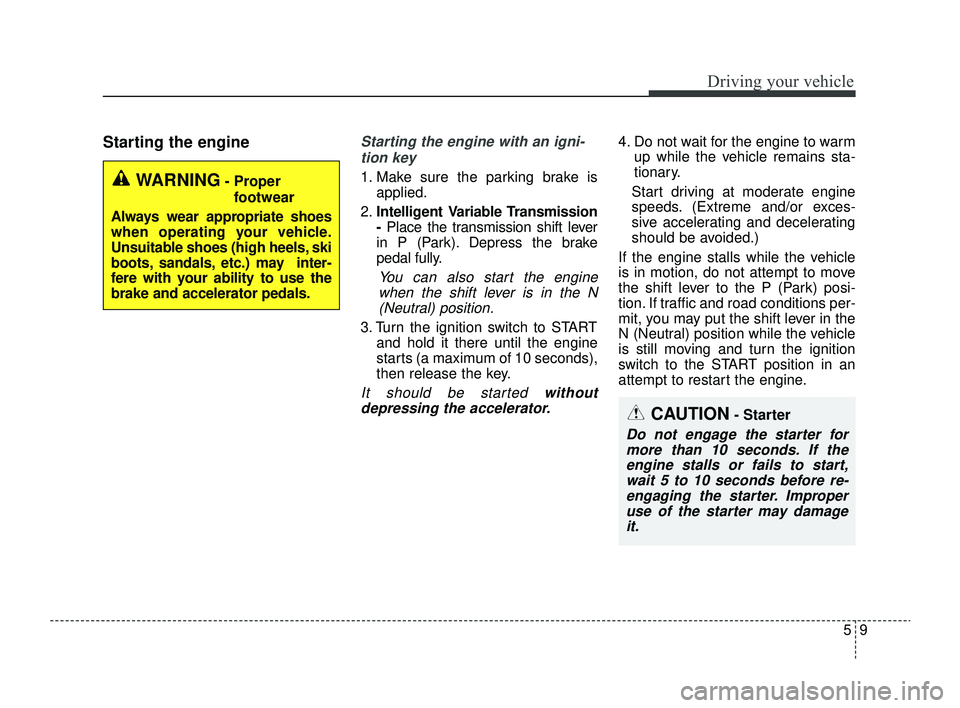
Starting the engineStarting the engine with an igni-tion key
1. Make sure the parking brake is applied.
2. Intelligent Variable Transmission
-Place the transmission shift lever
in P (Park). Depress the brake
pedal fully.
You can also start the engine when the shift lever is in the N(Neutral) position.
3. Turn the ignition switch to START and hold it there until the engine
starts (a maximum of 10 seconds),
then release the key.
It should be started withoutdepressing the accelerator.
4. Do not wait for the engine to warm up while the vehicle remains sta-
tionary.
Start driving at moderate engine
speeds. (Extreme and/or exces-
sive accelerating and decelerating
should be avoided.)
If the engine stalls while the vehicle
is in motion, do not attempt to move
the shift lever to the P (Park) posi-
tion. If traffic and road conditions per-
mit, you may put the shift lever in the
N (Neutral) position while the vehicle
is still moving and turn the ignition
switch to the START position in an
attempt to restart the engine.
WARNING- Proper footwear
Always wear appropriate shoes
when operating your vehicle.
Unsuitable shoes (high heels, ski
boots, sandals, etc.) may inter-
fere with your ability to use the
brake and accelerator pedals.
CAUTION- Starter
Do not engage the starter for more than 10 seconds. If theengine stalls or fails to start,wait 5 to 10 seconds before re-engaging the starter. Improperuse of the starter may damageit.
SC PE USA 5.QXP 9/9/2021 6:17 PM Page 9
Page 248 of 528
Driving your vehicle
14
5
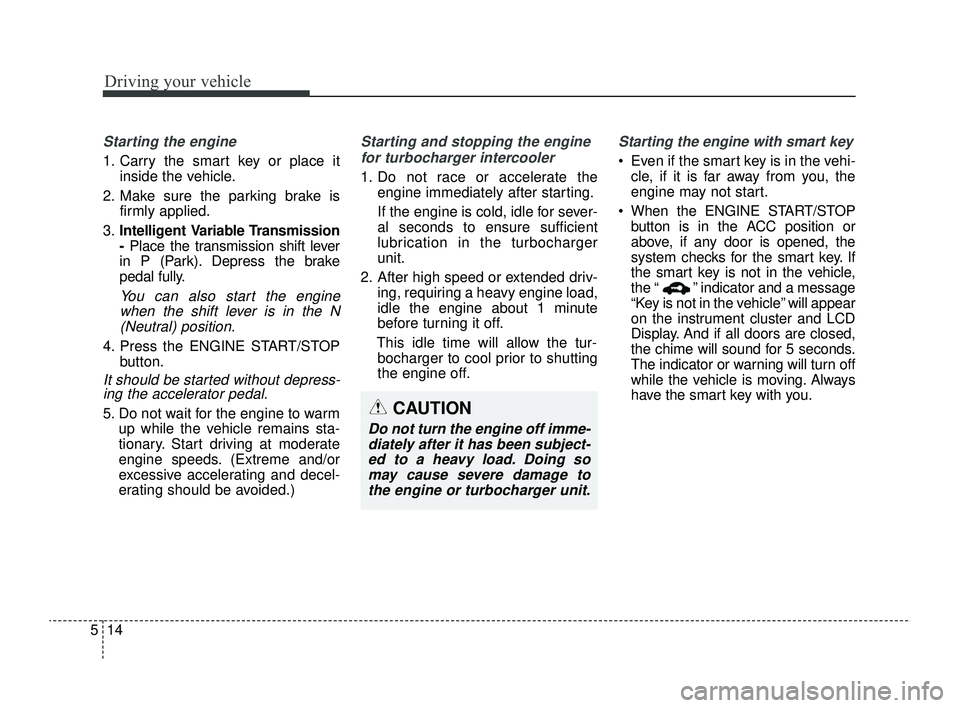
Starting the engine
1. Carry the smart key or place it
inside the vehicle.
2. Make sure the parking brake is firmly applied.
3. Intelligent Variable Transmission
-Place the transmission shift lever
in P (Park). Depress the brake
pedal fully.
You can also start the engine when the shift lever is in the N(Neutral) position.
4. Press the ENGINE START/STOP button.
It should be started without depress-ing the accelerator pedal.
5. Do not wait for the engine to warm
up while the vehicle remains sta-
tionary. Start driving at moderate
engine speeds. (Extreme and/or
excessive accelerating and decel-
erating should be avoided.)
Starting and stopping the engine
for turbocharger intercooler
1. Do not race or accelerate the engine immediately after starting.
If the engine is cold, idle for sever-
al seconds to ensure sufficient
lubrication in the turbocharger
unit.
2. After high speed or extended driv- ing, requiring a heavy engine load,
idle the engine about 1 minute
before turning it off.
This idle time will allow the tur- bocharger to cool prior to shutting
the engine off.
Starting the engine with smart key
Even if the smart key is in the vehi- cle, if it is far away from you, the
engine may not start.
When the ENGINE START/STOP button is in the ACC position or
above, if any door is opened, the
system checks for the smart key. If
the smart key is not in the vehicle,
the “ ” indicator and a message
“Key is not in the vehicle” will appear
on the instrument cluster and LCD
Display. And if all doors are closed,
the chime will sound for 5 seconds.
The indicator or warning will turn off
while the vehicle is moving. Always
have the smart key with you.
CAUTION
Do not turn the engine off imme-diately after it has been subject-ed to a heavy load. Doing somay cause severe damage tothe engine or turbocharger unit.
SC PE USA 5.QXP 9/9/2021 6:17 PM Page 14