display KIA RIO 2022 User Guide
[x] Cancel search | Manufacturer: KIA, Model Year: 2022, Model line: RIO, Model: KIA RIO 2022Pages: 528, PDF Size: 11.8 MB
Page 138 of 528
459
Features of your vehicle
Fuel Economy
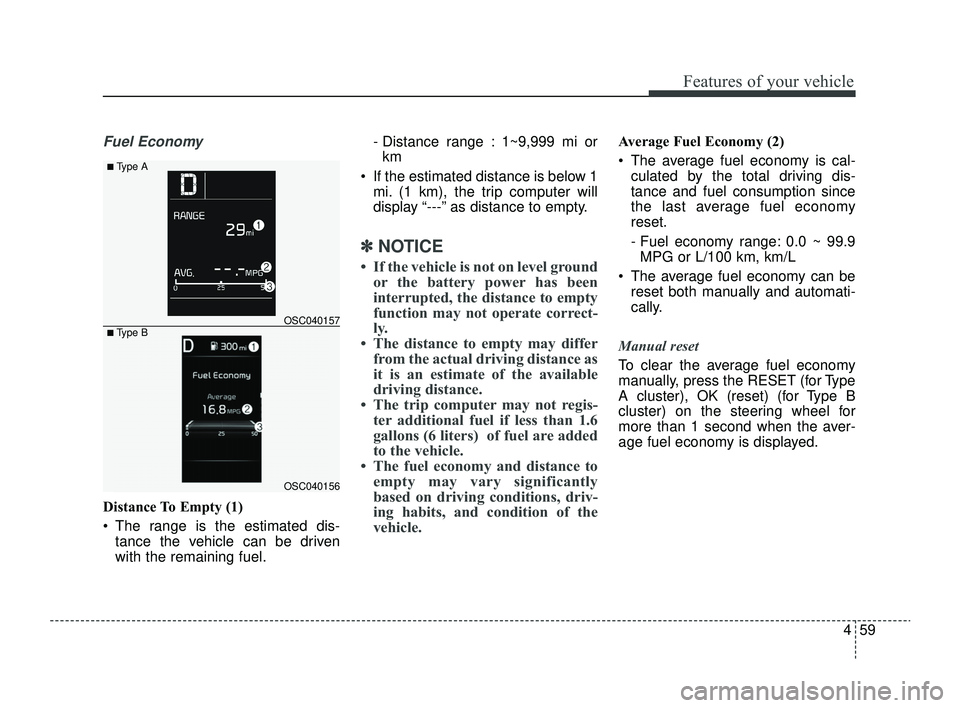
Distance To Empty (1)
The range is the estimated dis-tance the vehicle can be driven
with the remaining fuel. - Distance range : 1~9,999 mi or
km
If the estimated distance is below 1 mi. (1 km), the trip computer will
display “---” as distance to empty.
✽ ✽ NOTICE
• If the vehicle is not on level ground
or the battery power has been
interrupted, the distance to empty
function may not operate correct-
ly.
• The distance to empty may differ from the actual driving distance as
it is an estimate of the available
driving distance.
• The trip computer may not regis- ter additional fuel if less than 1.6
gallons (6 liters) of fuel are added
to the vehicle.
• The fuel economy and distance to empty may vary significantly
based on driving conditions, driv-
ing habits, and condition of the
vehicle.
Average Fuel Economy (2)
The average fuel economy is cal-
culated by the total driving dis-
tance and fuel consumption since
the last average fuel economy
reset.
- Fuel economy range: 0.0 ~ 99.9MPG or L/100 km, km/L
The average fuel economy can be reset both manually and automati-
cally.
Manual reset
To clear the average fuel economy
manually, press the RESET (for Type
A cluster), OK (reset) (for Type B
cluster) on the steering wheel for
more than 1 second when the aver-
age fuel economy is displayed.
OSC040156
OSC040157
■ Type A
■ Type B
SC PE USA 4.QXP 9/9/2021 6:04 PM Page 59
Page 139 of 528
Features of your vehicle
60
4
Automatic reset (for type B cluster)
To make the average fuel economy
be reset automatically whenever refu-
eling, select the "Fuel Econ. Reset"
mode in User Setting menu of the
LCD display (Refer to "User settings
mode" on this chapter).
OFF - You may set to default manu-
ally by using the trip switch reset but-
ton.
After Vehicle On – The vehicle is automatically set to default, if open-
ing the driver's door after turning off
the engine or 3 minutes passes after
restarting the engine.
After refueling - After refueling more than 1.6 gallons (6 liters) and driving
over 1 mph (1 km/h), the vehicle will
reset to default automatically.
✽ ✽ NOTICE
The average fuel economy is not dis-
played for more accurate calculation
if the vehicle does not drive more
than 10 seconds or 0.19 miles (300
meters) since the ignition or
ENGINE STRAT/STOP button is
turned to ON.
Instant Fuel Economy (3)
This mode displays the instant fuel
economy during the last few sec-
onds when the vehicle speed is
more than 5 MPH (8 km/h).
- Fuel economy range:
0.0 ~ 50.0 MPG or 0.0 ~ 30.0
L/100km Trip A/B (for type A cluster)
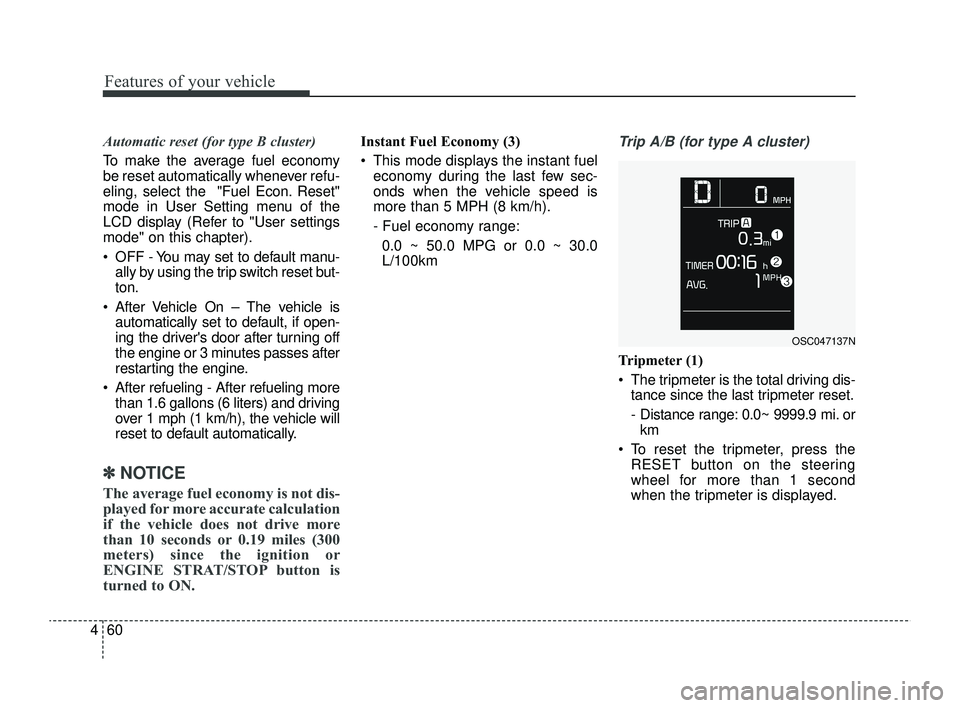
Tripmeter (1)
The tripmeter is the total driving dis- tance since the last tripmeter reset.
- Distance range: 0.0~ 9999.9 mi. orkm
To reset the tripmeter, press the RESET button on the steering
wheel for more than 1 second
when the tripmeter is displayed.
OSC047137N
SC PE USA 4.QXP 9/9/2021 6:04 PM Page 60
Page 140 of 528
461
Features of your vehicle
Elapsed Time (2)
The elapsed time is the total driv-ing time since the last elapsed time
reset.
- Time range (hh:mm) : 00:00 ~99:59
To reset the elapsed time, press the RESET button on the steering
wheel for more than 1 second
when the elapsed time is dis-
played.
✽ ✽ NOTICE
Even if the vehicle is not in motion,
the elapsed time keeps going while
the engine is running.
Average Vehicle Speed (3)
The average vehicle speed is cal-
culated by the total driving dis-
tance and driving time since the
last average vehicle speed reset.
- Speed range : 0 ~ 999 mph orkm/h
To reset the average vehicle speed, press the RESET button
on the steering wheel for more
than 1 second when the average
vehicle speed is displayed.
✽ ✽ NOTICE
• The average vehicle speed is not dis-
played if the driving distance is less
than 0.19 miles (300 meters) since
the ignition or ENGINE
STRAT/STOP button is turned to
ON. or the driving time is less than
10 seconds since the ignition switch
is turned to ON.
• Even if the vehicle is not in motion, the average vehicle speed keeps
going while the engine is running.
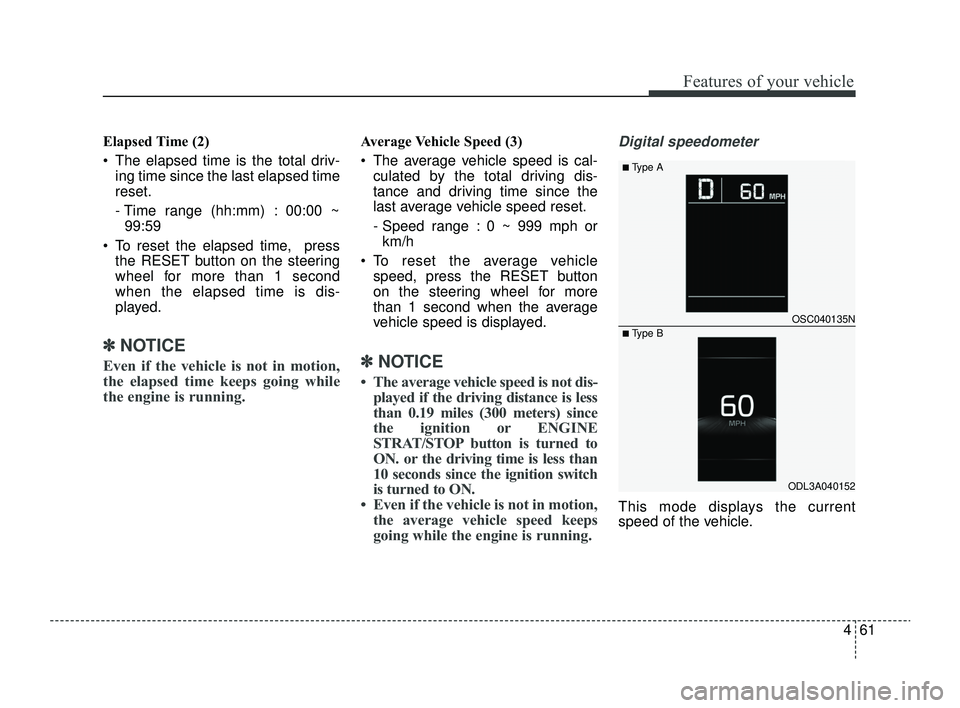
Digital speedometer
This mode displays the current
speed of the vehicle.
OSC040135N
ODL3A040152
■Type A
■ Type B
SC PE USA 4.QXP 9/9/2021 6:04 PM Page 61
Page 141 of 528
Features of your vehicle
62
4
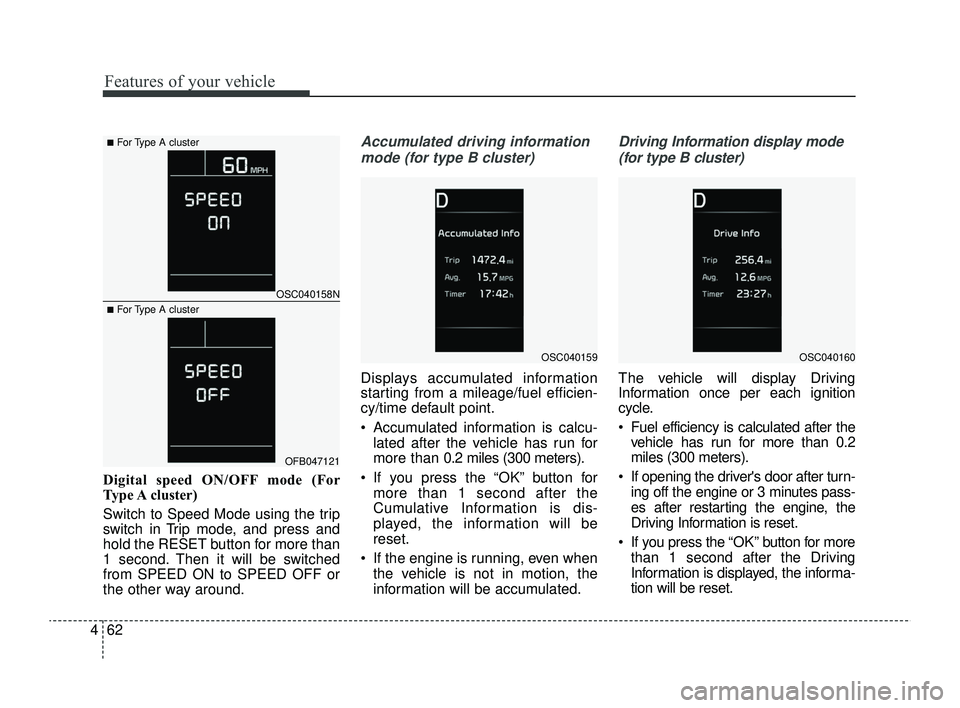
Digital speed ON/OFF mode (For
Type A cluster)
Switch to Speed Mode using the trip
switch in Trip mode, and press and
hold the RESET button for more than
1 second. Then it will be switched
from SPEED ON to SPEED OFF or
the other way around.
Accumulated driving information
mode (for type B cluster)
Displays accumulated information
starting from a mileage/fuel efficien-
cy/time default point.
Accumulated information is calcu- lated after the vehicle has run for
more than 0.2 miles (300 meters).
If you press the “OK” button for more than 1 second after the
Cumulative Information is dis-
played, the information will be
reset.
If the engine is running, even when the vehicle is not in motion, the
information will be accumulated.
Driving Information display mode
(for type B cluster)
The vehicle will display Driving
Information once per each ignition
cycle.
Fuel efficiency is calculated after the vehicle has run for more than 0.2
miles (300 meters).
If opening the driver's door after turn- ing off the engine or 3 minutes pass-
es after restarting the engine, the
Driving Information is reset.
If you press the “OK” button for more
than 1 second after the Driving
Information is displayed, the informa-
tion will be reset.
OSC040159OSC040160
OSC040158N
OFB047121
■For Type A cluster
■For Type A cluster
SC PE USA 4.QXP 9/9/2021 6:04 PM Page 62
Page 143 of 528
Features of your vehicle
64
4
LCD DISPLAY (FOR TYPE B CLUSTER)
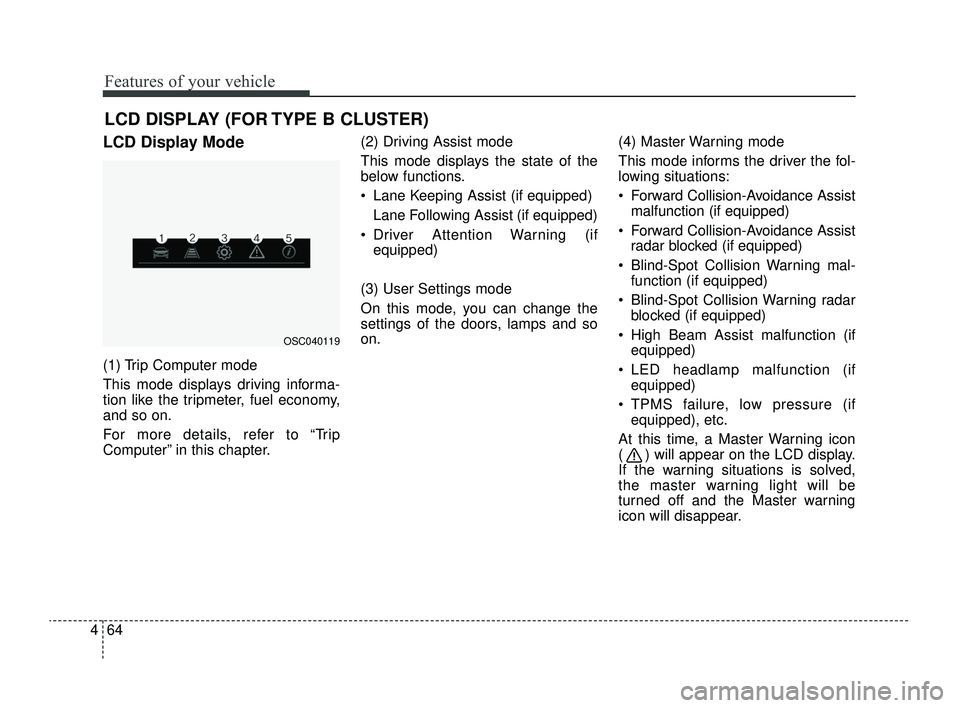
LCD Display Mode
(1) Trip Computer mode
This mode displays driving informa-
tion like the tripmeter, fuel economy,
and so on.
For more details, refer to “Trip
Computer” in this chapter. (2) Driving Assist mode
This mode displays the state of the
below functions.
Lane Keeping Assist (if equipped)
Lane Following Assist (if equipped)
Driver Attention Warning (if equipped)
(3) User Settings mode
On this mode, you can change the
settings of the doors, lamps and so
on. (4) Master Warning mode
This mode informs the driver the fol-
lowing situations:
Forward Collision-Avoidance Assist
malfunction (if equipped)
Forward Collision-Avoidance Assist radar blocked (if equipped)
Blind-Spot Collision Warning mal- function (if equipped)
Blind-Spot Collision Warning radar blocked (if equipped)
High Beam Assist malfunction (if equipped)
LED headlamp malfunction (if equipped)
TPMS failure, low pressure (if equipped), etc.
At this time, a Master Warning icon
( ) will appear on the LCD display.
If the warning situations is solved,
the master warning light will be
turned off and the Master warning
icon will disappear.
OSC040119
SC PE USA 4.QXP 9/9/2021 6:04 PM Page 64
Page 144 of 528
465
Features of your vehicle
(5) Information mode
This mode informs of the digital
speedometer.
❈For controlling the LCD modes,
refer to “LCD Display Control” in
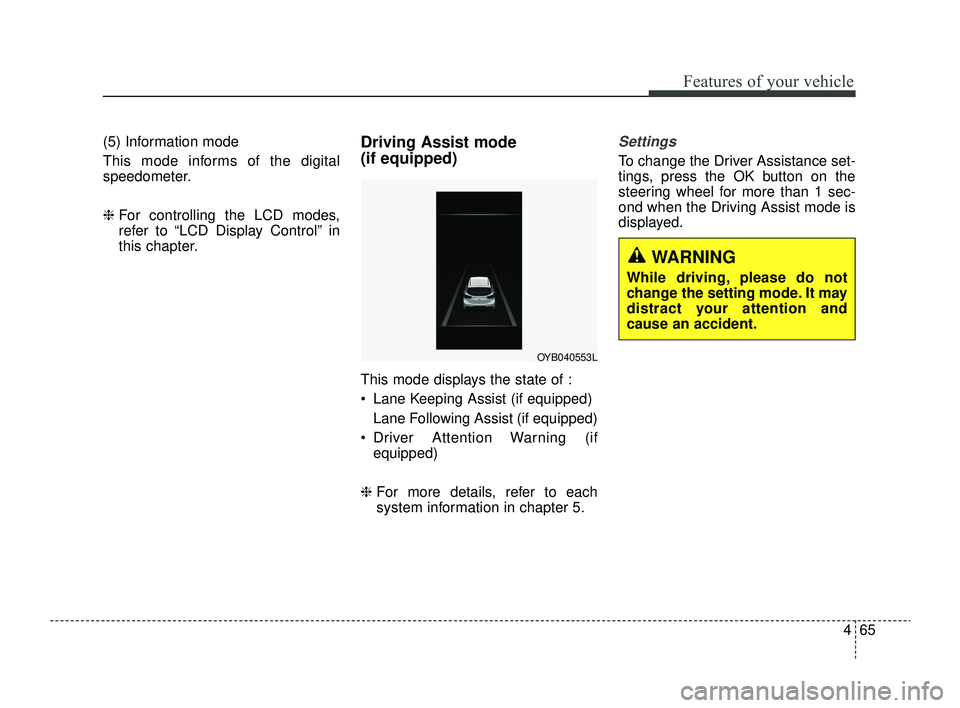
this chapter.Driving Assist mode
(if equipped)
This mode displays the state of :
Lane Keeping Assist (if equipped)
Lane Following Assist (if equipped)
Driver Attention Warning (if equipped)
❈ For more details, refer to each
system information in chapter 5.
Settings
To change the Driver Assistance set-
tings, press the OK button on the
steering wheel for more than 1 sec-
ond when the Driving Assist mode is
displayed.
OYB040553L
WARNING
While driving, please do not
change the setting mode. It may
distract your attention and
cause an accident.
SC PE USA 4.QXP 9/9/2021 6:04 PM Page 65
Page 149 of 528
Features of your vehicle
70
4
ItemsExplanation
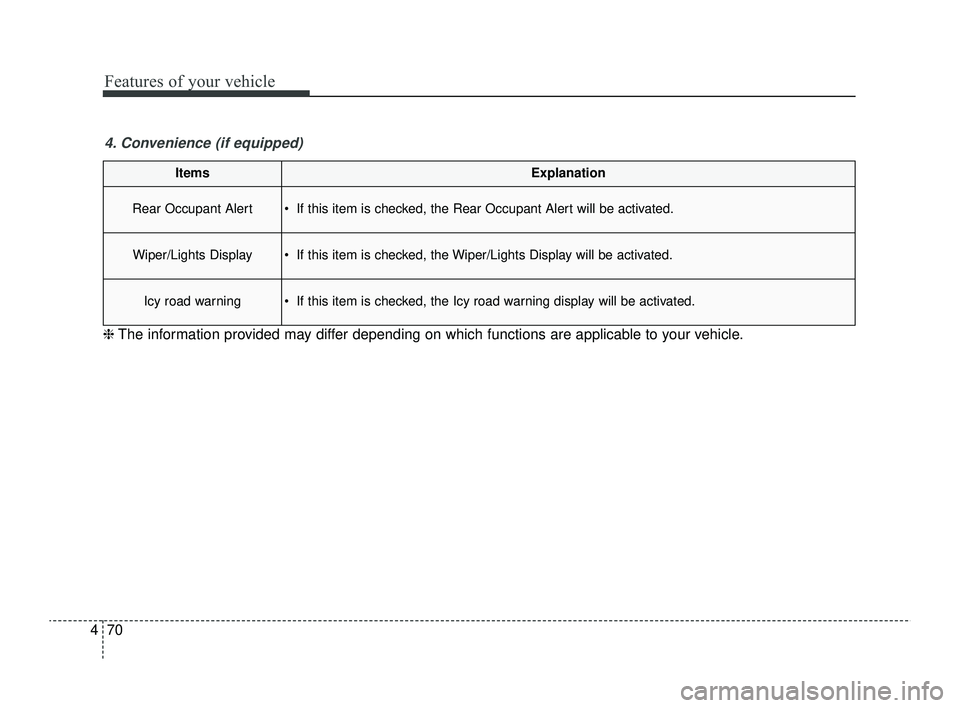
Rear Occupant Alert If this item is checked, the Rear Occupant Alert will be activated.
Wiper/Lights Display If this item is checked, the Wiper/Lights Display will be activated.
Icy road warning If this item is checked, the Icy road warning display will be activated.
4. Convenience (if equipped)
❈ The information provided may differ depending on which functions are applicable to your vehicle.
SC PE USA 4.QXP 9/9/2021 6:05 PM Page 70
Page 150 of 528
471
Features of your vehicle
ItemsExplanation
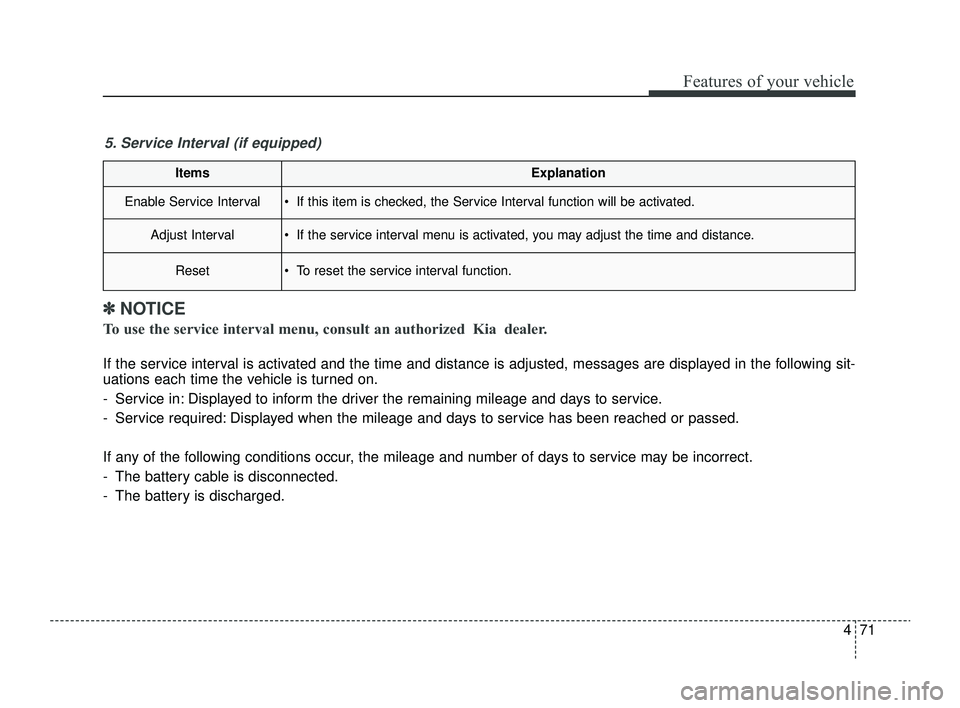
Enable Service Interval If this item is checked, the Service Interval function will be activated.
Adjust Interval If the service interval menu is activated, you may adjust the time and distance.
Reset To reset the service interval function.
5. Service Interval (if equipped)
✽ ✽NOTICE
To use the service interval menu, consult an authorized Kia dealer.
If the service interval is activated and the time and distance is adjusted, messages are displayed in the following sit-
uations each time the vehicle is turned on.
- Service in: Displayed to inform the driver the remaining mileage and days to service.
- Service required: Displayed when the mileage and days to service has been reached or passed.
If any of the following conditions occur, the mileage and number of days to service may be incorrect.
- The battery cable is disconnected.
- The battery is discharged.
SC PE USA 4.QXP 9/9/2021 6:05 PM Page 71
Page 153 of 528
Features of your vehicle
74
4
Warning messages (for type B
cluster)
Warning messages appear on the
LCD to warn the driver. It is located in
the center of the instrument cluster.
The warning message may appear
differently depending on the type of
instrument cluster and some may not
show the warning message at all.
The warning message is shown in
either symbol, symbol and text, or
text type only.
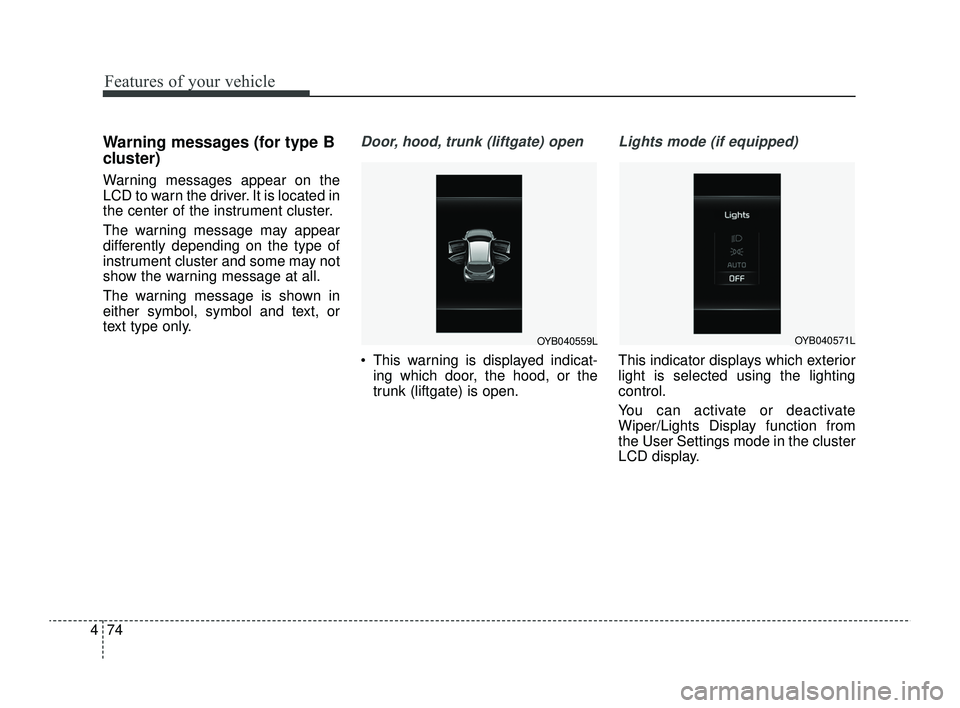
Door, hood, trunk (liftgate) open
This warning is displayed indicat-
ing which door, the hood, or the
trunk (liftgate) is open.
Lights mode (if equipped)
This indicator displays which exterior
light is selected using the lighting
control.
You can activate or deactivate
Wiper/Lights Display function from
the User Settings mode in the cluster
LCD display.
OYB040559LOYB040571L
SC PE USA 4.QXP 9/9/2021 6:05 PM Page 74
Page 154 of 528
475
Features of your vehicle
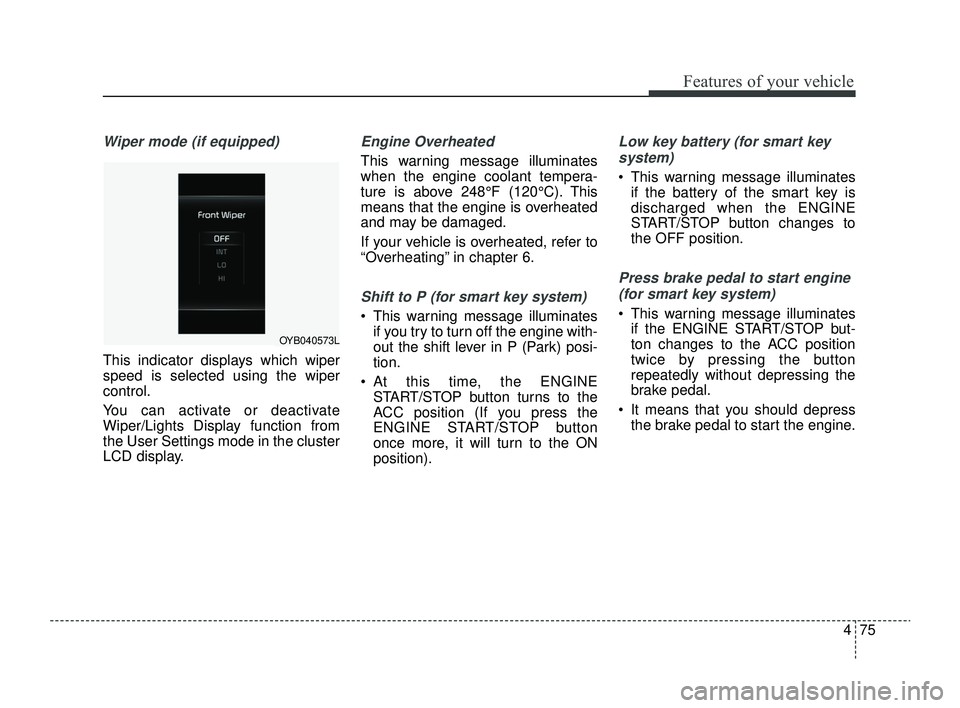
Wiper mode (if equipped)
This indicator displays which wiper
speed is selected using the wiper
control.
You can activate or deactivate
Wiper/Lights Display function from
the User Settings mode in the cluster
LCD display.
Engine Overheated
This warning message illuminates
when the engine coolant tempera-
ture is above 248°F (120°C). This
means that the engine is overheated
and may be damaged.
If your vehicle is overheated, refer to
“Overheating” in chapter 6.
Shift to P (for smart key system)
This warning message illuminatesif you try to turn off the engine with-
out the shift lever in P (Park) posi-
tion.
At this time, the ENGINE START/STOP button turns to the
ACC position (If you press the
ENGINE START/STOP button
once more, it will turn to the ON
position).
Low key battery (for smart key
system)
This warning message illuminates if the battery of the smart key is
discharged when the ENGINE
START/STOP button changes to
the OFF position.
Press brake pedal to start engine
(for smart key system)
This warning message illuminates if the ENGINE START/STOP but-
ton changes to the ACC position
twice by pressing the button
repeatedly without depressing the
brake pedal.
It means that you should depress the brake pedal to start the engine.
OYB040573L
SC PE USA 4.QXP 9/9/2021 6:05 PM Page 75