lock KIA RIO 2022 Repair Manual
[x] Cancel search | Manufacturer: KIA, Model Year: 2022, Model line: RIO, Model: KIA RIO 2022Pages: 528, PDF Size: 11.8 MB
Page 208 of 528
4129
Features of your vehicle
System operation
Ventilation
1. Set the mode to the position.
2. Set the air intake control to theoutside (fresh) air position.
3. Set the temperature control to the desired position.
4. Set the fan speed control to the desired speed.
Heating
1. Set the mode to the position.
2. Set the air intake control to theoutside (fresh) air position.
3. Set the temperature control to the desired position.
4. Set the fan speed control to the desired speed.
5. If dehumidified heating is desired, turn the air conditioning system (if
equipped) on.
If the windshield fogs up, set the mode to the or position. Operation Tips
To keep dust or unpleasant fumes
from entering the vehicle through
the ventilation system, temporarily
set the air intake control to the
recirculated air position. Be sure to
return the control to the fresh air
position when the dust or fumes
have passed to keep fresh air in
the vehicle. This will help keep the
driver alert and comfortable.
Air for the heating/cooling system is drawn in through the grilles just
ahead of the windshield. Care
should be taken that these are not
blocked by leaves, snow, ice or
other obstructions.
To prevent interior fog on the wind- shield, set the air intake control to
the fresh air position and fan speed
to the desired position, turn on the
air conditioning system, and adjust
the temperature control to the
desired temperature.
Air conditioning
Kia Air Conditioning Systems are
filled with R-1234yf refrigerant.
1. Start the engine. Press the air con- ditioning button.
2. Set the mode to the position.
3. Set the air intake control to the out- side air or recirculated air position.
4. Adjust the fan speed control and temperature control to maintain
maximum comfort.
SC PE USA 4.QXP 9/9/2021 6:08 PM Page 129
Page 220 of 528
4141
Features of your vehicle
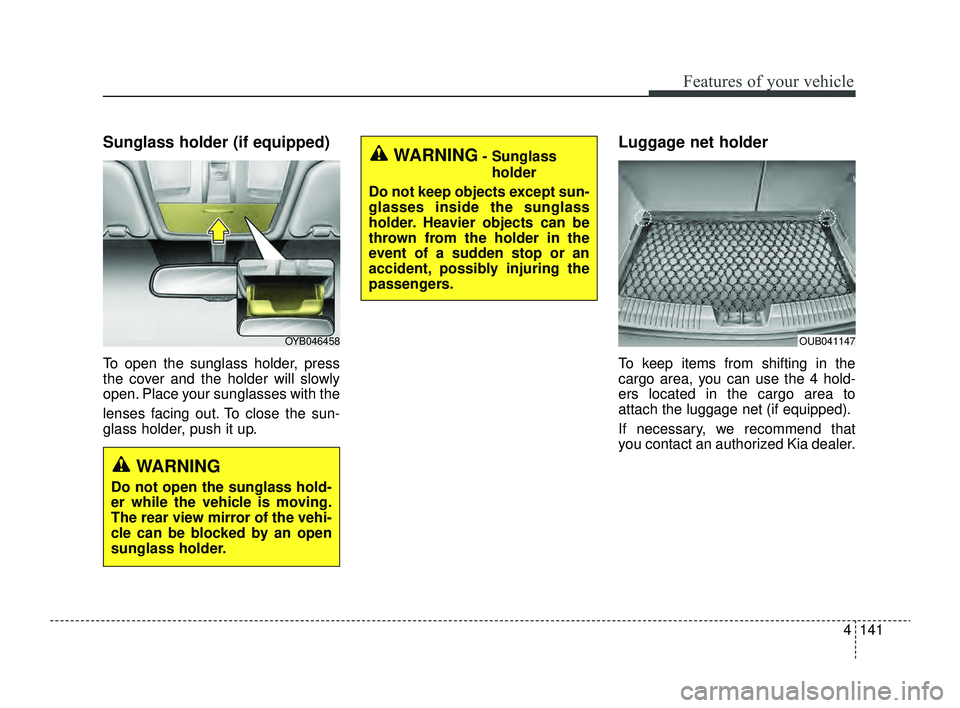
Sunglass holder (if equipped)
To open the sunglass holder, press
the cover and the holder will slowly
open. Place your sunglasses with the
lenses facing out. To close the sun-
glass holder, push it up.
Luggage net holder
To keep items from shifting in the
cargo area, you can use the 4 hold-
ers located in the cargo area to
attach the luggage net (if equipped).
If necessary, we recommend that
you contact an authorized Kia dealer.
OYB046458OUB041147
WARNING
Do not open the sunglass hold-
er while the vehicle is moving.
The rear view mirror of the vehi-
cle can be blocked by an open
sunglass holder.
WARNING- Sunglassholder
Do not keep objects except sun-
glasses inside the sunglass
holder. Heavier objects can be
thrown from the holder in the
event of a sudden stop or an
accident, possibly injuring the
passengers.
SC PE USA 4.QXP 9/9/2021 6:08 PM Page 141
Page 228 of 528
4149
Features of your vehicle
✽ ✽NOTICE
If you install an aftermarket HID
head lamp, your vehicle’s audio and
electronic device may malfunction.
❈ If your vehicle is equipped with
Infotainment system, refer to a
separately supplied manual for
detailed information.
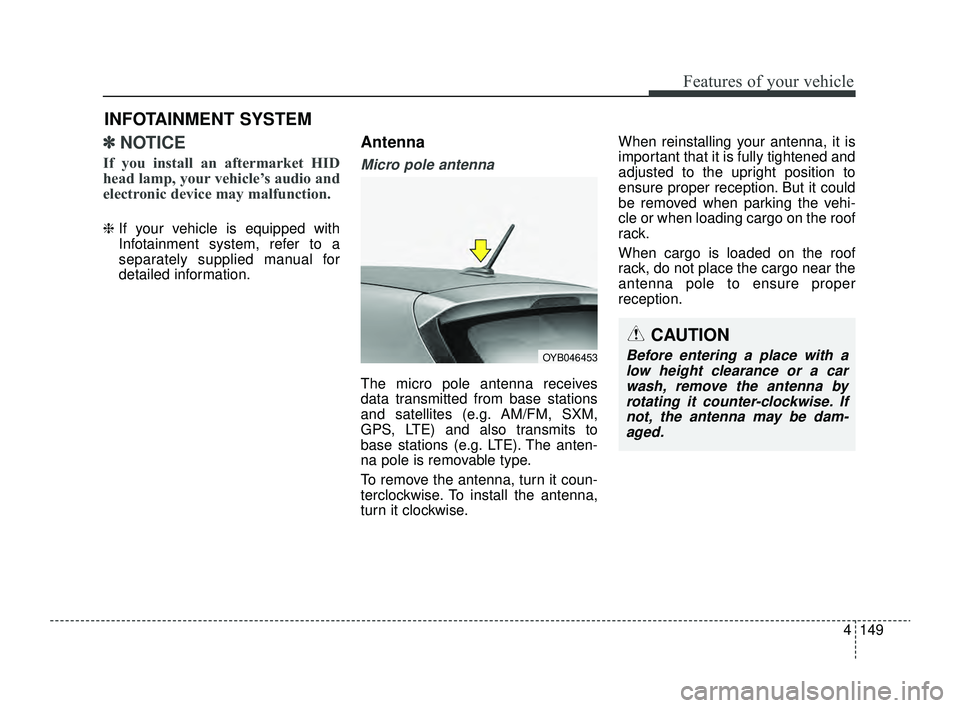
Antenna
Micro pole antenna
The micro pole antenna receives
data transmitted from base stations
and satellites (e.g. AM/FM, SXM,
GPS, LTE) and also transmits to
base stations (e.g. LTE). The anten-
na pole is removable type.
To remove the antenna, turn it coun-
terclockwise. To install the antenna,
turn it clockwise. When reinstalling your antenna, it is
important that it is fully tightened and
adjusted to the upright position to
ensure proper reception. But it could
be removed when parking the vehi-
cle or when loading cargo on the roof
rack.
When cargo is loaded on the roof
rack, do not place the cargo near the
antenna pole to ensure proper
reception.
INFOTAINMENT SYSTEM
CAUTION
Before entering a place with a
low height clearance or a carwash, remove the antenna byrotating it counter-clockwise. Ifnot, the antenna may be dam-aged.OYB046453
SC PE USA 4.QXP 9/9/2021 6:09 PM Page 149
Page 231 of 528
Features of your vehicle
152
4
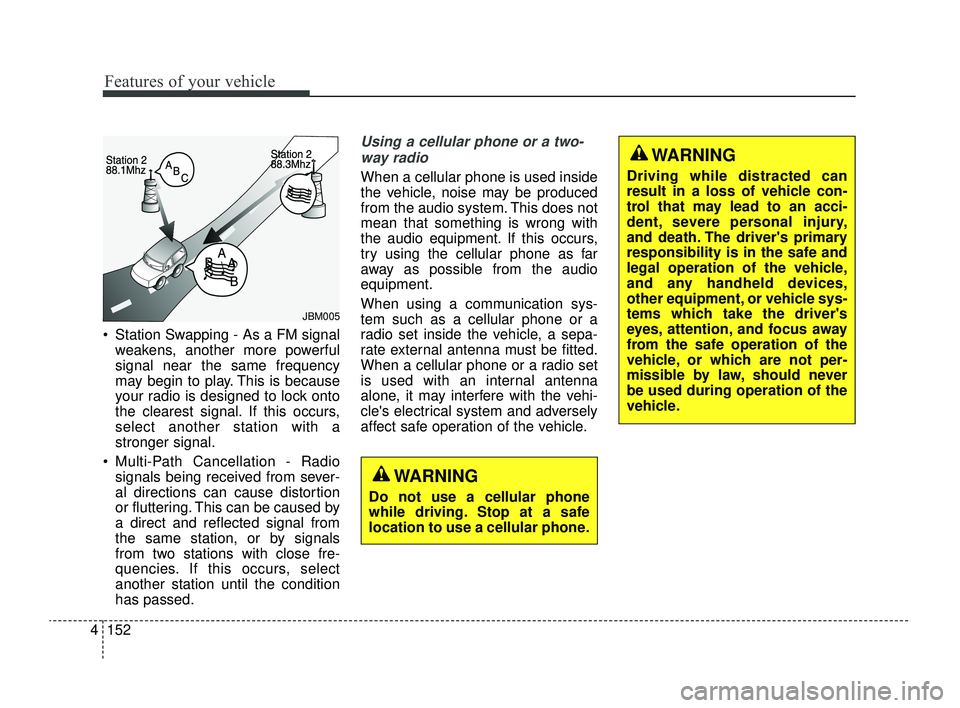
Station Swapping - As a FM signal
weakens, another more powerful
signal near the same frequency
may begin to play. This is because
your radio is designed to lock onto
the clearest signal. If this occurs,
select another station with a
stronger signal.
Multi-Path Cancellation - Radio signals being received from sever-
al directions can cause distortion
or fluttering. This can be caused by
a direct and reflected signal from
the same station, or by signals
from two stations with close fre-
quencies. If this occurs, select
another station until the condition
has passed.
Using a cellular phone or a two-
way radio
When a cellular phone is used inside
the vehicle, noise may be produced
from the audio system. This does not
mean that something is wrong with
the audio equipment. If this occurs,
try using the cellular phone as far
away as possible from the audio
equipment.
When using a communication sys-
tem such as a cellular phone or a
radio set inside the vehicle, a sepa-
rate external antenna must be fitted.
When a cellular phone or a radio set
is used with an internal antenna
alone, it may interfere with the vehi-
cle's electrical system and adversely
affect safe operation of the vehicle.
JBM005
WARNING
Do not use a cellular phone
while driving. Stop at a safe
location to use a cellular phone.
WARNING
Driving while distracted can
result in a loss of vehicle con-
trol that may lead to an acci-
dent, severe personal injury,
and death. The driver's primary
responsibility is in the safe and
legal operation of the vehicle,
and any handheld devices,
other equipment, or vehicle sys-
tems which take the driver's
eyes, attention, and focus away
from the safe operation of the
vehicle, or which are not per-
missible by law, should never
be used during operation of the
vehicle.
SC PE USA 4.QXP 9/9/2021 6:09 PM Page 152
Page 235 of 528
Driving your vehicle
Before driving . . . . . . . . . . . . . . . . . . . . . . . . . . . . . . 5-5
• Before entering vehicle . . . . . . . . . . . . . . . . . . . . . . . . . 5-5
• Necessary inspections . . . . . . . . . . . . . . . . . . . . . . . . . 5-5
• Before starting . . . . . . . . . . . . . . . . . . . . . . . . . . . . . . . 5-5
Key positions . . . . . . . . . . . . . . . . . . . . . . . . . . . . . . . 5-7
• Ignition switch position . . . . . . . . . . . . . . . . . . . . . . . . . 5-7
• Starting the engine. . . . . . . . . . . . . . . . . . . . . . . . . . . . . 5-9
ENGINE START/STOP button . . . . . . . . . . . . . . 5-10
• Illuminated ENGINE START/STOP button . . . . . . 5-10
• ENGINE START/STOP button position . . . . . . . . . . 5-10
• Starting the engine. . . . . . . . . . . . . . . . . . . . . . . . . . . . 5-13
Intelligent Variable Transmission (IVT) . . . . . . . 5-17
• Intelligent Variable Transmission (IVT) operation . 5-17
• Good driving practices . . . . . . . . . . . . . . . . . . . . . . . . 5-22
Brake system . . . . . . . . . . . . . . . . . . . . . . . . . . . . . . 5-25
• Power brakes . . . . . . . . . . . . . . . . . . . . . . . . . . . . . . . 5-25
• Parking brake . . . . . . . . . . . . . . . . . . . . . . . . . . . . . . . 5-27
• Anti-lock Brake System (ABS). . . . . . . . . . . . . . . . . . 5-30
• Electronic Stability Control (ESC) . . . . . . . . . . . . . . 5-31
• Hill-start Assist Control (HAC) . . . . . . . . . . . . . . . . . 5-35
• Vehicle Stability Management (VSM) . . . . . . . . . . . . 5-36
• Good braking practices. . . . . . . . . . . . . . . . . . . . . . . . 5-38
Sport mode integrated control system . . . . . . . . . 5-40
• SPORT mode . . . . . . . . . . . . . . . . . . . . . . . . . . . . . . . . 5-40
Forward Collision-Avoidance Assist (FCA). . . . . 5-41
• Detecting sensor . . . . . . . . . . . . . . . . . . . . . . . . . . . . . . 5-41
• Forward Collision-Avoidance Assist settings . . . . . . 5-42
• Forward Collision-Avoidance Assist warning messageand function control . . . . . . . . . . . . . . . . . . . . . . . . . 5-44
• Brake operation . . . . . . . . . . . . . . . . . . . . . . . . . . . . . . 5-46
• Warning message and warning light . . . . . . . . . . . . . 5-47
• Forward Collision-Avoidance Assist malfunction . . 5-48
• Limitations of Forward Collision-Avoidance Assist 5-50
Lane Keeping Assist (LKA). . . . . . . . . . . . . . . . . . 5-58
• Detecting sensor . . . . . . . . . . . . . . . . . . . . . . . . . . . . . . 5-58
• Lane Keeping Assist settings . . . . . . . . . . . . . . . . . . . 5-59
• Lane Keeping Assist operation. . . . . . . . . . . . . . . . . . 5-60
• Lane Keeping Assist malfunction and limitations . . 5-63
Blind-Spot Collision Warning (BCW) . . . . . . . . . 5-65
• Detecting sensor . . . . . . . . . . . . . . . . . . . . . . . . . . . . . . 5-66
• Blind-Spot Collision Warning settings . . . . . . . . . . . 5-67
• Blind-Spot Collision Warning operation. . . . . . . . . . 5-69
• Blind-Spot Collision Warning malfunction and limitations. . . . . . . . . . . . . . . . . . . . . . . . . . . . . . . . . . 5-70\
Driver Attention Warning (DAW) . . . . . . . . . . . . 5-75
• Basic function. . . . . . . . . . . . . . . . . . . . . . . . . . . . . . . . \
5-75
• Leading Vehicle Departure Alert . . . . . . . . . . . . . . . . 5-75
• Detecting sensor . . . . . . . . . . . . . . . . . . . . . . . . . . . . . . 5-75
• Driver Attention Warning settings . . . . . . . . . . . . . . 5-76
5
SC PE USA 5.QXP 9/9/2021 6:17 PM Page 1
Page 236 of 528

• Driver Attention Warning operation . . . . . . . . . . . . 5-78
• Driver Attention Warning malfunction andlimitations. . . . . . . . . . . . . . . . . . . . . . . . . . . . . . . . . . 5-81\
Cruise Control (CC). . . . . . . . . . . . . . . . . . . . . . . . 5-84
• Cruise Control operation . . . . . . . . . . . . . . . . . . . . . . 5-84
• Increasing set speed. . . . . . . . . . . . . . . . . . . . . . . . . . . 5-85
• Decreasing set speed . . . . . . . . . . . . . . . . . . . . . . . . . . 5-85
• Accelerating temporarily . . . . . . . . . . . . . . . . . . . . . . 5-86
• Temporarily pausing Cruise Control . . . . . . . . . . . . 5-86
• Resuming Cruise Control . . . . . . . . . . . . . . . . . . . . . . 5-87
• Turning off Cruise Control. . . . . . . . . . . . . . . . . . . . . 5-87
Lane Following Assist (LFA) . . . . . . . . . . . . . . . . . 5-89
• Detecting sensor . . . . . . . . . . . . . . . . . . . . . . . . . . . . . . 5-89
• Lane Following Assist settings . . . . . . . . . . . . . . . . . 5-89
• Lane Following Assist operation . . . . . . . . . . . . . . . . 5-90
• Lane Following Assist malfunction and limitations . 5-93
Rear Cross-Traffic Collision Warning (RCCW) . 5-94
• Detecting sensor . . . . . . . . . . . . . . . . . . . . . . . . . . . . . . 5-94
• Rear Cross-Traffic Collision Warning settings . . . . 5-95
• Rear Cross-Traffic Collision Warning operation . . . 5-96
• Rear Cross-Traffic Collision Warning malfunction
and limitations . . . . . . . . . . . . . . . . . . . . . . . . . . . . . . 5-97
Declaration of conformity . . . . . . . . . . . . . . . . . . 5-102
• The radio frequency components (Rear Corner Radar)complies . . . . . . . . . . . . . . . . . . . . . . . . . . . . . . . . . . 5-10\
2
Economical operation . . . . . . . . . . . . . . . . . . . . . 5-103
Special driving conditions . . . . . . . . . . . . . . . . . . 5-105
• Hazardous driving conditions . . . . . . . . . . . . . . . . . 5-105
• Rocking the vehicle . . . . . . . . . . . . . . . . . . . . . . . . . . 5-105
• Smooth cornering . . . . . . . . . . . . . . . . . . . . . . . . . . . 5-106
• Driving at night . . . . . . . . . . . . . . . . . . . . . . . . . . . . 5-106
• Driving in the rain . . . . . . . . . . . . . . . . . . . . . . . . . . . 5-107
• Driving in flooded areas . . . . . . . . . . . . . . . . . . . . . . 5-108
• Driving off-road . . . . . . . . . . . . . . . . . . . . . . . . . . . . . 5-108
• Highway driving . . . . . . . . . . . . . . . . . . . . . . . . . . . . 5-108
Winter driving . . . . . . . . . . . . . . . . . . . . . . . . . . . 5-110
• Snowy or Icy conditions . . . . . . . . . . . . . . . . . . . . . . 5-110
• Use high quality ethylene glycol coolant . . . . . . . . . 5-112
• Check battery and cables . . . . . . . . . . . . . . . . . . . . . 5-112
• Change to "winter weight" oil if necessary . . . . . . 5-113
• Check spark plugs and ignition system . . . . . . . . . . 5-113
• To keep locks from freezing . . . . . . . . . . . . . . . . . . . 5-113
• Use approved window washer anti-freeze in system5-113
• Don't let your parking brake freeze . . . . . . . . . . . . 5-113
• Don't let ice and snow accumulate underneath . . . 5-113
• Carry emergency equipment . . . . . . . . . . . . . . . . . . 5-114
• Trailer Towing . . . . . . . . . . . . . . . . . . . . . . . . . . . . . . 5-114
5
SC PE USA 5.QXP 9/9/2021 6:17 PM Page 2
Page 239 of 528
55
Driving your vehicle
Before entering vehicle
• Be sure that all windows, outsidemirror(s), and outside lights are
clean.
Check the condition of the tires.
Check under the vehicle for any sign of leaks.
Be sure there are no obstacles behind you if you intend to back up.
Necessary inspections
Fluid levels, such as engine oil,
engine coolant, brake fluid, and
washer fluid should be checked on a
regular basis, with the exact interval
depending on the fluid. Further
details are provided in chapter 7,
“Maintenance”.
Before starting
Close and lock all doors.
Position the seat so that all con-trols are easily reached.
Buckle your seat belt.
Adjust the inside and outside rearview mirrors.
Be sure that all lights work.
Check all gauges.
Check the operation of warning lights when the ignition switch or
ENGINE START/STOP button is
turned to the ON position.
Release the parking brake and make sure the brake warning light
goes off.
For safe operation, be sure you are
familiar with your vehicle and its
equipment.
BEFORE DRIVING
WARNING- Distracted driving
Focus on the road while driving.
The driver's primary responsi-
bility is in the safe and legal
operation of the vehicle. Use of
any hand held devices, other
equipment or vehicle systems
that distract the driver should
not be used during vehicle
operation.
SC PE USA 5.QXP 9/9/2021 6:17 PM Page 5
Page 241 of 528
57
Driving your vehicle
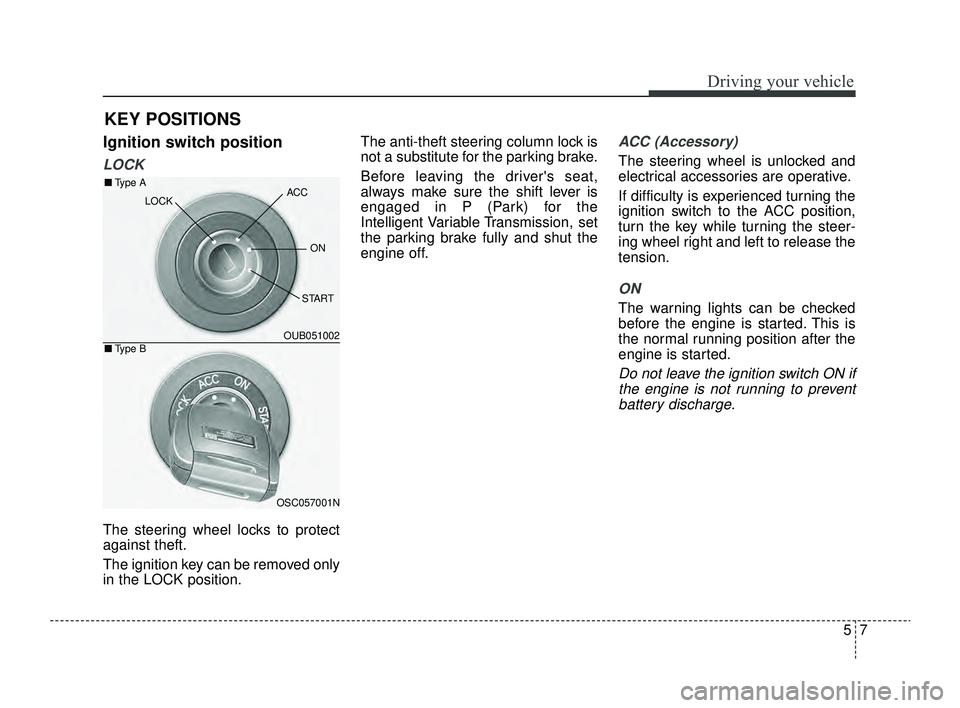
Ignition switch position
LOCK
The steering wheel locks to protect
against theft.
The ignition key can be removed only
in the LOCK position.The anti-theft steering column lock is
not a substitute for the parking brake.
Before leaving the driver's seat,
always make sure the shift lever is
engaged in P (Park) for the
Intelligent Variable Transmission, set
the parking brake fully and shut the
engine off.
ACC (Accessory)
The steering wheel is unlocked and
electrical accessories are operative.
If difficulty is experienced turning the
ignition switch to the ACC position,
turn the key while turning the steer-
ing wheel right and left to release the
tension.
ON
The warning lights can be checked
before the engine is started. This is
the normal running position after the
engine is started.
Do not leave the ignition switch ON if
the engine is not running to preventbattery discharge.
KEY POSITIONS
OUB051002
OSC057001N
■ Type A
■Type B
ACC
ON
START
LOCK
SC PE USA 5.QXP 9/9/2021 6:17 PM Page 7
Page 242 of 528
Driving your vehicle
85
START
Turn the ignition switch to the START
position to start the engine. The
engine will crank until you release
the key; then it returns to the ON
position. The brake warning light can
be checked in this position.
✽ ✽
NOTICE
If you leave the ignition switch to the
ACC or ON position for a long time,
the battery may discharge.
WARNING- Ignition
switch
Never turn the ignition switch to
LOCK or ACC while the vehicle
is moving. This would result in
loss of directional control and
braking function, which could
cause an accident.
WARNING- Steering wheel
Never reach for any controls
through the steering wheel
while the vehicle is in motion.
The presence of your hand or
arm in this area could cause a
loss of vehicle control.
WARNING- Key holder
Do not attach small purses,
multiple keys, or any other
heavy accessories to the dri-
ver's key chain used to start the
vehicle. This may cause the
inserted key to inadvertently
change the ignition position to
the ACC position while the vehi-
cle is moving, thereby increas-
ing the risk of an accident and
deactivating several safety fea-
tures.
WARNING- Leaving the vehicle
To avoid unexpected or sudden
vehicle movement, never leave
your vehicle if the transmission
is not locked in the P (Park)
position and the parking brake
is not fully engaged. Before
leaving the driver's seat, always
make sure the shift lever is
engaged in P (Park), set the
parking brake fully and shut the
engine off.
SC PE USA 5.QXP 9/9/2021 6:17 PM Page 8
Page 244 of 528
Driving your vehicle
10
5
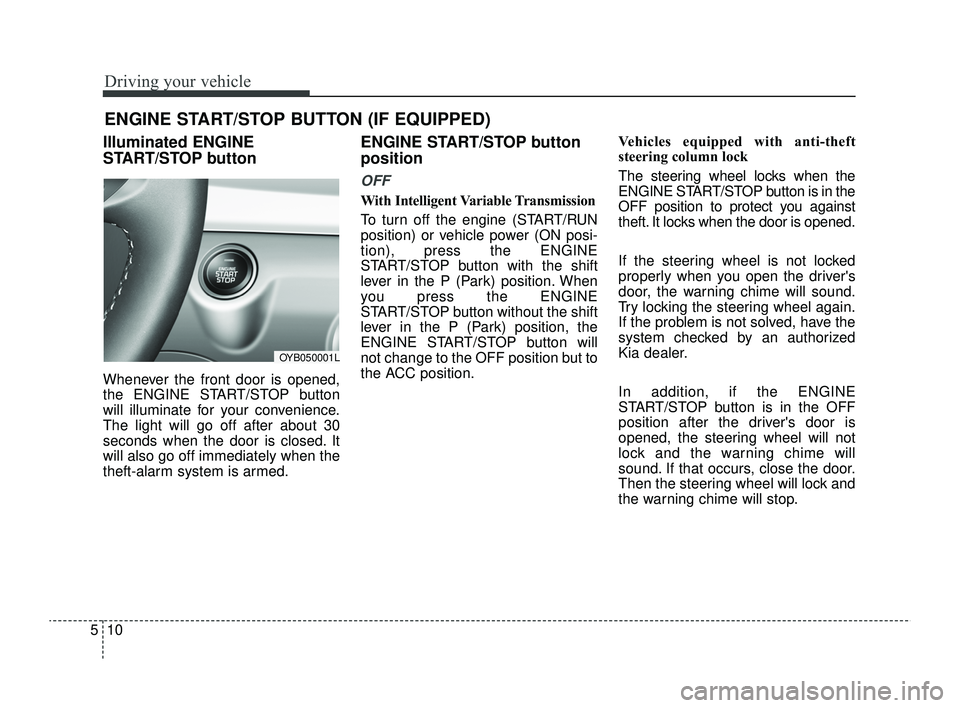
Illuminated ENGINE
START/STOP button
Whenever the front door is opened,
the ENGINE START/STOP button
will illuminate for your convenience.
The light will go off after about 30
seconds when the door is closed. It
will also go off immediately when the
theft-alarm system is armed.
ENGINE START/STOP button
position
OFF
With Intelligent Variable Transmission
To turn off the engine (START/RUN
position) or vehicle power (ON posi-
tion), press the ENGINE
START/STOP button with the shift
lever in the P (Park) position. When
you press the ENGINE
START/STOP button without the shift
lever in the P (Park) position, the
ENGINE START/STOP button will
not change to the OFF position but to
the ACC position. Vehicles equipped with anti-theft
steering column lock
The steering wheel locks when the
ENGINE START/STOP button is in the
OFF position to protect you against
theft. It locks when the door is opened.
If the steering wheel is not locked
properly when you open the driver's
door, the warning chime will sound.
Try locking the steering wheel again.
If the problem is not solved, have the
system checked by an authorized
Kia dealer.
In addition, if the ENGINE
START/STOP button is in the OFF
position after the driver's door is
opened, the steering wheel will not
lock and the warning chime will
sound. If that occurs, close the door.
Then the steering wheel will lock and
the warning chime will stop.
ENGINE START/STOP BUTTON (IF EQUIPPED)
OYB050001L
SC PE USA 5.QXP 9/9/2021 6:17 PM Page 10