trailer KIA SEDONA 2019 Owners Manual
[x] Cancel search | Manufacturer: KIA, Model Year: 2019, Model line: SEDONA, Model: KIA SEDONA 2019Pages: 593, PDF Size: 15.93 MB
Page 9 of 593
Introduction
61
As with other vehicles of this type,
failure to operate this vehicle correct-
ly may result in loss of control, an
accident or vehicle rollover.
Specific design characteristics (high-
er ground clearance, track, etc.) give
this vehicle a higher center of gravity
than other types of vehicles. In other
words they are not designed for cor-
nering at the same speeds as con-
ventional 2-wheel drive vehicles.
Avoid sharp turns or abrupt maneu-
vers. Again, failure to operate this
vehicle correctly may result in loss of
control, an accident or vehicle
rollover.Be sure to read the
“Reducing the risk of a rollover”
driving guidelines, in section 5 of
this manual. No special break-in period is need-
ed. By following a few simple precau-
tions for the first 1,000 km (600
miles) you may add to the perform-
ance, economy and life of your vehi-
cle.
Do not race the engine.
While driving, keep your engine
speed (rpm, or revolutions per
minute) between 2,000 rpm and
4,000 rpm.
Do not maintain a single speed for long periods of time, either fast or
slow. Varying engine speed is
needed to properly break-in the
engine.
Avoid hard stops, except in emer- gencies, to allow the brakes to seat
properly.
Don't tow a trailer during the first 2,000 km (1,200 miles) of opera-
tion.
VEHICLE BREAK-IN
PROCESS
VEHICLE HANDLING
INSTRUCTIONS
Page 230 of 593
Features of your vehicle
126
4
This system will activate when
backing up with the ignition switch
ON.
If the vehicle is moving at a speed
over 5 km/h (3 mph), the system
may not be activated correctly.
The sensing distance while the back-up warning system is in oper-
ation is approximately 120 cm (47
in.) at the rear bumper center area,
60 cm (23.5 in.) at the rear bumper
both side area.
When more than two objects are sensed at the same time, the clos-
est one will be recognized first.Types of warning sound
When an object is 120 cm to 61 cm(47 in. to 24 in.) from the rear
bumper: Buzzer beeps intermit-
tently.
When an object is 60 cm to 31 cm (24 in. to 12 in.) from the rear
bumper: Buzzer beeps more fre-
quently.
When an object is within 30 cm (12 in.) of the rear bumper:
Buzzer sounds continuously.
Non-operational conditions of
the parking distance warning-
reverse
The parking distance warning-
reverse may not operate properly
when:
1. Moisture is frozen to the sensor. (It will operate normally when the
moisture has been cleared.)
2. The sensor is covered with foreign matter, such as snow or water, or
the sensor cover is blocked. (It will
operate normally when the materi-
al is removed or the sensor is no
longer blocked.)
3. Driving on uneven road surfaces (unpaved roads, gravel, bumps,
gradient).
4. Objects generating excessive noise (vehicle horns, loud motor-
cycle engines, or truck air brakes)
are within range of the sensor.
5. Heavy rain or water spray exists.
6. Wireless transmitters or mobile phones are within range of the
sensor.
7. The sensor is covered with snow.
8. Trailer towing
Page 316 of 593
control system . . . . . . . . . . . . . . . . . . . . . . . . . . . . . . 5-75
. . . . . . . . . . . . . . . 5-75
. . . . . . . . . . . . . . . . . . . . . . 5-76
Active ECO system. . . . . . . . . . . . . . . . . . . . . . . . . 5-82
. . . . . . . . . . . . . . . . . . . . . . . . . 5-82
. . . . . . . . . . . . . . . . . . 5-82
. . . . . . . . . . . . . 5-82
Drive mode integrated control system . . . . . . . . 5-83
. . . . . . . . . . . . . . . . . . . . . . . . . . . . . . . . 5-83
Blind-spot Collision Warning (BCW). . . . . . . . . . 5-85
. . . . . . . . . . . . 5-86
. . . 5-88
. . . . . . . . . . . . . . . . . . . . . . 5-92
Driver Attention Warning (DAW). . . . . . . . . . . . . 5-94
. . . . . . . . . . . . . . . . . . . 5-94
. . . . . . . . . . . . . . . . . . . . . . . . . . 5-96
. . . . . . . . . . . . . . . . . . . . . . . . . . . . . . 5-96
. . . . . . . . . . . . . . . . . . . . . . . . . . . 5-96
Lane Departure Warning (LDW) system. . . . . . . 5-98
. . . . . . . . . . . . . . . . . . . . . . . . . . . . . . 5-99
. . . . . . . . . . . . . . . . . . . . . . . . . . . 5-100
. . . . . . . . . . . . . . 5-101
Economical operation . . . . . . . . . . . . . . . . . . . . . 5-103
Special driving conditions . . . . . . . . . . . . . . . . . . 5-105
. . . . . . . . . . . . . . . . . 5-105
. . . . . . . . . . . . . . . . 5-105
. . . . . . . . . . . . . . . . . . . . . . . . . . 5-106
. . . . . . . . . . . . . . . . . . . . . . . . . . . 5-107
. . . . . . . . . . . . . . . . . . . . . . . . . . . . . 5-107
. . . . . . . . . . . . . . . . . . . . . . . . . . . 5-108
. . . . . . . . . . . . . . . . . . . . . . 5-109
. . . . . . . . . . . . . . . . . . . . . . . . . . . . . 5-109
. . . . . . . . . . . . . . . . . . . . . . . . . . . . 5-109
Winter driving . . . . . . . . . . . . . . . . . . . . . . . . . . . 5-111
. . . . . . . . . . . . . . . . . . . . . . 5-111
. . . . . . . . . 5-112
. . . . . . . . . . . . . . . . . . . . . 5-112
. . . . . . 5-112
. . . . . . . . . . . . . . . . . . . 5-112
5-113
. . . . . . . . . . . . 5-113
. . . 5-113
. . . . . . . . . . . . . . . . . . 5-113
Trailer towing . . . . . . . . . . . . . . . . . . . . . . . . . . . . 5-114
. . . . . . . . . . . . . . . . . . . . . . . . . . . . . . . . . . . . \
5-115
. . . . . . . . . . . . . . . . . . . . . . . . . . . . . . . 5-115
5
Page 339 of 593
525
Driving your vehicle
Also, the EPB is applied automatical-
ly if the Auto Hold button is on when
the engine is turned off. However, if
you press the EPB switch after the
engine is turned off, the EPB will not
be Applied.
✽ ✽NOTICE
On a steep incline or when pulling a
trailer, if the vehicle does not remain
at a standstill, do as follows:
1. Apply the EPB.
2. Pull up the EPB switch for more
than 3 seconds.
Do not operate the parking brake/
EPB while the vehicle is moving
except in an emergency situation.
✽ ✽NOTICE
A click or electric brake motor
whine sound may be heard while
operating or releasing the EPB, but
these conditions are normal and
indicate that the EPB is functioning
properly.
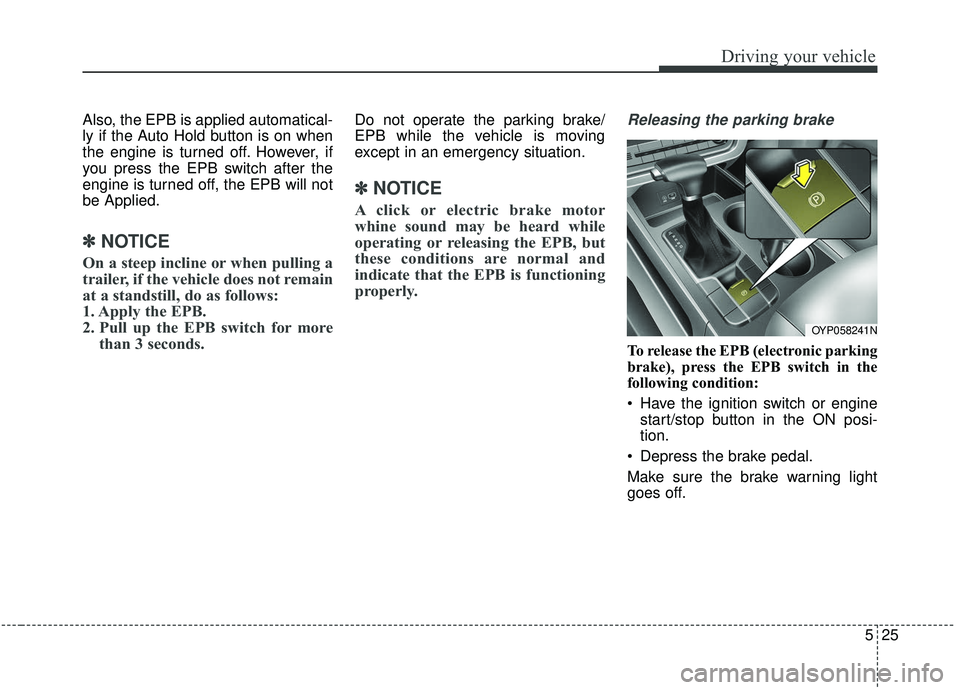
Releasing the parking brake
To release the EPB (electronic parking
brake), press the EPB switch in the
following condition:
Have the ignition switch or engine
start/stop button in the ON posi-
tion.
Depress the brake pedal.
Make sure the brake warning light
goes off.
OYP058241N
Page 366 of 593
Driving your vehicle
52
5
Limitation of the system
The FCA is an assistant system for a
driver in a certain risky driving condi-
tion and it does not take every
responsibility for all risks from driving
condition.
The FCA monitors the driving situa-
tions through the radar and the cam-
era sensor. Thus, for a situation out
of the sensing range, the FCA may
not normally operate. The driver
should pay great caution in the fol-
lowing situations. The FCA operation
may be limited.
Recognizing vehicles
The sensor may be limited when:
- The radar or the camera is con-
taminated with foreign substances.
- It heavily rains or snows.
- There is interruption by electric waves.
- There is severe irregular reflection from the radar.
- The vehicle in front has a narrow body. (i.e. motor cycle and bicycle)
- The driver’s view is unclear due to the backlight, the reflected light, or
darkness.
- The camera cannot contain the full image of the vehicle in front.
- The vehicle in front is a special vehicle, such as a heavily-loaded
truck or a trailer.
- The outside brightness is greatly changed, such as entering/exiting
the tunnel.
- The vehicle driving is unstable.
- The radar/camera sensor recogni- tion is limited. - The driver's field of view is not well
illuminated (either too dark or too
much reflection or too much back-
light that obscures the field of view)
- There is severe irregular reflection from the radar sensor
- The vehicle in front is driving errat- ically
- The vehicle is driven near areas containing metal substances such
as a construction zone, railroad,
etc.
- Backlight is reflected in the direc- tion of the vehicle (including front
light from the vehicle ahead)
- Moisture on the windshield is not completely removed or frozen.
- The weather is misty.
- The vehicle in front does not turn ON the rear lights, does not have
rear lights, has asymmetric rear
lights, or has rear lights out of
angle.
- The vehicle is on unpaved or uneven rough surfaces, or roads
with sudden gradient changes.
Page 392 of 593
Driving your vehicle
78
5
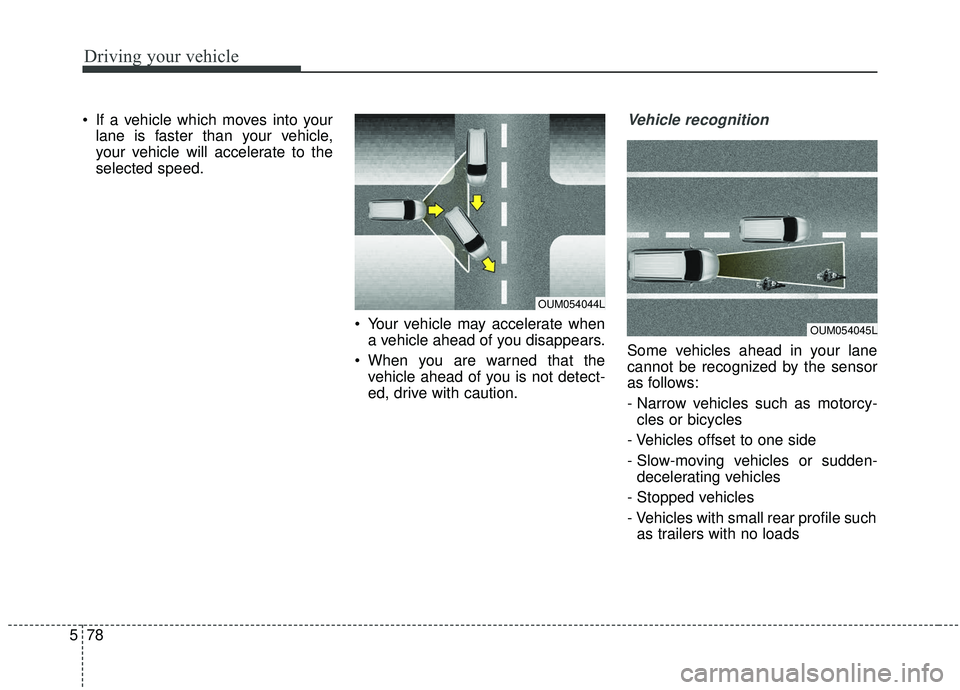
If a vehicle which moves into your
lane is faster than your vehicle,
your vehicle will accelerate to the
selected speed.
Your vehicle may accelerate whena vehicle ahead of you disappears.
When you are warned that the vehicle ahead of you is not detect-
ed, drive with caution.Vehicle recognition
Some vehicles ahead in your lane
cannot be recognized by the sensor
as follows:
- Narrow vehicles such as motorcy-cles or bicycles
- Vehicles offset to one side
- Slow-moving vehicles or sudden- decelerating vehicles
- Stopped vehicles
- Vehicles with small rear profile such as trailers with no loads
OUM054045L
OUM054044L
Page 394 of 593
Driving your vehicle
80
5
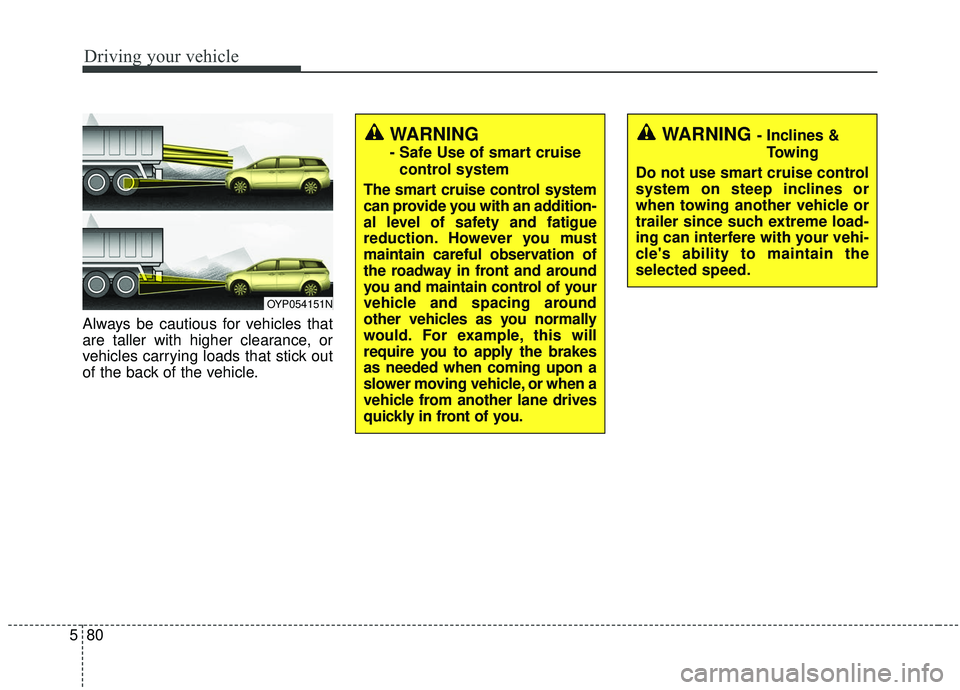
Always be cautious for vehicles that
are taller with higher clearance, or
vehicles carrying loads that stick out
of the back of the vehicle.
OYP054151N
WARNING - Inclines &
Towing
Do not use smart cruise control
system on steep inclines or
when towing another vehicle or
trailer since such extreme load-
ing can interfere with your vehi-
cle's ability to maintain the
selected speed.WARNING
- Safe Use of smart cruise control system
The smart cruise control system
can provide you with an addition-
al level of safety and fatigue
reduction. However you must
maintain careful observation of
the roadway in front and around
you and maintain control of your
vehicle and spacing around
other vehicles as you normally
would. For example, this will
require you to apply the brakes
as needed when coming upon a
slower moving vehicle, or when a
vehicle from another lane drives
quickly in front of you.
Page 405 of 593
591
Driving your vehicle
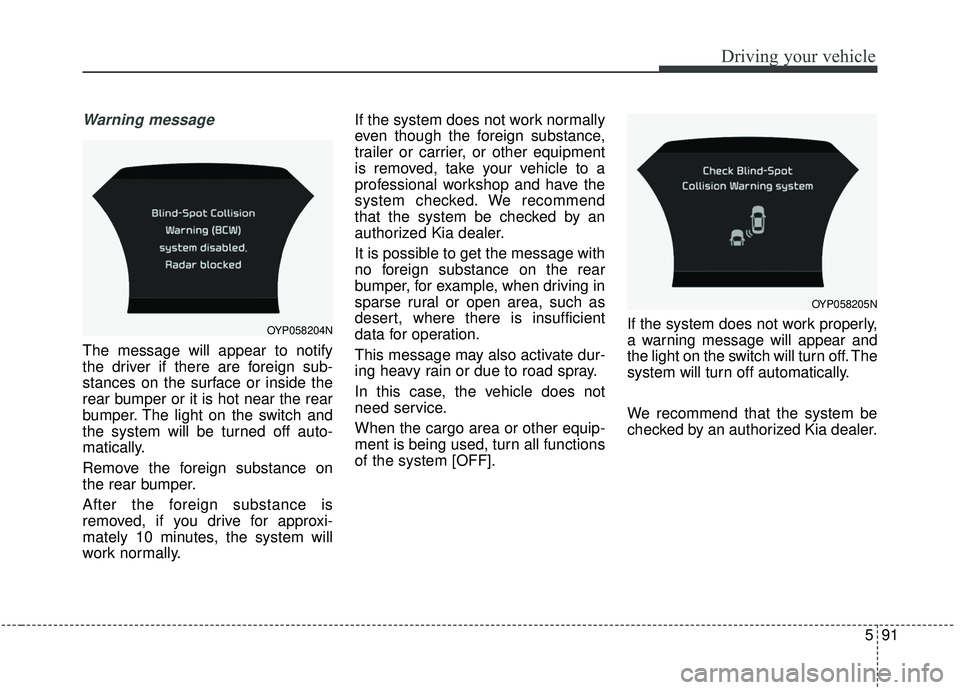
Warning message
The message will appear to notify
the driver if there are foreign sub-
stances on the surface or inside the
rear bumper or it is hot near the rear
bumper. The light on the switch and
the system will be turned off auto-
matically.
Remove the foreign substance on
the rear bumper.
After the foreign substance is
removed, if you drive for approxi-
mately 10 minutes, the system will
work normally.If the system does not work normally
even though the foreign substance,
trailer or carrier, or other equipment
is removed, take your vehicle to a
professional workshop and have the
system checked. We recommend
that the system be checked by an
authorized Kia dealer.
It is possible to get the message with
no foreign substance on the rear
bumper, for example, when driving in
sparse rural or open area, such as
desert, where there is insufficient
data for operation.
This message may also activate dur-
ing heavy rain or due to road spray.
In this case, the vehicle does not
need service.
When the cargo area or other equip-
ment is being used, turn all functions
of the system [OFF].
If the system does not work properly,
a warning message will appear and
the light on the switch will turn off. The
system will turn off automatically.
We recommend that the system be
checked by an authorized Kia dealer.
OYP058205N
OYP058204N
Page 406 of 593
Driving your vehicle
92
5
Non-operating condition
Outside rearview mirror may not
alert the driver when:
- The outside rearview mirror housing
is damaged or covered with debris.
- The window is covered with debris.
- The windows are severely tinted.
DRIVER’S ATTENTION
The driver must be cautious in the
below situations, because the sys-
tem may not detect other vehicles
or objects in certain circumstances.
- The vehicle drives on a curved road or through a tollgate.
- The sensor is polluted with rain, snow, mud, etc.
- The rear bumper, in which the sensor is located, is covered or
blocked with a foreign matter
such as a sticker, a bumper
guard, a bicycle stand, etc.
- The rear bumper is damaged, or the sensor is out of the original
default position.
- The vehicle height gets lower or higher due to heavy loading in a
liftgate, abnormal tire pressure,
etc.
- The vehicle drives in a bad weather such as heavy rain or
snow.
(Continued)(Continued)
- There is a fixed object near the
vehicle, such as a guardrail,
pedestrian, animal, tunnel, etc.
- A big vehicle is near such as a bus or truck.
- A motorcycle or bicycle is near.
- A flat trailer is near.
- If the vehicle has started at the same time as the vehicle next to
you and has accelerated.
- When the other vehicle passes at a very fast speed.
- While changing lanes.
- When going down or up a steep road where the height of the lane
is different.
- When the other vehicle approaches very close.
- When a trailer or carrier is installed.
- When the temperature of the rear bumper is very high or low.
(Continued)
Page 428 of 593
Driving your vehicle
114
5
If you are considering towing with
your vehicle, you should first check
with your country's Department of
Motor Vehicles to determine their
legal requirements.
Since laws vary the requirements for
towing trailers, cars, or other types of
vehicles or apparatus may differ. Ask
an authorized Kia dealer for further
details before towing. You may require an additional wiring
harness connector to install a trailer
hitch. Please contact an authorized
Kia dealer for more details.
Your vehicle can tow a trailer.* To
identify what the vehicle trailering
capacity is for your vehicle, you
should read the information in
“Weight of the trailer” that appears
later in this section.
TRAILER TOWING
CAUTION - Trailer installation
Follow instructions in this sec-tion when pulling a trailer.Pulling a trailer improperly candamage your vehicle and resultin costly repairs not covered byyour warranty.
WARNING
- Towing a trailer
Always check your towing
equipment to confirm correct
equipment size and installation
before use. Using incompatible
or incorrectly installed trailer
equipment can effect the vehi-
cle operation and endanger you
and your passengers.
WARNING- Weight limits
Before towing, make sure the
total trailer weight, GCW (gross
combination weight), GVW
(gross vehicle weight), GAW
(gross axle weight) and trailer
tongue load are all within the
limits.