interior KIA SPORTAGE 2020 User Guide
[x] Cancel search | Manufacturer: KIA, Model Year: 2020, Model line: SPORTAGE, Model: KIA SPORTAGE 2020Pages: 624, PDF Size: 15.41 MB
Page 253 of 624
4163
Features of your vehicle
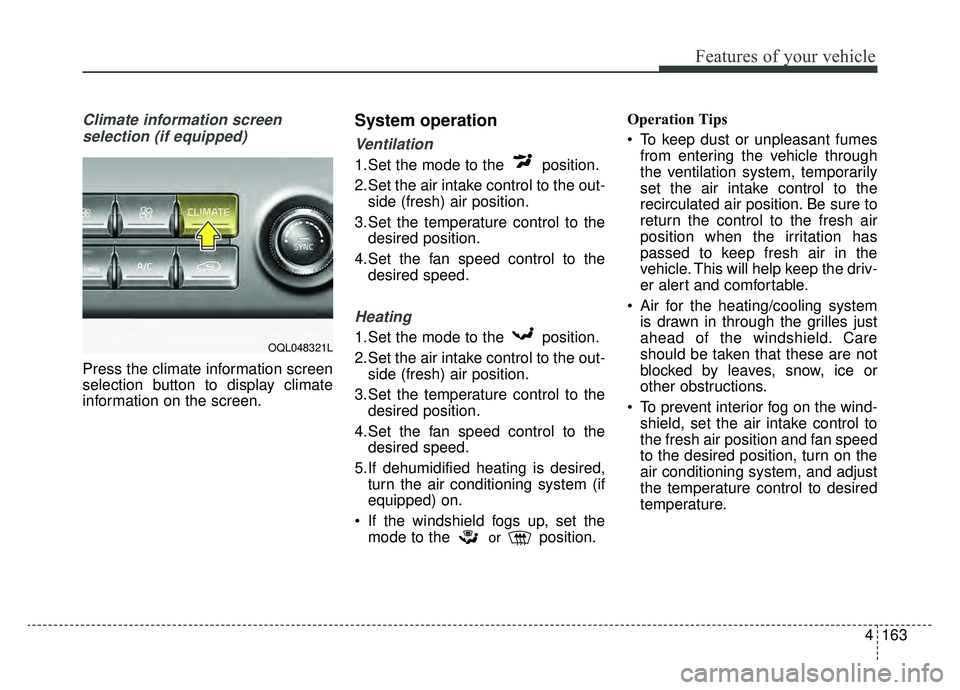
Climate information screen selection (if equipped)
Press the climate information screen
selection button to display climate
information on the screen.
System operation
Ventilation
1.Set the mode to the position.
2.Set the air intake control to the out- side (fresh) air position.
3.Set the temperature control to the desired position.
4.Set the fan speed control to the desired speed.
Heating
1.Set the mode to the position.
2.Set the air intake control to the out-side (fresh) air position.
3.Set the temperature control to the desired position.
4.Set the fan speed control to the desired speed.
5.If dehumidified heating is desired, turn the air conditioning system (if
equipped) on.
If the windshield fogs up, set the mode to the
orposition. Operation Tips
To keep dust or unpleasant fumes
from entering the vehicle through
the ventilation system, temporarily
set the air intake control to the
recirculated air position. Be sure to
return the control to the fresh air
position when the irritation has
passed to keep fresh air in the
vehicle. This will help keep the driv-
er alert and comfortable.
Air for the heating/cooling system is drawn in through the grilles just
ahead of the windshield. Care
should be taken that these are not
blocked by leaves, snow, ice or
other obstructions.
To prevent interior fog on the wind- shield, set the air intake control to
the fresh air position and fan speed
to the desired position, turn on the
air conditioning system, and adjust
the temperature control to desired
temperature.
OQL048321L
Page 266 of 624
Features of your vehicle
176
4
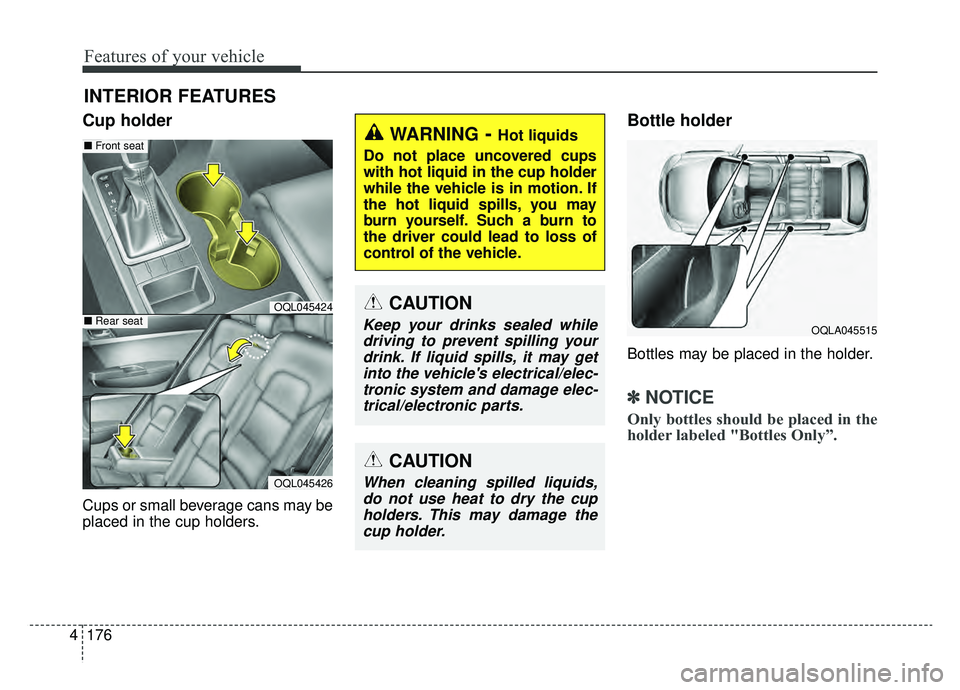
Cup holder
Cups or small beverage cans may be
placed in the cup holders.
Bottle holder
Bottles may be placed in the holder.
✽ ✽
NOTICE
Only bottles should be placed in the
holder labeled "Bottles Only”.
INTERIOR FEATURES
WARNING- Hot liquids
Do not place uncovered cups
with hot liquid in the cup holder
while the vehicle is in motion. If
the hot liquid spills, you may
burn yourself. Such a burn to
the driver could lead to loss of
control of the vehicle.
OQLA045515
CAUTION
Keep your drinks sealed while driving to prevent spilling yourdrink. If liquid spills, it may getinto the vehicle's electrical/elec-tronic system and damage elec-trical/electronic parts.
OQL045424
OQL045426
■ Front seat
■Rear seat
CAUTION
When cleaning spilled liquids,
do not use heat to dry the cupholders. This may damage thecup holder.
Page 273 of 624
4183
Features of your vehicle
✽ ✽NOTICE
• When the interior temperature of
the wireless charging system rises
above a set temperature, the wire-
less charging will cease to func-
tion. After the interior tempera-
ture drops below the threshold,
the wireless charging function will
resume.
• The wireless charging may not function properly when there is a
heavy accessory cover on the
smart phone.
• The wireless charging will stop when using the wireless smart key
search function to prevent radio
wave disruption.
• The wireless charging will stop when the smart key is moved out
of the vehicle with the ignition in
ON.
• The wireless charging will stop when any of the doors is opened
(applicable for vehicles equipped
with smart keys).
• The wireless charging will stop when the vehicle is turned OFF.
(Continued)(Continued)
• The wireless charging will stop
when the smart phone is not in
complete contact with the wireless
charging pad.
• Items equipped with magnetic components such as credit cards,
telephone cards, bankbooks or a
transportation ticket may become
damaged during wireless charg-
ing.
• Place the smart phone on the cen- ter of the charge pad for best
results. The smart phone may not
charge when placed near the rim
of the charging pad. When the
smart phone does get charged, it
may heat up excessively.
• For smart phones without built-in wireless charging system, an
appropriate accessory has to be
equipped.
• Smart phones of some manufac- turers may display messages on
weak current. This is due to the
particular characteristic of the
smart phone and does not imply a
malfunction on wireless charging
function. (Continued)(Continued)
• The indicator light of some manu-
facturers’ smart phones may still
be orange after the smart phone is
fully charged. This is due to the
particular characteristic of the
smart phone and not a malfunc-
tion of the wireless charging.
• When any smart phone without a wireless charging function or a
metallic object is placed on the
charging pad, a small noise may
sound. This small sound is due to
the vehicle discerning compatibili-
ty of the object placed on the
charging pad. It does not affect
your vehicle or the smart phone in
any way.
Page 457 of 624
What to do in an emergency
46
IF THE ENGINE WILL NOT START
If engine doesn't turn over or
turns over slowly
1. Be sure the shift lever is in N(Neutral) or P (Park) and the
emergency brake is set.
2. Check the battery connections to be sure they are clean and tight.
3. Turn on the interior light. If the light dims or goes out when you oper-
ate the starter, the battery is dis-
charged.
4. Check the starter connections to be sure they are securely tight-
ened.
5. Do not push or pull the vehicle to start it. See instructions for "Jump
starting".
If engine turns over normally
but does not start
1. Check the fuel level.
2. With the ignition switch in theLOCK position, check all connec-
tors at the ignition coils and spark
plugs. Reconnect any that may be
disconnected or loose.
3. Check the fuel line in the engine compartment.
4. If the engine still does not start, call an authorized Kia dealer or
seek other qualified assistance.
WARNING - Push/
pull start
Do not push or pull the vehicle
to start it. Push or pull starting
may cause the catalytic con-
verter to overload and create a
fire hazard.
Page 492 of 624
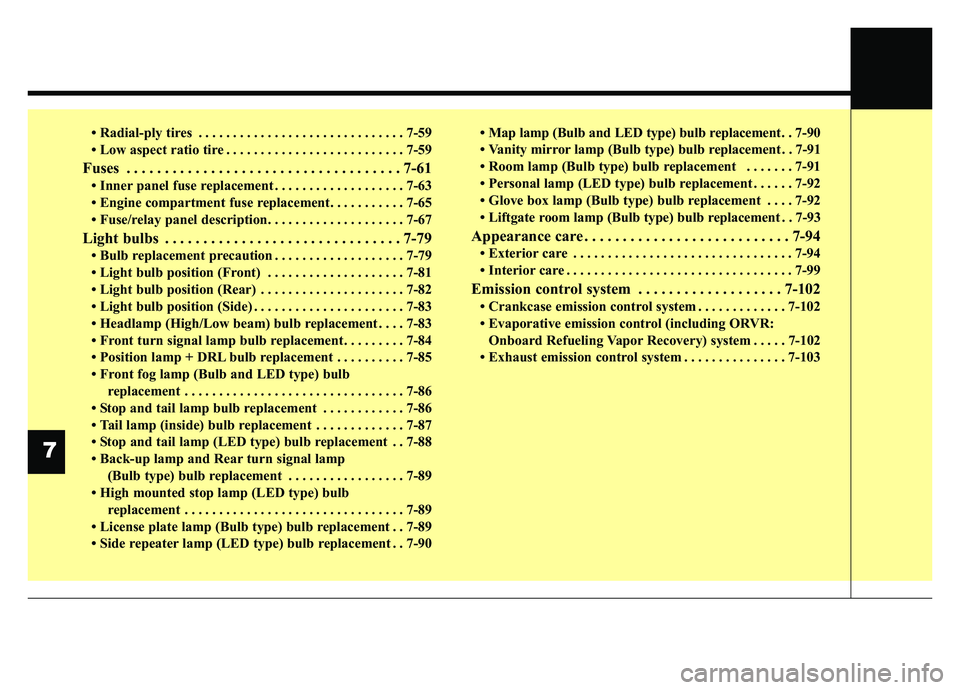
• Radial-ply tires . . . . . . . . . . . . . . . . . . . . . . . . . . . . . . 7-59
• Low aspect ratio tire . . . . . . . . . . . . . . . . . . . . . . . . . . 7-59
Fuses . . . . . . . . . . . . . . . . . . . . . . . . . . . . . . . . . . . . \
7-61
• Inner panel fuse replacement . . . . . . . . . . . . . . . . . . . 7-63
• Engine compartment fuse replacement. . . . . . . . . . . 7-65
• Fuse/relay panel description. . . . . . . . . . . . . . . . . . . . 7-67
Light bulbs . . . . . . . . . . . . . . . . . . . . . . . . . . . . . . . 7-79
• Bulb replacement precaution . . . . . . . . . . . . . . . . . . . 7-79
• Light bulb position (Front) . . . . . . . . . . . . . . . . . . . . 7-81
• Light bulb position (Rear) . . . . . . . . . . . . . . . . . . . . . 7-82
• Light bulb position (Side) . . . . . . . . . . . . . . . . . . . . . . 7-83
• Headlamp (High/Low beam) bulb replacement . . . . 7-83
• Front turn signal lamp bulb replacement . . . . . . . . . 7-84
• Position lamp + DRL bulb replacement . . . . . . . . . . 7-85
• Front fog lamp (Bulb and LED type) bulbreplacement . . . . . . . . . . . . . . . . . . . . . . . . . . . . . . . . 7-86
• Stop and tail lamp bulb replacement . . . . . . . . . . . . 7-86
• Tail lamp (inside) bulb replacement . . . . . . . . . . . . . 7-87
• Stop and tail lamp (LED type) bulb replacement . . 7-88
• Back-up lamp and Rear turn signal lamp (Bulb type) bulb replacement . . . . . . . . . . . . . . . . . 7-89
• High mounted stop lamp (LED type) bulb replacement . . . . . . . . . . . . . . . . . . . . . . . . . . . . . . . . 7-89
• License plate lamp (Bulb type) bulb replacement . . 7-89
• Side repeater lamp (LED type) bulb replacement . . 7-90 • Map lamp (Bulb and LED type)
bulb replacement. . 7-90
• Vanity mirror lamp (Bulb type) bulb replacement . . 7-91
• Room lamp (Bulb type) bulb replacement . . . . . . . 7-91
• Personal lamp (LED type) bulb replacement . . . . . . 7-92
• Glove box lamp (Bulb type) bulb replacement . . . . 7-92
• Liftgate room lamp (Bulb type) bulb replacement . . 7-93
Appearance care . . . . . . . . . . . . . . . . . . . . . . . . . . . 7-94
• Exterior care . . . . . . . . . . . . . . . . . . . . . . . . . . . . . . . . 7-94
• Interior care . . . . . . . . . . . . . . . . . . . . . . . . . . . . . . . . . 7-99
Emission control system . . . . . . . . . . . . . . . . . . . 7-102
• Crankcase emission control system . . . . . . . . . . . . . 7-102
• Evaporative emission control (including ORVR: Onboard Refueling Vapor Recovery) system . . . . . 7-102
• Exhaust emission control system . . . . . . . . . . . . . . . 7-103
7
Page 534 of 624
Maintenance
44
7
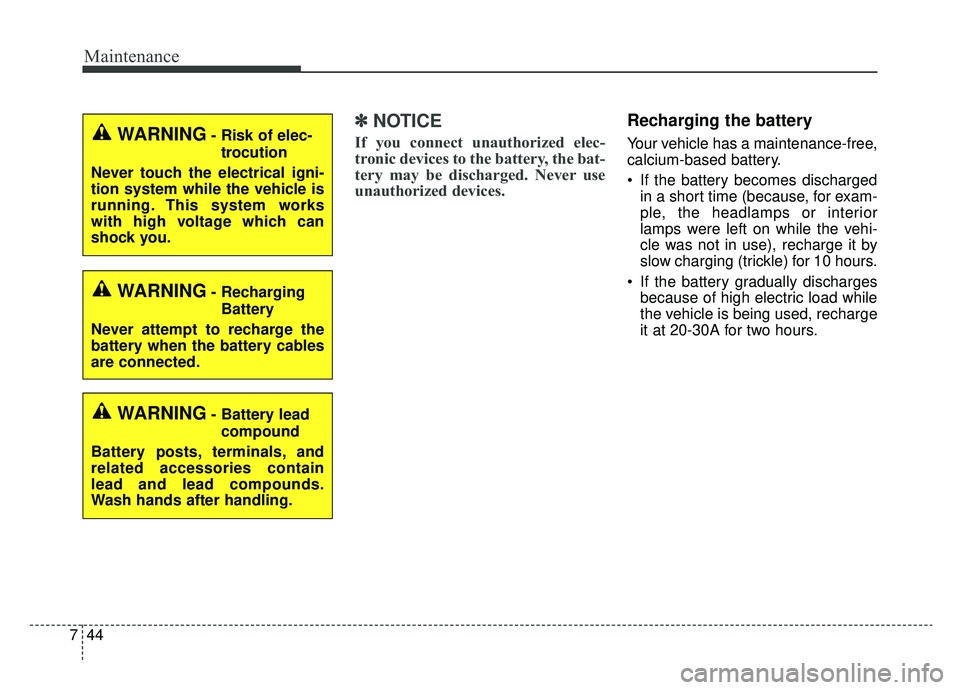
✽ ✽
NOTICE
If you connect unauthorized elec-
tronic devices to the battery, the bat-
tery may be discharged. Never use
unauthorized devices.
Recharging the battery
Your vehicle has a maintenance-free,
calcium-based battery.
If the battery becomes discharged
in a short time (because, for exam-
ple, the headlamps or interior
lamps were left on while the vehi-
cle was not in use), recharge it by
slow charging (trickle) for 10 hours.
If the battery gradually discharges because of high electric load while
the vehicle is being used, recharge
it at 20-30A for two hours.WARNING- Risk of elec-
trocution
Never touch the electrical igni-
tion system while the vehicle is
running. This system works
with high voltage which can
shock you.
WARNING- Recharging Battery
Never attempt to recharge the
battery when the battery cables
are connected.
WARNING- Battery lead compound
Battery posts, terminals, and
related accessories contain
lead and lead compounds.
Wash hands after handling.
Page 552 of 624
Maintenance
62
7
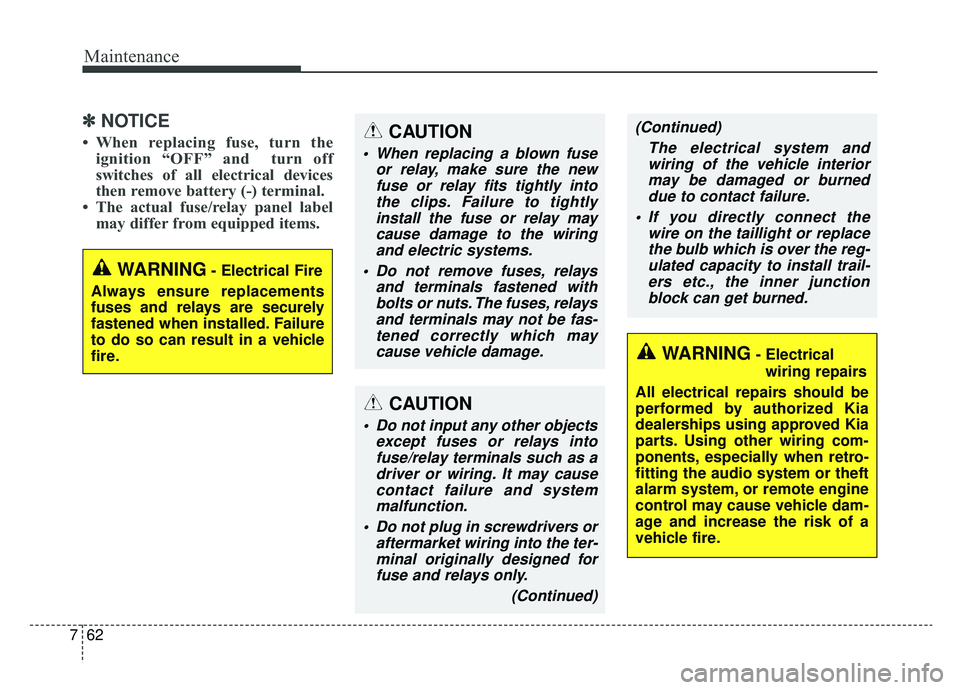
✽ ✽
NOTICE
• When replacing fuse, turn the
ignition “OFF” and turn off
switches of all electrical devices
then remove battery (-) terminal.
• The actual fuse/relay panel label may differ from equipped items.
WARNING- Electrical Fire
Always ensure replacements
fuses and relays are securely
fastened when installed. Failure
to do so can result in a vehicle
fire.
WARNING- Electrical wiring repairs
All electrical repairs should be
performed by authorized Kia
dealerships using approved Kia
parts. Using other wiring com-
ponents, especially when retro-
fitting the audio system or theft
alarm system, or remote engine
control may cause vehicle dam-
age and increase the risk of a
vehicle fire.
CAUTION
When replacing a blown fuse or relay, make sure the newfuse or relay fits tightly intothe clips. Failure to tightlyinstall the fuse or relay maycause damage to the wiringand electric systems.
Do not remove fuses, relays and terminals fastened withbolts or nuts. The fuses, relaysand terminals may not be fas-tened correctly which maycause vehicle damage.
CAUTION
Do not input any other objects except fuses or relays intofuse/relay terminals such as adriver or wiring. It may causecontact failure and systemmalfunction.
Do not plug in screwdrivers or aftermarket wiring into the ter-minal originally designed forfuse and relays only.
(Continued)
(Continued)The electrical system andwiring of the vehicle interiormay be damaged or burneddue to contact failure.
If you directly connect the wire on the taillight or replacethe bulb which is over the reg-ulated capacity to install trail-ers etc., the inner junctionblock can get burned.
Page 560 of 624
Maintenance
70
7
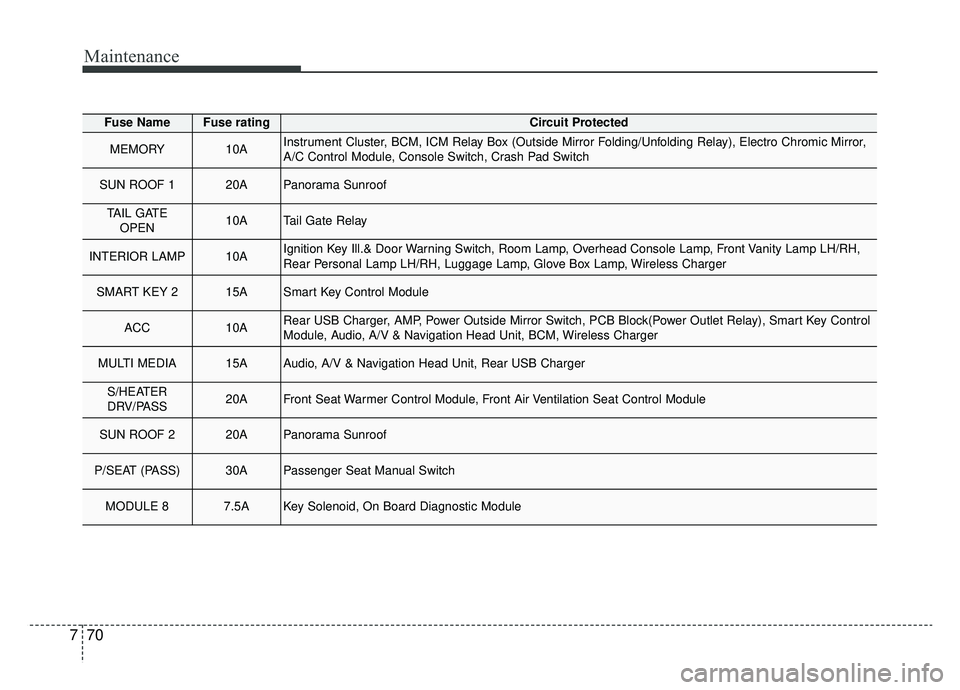
Fuse NameFuse ratingCircuit Protected
MEMORY10AInstrument Cluster, BCM, ICM Relay Box (Outside Mirror Folding/Unfolding Relay), Electro Chromic Mirror,
A/C Control Module, Console Switch, Crash Pad Switch
SUN ROOF 120APanorama Sunroof
TAIL GATE
OPEN10ATail Gate Relay
INTERIOR LAMP10AIgnition Key Ill.& Door Warning Switch, Room Lamp, Overhead Console Lamp, Front Vanity Lamp LH/RH,
Rear Personal Lamp LH/RH, Luggage Lamp, Glove Box Lamp, Wireless Charger
SMART KEY 215ASmart Key Control Module
ACC10ARear USB Charger, AMP, Power Outside Mirror Switch, PCB Block(Power Outlet Relay), Smart Key Control
Module, Audio, A/V & Navigation Head Unit, BCM, Wireless Charger
MULTI MEDIA15AAudio, A/V & Navigation Head Unit, Rear USB Charger
S/HEATER
DRV/PASS20AFront Seat Warmer Control Module, Front Air Ventilation Seat Control Module
SUN ROOF 220APanorama Sunroof
P/SEAT (PASS)30APassenger Seat Manual Switch
MODULE 87.5AKey Solenoid, On Board Diagnostic Module
Page 581 of 624
791
Maintenance
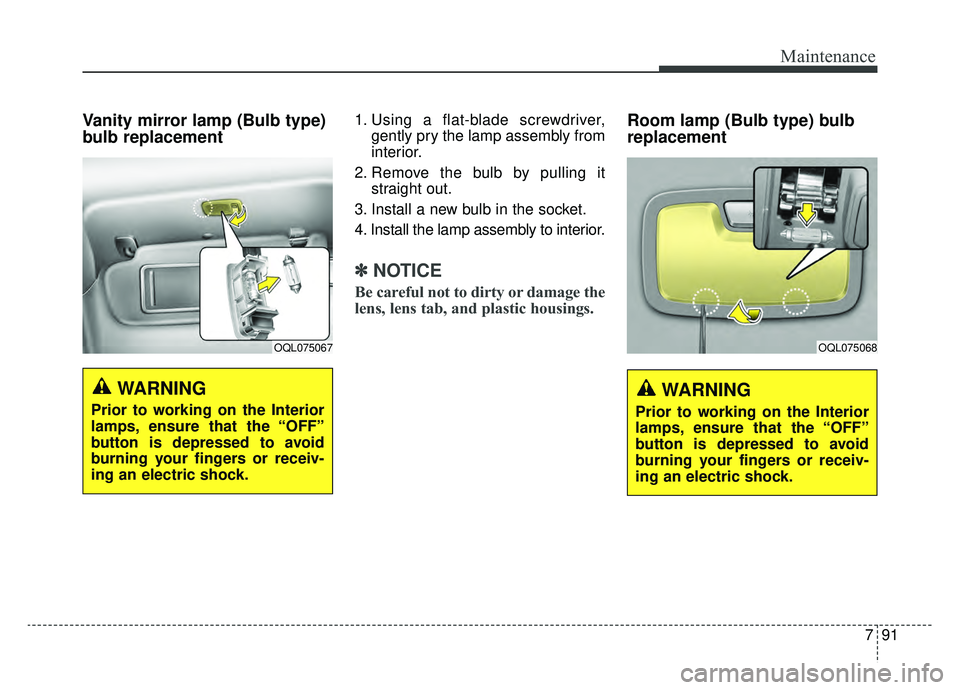
Vanity mirror lamp (Bulb type)
bulb replacement 1. Using a flat-blade screwdriver,gently pry the lamp assembly from
interior.
2. Remove the bulb by pulling it straight out.
3. Install a new bulb in the socket.
4. Install the lamp assembly to interior.
✽ ✽ NOTICE
Be careful not to dirty or damage the
lens, lens tab, and plastic housings.
Room lamp (Bulb type) bulb
replacement
WARNING
Prior to working on the Interior
lamps, ensure that the “OFF”
button is depressed to avoid
burning your fingers or receiv-
ing an electric shock.
OQL075067
WARNING
Prior to working on the Interior
lamps, ensure that the “OFF”
button is depressed to avoid
burning your fingers or receiv-
ing an electric shock.
OQL075068
Page 582 of 624
Maintenance
92
7
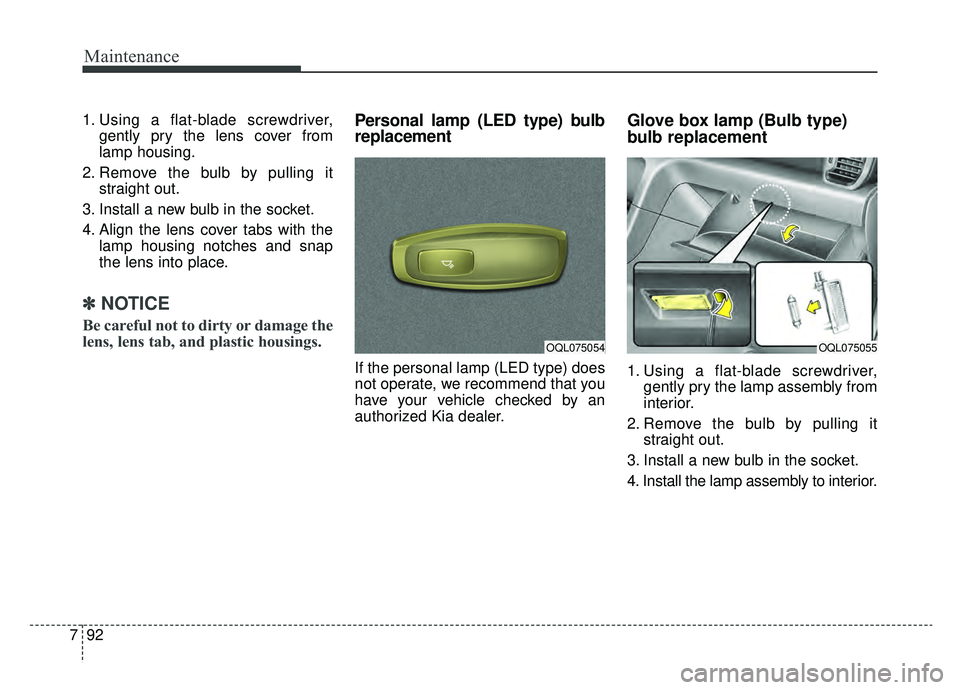
1. Using a flat-blade screwdriver,
gently pry the lens cover from
lamp housing.
2. Remove the bulb by pulling it straight out.
3. Install a new bulb in the socket.
4. Align the lens cover tabs with the lamp housing notches and snap
the lens into place.
✽ ✽NOTICE
Be careful not to dirty or damage the
lens, lens tab, and plastic housings.
Personal lamp (LED type) bulb
replacement
If the personal lamp (LED type) does
not operate, we recommend that you
have your vehicle checked by an
authorized Kia dealer.
Glove box lamp (Bulb type)
bulb replacement
1. Using a flat-blade screwdriver,
gently pry the lamp assembly from
interior.
2. Remove the bulb by pulling it straight out.
3. Install a new bulb in the socket.
4. Install the lamp assembly to interior.
OQL075054OQL075055