cruise control KIA SPORTAGE 2020 Owner's Manual
[x] Cancel search | Manufacturer: KIA, Model Year: 2020, Model line: SPORTAGE, Model: KIA SPORTAGE 2020Pages: 624, PDF Size: 15.41 MB
Page 385 of 624
599
Driving your vehicle
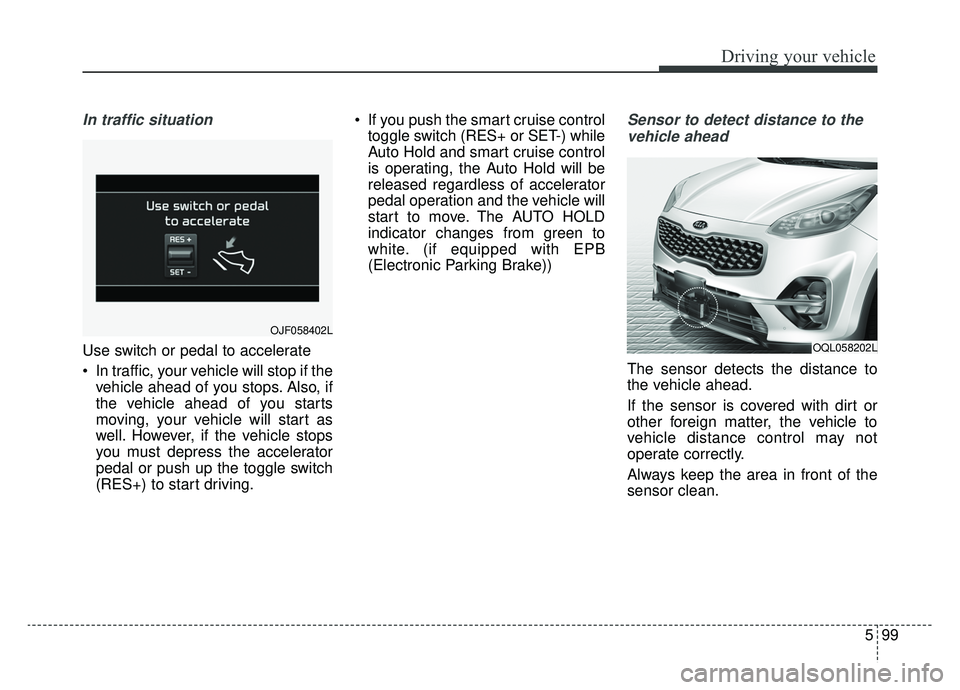
In traffic situation
Use switch or pedal to accelerate
In traffic, your vehicle will stop if thevehicle ahead of you stops. Also, if
the vehicle ahead of you starts
moving, your vehicle will start as
well. However, if the vehicle stops
you must depress the accelerator
pedal or push up the toggle switch
(RES+) to start driving. If you push the smart cruise control
toggle switch (RES+ or SET-) while
Auto Hold and smart cruise control
is operating, the Auto Hold will be
released regardless of accelerator
pedal operation and the vehicle will
start to move. The AUTO HOLD
indicator changes from green to
white. (if equipped with EPB
(Electronic Parking Brake))
Sensor to detect distance to the
vehicle ahead
The sensor detects the distance to
the vehicle ahead.
If the sensor is covered with dirt or
other foreign matter, the vehicle to
vehicle distance control may not
operate correctly.
Always keep the area in front of the
sensor clean.
OJF058402L
OQL058202L
Page 386 of 624
Driving your vehicle
100
5
Warning message
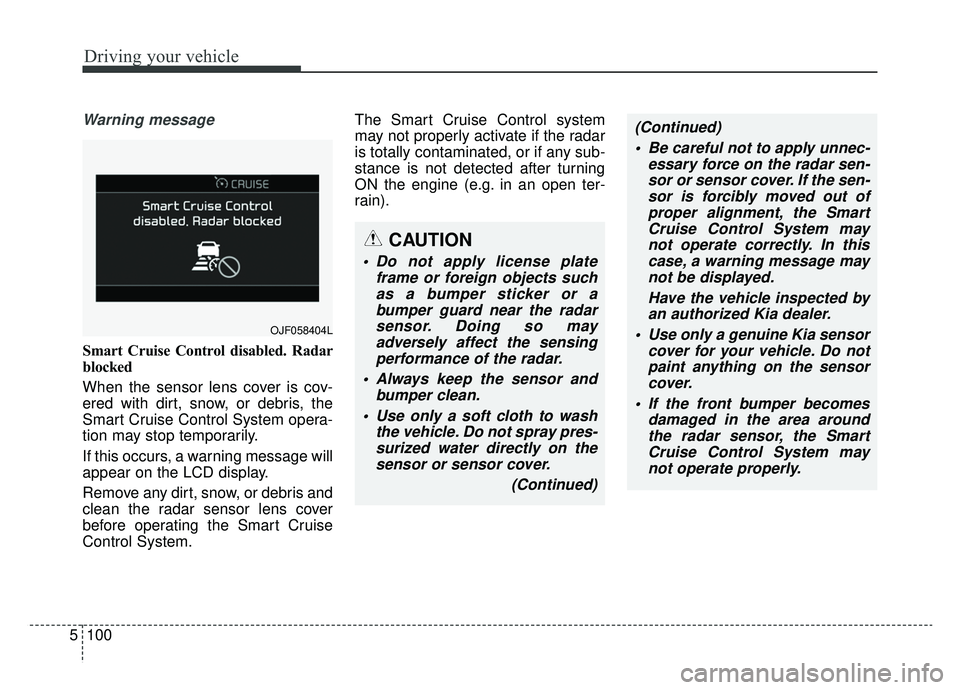
Smart Cruise Control disabled. Radar
blocked
When the sensor lens cover is cov-
ered with dirt, snow, or debris, the
Smart Cruise Control System opera-
tion may stop temporarily.
If this occurs, a warning message will
appear on the LCD display.
Remove any dirt, snow, or debris and
clean the radar sensor lens cover
before operating the Smart Cruise
Control System. The Smart Cruise Control system
may not properly activate if the radar
is totally contaminated, or if any sub-
stance is not detected after turning
ON the engine (e.g. in an open ter-
rain).
OJF058404L
CAUTION
Do not apply license plate
frame or foreign objects suchas a bumper sticker or abumper guard near the radarsensor. Doing so mayadversely affect the sensingperformance of the radar.
Always keep the sensor and bumper clean.
Use only a soft cloth to wash the vehicle. Do not spray pres-surized water directly on thesensor or sensor cover.
(Continued)
(Continued) Be careful not to apply unnec- essary force on the radar sen-sor or sensor cover. If the sen-sor is forcibly moved out ofproper alignment, the SmartCruise Control System maynot operate correctly. In thiscase, a warning message maynot be displayed.
Have the vehicle inspected byan authorized Kia dealer.
Use only a genuine Kia sensor cover for your vehicle. Do notpaint anything on the sensorcover.
If the front bumper becomes damaged in the area aroundthe radar sensor, the SmartCruise Control System maynot operate properly.
Page 387 of 624
5101
Driving your vehicle
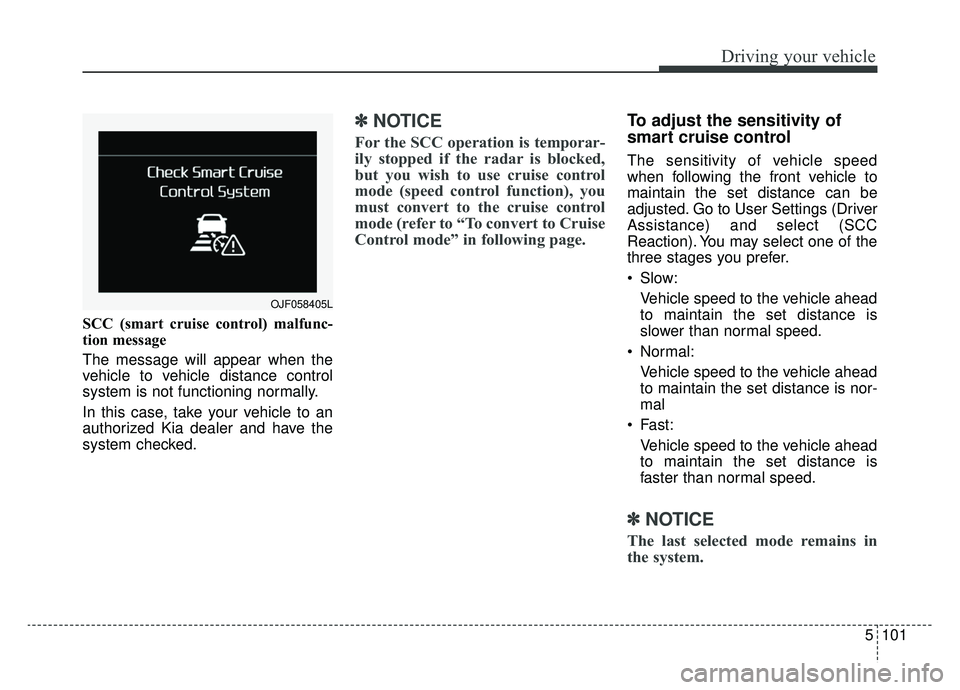
SCC (smart cruise control) malfunc-
tion message
The message will appear when the
vehicle to vehicle distance control
system is not functioning normally.
In this case, take your vehicle to an
authorized Kia dealer and have the
system checked.
✽ ✽NOTICE
For the SCC operation is temporar-
ily stopped if the radar is blocked,
but you wish to use cruise control
mode (speed control function), you
must convert to the cruise control
mode (refer to “To convert to Cruise
Control mode” in following page.
To adjust the sensitivity of
smart cruise control
The sensitivity of vehicle speed
when following the front vehicle to
maintain the set distance can be
adjusted. Go to User Settings (Driver
Assistance) and select (SCC
Reaction). You may select one of the
three stages you prefer.
Slow:
Vehicle speed to the vehicle ahead
to maintain the set distance is
slower than normal speed.
Normal: Vehicle speed to the vehicle ahead
to maintain the set distance is nor-
mal
Fast: Vehicle speed to the vehicle ahead
to maintain the set distance is
faster than normal speed.
✽ ✽ NOTICE
The last selected mode remains in
the system.
OJF058405L
Page 388 of 624
Driving your vehicle
102
5
To convert to cruise control
mode:
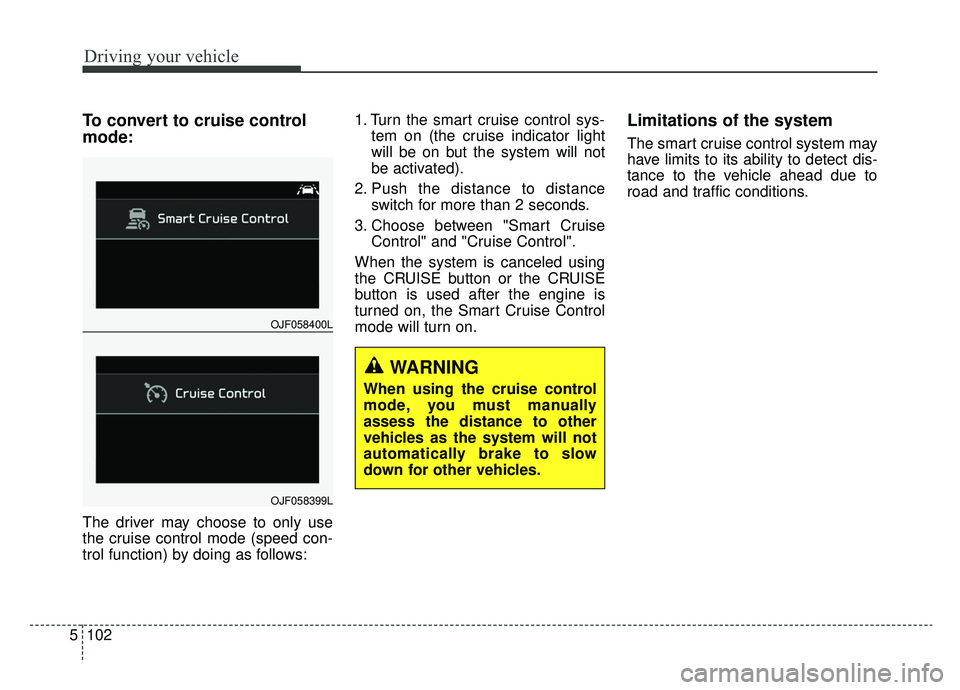
The driver may choose to only use
the cruise control mode (speed con-
trol function) by doing as follows: 1. Turn the smart cruise control sys-
tem on (the cruise indicator light
will be on but the system will not
be activated).
2. Push the distance to distance switch for more than 2 seconds.
3. Choose between "Smart Cruise Control" and "Cruise Control".
When the system is canceled using
the CRUISE button or the CRUISE
button is used after the engine is
turned on, the Smart Cruise Control
mode will turn on.
Limitations of the system
The smart cruise control system may
have limits to its ability to detect dis-
tance to the vehicle ahead due to
road and traffic conditions.
OJF058400L
OJF058399L
WARNING
When using the cruise control
mode, you must manually
assess the distance to other
vehicles as the system will not
automatically brake to slow
down for other vehicles.
Page 389 of 624
5103
Driving your vehicle
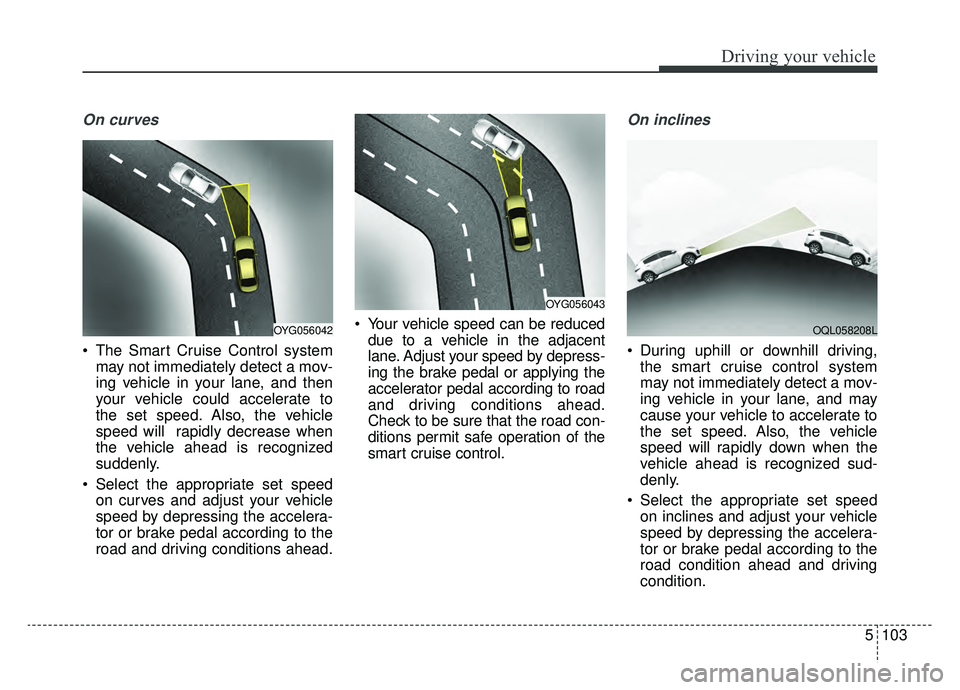
On curves
The Smart Cruise Control systemmay not immediately detect a mov-
ing vehicle in your lane, and then
your vehicle could accelerate to
the set speed. Also, the vehicle
speed will rapidly decrease when
the vehicle ahead is recognized
suddenly.
Select the appropriate set speed on curves and adjust your vehicle
speed by depressing the accelera-
tor or brake pedal according to the
road and driving conditions ahead. Your vehicle speed can be reduced
due to a vehicle in the adjacent
lane. Adjust your speed by depress-
ing the brake pedal or applying the
accelerator pedal according to road
and driving conditions ahead.
Check to be sure that the road con-
ditions permit safe operation of the
smart cruise control.
On inclines
During uphill or downhill driving,the smart cruise control system
may not immediately detect a mov-
ing vehicle in your lane, and may
cause your vehicle to accelerate to
the set speed. Also, the vehicle
speed will rapidly down when the
vehicle ahead is recognized sud-
denly.
Select the appropriate set speed on inclines and adjust your vehicle
speed by depressing the accelera-
tor or brake pedal according to the
road condition ahead and driving
condition.
OYG056043
OYG056042OQL058208L
Page 392 of 624
Driving your vehicle
106
5
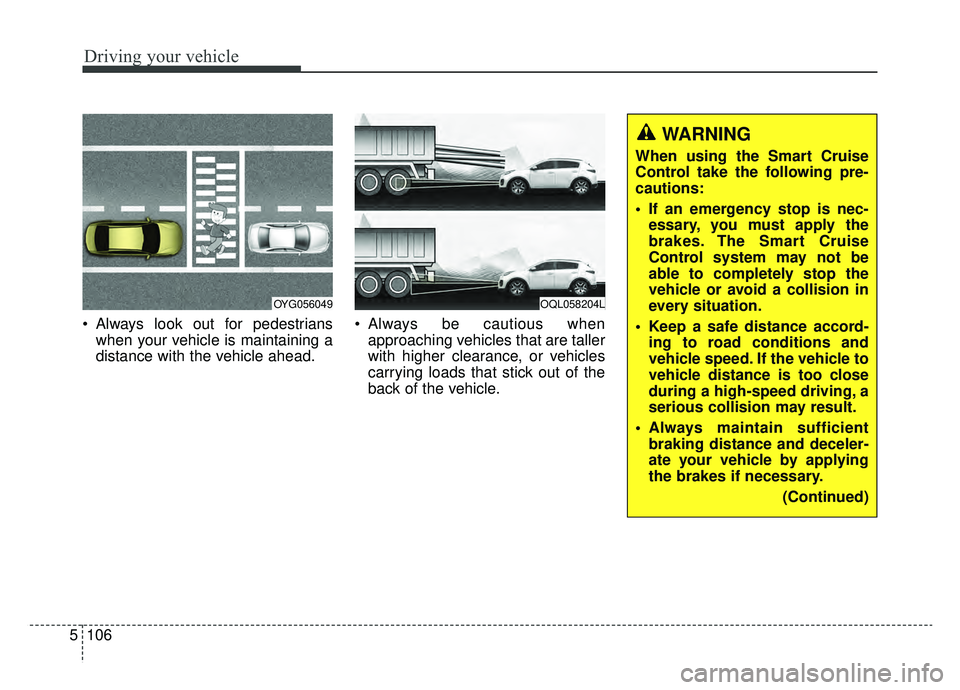
Always look out for pedestrians
when your vehicle is maintaining a
distance with the vehicle ahead. Always be cautious when
approaching vehicles that are taller
with higher clearance, or vehicles
carrying loads that stick out of the
back of the vehicle.
OQL058204LOYG056049
WARNING
When using the Smart Cruise
Control take the following pre-
cautions:
If an emergency stop is nec-essary, you must apply the
brakes. The Smart Cruise
Control system may not be
able to completely stop the
vehicle or avoid a collision in
every situation.
Keep a safe distance accord- ing to road conditions and
vehicle speed. If the vehicle to
vehicle distance is too close
during a high-speed driving, a
serious collision may result.
Always maintain sufficient braking distance and deceler-
ate your vehicle by applying
the brakes if necessary.
(Continued)
Page 393 of 624
5107
Driving your vehicle
✽ ✽NOTICE
The Smart Cruise Control System
may not operate temporarily due to:
- Electrical interference
- Modified suspension
- Differences in tire abrasion or tire
pressure
- Installation of different type of tires(Continued)
Always be aware of the select-
ed speed and distance to the
vehicle ahead.
The Smart Cruise Control System may not recognize
complex driving situations,
always pay attention to driv-
ing conditions and control
your vehicle speed.
After an engine start, please stop for several seconds. If
system initialization is not
completed, the SCC does not
normally operate.
After starting the engine, if objects are not detected or
the sensor cover is covered
with foreign substances, the
SCC system may not work.(Continued)
The Smart Cruise Control sys-tem cannot recognize a
stopped vehicle, pedestrians
or an oncoming vehicle.
Always look ahead cautiously
to prevent unexpected and
sudden situations from occur-
ring.
When other vehicles are changing lanes in front of you
frequently, the Smart Cruise
Control system may not oper-
ate appropriately.
Always drive cautiously to
prevent unexpected and sud-
den situations from occurring.
The smart cruise control sys- tem is not a substitute for
safe driving practices but a
convenience function only. It
is the responsibility of the
driver to always check to the
vehicle ahead.
(Continued)
WARNING
For safe operation, carefully
read and follow the instructions
in this manual before use.
Page 426 of 624
Driving your vehicle
140
5
✽ ✽
NOTICE
The Driver Attention Warning sys-
tem does not detect actual driver
fatigue or drowsiness. The system
monitors driving and provides a
warning if it detects inattentive driv-
ing practices.
(Continued)
The vehicle drives on a curvy road.
The vehicle drives on a bumpy road.
The vehicle drives through a windy area.
The vehicle is controlled by the following driver assistancesystems:
- Lane Keeping Assist (LKA) system
- Forward collision-avoidance assist (FCA) System.
- Smart Cruise Control (SCC) System
Page 615 of 624
I3
Index
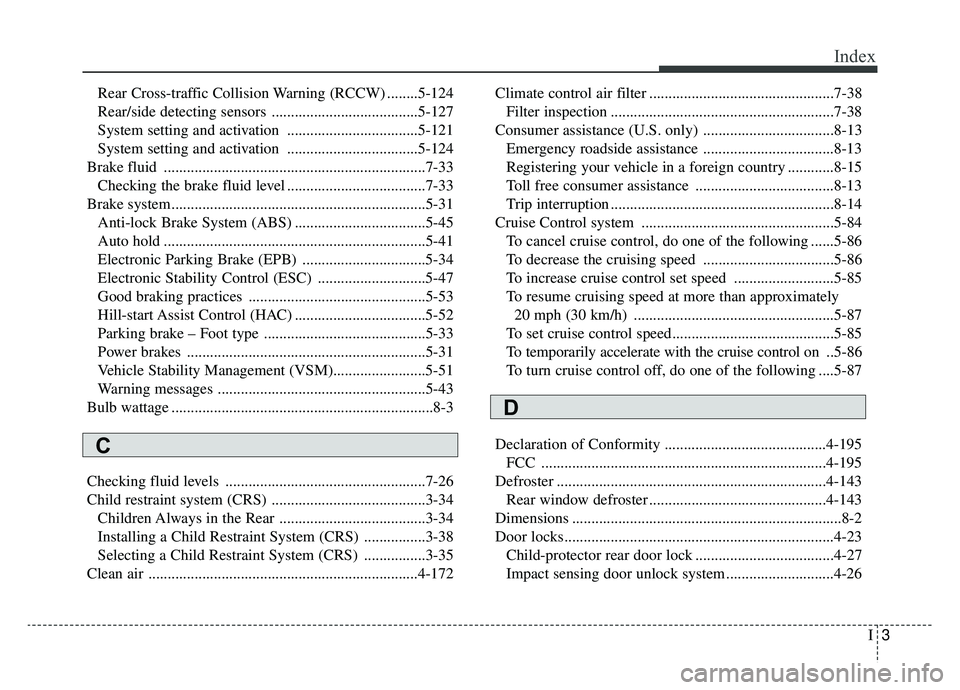
Rear Cross-traffic Collision Warning (RCCW) ........5-124
Rear/side detecting sensors ......................................5-127
System setting and activation ..................................5-121
System setting and activation ..................................5-124
Brake fluid ....................................................................7-33\
Checking the brake fluid level ....................................7-33
Brake system..................................................................5-31 Anti-lock Brake System (ABS) ..................................5-45
Auto hold ....................................................................5-41\
Electronic Parking Brake (EPB) ................................5-34
Electronic Stability Control (ESC) ............................5-47
Good braking practices ..............................................5-53
Hill-start Assist Control (HAC) ..................................5-52
Parking brake – Foot type ..........................................5-33
Power brakes ..............................................................5-31
Vehicle Stability Management (VSM)........................5-51
Warning messages ......................................................5-43
Bulb wattage ....................................................................8-3
Checking fluid levels ....................................................7-26
Child restraint system (CRS) ........................................3-34 Children Always in the Rear ......................................3-34
Installing a Child Restraint System (CRS) ................3-38
Selecting a Child Restraint System (CRS) ................3-35
Clean air ......................................................................4-\
172 Climate control air filter ................................................7-38
Filter inspection ..........................................................7-38
Consumer assistance (U.S. only) ..................................8-13 Emergency roadside assistance ..................................8-13
Registering your vehicle in a foreign country ............8-15
Toll free consumer assistance ....................................8-13
Trip interruption ..........................................................8-14
Cruise Control system ..................................................5-84 To cancel cruise control, do one of the following ......5-86
To decrease the cruising speed ..................................5-86
To increase cruise control set speed ..........................5-85
To resume cruising speed at more than approximately 20 mph (30 km/h) ....................................................5-87
To set cruise control speed..........................................5-85
To temporarily accelerate with the cruise control on ..5-86
To turn cruise control off, do one of the following ....5-87
Declaration of Conformity ..........................................4-195 FCC ........................................................................\
..4-195
Defroster ......................................................................4-\
143 Rear window defroster ..............................................4-143
Dimensions ......................................................................8-\
2
Door locks......................................................................4-\
23 Child-protector rear door lock ....................................4-27
Impact sensing door unlock system ............................4-26
C
D
Page 621 of 624
I9
Index
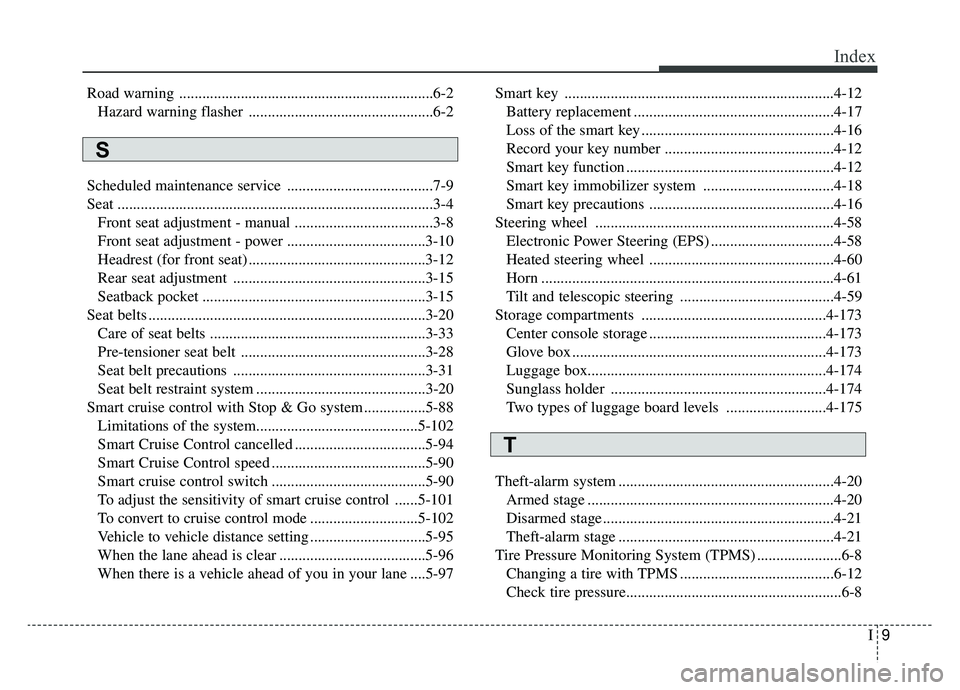
Road warning ..................................................................6-2Hazard warning flasher ................................................6-2
Scheduled maintenance service ......................................7-9
Seat ........................................................................\
..........3-4 Front seat adjustment - manual ....................................3-8
Front seat adjustment - power ....................................3-10
Headrest (for front seat) ..............................................3-12
Rear seat adjustment ..................................................3-15
Seatback pocket ..........................................................3-15
Seat belts ........................................................................\
3-20 Care of seat belts ........................................................3-33
Pre-tensioner seat belt ................................................3-28
Seat belt precautions ..................................................3-31
Seat belt restraint system ............................................3-20
Smart cruise control with Stop & Go system ................5-88 Limitations of the system..........................................5-102\
Smart Cruise Control cancelled ..................................5-94
Smart Cruise Control speed ........................................5-90
Smart cruise control switch ........................................5-90
To adjust the sensitivity of smart cruise control ......5-101
To convert to cruise control mode ............................5-102
Vehicle to vehicle distance setting ..............................5-95
When the lane ahead is clear ......................................5-96
When there is a vehicle ahead of you in your lane ....5-97 Smart key ......................................................................4-\
12
Battery replacement ....................................................4-17
Loss of the smart key ..................................................4-16
Record your key number ............................................4-12
Smart key function ......................................................4-12
Smart key immobilizer system ..................................4-18
Smart key precautions ................................................4-16
Steering wheel ..............................................................4-58 Electronic Power Steering (EPS) ................................4-58
Heated steering wheel ................................................4-60
Horn ........................................................................\
....4-61
Tilt and telescopic steering ........................................4-59
Storage compartments ................................................4-173 Center console storage ..............................................4-173
Glove box ..................................................................4-173
Luggage box.............................................................\
.4-174
Sunglass holder ........................................................4-174
Two types of luggage board levels ..........................4-175
Theft-alarm system ........................................................4-20 Armed stage ................................................................4-20
Disarmed stage ............................................................4-21
Theft-alarm stage ........................................................4-21
Tire Pressure Monitoring System (TPMS) ......................6-8 Changing a tire with TPMS ........................................6-12
Check tire pressure.....................................................\
...6-8
S
T