lock KIA SPORTAGE 2020 Service Manual
[x] Cancel search | Manufacturer: KIA, Model Year: 2020, Model line: SPORTAGE, Model: KIA SPORTAGE 2020Pages: 624, PDF Size: 15.41 MB
Page 123 of 624
433
Features of your vehicle
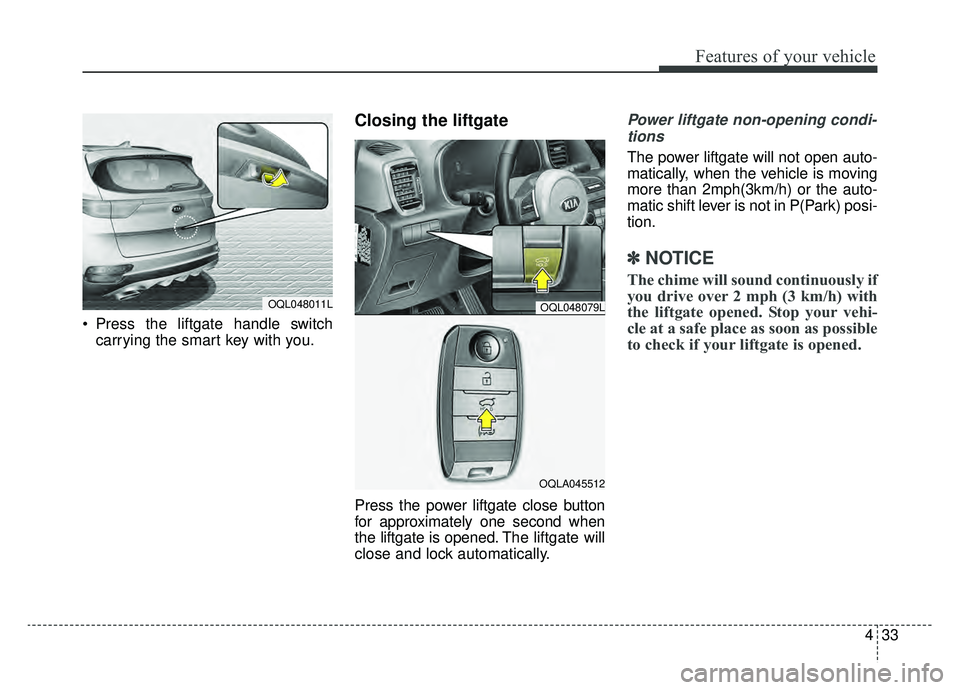
Press the liftgate handle switchcarrying the smart key with you.
Closing the liftgate
Press the power liftgate close button
for approximately one second when
the liftgate is opened. The liftgate will
close and lock automatically.
Power liftgate non-opening condi-
tions
The power liftgate will not open auto-
matically, when the vehicle is moving
more than 2mph(3km/h) or the auto-
matic shift lever is not in P(Park) posi-
tion.
✽ ✽ NOTICE
The chime will sound continuously if
you drive over 2 mph (3 km/h) with
the liftgate opened. Stop your vehi-
cle at a safe place as soon as possible
to check if your liftgate is opened.
OQL048011LOQL048079L
OQLA045512
Page 125 of 624
435
Features of your vehicle
Automatic reversal
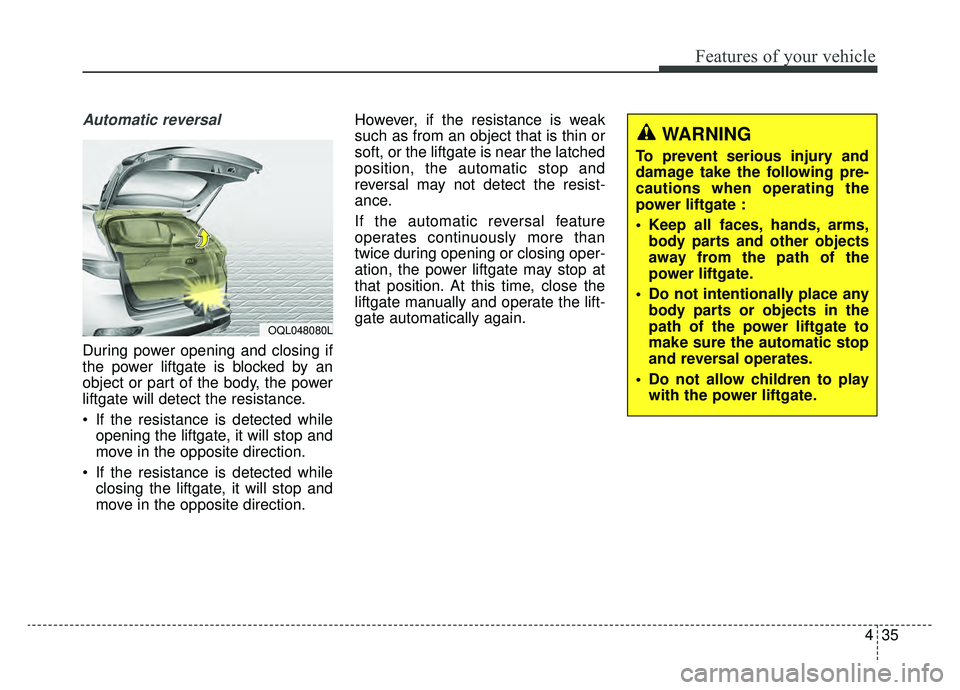
During power opening and closing if
the power liftgate is blocked by an
object or part of the body, the power
liftgate will detect the resistance.
If the resistance is detected whileopening the liftgate, it will stop and
move in the opposite direction.
If the resistance is detected while closing the liftgate, it will stop and
move in the opposite direction. However, if the resistance is weak
such as from an object that is thin or
soft, or the liftgate is near the latched
position, the automatic stop and
reversal may not detect the resist-
ance.
If the automatic reversal feature
operates continuously more than
twice during opening or closing oper-
ation, the power liftgate may stop at
that position. At this time, close the
liftgate manually and operate the lift-
gate automatically again.
OQL048080L
WARNING
To prevent serious injury and
damage take the following pre-
cautions when operating the
power liftgate :
Keep all faces, hands, arms,
body parts and other objects
away from the path of the
power liftgate.
Do not intentionally place any body parts or objects in the
path of the power liftgate to
make sure the automatic stop
and reversal operates.
Do not allow children to play with the power liftgate.
Page 127 of 624
437
Features of your vehicle
How to use the Smart PowerLiftgate
The liftgate can be opened with no-
touch activation satisfying all the
conditions below.
After 15 seconds when all doors are closed and locked
Positioned in the detecting area for more than 3 seconds.
✽ ✽ NOTICE
• The Smart Power Liftgate does
not operate when:
- The smart key is detected within15 seconds after the doors are
closed and locked, and is contin-
uously detected.
- The smart key is detected within 15 seconds after the doors are
closed and locked, and within 60
inches (1.5 m) from the front
door handles. (for vehicles
equipped with Welcome Light)
- A door is not locked or closed.
- The smart key is in the vehicle.
1. Setting
To activate the Smart Power Liftgate,
go to User Settings Mode and select
Smart Power Liftgate on the LCD
display.
❈ ❈ For more information, refer to
the "LCD Display" section in
this chapter.
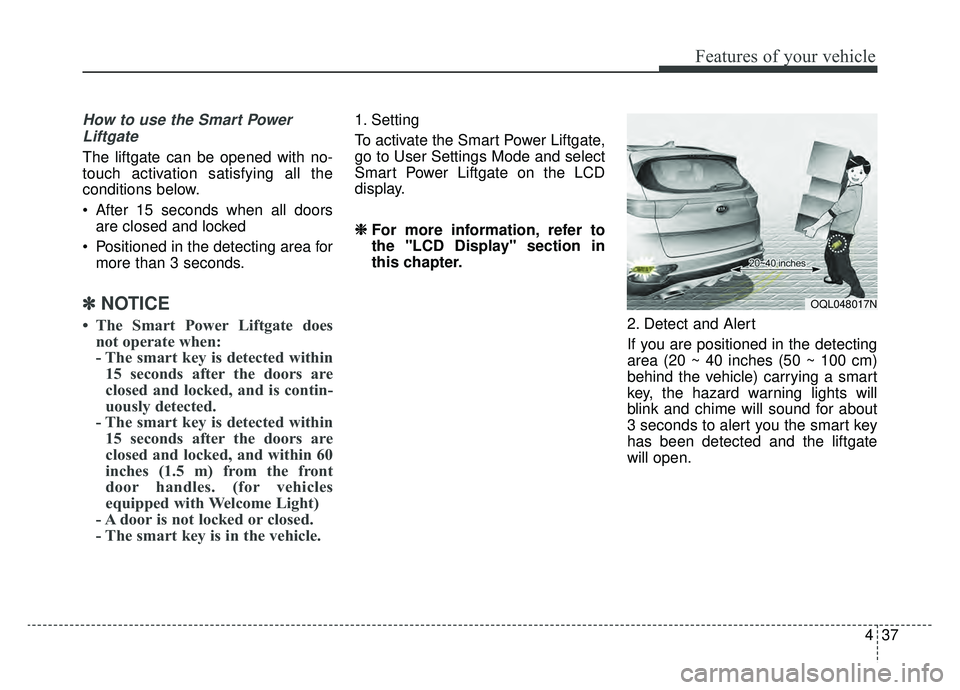
2. Detect and Alert
If you are positioned in the detecting
area (20 ~ 40 inches (50 ~ 100 cm)
behind the vehicle) carrying a smart
key, the hazard warning lights will
blink and chime will sound for about
3 seconds to alert you the smart key
has been detected and the liftgate
will open.
OQL048017N
Page 129 of 624
439
Features of your vehicle
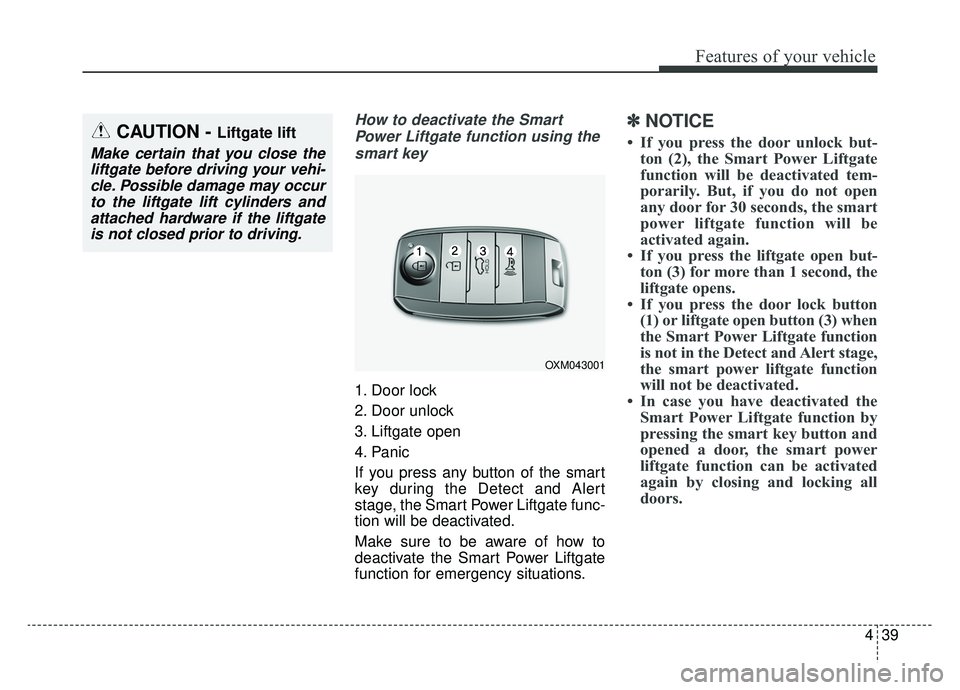
How to deactivate the SmartPower Liftgate function using thesmart key
1. Door lock
2. Door unlock
3. Liftgate open
4. Panic
If you press any button of the smart
key during the Detect and Alert
stage, the Smart Power Liftgate func-
tion will be deactivated.
Make sure to be aware of how to
deactivate the Smart Power Liftgate
function for emergency situations.
✽ ✽ NOTICE
• If you press the door unlock but-
ton (2), the Smart Power Liftgate
function will be deactivated tem-
porarily. But, if you do not open
any door for 30 seconds, the smart
power liftgate function will be
activated again.
• If you press the liftgate open but- ton (3) for more than 1 second, the
liftgate opens.
• If you press the door lock button (1) or liftgate open button (3) when
the Smart Power Liftgate function
is not in the Detect and Alert stage,
the smart power liftgate function
will not be deactivated.
• In case you have deactivated the Smart Power Liftgate function by
pressing the smart key button and
opened a door, the smart power
liftgate function can be activated
again by closing and locking all
doors.CAUTION - Liftgate lift
Make certain that you close the
liftgate before driving your vehi-cle. Possible damage may occurto the liftgate lift cylinders andattached hardware if the liftgateis not closed prior to driving.
OXM043001
Page 131 of 624
441
Features of your vehicle
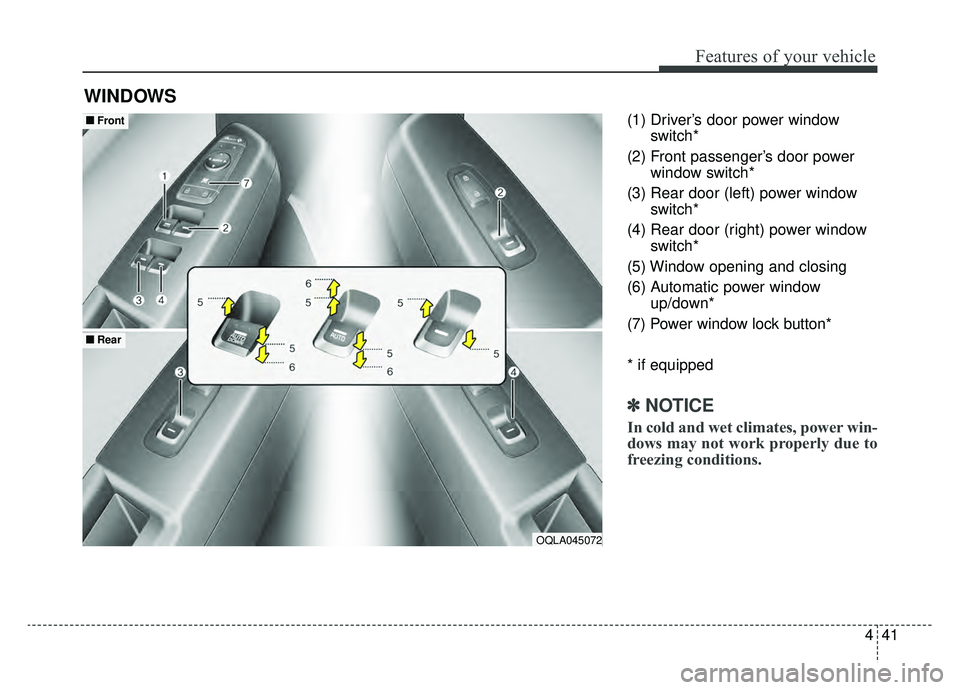
(1) Driver’s door power windowswitch*
(2) Front passenger’s door power window switch*
(3) Rear door (left) power window switch*
(4) Rear door (right) power window switch*
(5) Window opening and closing
(6) Automatic power window up/down*
(7) Power window lock button*
* if equipped
✽ ✽ NOTICE
In cold and wet climates, power win-
dows may not work properly due to
freezing conditions.
WINDOWS
OQLA045072
■ ■ Front
■ ■Rear
Page 132 of 624
Features of your vehicle
42
4
Power windows
The ignition switch must be in the ON
position for power windows to operate.
Each door has a power window
switch that controls the door's win-
dow. The driver has a power window
lock button which can block the oper-
ation of rear seat windows. The
power windows can be operated for
approximately 30 seconds after the
ignition key is removed or turned to
the ACC or LOCK (or OFF) position.
If the front doors are opened; howev-
er, the power windows cannot be
operated even within the 30 second
period.
If the window cannot be close
because it is blocked by objects,
remove the objects and close the
window.
✽ ✽
NOTICE
While driving with the rear windows
down or with the sunroof (if
equipped) in an open (or partially
open) position, your vehicle may
demonstrate a wind buffeting or
pulsation noise. This noise is a nor-
mal occurrence and can be reduced
or eliminated by taking the follow-
ing actions. If the noise occurs with
one or both of the rear windows
down, partially lower both front
windows approximately one inch. If
you experience the noise with the
sunroof open, slightly reduce the
size of the sunroof opening.
Window opening and closing
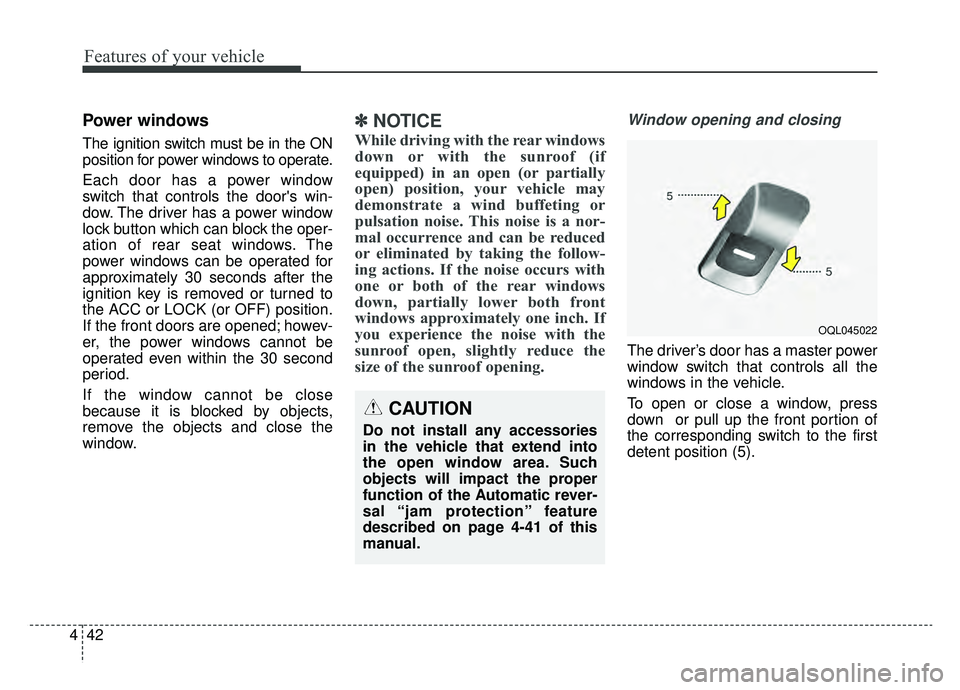
The driver’s door has a master power
window switch that controls all the
windows in the vehicle.
To open or close a window, press
down or pull up the front portion of
the corresponding switch to the first
detent position (5).
OQL045022
CAUTION
Do not install any accessories
in the vehicle that extend into
the open window area. Such
objects will impact the proper
function of the Automatic rever-
sal “jam protection” feature
described on page 4-41 of this
manual.
Page 134 of 624
Features of your vehicle
44
4
Automatic reversal
(for Auto up/down window)
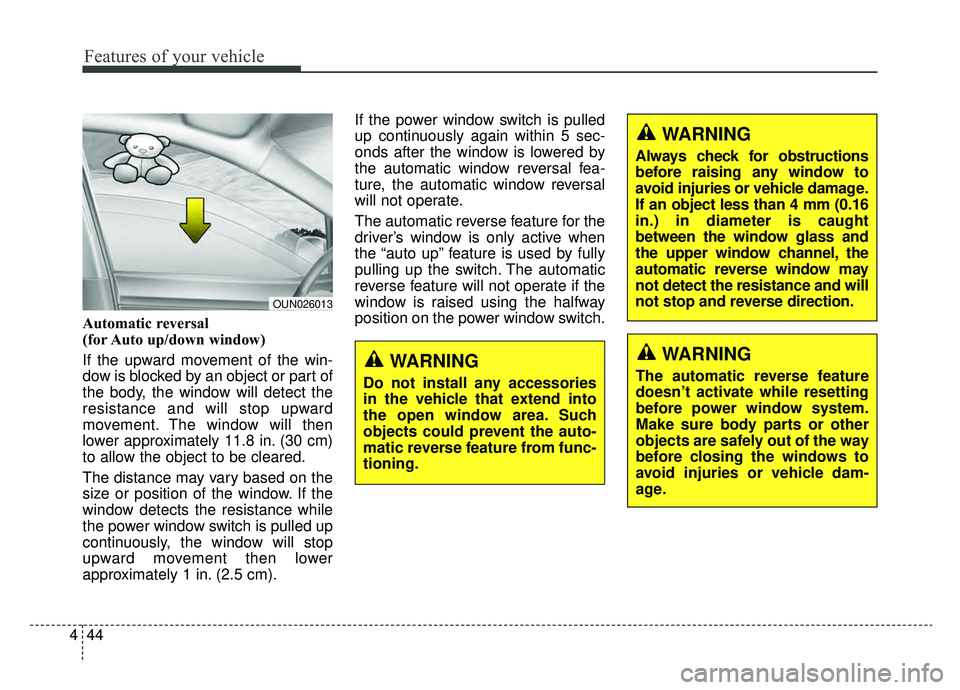
If the upward movement of the win-
dow is blocked by an object or part of
the body, the window will detect the
resistance and will stop upward
movement. The window will then
lower approximately 11.8 in. (30 cm)
to allow the object to be cleared.
The distance may vary based on the
size or position of the window. If the
window detects the resistance while
the power window switch is pulled up
continuously, the window will stop
upward movement then lower
approximately 1 in. (2.5 cm). If the power window switch is pulled
up continuously again within 5 sec-
onds after the window is lowered by
the automatic window reversal fea-
ture, the automatic window reversal
will not operate.
The automatic reverse feature for the
driver’s window is only active when
the “auto up” feature is used by fully
pulling up the switch. The automatic
reverse feature will not operate if the
window is raised using the halfway
position on the power window switch.
OUN026013
WARNING
Always check for obstructions
before raising any window to
avoid injuries or vehicle damage.
If an object less than 4 mm (0.16
in.) in diameter is caught
between the window glass and
the upper window channel, the
automatic reverse window may
not detect the resistance and will
not stop and reverse direction.
WARNING
The automatic reverse feature
doesn’t activate while resetting
before power window system.
Make sure body parts or other
objects are safely out of the way
before closing the windows to
avoid injuries or vehicle dam-
age.WARNING
Do not install any accessories
in the vehicle that extend into
the open window area. Such
objects could prevent the auto-
matic reverse feature from func-
tioning.
Page 135 of 624
445
Features of your vehicle
Power window lock button
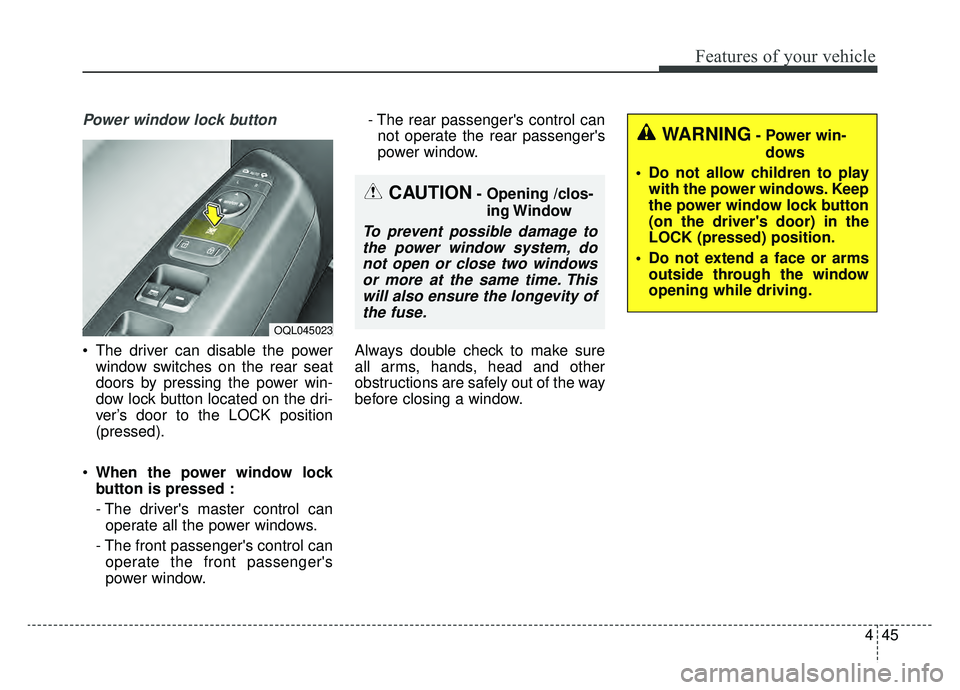
The driver can disable the powerwindow switches on the rear seat
doors by pressing the power win-
dow lock button located on the dri-
ver’s door to the LOCK position
(pressed).
When the power window lock
button is pressed :
- The driver's master control can
operate all the power windows.
- The front passenger's control can operate the front passenger's
power window. - The rear passenger's control can
not operate the rear passenger's
power window.
Always double check to make sure
all arms, hands, head and other
obstructions are safely out of the way
before closing a window.
CAUTION- Opening /clos- ing Window
To prevent possible damage tothe power window system, donot open or close two windowsor more at the same time. Thiswill also ensure the longevity ofthe fuse.
OQL045023
WARNING- Power win-
dows
Do not allow children to play with the power windows. Keep
the power window lock button
(on the driver's door) in the
LOCK (pressed) position.
Do not extend a face or arms outside through the window
opening while driving.
Page 137 of 624
447
Features of your vehicle
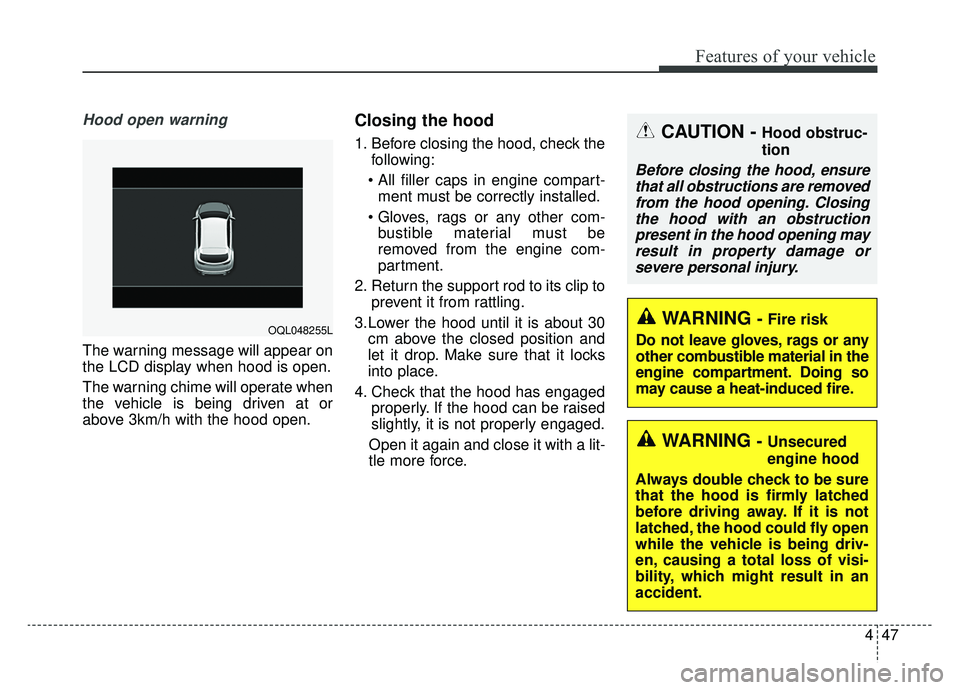
Hood open warning
The warning message will appear on
the LCD display when hood is open.
The warning chime will operate when
the vehicle is being driven at or
above 3km/h with the hood open.
Closing the hood
1. Before closing the hood, check thefollowing:
ment must be correctly installed.
bustible material must be
removed from the engine com-
partment.
2. Return the support rod to its clip to prevent it from rattling.
3.Lower the hood until it is about 30 cm above the closed position and
let it drop. Make sure that it locks
into place.
4. Check that the hood has engaged properly. If the hood can be raised
slightly, it is not properly engaged.
Open it again and close it with a lit-
tle more force.
WARNING - Fire risk
Do not leave gloves, rags or any
other combustible material in the
engine compartment. Doing so
may cause a heat-induced fire.
WARNING - Unsecured
engine hood
Always double check to be sure
that the hood is firmly latched
before driving away. If it is not
latched, the hood could fly open
while the vehicle is being driv-
en, causing a total loss of visi-
bility, which might result in an
accident.
CAUTION - Hood obstruc-
tion
Before closing the hood, ensure that all obstructions are removedfrom the hood opening. Closingthe hood with an obstructionpresent in the hood opening mayresult in property damage orsevere personal injury.
OQL048255L
Page 138 of 624
Features of your vehicle
48
4
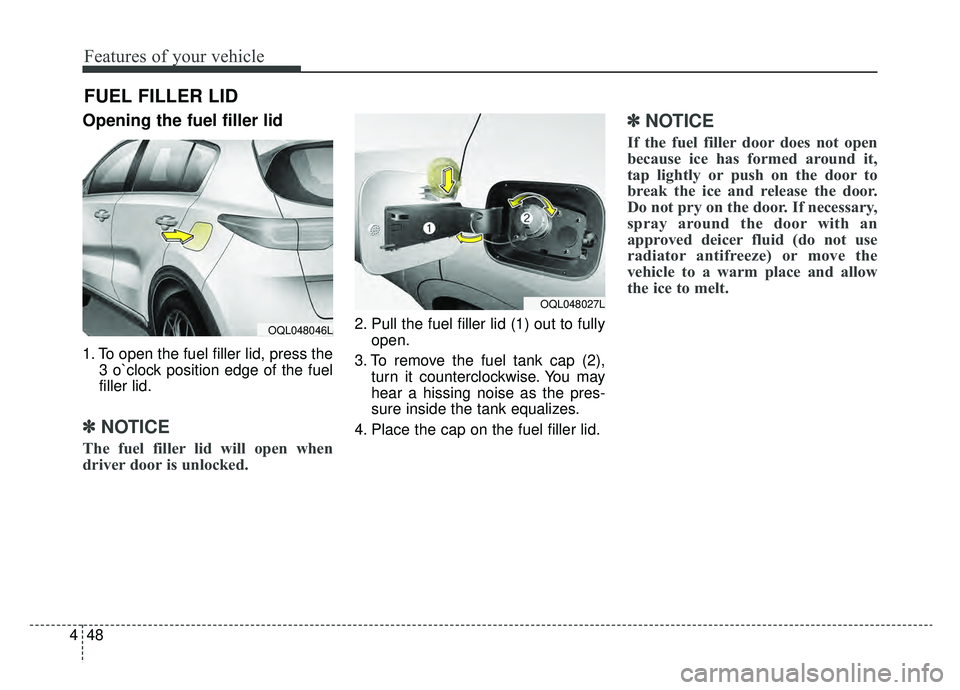
Opening the fuel filler lid
1. To open the fuel filler lid, press the
3 o`clock position edge of the fuel
filler lid.
✽ ✽NOTICE
The fuel filler lid will open when
driver door is unlocked.
2. Pull the fuel filler lid (1) out to fully
open.
3. To remove the fuel tank cap (2), turn it counterclockwise. You may
hear a hissing noise as the pres-
sure inside the tank equalizes.
4. Place the cap on the fuel filler lid.
✽ ✽ NOTICE
If the fuel filler door does not open
because ice has formed around it,
tap lightly or push on the door to
break the ice and release the door.
Do not pry on the door. If necessary,
spray around the door with an
approved deicer fluid (do not use
radiator antifreeze) or move the
vehicle to a warm place and allow
the ice to melt.
FUEL FILLER LID
OQL048027L
OQL048046L