warning KIA SPORTAGE 2020 Owners Manual
[x] Cancel search | Manufacturer: KIA, Model Year: 2020, Model line: SPORTAGE, Model: KIA SPORTAGE 2020Pages: 611, PDF Size: 15.85 MB
Page 406 of 611
5125
Driving your vehicle
✽ ✽NOTICE
• If the vehicle is turned off then on
again, the RCCW system returns
to the previous state.
• When the system is turned on, the warning light will illuminate for 3
seconds on the outside rearview
mirror.
The system will activate when:
1. The RCCW system is on.
2. The vehicle speed is below 10
km/h (6 mph) with the shift lever in
R (Reverse).
3. Other vehicles are detected in Rear Cross-Traffic Collision
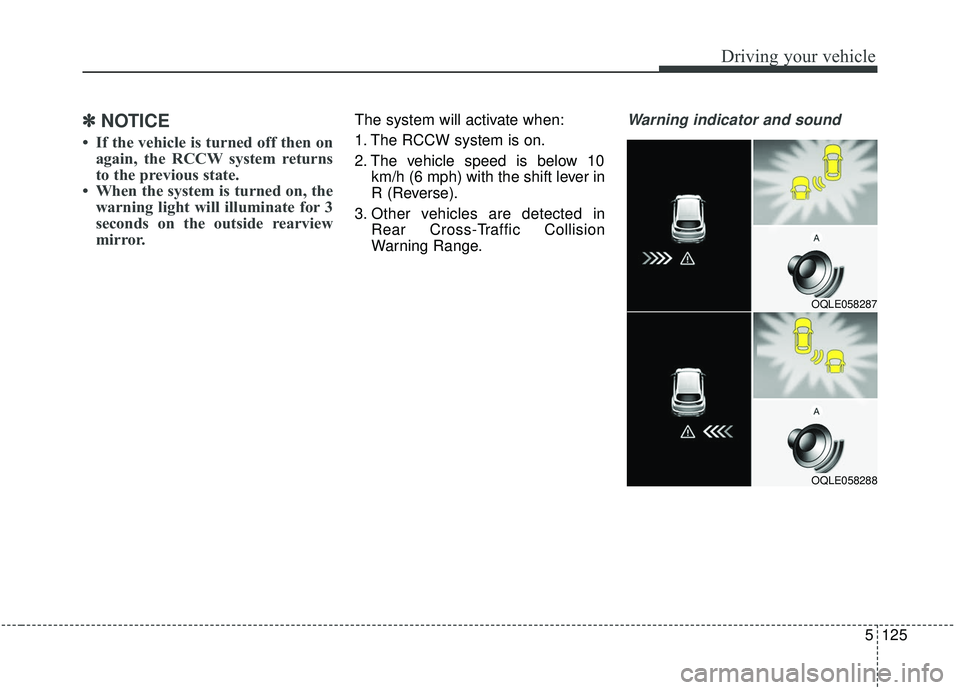
Warning Range.Warning indicator and sound
OQLE058287
OQLE058288
Page 407 of 611
Driving your vehicle
126
5
If the vehicle detected by the sensors
approaches from the rear left/right
side of your vehicle, the warning
chime will sound, the warning light
on the outside rearview mirror will
blink and a message will appear on
the LCD display.
The warning will stop when:
- The vehicle moving at the rear
left/right side of your vehicle is not
in the detection range.
- The vehicle is right behind your vehicle.
- The vehicle is not driving towards your vehicle.
- The vehicle’s approaching speed is decreased.
WARNING
Drive safely even though thevehicle is equipped with a
Rear Cross-Traffic Collision
Warning (RCCW) System. Do
not solely rely on the system
but check your surrounding
when backing the vehicle up.
The RCCW system may not
detect every object alongside
the vehicle.
The driver is responsible for accurate brake control.
Always pay extreme caution while driving. The Rear Cross-
Traffic Collision Warning
System may not operate prop-
erly or unnecessarily operate
in accordance with your driv-
ing situations.
CAUTION
If the operating conditions of RCCW are satisfied, a warningis issued every time a vehiclecomes to the rear side, even ifyour vehicle is stopped (vehi-cle speed 0 km/h (0 mph)).
The system's warning may not operate properly if theleft/right of your vehicle's rearbumper is blocked by a vehi-cle or obstacle.
The driver should always use extreme caution while operat-ing the vehicle, whether or notthe warning light on the out-side rearview mirror illumi-nates or there is a warningalarm.
Playing the vehicle audio sys- tem at high volume may pre-vent occupants from hearingthe system's warning sounds.
The warning of the Rear Cross- Traffic Collision WarningSystem may not sound if warn-ing sounds from other systemsare activated.
Page 409 of 611
Driving your vehicle
128
5
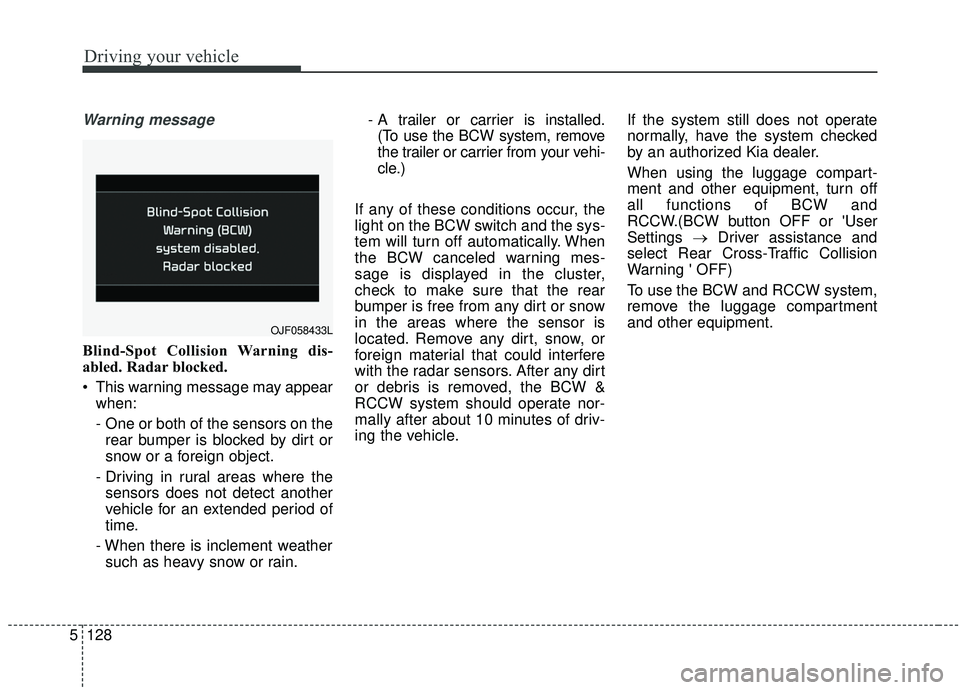
Warning message
Blind-Spot Collision Warning dis-
abled. Radar blocked.
This warning message may appear
when:
- One or both of the sensors on therear bumper is blocked by dirt or
snow or a foreign object.
- Driving in rural areas where the sensors does not detect another
vehicle for an extended period of
time.
- When there is inclement weather such as heavy snow or rain. - A trailer or carrier is installed.
(To use the BCW system, remove
the trailer or carrier from your vehi-
cle.)
If any of these conditions occur, the
light on the BCW switch and the sys-
tem will turn off automatically. When
the BCW canceled warning mes-
sage is displayed in the cluster,
check to make sure that the rear
bumper is free from any dirt or snow
in the areas where the sensor is
located. Remove any dirt, snow, or
foreign material that could interfere
with the radar sensors. After any dirt
or debris is removed, the BCW &
RCCW system should operate nor-
mally after about 10 minutes of driv-
ing the vehicle. If the system still does not operate
normally, have the system checked
by an authorized Kia dealer.
When using the luggage compart-
ment and other equipment, turn off
all functions of BCW and
RCCW.(BCW button OFF or 'User
Settings
→Driver assistance and
select Rear Cross-Traffic Collision
Warning ' OFF)
To use the BCW and RCCW system,
remove the luggage compartment
and other equipment.
OJF058433L
Page 410 of 611
5129
Driving your vehicle
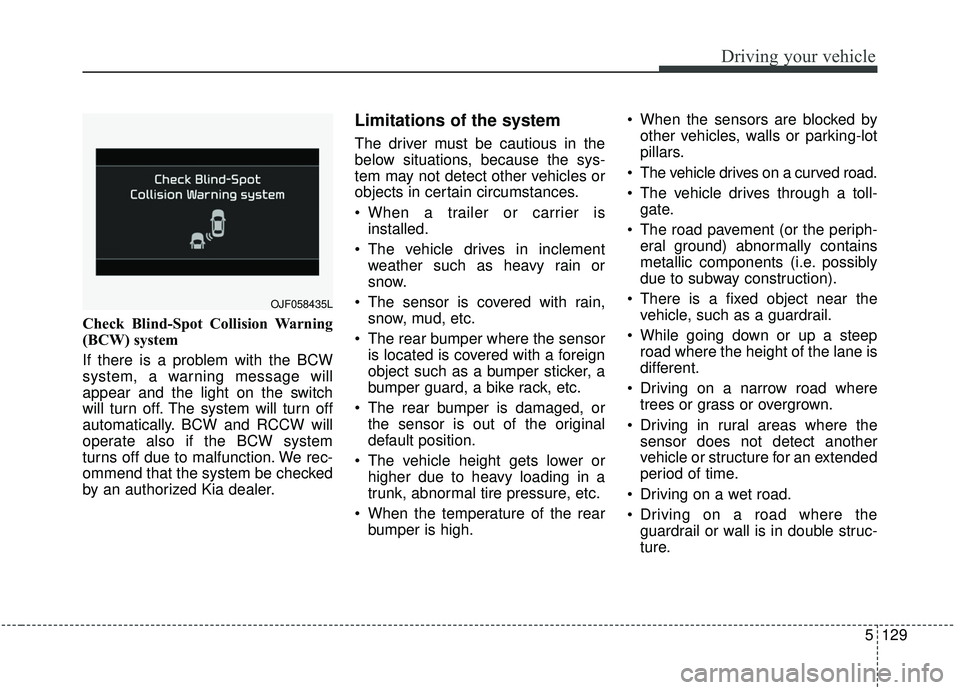
Check Blind-Spot Collision Warning
(BCW) system
If there is a problem with the BCW
system, a warning message will
appear and the light on the switch
will turn off. The system will turn off
automatically. BCW and RCCW will
operate also if the BCW system
turns off due to malfunction. We rec-
ommend that the system be checked
by an authorized Kia dealer.
Limitations of the system
The driver must be cautious in the
below situations, because the sys-
tem may not detect other vehicles or
objects in certain circumstances.
When a trailer or carrier isinstalled.
The vehicle drives in inclement weather such as heavy rain or
snow.
The sensor is covered with rain, snow, mud, etc.
The rear bumper where the sensor is located is covered with a foreign
object such as a bumper sticker, a
bumper guard, a bike rack, etc.
The rear bumper is damaged, or the sensor is out of the original
default position.
The vehicle height gets lower or higher due to heavy loading in a
trunk, abnormal tire pressure, etc.
When the temperature of the rear bumper is high. When the sensors are blocked by
other vehicles, walls or parking-lot
pillars.
The vehicle drives on a curved road.
The vehicle drives through a toll- gate.
The road pavement (or the periph- eral ground) abnormally contains
metallic components (i.e. possibly
due to subway construction).
There is a fixed object near the vehicle, such as a guardrail.
While going down or up a steep road where the height of the lane is
different.
Driving on a narrow road where trees or grass or overgrown.
Driving in rural areas where the sensor does not detect another
vehicle or structure for an extended
period of time.
Driving on a wet road.
Driving on a road where the guardrail or wall is in double struc-
ture.
OJF058435L
Page 414 of 611
5133
Driving your vehicle
This device complies with
Industry Canada licence-exempt
RSS standard(s).
Operation is subject to the following
conditions:
(1) This device may not cause inter-ference, and
(2) This device must accept any interference, including interfer-
ence that may cause undesired
operation of the device.
(3) Changes or modifications not expressly approved by the party
responsible for compliance could
void the user's authority to oper-
ate the device.
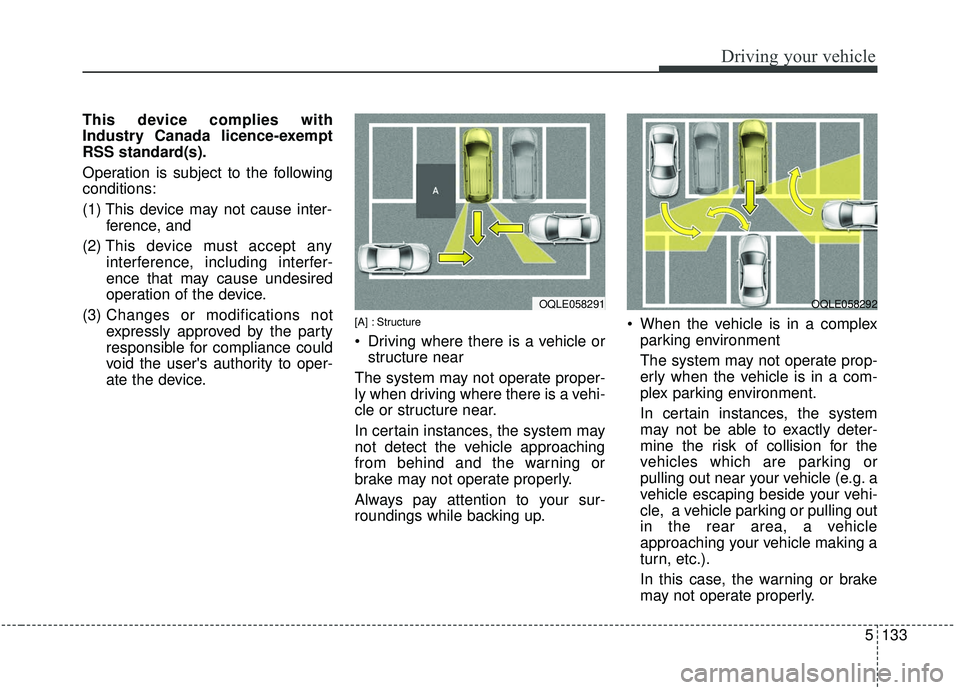
[A] : Structure
Driving where there is a vehicle orstructure near
The system may not operate proper-
ly when driving where there is a vehi-
cle or structure near.
In certain instances, the system may
not detect the vehicle approaching
from behind and the warning or
brake may not operate properly.
Always pay attention to your sur-
roundings while backing up. When the vehicle is in a complex
parking environment
The system may not operate prop-
erly when the vehicle is in a com-
plex parking environment.
In certain instances, the system
may not be able to exactly deter-
mine the risk of collision for the
vehicles which are parking or
pulling out near your vehicle (e.g. a
vehicle escaping beside your vehi-
cle, a vehicle parking or pulling out
in the rear area, a vehicle
approaching your vehicle making a
turn, etc.).
In this case, the warning or brake
may not operate properly.
OQLE058292OQLE058291
Page 415 of 611
![KIA SPORTAGE 2020 Owners Manual Driving your vehicle
134
5
[A] : Vehicle
When the vehicle is parked diago-
nally
The system may not operate proper-
ly when the vehicle is parked diago-
nally.
In certain instances, when the diago-
n](/img/2/40479/w960_40479-414.png "KIA SPORTAGE 2020 Owners Manual Driving your vehicle
134
5
[A] : Vehicle
When the vehicle is parked diago-
nally
The system may not operate proper-
ly when the vehicle is parked diago-
nally.
In certain instances, when the diago-
n")
Driving your vehicle
134
5
[A] : Vehicle
When the vehicle is parked diago-
nally
The system may not operate proper-
ly when the vehicle is parked diago-
nally.
In certain instances, when the diago-
nally parked vehicle is pulled out of
the parking space, the system may
not detect the vehicle approaching
from the rear left/right of your vehi-
cle. In this case, the warning or brake
may not operate properly.
Always pay attention to Your sur-
roundings while backing up. When the vehicle is on/near a
slope
The system may not operate proper-
ly when the vehicle is on/near a
slope.
In certain instances, the system may
not detect the vehicle approaching
from the rear left/right and the warning
or brake may not operate properly.
Always pay attention to Your sur-
roundings while backing up.
[A] : Structure, [B] : Wall
Pulling into the parking space where there is a structure
The system may not operate properly
when pulling in the vehicle to the park-
ing space where there is a structure at
the back or side of your vehicle.
In certain instances, when backing
into the parking space, the system
may not detect the vehicle moving in
front of your vehicle. In this case, the
warning or brake may not operate
properly.
Always pay attention to Your sur-
roundings while backing up.
OQLE058295OQLE058300OQLE058293
Page 417 of 611
Driving your vehicle
136
5
The Driver Attention Warning (DAW)
system is designed to warn the driv-
er of potentially hazardous driving
situations if it detects inattentive
driving practices.System setting and activation
System setting
To turn ON the Driver Attention
Warning system, turn on the
engine, and then select 'User
Settings →Driver Assistance →
Driver Attention Warning →High
sensitivity/Normal sensitivity/Off'
on the LCD display.
The driver can select the Driver Attention Warning system mode.
- Off : The Driver Attention Warningsystem is deactivated.
- Normal sensitivity : The Driver Attention Warning system alerts
the driver of his/her or inattentive
driving practices.
- High sensitivity : The Driver Attention Warning system alerts
the driver of his/her or inattentive
driving practices faster than
Normal mode.
The set-up of the Driver Attention Warning system will be main-
tained, when the engine is re-start-
ed.
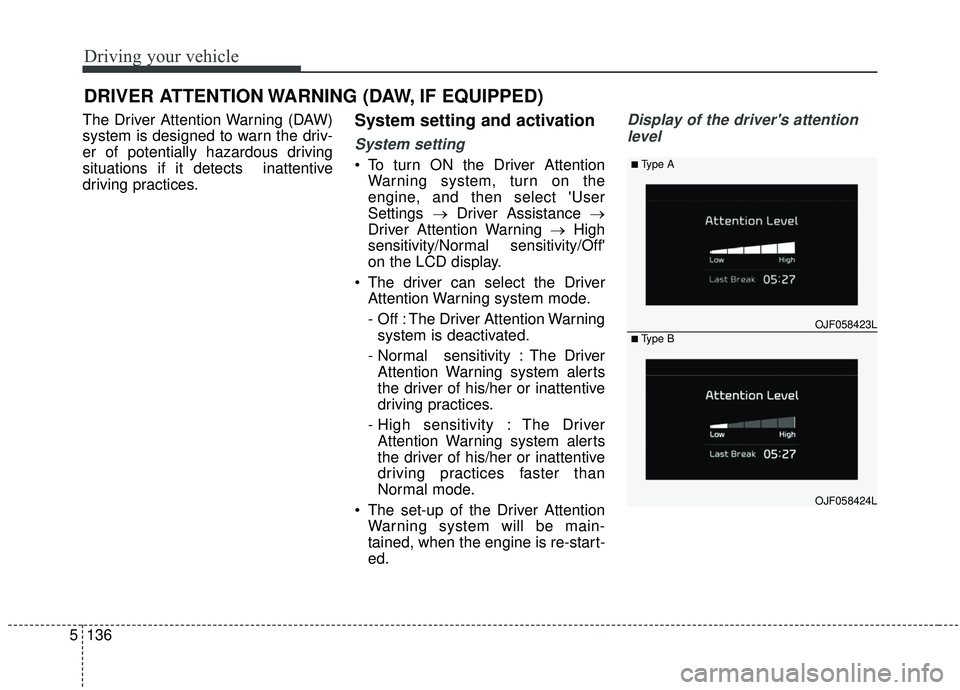
Display of the driver's attention
level
DRIVER ATTENTION WARNING (DAW, IF EQUIPPED)
OJF058423L
■Type A
■Type B
OJF058424L
Page 418 of 611
5137
Driving your vehicle
The driver can monitor their drivingconditions on the LCD display.
- Select 'User Settings Mode' andthen 'Driver Assistance' on the
LCD display. (For more informa-
tion, refer to “LCD Display” in
chapter 4.)
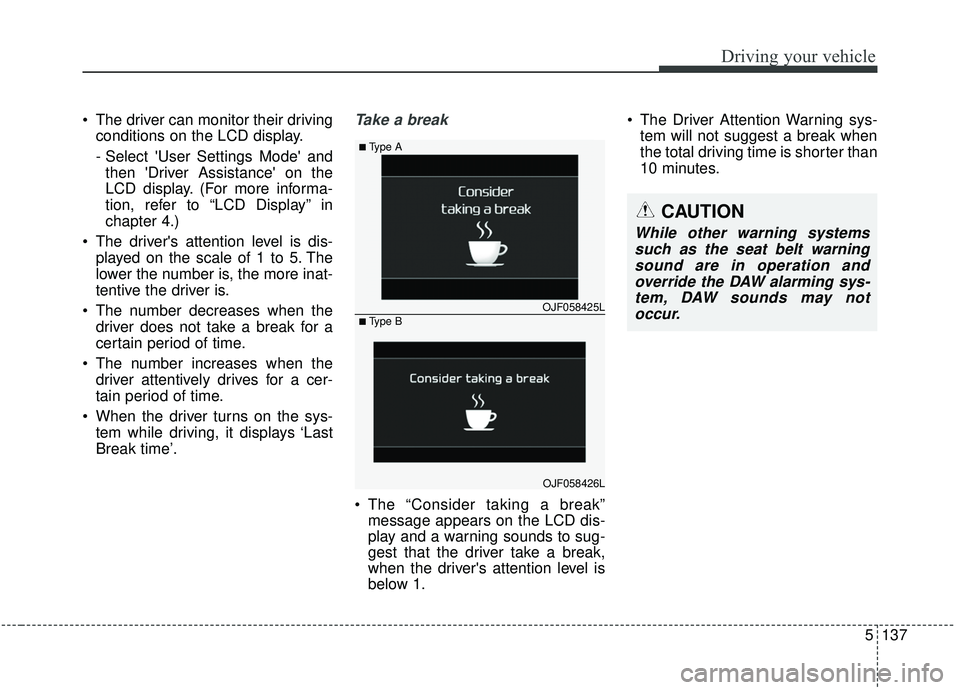
The driver's attention level is dis- played on the scale of 1 to 5. The
lower the number is, the more inat-
tentive the driver is.
The number decreases when the driver does not take a break for a
certain period of time.
The number increases when the driver attentively drives for a cer-
tain period of time.
When the driver turns on the sys- tem while driving, it displays ‘Last
Break time’.Take a break
The “Consider taking a break”message appears on the LCD dis-
play and a warning sounds to sug-
gest that the driver take a break,
when the driver's attention level is
below 1. The Driver Attention Warning sys-
tem will not suggest a break when
the total driving time is shorter than
10 minutes.
OJF058425L
■Type A
■Type B
OJF058426L
CAUTION
While other warning systemssuch as the seat belt warningsound are in operation andoverride the DAW alarming sys-tem, DAW sounds may notoccur.
Page 419 of 611
Driving your vehicle
138
5
Resetting the system
The last break time is set to 00:00
and the driver's attention level is
set to 5 (very attentive) when the
driver resets the Driver Attention
Warning system.
The driver attention warning sys- tem resets in the following situa-
tions.
- The engine is turned OFF.
- The driver unfastens the seat beltand then opens the driver’s door
in stop.
- The driver takes a break from driving that lasts more than 10
minutes.
The driver attention warning sys- tem operates again, when the driv-
er restarts driving.
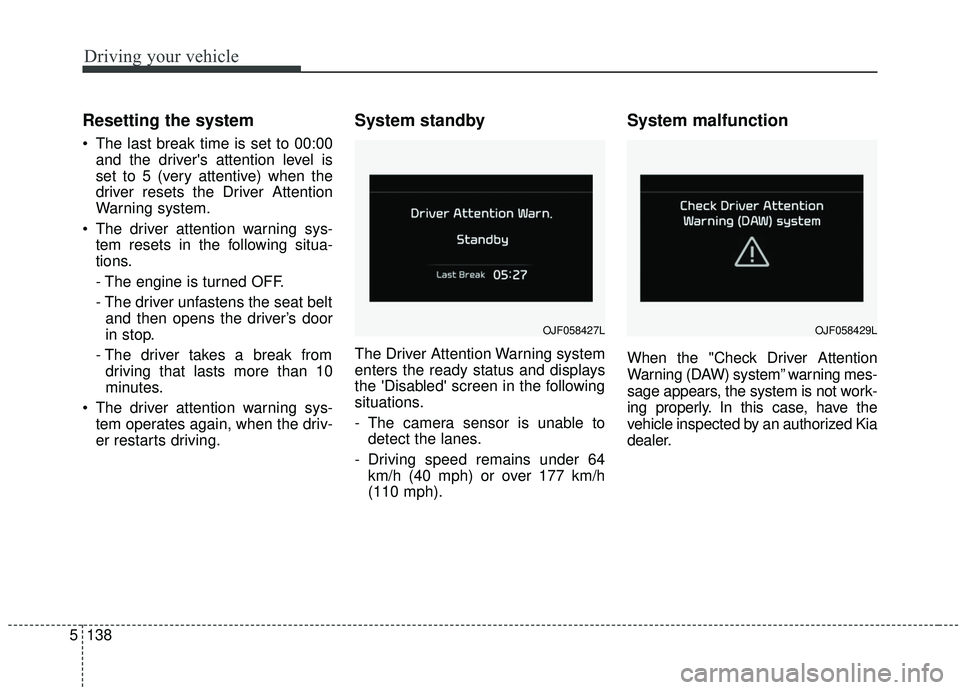
System standby
The Driver Attention Warning system
enters the ready status and displays
the 'Disabled' screen in the following
situations.
- The camera sensor is unable todetect the lanes.
- Driving speed remains under 64 km/h (40 mph) or over 177 km/h
(110 mph).
System malfunction
When the "Check Driver Attention
Warning (DAW) system” warning mes-
sage appears, the system is not work-
ing properly. In this case, have the
vehicle inspected by an authorized Kia
dealer.
OJF058427LOJF058429L
Page 420 of 611
5139
Driving your vehicle
✽ ✽NOTICE
It may suggest a break according to
the driver’s driving pattern or
habits even if the driver doesn’t feel
fatigued.
✽ ✽NOTICE
The Driver Attention Warning sys-
tem utilizes the camera sensor on the
front windshield for its operation.
To keep the camera sensor in the
best condition, you should observe
the followings:
• Do not place any reflective objects
(i.e. white paper, mirror) over the
dashboard. Any light reflection
may prevent the Driver Attention
Warning (DAW) system from
functioning properly.
• Pay extreme caution to keep the camera sensor dry.
• Do not disassemble the camera assembly, or apply any impact on
the camera assembly.
• Playing the vehicle audio system at high volume may prevent the
occupants from hearing the Driver
Attention Warning system warn-
ing sounds.WARNING
The Driver Attention Warning
system is not a substitute for
safe driving practices. It is the
responsibility of the driver to
always drive cautiously to
prevent unexpected and sud-
den situations from occur-
ring. Pay attention to the road
conditions at all times.
The driver, who feels fatigued, should take a break, even
though there is no break sug-
gestion by the Driver
Attention Warning system.
CAUTION
The Driver Attention Warningsystem may not provide alertsin the following situations:
The lane detection perform- ance is limited. (For moreinformation, refer to “LaneKeeping Assist (LKA) system”in this chapter.)
The vehicle is erratically driv- en or is abruptly turned forobstacle avoidance (e.g. con-struction area, other vehicles,fallen objects, bumpy road).
Forward drivability of the vehi- cle is severely undermined(possibly due to wide varia-tion in tire pressures, uneventire wear-out, toe-in/toe-outalignment).
(Continued)