change time KIA SPORTAGE 2020 Owner's Manual
[x] Cancel search | Manufacturer: KIA, Model Year: 2020, Model line: SPORTAGE, Model: KIA SPORTAGE 2020Pages: 611, PDF Size: 15.85 MB
Page 264 of 611
Features of your vehicle
176
4
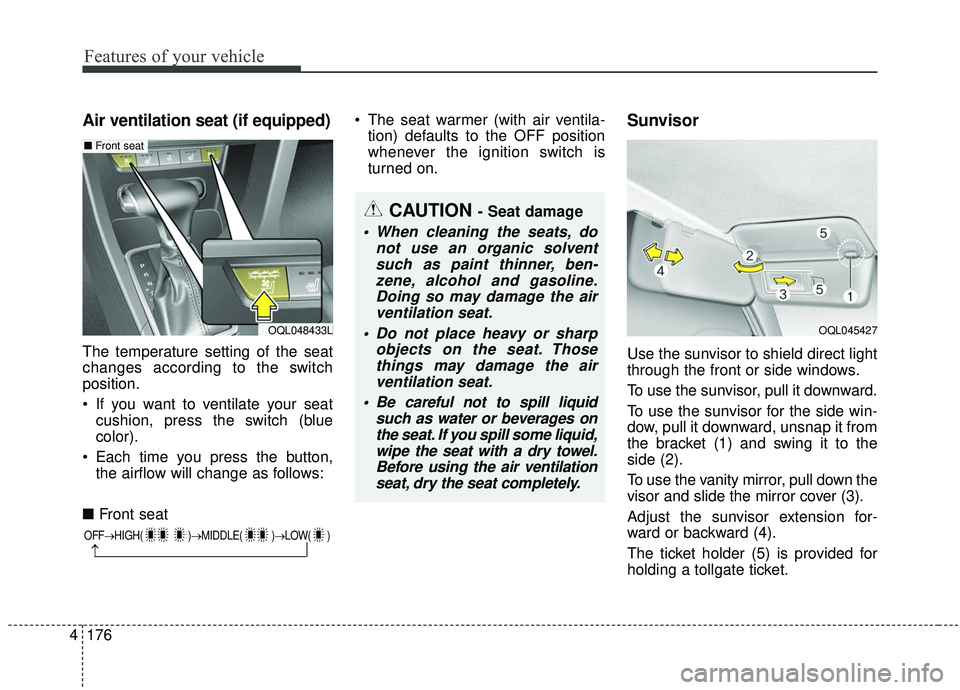
Air ventilation seat (if equipped)
The temperature setting of the seat
changes according to the switch
position.
If you want to ventilate your seat
cushion, press the switch (blue
color).
Each time you press the button, the airflow will change as follows:
■ Front seat The seat warmer (with air ventila-
tion) defaults to the OFF position
whenever the ignition switch is
turned on.
Sunvisor
Use the sunvisor to shield direct light
through the front or side windows.
To use the sunvisor, pull it downward.
To use the sunvisor for the side win-
dow, pull it downward, unsnap it from
the bracket (1) and swing it to the
side (2).
To use the vanity mirror, pull down the
visor and slide the mirror cover (3).
Adjust the sunvisor extension for-
ward or backward (4).
The ticket holder (5) is provided for
holding a tollgate ticket.
OFF→ HIGH( )→ MIDDLE( )→LOW( )
→
CAUTION - Seat damage
When cleaning the seats, do
not use an organic solventsuch as paint thinner, ben-zene, alcohol and gasoline.Doing so may damage the airventilation seat.
Do not place heavy or sharp objects on the seat. Thosethings may damage the airventilation seat.
Be careful not to spill liquid such as water or beverages onthe seat. If you spill some liquid,wipe the seat with a dry towel.Before using the air ventilationseat, dry the seat completely.
OQL048433L OQL045427
■ Front seat
Page 285 of 611
Driving your vehicle
45
Be sure the exhaust system does
not leak.
The exhaust system should be
checked whenever the vehicle is
raised to change the oil or for any
other purpose. If you hear a change in
the sound of the exhaust or if you drive
over something that strikes the under-
neath side of the vehicle, have the
exhaust system checked as soon as
possible by an authorized Kia dealer.
WARNING- Engineexhaust
Do not inhale exhaust fumes or
leave your engine running in a
enclosed area for a prolonged
time. Exhaust fumes contain
carbon monoxide, a colorless,
odorless gas that can cause
unconsciousness and death by
asphyxiation.WARNING- Open liftgate
Do not drive with the liftgate
open. Poisonous exhaust gases
can enter the passenger com-
partment. If you must drive with
the liftgate open proceed as fol-
lows:
1. Close all windows.
2. Open side vents.
3. Set the air intake control at "Fresh", the air flow control at
"Floor" or "Face" and the fan
at the highest speed.
Page 292 of 611
511
Driving your vehicle
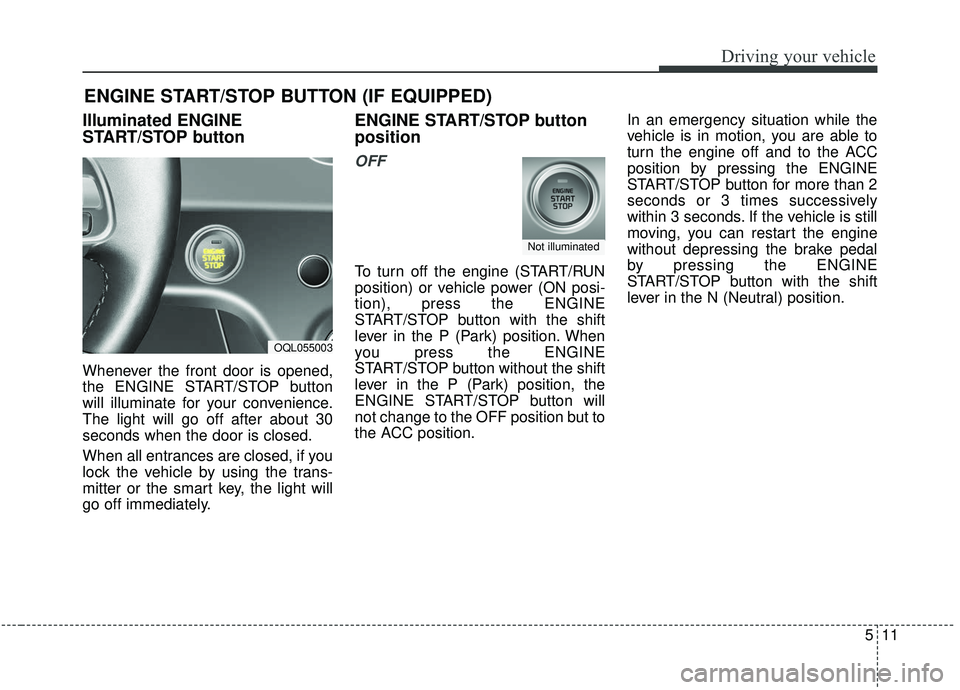
Illuminated ENGINE
START/STOP button
Whenever the front door is opened,
the ENGINE START/STOP button
will illuminate for your convenience.
The light will go off after about 30
seconds when the door is closed.
When all entrances are closed, if you
lock the vehicle by using the trans-
mitter or the smart key, the light will
go off immediately.
ENGINE START/STOP button
position
OFF
To turn off the engine (START/RUN
position) or vehicle power (ON posi-
tion), press the ENGINE
START/STOP button with the shift
lever in the P (Park) position. When
you press the ENGINE
START/STOP button without the shift
lever in the P (Park) position, the
ENGINE START/STOP button will
not change to the OFF position but to
the ACC position.In an emergency situation while the
vehicle is in motion, you are able to
turn the engine off and to the ACC
position by pressing the ENGINE
START/STOP button for more than 2
seconds or 3 times successively
within 3 seconds. If the vehicle is still
moving, you can restart the engine
without depressing the brake pedal
by pressing the ENGINE
START/STOP button with the shift
lever in the N (Neutral) position.
ENGINE START/STOP BUTTON (IF EQUIPPED)
OQL055003
Not illuminated
Page 293 of 611
Driving your vehicle
12
5
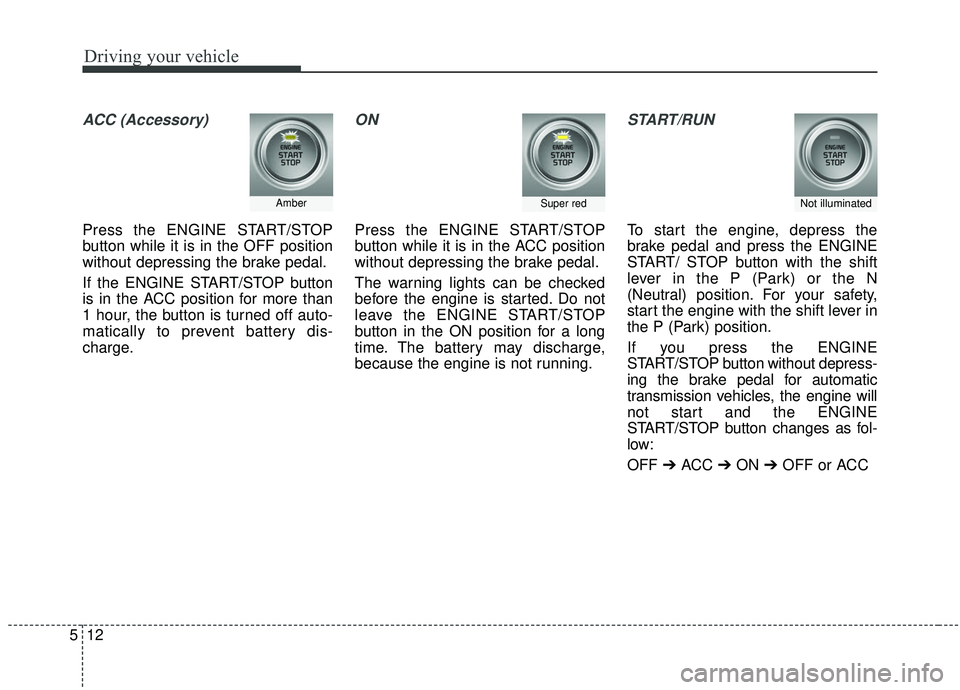
ACC (Accessory)
Press the ENGINE START/STOP
button while it is in the OFF position
without depressing the brake pedal.
If the ENGINE START/STOP button
is in the ACC position for more than
1 hour, the button is turned off auto-
matically to prevent battery dis-
charge.
ON
Press the ENGINE START/STOP
button while it is in the ACC position
without depressing the brake pedal.
The warning lights can be checked
before the engine is started. Do not
leave the ENGINE START/STOP
button in the ON position for a long
time. The battery may discharge,
because the engine is not running.
START/RUN
To start the engine, depress the
brake pedal and press the ENGINE
START/ STOP button with the shift
lever in the P (Park) or the N
(Neutral) position. For your safety,
start the engine with the shift lever in
the P (Park) position.
If you press the ENGINE
START/STOP button without depress-
ing the brake pedal for automatic
transmission vehicles, the engine will
not start and the ENGINE
START/STOP button changes as fol-
low:
OFF ➔ACC ➔ON ➔OFF or ACC
AmberSuper redNot illuminated
Page 299 of 611
![KIA SPORTAGE 2020 Owners Manual Driving your vehicle
18
5
4. Change the gear shift lever to [N]
(Neutral) while pressing the brake
pedal and pushing [SHIFT LOCK
RELEASE] button or inserting,
pressing down a tool (e.g. flathead
screw](/img/2/40479/w960_40479-298.png "KIA SPORTAGE 2020 Owners Manual Driving your vehicle
18
5
4. Change the gear shift lever to [N]
(Neutral) while pressing the brake
pedal and pushing [SHIFT LOCK
RELEASE] button or inserting,
pressing down a tool (e.g. flathead
screw")
Driving your vehicle
18
5
4. Change the gear shift lever to [N]
(Neutral) while pressing the brake
pedal and pushing [SHIFT LOCK
RELEASE] button or inserting,
pressing down a tool (e.g. flathead
screw-driver) into the [SHIFT
LOCK RELEASE] access hole at
the same time. Then, the vehicle
will move when external force is
applied. D (Drive)
This is the normal forward driving
position. The transmission will auto-
matically shift through a 6-gear
sequence, providing the best fuel
economy and power.
For extra power when passing anoth-
er vehicle or climbing grades,
depress the accelerator fully, at
which time the transmission will
automatically downshift to the next
lower gear.
Manual mode
Whether the vehicle is stationary or
in motion, manual mode is selected
by pushing the shift lever from the D
(Drive) position into the manual gate.
To return to D (Drive) range opera-
tion, push the shift lever back into the
main gate.
WARNING- Parking In
Neutral
With the exception of parking in neutral gear, always park
the vehicle in [P] (Park) for
safety and apply the parking
brake.
Before parking in [N] (Neutral) gear, make sure the parking
ground is level and flat. Do not
park in [N] gear on any slopes
or gradients. If parked and left
in [N], the vehicle may move
and cause serious damage or
injury.OQL055009
Manual
mode
+ +
+ +
( (
( (
U U
U U
P P
P P
) )
) )
- -
- -
( (
( (
D D
D D
O O
O O
W W
W W
N N
N N
) )
) )
Page 301 of 611
![KIA SPORTAGE 2020 Owners Manual Driving your vehicle
20
5
With the shift lever in the D position
The paddle shifter will operate when
the vehicle speed is more than
6.2mph(10km/h).
Pull the [+] or [-] paddle shifter once
to shift u](/img/2/40479/w960_40479-300.png "KIA SPORTAGE 2020 Owners Manual Driving your vehicle
20
5
With the shift lever in the D position
The paddle shifter will operate when
the vehicle speed is more than
6.2mph(10km/h).
Pull the [+] or [-] paddle shifter once
to shift u")
Driving your vehicle
20
5
With the shift lever in the D position
The paddle shifter will operate when
the vehicle speed is more than
6.2mph(10km/h).
Pull the [+] or [-] paddle shifter once
to shift up or down one gear and the
system changes from automatic
mode to manual mode.
When the vehicle speed is lower than
6.2mph(10km/h), if you depress the
accelerator pedal for more than 5
seconds or if you shift the shift lever
from D (Drive) to manual mode and
shift it from manual mode to D (Drive)
again, the system changes from
manual mode to automatic mode.
With the shift lever in the manual mode
Pull the [+] or [-] paddle shifter once
to shift up or down one gear.
✽ ✽
NOTICE
If you pull the [+] and [-] paddle
shifters at the same time, you cannot
shift the gear.
Shift lock system
For your safety, the automatic trans-
mission has a shift lock system
which prevents shifting the transmis-
sion from P (Park) into R (Reverse)
unless the brake pedal is depressed.
To shift the transmission from P
(Park) into R (Reverse):
1.Depress and hold the brake pedal.
2.Start the engine or turn the ignition
switch to the ON position.
3.Move the shift lever.
If the brake pedal is repeatedly
depressed and released with the
shift lever in the P (Park) position, a
chattering noise & vibration near the
shift lever may be heard. It is a nor-
mal condition.WARNING- Shifting from park
Always fully depress the brake
pedal before and while shifting
out of the P (Park) position into
another position to avoid inad-
vertent motion of the vehicle
which could injure persons in
or around the vehicle.
Page 307 of 611
Driving your vehicle
26
5
For safe all wheel drive opera-
tion
✽ ✽
NOTICE- All wheel drive
The road conditions that demand all
wheel drive mean all functions of
your vehicle are exposed to extreme
stress than under normal road con-
ditions. Slow down and be ready for
changes in the composition and trac-
tion of the surface under your tires.
If you have any doubt about the
safety of the conditions you are fac-
ing, stop and consider the best way
to proceed. Do not exceed the ability
of yourself or your vehicle to operate
safely.
Do not try to drive in deep standing
water or mud since such conditions
can stall your engine and clog your
exhaust pipes. Do not drive down
steep hills since it requires extreme
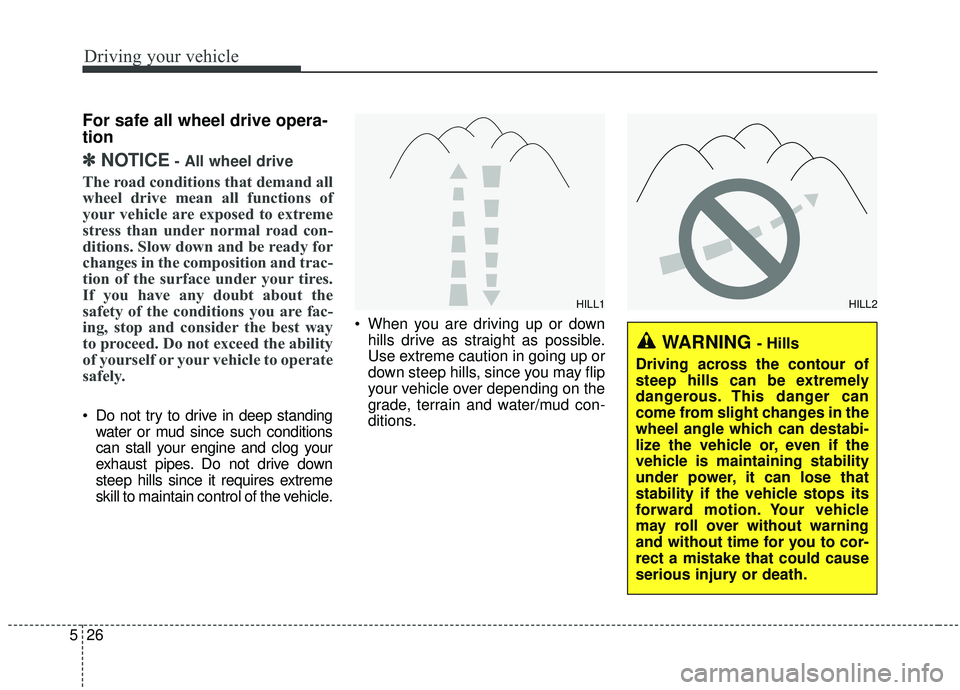
skill to maintain control of the vehicle. When you are driving up or down
hills drive as straight as possible.
Use extreme caution in going up or
down steep hills, since you may flip
your vehicle over depending on the
grade, terrain and water/mud con-
ditions.
WARNING - Hills
Driving across the contour of
steep hills can be extremely
dangerous. This danger can
come from slight changes in the
wheel angle which can destabi-
lize the vehicle or, even if the
vehicle is maintaining stability
under power, it can lose that
stability if the vehicle stops its
forward motion. Your vehicle
may roll over without warning
and without time for you to cor-
rect a mistake that could cause
serious injury or death.
HILL1HILL2
Page 309 of 611
Driving your vehicle
28
5
If you need to drive in the water,
stop your vehicle, set your transfer
to the AWD LOCK mode and drive
at less than 8 km/h (5 mph).✽ ✽ NOTICE
• Do not drive in water if the level is
higher than the bottom of the vehi-
cle.
• Check your brake condition once you are out of mud or water. Press
the brake pedal several times as
you move slowly until you feel nor-
mal braking forces return.
• Shorten your scheduled mainte- nance interval if you drive in off-
road conditions such as sand, mud
or water (see “Maintenance under
severe usage conditions” in section
8). Always wash your vehicle thor-
oughly after off-road use, especially
cleaning the bottom of the vehicle.
• Since the driving torque is always applied to the 4 wheels the per-
formance of the AWD vehicle is
greatly affected by the condition of
the tires. Be sure to equip the vehi-
cle with four tires of the same size
and type.
• A full time all wheel drive vehicle cannot be towed by an ordinary
tow truck. Make sure that the
vehicle is placed on a flat bed
truck for moving.
WARNING - Driving
through water
Drive slowly. If you are driving
too fast in water, the water can
get into the engine compart-
ment and wet the ignition sys-
tem, causing your vehicle to
suddenly stop. If this happens
and your vehicle is in a tilted
position, your vehicle may roll
over.
WARNING - AWD driving
Avoid high cornering speed.
Do not make quick steering wheel movements, such as
sharp lane changes or fast,
sharp turns.
The risk of rollover is greatly increased if you lose control
of your vehicle at high speed.
Loss of control often occurs if two or more wheels drop off
the roadway and the driver
over-steers to re-enter the
roadway. In the event your
vehicle leaves the roadway, do
not steer sharply. Instead,
slow down before pulling
back into the travel lanes.
Page 323 of 611
Driving your vehicle
42
5
4. If you press the accelerator pedal
with the shift lever in D (Drive) or
manual mode, the Auto Hold will
be released automatically and the
vehicle will start to move. The indi-
cator changes from green to white
indicating the Auto Hold is in
standby and the EPB is released.
When driving off from Auto Hold by
depressing the accelerator pedal,
always check the surrounding area
near your vehicle.
Slowly depress the accelerator pedal
for a smooth launch.Cancel
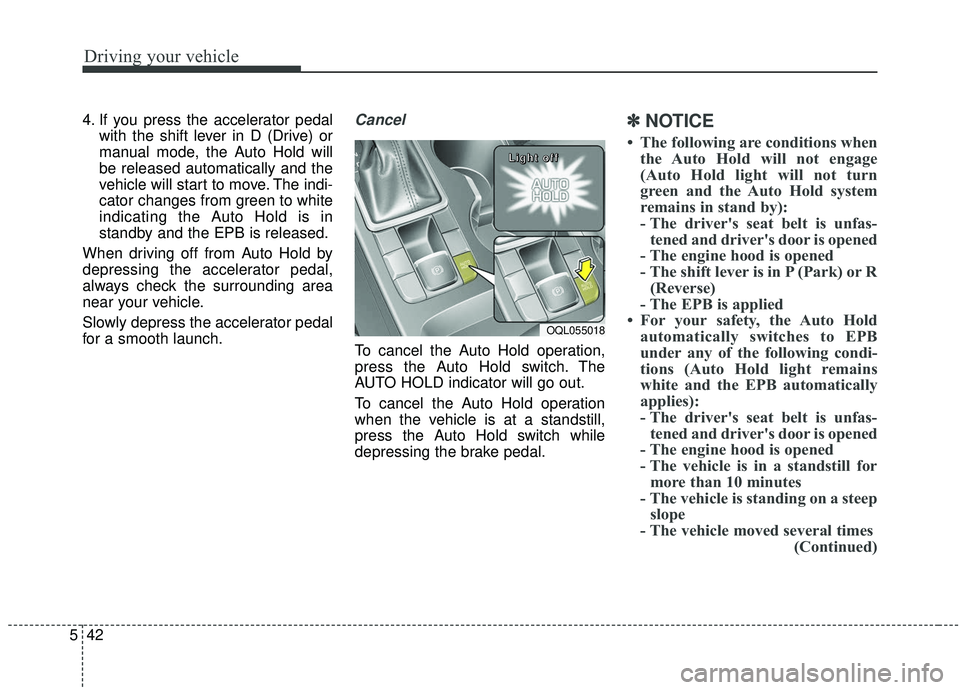
To cancel the Auto Hold operation,
press the Auto Hold switch. The
AUTO HOLD indicator will go out.
To cancel the Auto Hold operation
when the vehicle is at a standstill,
press the Auto Hold switch while
depressing the brake pedal.
✽ ✽ NOTICE
• The following are conditions when
the Auto Hold will not engage
(Auto Hold light will not turn
green and the Auto Hold system
remains in stand by):
- The driver's seat belt is unfas-tened and driver's door is opened
- The engine hood is opened
- The shift lever is in P (Park) or R (Reverse)
- The EPB is applied
• For your safety, the Auto Hold automatically switches to EPB
under any of the following condi-
tions (Auto Hold light remains
white and the EPB automatically
applies):
- The driver's seat belt is unfas-tened and driver's door is opened
- The engine hood is opened
- The vehicle is in a standstill for more than 10 minutes
- The vehicle is standing on a steep slope
- The vehicle moved several times (Continued)
OQL055018
L L
L L
i i
i i
g g
g g
h h
h h
t t
t t
o o
o o
f f
f f
f f
f f
Page 336 of 611
555
Driving your vehicle
The warning light illumi-
nates on the LCD display,
when you cancel the FCA
system. The driver can
monitor the FCA ON/OFF status on
the LCD display. Also, the warning
light illuminates when the ESC
(Electronic Stability Control) is
turned off. When the warning light
remains ON with the FCA activated,
have the system checked by an
authorized Kia dealer.
warning activation time on the LCD
display. Go to the 'User Settings →
Driver Assistance → Forward
Collision Warning →
Early/Normal/Late'.
The options for the initial Forward Collision Warning includes the fol-
lowing:
selected, the initial
Forward Collision Warning
is activated earlier than
normal. If the ‘EARLY’ con-
dition feels too sensitive,
change it into ‘NORMAL’.
selected, the initial
Forward Collision
Warning is activated nor-
mally.
selected, the initial Forward
Collision Warning is activat-
ed later than normal. This
setting reduces the amount
of distance between the
vehicle or pedestrians
ahead before the initial
warning occurs. Select this
condition only when traffic
is light, and you are driving
slowly.Prerequisite for activation
The FCA gets ready to be activated,
when the FCA is selected on the
LCD display, and when the following
prerequisites are satisfied.
- The ESC (Electronic StabilityControl) is activated.
- Vehicle speed is over 8 km/h (5mph). (The FCA is only activated
within a certain speed range.)
- The system detects a vehicle or pedestrian in front, which may col-
lide with your vehicle. (The FCA
may not be activated or may sound
a warning alarm in accordance
with the driving situation or vehicle
condition.)
❈ The FCA may not operate properly
according to the frontal situation,
the direction and speed of pedes-
trian.