start stop button KIA SPORTAGE 2020 Owner's Guide
[x] Cancel search | Manufacturer: KIA, Model Year: 2020, Model line: SPORTAGE, Model: KIA SPORTAGE 2020Pages: 611, PDF Size: 15.85 MB
Page 295 of 611
Driving your vehicle
14
5
Even if the smart key is in the vehi-
cle, if it is far away from you, the
engine may not start.
When the ENGINE START/STOP button is in the ACC position or
above, if any door is opened, the
system checks for the smart key. If
the smart key is not in the vehicle,
a message "key is not in the vehi-
cle" will appear on the LCD display.
And if all doors are closed, the
chime will sound for 5 seconds. The
indicator or warning will turn off
while the vehicle is moving. Always
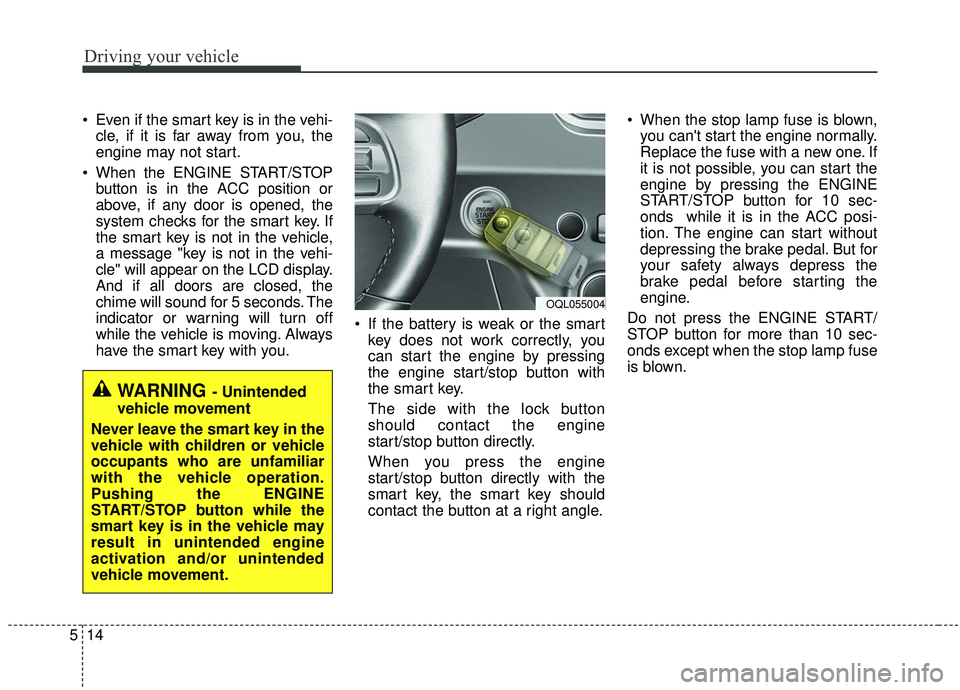
have the smart key with you. If the battery is weak or the smart
key does not work correctly, you
can start the engine by pressing
the engine start/stop button with
the smart key.
The side with the lock button
should contact the engine
start/stop button directly.
When you press the engine
start/stop button directly with the
smart key, the smart key should
contact the button at a right angle. When the stop lamp fuse is blown,
you can't start the engine normally.
Replace the fuse with a new one. If
it is not possible, you can start the
engine by pressing the ENGINE
START/STOP button for 10 sec-
onds while it is in the ACC posi-
tion. The engine can start without
depressing the brake pedal. But for
your safety always depress the
brake pedal before starting the
engine.
Do not press the ENGINE START/
STOP button for more than 10 sec-
onds except when the stop lamp fuse
is blown.
WARNING - Unintended
vehicle movement
Never leave the smart key in the
vehicle with children or vehicle
occupants who are unfamiliar
with the vehicle operation.
Pushing the ENGINE
START/STOP button while the
smart key is in the vehicle may
result in unintended engine
activation and/or unintended
vehicle movement.
OQL055004
Page 302 of 611
521
Driving your vehicle
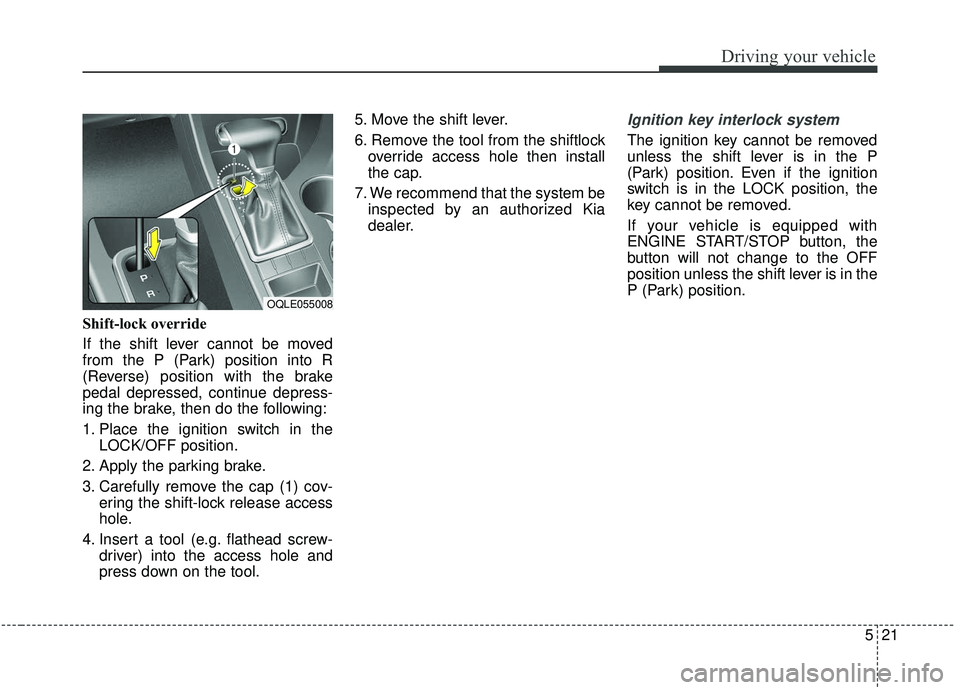
Shift-lock override
If the shift lever cannot be moved
from the P (Park) position into R
(Reverse) position with the brake
pedal depressed, continue depress-
ing the brake, then do the following:
1. Place the ignition switch in theLOCK/OFF position.
2. Apply the parking brake.
3. Carefully remove the cap (1) cov- ering the shift-lock release access
hole.
4. Insert a tool (e.g. flathead screw- driver) into the access hole and
press down on the tool. 5. Move the shift lever.
6. Remove the tool from the shiftlock
override access hole then install
the cap.
7. We recommend that the system be inspected by an authorized Kia
dealer.
Ignition key interlock system
The ignition key cannot be removed
unless the shift lever is in the P
(Park) position. Even if the ignition
switch is in the LOCK position, the
key cannot be removed.
If your vehicle is equipped with
ENGINE START/STOP button, the
button will not change to the OFF
position unless the shift lever is in the
P (Park) position.
OQLE055008
Page 316 of 611
535
Driving your vehicle
Also, the EPB is applied automatical-
ly if the Auto Hold button is on when
the engine is turned off. However, if
you press the EPB switch after the
engine is turned off, the EPB will not
be Applied.
✽ ✽NOTICE
On a steep incline or when pulling a
trailer, if the vehicle does not remain
at a standstill, do as follows:
1. Apply the EPB.
2. Pull up the EPB switch for more
than 3 seconds.
Do not operate the parking brake/
EPB while the vehicle is moving
except in an emergency situation.
✽ ✽NOTICE
A click or electric brake motor
whine sound may be heard while
operating or releasing the EPB, but
these conditions are normal and
indicate that the EPB is functioning
properly.
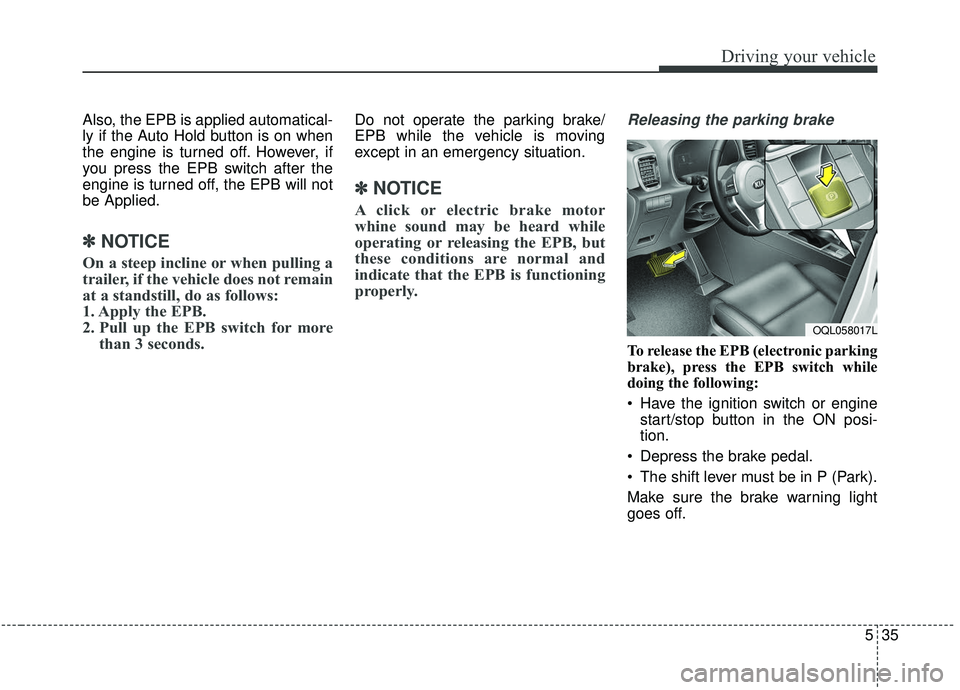
Releasing the parking brake
To release the EPB (electronic parking
brake), press the EPB switch while
doing the following:
Have the ignition switch or engine
start/stop button in the ON posi-
tion.
Depress the brake pedal.
The shift lever must be in P (Park).
Make sure the brake warning light
goes off.
OQL058017L
Page 317 of 611
Driving your vehicle
36
5
To release EPB (electronic parking
brake) automatically:
Shift lever in P (Park)
With the engine running depress
the brake pedal and shift out of P
(Park) to R (Reverse) or D (Drive).
Shift lever in N (Neutral) With the engine running depress
the brake pedal and shift out of N
(Neutral) to R (Reverse) or D
(Drive).
Automatic Transmission 1. Start the engine.
2. Fasten the driver's seat belt.
3. Close the driver's door, engine hood and tailgate.
4. Depress the accelerator pedal while the shift lever is in R (Rear),
D (Drive) or manual mode.
Make sure the brake warning light
goes off.✽ ✽ NOTICE
• For your safety, you can engage
the EPB even though the ignition
switch or engine stop/start button
is in the OFF position, but you
cannot release it.
• For your safety, depress the brake pedal and release the parking
brake manually with the EPB
switch when you drive downhill or
when backing up the vehicle.
Do not follow the above procedure
when driving on a flat level ground.
The vehicle may suddenly move for-
ward.
✽ ✽ NOTICE
If the parking brake warning light is
still on even though the EPB has
been released, have the system
checked by an authorized Kia dealer.
EPB (electronic parking brake) may
be automatically applied when:
The EPB is overheated
Requested by other systems
✽ ✽NOTICE
For EPB (Electronic Parking Brake)
equipped vehicles with AUTO
HOLD function used while driving,
if the ignition button has been
turned OFF, the EPB will be
engaged automatically. Therefore,
the AUTO HOLD function should
be turned off before the ignition but-
ton is turned off.
CAUTION
Do not drive your vehicle with
the EPB applied. It may causeexcessive brake pad and brakerotor wear.
Page 320 of 611
539
Driving your vehicle
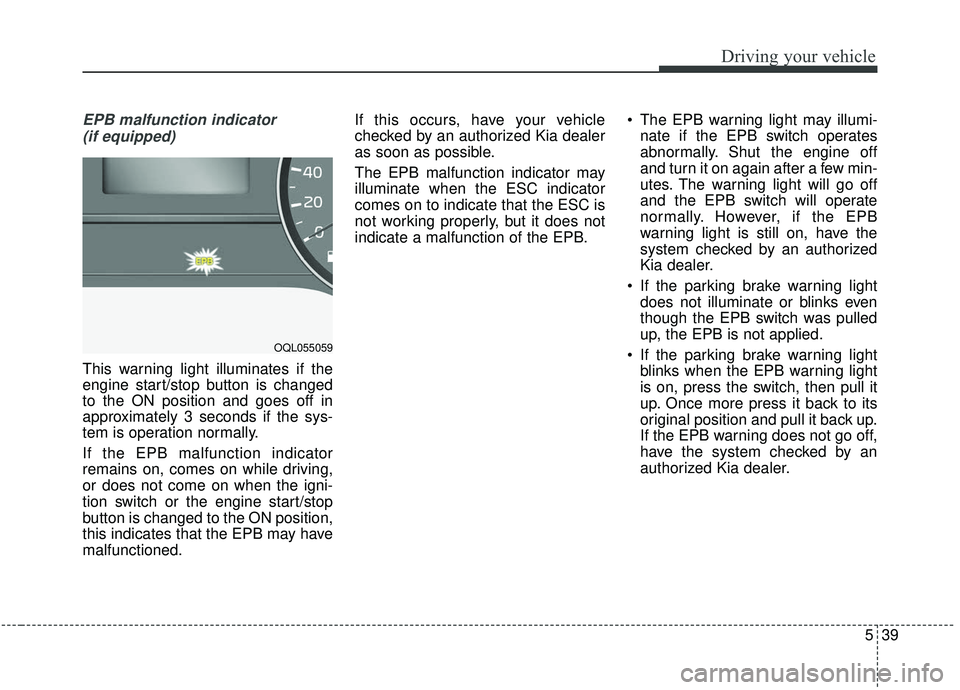
EPB malfunction indicator (if equipped)
This warning light illuminates if the
engine start/stop button is changed
to the ON position and goes off in
approximately 3 seconds if the sys-
tem is operation normally.
If the EPB malfunction indicator
remains on, comes on while driving,
or does not come on when the igni-
tion switch or the engine start/stop
button is changed to the ON position,
this indicates that the EPB may have
malfunctioned. If this occurs, have your vehicle
checked by an authorized Kia dealer
as soon as possible.
The EPB malfunction indicator may
illuminate when the ESC indicator
comes on to indicate that the ESC is
not working properly, but it does not
indicate a malfunction of the EPB.
The EPB warning light may illumi-
nate if the EPB switch operates
abnormally. Shut the engine off
and turn it on again after a few min-
utes. The warning light will go off
and the EPB switch will operate
normally. However, if the EPB
warning light is still on, have the
system checked by an authorized
Kia dealer.
If the parking brake warning light does not illuminate or blinks even
though the EPB switch was pulled
up, the EPB is not applied.
If the parking brake warning light blinks when the EPB warning light
is on, press the switch, then pull it
up. Once more press it back to its
original position and pull it back up.
If the EPB warning does not go off,
have the system checked by an
authorized Kia dealer.
OQL055059
Page 322 of 611
541
Driving your vehicle
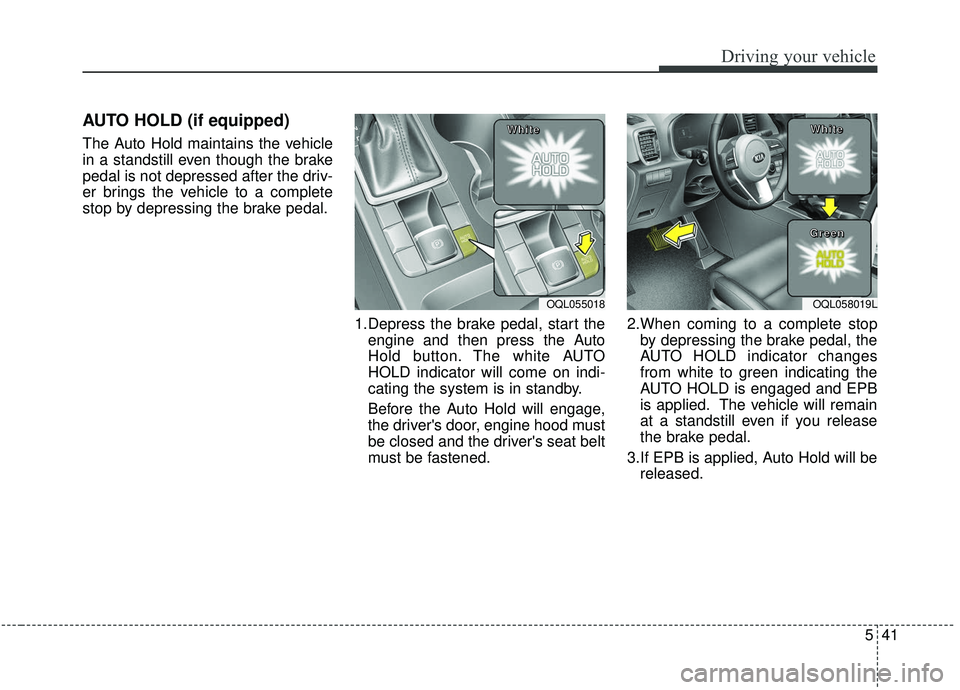
AUTO HOLD (if equipped)
The Auto Hold maintains the vehicle
in a standstill even though the brake
pedal is not depressed after the driv-
er brings the vehicle to a complete
stop by depressing the brake pedal.1.Depress the brake pedal, start theengine and then press the Auto
Hold button. The white AUTO
HOLD indicator will come on indi-
cating the system is in standby.
Before the Auto Hold will engage,
the driver's door, engine hood must
be closed and the driver's seat belt
must be fastened. 2.When coming to a complete stop
by depressing the brake pedal, the
AUTO HOLD indicator changes
from white to green indicating the
AUTO HOLD is engaged and EPB
is applied. The vehicle will remain
at a standstill even if you release
the brake pedal.
3.If EPB is applied, Auto Hold will be released.
OQL055018
W W
W W
h h
h h
i i
i i
t t
t t
e e
e eOQL058019L
W W
W W
h h
h h
i i
i i
t t
t t
e e
e e
G G
G G
r r
r r
e e
e e
e e
e e
n n
n n
Page 326 of 611
![KIA SPORTAGE 2020 Owners Guide 545
Driving your vehicle
AUTO HOLD conditions not met.
Close door, hood, and liftgate
When you press the [AUTO HOLD]
switch, if the driver’s door, engine
hood are not closed or the driver’s
seat b](/img/2/40479/w960_40479-325.png "KIA SPORTAGE 2020 Owners Guide 545
Driving your vehicle
AUTO HOLD conditions not met.
Close door, hood, and liftgate
When you press the [AUTO HOLD]
switch, if the driver’s door, engine
hood are not closed or the driver’s
seat b")
545
Driving your vehicle
AUTO HOLD conditions not met.
Close door, hood, and liftgate
When you press the [AUTO HOLD]
switch, if the driver’s door, engine
hood are not closed or the driver’s
seat belt is unfastened, a warning
will sound and a message will
appear on the LCD display. At this
moment, press the [AUTO HOLD]
button after closing the driver’s door,
engine hood and liftgate.
Anti-lock brake system (ABS)
ABS (or ESC) will not prevent acci-
dents due to improper or dangerous
driving maneuvers. Even though
vehicle control is improved during
emergency braking, always maintain
a safe distance between you and
objects ahead. Vehicle speeds
should always be reduced during
extreme road conditions. The vehicle
should be driven at reduced speeds
in the following circumstances:
When driving on rough, gravel orsnow-covered roads
When driving on roads where the road surface is pitted or has differ-
ent surface heights.
Driving in these conditions increases
the stopping distance for your vehicle.
The ABS continuously senses the
speed of the wheels. If the wheels
are going to lock, the ABS system
repeatedly modulates the hydraulic
brake pressure to the wheels. When you apply your brakes under
conditions which may lock the
wheels, you may hear a “tik-tik’’
sound from the brakes, or feel a cor-
responding sensation in the brake
pedal. This is normal and it means
your ABS is active.
In order to obtain the maximum benefit
from your ABS in an emergency situa-
tion, do not attempt to modulate your
brake pressure and do not try to pump
your brakes. Press your brake pedal as
hard as possible or as hard as the sit-
uation allows the ABS to control the
force being delivered to the brakes.
✽ ✽
NOTICE
A click/clunk type sound may be
heard once per ignition cycle in the
engine compartment when the vehi-
cle begins to move after the engine is
started. These conditions are normal
and indicate that the anti-lock brake
system is functioning properly.
OQL058371N
Page 337 of 611
Driving your vehicle
56
5
FCA warning message and
system control
The FCA system produces warning
messages, warning alarms, and
emergency braking based on the
level of risk of a frontal collision, such
as when a vehicle ahead suddenly
brakes.
The driver can select the initial warn-
ing activation time in the User
Settings in the LCD display. The
options for the initial Forward
Collision Warning include Early,
Normal or Late initial warning time.
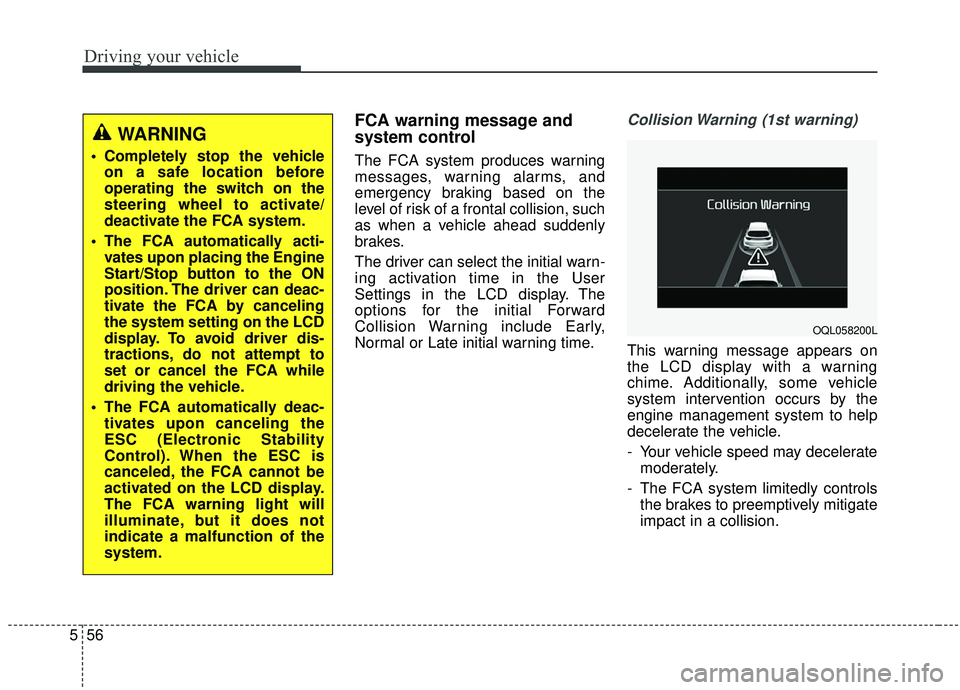
Collision Warning (1st warning)
This warning message appears on
the LCD display with a warning
chime. Additionally, some vehicle
system intervention occurs by the
engine management system to help
decelerate the vehicle.
- Your vehicle speed may decelerate
moderately.
- The FCA system limitedly controls the brakes to preemptively mitigate
impact in a collision.
WARNING
Completely stop the vehicleon a safe location before
operating the switch on the
steering wheel to activate/
deactivate the FCA system.
The FCA automatically acti- vates upon placing the Engine
Start/Stop button to the ON
position. The driver can deac-
tivate the FCA by canceling
the system setting on the LCD
display. To avoid driver dis-
tractions, do not attempt to
set or cancel the FCA while
driving the vehicle.
The FCA automatically deac- tivates upon canceling the
ESC (Electronic Stability
Control). When the ESC is
canceled, the FCA cannot be
activated on the LCD display.
The FCA warning light will
illuminate, but it does not
indicate a malfunction of the
system.
OQL058200L
Page 350 of 611
569
Driving your vehicle
FCA warning message and
system control
The FCA system produces warning
messages, warning alarms, and
emergency braking based on the
level of risk of a frontal collision, such
as when a vehicle ahead suddenly
brakes.
The driver can select the initial warn-
ing activation time in the User
Settings in the LCD display. The
options for the initial Forward
Collision Warning include Early,
Normal or Late initial warning time.
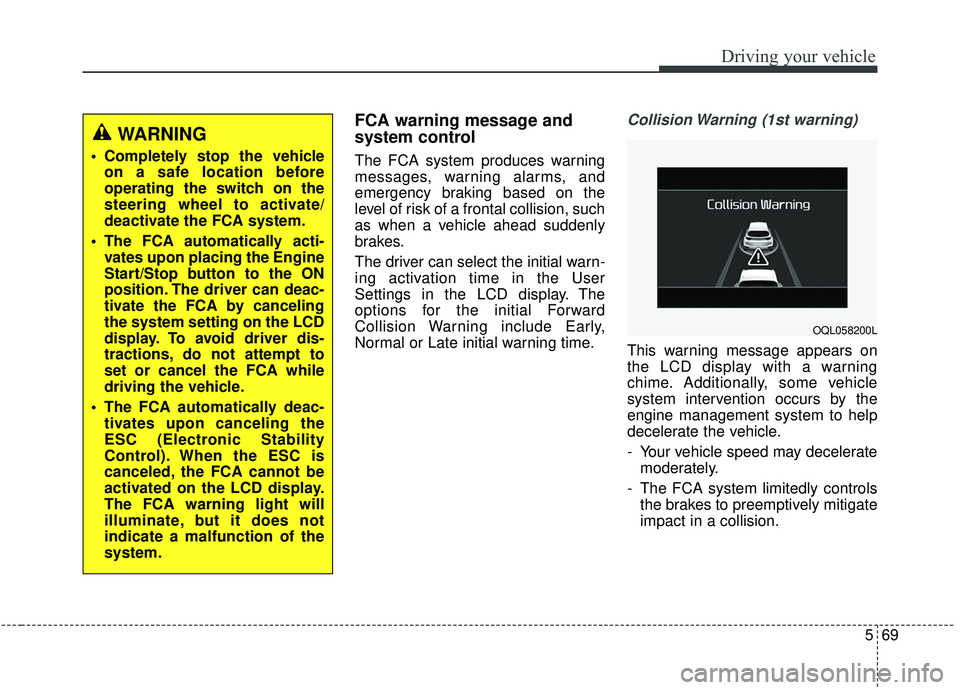
Collision Warning (1st warning)
This warning message appears on
the LCD display with a warning
chime. Additionally, some vehicle
system intervention occurs by the
engine management system to help
decelerate the vehicle.
- Your vehicle speed may deceleratemoderately.
- The FCA system limitedly controls the brakes to preemptively mitigate
impact in a collision.
WARNING
Completely stop the vehicleon a safe location before
operating the switch on the
steering wheel to activate/
deactivate the FCA system.
The FCA automatically acti- vates upon placing the Engine
Start/Stop button to the ON
position. The driver can deac-
tivate the FCA by canceling
the system setting on the LCD
display. To avoid driver dis-
tractions, do not attempt to
set or cancel the FCA while
driving the vehicle.
The FCA automatically deac- tivates upon canceling the
ESC (Electronic Stability
Control). When the ESC is
canceled, the FCA cannot be
activated on the LCD display.
The FCA warning light will
illuminate, but it does not
indicate a malfunction of the
system.
OQL058200L
Page 364 of 611
583
Driving your vehicle
Good braking practices
Wet brakes can be dangerous! The
brakes may get wet if the vehicle is
driven through standing water or if it
is washed. Your vehicle will not stop
as quickly if the brakes are wet. Wet
brakes may cause the vehicle to pull
to one side.To dry the brakes, apply the brakes
lightly until the braking action returns
to normal, taking care to keep the
vehicle under control at all times. If
the braking action does not return to
normal, stop as soon as it is safe to
do so and we recommend that you
call an authorized Kia dealer for
assistance.
DO NOT drive with your foot resting
on the brake pedal. Even light, but
constant pedal pressure can result in
the brakes overheating, brake wear,
and possibly even brake failure.
If a tire goes flat while you are driv-
ing, apply the brakes gently and
keep the vehicle pointed straight
ahead while you slow down. When
you are moving slowly enough for it
to be safe to do so, pull off the road
and stop in a safe location.
Keep your foot firmly on the brake
pedal when the vehicle is stopped to
prevent the vehicle from rolling for-
ward.
WARNING
Whenever leaving the vehicle or
parking, always come to a com-
plete stop and continue to
depress the brake pedal. Move
the shift lever into the P (Park)
position, then apply the parking
brake, and place the Engine
Start/Stop button in the OFF
position.
Vehicles with the parking brake
not fully engaged are at risk for
moving inadvertently and caus-
ing injury to yourself or others.