headlamp KIA SPORTAGE 2020 Owners Manual
[x] Cancel search | Manufacturer: KIA, Model Year: 2020, Model line: SPORTAGE, Model: KIA SPORTAGE 2020Pages: 611, PDF Size: 15.85 MB
Page 91 of 611
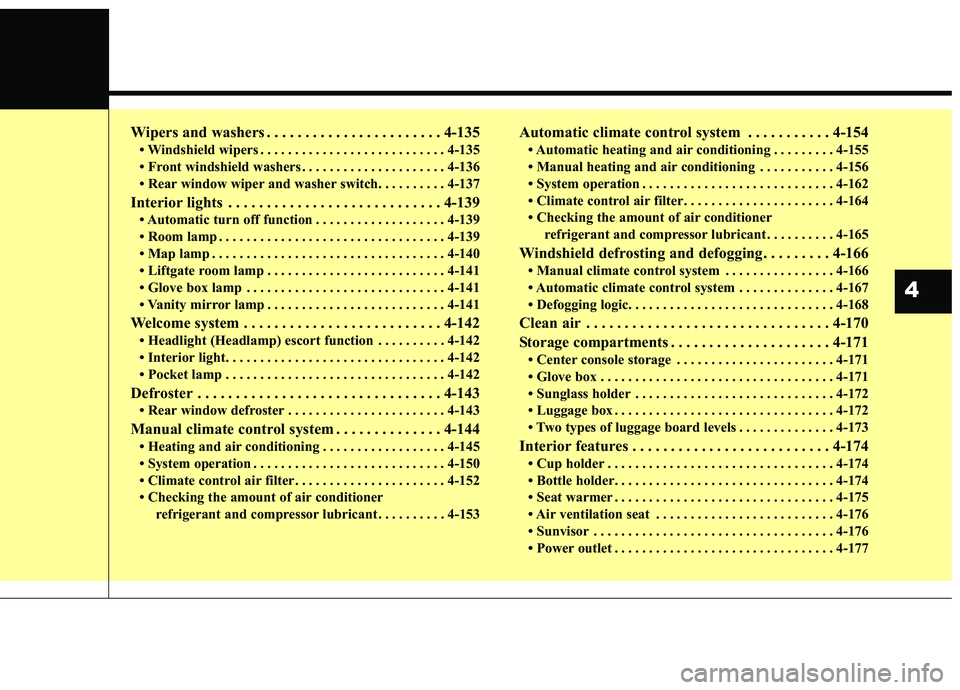
Wipers and washers . . . . . . . . . . . . . . . . . . . . . . . 4-135
• Windshield wipers . . . . . . . . . . . . . . . . . . . . . . . . . . . 4-135
• Front windshield washers . . . . . . . . . . . . . . . . . . . . . 4-136
• Rear window wiper and washer switch. . . . . . . . . . 4-137
Interior lights . . . . . . . . . . . . . . . . . . . . . . . . . . . . 4-139
• Automatic turn off function . . . . . . . . . . . . . . . . . . . 4-139
• Room lamp . . . . . . . . . . . . . . . . . . . . . . . . . . . . . . . . . 4-139
• Map lamp . . . . . . . . . . . . . . . . . . . . . . . . . . . . . . . . . . 4-14\
0
• Liftgate room lamp . . . . . . . . . . . . . . . . . . . . . . . . . . 4-141
• Glove box lamp . . . . . . . . . . . . . . . . . . . . . . . . . . . . . 4-141
• Vanity mirror lamp . . . . . . . . . . . . . . . . . . . . . . . . . . 4-141
Welcome system . . . . . . . . . . . . . . . . . . . . . . . . . . 4-142
• Headlight (Headlamp) escort function . . . . . . . . . . 4-142
• Interior light. . . . . . . . . . . . . . . . . . . . . . . . . . . . . . . . 4-142
• Pocket lamp . . . . . . . . . . . . . . . . . . . . . . . . . . . . . . . . 4-142
Defroster . . . . . . . . . . . . . . . . . . . . . . . . . . . . . . . . 4-143
• Rear window defroster . . . . . . . . . . . . . . . . . . . . . . . 4-143
Manual climate control system . . . . . . . . . . . . . . 4-144
• Heating and air conditioning . . . . . . . . . . . . . . . . . . 4-145
• System operation . . . . . . . . . . . . . . . . . . . . . . . . . . . . 4-150
• Climate control air filter . . . . . . . . . . . . . . . . . . . . . . 4-152
• Checking the amount of air conditionerrefrigerant and compressor lubricant . . . . . . . . . . 4-153
Automatic climate control system . . . . . . . . . . . 4-154
• Automatic heating and air conditioning . . . . . . . . . 4-155
• Manual heating and air conditioning . . . . . . . . . . . 4-156
• System operation . . . . . . . . . . . . . . . . . . . . . . . . . . . . 4-162
• Climate control air filter . . . . . . . . . . . . . . . . . . . . . . 4-164
• Checking the amount of air conditionerrefrigerant and compressor lubricant . . . . . . . . . . 4-165
Windshield defrosting and defogging . . . . . . . . . 4-166
• Manual climate control system . . . . . . . . . . . . . . . . 4-166
• Automatic climate control system . . . . . . . . . . . . . . 4-167
• Defogging logic. . . . . . . . . . . . . . . . . . . . . . . . . . . . . . 4-168
Clean air . . . . . . . . . . . . . . . . . . . . . . . . . . . . . . . . 4-170
Storage compartments . . . . . . . . . . . . . . . . . . . . . 4-171
• Center console storage . . . . . . . . . . . . . . . . . . . . . . . 4-171
• Glove box . . . . . . . . . . . . . . . . . . . . . . . . . . . . . . . . . . 4-17\
1
• Sunglass holder . . . . . . . . . . . . . . . . . . . . . . . . . . . . . 4-172
• Luggage box . . . . . . . . . . . . . . . . . . . . . . . . . . . . . . . . 4-172
• Two types of luggage board levels . . . . . . . . . . . . . . 4-173
Interior features . . . . . . . . . . . . . . . . . . . . . . . . . . 4-174
• Cup holder . . . . . . . . . . . . . . . . . . . . . . . . . . . . . . . . . 4-174
• Bottle holder. . . . . . . . . . . . . . . . . . . . . . . . . . . . . . . . 4-174
• Seat warmer . . . . . . . . . . . . . . . . . . . . . . . . . . . . . . . . 4-175
• Air ventilation seat . . . . . . . . . . . . . . . . . . . . . . . . . . 4-176
• Sunvisor . . . . . . . . . . . . . . . . . . . . . . . . . . . . . . . . . . . 4-\
176
• Power outlet . . . . . . . . . . . . . . . . . . . . . . . . . . . . . . . . 4-177
4
Page 179 of 611
491
Features of your vehicle
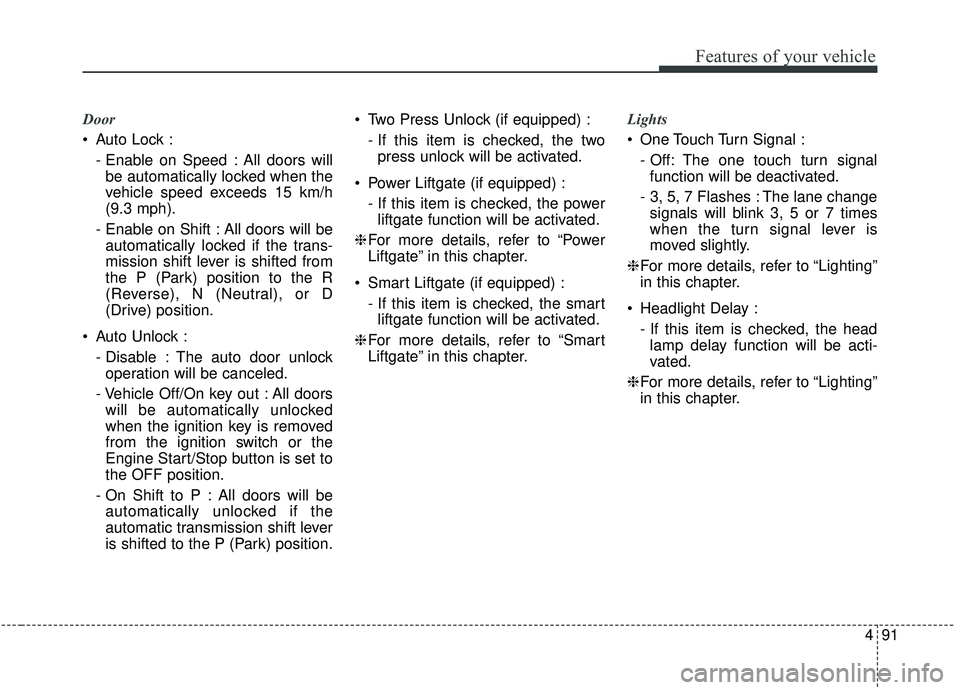
Door
Auto Lock :- Enable on Speed : All doors willbe automatically locked when the
vehicle speed exceeds 15 km/h
(9.3 mph).
- Enable on Shift : All doors will be automatically locked if the trans-
mission shift lever is shifted from
the P (Park) position to the R
(Reverse), N (Neutral), or D
(Drive) position.
Auto Unlock : - Disable : The auto door unlockoperation will be canceled.
- Vehicle Off/On key out : All doors will be automatically unlocked
when the ignition key is removed
from the ignition switch or the
Engine Start/Stop button is set to
the OFF position.
- On Shift to P : All doors will be automatically unlocked if the
automatic transmission shift lever
is shifted to the P (Park) position. Two Press Unlock (if equipped) :
- If this item is checked, the twopress unlock will be activated.
Power Liftgate (if equipped) : - If this item is checked, the powerliftgate function will be activated.
❈ For more details, refer to “Power
Liftgate” in this chapter.
Smart Liftgate (if equipped) : - If this item is checked, the smartliftgate function will be activated.
❈ For more details, refer to “Smart
Liftgate” in this chapter. Lights
One Touch Turn Signal :
- Off: The one touch turn signalfunction will be deactivated.
- 3, 5, 7 Flashes : The lane change signals will blink 3, 5 or 7 times
when the turn signal lever is
moved slightly.
❈ For more details, refer to “Lighting”
in this chapter.
Headlight Delay : - If this item is checked, the headlamp delay function will be acti-
vated.
❈ For more details, refer to “Lighting”
in this chapter.
Page 199 of 611
4111
Features of your vehicle
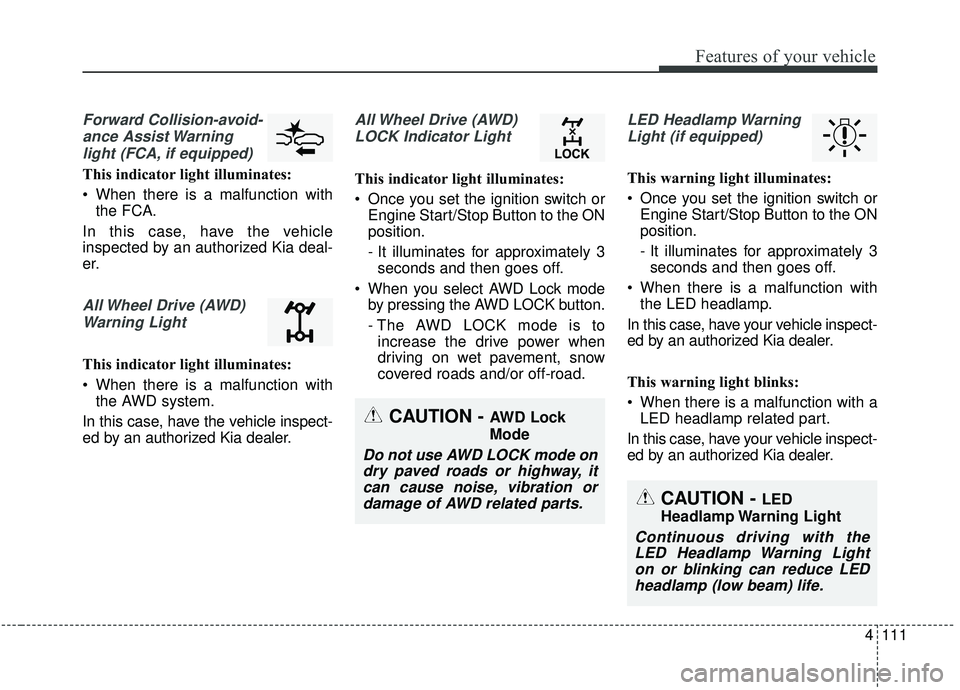
Forward Collision-avoid-ance Assist Warninglight (FCA, if equipped)
This indicator light illuminates:
When there is a malfunction with the FCA.
In this case, have the vehicle
inspected by an authorized Kia deal-
er.
All Wheel Drive (AWD) Warning Light
This indicator light illuminates:
When there is a malfunction with the AWD system.
In this case, have the vehicle inspect-
ed by an authorized Kia dealer.
All Wheel Drive (AWD) LOCK Indicator Light
This indicator light illuminates:
Once you set the ignition switch or Engine Start/Stop Button to the ON
position.
- It illuminates for approximately 3seconds and then goes off.
When you select AWD Lock mode by pressing the AWD LOCK button.
- The AWD LOCK mode is toincrease the drive power when
driving on wet pavement, snow
covered roads and/or off-road.
LED Headlamp Warning
Light (if equipped)
This warning light illuminates:
Once you set the ignition switch or Engine Start/Stop Button to the ON
position.
- It illuminates for approximately 3seconds and then goes off.
When there is a malfunction with the LED headlamp.
In this case, have your vehicle inspect-
ed by an authorized Kia dealer.
This warning light blinks:
When there is a malfunction with a LED headlamp related part.
In this case, have your vehicle inspect-
ed by an authorized Kia dealer.
CAUTION - AWD Lock
Mode
Do not use AWD LOCK mode on dry paved roads or highway, itcan cause noise, vibration ordamage of AWD related parts.
CAUTION - LED
Headlamp Warning Light
Continuous driving with the LED Headlamp Warning Lighton or blinking can reduce LEDheadlamp (low beam) life.
Page 217 of 611
4129
Features of your vehicle
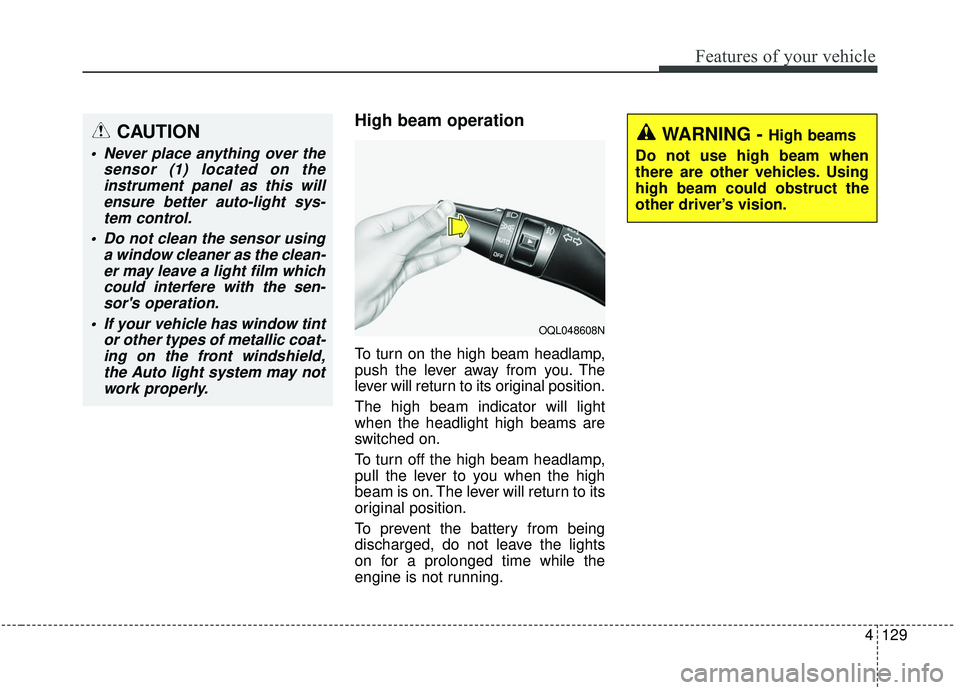
High beam operation
To turn on the high beam headlamp,
push the lever away from you. The
lever will return to its original position.
The high beam indicator will light
when the headlight high beams are
switched on.
To turn off the high beam headlamp,
pull the lever to you when the high
beam is on. The lever will return to its
original position.
To prevent the battery from being
discharged, do not leave the lights
on for a prolonged time while the
engine is not running.
CAUTION
Never place anything over thesensor (1) located on theinstrument panel as this willensure better auto-light sys-tem control.
Do not clean the sensor using a window cleaner as the clean-er may leave a light film whichcould interfere with the sen-sor's operation.
If your vehicle has window tint or other types of metallic coat-ing on the front windshield,the Auto light system may notwork properly.
WARNING - High beams
Do not use high beam when
there are other vehicles. Using
high beam could obstruct the
other driver’s vision.
OQL048608N
Page 218 of 611
Features of your vehicle
130
4
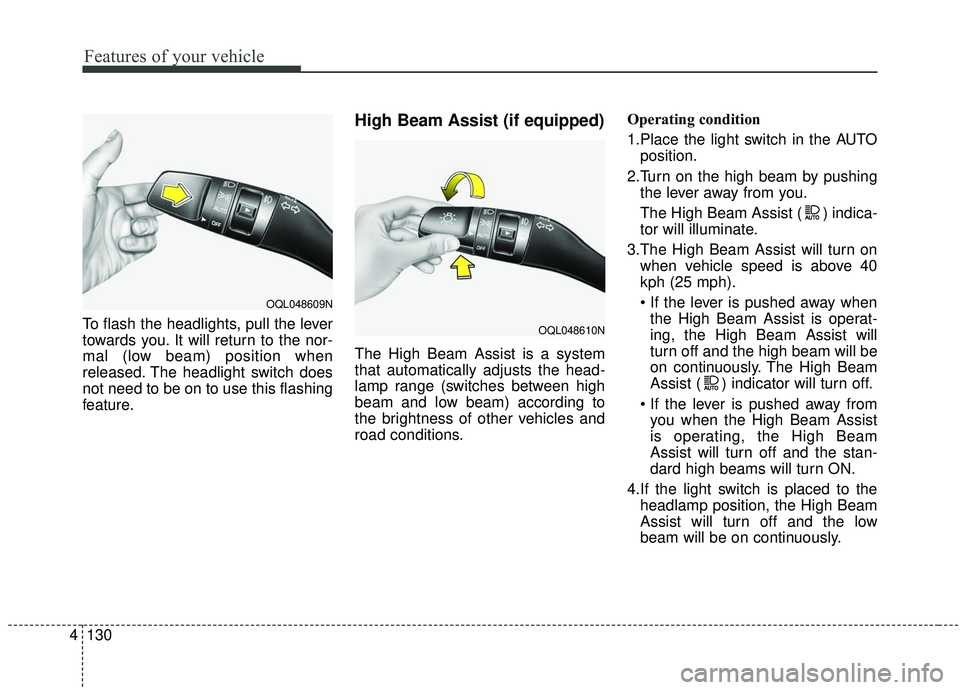
To flash the headlights, pull the lever
towards you. It will return to the nor-
mal (low beam) position when
released. The headlight switch does
not need to be on to use this flashing
feature.
High Beam Assist (if equipped)
The High Beam Assist is a system
that automatically adjusts the head-
lamp range (switches between high
beam and low beam) according to
the brightness of other vehicles and
road conditions. Operating condition
1.Place the light switch in the AUTO
position.
2.Turn on the high beam by pushing the lever away from you.
The High Beam Assist ( ) indica-
tor will illuminate.
3.The High Beam Assist will turn on when vehicle speed is above 40
kph (25 mph).
the High Beam Assist is operat-
ing, the High Beam Assist will
turn off and the high beam will be
on continuously. The High Beam
Assist ( ) indicator will turn off.
you when the High Beam Assist
is operating, the High Beam
Assist will turn off and the stan-
dard high beams will turn ON.
4.If the light switch is placed to the headlamp position, the High Beam
Assist will turn off and the low
beam will be on continuously.
OQL048609N
OQL048610N
Page 219 of 611
4131
Features of your vehicle
The high beam switches to low beam
in the below conditions.
- When the High Beam Assist is off.
- When the light switch is not in theAUTO position.
- When the headlamp is detected from an on-coming vehicle
- When the tail lamp is detected from the front vehicle.
- When the surrounding is bright enough high beams are not need-
ed.
- When streetlights or other lights are detected.
- When vehicle speed is below 30 kph (19 mph).
- When headlamp / taillamp of bicy- cle/motorcycle is detectedWarning light and message
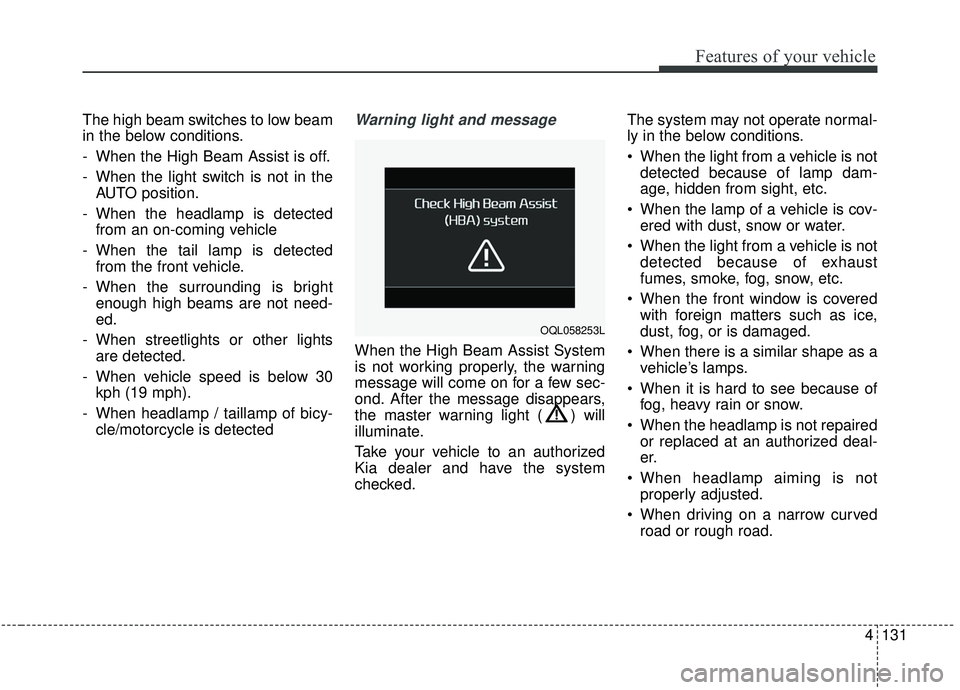
When the High Beam Assist System
is not working properly, the warning
message will come on for a few sec-
ond. After the message disappears,
the master warning light ( ) will
illuminate.
Take your vehicle to an authorized
Kia dealer and have the system
checked. The system may not operate normal-
ly in the below conditions.
When the light from a vehicle is not
detected because of lamp dam-
age, hidden from sight, etc.
When the lamp of a vehicle is cov- ered with dust, snow or water.
When the light from a vehicle is not detected because of exhaust
fumes, smoke, fog, snow, etc.
When the front window is covered with foreign matters such as ice,
dust, fog, or is damaged.
When there is a similar shape as a vehicle’s lamps.
When it is hard to see because of fog, heavy rain or snow.
When the headlamp is not repaired or replaced at an authorized deal-
er.
When headlamp aiming is not properly adjusted.
When driving on a narrow curved road or rough road.
OQL058253L
Page 221 of 611
4133
Features of your vehicle
If an indicator stays on and does not
flash or if it flashes abnormally, one of
the turn signal bulbs may be burned
out and will require replacement.
✽ ✽NOTICE
If an indicator flash is abnormally
quick or slow, a bulb may be burned
out or have a poor electrical connec-
tion in the circuit.
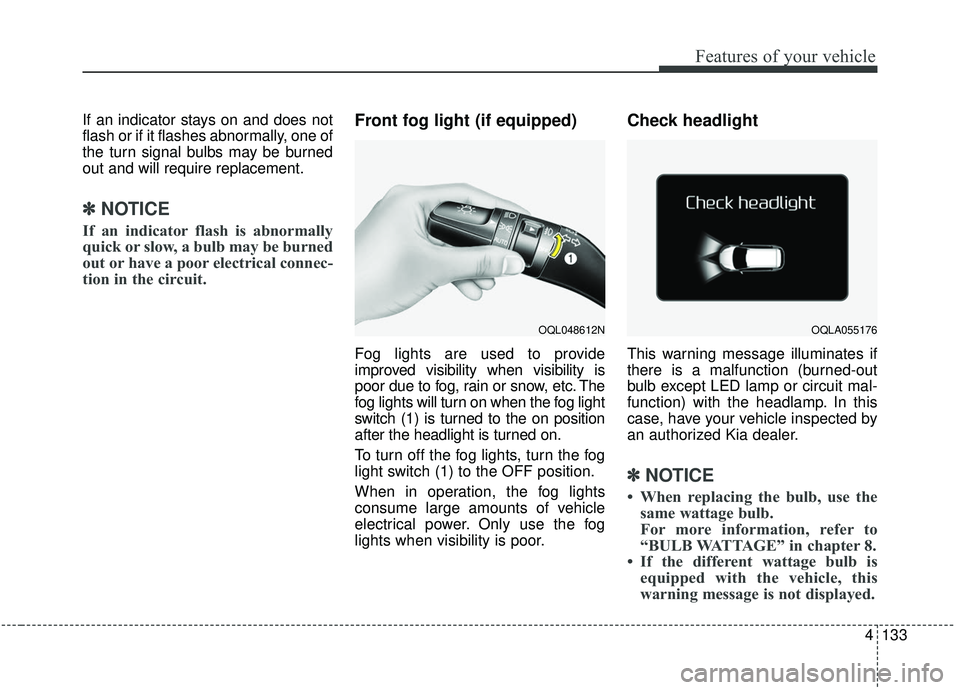
Front fog light (if equipped)
Fog lights are used to provide
improved visibility when visibility is
poor due to fog, rain or snow, etc. The
fog lights will turn on when the fog light
switch (1) is turned to the on position
after the headlight is turned on.
To turn off the fog lights, turn the fog
light switch (1) to the OFF position.
When in operation, the fog lights
consume large amounts of vehicle
electrical power. Only use the fog
lights when visibility is poor.
Check headlight
This warning message illuminates if
there is a malfunction (burned-out
bulb except LED lamp or circuit mal-
function) with the headlamp. In this
case, have your vehicle inspected by
an authorized Kia dealer.
✽ ✽NOTICE
• When replacing the bulb, use the
same wattage bulb.
For more information, refer to
“BULB WATTAGE” in chapter 8.
• If the different wattage bulb is equipped with the vehicle, this
warning message is not displayed.
OQL048612NOQLA055176
Page 222 of 611
Features of your vehicle
134
4
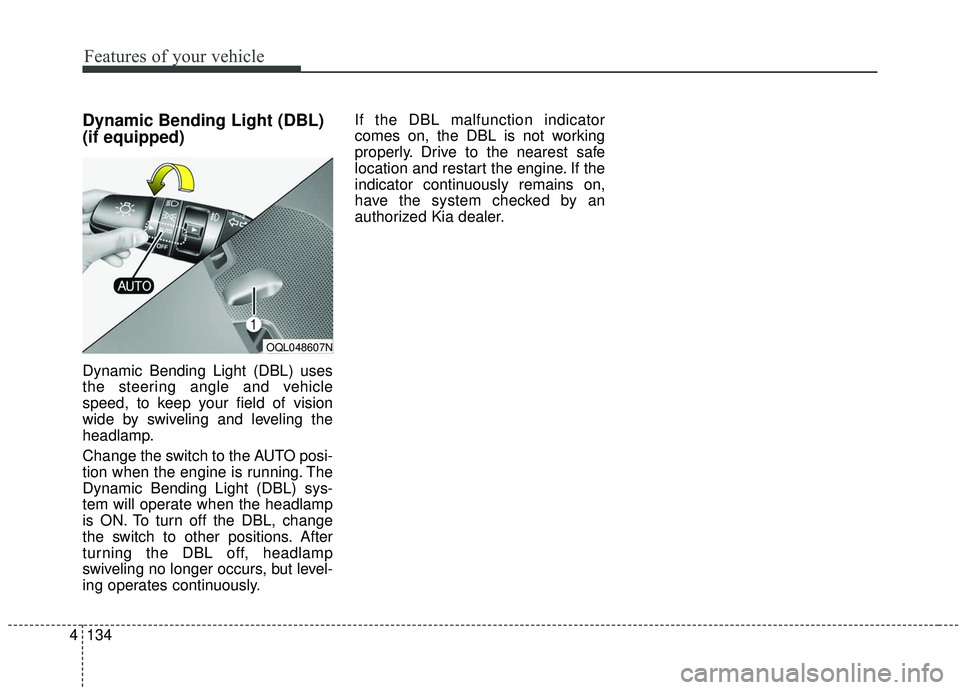
Dynamic Bending Light (DBL)
(if equipped)
Dynamic Bending Light (DBL) uses
the steering angle and vehicle
speed, to keep your field of vision
wide by swiveling and leveling the
headlamp.
Change the switch to the AUTO posi-
tion when the engine is running. The
Dynamic Bending Light (DBL) sys-
tem will operate when the headlamp
is ON. To turn off the DBL, change
the switch to other positions. After
turning the DBL off, headlamp
swiveling no longer occurs, but level-
ing operates continuously. If the DBL malfunction indicator
comes on, the DBL is not working
properly. Drive to the nearest safe
location and restart the engine. If the
indicator continuously remains on,
have the system checked by an
authorized Kia dealer.
OQL048607N
Page 230 of 611
Features of your vehicle
142
4
WELCOME SYSTEM (IF EQUIPPED)
Headlight (Headlamp) escort
function
The headlights (and/or taillights)
remain on for approximately 5 min-
utes after the ignition key is removed
or turned to the ACC or LOCK posi-
tion. However, if the driver’s door is
opened and closed, the headlights
are turned off after 15 seconds.
The headlights can be turned off by
pressing the lock button on the trans-
mitter or smart key twice or turning
off the light switch from the headlight
or Auto light position.
Interior light
When the interior light switch is in the
DOOR position and all doors (and
trunk) are locked and closed, the
room lamp will come on for 30 sec-
onds if any of the below is performed.
Without smart key system
- When the door unlock button ispressed on the transmitter.
With the smart key system - When the door unlock button ispressed on the smart key.
- When the button of the outside door handle is pressed.
At this time, if you press the door lock
button, the lamps will turn off imme-
diately.
Pocket lamp (if equipped)
When all doors are locked and
closed, the pocket lamp will come on
for 15 seconds if any of the below is
performed.
With the smart key system - When the door unlock button ispressed on the smart key.
- When the button of the outside door handle is pressed.
At this time, if you press the door lock
button, the lamps will turn off imme-
diately.
Page 343 of 611
Driving your vehicle
62
5
Detecting vehicles
The sensor may be limited when:
The camera is covered with a for-
eign object or debris
The camera lens is contaminated due to tinted, filmed or coated
windshield, damaged glass, or
stuck of foreign matter (sticker,
bug, etc.) on the glass
Inclement weather such as heavy rain or snow obscures the field of
view of the camera
The camera recognition is limited
The vehicle in front is too small to be detected (for example a motor-
cycle or a bicycle, etc.)
The vehicle in front is an oversize vehicle or trailer that is too big to
be detected by the camera recog-
nition system. (for example a trac-
tor, trailer, etc.)
The camera's field of view is not well illuminated (either too dark or too
much reflection or too much back-
light that obscures the field of view) The vehicle in front does not have
their rear lights properly turned ON
or their rear lights are located
unusually.
The outside brightness changes suddenly, for example when enter-
ing or exiting a tunnel
When light coming from a street light or an oncoming vehicle is
reflected on a wet road surface
such as a puddle in the road.
The field of view in front is obstructed by sun glare or head-
light of oncoming vehicle.
The windshield glass is fogged up.
The vehicle in front is driving errat- ically.
The vehicle is on unpaved or uneven rough surfaces, or roads
with sudden gradient changes.
The vehicle is drives inside a build- ing, such as a basement parking lot
The camera does not recognize the entire vehicle in front.
The camera is damaged. The brightness outside is too low
such as when the headlamps are
not on at night or the vehicle is
going through a tunnel.
Adverse road conditions cause excessive vehicle vibrations while
driving
The sensor recognition changes suddenly when passing over a
speed bump
The shadow is on the road by a median strip, trees, etc.
The vehicle drives through a toll- gate.
The rear part of the vehicle in front is not fully visible.
The vehicle in front is moving verti- cally to the driving direction
The vehicle in front is stopped ver- tically
The vehicle in front is driving towards your vehicle or reversing
You are on a roundabout and the vehicle in front circles