warning KIA SPORTAGE 2022 Owners Manual
[x] Cancel search | Manufacturer: KIA, Model Year: 2022, Model line: SPORTAGE, Model: KIA SPORTAGE 2022Pages: 630, PDF Size: 9.69 MB
Page 375 of 630
Driving your vehicle
90
5
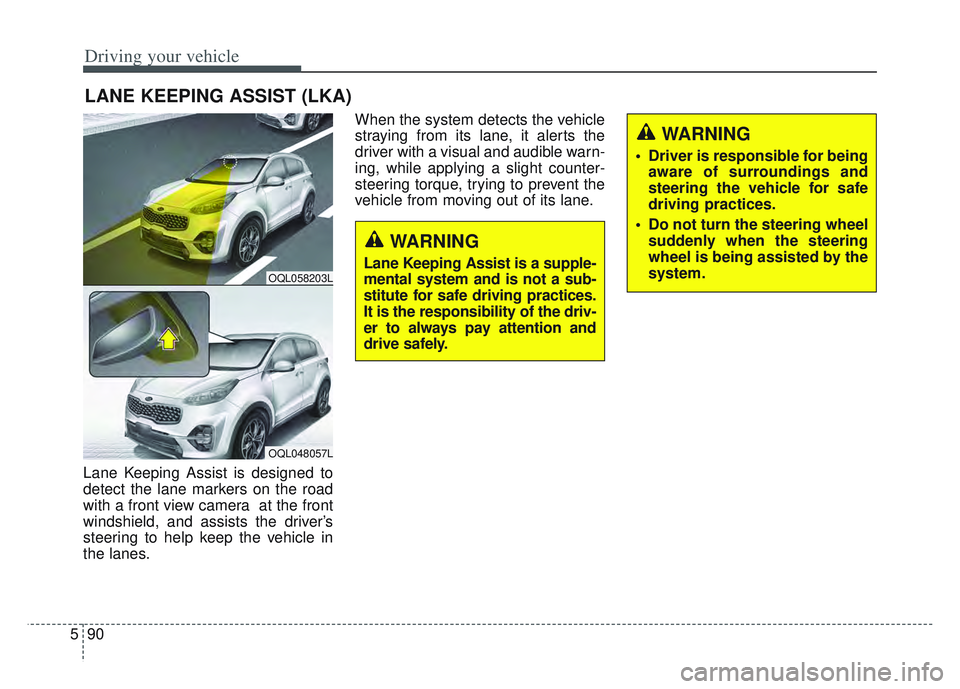
Lane Keeping Assist is designed to
detect the lane markers on the road
with a front view camera at the front
windshield, and assists the driver’s
steering to help keep the vehicle in
the lanes. When the system detects the vehicle
straying from its lane, it alerts the
driver with a visual and audible warn-
ing, while applying a slight counter-
steering torque, trying to prevent the
vehicle from moving out of its lane.
LANE KEEPING ASSIST (LKA)
OQL058203L
OQL048057L
WARNING
Driver is responsible for being
aware of surroundings and
steering the vehicle for safe
driving practices.
Do not turn the steering wheel suddenly when the steering
wheel is being assisted by the
system.
WARNING
Lane Keeping Assist is a supple-
mental system and is not a sub-
stitute for safe driving practices.
It is the responsibility of the driv-
er to always pay attention and
drive safely.
Page 376 of 630
591
Driving your vehicle
✽ ✽NOTICE
• The operation of the LKA can be
canceled or not work properly
according to road condition and
surroundings. Always be cautious
when driving.
• Do not disassemble the front view camera temporarily for tinting
windows or attaching any types of
coatings and accessories.
Do not disassemble the camera.
take your vehicle to an authorized
Kia dealer and have the system
checked to need a calibration.
• When you replace the windshield glass, front view camera or parts
of the steering, take your vehicle
to an authorized Kia dealer and
have the system checked to need a
calibration. (Continued)(Continued)
• The system is designed to detect
lane markers using a front view
camera. If the lane markers are
hard to detect, then the system
may be limited. Always be cau-
tious when using the system.
• When the lane markers are hard to detect, please refer to “Driver’s
Attention”.
• Do not remove or damage the related parts of LKA.
• Do not place objects on the dash- board that reflects light such as
mirrors, white paper, etc. It may
cause malfunction of LKA if the
sunlight is reflected.
• You may not hear warning sound of LKA if the audio volume is
high. (Continued)(Continued)
• If you drive with your hands off
the steering wheel, LKA will stop
controlling the steering wheel
after the hands off alarm. If you
drive with your hands on the
steering wheel again, the control
will be activated again.
• If the vehicle speed is high, steer- ing torque for assistance will not
be enough to keep your vehicle
within the lane. If so, the vehicle
may move out of its lane. Obey
speed limit when using LKA.
• If you attach objects to the steer- ing wheel, the system may not
assist steering.
• If you attach objects to the steer- ing wheel, hands off alarm may
not work properly.
Page 378 of 630
593
Driving your vehicle
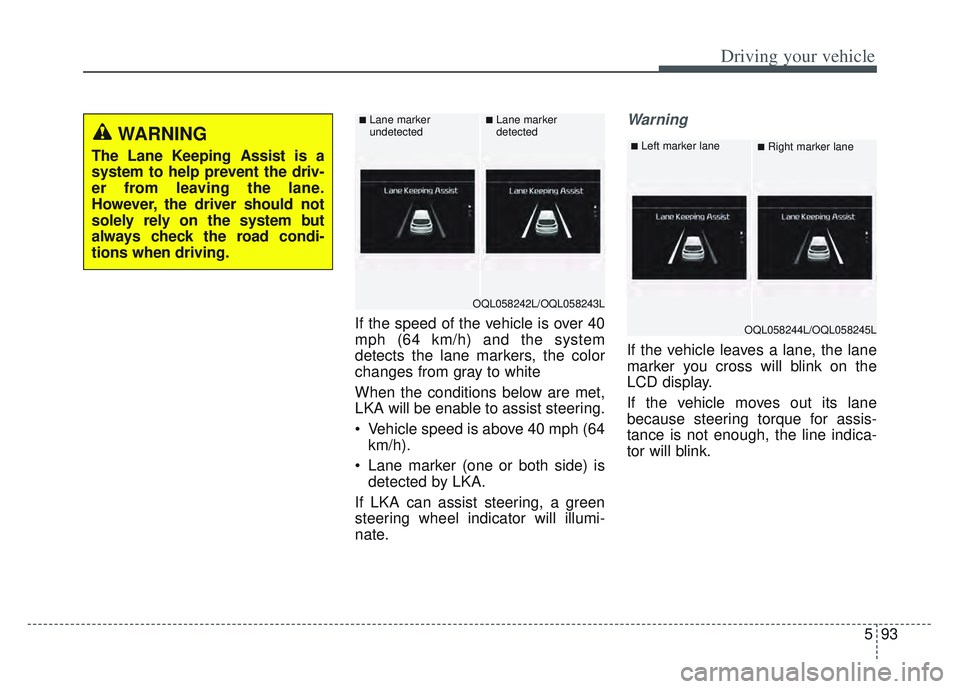
If the speed of the vehicle is over 40
mph (64 km/h) and the system
detects the lane markers, the color
changes from gray to white
When the conditions below are met,
LKA will be enable to assist steering.
Vehicle speed is above 40 mph (64km/h).
Lane marker (one or both side) is detected by LKA.
If LKA can assist steering, a green
steering wheel indicator will illumi-
nate.
Warning
If the vehicle leaves a lane, the lane
marker you cross will blink on the
LCD display.
If the vehicle moves out its lane
because steering torque for assis-
tance is not enough, the line indica-
tor will blink.
WARNING
The Lane Keeping Assist is a
system to help prevent the driv-
er from leaving the lane.
However, the driver should not
solely rely on the system but
always check the road condi-
tions when driving.
OQL058242L/OQL058243L
■Lane marker
undetected■Lane marker
detected
OQL058244L/OQL058245L
■Left marker lane■Right marker lane
Page 379 of 630
Driving your vehicle
94
5
If all the conditions to activate LKA
are not satisfied, the system will
convert to the Lane Departure
Warning (LDW) and warn the driv-
er only when the driver crosses the
lane markers. In this scenario,
LDW does not provide any steering
inputs into the vehicle for you.
Accordingly, you must take the
necessary steps to maintain con-
trol of the vehicle and keep it with-
in the lanes.
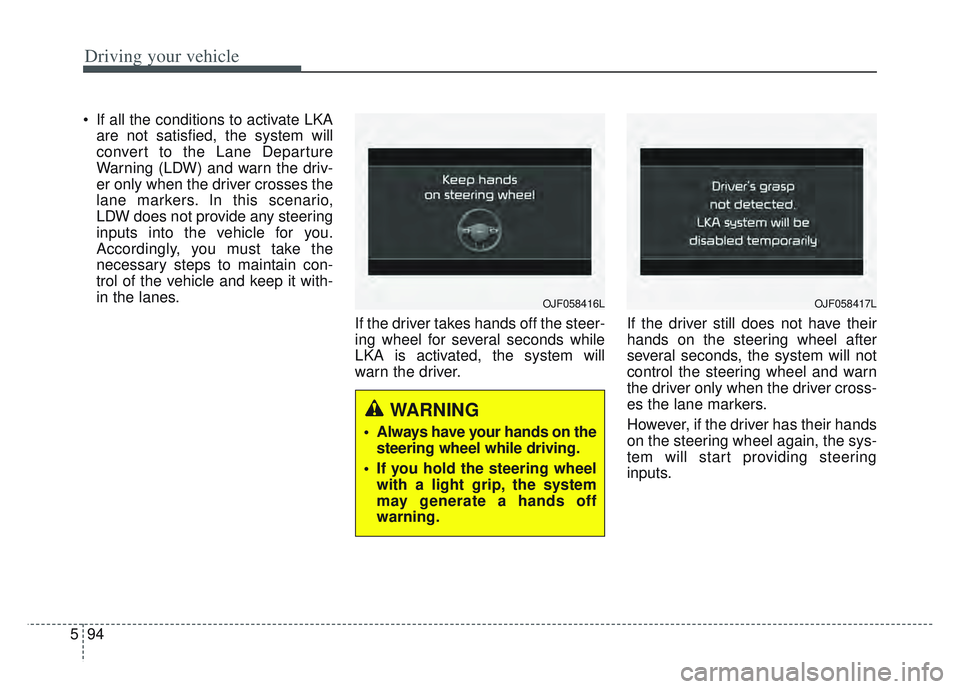
If the driver takes hands off the steer-
ing wheel for several seconds while
LKA is activated, the system will
warn the driver. If the driver still does not have their
hands on the steering wheel after
several seconds, the system will not
control the steering wheel and warn
the driver only when the driver cross-
es the lane markers.
However, if the driver has their hands
on the steering wheel again, the sys-
tem will start providing steering
inputs.
OJF058416L
WARNING
Always have your hands on the
steering wheel while driving.
If you hold the steering wheel with a light grip, the system
may generate a hands off
warning.
OJF058417L
Page 380 of 630
595
Driving your vehicle
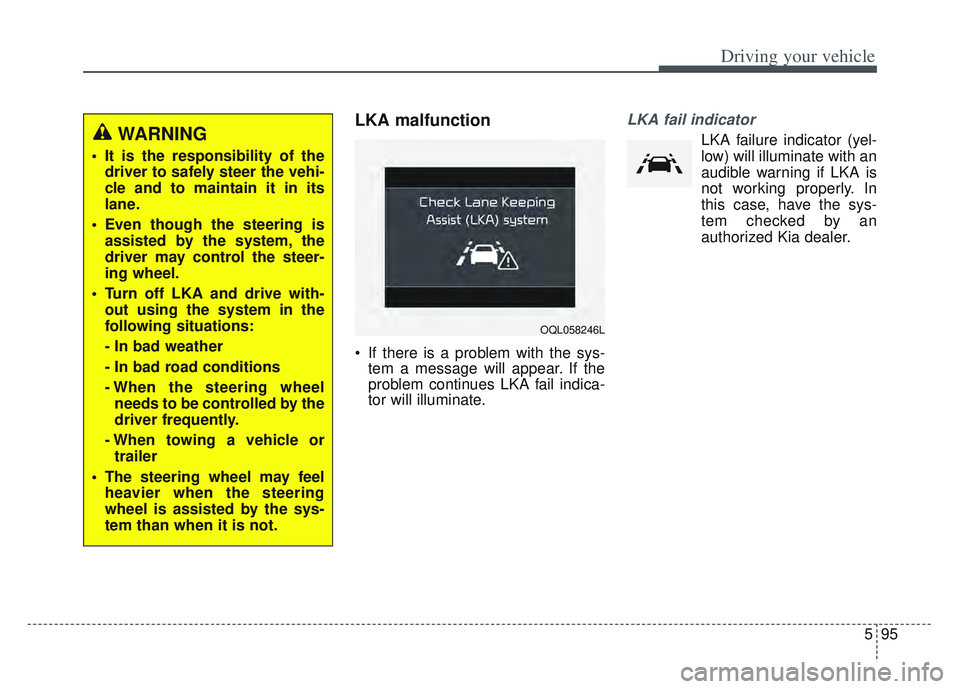
LKA malfunction
If there is a problem with the sys-tem a message will appear. If the
problem continues LKA fail indica-
tor will illuminate.
LKA fail indicator
LKA failure indicator (yel-
low) will illuminate with an
audible warning if LKA is
not working properly. In
this case, have the sys-
tem checked by an
authorized Kia dealer.WARNING
It is the responsibility of the driver to safely steer the vehi-
cle and to maintain it in its
lane.
Even though the steering is assisted by the system, the
driver may control the steer-
ing wheel.
Turn off LKA and drive with- out using the system in the
following situations:
- In bad weather
- In bad road conditions
- When the steering wheelneeds to be controlled by the
driver frequently.
- When towing a vehicle or trailer
The steering wheel may feel heavier when the steering
wheel is assisted by the sys-
tem than when it is not.
OQL058246L
Page 381 of 630

Driving your vehicle
96
5
When there is a problem with the sys-
tem do one of the following:
Turn the system on after turning
the engine off and on again.
Check if the ignition switch is in the ON position.
Check if the system is affected by the weather. (ex: fog, heavy rain,
etc.)
Check if there is foreign matter covering the camera lens
If the problem is not solved, take your
vehicle to an authorized Kia dealer
and have the system checked.LKA system Function Change
The driver can change LKA to Lane
Departure Warning System (LDW
system) or change LKA mode
between Standard LKA and Active
LKA from the User Settings Mode on
the LCD display.
The driver can choose them by plac-
ing the ignition switch to the ON posi-
tion and by selecting ‘User Settings’,
‘Driver Assistance’, and ‘Lane
Keeping Assist’.
The system is automatically set to
Standard LKA.
Lane Departure
LDW alerts the driver with a visual
and acoustic warning when the sys-
tem detects the vehicle leaving the
lane. In this mode, the system will not
provide steering inputs. When the
vehicle’s front wheel contacts the
inside edge of lane line, LKA issues
the lane departure warning.
Standard LKA
The Standard LKA mode guides the
driver to keep the vehicle within the
lanes. It provides steering inputs
when the vehicle is about to deviate
from the lanes.
Active LKA
The active LKA mode provides more
frequent steering inputs in compari-
son with the Standard LKA mode.
Page 383 of 630
Driving your vehicle
98
5
(Continued)
• The lane marker is not visible due
to snow, rain, stain, a puddle or
other factors.
• A shadow is on the lane marker because of a median strip,
guardrail, noise barriers or other
objects.
• When the lane markers are com- plicated or a structure substitutes
for the lines such as a construc-
tion area.
• There are crosswalk signs or other symbols on the road.
• The lane suddenly disappears such as at the intersection.
• The lane marker in a tunnel is cov- ered with dirt or oil and etc.
• The lane is very wide or narrow.
When external conditions inter-
vene
• The brightness outside changes suddenly when entering/exiting a
tunnel or passing under a bridge.
• The headlamps are not on at night or in a tunnel, or light level is low.
• There is a boundary structure in the roadway. (Continued)(Continued)
• The light of reflects from the
water on the road.
• When light shines brightly from behind the vehicle.
• The distance from the vehicle ahead is very short or the vehicle
ahead covers up the lane marker.
• You drive on a steep grade or a sharp curve.
• The vehicle vibrates heavily.
• The temperature near inside mir- ror is very high due to direct sun
light and etc.
When front visibility is poor
• The lens or windshield is covered by foreign materials.
• The sensor cannot detect the lane because of fog, heavy rain or snow.
• The windshield is fogged by humid air in the vehicle.
• Putting something on the crash pad and etc.
WARNING
Lane Keeping Assist is a sys-
tem to help prevent the driver
from leaving the lane. However,
the driver should not solely rely
on the system but always take
the necessary actions for safe
driving practices.
Page 384 of 630

599
Driving your vehicle
System description
BCW uses radar sensors in the rear
bumper to monitor and warn the driv-
er of an approaching vehicle in the
driver's blind spot area.
1) Blind-Spot Area
It warns by detecting the vehicles in
the blind spots.
The blind spot detection range varies
relative to vehicle speed.
Note that if your vehicle is traveling
much faster than the vehicles around
you, the warning will not occur.2) Closing at high speed
BCW feature will alert you when a
vehicle is approaching in an adjacent
lane at a high rate of speed. If the
driver activates the turn signal when
the system detects an oncoming
vehicle, the system sounds an audi-
ble alert.
BLIND-SPOT COLLISION WARNING (BCW) (IF EQUIPPED)
OQLE058284
OQLE058285
WARNING
BCW is a supplemental sys-
tem to assist you. Do not
entirely rely on the system.
Always pay attention, while
driving, for your safety.
Always be aware of road con- ditions while driving and be
alert for unexpected situa-
tions even though BCW is
operating.
BCW is not a substitute for proper and safe driving.
Always drive safely and use
caution when changing lanes
or backing up the vehicle.
BCW may not detect every
object alongside the vehicle.
Page 385 of 630

Driving your vehicle
100
5
System setting and activation
System setting
To operate:
Press the Blind-Spot Safety button
with the Ignition switch in the ON
position. The indicator on the BCW
switch will illuminate.
To cancel:
Press the Blind-Spot Safety button
again. The indicator on the button will
go off.
When the system is not used, turn
the system off by turning off the but-
ton.
✽ ✽
NOTICE
• If the vehicle is turned off then on
again, BCW returns to the previ-
ous state.
• When the system is turned on, the warning light will illuminate for 3
seconds on the outside rearview
mirror.
The system will activate when:
1. BCW is on.
2. The vehicle speed is above about
20 mph (30 km/h).
3. Other vehicles are detected in blind spot.
OQL058034L
Page 386 of 630

5101
Driving your vehicle
Warning message
First stage alert
If a vehicle is detected within the
boundary of the system, a yellow
warning light will illuminate on the
outside rearview mirror.
If the detected vehicle is not in detec-
tion range, the warning will be turned
off according to the driving condi-
tions of the vehicle.Second stage alert
A warning alarm to alert the driver
will activate when:
1. A vehicle has been detected in the
blind spot area by the radar sys-
tem (the warning light will illumi-
nate on the outside rearview mir-
ror (i.e., in the first stage alert)
AND
2. The turn signal is on to change a lane (same side as where the
vehicle is being detected) When the second stage alert is acti-
vated, the warning light on the out-
side rearview mirror will also blink.
If you turn off the turn signal switch,
the second stage alert (the warning
chime and the blinking warning light
on the outside rearview mirror) will
be deactivated.
If the detected vehicle is not in detec-
tion range, the warning will be turned
off according to the driving condi-
tions of the vehicle.
OUM054028
1st stage
OUM054029
2nd stage