display KIA TELLURIDE 2020 Navigation System Quick Reference Guide
[x] Cancel search | Manufacturer: KIA, Model Year: 2020, Model line: TELLURIDE, Model: KIA TELLURIDE 2020Pages: 219, PDF Size: 9.16 MB
Page 183 of 219
9-23
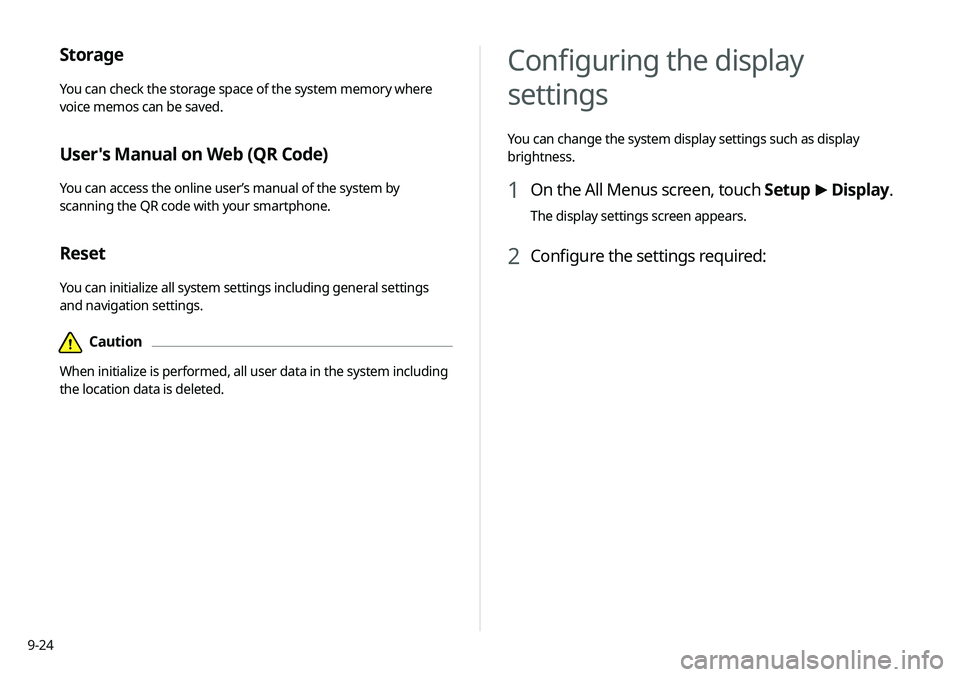
System Info
You can check the system software version and storage space.
You can also update the system software, use your smartphone
to access the online user’s manual of the system, or initialize all
system settings to default values.
SW Info/Update
You can see the versions of system components. You can also
update the system to the latest version.0000
A
For details on how to update the system software:
> see
“ Updating the system software and map .”
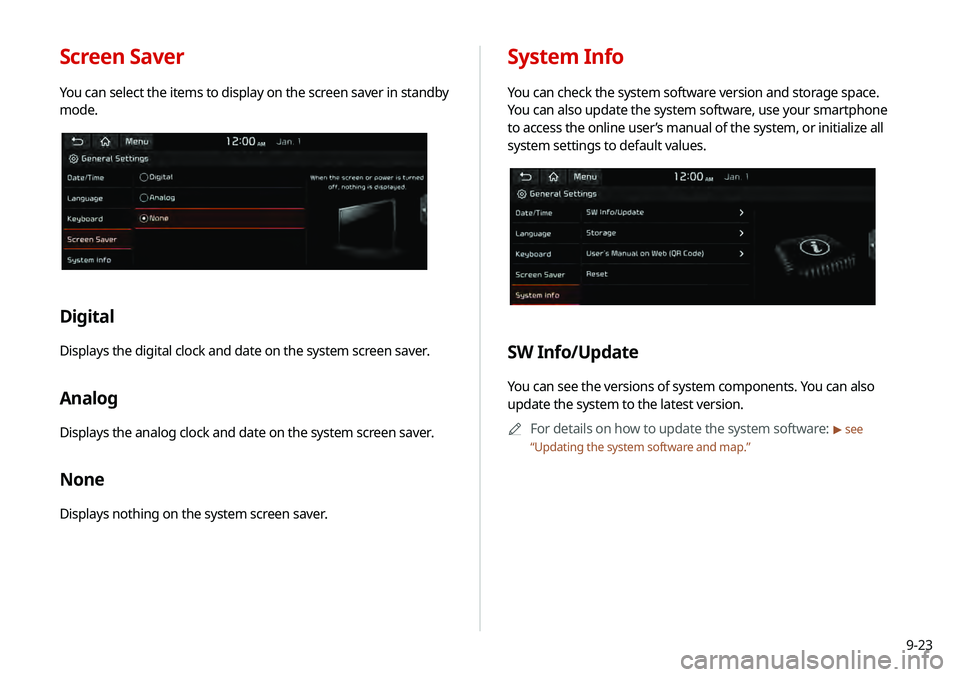
Screen Saver
You can select the items to display on the screen saver in standby
mode.
Digital
Displays the digital clock and date on the system screen saver.
Analog
Displays the analog clock and date on the system screen saver.
None
Displays nothing on the system screen saver.
Page 184 of 219
9-24
Configuring the display
settings
You can change the system display settings such as display
brightness.
1 On the All Menus screen, touch Setup >
Display.
The display settings screen appears.
2 Configure the settings required:
Storage
You can check the storage space of the system memory where
voice memos can be saved.
User's Manual on Web (QR Code)
You can access the online user’s manual of the system by
scanning the QR code with your smartphone.
Reset
You can initialize all system settings including general settings
and navigation settings.
\334Caution
When initialize is performed, all user data in the system including
the location data is deleted.
Page 185 of 219
9-25
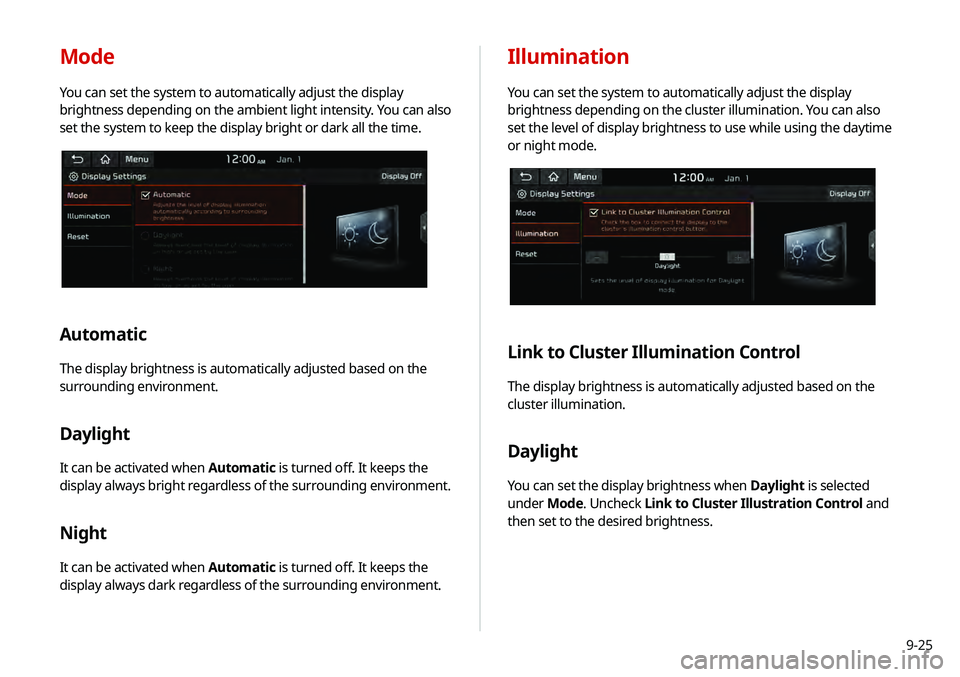
Illumination
You can set the system to automatically adjust the display
brightness depending on the cluster illumination. You can also
set the level of display brightness to use while using the daytime
or night mode.
Link to Cluster Illumination Control
The display brightness is automatically adjusted based on the
cluster illumination.
Daylight
You can set the display brightness when Daylight is selected
under Mode. Uncheck Link to Cluster Illustration Control and
then set to the desired brightness.
Mode
You can set the system to automatically adjust the display
brightness depending on the ambient light intensity. You can also
set the system to keep the display bright or dark all the time.
Automatic
The display brightness is automatically adjusted based on the
surrounding environment.
Daylight
It can be activated when Automatic is turned off. It keeps the
display always bright regardless of the surrounding environment.
Night
It can be activated when Automatic is turned off. It keeps the
display always dark regardless of the surrounding environment.
Page 186 of 219

9-26
Updating the system software
and map
You can update the navigation map and infotainment system.
Please visit your local dealership to update your system.0000
A
Any changes made after the update file is created are not
reflected in the map. As a result, certain roads, buildings, and
speed limits on the map may not be up to date.
0000
A
Depending on the total data amount, an update may take
several minutes.
0000
A
Do not turn off the system or remove the storage device while
the update is in progress. When power supply is cut off or the
storage device is removed from the system, it may damage
the data or cause a system malfunction.
Night
You can set the display brightness when Night is selected under
Mode. Uncheck Link to Cluster Illustration Control and then
set to the desired brightness.
Reset
You can initialize all display settings such as brightness.
Page 188 of 219

10-2
Solutions
Before reporting a malfunctioning system, refer to the following table and see if you can identify and fix the problem. If the problem persists
or you are unable to locate your specific need, contact your place of purchase or dealer.
Sound and display
SymptomPossible cause Solution
A blank screen appears and
sound is not audible. The system is turned off.
\225
Check that the start switch is in “ACC” or “ON.”
\225Press the [
POWER] button to turn on the system.
Sound volume is too low. On the control panel, turn the [VOLUME] knob to adjust the volume.
Sound is muted. On the steering wheel, press the [
] button to make the sound
audible.
Sound is audible from only one
side of the speakers. Sound is imbalanced.
On the All Menus screen, touch Setup >
Sound >
Position and
adjust the sound outputs for the left and right speakers.
> See
“ Position.”
The sound is cut off or noise is
heard. Vibration occurs in the system.
When the system vibrates, the sound may be cut off or noise may
occur. This is not a system failure. The system is restored as soon as
the vibration stops.
Page 189 of 219
10-3
SymptomPossible cause Solution
The image quality is poor. Screen adjustment is required. On the All Menus screen, touch Setup >
Display >
Illumination,
and then adjust the brightness.
> See “Illumination.”
Vibration occurs in the system. The images may get distorted when vibration occurs in the system.
This is not a system failure. The system is restored as soon as the
vibration stops.
The display is aged or the system
performance is degraded. If the problem persists, contact your place of purchase or dealer.
Small red, blue, and green dots
are shown on the screen. LCD has very high-density pixels. For this reason, there may be dead
pixels (that are always off) or lit pixels (that are always on) within 0.01
percent of the total pixels.
Page 197 of 219
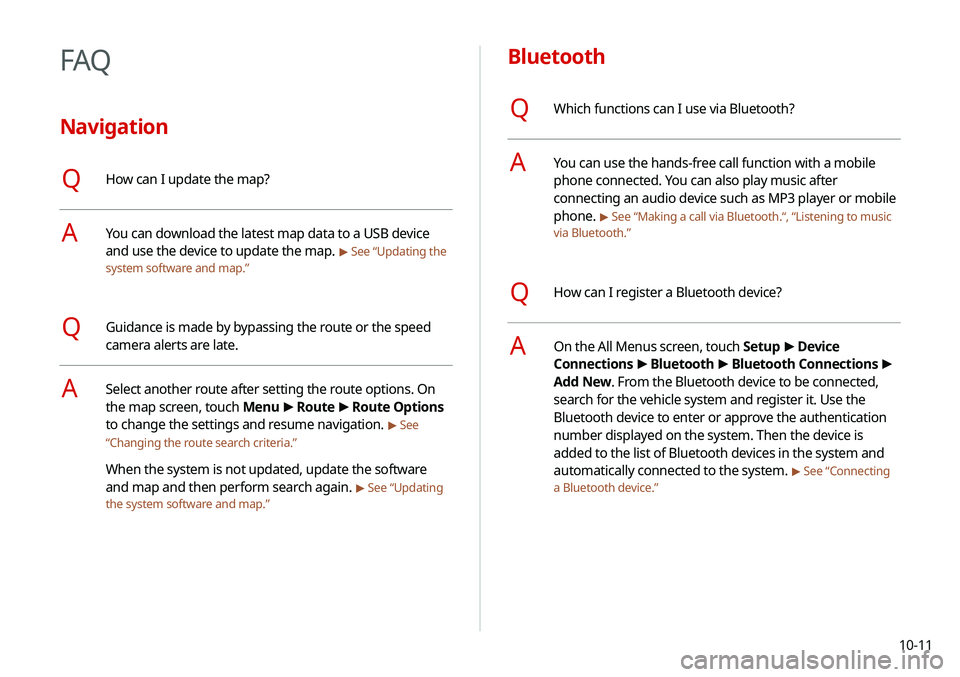
10-11
Bluetooth
QWhich functions can I use via Bluetooth?
AYou can use the hands-free call function with a mobile
phone connected. You can also play music after
connecting an audio device such as MP3 player or mobile
phone.
> See “Making a call via Bluetooth.“, “Listening to music
via Bluetooth.”
QHow can I register a Bluetooth device?
AOn the All Menus screen, touch Setup >
Device
Connections >
Bluetooth >
Bluetooth Connections >
Add New. From the Bluetooth device to be connected,
search for the vehicle system and register it. Use the
Bluetooth device to enter or approve the authentication
number displayed on the system. Then the device is
added to the list of Bluetooth devices in the system and
automatically connected to the system.
> See “Connecting
a Bluetooth device.”
FAQ
Navigation
QHow can I update the map?
AYou can download the latest map data to a USB device
and use the device to update the map.
> See “Updating the
system software and map.”
QGuidance is made by bypassing the route or the speed
camera alerts are late.
ASelect another route after setting the route options. On
the map screen, touch Menu >
Route >
Route Options
to change the settings and resume navigation.
> See
“ Changing the route search criteria.”
When the system is not updated, update the software
and map and then perform search again.
> See “Updating
the system software and map.”
Page 206 of 219

10-20
Index
A
Advanced system settings 9-6
Android devicesAndroid Auto 2-2
Apple devices Apple CarPlay 2-4
B
Battery warning 1-6
BluetoothBluetooth phone
Answering a call 6-14
Call 6-6
Contacts list 6-10
Dial pad 6-12
Favorites settings 6-8
Options during a call 6-15
Recent calls list 6-7
Switching to another call 6-16
Text message 6-16
Specifications 10-16 Bluetooth connection
Adding a device 6-3
Deleting a device 6-6
Device connection 6-4
Disconnecting a device 6-6
C
Component Names and FunctionsControl panel
Custom button 1-2
MAP button 1-2
MEDIA button 1-2
NAV button 1-2
POWER button/VOLUME knob 1-2
RADIO button 1-2
SEEK/TRACK button 1-2
SETUP button 1-2
System Reset button 1-3
TUNE knob/FILE knob/
ENTER button 1-3
Steering wheel remote control
Call button 1-4
End Call button 1-4
MODE button 1-3
Move button 1-4
Voice Recognition button 1-3
Volume lever/Mute button 1-3
Contacts list 6-10
Control panel 1-2
D
Date and time settings 9-21
Deleting a location 5-23
Destination search 5-3
Driving assist display 2-6
E
Editing a location 5-23
Editing a route 5-16
Page 207 of 219
10-21
F
FAQ 10-11Bluetooth 10-11
Broadcast reception 10-12
Navigation 10-11
Self-inspection method upon
failure 10-13
Favorites 1-16
Finding a route easily 5-3 Destination search 5-3
Finding the route Adding a waypoint 5-16
Address search 5-10
Displaying POIs on the map 5-14
Frequently visited places 5-21
Gas stations 5-24
Location registration
Deleting a POI 5-23
Editing a POI 5-23
Registration after search 5-19
Map 5-6
Map update 9-26
Previous Destinations 5-12
Rest area information 5-7
Saving the current position 5-20
Searching for POIs 5-13
Volume adjustment 5-8
H
HD Radio Data 2-13
HD Radio™ 3-6
Home screen 1-10
K
Keyboard settings 9-22
L
Language settings 9-22
Listening to musicBluetooth audio 4-7
Location registration 5-19
M
Map 5-6 POI display 5-14
Map update 9-26
Media device connection 4-2
Media player Bluetooth audio 4-8
USB music 4-2
Messages 6-17
Microphone 7-2
Multi-page Home screen 1-13
N
Navigation 5-2, 5-10
Navigation settings 9-15
Page 208 of 219
10-22
O
One Page Home screen 1-11
P
Parking assist guide lines 2-6
Phone 6-6
Phone projectionAndroid Auto 2-2
Apple CarPlay 2-4
Previous Destinations 5-12
Product specifications Bluetooth 10-16
Common specifications 10-15
LTE RF 10-16
Media player 10-13
Radio 10-15
Proximity Warning 2-7, 9-12
R
Radio
Changing the channel 3-4
Changing the radio mode 3-4
Deleting a channel 3-6
Registering a channel 3-5
Scanning channels 3-5
Rear view display 2-6
Recent calls list 6-7
Reset Bluetooth 9-5
Navigation settings 9-18
Screen settings 9-26
Sound settings 9-14
System settings 9-24
S
Save searched place 5-19
Saving frequently visited places 5-21
Saving the current position 5-21
Screen saver settings 9-23
Screen settings 9-24
Screen touch sound settings 9-14 Settings
Advanced settings 9-6
Bluetooth settings 9-4, 9-21
Date and time 9-21
Device connection 9-4
Keyboard 9-22
Navigation settings 9-15
Screen saver settings 9-23
Screen touch sound 9-14
System display settings 9-24
System Info 9-23
System language 9-22
System Sound 9-11
UVO settings 9-19
Vehicle settings 9-2
Voice recognition settings 9-14
SiriusXM™ 3-8 Changing to SiriusXM mode 3-8
Featured Favorites channels 3-11
Searching for channels 3-9
Seeing the program schedule 3-10
Selecting channels 3-10