low KIA TELLURIDE 2021 Navigation System Quick Reference Guide
[x] Cancel search | Manufacturer: KIA, Model Year: 2021, Model line: TELLURIDE, Model: KIA TELLURIDE 2021Pages: 300, PDF Size: 10.06 MB
Page 205 of 300

9-25
Recirculate Air (if equipped)
You can set to keep the inside air pleasant by blocking inflow of outside air.
\225Activate upon Washer Fluid Use
: Sets to automatically switch to the inside air circulation
mode to prevent inflow of washer fluid scent when spraying washer fluid.
Automatic Ventilation (if equipped)
You can set to prevent condensation inside and keep inside air pleasant using this feature.
\225 Auto Dehumidify: Once the inside air circulation mode has been used for a long time, it
is switched to the outside air inflow mode to prevent condensation.
Defog/Defrost Options (if equipped)
You can set to enable the defogger to secure driver visibility.
\225Defog/Defrost: When the sensor detects humidity on the windshield and glasses, it
enables the outside air inflow mode and air conditioner for defogging and defrosting.
\225Auto Defog: When the sensor detects fog on the windshield, the automatic ventilati\
on is
run for defogging.
Climate Features (if equipped)
You can set or change the settings for the climate system.
\225Rear Climate Controls: Used to move to the climate control screen for the rear seat. You
can check or set the climate status for the rear seat.
0000
A
A For more information about controlling the rear-seat climate control system: >
see
" Using the rear-seat climate control system (if equipped)"
Seat (if equipped)
You can configure the settings of the steering wheel or seats, such as seat position change
notification and automatic control of the steering wheel warmer.
0000
A
The screen may differ depending on the vehicle model and specifications.
Page 210 of 300
9-30
Configuring the device connections settings
(Type1)
You can manage Bluetooth devices or configure their operation settings. You can also
activate the phone projection so that you can control the smartphone Apps on the system
screen after connecting the smartphone to the system.
1 On the All Menus screen, press Setup >
Device Connections.
The device connection settings screen appears.
2 Configure the settings required:
0000
A
Press Menu >
Search for Settings or press and enter a keyword to search for a
setting item. You can also search for a setting item by voice.
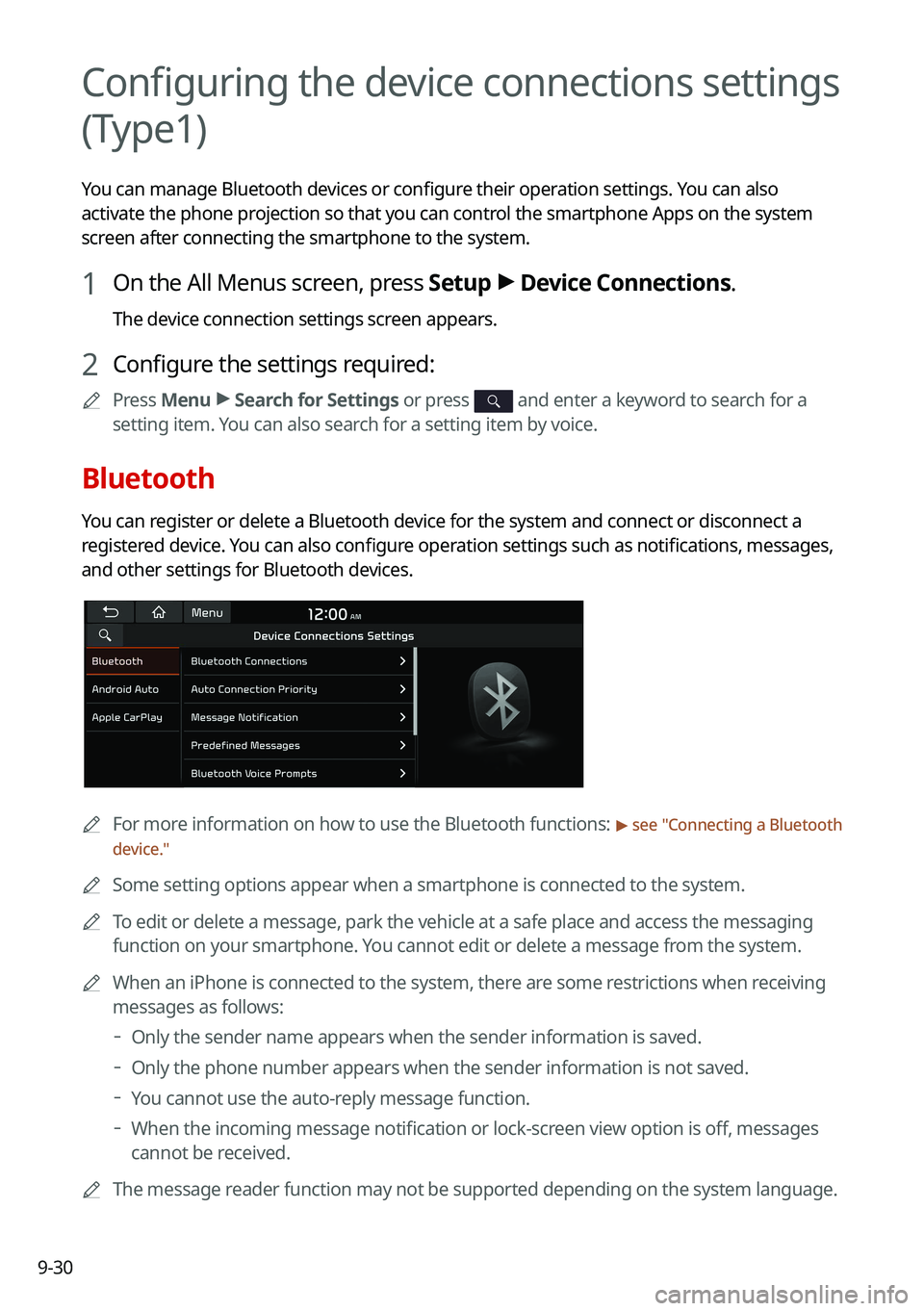
Bluetooth
You can register or delete a Bluetooth device for the system and connect or disconnect a
registered device. You can also configure operation settings such as notifications, messages,
and other settings for Bluetooth devices.
0000
A
For more information on how to use the Bluetooth functions: > see "Connecting a Bluetooth
device."
0000
A
Some setting options appear when a smartphone is connected to the system\
.
0000
A
To edit or delete a message, park the vehicle at a safe place and access \
the messaging
function on your smartphone. You cannot edit or delete a message from the system.
0000
A
When an iPhone is connected to the system, there are some restrictions when receiving
messages as follows:
000DOnly the sender name appears when the sender information is saved.
000DOnly the phone number appears when the sender information is not saved.
000DYou cannot use the auto-reply message function.
000DWhen the incoming message notification or lock-screen view option is off, messages
cannot be received.
0000
A
The message reader function may not be supported depending on the system language.
Page 213 of 300
9-33
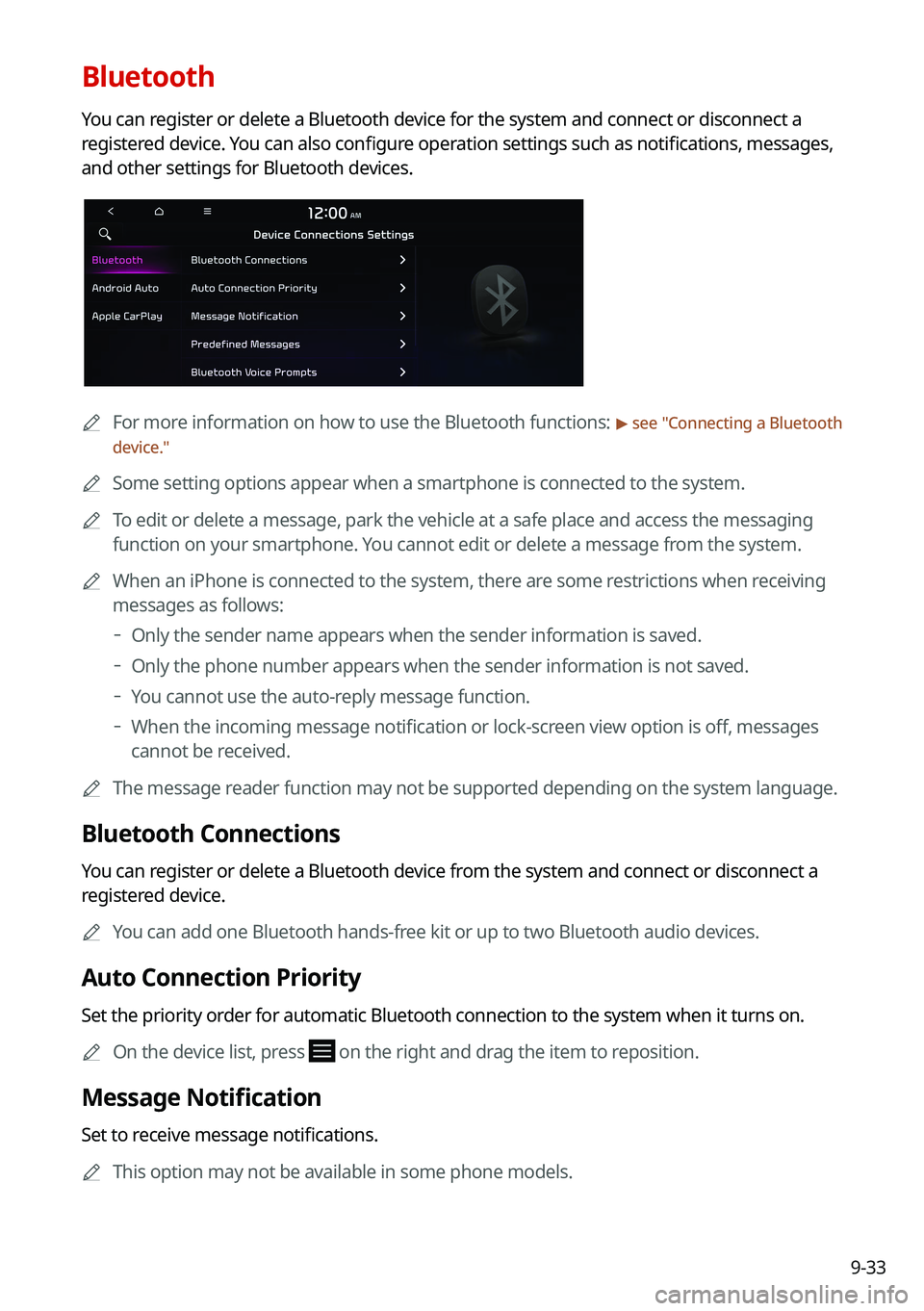
Bluetooth
You can register or delete a Bluetooth device for the system and connect or disconnect a
registered device. You can also configure operation settings such as notifications, messages,
and other settings for Bluetooth devices.
0000
A
For more information on how to use the Bluetooth functions: > see "Connecting a Bluetooth
device."
0000
A
Some setting options appear when a smartphone is connected to the system\
.
0000
A
To edit or delete a message, park the vehicle at a safe place and access \
the messaging
function on your smartphone. You cannot edit or delete a message from the system.
0000
A
When an iPhone is connected to the system, there are some restrictions when receiving
messages as follows:
000DOnly the sender name appears when the sender information is saved.
000DOnly the phone number appears when the sender information is not saved.
000DYou cannot use the auto-reply message function.
000DWhen the incoming message notification or lock-screen view option is off, messages
cannot be received.
0000
A
The message reader function may not be supported depending on the system language.
Bluetooth Connections
You can register or delete a Bluetooth device from the system and connect or disconnect a
registered device.
0000
A
You can add one Bluetooth hands-free kit or up to two Bluetooth audio devices.
Auto Connection Priority
Set the priority order for automatic Bluetooth connection to the system when it turns on.
0000
A
On the device list, press
on the right and drag the item to reposition.
Message Notification
Set to receive message notifications.
0000
A
This option may not be available in some phone models.
Page 232 of 300
9-52
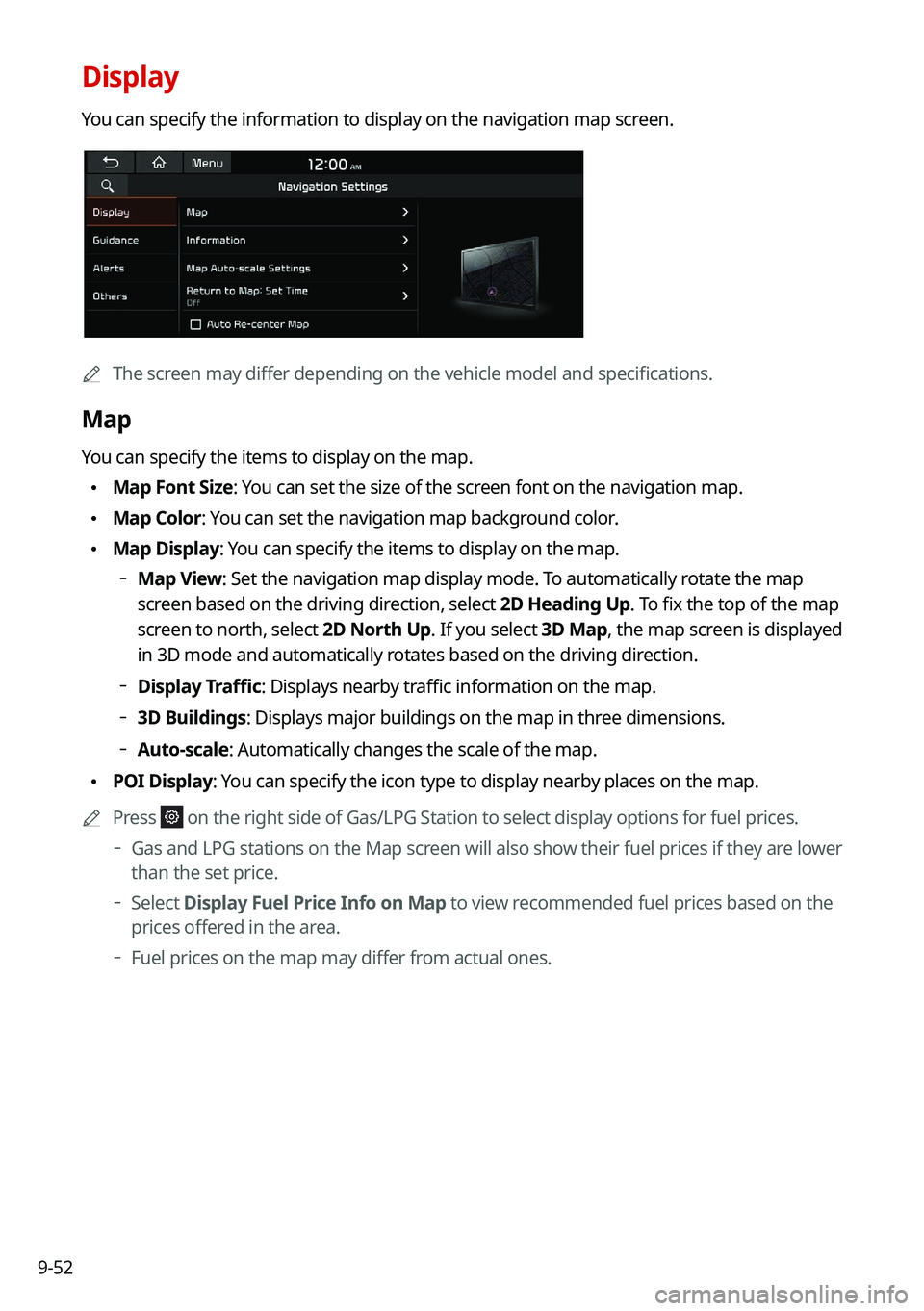
Display
You can specify the information to display on the navigation map screen.
0000AThe screen may differ depending on the vehicle model and specifications.
Map
You can specify the items to display on the map.
\225Map Font Size: You can set the size of the screen font on the navigation map.
\225Map Color: You can set the navigation map background color.
\225Map Display: You can specify the items to display on the map.
000DMap View: Set the navigation map display mode. To automatically rotate the map
screen based on the driving direction, select 2D Heading Up. To fix the top of the map
screen to north, select
2D North Up. If you select 3D Map, the map screen is displayed
in 3D mode and automatically rotates based on the driving direction.
000D Display Traffic: Displays nearby traffic information on the map.
000D3D Buildings: Displays major buildings on the map in three dimensions.
000DAuto-scale: Automatically changes the scale of the map.
\225
POI Display: You can specify the icon type to display nearby places on the map.
0000
A
Press
on the right side of Gas/LPG Station to select display options for fuel\
prices.
000DGas and LPG stations on the Map screen will also show their fuel prices if they are lower
than the set price.
000DSelect
Display Fuel Price Info on Map to view recommended fuel prices based on the
prices offered in the area.
000D Fuel prices on the map may differ from actual ones.
Page 236 of 300
9-56
Previous Destinations Settings
You can set to automatically save the previous destination and display the previous
destinations when the navigation system starts.
\225Save Previous Destinations: The previous destination is automatically saved.
\225Show Previous Destinations after Navigation Start-up: When the navigation system
starts, the list of recent destinations appear on a pop-up window.
Fuel Price Information (if equipped)
When displaying gas stations or LPG charging stations on the map, the fuel prices below a
specific range can be displayed.
0000
A
Select Display Fuel Price Info on Map to view recommended fuel prices based on the
prices offered in the area.
0000
A
Fuel prices on the map may differ from actual ones.
User Data
You can import location data from a USB device to the system, or export the data on the
system to a USB device.
0000
A
When importing or exporting the location data, you can uses only the USB device
formatted in exFAT, FAT16/32, or NTFS.
\225Import Address Book from USB Device: You can import the location data on a USB
device to the system.
0000
A
The previous location data on the system is to be deleted.
0000
A
While importing from a navigation system that uses a different coordinate system,
the locations may appear differently.
\225Export Address Book to USB Device: You can export the location data on the system to
a USB device.
0000
A
The location data on the USB device is deleted.
Page 237 of 300
9-57
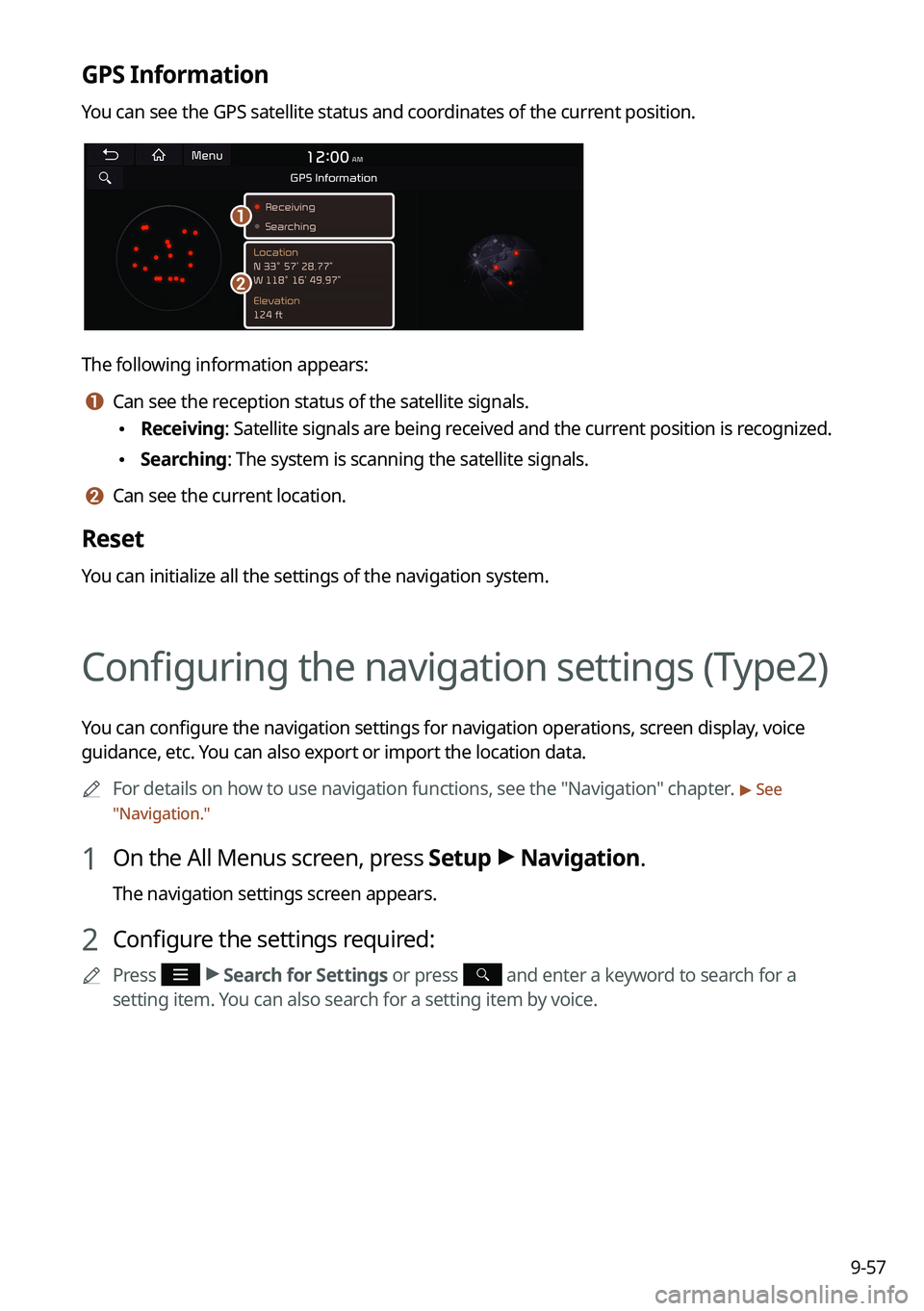
GPS Information
You can see the GPS satellite status and coordinates of the current position.
\037
\036
The following information appears:
a a Can see the reception status of the satellite signals.
\225Receiving: Satellite signals are being received and the current position is recognized.
\225Searching: The system is scanning the satellite signals.
b b Can see the current location.
Reset
You can initialize all the settings of the navigation system.
Configuring the navigation settings (Type2)
You can configure the navigation settings for navigation operations, screen display, voice
guidance, etc. You can also export or import the location data.
0000
A
For details on how to use navigation functions, see the "Navigation" chapter.
> See
" Navigation."
1 On the All Menus screen, press Setup >
Navigation.
The navigation settings screen appears.
2 Configure the settings required:
0000
A
Press >
Search for Settings or press and enter a keyword to search for a
setting item. You can also search for a setting item by voice.
Page 238 of 300
9-58
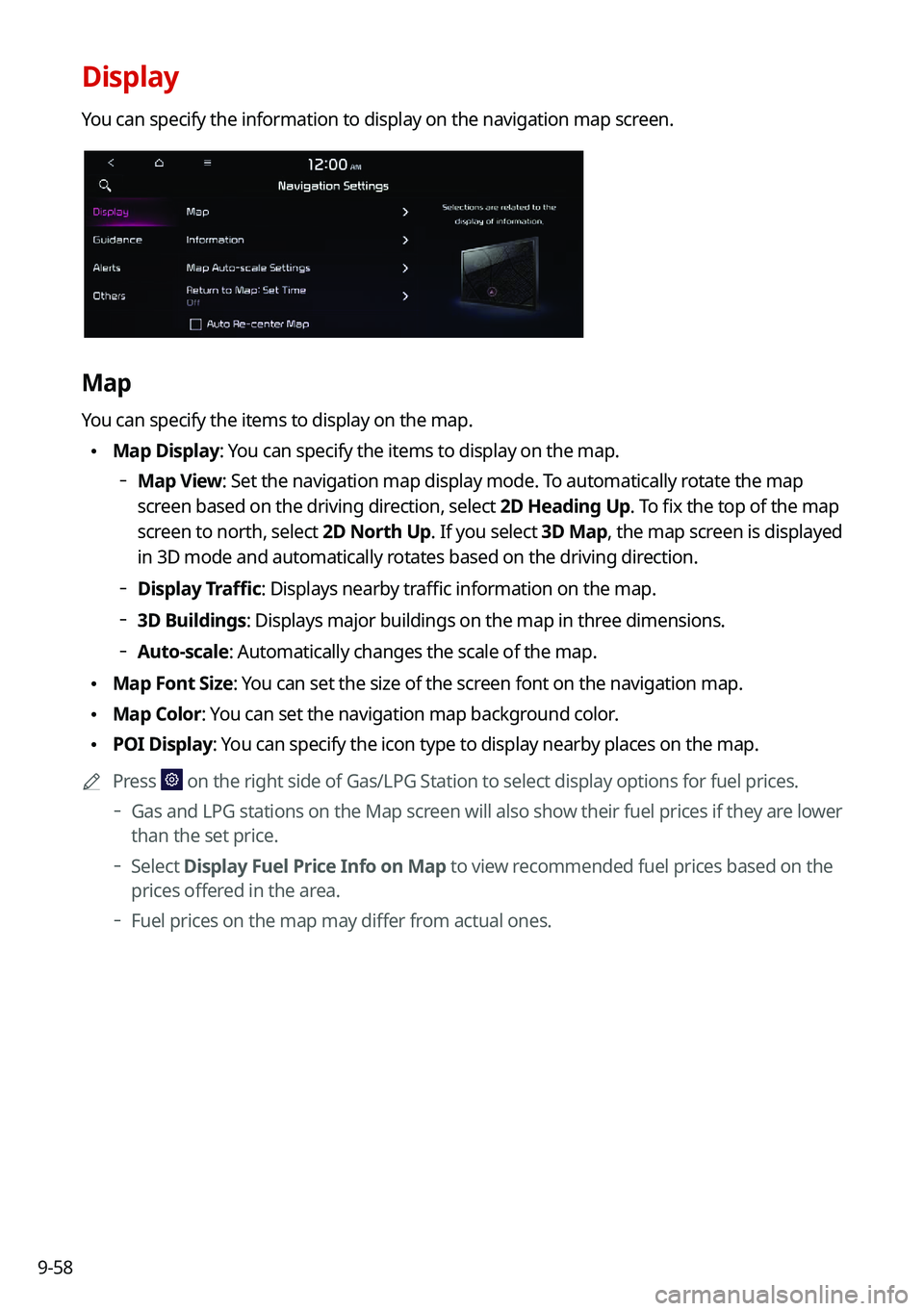
Display
You can specify the information to display on the navigation map screen.
Map
You can specify the items to display on the map.
\225Map Display: You can specify the items to display on the map.
000DMap View: Set the navigation map display mode. To automatically rotate the map
screen based on the driving direction, select 2D Heading Up. To fix the top of the map
screen to north, select
2D North Up. If you select 3D Map, the map screen is displayed
in 3D mode and automatically rotates based on the driving direction.
000D Display Traffic: Displays nearby traffic information on the map.
000D3D Buildings: Displays major buildings on the map in three dimensions.
000DAuto-scale: Automatically changes the scale of the map.
\225
Map Font Size: You can set the size of the screen font on the navigation map.
\225Map Color: You can set the navigation map background color.
\225POI Display: You can specify the icon type to display nearby places on the map.
0000
A
Press
on the right side of Gas/LPG Station to select display options for fuel\
prices.
000DGas and LPG stations on the Map screen will also show their fuel prices if they are lower
than the set price.
000DSelect
Display Fuel Price Info on Map to view recommended fuel prices based on the
prices offered in the area.
000D Fuel prices on the map may differ from actual ones.
Page 242 of 300
9-62
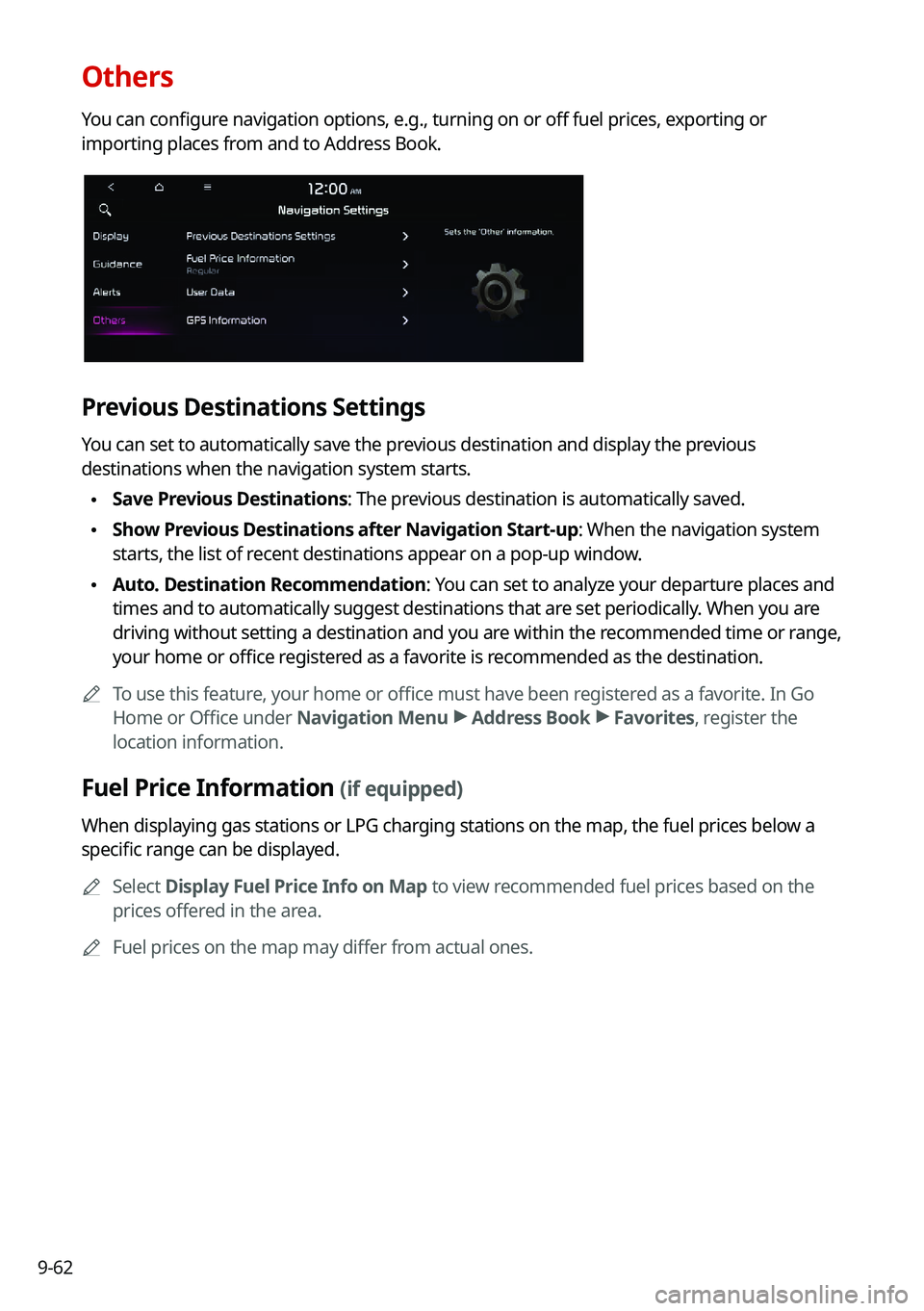
Others
You can configure navigation options, e.g., turning on or off fuel prices, exporting or
importing places from and to Address Book.
Previous Destinations Settings
You can set to automatically save the previous destination and display the previous
destinations when the navigation system starts.
\225Save Previous Destinations: The previous destination is automatically saved.
\225Show Previous Destinations after Navigation Start-up: When the navigation system
starts, the list of recent destinations appear on a pop-up window.
\225Auto. Destination Recommendation: You can set to analyze your departure places and
times and to automatically suggest destinations that are set periodically. When you are
driving without setting a destination and you are within the recommended time or range,
your home or office registered as a favorite is recommended as the destination.
0000
A
To use this feature, your home or office must have been registered as a favorite. In Go
Home or Office under Navigation Menu >
Address Book >
Favorites, register the
location information.
Fuel Price Information (if equipped)
When displaying gas stations or LPG charging stations on the map, the fuel prices below a
specific range can be displayed.
0000
A
Select Display Fuel Price Info on Map to view recommended fuel prices based on the
prices offered in the area.
0000
A
Fuel prices on the map may differ from actual ones.
Page 243 of 300
9-63
User Data
You can import location data from a USB device to the system, or export the data on the
system to a USB device.0000
A
When importing or exporting the location data, you can uses only the USB device
formatted in exFAT, FAT16/32, or NTFS.
\225Import Address Book/Previous Destinations from USB: You can import registered
location and destination information, saved on your USB storage device, to the system.
0000
A
Previous information saved on the system will be deleted.
0000
A
While importing from a navigation system that uses a different coordinate system,
the locations may appear differently.
\225Export Address Book/Previous Destinations to USB: You can export registered location
and destination information, saved on the system, to your USB storage device.
0000
A
Previous information saved on the USB storage device will be deleted.
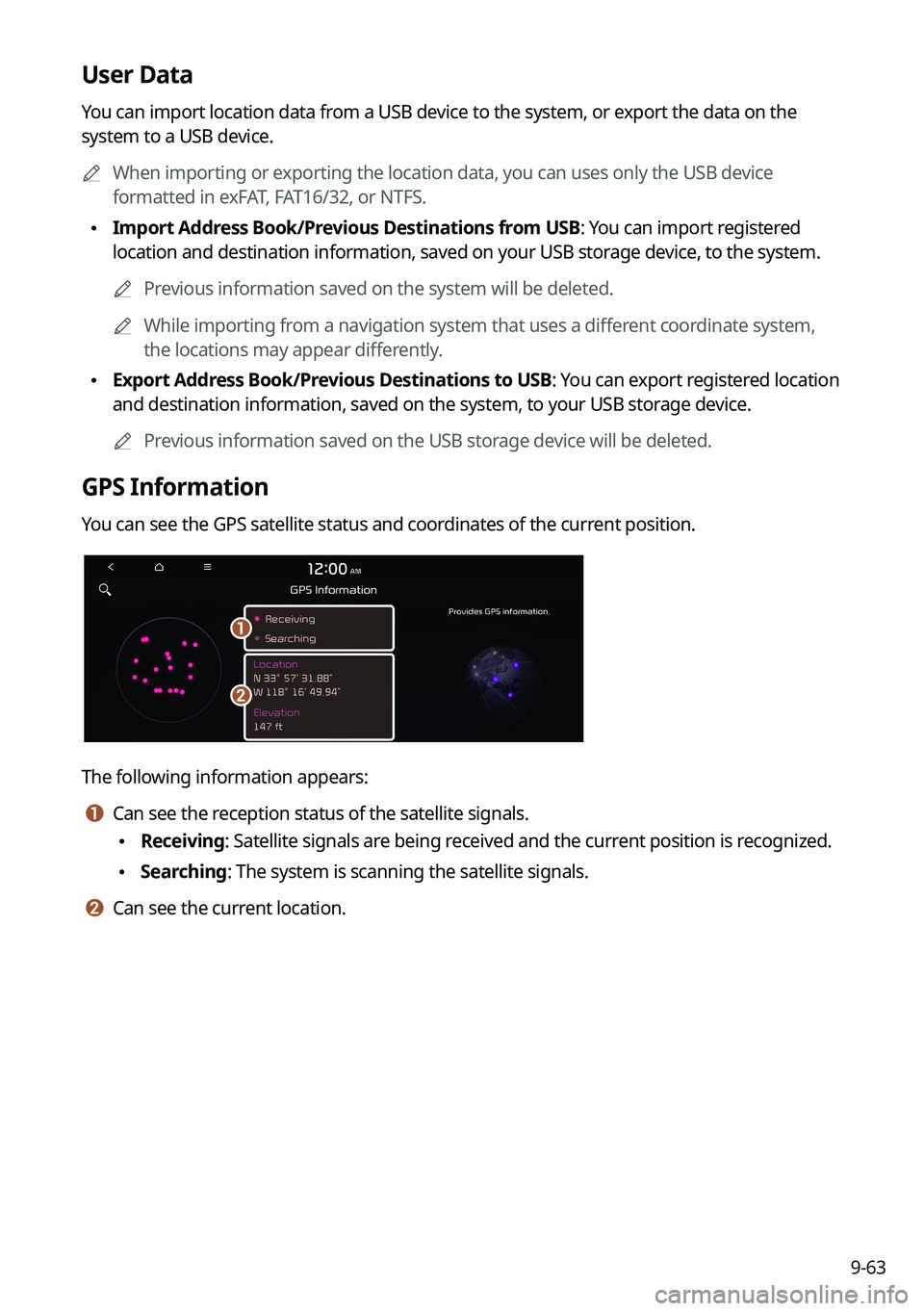
GPS Information
You can see the GPS satellite status and coordinates of the current position.
\037
\036
The following information appears:
a a Can see the reception status of the satellite signals.
\225Receiving: Satellite signals are being received and the current position is recognized.
\225Searching: The system is scanning the satellite signals.
b b Can see the current location.
Page 253 of 300
9-73
GPS Time
After receiving the time from GPS, it sets the system date and time automatically.0000
A
To manually set the date and time, uncheck GPS Time, press the current date and time
below GPS Time, and then set the date and time.
24 Hours
The system time is displayed in the 24-hour format.
0000
A
For example, when 24 Hours is checked and the current time is 01:08 pm, the system
screen displays the time as "13:08." When the checkbox is deselected, the time display
changes to "01:08 PM."
Daylight Saving Time
Displays the system time in the format of Daylight Saving Time.
Language
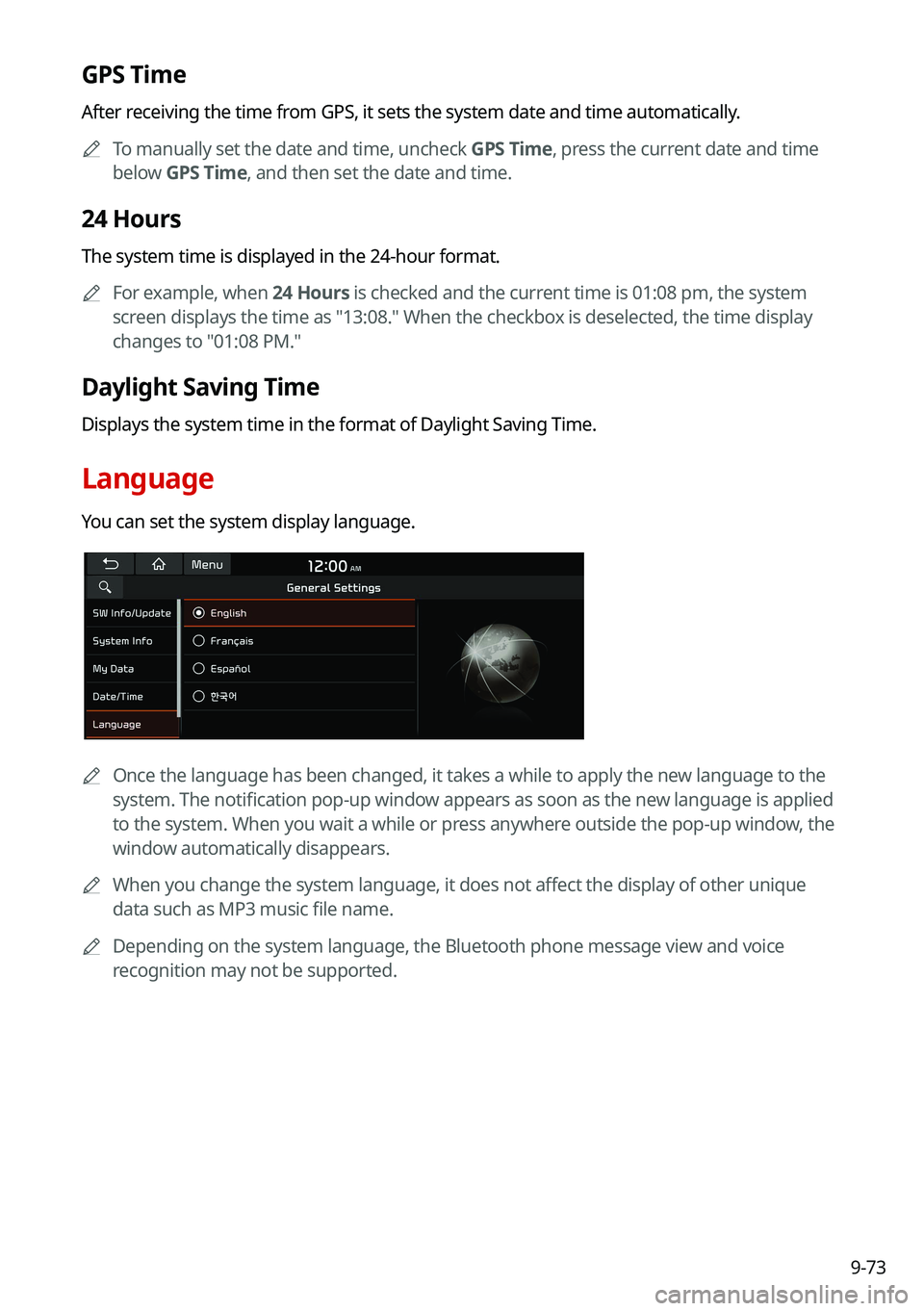
You can set the system display language.
0000
A
Once the language has been changed, it takes a while to apply the new language to the
system. The notification pop-up window appears as soon as the new language is applied
to the system. When you wait a while or press anywhere outside the pop-up window, the
window automatically disappears.
0000
A
When you change the system language, it does not affect the display of other unique
data such as MP3 music file name.
0000
A
Depending on the system language, the Bluetooth phone message view and voice
recognition may not be supported.