AUTO Lexus GS250 2012 Owner's Manual
[x] Cancel search | Manufacturer: LEXUS, Model Year: 2012, Model line: GS250, Model: Lexus GS250 2012Pages: 914, PDF Size: 53.04 MB
Page 434 of 914
4235-2. Using the air conditioning system and defogger
5
Interior features
GS350/250_EE (OM30C36E)
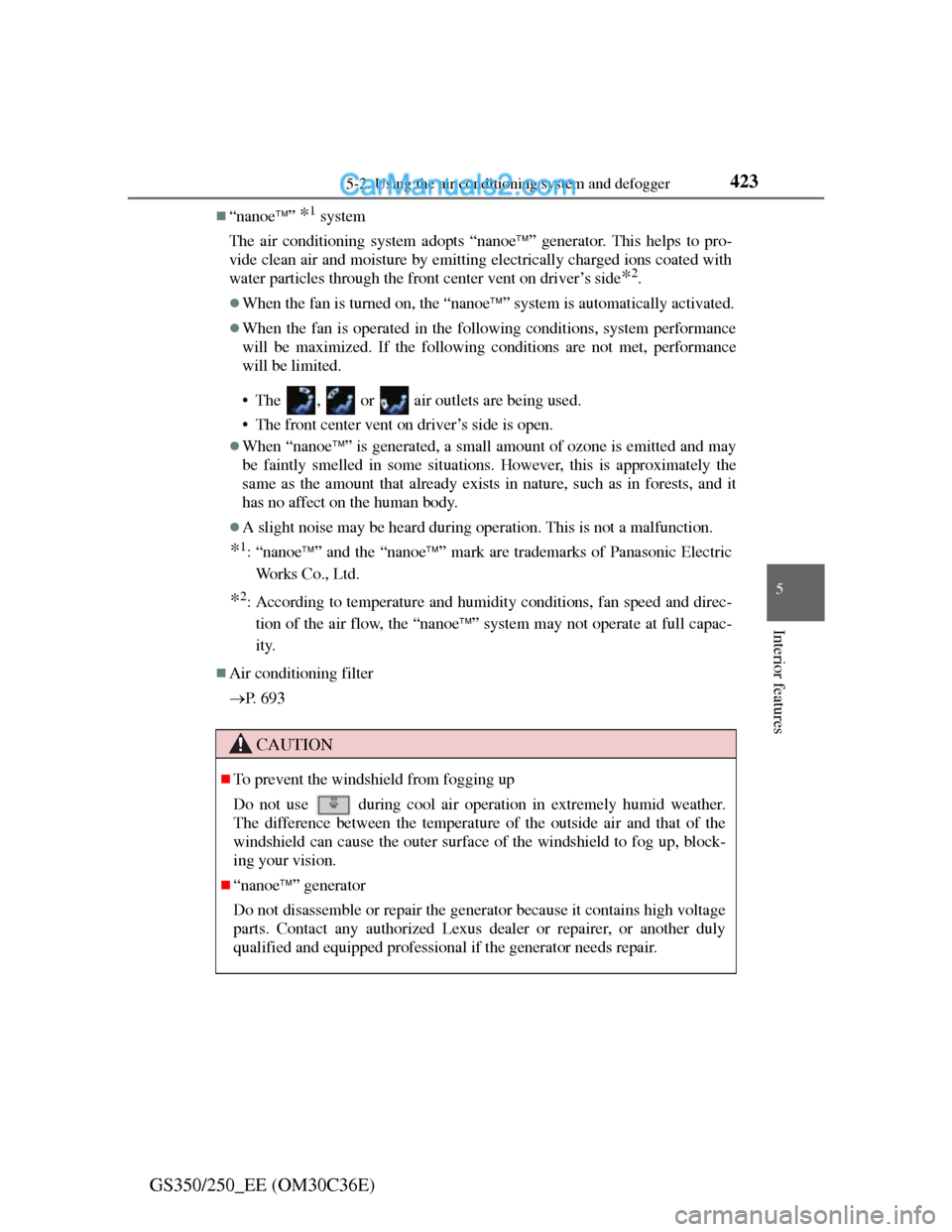
“nanoe” *1 system
The air conditioning system adopts “nanoe” generator. This helps to pro-
vide clean air and moisture by emitting electrically charged ions coated with
water particles through the front center vent on driver’s side
*2.
When the fan is turned on, the “nanoe” system is automatically activated.
When the fan is operated in the following conditions, system performance
will be maximized. If the following conditions are not met, performance
will be limited.
• The , or air outlets are being used.
• The front center vent on driver’s side is open.
When “nanoe” is generated, a small amount of ozone is emitted and may
be faintly smelled in some situations. However, this is approximately the
same as the amount that already exists in nature, such as in forests, and it
has no affect on the human body.
A slight noise may be heard during operation. This is not a malfunction.
*1: “nanoe” and the “nanoe” mark are trademarks of Panasonic Electric
Works Co., Ltd.
*2: According to temperature and humidity conditions, fan speed and direc-
tion of the air flow, the “nanoe” system may not operate at full capac-
ity.
Air conditioning filter
P. 6 9 3
CAUTION
To prevent the windshield from fogging up
Do not use
during cool air operation in extremely humid weather.
The difference between the temperature of the outside air and that of the
windshield can cause the outer surface of the windshield to fog up, block-
ing your vision.
“nanoe” generator
Do not disassemble or repair the generator because it contains high voltage
parts. Contact any authorized Lexus dealer or repairer, or another duly
qualified and equipped professional if the generator needs repair.
Page 436 of 914

425
5 5-2. Using the air conditioning system and defogger
Interior features
GS350/250_EE (OM30C36E)
Rear air conditioning system
: If equipped
Air outlets and fan speed are automatically adjusted according to
the temperature setting.
Button lock display
Air outlet mode display
Temperature display
Temperature controlAir outlet selector
Off
Automatic mode1
2
3
4
5
6
7
Page 437 of 914
4265-2. Using the air conditioning system and defogger
GS350/250_EE (OM30C36E)Press .
The air conditioning system will operate, and air outlets and fan speed will
be adjusted automatically.
“AUTO” will be displayed on the control panel.
Press “” on to increase the temperature and “” to
decrease the temperature.
Adjusting the temperature setting
Press “” on to increase the temperature and “” to
decrease the temperature.
Using automatic air conditioning system
Adjusting the settings manually
1
2
Page 441 of 914
4305-2. Using the air conditioning system and defogger
GS350/250_EE (OM30C36E)
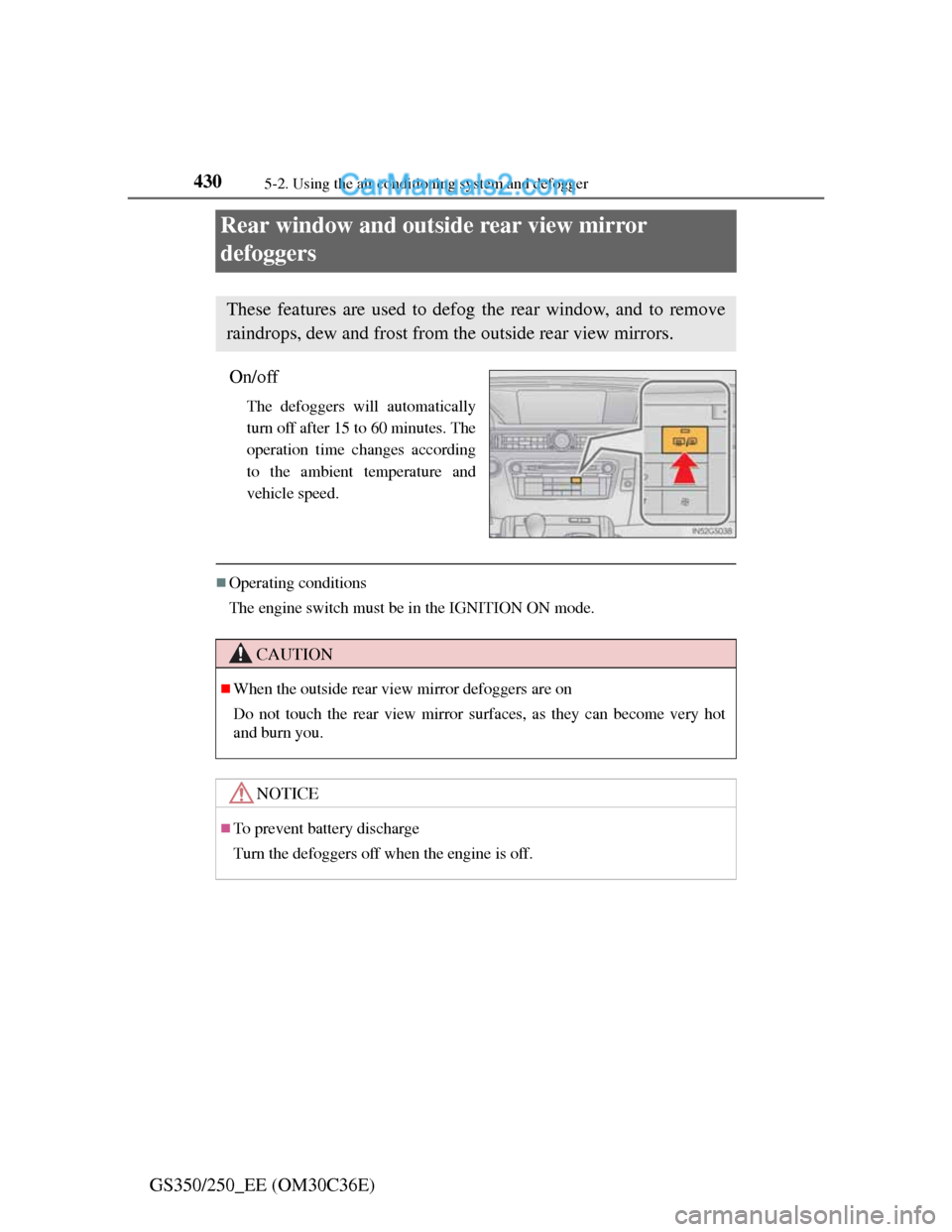
Rear window and outside rear view mirror
defoggers
On/off
The defoggers will automatically
turn off after 15 to 60 minutes. The
operation time changes according
to the ambient temperature and
vehicle speed.
Operating conditions
The engine switch must be in the IGNITION ON mode.
These features are used to defog the rear window, and to remove
raindrops, dew and frost from the outside rear view mirrors.
CAUTION
When the outside rear view mirror defoggers are on
Do not touch the rear view mirror surfaces, as they can become very hot
and burn you.
NOTICE
To prevent battery discharge
Turn the defoggers off when the engine is off.
Page 442 of 914
431
5 5-2. Using the air conditioning system and defogger
Interior features
GS350/250_EE (OM30C36E)
Windshield wiper de-icer
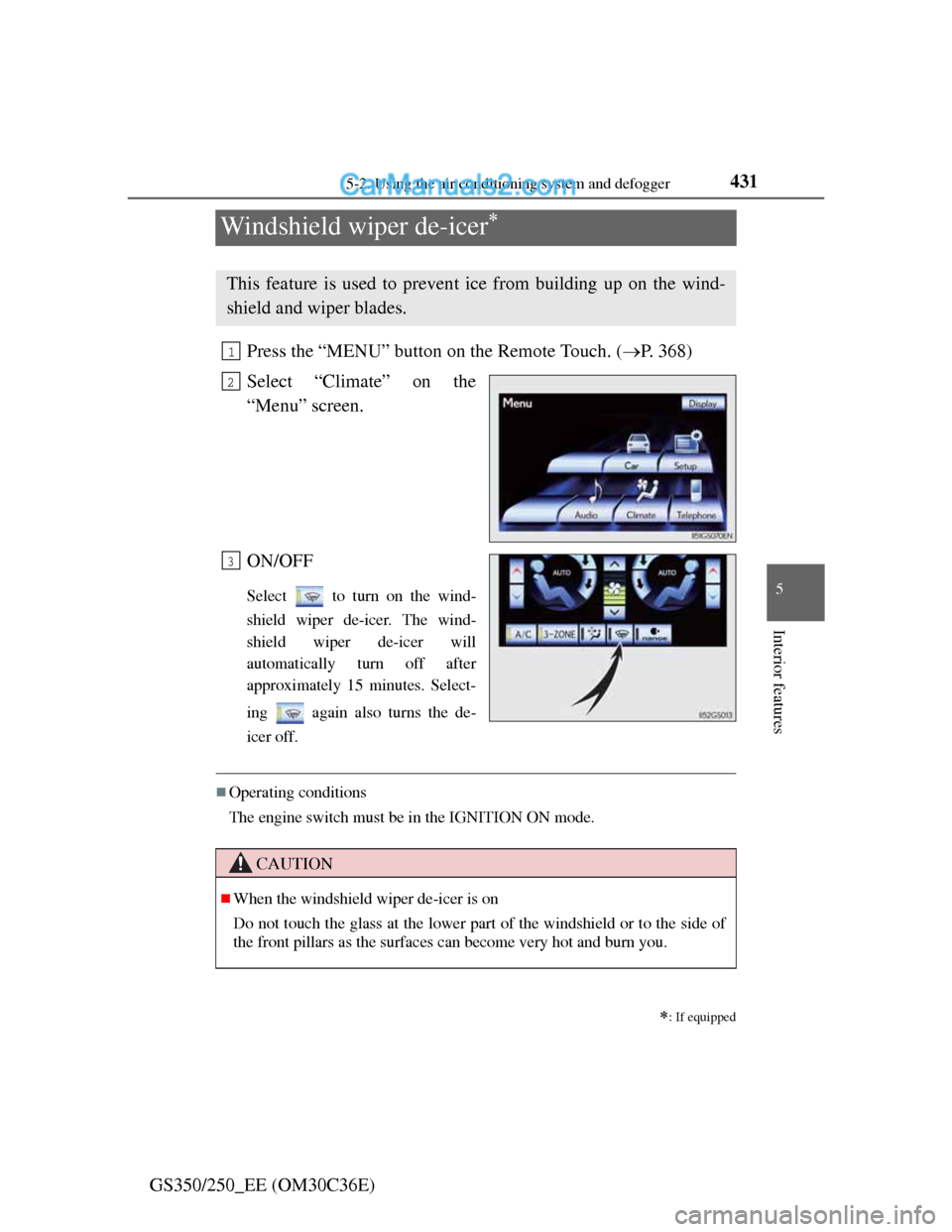
Press the “MENU” button on the Remote Touch. (P. 368)
Select “Climate” on the
“Menu” screen.
ON/OFF
Select to turn on the wind-
shield wiper de-icer. The wind-
shield wiper de-icer will
automatically turn off after
approximately 15 minutes. Select-
ing again also turns the de-
icer off.
Operating conditions
The engine switch must be in the IGNITION ON mode.
: If equipped
This feature is used to prevent ice from building up on the wind-
shield and wiper blades.
1
2
3
CAUTION
When the windshield wiper de-icer is on
Do not touch the glass at the lower part of the windshield or to the side of
the front pillars as the surfaces can become very hot and burn you.
Page 472 of 914
4615-3. Using the audio system
5
Interior features
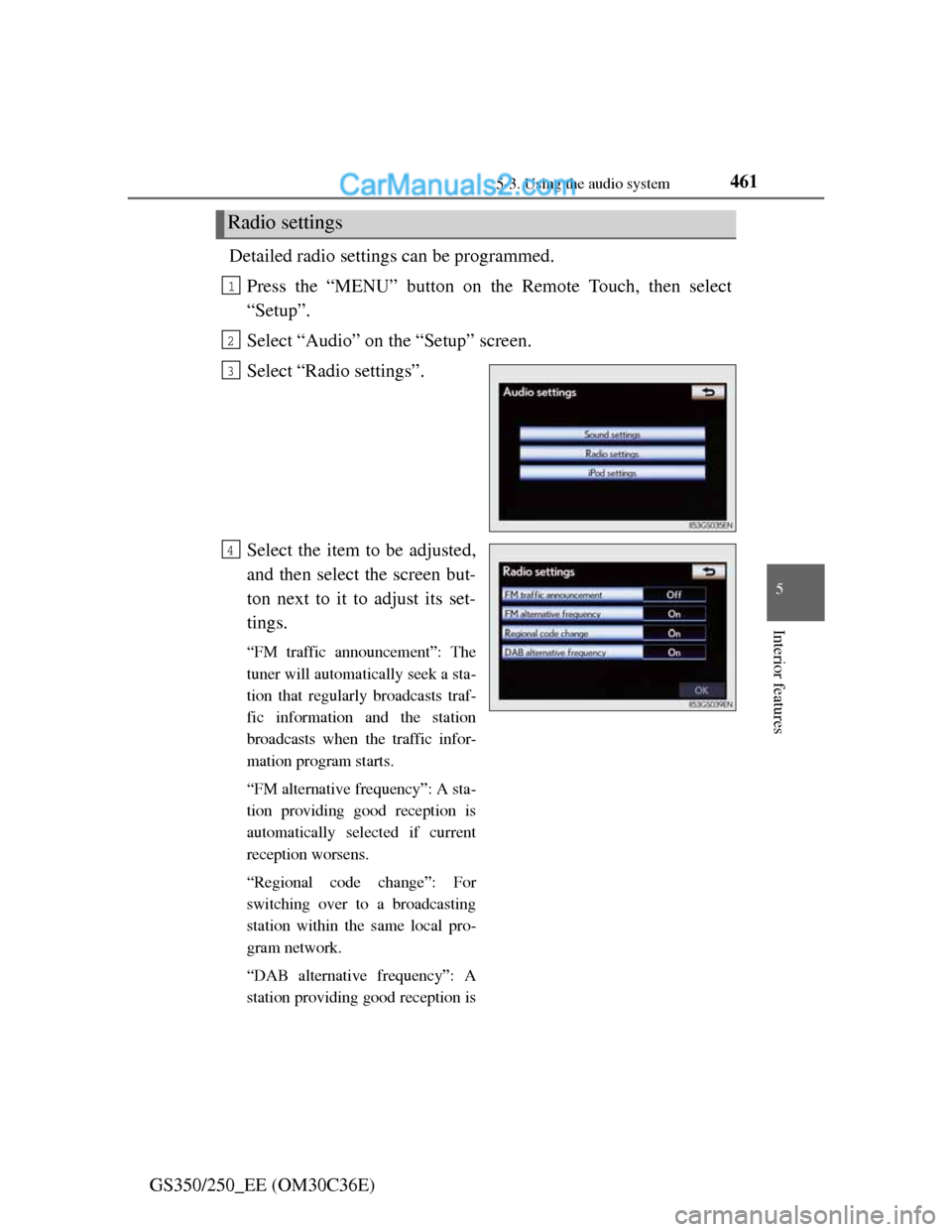
GS350/250_EE (OM30C36E)Detailed radio settings can be programmed.
Press the “MENU” button on the Remote Touch, then select
“Setup”.
Select “Audio” on the “Setup” screen.
Select “Radio settings”.
Select the item to be adjusted,
and then select the screen but-
ton next to it to adjust its set-
tings.
“FM traffic announcement”: The
tuner will automatically seek a sta-
tion that regularly broadcasts traf-
fic information and the station
broadcasts when the traffic infor-
mation program starts.
“FM alternative frequency”: A sta-
tion providing good reception is
automatically selected if current
reception worsens.
“Regional code change”: For
switching over to a broadcasting
station within the same local pro-
gram network.
“DAB alternative frequency”: A
station providing good reception is
Radio settings
1
2
3
4
Page 473 of 914
4625-3. Using the audio system
GS350/250_EE (OM30C36E)
automatically selected if current
reception worsen.
Select “OK”.5
Page 474 of 914
4635-3. Using the audio system
5
Interior features
GS350/250_EE (OM30C36E)
Listening to stations of the same network
FM alternative frequency:The station among those of the same
network with strong reception is
selected. FM alternative frequency on/
off (P. 461)
Regional code change: The station among those of the same net-
work with strong reception and broad-
casting the same program is selected.
Regional code change on/off (P. 461)
FM Traffic announcement
The system automatically switches to traffic information when a
broadcast with a traffic information signal is received.
“TP” (Traffic program) will appear on the screen. The station returns to
the previous one when the traffic information ends.
FM Traffic announcement on/off (P. 461)
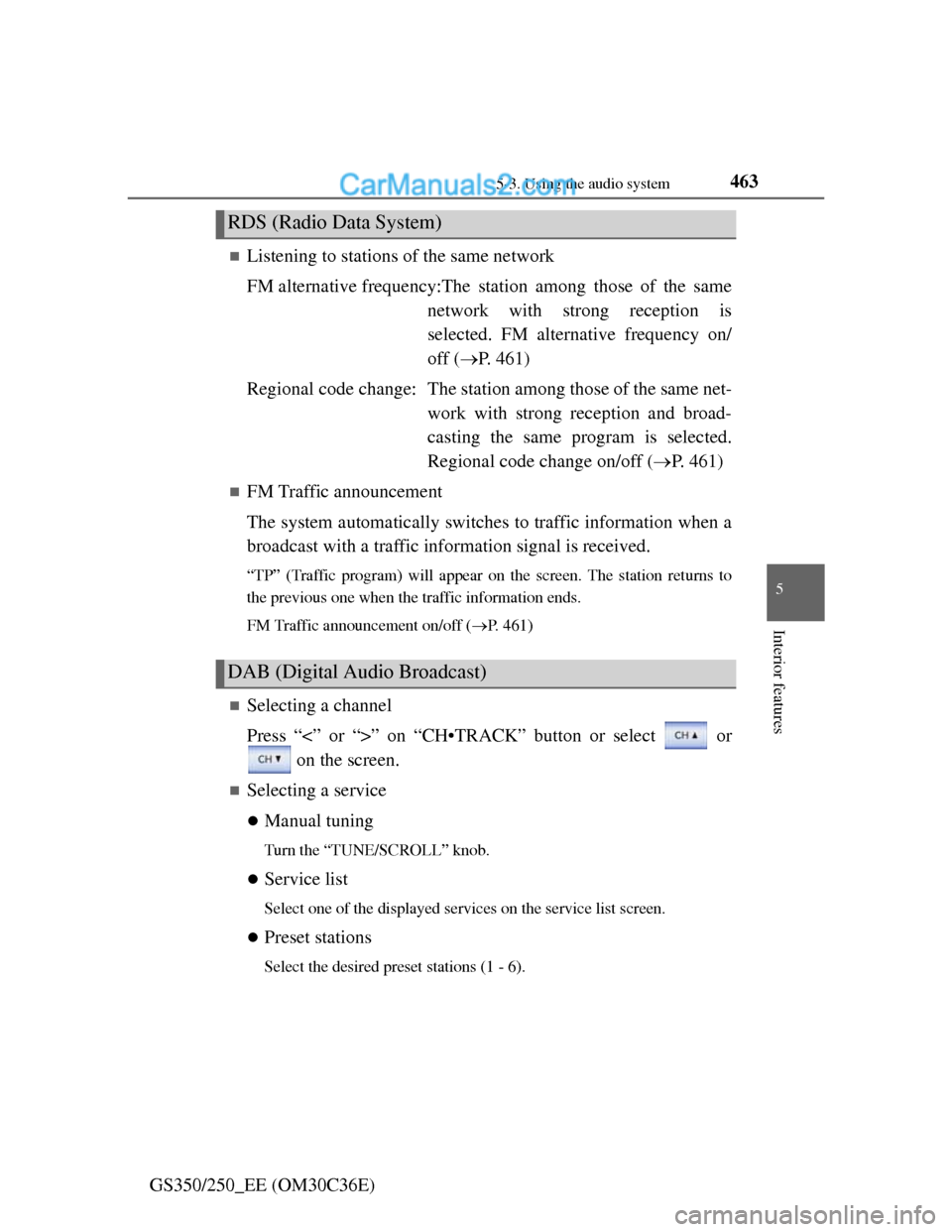
Selecting a channel
Press “<” or “>” on “CH•TRACK” button or select or
on the screen.
Selecting a service
Manual tuning
Turn the “TUNE/SCROLL” knob.
Service list
Select one of the displayed services on the service list screen.
Preset stations
Select the desired preset stations (1 - 6).
RDS (Radio Data System)
DAB (Digital Audio Broadcast)
Page 477 of 914
4665-3. Using the audio system
GS350/250_EE (OM30C36E)Press .
Press the button again to turn the system back on.
If you select
The display returns to the previous screen.
EON (Enhanced Other Network) system (for traffic announcement function)
If the RDS station (with EON data) you are listening to is not broadcasting a
traffic information program and the audio system is in the TA (Traffic
announcement) mode, the radio will be switched automatically to a station
broadcasting a traffic information program in the EON AF list when traffic
information begins.
When listening to a disc
When the traffic information program starts, the disc playback mode is inter-
rupted and the traffic information is automatically broadcasted. When the
program ends, the initial operation resumes.
When the battery is disconnected
All preset stations are erased.
Reception sensitivity
Maintaining perfect radio reception at all times is difficult due to the contin-
ually changing position of the antenna, differences in signal strength and
surrounding objects, such as trains, transmitters, etc.
The radio antenna is mounted inside the rear quarter window. To maintain
clear radio reception, do not attach metallic window tinting or other metal-
lic objects to the antenna wire mounted inside the rear quarter window.
About Time shift
The times at which playback is possible depend on the bit rate of the DAB
station to be recorded, the amount of DAB unit memory, and the time at
which reception of the broadcast began.
Silencing the sound
Page 486 of 914
4755-3. Using the audio system
5
Interior features
GS350/250_EE (OM30C36E)
Playing DVD video
For safety reasons, you can enjoy the visual contents of discs only
when the vehicle is completely stopped with the engine switch in
ACCESSORY or IGNITION ON mode and the parking brake
applied. While driving in DVD video mode, only the DVD’s audio
can be heard.
When a DVD video disc is inserted while driving, the audio con-
tents of the main feature will automatically be played. However,
some discs may not be played from the main story.
Press the “MEDIA” button if a disc has already been loaded in the
disc slot.
Select the “DISC” tab or press the “MEDIA” button repeatedly
until the “DISC” tab is selected.