Touch screen Lexus GS350 2008 Owner's Guide
[x] Cancel search | Manufacturer: LEXUS, Model Year: 2008, Model line: GS350, Model: Lexus GS350 2008Pages: 598, PDF Size: 14.03 MB
Page 233 of 598
232
3-3. Using the audio system
GS_G_U
June 19, 2008 12:54 pm
The type of program changes each time the button is pressed.
●ROCK
● EASYLIS (Easy listening)
● CLS/JAZZ (Classical music and Jazz)
● R & B (Rhythm and Blues)
● INFORM (Information)
● RELIGION
● MISC (Miscellaneous)
● ALARM (Emergency messages)
If the system receives no RDS stations, “NO PTY” appears on the display.
When a program is set, “TYPE SEEK” appears.
Touch on the screen or press ∧ or ∨ on .
The radio seeks or scans the station by the relevant program type.
If no radio station of that type is found, “NOTHING” appears on the
screen.
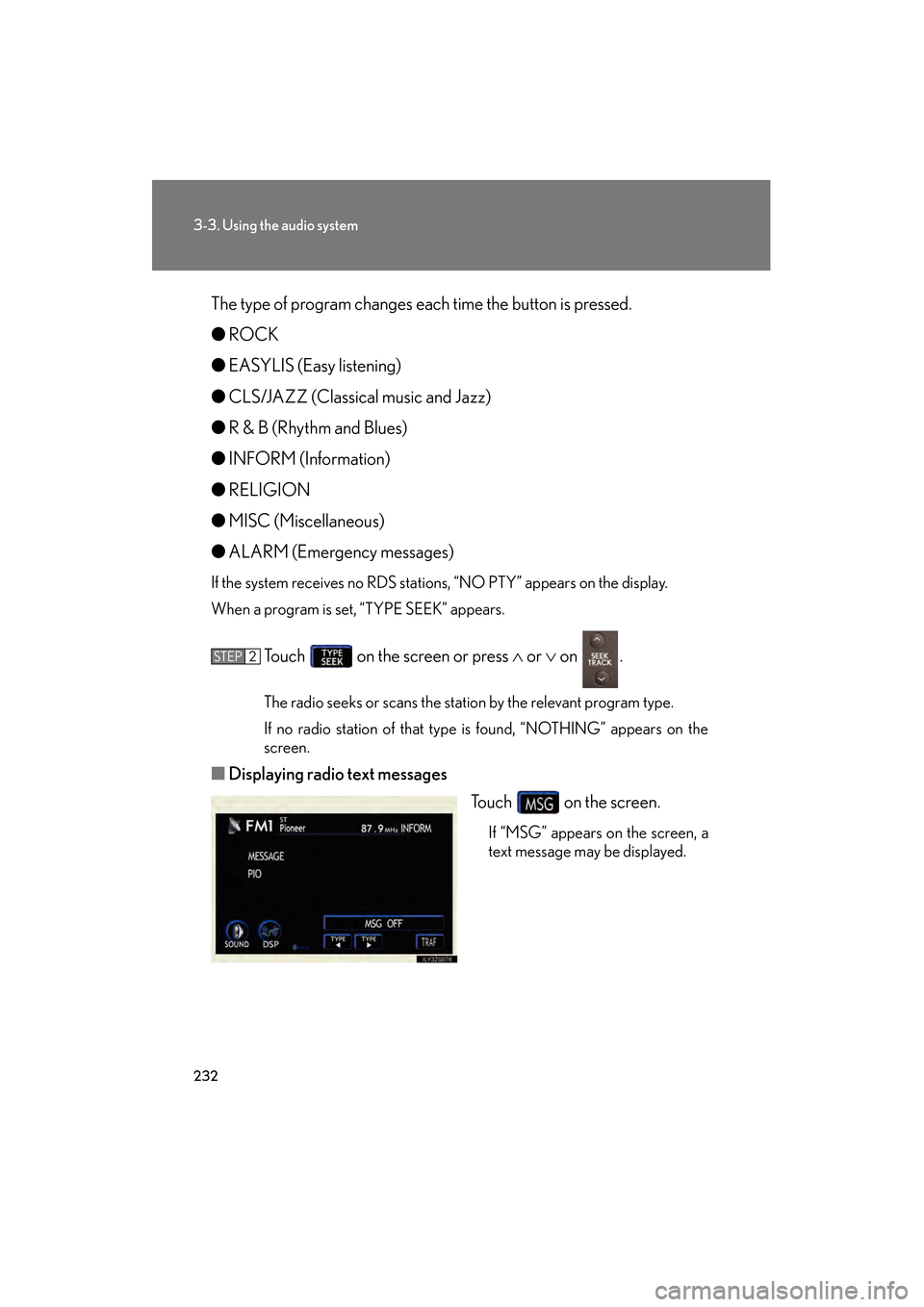
■ Displaying radio text messages
Touch on the screen.
If “MSG” appears on the screen, a
text message may be displayed.
STEP2
GS_U_G.book Page 232 Thursday, June 19, 2008 12:54 PM
Page 234 of 598
233
3-3. Using the audio system
3
Interior features
GS_G_U
June 19, 2008 12:54 pm
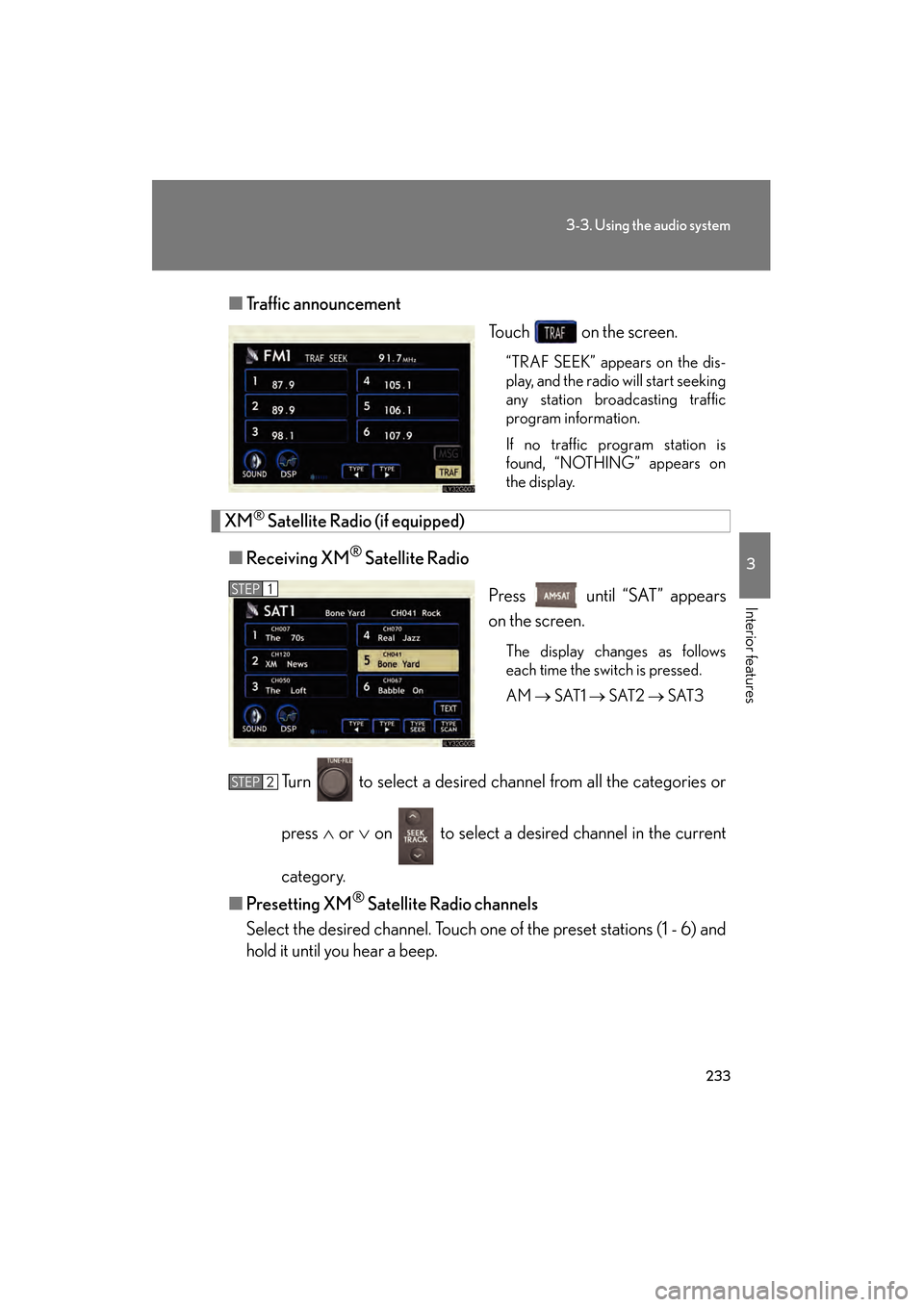
■Traffic announcement
Touch on the screen.
“TRAF SEEK” appears on the dis-
play, and the radio will start seeking
any station broadcasting traffic
program information.
If no traffic program station is
found, “NOTHING” appears on
the display.
XM® Satellite Radio (if equipped)
■ Receiving XM
® Satellite Radio
Press until “SAT” appears
on the screen.
The display changes as follows
each time the switch is pressed.
AM → SAT1 → SAT2 → SAT3
Turn to select a desired channel from all the categories or
press ∧ or ∨ on to select a desired channel in the current
category.
■ Presetting XM
® Satellite Radio channels
Select the desired channel. Touch one of the preset stations (1 - 6) and
hold it until you hear a beep.
STEP1
STEP2
GS_U_G.book Page 233 Thursday, June 19, 2008 12:54 PM
Page 235 of 598
234
3-3. Using the audio system
GS_G_U
June 19, 2008 12:54 pm
■Changing the channel category
Touch or on the screen.
■ Scanning XM
® Satellite Radio channels
● Scanning channels in the current category
Touch on the screen or press .
“SCAN” appears on the screen.
When the desired channel is reached, touch or press
the button once again.
● Scanning preset channels
Touch on the screen or press and hold it until
you hear a beep.
“P⋅SCAN” appears on the screen.
When the desired channel is reached, touch or press
the button once again.
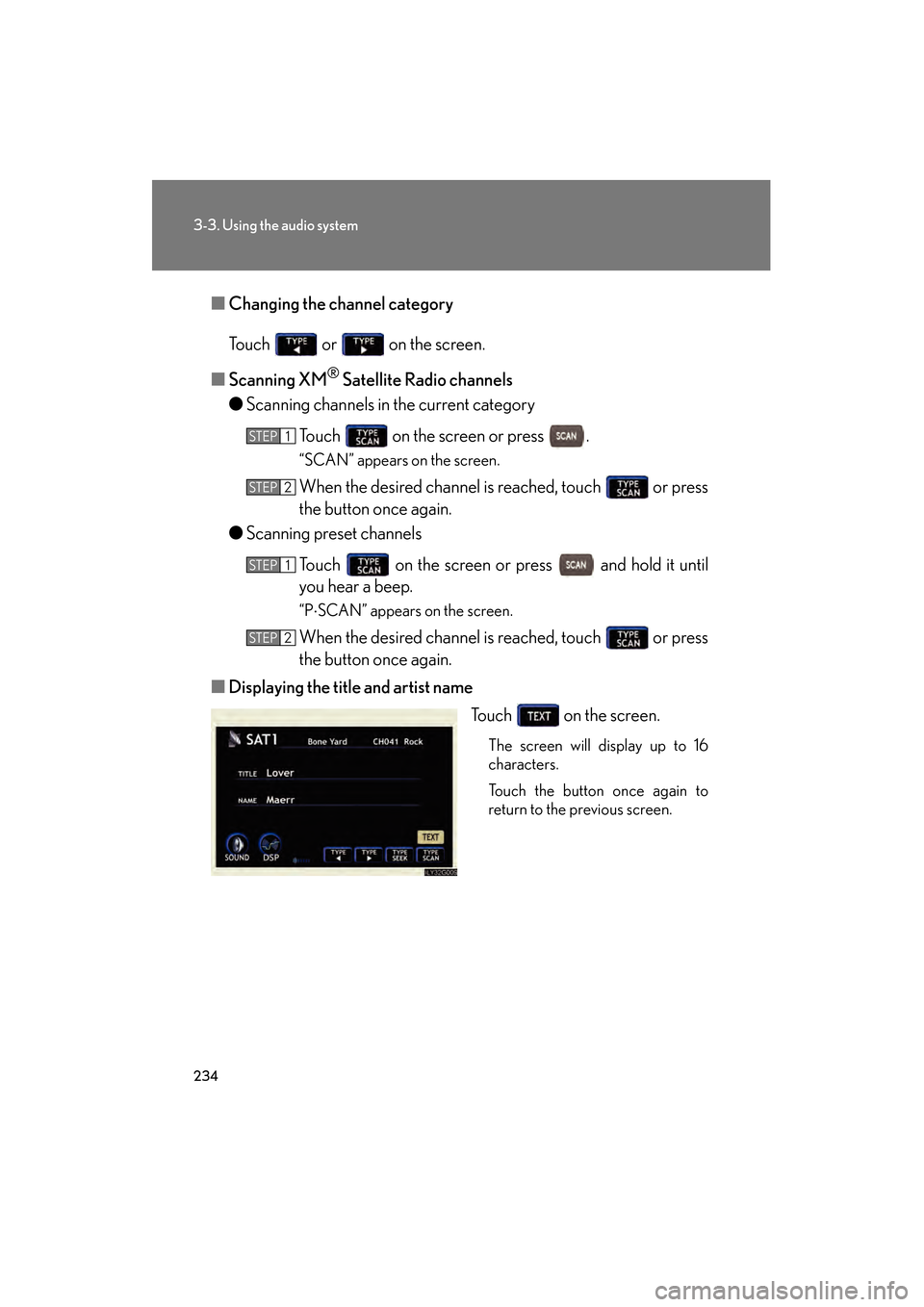
■ Displaying the title and artist name
Touch on the screen.
The screen will display up to 16
characters.
Touch the button once again to
return to the previous screen.
STEP1
STEP2
STEP1
STEP2
GS_U_G.book Page 234 Thursday, June 19, 2008 12:54 PM
Page 241 of 598
240
3-3. Using the audio system
GS_G_U
June 19, 2008 12:54 pm
Using Dolby® Noise Reduction
Touch on the screen.
Reduces the level of noise for tapes recorded with Dolby NR only.
Dolby noise reduction is manufactured under license from Dolby Laborato-
ries Licensing Corporation. DOLBY and the double-D symbol are
registered trademarks of Dolby Laboratories.
■Canceling noise reduction, skip play, repeat play, rewind and fast forward
To cancel , and : Touch the corresponding button on the screen.
To cancel and : Touch the corresponding button on the screen or press
.
■Auto-reverse feature
After the cassette player reaches the end of a tape, it automatically reverses and
begins to play the other side, regardless of whether the cassette was playing or fast
forwarding.
■When the cassette player does not operate correctly due to the cassette record-
ing conditions
Forwarding to the beginning of a track, repeat, blank tape skip and fast-forward
may not be possible in the following situations:
●The interval between tracks is less than 3 seconds (beginning of track and
repeat playback) or less than 15 seconds (blank tape skip).
●When there is noise between 2 tracks.
●The beginning and end of subsequent tracks are not clearly defined.
GS_U_G.book Page 240 Thursday, June 19, 2008 12:54 PM
Page 244 of 598
243
3-3. Using the audio system
3
Interior features
GS_G_U
June 19, 2008 12:54 pm
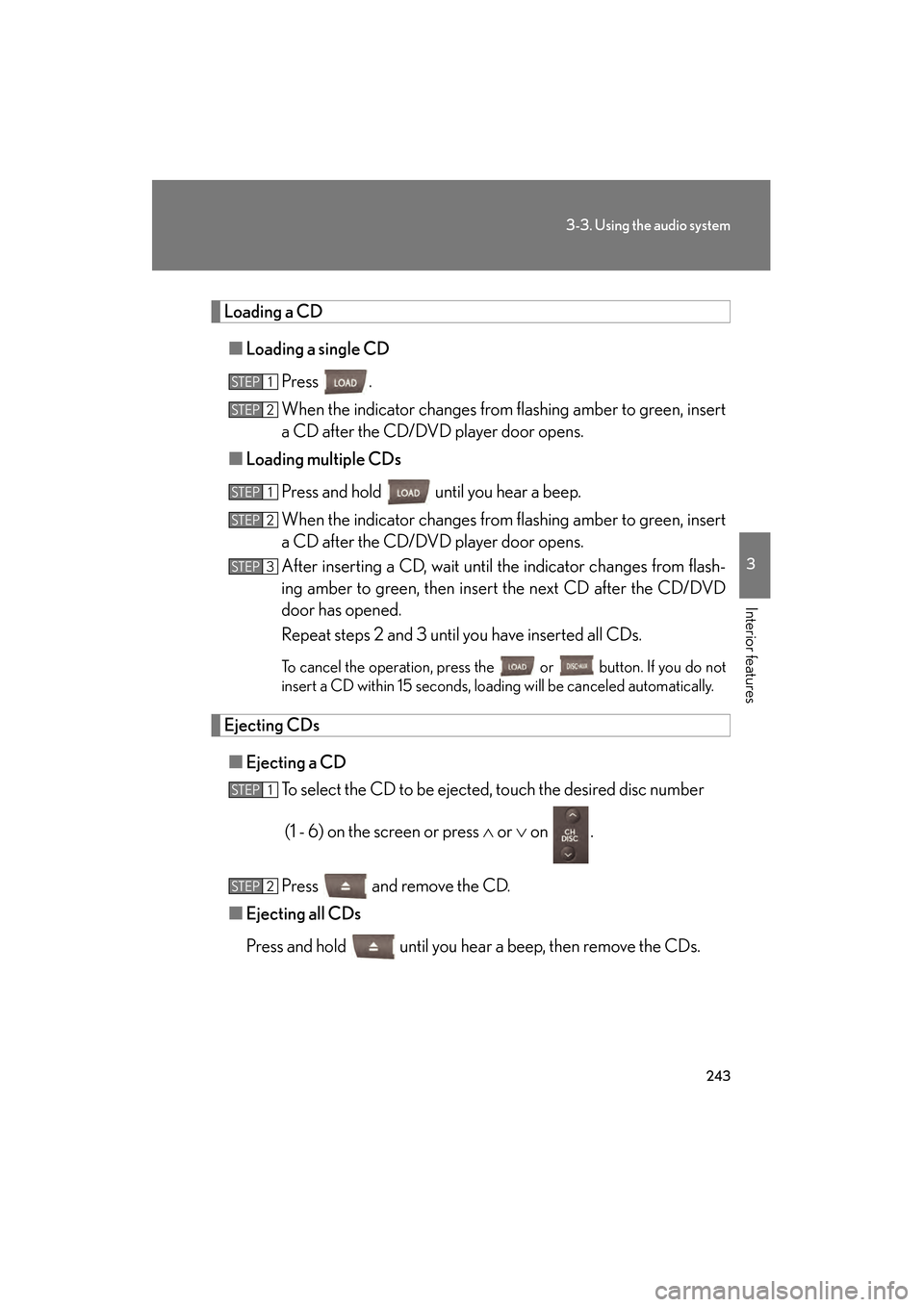
Loading a CD■ Loading a single CD
Press .
When the indicator changes from flashing amber to green, insert
a CD after the CD/DVD player door opens.
■ Loading multiple CDs
Press and hold until you hear a beep.
When the indicator changes from flashing amber to green, insert
a CD after the CD/DVD player door opens.
After inserting a CD, wait until the indicator changes from flash-
ing amber to green, then insert the next CD after the CD/DVD
door has opened.
Repeat steps 2 and 3 until you have inserted all CDs.
To cancel the operation, press the or button. If you do not
insert a CD within 15 seconds, loading will be canceled automatically.
Ejecting CDs
■ Ejecting a CD
To select the CD to be ejected, touch the desired disc number
(1 - 6) on the screen or press ∧ or ∨ on .
Press and remove the CD.
■ Ejecting all CDs
Press and hold until you hear a beep, then remove the CDs.
STEP1
STEP2
STEP1
STEP2
STEP3
STEP1
STEP2
GS_U_G.book Page 243 Thursday, June 19, 2008 12:54 PM
Page 245 of 598
244
3-3. Using the audio system
GS_G_U
June 19, 2008 12:54 pm
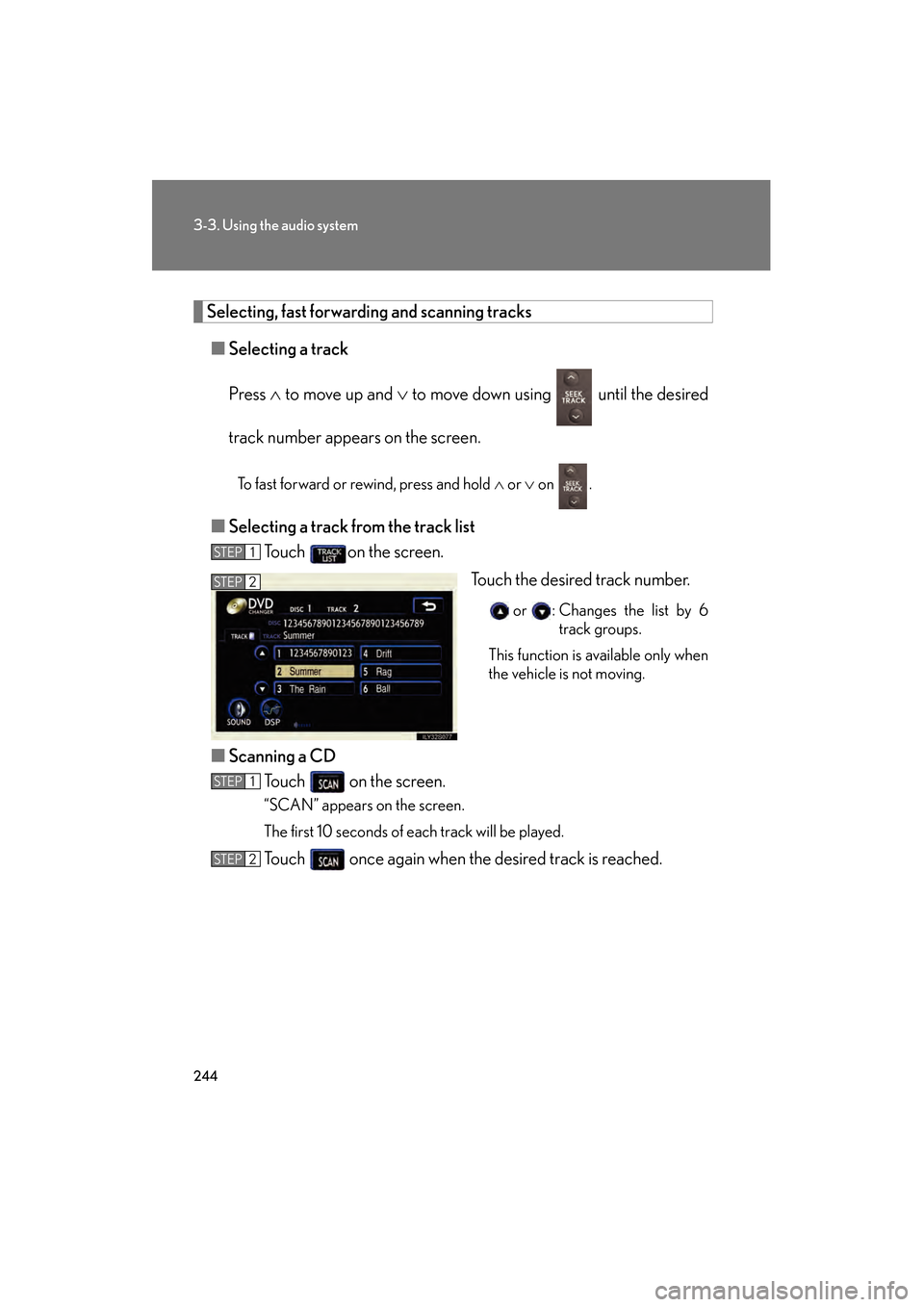
Selecting, fast forwarding and scanning tracks■ Selecting a track
Press ∧ to move up and ∨ to move down using until the desired
track number appears on the screen.
To fast forward or rewind, press and hold ∧ or ∨ on .
■Selecting a track from the track list
Touch on the screen.
Touch the desired track number.
or : Changes the list by 6track groups.
This function is available only when
the vehicle is not moving.
■ Scanning a CD
Touch on the screen.
“SCAN” appears on the screen.
The first 10 seconds of each track will be played.
Touch once again when the desired track is reached.
STEP1
STEP2
STEP1
STEP2
GS_U_G.book Page 244 Thursday, June 19, 2008 12:54 PM
Page 246 of 598
245
3-3. Using the audio system
3
Interior features
GS_G_U
June 19, 2008 12:54 pm
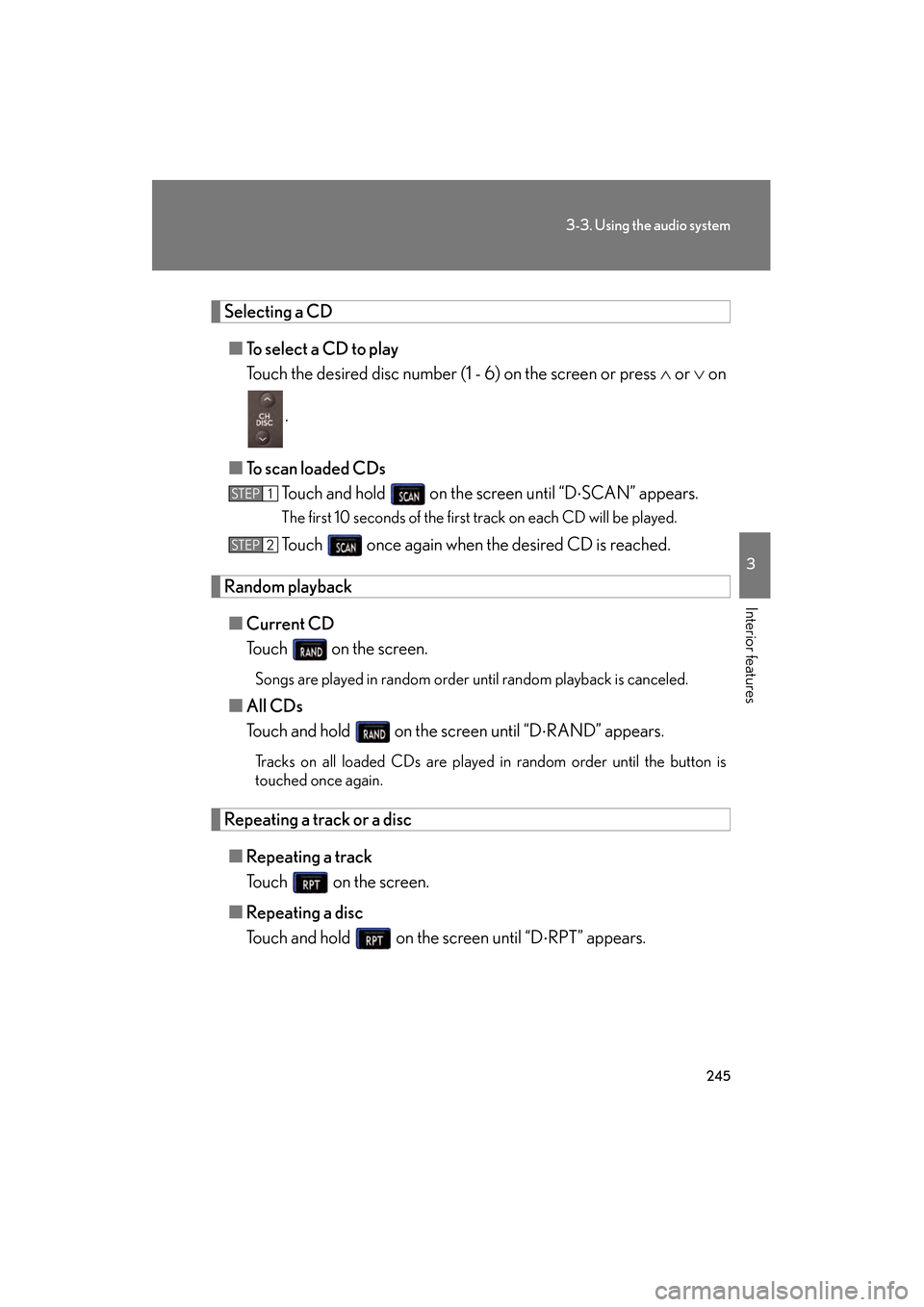
Selecting a CD■ To select a CD to play
Touch the desired disc number (1 - 6) on the screen or press ∧ or ∨ on
.
■ To scan loaded CDs
Touch and hold on the screen until “D ⋅SCAN” appears.
The first 10 seconds of the first track on each CD will be played.
Touch once again when the desired CD is reached.
Random playback
■ Current CD
Touch on the screen.
Songs are played in random order until random playback is canceled.
■All CDs
Touch and hold on the screen until “D ⋅RAND” appears.
Tracks on all loaded CDs are played in random order until the button is
touched once again.
Repeating a track or a disc
■ Repeating a track
Touch on the screen.
■ Repeating a disc
Touch and hold on the screen until “D ⋅RPT” appears.
STEP1
STEP2
GS_U_G.book Page 245 Thursday, June 19, 2008 12:54 PM
Page 247 of 598
246
3-3. Using the audio system
GS_G_U
June 19, 2008 12:54 pm
■Canceling random, repeat and scan playback
Touch , , or on the screen once again.
■Displaying the title and artist name
If a CD-TEXT disc is inserted, the title of the disc and track will be displayed. Up to
16 letters can be displayed.
■Error messages
→P. 2 7 0
GS_U_G.book Page 246 Thursday, June 19, 2008 12:54 PM
Page 249 of 598
248
3-3. Using the audio system
GS_G_U
June 19, 2008 12:54 pm
Loading, ejecting and selecting MP3 and WMA discsRefer to the section titled “Using the CD player” for details. ( →P. 2 4 2 )
Selecting a folder
■ Selecting a folder
Touch “FOLDER ” or “ ” on the screen to select the previ-
ous/next folder.
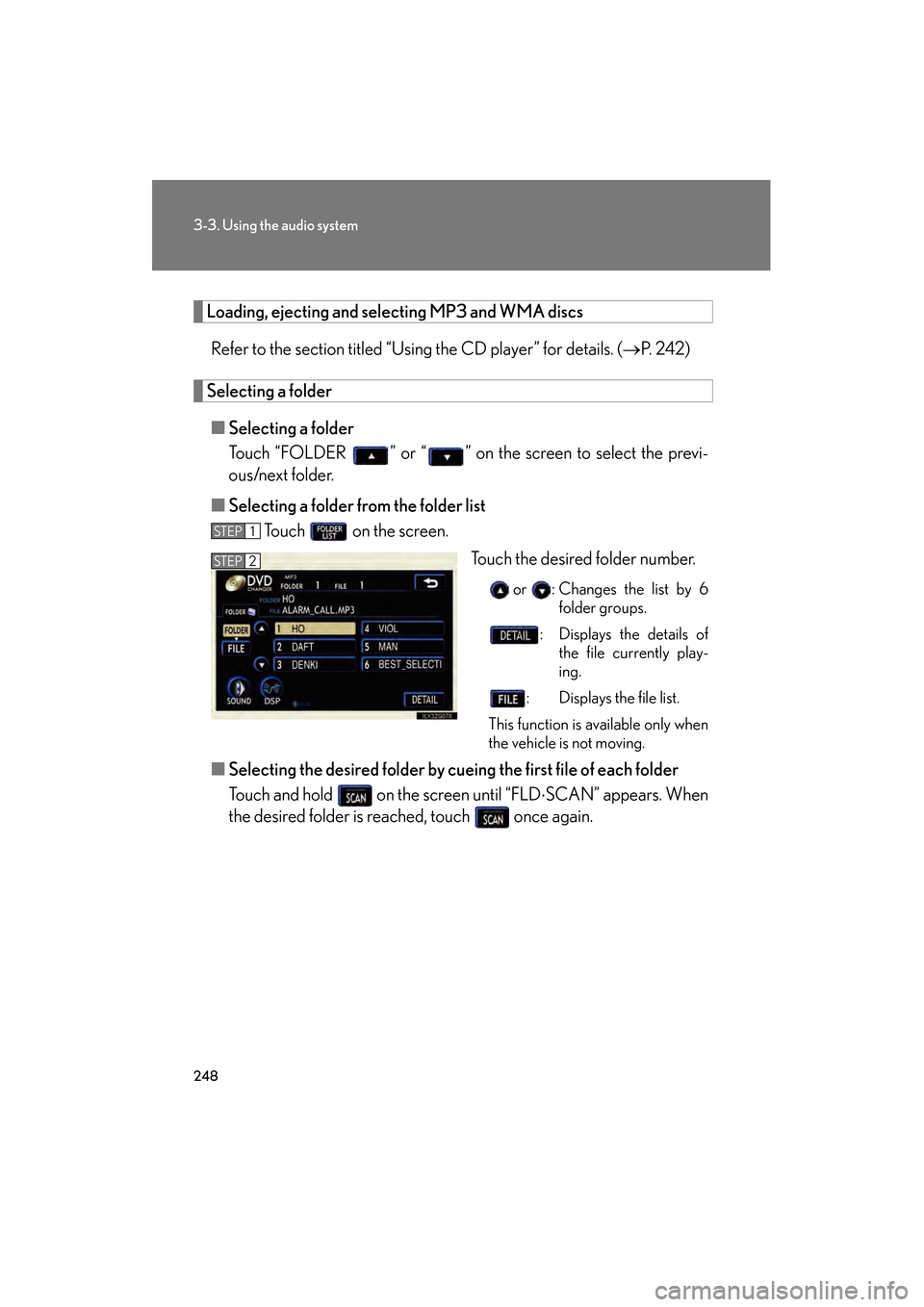
■ Selecting a folder fr om the folder list
Touch on the screen.
Touch the desired folder number.
or : Changes the list by 6folder groups.
: Displays the details of the file currently play-
ing.
: Displays the file list.
This function is available only when
the vehicle is not moving.
■ Selecting the desired folder by cuei ng the first file of each folder
Touch and hold on the screen until “FLD ⋅SCAN” appears. When
the desired folder is reached, touch once again.
STEP1
STEP2
GS_U_G.book Page 248 Thursday, June 19, 2008 12:54 PM
Page 250 of 598
249
3-3. Using the audio system
3
Interior features
GS_G_U
June 19, 2008 12:54 pm
Selecting and scanning files■ Selecting one file at a time
Tu r n o r p r e s s ∧ or ∨ on to select the desired file.
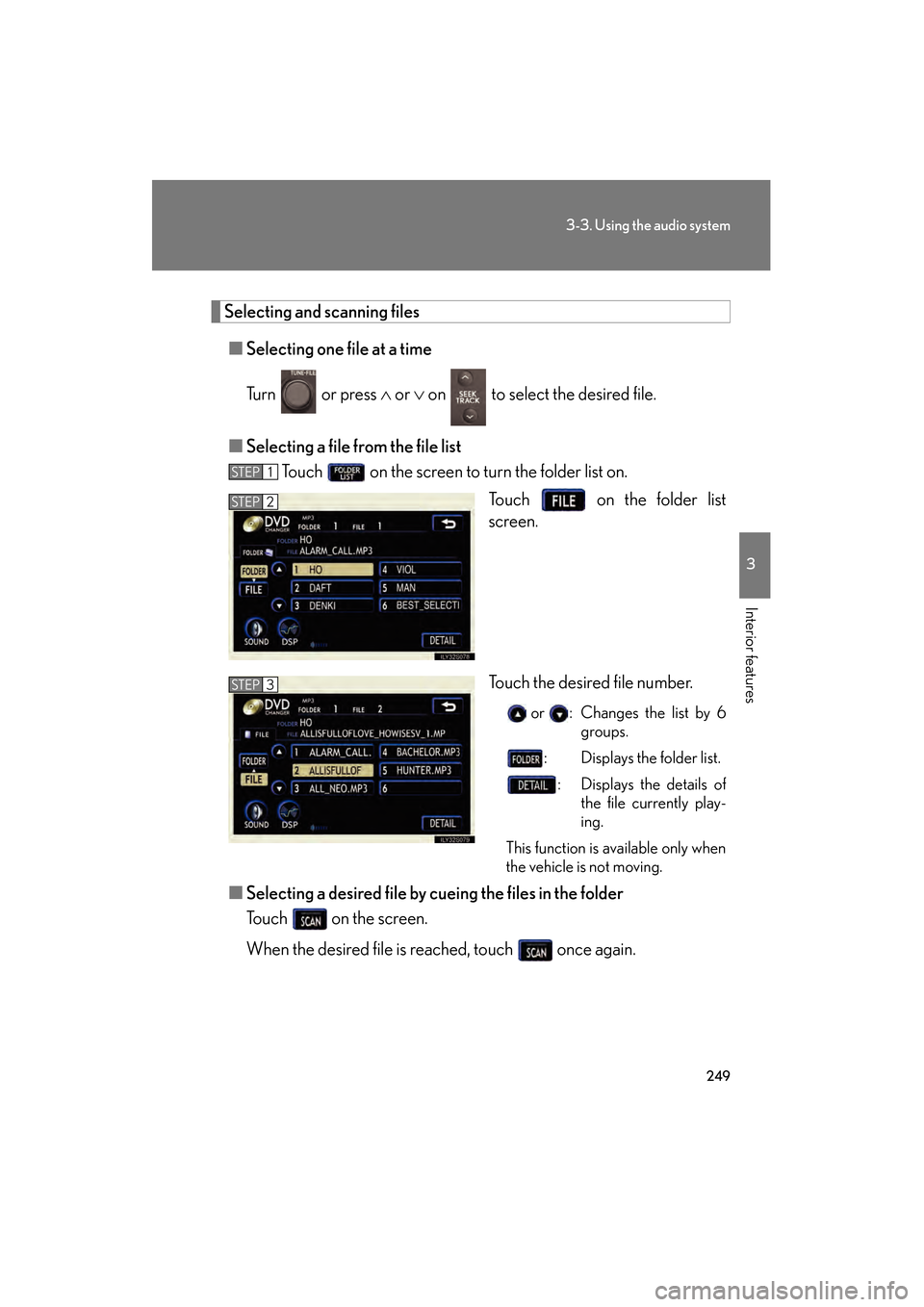
■ Selecting a file from the file list
Touch on the screen to turn the folder list on.
Touch on the folder list
screen.
Touch the desired file number.
or : Changes the list by 6groups.
: Displays the folder list.
: Displays the details of the file currently play-
ing.
This function is available only when
the vehicle is not moving.
■ Selecting a desired file by cu eing the files in the folder
Touch on the screen.
When the desired file is reached, touch once again.
STEP1
STEP2
STEP3
GS_U_G.book Page 249 Thursday, June 19, 2008 12:54 PM