Touch screen Lexus GS350 2008 Owner's Manual
[x] Cancel search | Manufacturer: LEXUS, Model Year: 2008, Model line: GS350, Model: Lexus GS350 2008Pages: 598, PDF Size: 14.03 MB
Page 4 of 598
1
2
3
4
5
6
7
3
GS_G_U
June 19, 2008 12:54 pm
2-3. Operating the lights and windshield wipers .................... 142
Headlight switch ............................ 142
Fog light switch .............................. 145
Windshield wipers and washer............................................. 146
Headlight cleaner switch ........... 149
2-4. Using other driving systems ...................................... 150
Cruise control ................................ 150
Dynamic radar cruise control............................................. 153
Intuitive parking assist ................. 164
Rear view monitor system ......... 179
AVS (Adaptive Variable Suspension System) .................. 183
Driving assist systems.................. 184
PCS (Pre-Collision System)..... 190
2-5. Driving information ................... 194 Cargo and luggage ...................... 194
Vehicle load limits ......................... 198
Winter driving tips ........................ 199
Trailer towing ................................. 204
Dinghy towing .............................. 205 3-1. Using the touch screen .......... 208
Touch screen ................................ 208
Setting the touch screen ............ 212
3-2. Using the air conditioning system and defogger .............. 217
Automatic air conditioning system .............................................. 217
Rear window and outside rear view mirror defoggers ............ 225
3-3. Using the audio system........... 226 Audio system type ....................... 226
Using the radio.............................. 229
Using the cassette player ......... 238
Using the CD player................... 242
Playing MP3 and WMA discs.................................. 247
Using the DVD player ................ 251
Playing DVD video/audio ................................. 254
Playing video CD ......................... 266
DVD player and DVD video disc information ............. 270
Optimal use of the audio/video system .................. 282
Using the AUX adapter............ 287
Using the steering switches .... 288
3Interior features
GS_U_G.book Page 3 Thursday, June 19, 2008 12:54 PM
Page 15 of 598
14
GS_G_U
June 19, 2008 12:54 pm
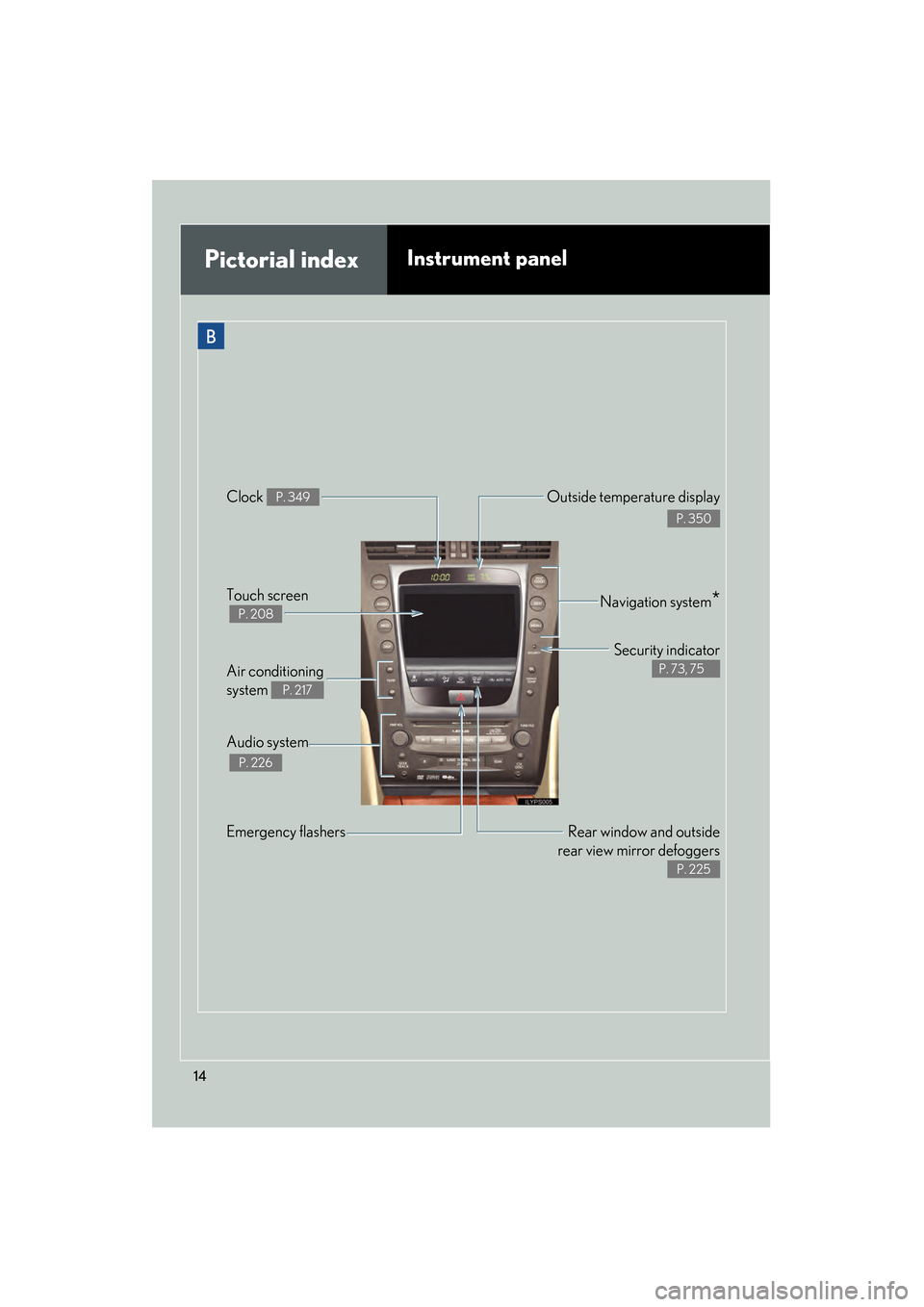
Pictorial indexInstrument panel
Rear window and outside
rear view mirror defoggers
P. 225
Emergency flashers Air conditioning
system
P. 217
Audio system
P. 226
Navigation system*Touch screen
P. 208
Security indicator
P. 73, 75
Clock P. 349Outside temperature display
P. 350
B
GS_U_G.book Page 14 Thursday, June 19, 2008 12:54 PM
Page 165 of 598
164
2-4. Using other driving systems
GS_G_U
June 19, 2008 12:54 pm
Intuitive parking assist (if equipped)
Intuitive parking assist uses sensors in the front and rear of the vehicle to
detect the distance between the vehicle and any obstacles, and informs the
driver of this distance using the mult i-information display, the touch screen,
and warning beeps.
The system may be used at speeds less than about 6 mph (10 km/h).
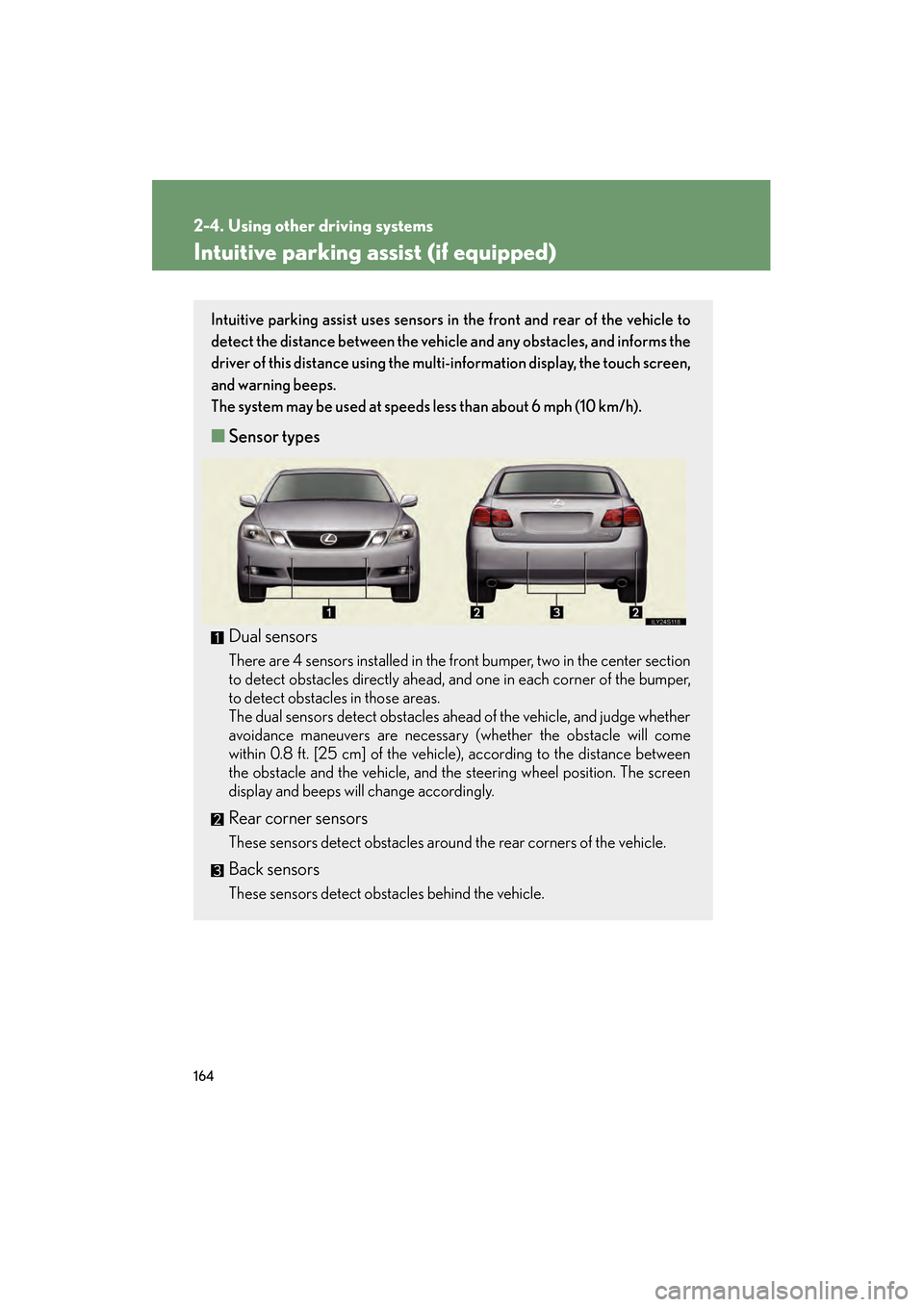
■ Sensor types
Dual sensors
There are 4 sensors installed in the front bumper, two in the center section
to detect obstacles directly ahead, and one in each corner of the bumper,
to detect obstacles in those areas.
The dual sensors detect obstacles ahead of the vehicle, and judge whether
avoidance maneuvers are necessary (whether the obstacle will come
within 0.8 ft. [25 cm] of the vehicle), according to the distance between
the obstacle and the vehicle, and the steering wheel position. The screen
display and beeps will change accordingly.
Rear corner sensors
These sensors detect obstacles around the rear corners of the vehicle.
Back sensors
These sensors detect obstacles behind the vehicle.
GS_U_G.book Page 164 Thursday, June 19, 2008 12:54 PM
Page 167 of 598
166
2-4. Using other driving systems
GS_G_U
June 19, 2008 12:54 pm
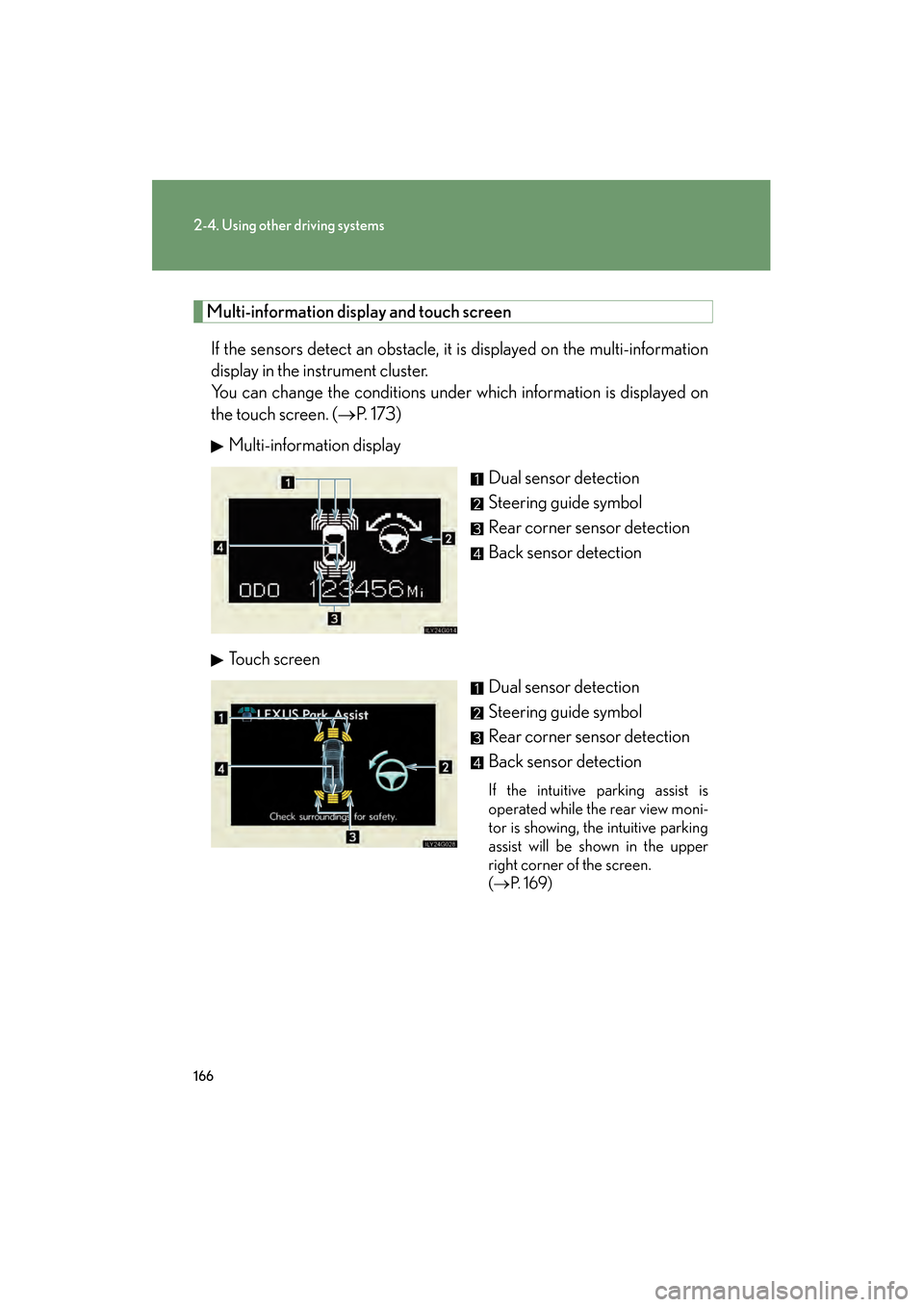
Multi-information display and touch screenIf the sensors detect an obstacle, it is displayed on the multi-information
display in the instrument cluster.
You can change the conditions under which information is displayed on
the touch screen. ( →P. 173)
Multi-information display
Dual sensor detection
Steering guide symbol
Rear corner sensor detection
Back sensor detection
Touch screen Dual sensor detection
Steering guide symbol
Rear corner sensor detection
Back sensor detection
If the intuitive parking assist is
operated while the rear view moni-
tor is showing, the intuitive parking
assist will be shown in the upper
right corner of the screen.
(→ P. 1 6 9 )
GS_U_G.book Page 166 Thursday, June 19, 2008 12:54 PM
Page 170 of 598
169
2-4. Using other driving systems
2
When driving
GS_G_U
June 19, 2008 12:54 pm
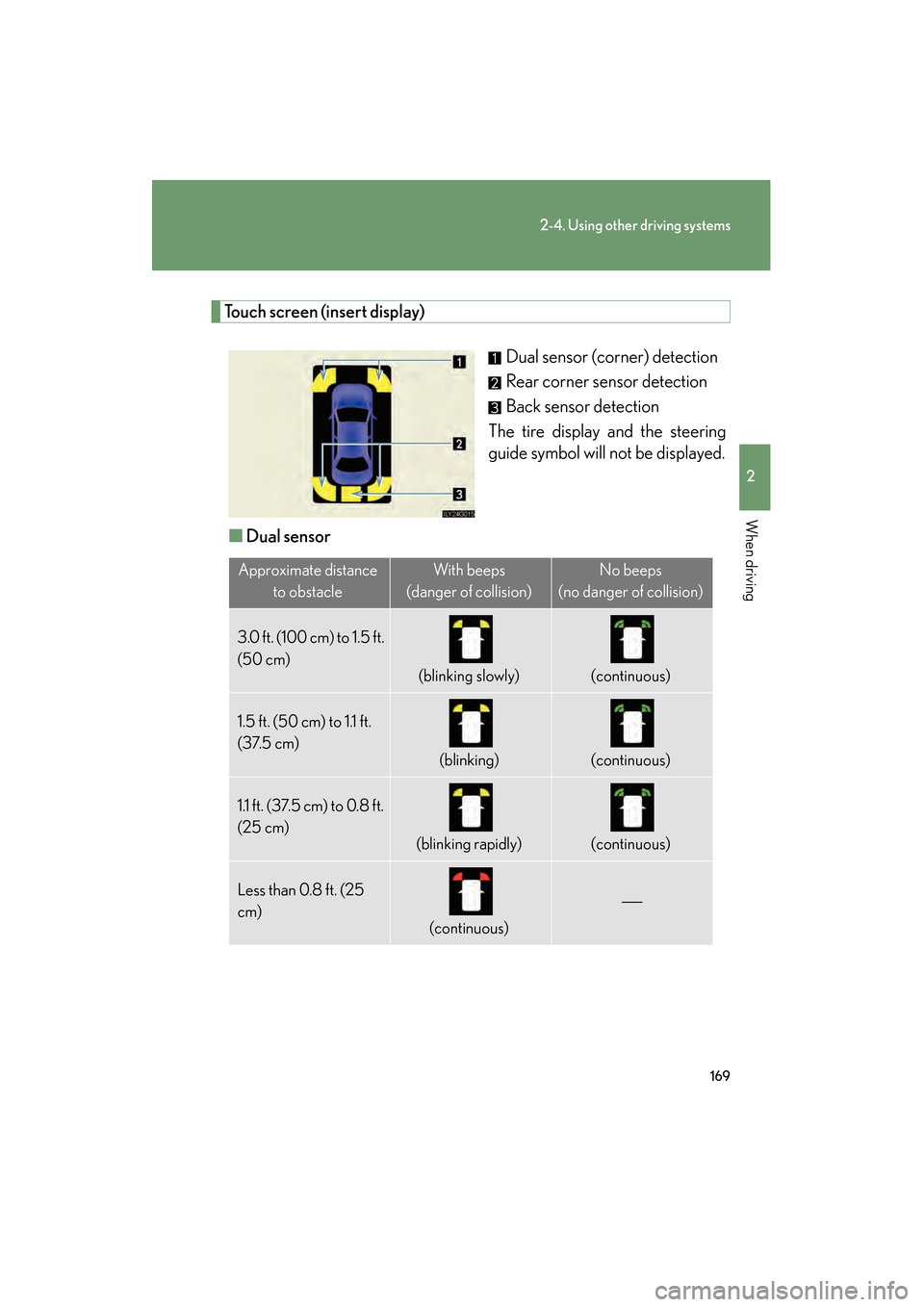
Touch screen (insert display)Dual sensor (corner) detection
Rear corner sensor detection
Back sensor detection
The tire display and the steering
guide symbol will not be displayed.
■ Dual sensor
Approximate distance
to obstacleWith beeps
(danger of collision)No beeps
(no danger of collision)
3.0 ft. (100 cm) to 1.5 ft.
(50 cm)
(blinking slowly)(continuous)
1.5 ft. (50 cm) to 1.1 ft.
(37.5 cm)
(blinking)(continuous)
1.1 ft. (37.5 cm) to 0.8 ft.
(25 cm)
(blinking rapidly)(continuous)
Less than 0.8 ft. (25
cm)
(continuous)
GS_U_G.book Page 169 Thursday, June 19, 2008 12:54 PM
Page 174 of 598
173
2-4. Using other driving systems
2
When driving
GS_G_U
June 19, 2008 12:54 pm
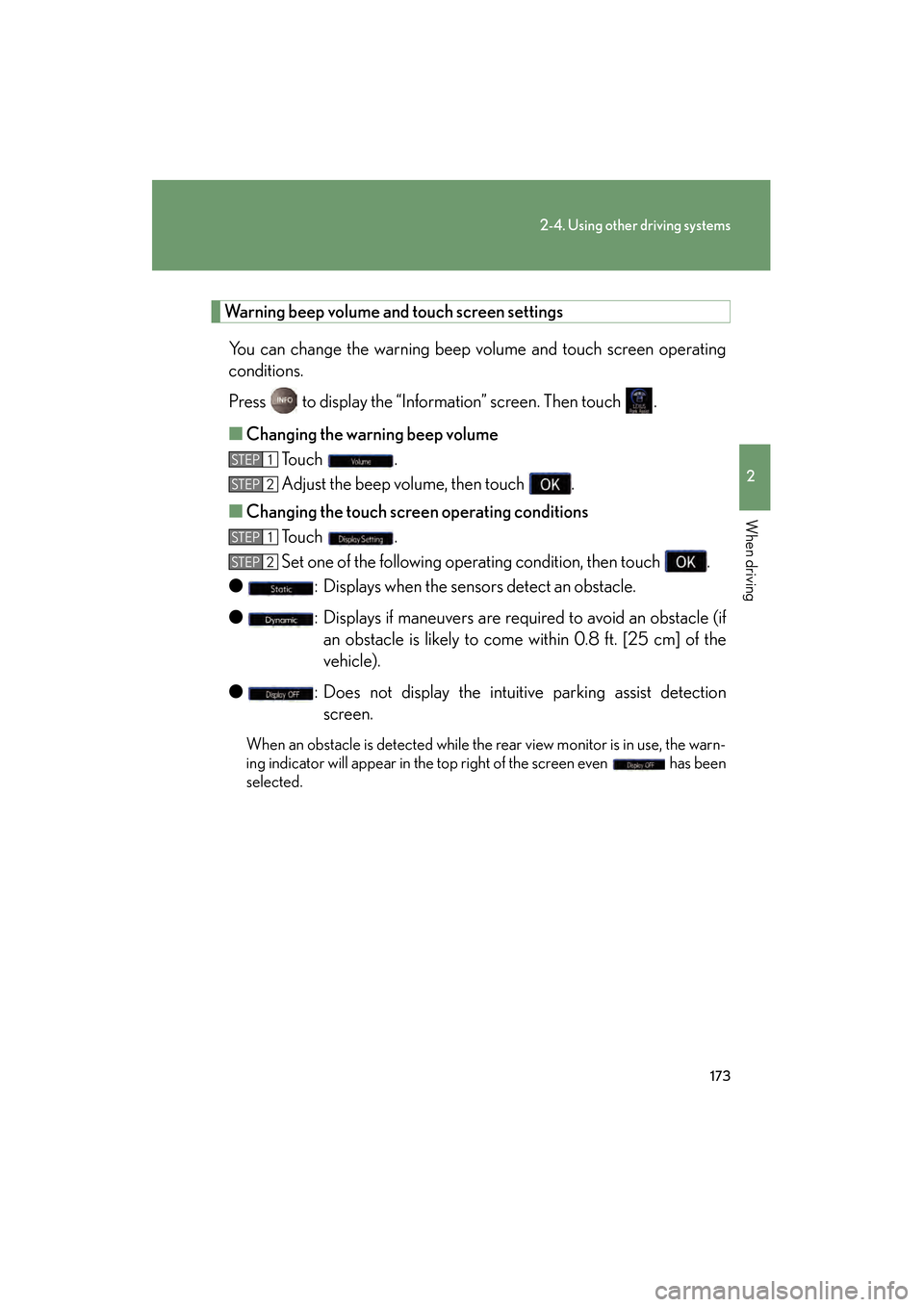
Warning beep volume and touch screen settingsYou can change the warning beep volume and touch screen operating
conditions.
Press to display the “Information” screen. Then touch .
■ Changing the warning beep volume
To u c h .
Adjust the beep volume, then touch .
■ Changing the touch scr een operating conditions
To u c h .
Set one of the following operating condition, then touch .
● : Displays when the sensors detect an obstacle.
● : Displays if maneuvers are required to avoid an obstacle (if
an obstacle is likely to come within 0.8 ft. [25 cm] of the
vehicle).
● : Does not display the intuitive parking assist detection
screen.
When an obstacle is detected while the rear view monitor is in use, the warn-
ing indicator will appear in the top right of the screen even has been
selected.
STEP1
STEP2
STEP1
STEP2
GS_U_G.book Page 173 Thursday, June 19, 2008 12:54 PM
Page 207 of 598
206
GS_G_U
June 19, 2008 12:54 pm
3-1. Using the touch screen ........................... 208
Touch screen ........................... 208
Setting the touch screen ...... 212
3-2. Using the air conditioning system and
defogger........................ 217
Automatic air conditioning system ...................................... 217
Rear window and
outside rear view
mirror defoggers................. 225
GS_U_G.book Page 206 Thursday, June 19, 2008 12:54 PM
Page 209 of 598
208
GS_G_U
June 19, 2008 12:54 pm
3-1. Using the touch screen
Touch screen
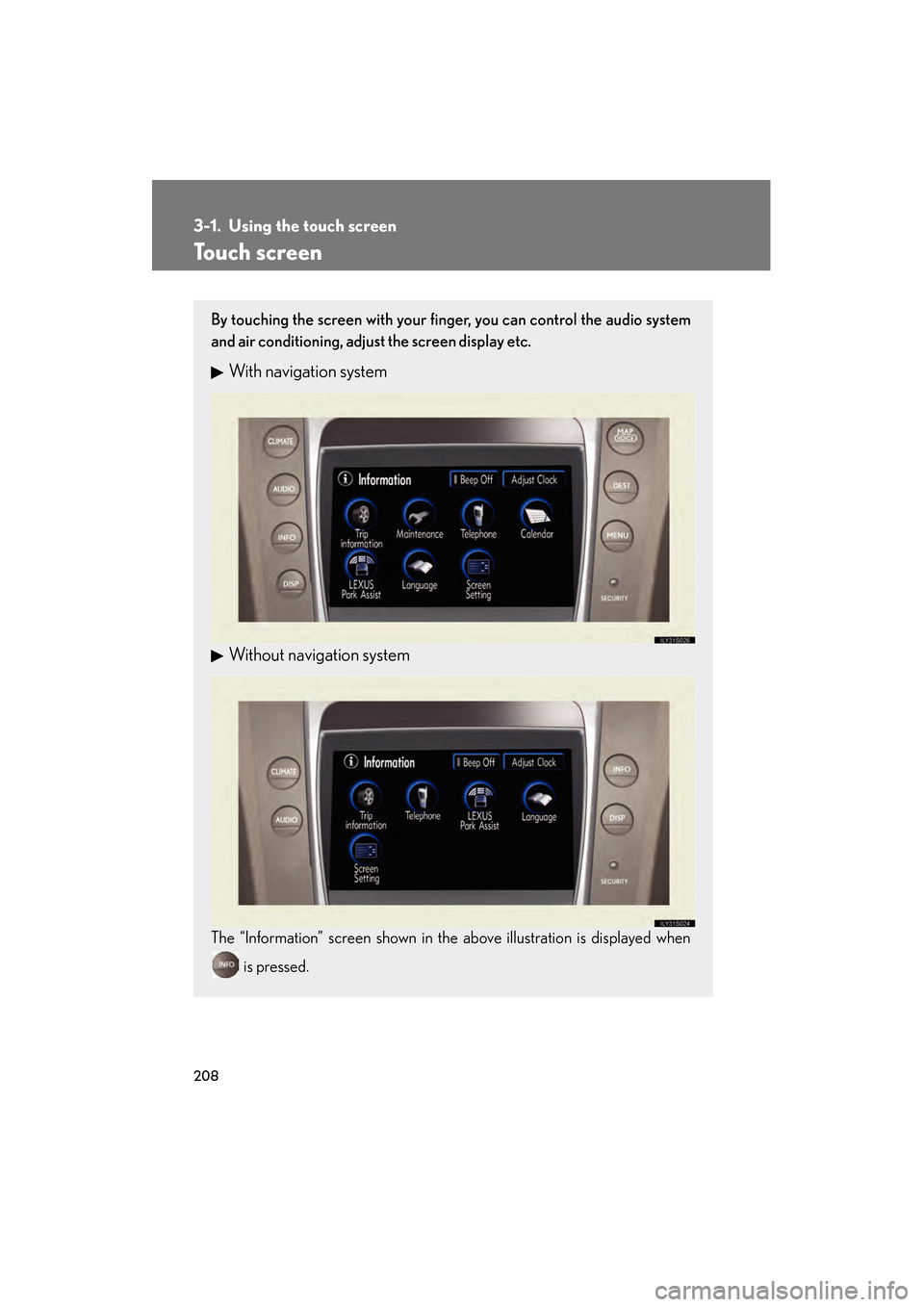
By touching the screen with your finger, you can control the audio system
and air conditioning, adjust the screen display etc.
With navigation system
Without navigation system
The “Information” screen shown in the above illustration is displayed when is pressed.
GS_U_G.book Page 208 Thursday, June 19, 2008 12:54 PM
Page 210 of 598
209
3-1. Using the touch screen
3
Interior features
GS_G_U
June 19, 2008 12:54 pm
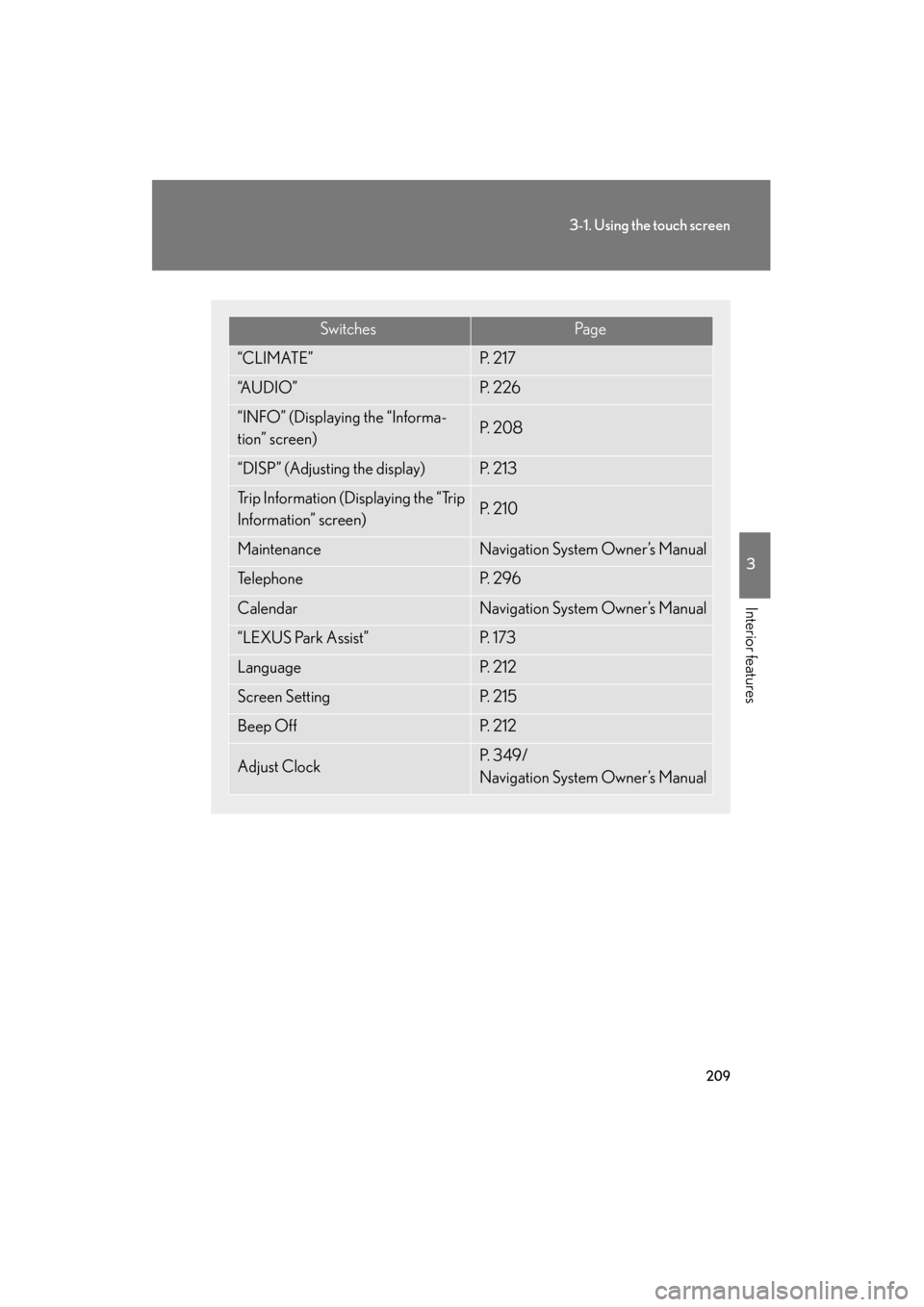
SwitchesPa g e
“CLIMATE”P. 2 1 7
“A U D I O ”P. 2 2 6
“INFO” (Displaying the “Informa-
tion” screen)P. 2 0 8
“DISP” (Adjusting the display)P. 2 1 3
Trip Information (Displaying the “Trip
Information” screen)P. 2 1 0
MaintenanceNavigation System Owner’s Manual
Te l e p h o n eP. 2 9 6
CalendarNavigation System Owner’s Manual
“LEXUS Park Assist”P. 1 7 3
LanguageP. 2 1 2
Screen SettingP. 2 1 5
Beep OffP. 2 1 2
Adjust ClockP. 3 4 9 /
Navigation System Owner’s Manual
GS_U_G.book Page 209 Thursday, June 19, 2008 12:54 PM
Page 211 of 598
210
3-1. Using the touch screen
GS_G_U
June 19, 2008 12:54 pm
The initial screenIf the “ENGINE START STOP”
switch is set to ACCESSORY or
IGNITION ON mode, the initial-
izing screen will be displayed for a
few seconds as the system starts
up.
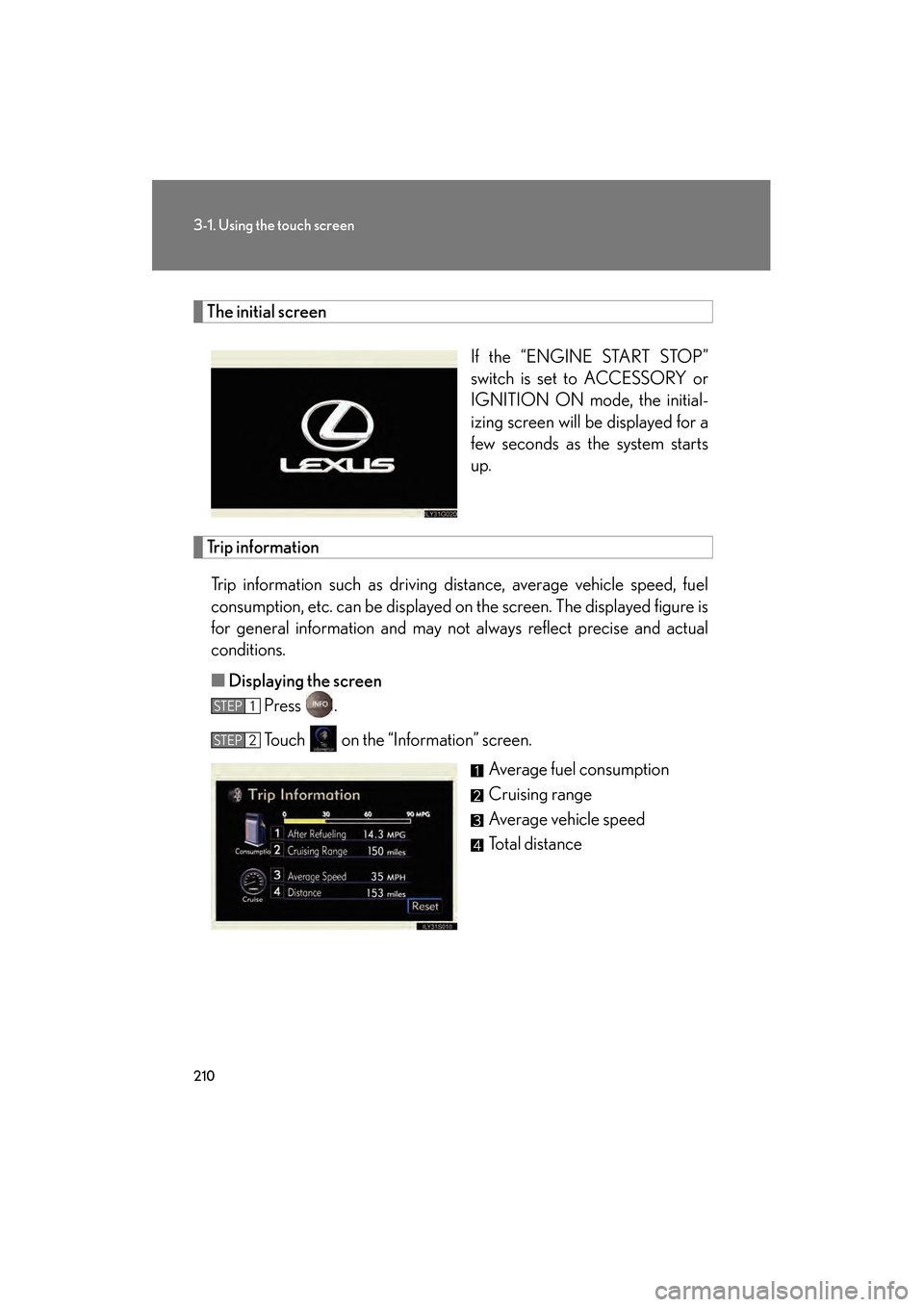
Trip informationTrip information such as driving distance, average vehicle speed, fuel
consumption, etc. can be displayed on the screen. The displayed figure is
for general information and may not always reflect precise and actual
conditions.
■ Displaying the screen
Press .
Touch on the “Information” screen.
Average fuel consumption
Cruising range
Average vehicle speed
Total distance
STEP1
STEP2
GS_U_G.book Page 210 Thursday, June 19, 2008 12:54 PM