fuel Lexus GS350 2017 User Guide
[x] Cancel search | Manufacturer: LEXUS, Model Year: 2017, Model line: GS350, Model: Lexus GS350 2017Pages: 676, PDF Size: 67.73 MB
Page 123 of 676
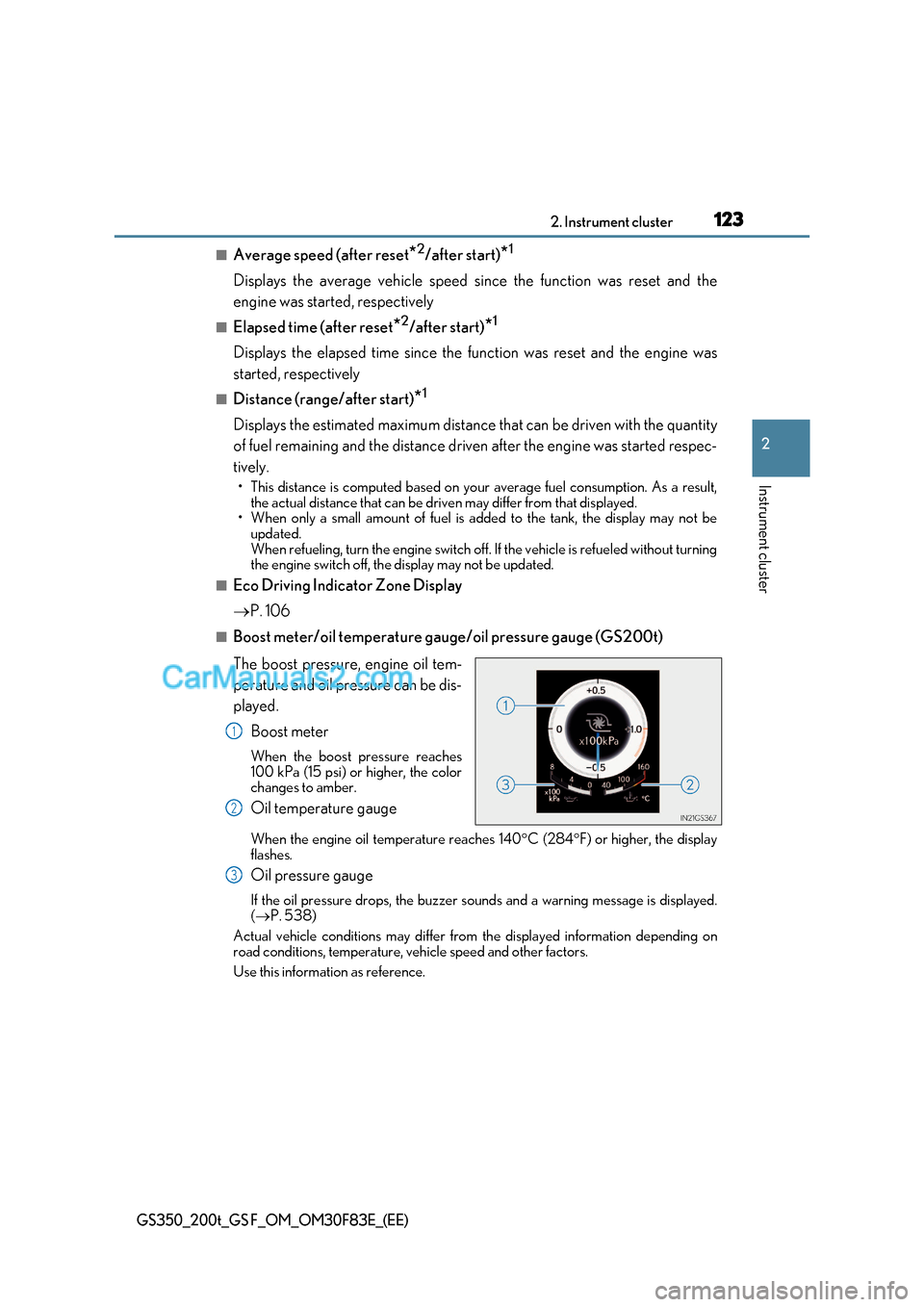
123
2. Instrument cluster
2
Instrument cluster
GS350_200t_GS F_OM_OM30F83E_(EE)
■Average speed (after reset *2
/after start) *1
Displays the average vehicle speed since the function was reset and the
engine was started, respectively
■Elapsed time (after reset *2
/after start) *1
Displays the elapsed time since the function was reset and the engine was
started, respectively
■Distance (range/after start) *1
Displays the estimated maximum distance that can be driven with the quantity
of fuel remaining and the distance driv en after the engine was started respec-
tively.
Page 130 of 676
1302. Instrument cluster
GS350_200t_GS F_OM_OM30F83E_(EE)
Settings display
Select to change the meter display settings. ( P. 637)
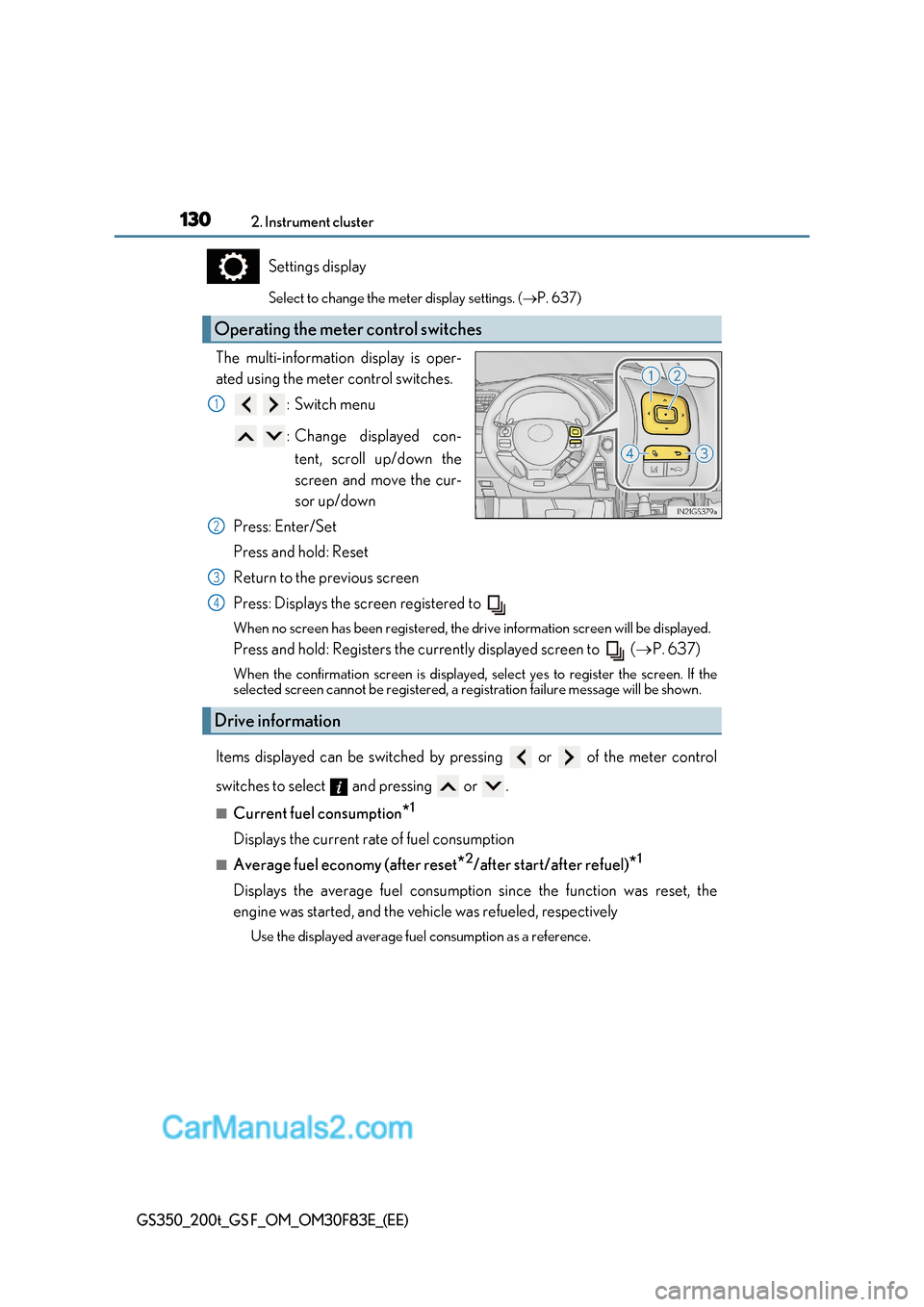
The multi-information display is oper-
ated using the meter control switches. :Switch menu
: Change displayed con-tent, scroll up/down the
screen and move the cur-
sor up/down
Press: Enter/Set
Press and hold: Reset
Return to the previous screen
Press: Displays the screen registered to
When no screen has been registered, the drive information screen will be displayed.
Press and hold: Registers the currently displayed screen to ( P. 637)
When the confirmation screen is displayed, select yes to register the screen. If the
selected screen cannot be re gistered, a registration failure message will be shown.
Items displayed can be switched by pressing or of the meter control
switches to select and pressing or .
■Current fuel consumption *1
Displays the current rate of fuel consumption
■Average fuel economy (after reset *2
/after start/after refuel) *1
Displays the average fuel consumption since the function was reset, the
engine was started, and the vehicle was refueled, respectively Use the displayed average fuel consumption as a reference.
Operating the meter control switches
1
2
Drive information
3
4
Page 131 of 676
131
2. Instrument cluster
2
Instrument cluster
GS350_200t_GS F_OM_OM30F83E_(EE)
■Average speed (after reset *2
/after start) *1
Displays the average vehicle speed since the function was reset and the
engine was started, respectively
■Elapsed time (after reset *2
/after start) *1
Displays the elapsed time since the function was reset and the engine was
started, respectively
■Distance (range/after start) *1
Displays the estimated maximum distance that can be driven with the quantity
of fuel remaining and the distance driv en after the engine was started respec-
tively.
Page 148 of 676
1482. Instrument cluster
GS350_200t_GS F_OM_OM30F83E_(EE)
Fuel consumption information
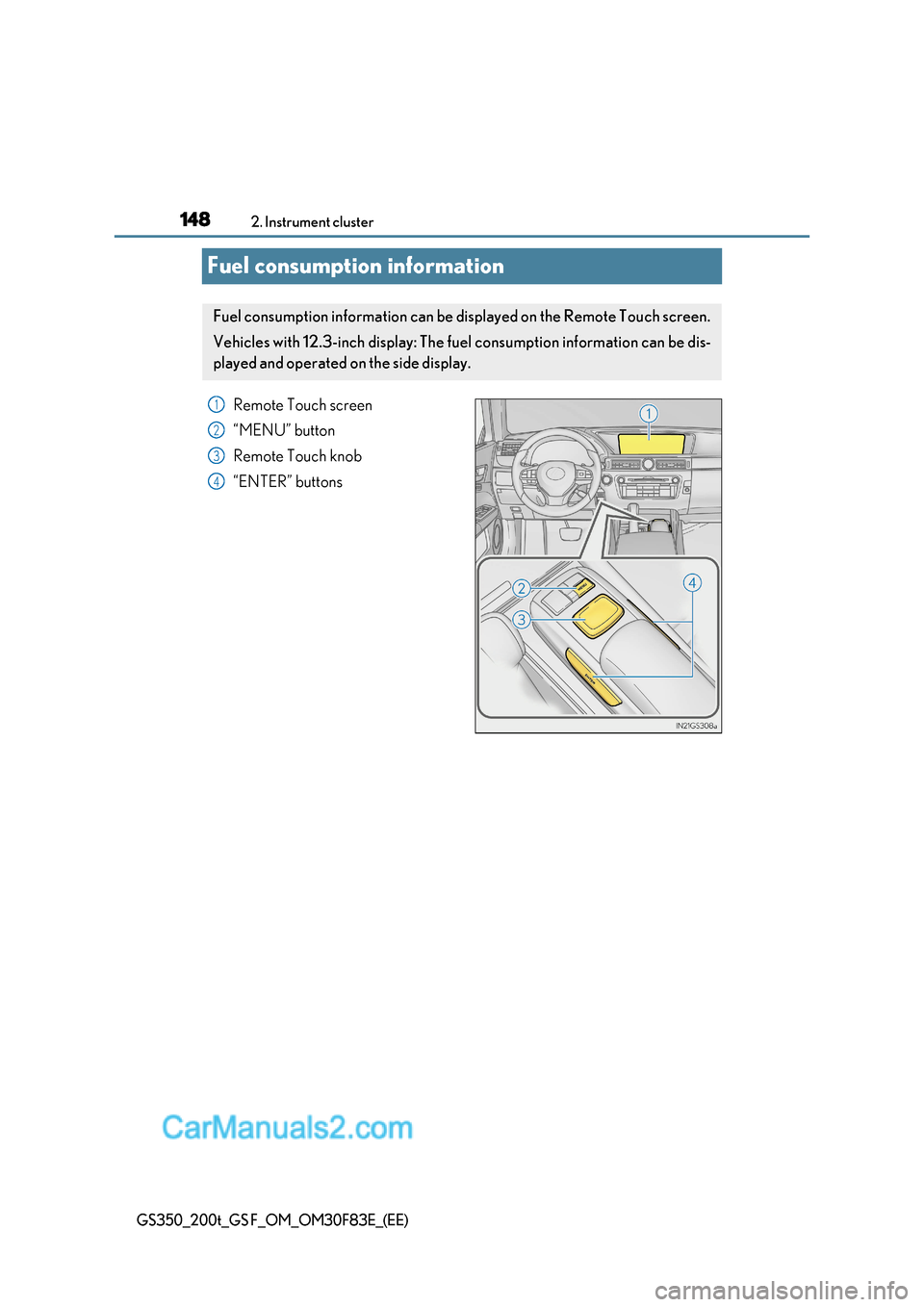
Remote Touch screen
“MENU” button
Remote Touch knob
“ENTER” buttons
Fuel consumption information can be displayed on the Remote Touch screen.
Vehicles with 12.3-inch display: The fu el consumption information can be dis-
played and operated on the side display.
1
2
3
4
Page 149 of 676
149
2. Instrument cluster
2
Instrument cluster
GS350_200t_GS F_OM_OM30F83E_(EE)
Press the “MENU” button on the Remote Touch, then select on the “Menu”
screen.
■Trip information
If the “Past record” screen is displayed, select “Trip information”.
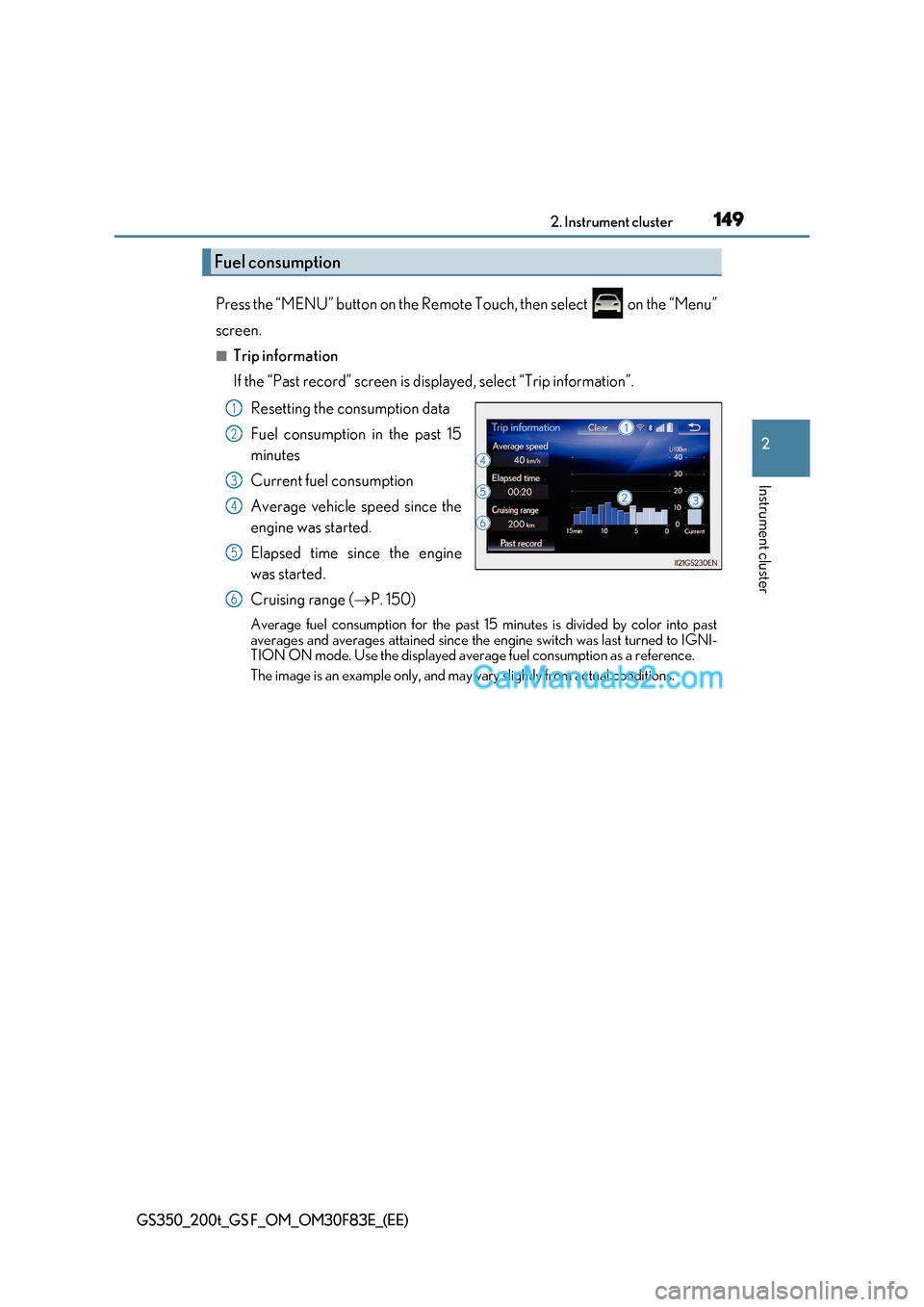
Resetting the consumption data
Fuel consumption in the past 15
minutes
Current fuel consumption
Average vehicle speed since the
engine was started.
Elapsed time since the engine
was started.
Cruising range ( P. 150)
Average fuel consumption for the past 15 minutes is divided by color into past
averages and averages attained since the engine switch was last turned to IGNI-
TION ON mode. Use the displayed average fuel consumption as a reference.
The image is an example only, and may vary slightly from actual conditions.
Fuel consumption
1
2
3
4
5
6
Page 150 of 676
1502. Instrument cluster
GS350_200t_GS F_OM_OM30F83E_(EE)
■Past record
If the “Trip information” screen is displayed, select “Past record”.
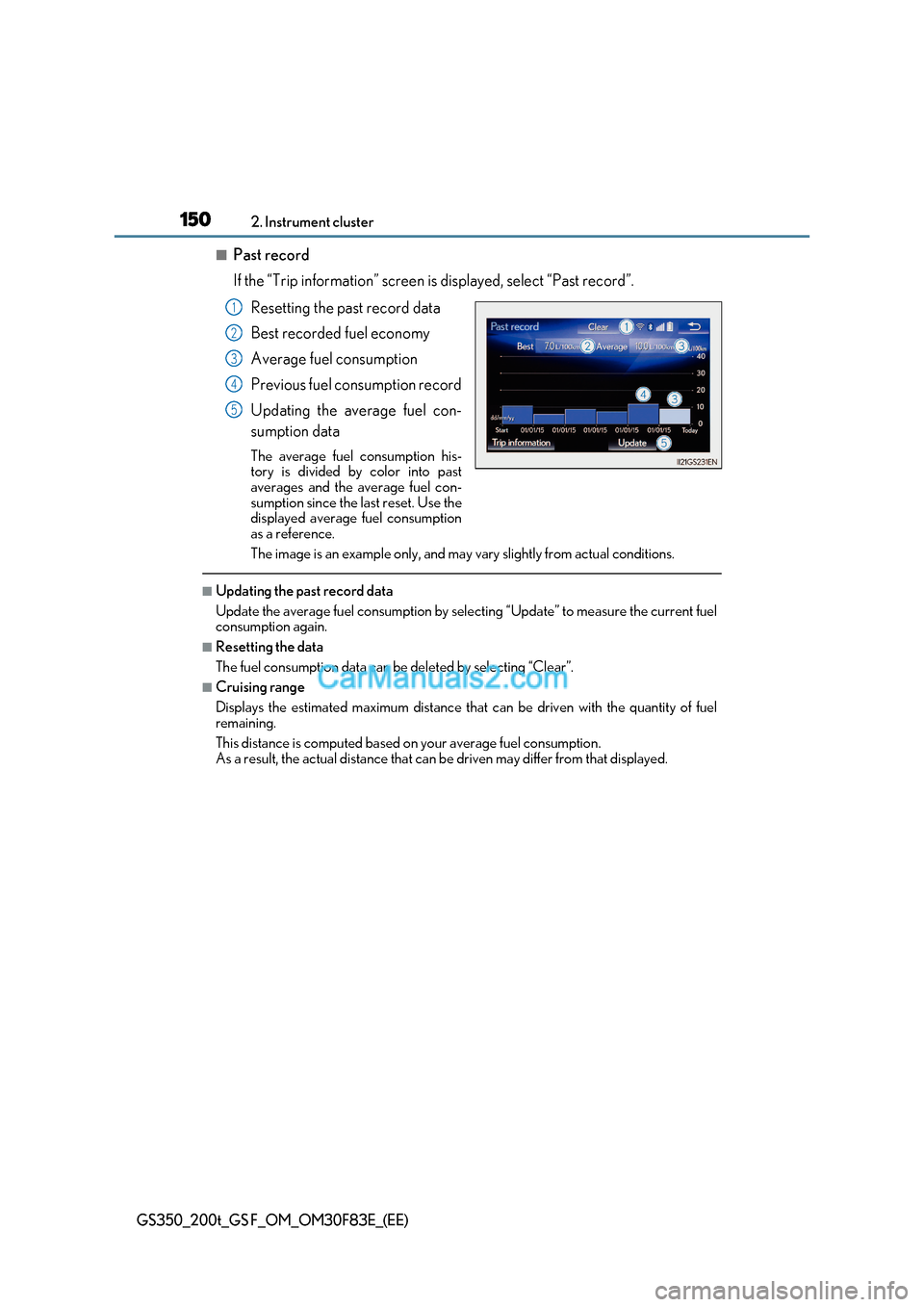
Resetting the past record data
Best recorded fuel economy
Average fuel consumption
Previous fuel consumption record
Updating the average fuel con-
sumption data
The average fuel consumption his-
tory is divided by color into past
averages and the average fuel con-
sumption since the last reset. Use the
displayed average fuel consumption
as a reference.
The image is an example only, and may vary slightly from actual conditions.
■Updating the past record data
Update the average fuel consumption by selecting “Update” to measure the current fuel
consumption again.
■Resetting the data
The fuel consumption data can be deleted by selecting “Clear”.
■Cruising range
Displays the estimated maximum distance that can be driven with the quantity of fuel remaining.
This distance is computed based on your average fuel consumption.
As a result, the actual distance that can be driven may differ from that displayed.
1
2
3
4
5
Page 151 of 676
151
2. Instrument cluster
2
Instrument cluster
GS350_200t_GS F_OM_OM30F83E_(EE)
Vehicle information can be displayed on the side display ( P. 395), then select
or to select the desired screen.
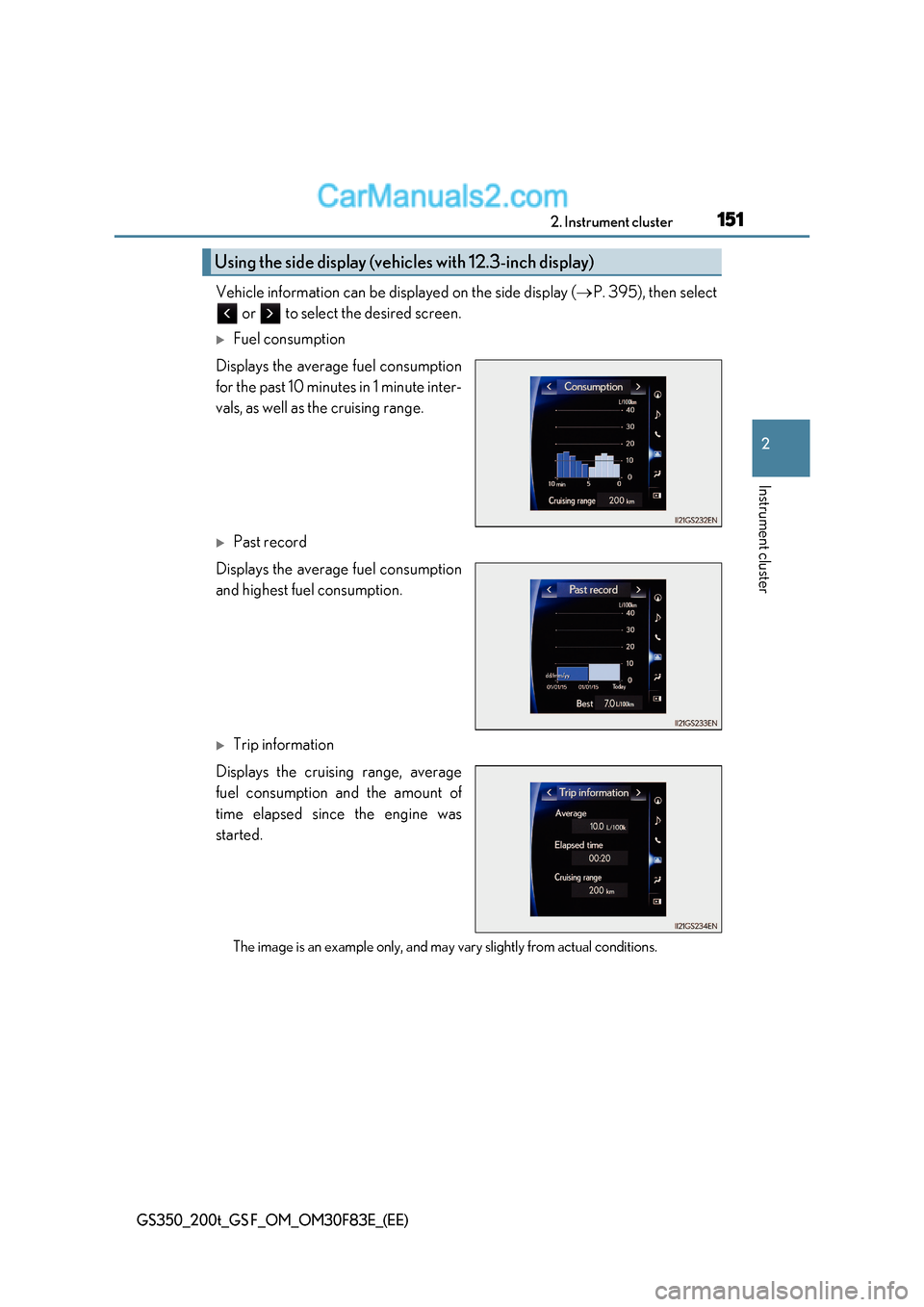
Fuel consumption
Displays the average fuel consumption
for the past 10 minutes in 1 minute inter-
vals, as well as the cruising range.
Past record
Displays the average fuel consumption
and highest fuel consumption.
Trip information
Displays the cruising range, average
fuel consumption and the amount of
time elapsed since the engine was
started.
The image is an example only, and may vary slightly from actual conditions.
Using the side display (vehicles with 12.3-inch display)
Page 221 of 676
221
4Driving
GS350_200t_GS F_OM_OM30F83E_(EE)
4-1. Before drivingDriving the vehicle..................... 222
Cargo and luggage .................... 231
Trailer towing (vehicles without towing package) ..... 232
Trailer towing (vehicles with towing package)......................233
4-2. Driving procedures Engine (ignition) switch ...........240
Automatic transmission........... 246
Turn signal lever .........................255
Parking brake ..............................256
Brake Hold (GS350/GS200t) ...............259
ASC (Active Sound Control) (GS F) ........................ 261
4-3. Operating the lights and wipers
Headlight switch ......................... 262
AHS (Adaptive High-beam System)........................................265
Automatic High Beam .............270
Fog light switch ........................... 275
Windshield wipers and washer................................. 276
4-4. Refueling Opening the fuel tank cap......282 4-5. Using the driving support
systems
Lexus Safety System+ ..............286
PCS (Pre-Crash Safety system) ........................................ 295
LKA (Lane-Keeping Assist) .......................................... 307
LDA (Lane Departure Alert with steering control) ..............317
RSA (Road Sign Assist) .......... 326
Dynamic radar cruise control with full-speed range.............. 331
Dynamic radar cruise control ......................................... 343
Cruise control .............................355
Driving mode select switch ...........................................358
BSM (Blind Spot Monitor) ..... 363
Page 233 of 676
233
4
4-1. Before driving
Driving
GS350_200t_GS F_OM_OM30F83E_(EE)
Trailer towing (vehicles with towing package)
◆Weight limits
Check the allowable towing capacity, GVM (Gross Vehicle Mass), MPAC
(Maximum Permissible Axle Capacity), and permissible drawbar load before
towing. (P. 612)
◆Towing hitch/bracket
Lexus recommends the use of the Lexus hitch/bracket for your vehicle. Other
products of a suitable nature and comparable quality may also be used.
Your vehicle is designed primaril y as a passenger carrying vehicle.
Towing a trailer will have an adverse effect on handling, performance, brak-
ing, durability, and fuel consumption. Your safety and satisfaction depend on
the proper use of correct equipment and cautious driving habits. For your
safety and the safety of others, do not overload the vehicle or trailer.
To tow a trailer safely, use extreme care and drive the vehicle in accordance
with the trailer’s characteristics and operating conditions.
Lexus warranties do not apply to damage or malfunction caused by towing a
trailer for commercial purposes.
Ask your local authorized Lexus retailer or Lexus authorized repairer, or any
reliable repairer for further details before towing, as there are additional legal
requirements in some countries.
Page 246 of 676
2464-2. Driving procedures
GS350_200t_GS F_OM_OM30F83E_(EE)
Automatic transmission
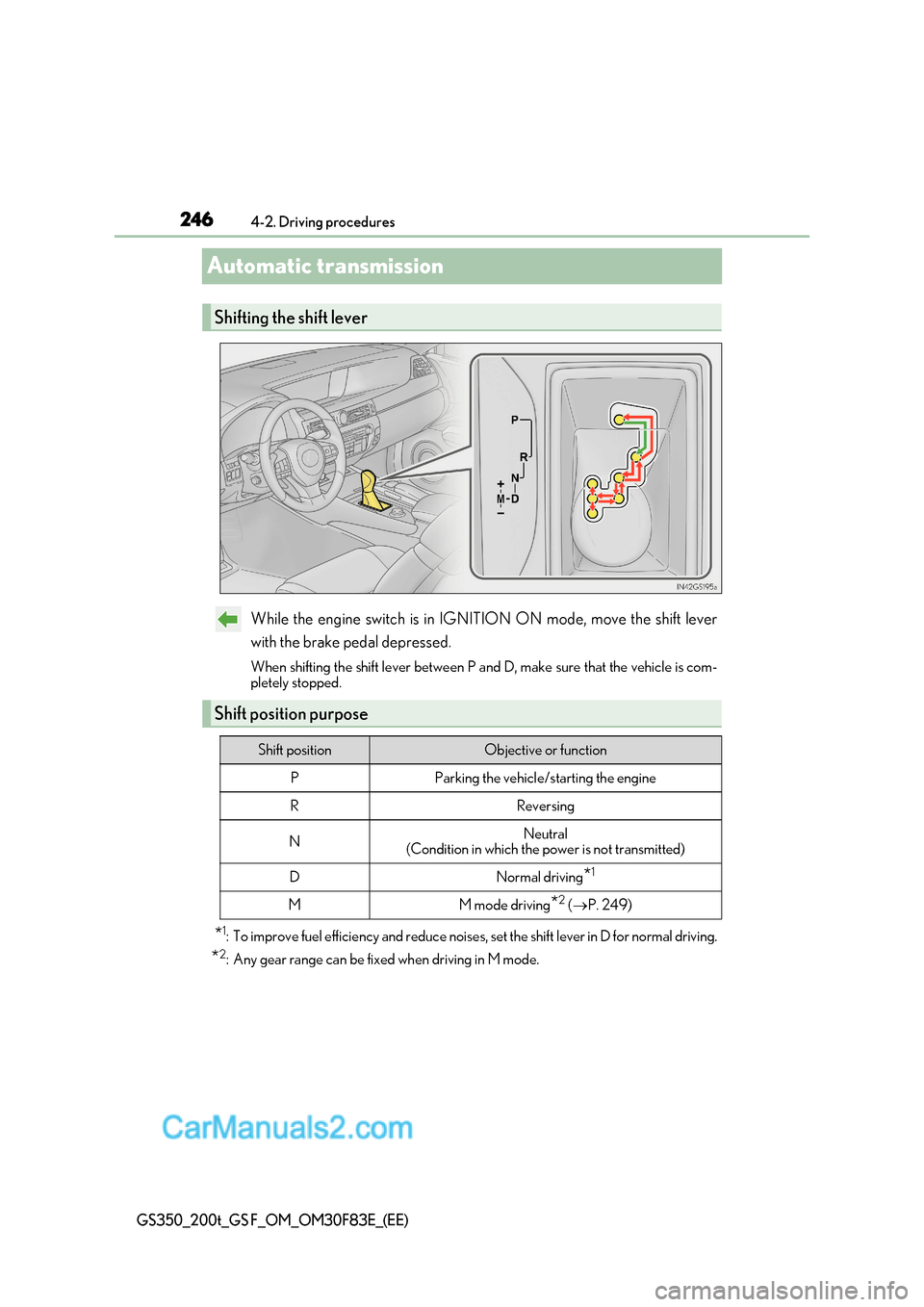
While the engine switch is in IGNITION ON mode, move the shift lever
with the brake pedal depressed.
When shifting the shift lever between P and D, make sure that the vehicle is com-
pletely stopped.
* 1
: To improve fuel efficiency and reduce noises , set the shift lever in D for normal driving.
* 2
: Any gear range can be fixed when driving in M mode.
Shifting the shift lever
Shift position purpose
Shift positionObjective or function
PParking the vehicle/starting the engine
RReversing
NNeutral
(Condition in which the power is not transmitted)
DNormal driving *1
MM mode driving
*2
( P. 249)