audio Lexus IS200t 2017 Navigation Manual
[x] Cancel search | Manufacturer: LEXUS, Model Year: 2017, Model line: IS200t, Model: Lexus IS200t 2017Pages: 342, PDF Size: 20.48 MB
Page 163 of 342

163
1. BASIC OPERATION
AUDIO/VISUAL SYSTEM
IS_NAVI_EE
4
1Select the “Sound” tab and select the
desired item to be set.TONE AND BALANCE
TONE:
How good an audio program sounds is
largely determined by the mix of the tre-
ble, mid and bass levels. In fact, different
kinds of music and vocal programs usu-
ally sound better with different mixes of
treble, mid and bass.
BALANCE:
A good balance of the left and right ste-
reo channels and of the front and rear
sound levels is also important.
Keep in mind that when listening to a ste-
reo recording or broadcast, changing
the right/left balance will increase the
volume of 1 group of sounds while de-
creasing the volume of another.
No.Function
Select “+” or “-” to adjust high-
pitched tones.
Select “+” or “-” to adjust mid-pitched
tones.
Select “+” or “-” to adjust low-pitched
tones.
Select to adjust the sound balance
between the front and rear speakers.
Select to adjust the sound balance
between the left and right speakers.
Page 164 of 342

164
1. BASIC OPERATION
IS_NAVI_EE
1Select the “DSP” tab and select the de-
sired item to be set.1Select the “Settings” tab and select the
desired item to be set.
DSP CONTROL
No.Function
The system adjusts to the optimum
volume and tone quality according
to vehicle speed to compensate for
increased vehicle noise.
This function can create a feeling of
presence.
AUDIO SETTINGS
FunctionPage
FM radio settings200
DAB settings200
Cover art settings201
Gracenote settings201
DVD settings202
Screen size settings165
Display settings165
Video sound input settings201
Video signal settings201
Page 165 of 342

165
1. BASIC OPERATION
AUDIO/VISUAL SYSTEM
IS_NAVI_EE
4
■SCREEN SIZE SETTINGS
X DVD video/USB video/iPod video/Ex-
ternal video
1Select “Wide” .
2Select the desired item to be adjusted.
■DISPLAY SETTINGS
X DVD video/USB video/iPod video/Ex-
ternal video
1Select “Display” .
2Select the desired item to be adjusted.
The screen size can be selected for each
type of media.
No.Function
Select to display a 4 : 3 screen, with
either side in black.
Select to enlarge the image horizon-
tally and vertically to full screen.
Select to enlarge the image by the
same ratio horizontally and vertically.
The brightness, contrast, colour and
tone of the screen can be adjusted.
Screen buttonFunction
“Colour” “R”Select to strengthen the
red colour of the screen.
“Colour” “G”
Select to strengthen the
green colour of the
screen.
“Tone” “+”Select to strengthen the
tone of the screen.
“Tone” “-”Select to weaken the
tone of the screen.
“Contrast” “+”Select to strengthen the
contrast of the screen.
“Contrast” “-”Select to weaken the
contrast of the screen.
“Brightness” “+”Select to brighten the
screen.
“Brightness” “-”Select to darken the
screen.
INFORMATION
●Depending on the audio source, some
functions may not be available.
Page 167 of 342

167
IS_NAVI_EE
AUDIO/VISUAL SYSTEM
4
2. RADIO OPERATION
1. AM/FM/DAB RADIO
■CONTROL SCREEN
■ CONTROL PANEL
OVERVIEW
The radio operation screen can be reached by the following methods: →P.159
Page 169 of 342

169
2. RADIO OPERATION
IS_NAVI_EE
AUDIO/VISUAL SYSTEM
4
1Tune in the desired station.
2Select one of the screen buttons (1-6)
and hold it until a beep is heard.
z The station’s frequency will be displayed in
the screen button.
z To change the preset station to a different
one, follow the same procedure.
X AM/FM
1Select “Manual” .
2Tune the desired station.
PRESETTING A STATION
Up to 6 preset stations can be regis-
tered.
MANUAL TUNING
No.Function
Select to seek up/down for a station.
Select to step up/down frequencies.
Page 171 of 342
171
2. RADIO OPERATION
IS_NAVI_EE
AUDIO/VISUAL SYSTEM
4
1Select “Time shift” .
2Select “<<” or “>>” to jump forward/
backward by 10 seconds.
Select and hold “<<” or “>>” to fast for-
ward /rewind.
TIME SHIFT OPERATION
(DAB)
The service you are currently listening to
can be re-listened to at any time.
INFORMATION
● The times at which playback is possible
depend on the bit rate of the DAB station
to be recorded, the amount of DAB unit
memory, and the time at which reception
of the broadcast began.
Page 172 of 342
172
IS_NAVI_EE
3. MEDIA OPERATION
1. CD
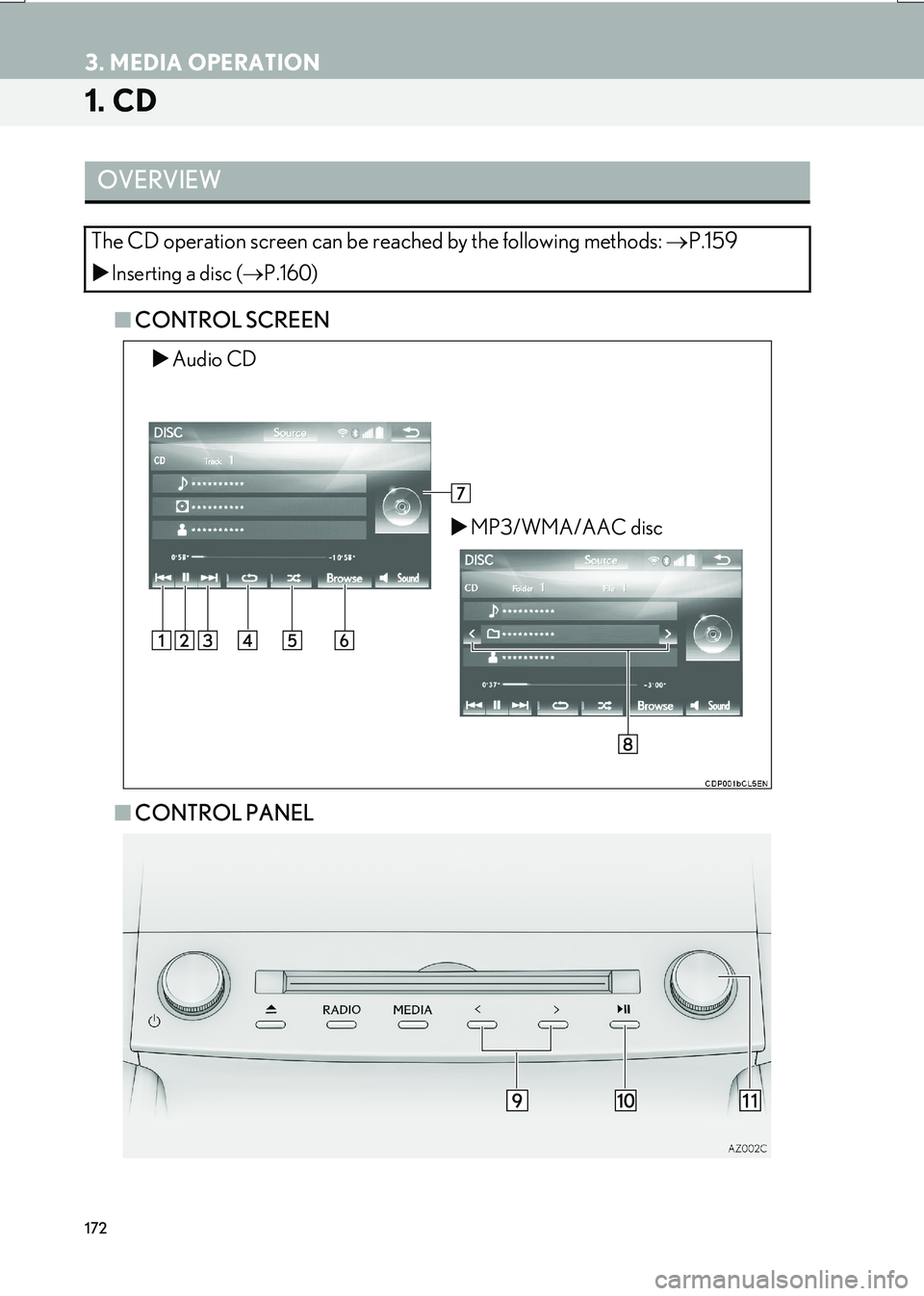
■CONTROL SCREEN
■ CONTROL PANEL
OVERVIEW
The CD operation screen can be reached by the following methods: →P.159
XInserting a disc ( →P.160)
XAudio CD
XMP3/WMA/AAC disc
Page 173 of 342
173
3. MEDIA OPERATION
IS_NAVI_EE
AUDIO/VISUAL SYSTEM
4
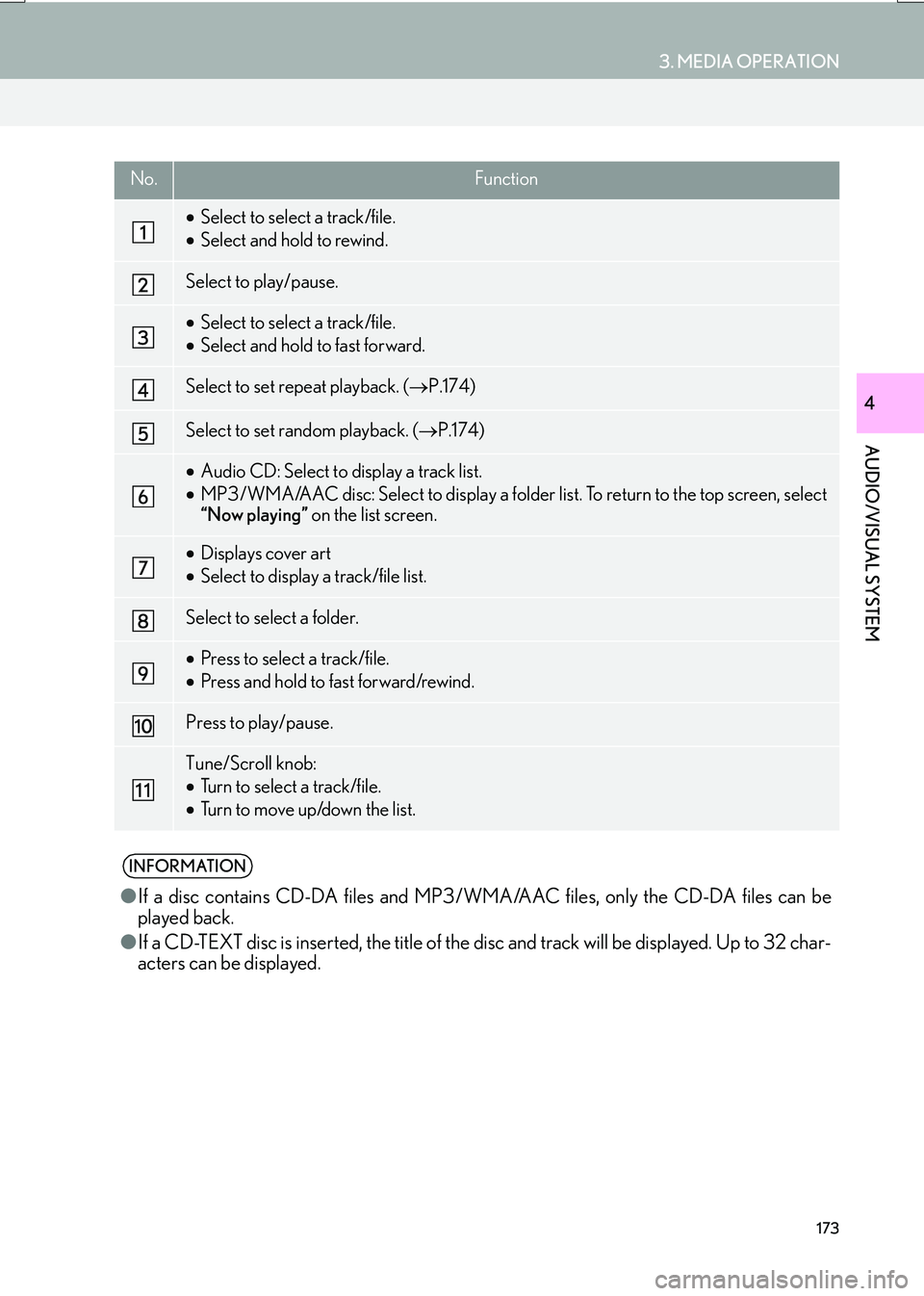
No.Function
•Select to select a track/file.
• Select and hold to rewind.
Select to play/pause.
•Select to select a track/file.
• Select and hold to fast forward.
Select to set repeat playback. ( →P.174)
Select to set random playback. ( →P.174)
•Audio CD: Select to display a track list.
• MP3/WMA/AAC disc: Select to display a folder list. To return to the top screen, select
“Now playing” on the list screen.
•Displays cover art
• Select to display a track/file list.
Select to select a folder.
•Press to select a track/file.
• Press and hold to fast forward/rewind.
Press to play/pause.
Tune/Scroll knob:
•Turn to select a track/file.
• Turn to move up/down the list.
INFORMATION
● If a disc contains CD-DA files and MP3 /WM A/AAC files, only the CD-DA files can be
played back.
● If a CD-TEXT disc is inserted, th e title of the disc and track will be displayed. Up to 32 char-
acters can be displayed.
Page 174 of 342
174
3. MEDIA OPERATION
IS_NAVI_EE
1Select .
zEach time is selected, the mode
changes as follows:
X Audio CD
•track repeat → off
XMP3/WMA/AAC disc
• file repeat → folder repeat → off*1
• file repeat → off*2
*1: When random playback is off
*2: When random playback is on
1Select .
z Each time is selected, the mode
changes as follows:
X Audio CD
• random (1 disc random) → off
XMP3/WMA/AAC disc
• random (1 folder random) →
folder random (1 disc random) → off
REPEATING
The track/file or folder currently being
listened to can be repeated.RANDOM ORDER
Tracks/files or folders can be automati-
cally and randomly selected.
Page 175 of 342

175
3. MEDIA OPERATION
IS_NAVI_EE
AUDIO/VISUAL SYSTEM
4
2. DVD
■CONTROL SCREEN
For safety reasons, the DVD video discs can only be viewed when the following con-
ditions are met:
(a) The vehicle is completely stopped.
(b) The engine
(c) The parking brake is applied.
While driving in DVD video mode, only the DVD’s audio can be heard.
The playback condition of some DVD discs may be determined by the DVD software
producer. This DVD player plays a disc as the software producer intended. As such,
some functions may not work properly. Be sure to read the instruction manual that
comes with the individual DVD disc. (
→P.206)
OVERVIEW
The DVD operation screen can be reached by the following methods: →P.159
XInserting a disc ( →P.160)