LEXUS LS430 2003 Factory Service Manual
LS430 2003
LEXUS
LEXUS
https://www.carmanualsonline.info/img/36/57050/w960_57050-0.png
LEXUS LS430 2003 Factory Service Manual
Page 184 of 4500
B: REPAIR CAN COMMUNICATION SYSTEM (SEE PRECAUTION )
A: Go to next step
4.INSPECT COMBINATION METER ASSEMBLY (SLIP INDICATOR LIGHT) (SEE PROBLEM
SYMPTOMS TABLE )
NG: REPAIR OR REPLACE COMBINATION METER ASSEMBLY
OK: REPLACE ABS & TRACTION ACTUATOR ASSY (SEE REPLACEMENT
)
CIRCUIT DESCRIPTION
The skid control buzzer sounds and VSC warning (Multi-information display) comes ON during VSC
operation.
WIRING DIAGRAM
DTC is outputB
Page 186 of 4500
VEHICLE CONDITION / TEST DETAILS
d. Check that skid control buzzer sounds by operating with the hand-held tester.
OK: Go to next step
The skid control buzzer sounds in accordance with operation of the hand-held tester.
NG: Go to step 2
OK: REPLACE ABS & TRACTION ACTUATOR ASSY (SEE REPLACEMENT
)
2.INSPECT SKID CONTROL BUZZER
a. Disconnect the skid control buzzer connector.
b. Apply a battery positive voltage to terminals 1 and 2 of the skid control buzzer connector, and
check that the buzzer sounds.
OK: Go to next step
The skid control buzzer sound is heard.
NG: REPLACE SKID CONTROL BUZZER
ItemVehicle Condition / Test DetailsDiagnostic Note
VSC / BR WARN BUZTurns VSC / BRAKE warning buzzer ON / OFFBuzzer can be heard
Page 189 of 4500
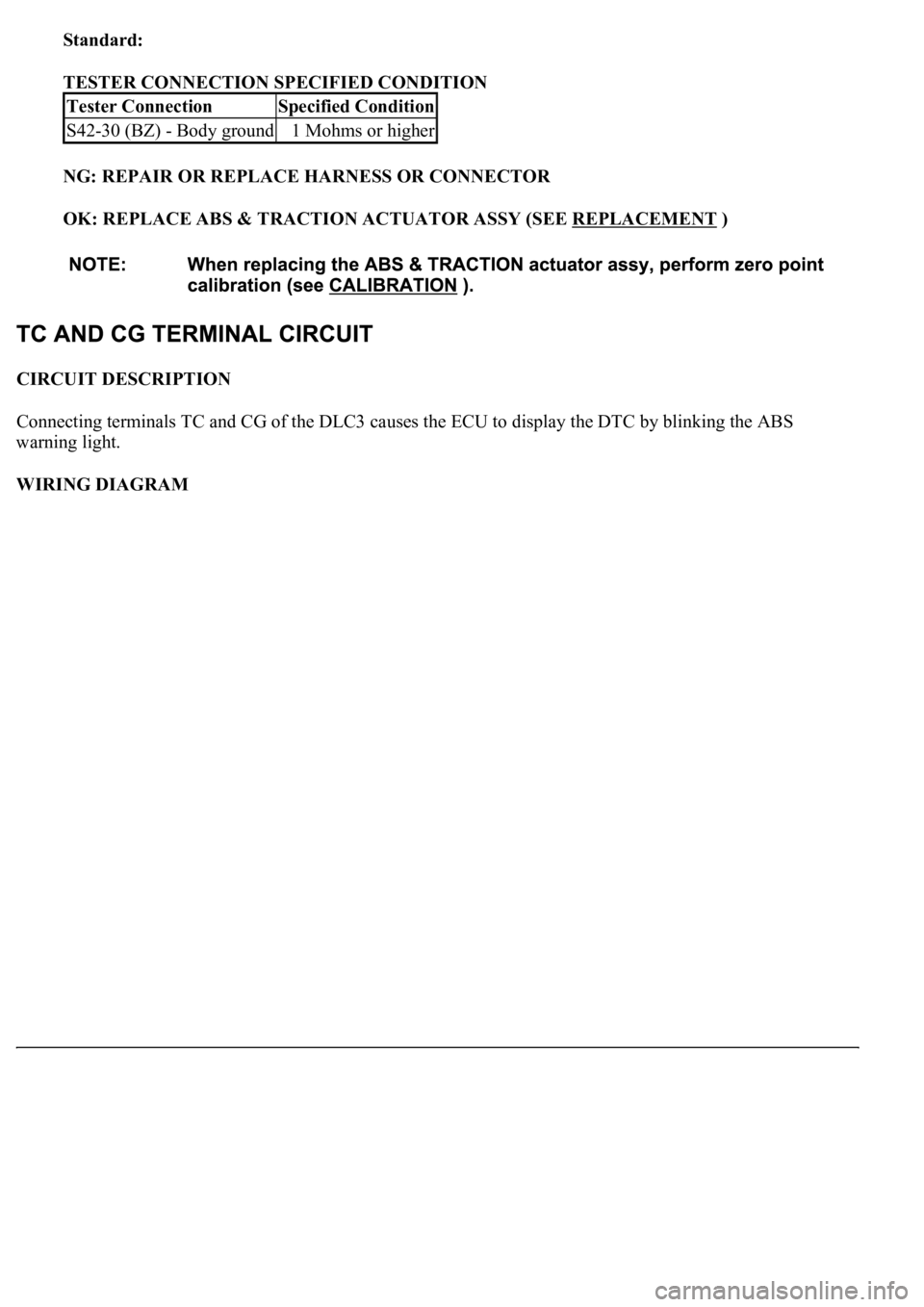
Standard:
TESTER CONNECTION SPECIFIED CONDITION
NG: REPAIR OR REPLACE HARNESS OR CONNECTOR
OK: REPLACE ABS & TRACTION ACTUATOR ASSY (SEE REPLACEMENT
)
CIRCUIT DESCRIPTION
Connecting terminals TC and CG of the DLC3 causes the ECU to display the DTC by blinking the ABS
warning light.
WIRING DIAGRAM
Tester ConnectionSpecified Condition
S42-30 (BZ) - Body ground1 Mohms or higher
Page 191 of 4500
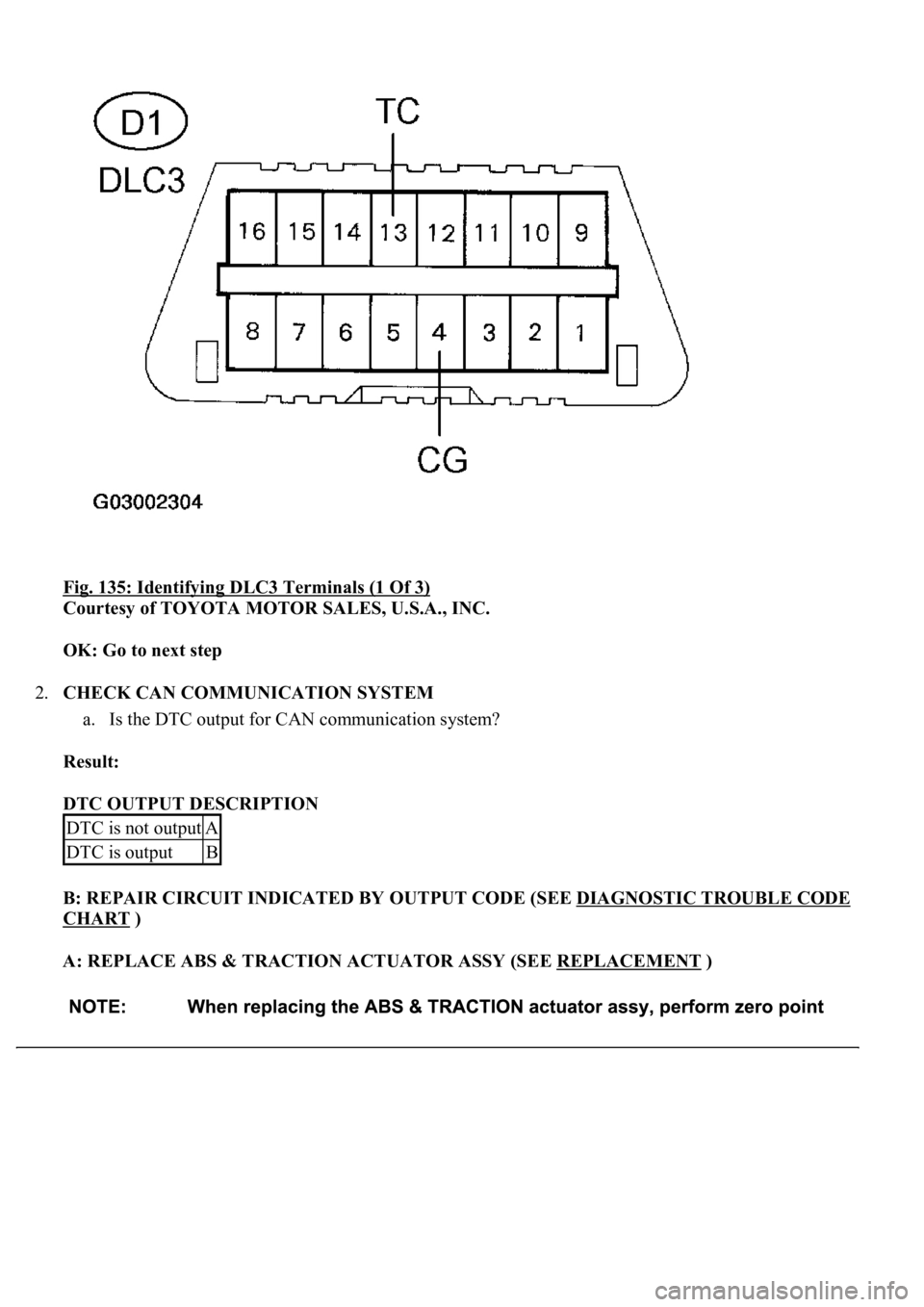
Fig. 135: Identifying DLC3 Terminals (1 Of 3)
Courtesy of TOYOTA MOTOR SALES, U.S.A., INC.
OK: Go to next step
2.CHECK CAN COMMUNICATION SYSTEM
a. Is the DTC output for CAN communication system?
Result:
DTC OUTPUT DESCRIPTION
B: REPAIR CIRCUIT INDICATED BY OUTPUT CODE (SEE DIAGNOSTIC TROUBLE CODE
CHART )
A: REPLACE ABS & TRACTION ACTUATOR ASSY (SEE REPLACEMENT
)
DTC is not outputA
DTC is outputB
Page 195 of 4500
Result:
DTC OUTPUT DESCRIPTION
B: REPAIR CIRCUIT INDICATED BY OUTPUT CODE (SEE DIAGNOSTIC TROUBLE CODE
CHART )
A: REPLACE ABS & TRACTION ACTUATOR ASSY (SEE REPLACEMENT
)
CIRCUIT DESCRIPTION
In the sensor check mode, a malfunction of the speed sensor that cannot be detected when the vehicle is stopped
is detected while driving.
Transition to the sensor check mode can be performed by connecting terminals TS and CG of the DLC3 and
turning the ignition switch from off to the ON position.
WIRING DIAGRAM
DTC is not outputA
DTC is outputB
Page 199 of 4500
Fig. 140: Identifying Skid Control ECU Terminals
Courtesy of TOYOTA MOTOR SALES, U.S.A., INC.
OK: REPLACE ABS & TRACTION ACTUATOR ASSY (SEE REPLACEMENT
)
Page 202 of 4500
Fig. 142: Identifying Skid Control ECU Terminals
Courtesy of TOYOTA MOTOR SALES, U.S.A., INC.
OK: REPLACE ABS & TRACTION ACTUATOR ASSY (SEE REPLACEMENT
)
Page 214 of 4500

The hand-held tester can be used in steps 3, 6, 7 and 11.
1.VEHICLE BROUGHT TO WORK SHOP
2.(SEE CUSTOMER PROBLEM ANALYSIS CHECK
)
a. Confirm problem symptoms.
3.CHECK AND CLEAR THE DTCS (SEE DTC CHECK/CLEAR
)
4.PROBLEM SYMPTOM CONFIRMATION
SYMPTOM OCCURS (GO TO STEP 6)
SYMPTOM DOES NOT OCCUR (GO TO STEP 5)
5.SYMPTOM SIMULATION (SEE HOW TO PROCEED WITH TROUBLESHOOTING
)
6.CHECK BODY MULTIPLEX COMMUNICATION SYSTEM (SEE HOW TO PROCEED WITH
TROUBLESHOOTING )
a. Check for the DTC output.
MULTIPLEX DTC OUTPUTS (PROCEED TO "MULTIPLEX COMMUNICATION SYSTEM
")
NO MULTIPLEX DTC (GO TO STEP 7)
7.CHECK CAN COMMUNICATION SYSTEM (SEE HOW TO PROCEED WITH
TROUBLESHOOTING )
a. Check for the DTC output.
CAN DTC OUTPUTS (PROCEED TO "CAN COMMUNICATION SYSTEM
")
NO CAN DTC (GO TO STEP 8)
8.DTC CHECK (OTHER THAN MULTIPLEX DTC) (SEE DTC CHECK/CLEAR
)
MALFUNCTION CODE (GO TO STEP 9)
NORMAL CODE (GO TO STEP 10)
9.(SEE DIAGNOSTIC TROUBLE CODE CHART
)
GO TO STEP 12
10.(SEE PROBLEM SYMPTOMS TABLE
)
11.(SEE ACTUATOR CHECK
)
12.CIRCUIT INSPECTION (SEE DTC B1411 ROOM TEMPERATURE SENSOR CIRCUIT
to
INTELLIGENT SWING REGISTER CIRCUIT
)
13.IDENTIFYING OF PROBLEMS
Page 221 of 4500
Fig. 16: Connecting Hand-Held Tester To DLC3
Courtesy of TOYOTA MOTOR SALES, U.S.A., INC.
HINT:
Refer to the intelligent tester II operator's manual for further details.
1.ACTUATOR CHECK
a. Turn the ignition switch to the ON position while pressing the A/C control AUTO switch and R/F
(Recirculation / Fresh) switch simultaneously.
b. Press the R/F (Recirculation / Fresh) switch.
c. As each damper, motor and relay automatically operate the actuator check at 1 second intervals
from STEP No. 1 to No. 10 continuousl
y, check the temperature and air flow visually and by hand.
Page 226 of 4500
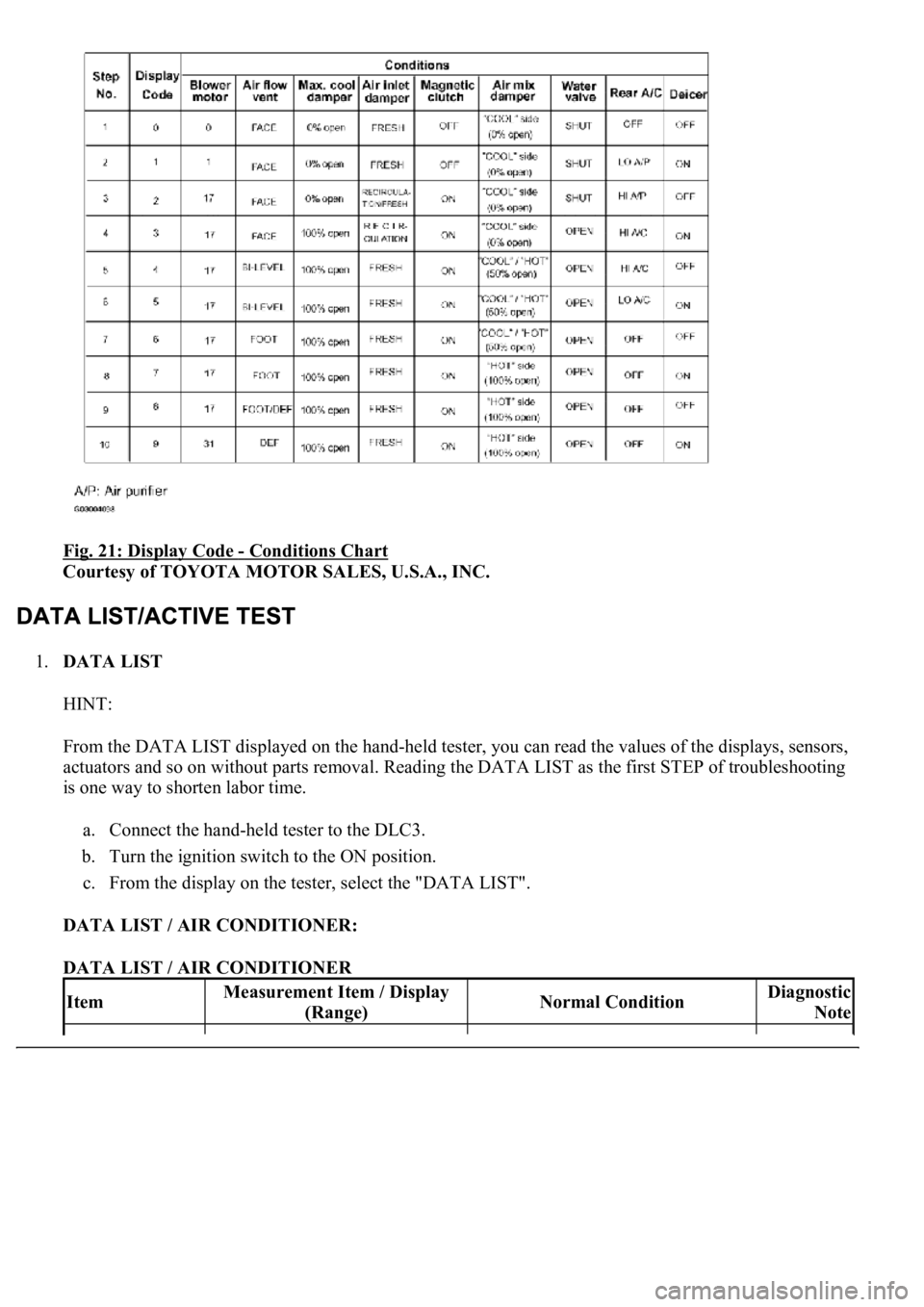
Fig. 21: Display Code - Conditions Chart
Courtesy of TOYOTA MOTOR SALES, U.S.A., INC.
1.DATA LIST
HINT:
From the DATA LIST displayed on the hand-held tester, you can read the values of the displays, sensors,
actuators and so on without parts removal. Reading the DATA LIST as the first STEP of troubleshooting
is one way to shorten labor time.
a. Connect the hand-held tester to the DLC3.
b. Turn the ignition switch to the ON position.
c. From the display on the tester, select the "DATA LIST".
DATA LIST / AIR CONDITIONER:
DATA LIST / AIR CONDITIONER
ItemMeasurement Item / Display
(Range)Normal ConditionDiagnostic
Note