light LEXUS LS460L 2016 Manual Online
[x] Cancel search | Manufacturer: LEXUS, Model Year: 2016, Model line: LS460L, Model: LEXUS LS460L 2016Pages: 708, PDF Size: 36.57 MB
Page 261 of 708
2614-2. Driving procedures
4
Driving
LS460/LS460L_GE (OM50G06E)
■Auto power off function
If the vehicle is left in ACCESSORY mode for more than 20 minutes with the shift
lever in P, the engine switch will automatically turn off.
■Electronic key battery depletion
P. 166
■Conditions affecting operation
P. 163
■Notes for the entry function
P. 164
■If the engine does not start
The engine immobilizer system may not have been deactivated. ( P. 104)
Contact your Lexus dealer.
■Steering lock
After turning the engine switch off and opening and closing the doors, the steering
wheel will be locked due to the steering lock function. Operating the engine switch
again automatically cancels the steering lock.
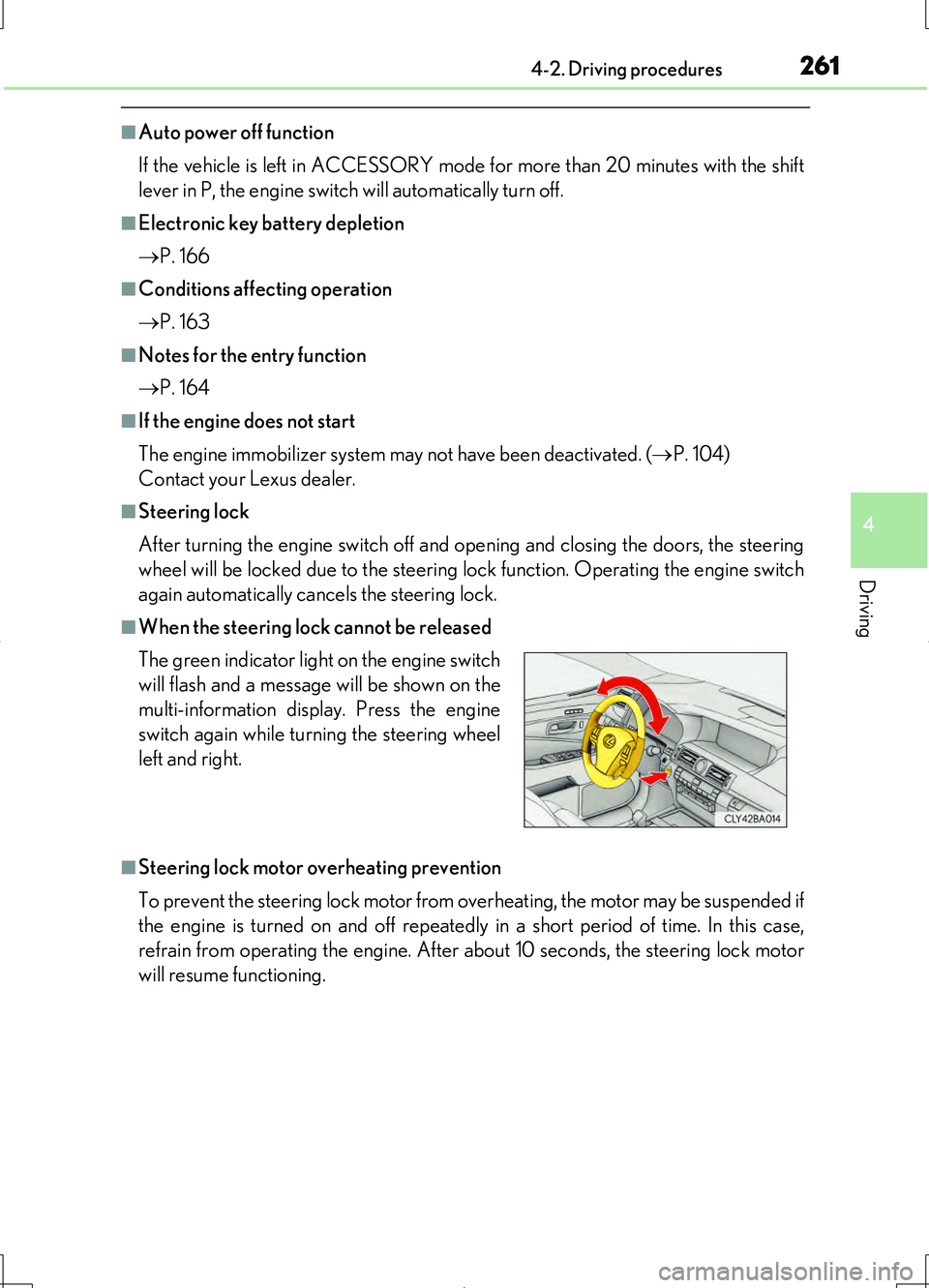
■When the steering lock cannot be released
■Steering lock motor overheating prevention
To prevent the steering lock motor from overheating, the motor may be suspended if
the engine is turned on and off repeatedly in a short period of time. In this case,
refrain from operating the engine. After about 10 seconds, the steering lock motor
will resume functioning.
The green indicator light on the engine switch
will flash and a message will be shown on the
multi-information display. Press the engine
switch again while turning the steering wheel
left and right.
Page 263 of 708
2634-2. Driving procedures
4
Driving
LS460/LS460L_GE (OM50G06E)
NOTICE
■To prevent battery discharge
Do not leave the engine switch in ACCESSORY or IGNITION ON mode for long
periods of time without the engine running.
■When starting the engine
●Do not race a cold engine.
●If the engine becomes difficult to start or stalls frequently, have your vehicle
checked by your Lexus dealer immediately.
■Symptoms indicating a malfunction with the engine switch
If the engine switch seems to be operating somewhat differently than usual, such as
the switch sticking slightly, there may be a malfunction. Contact your Lexus dealer
immediately.
Page 266 of 708
2664-2. Driving procedures
LS460/LS460L_GE (OM50G06E)
■Sport mode/Comfort mode/Eco drive mode
P. 354
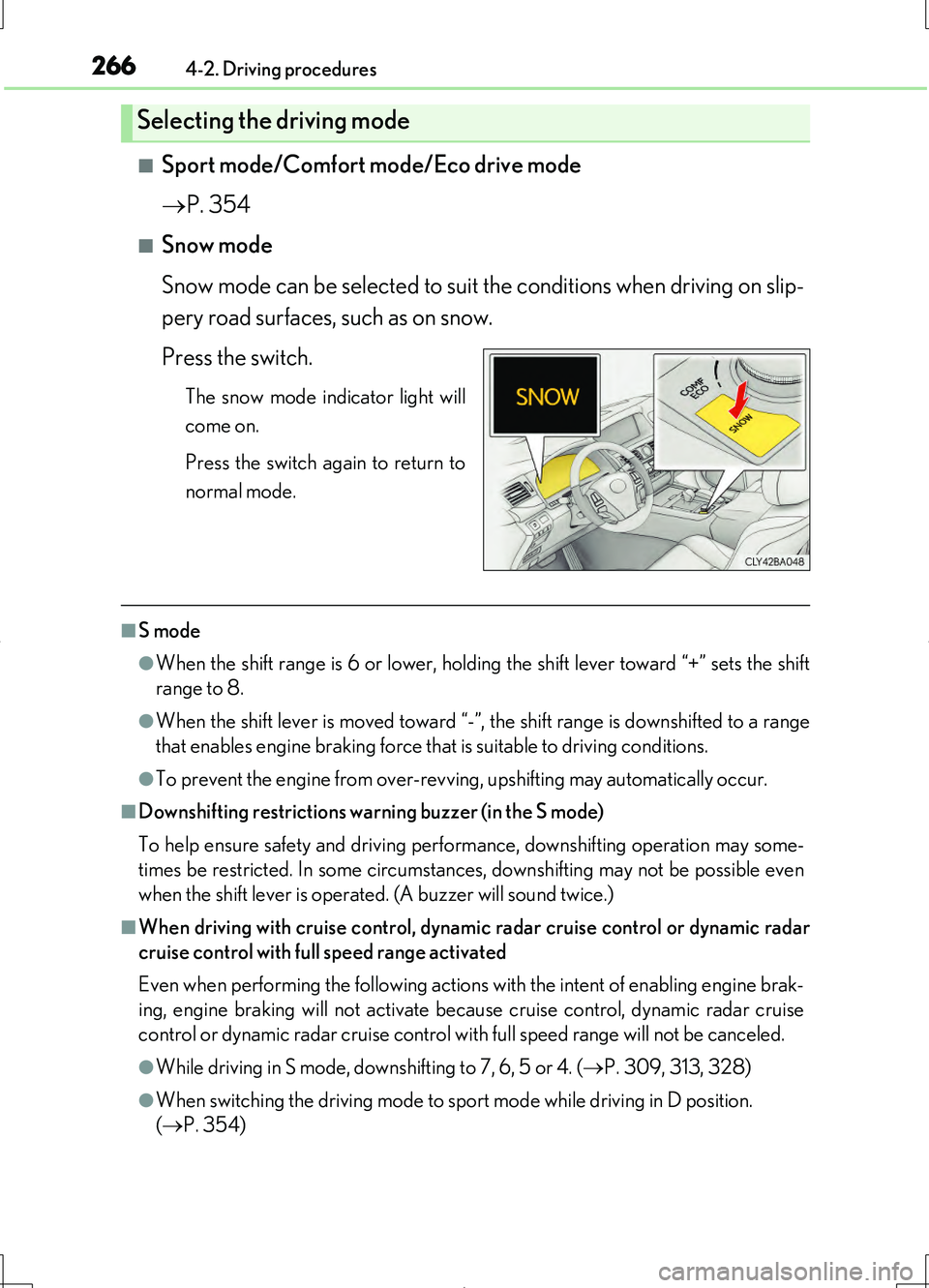
■Snow mode
Snow mode can be selected to suit the conditions when driving on slip-
pery road surfaces, such as on snow.
Press the switch.
The snow mode indicator light will
come on.
Press the switch again to return to
normal mode.
■S mode
●When the shift range is 6 or lower, holdin g the shift lever toward “+” sets the shift
range to 8.
●When the shift lever is moved toward “-”, the shift range is downshifted to a range
that enables engine braking force that is suitable to driving conditions.
●To prevent the engine from over-revving, upshifting may automatically occur.
■Downshifting restrictions warning buzzer (in the S mode)
To help ensure safety and driving performance, downshifting operation may some-
times be restricted. In some circumstances, downshifting may not be possible even
when the shift lever is operated. (A buzzer will sound twice.)
■When driving with cruise control, dynamic radar cruise control or dynamic radar
cruise control with full speed range activated
Even when performing the following actions with the intent of enabling engine brak-
ing, engine braking will not activate because cruise control, dynamic radar cruise
control or dynamic radar cruise control with full speed range will not be canceled.
●While driving in S mode, downshifting to 7, 6, 5 or 4. ( P. 309, 313, 328)
●When switching the driving mode to sport mode while driving in D position.
( P. 354)
Selecting the driving mode
Page 274 of 708
2744-2. Driving procedures
LS460/LS460L_GE (OM50G06E)
■Sport mode/Comfort mode/Eco drive mode
P. 354
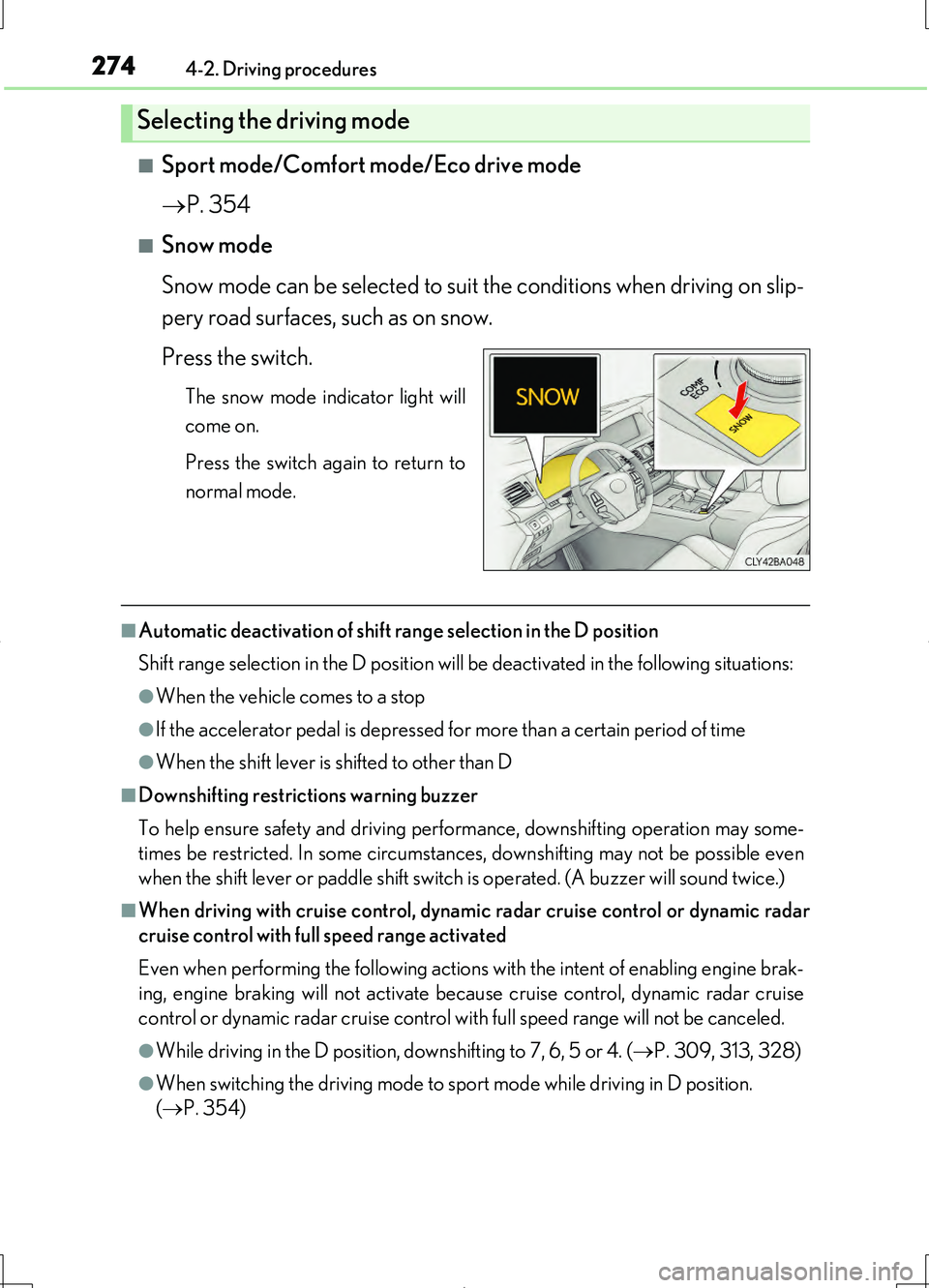
■Snow mode
Snow mode can be selected to suit the conditions when driving on slip-
pery road surfaces, such as on snow.
Press the switch.
The snow mode indicator light will
come on.
Press the switch again to return to
normal mode.
■Automatic deactivation of shift range selection in the D position
Shift range selection in the D position will be deactivated in the following situations:
●When the vehicle comes to a stop
●If the accelerator pedal is depressed for more than a certain period of time
●When the shift lever is shifted to other than D
■Downshifting restrictions warning buzzer
To help ensure safety and driving performance, downshifting operation may some-
times be restricted. In some circumstances, downshifting may not be possible even
when the shift lever or paddle shift switch is operated. (A buzzer will sound twice.)
■When driving with cruise control, dynamic radar cruise control or dynamic radar
cruise control with full speed range activated
Even when performing the following actions with the intent of enabling engine brak-
ing, engine braking will not activate because cruise control, dynamic radar cruise
control or dynamic radar cruise control with full speed range will not be canceled.
●While driving in the D position, downshifting to 7, 6, 5 or 4. ( P. 309, 313, 328)
●When switching the driving mode to sp ort mode while driving in D position.
( P. 354)
Selecting the driving mode
Page 278 of 708
2784-2. Driving procedures
LS460/LS460L_GE (OM50G06E)
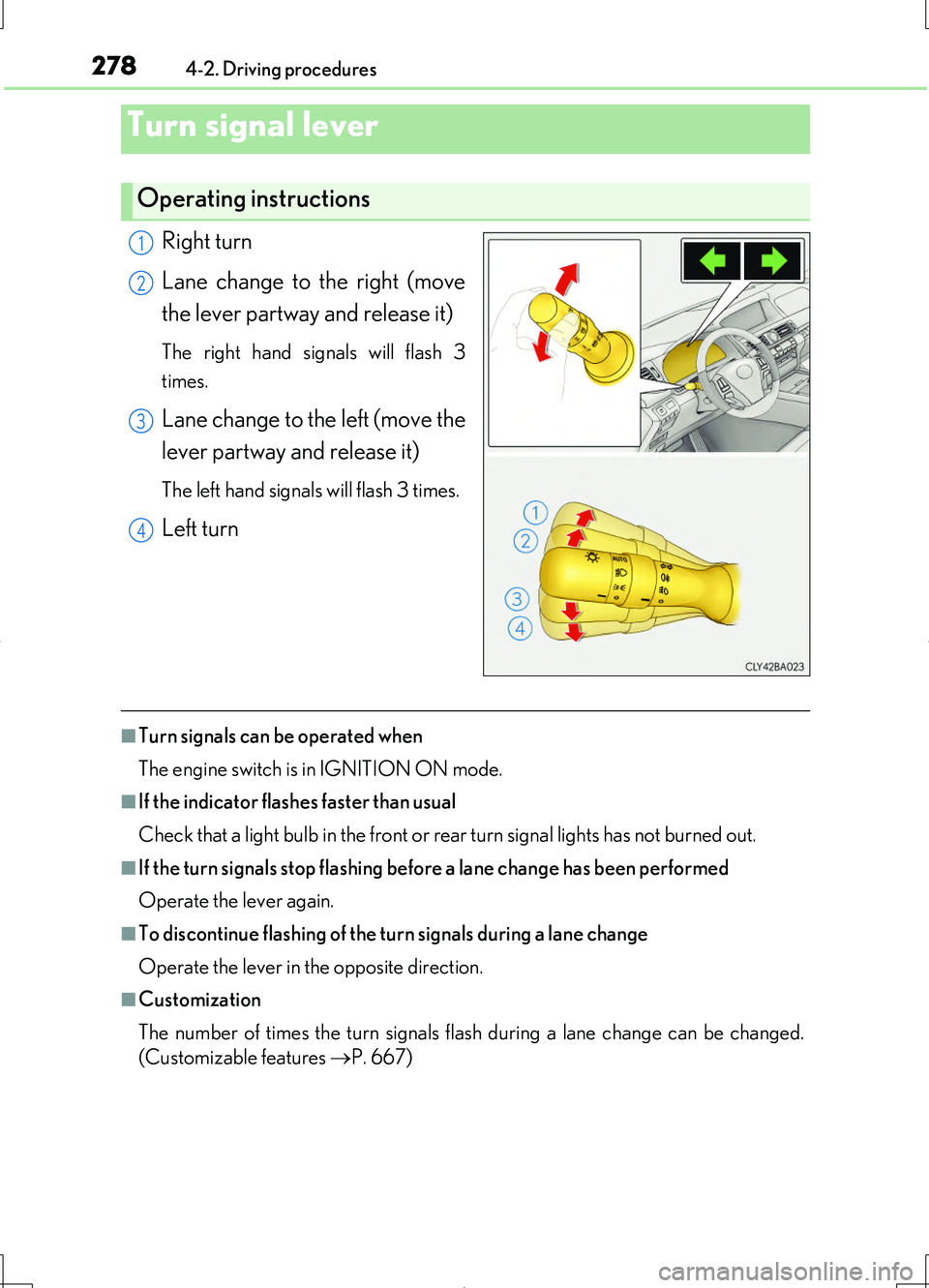
Right turn
Lane change to the right (move
the lever partway and release it)
The right hand signals will flash 3
times.
Lane change to the left (move the
lever partway and release it)
The left hand signals will flash 3 times.
Left turn
■Turn signals can be operated when
The engine switch is in IGNITION ON mode.
■If the indicator flashes faster than usual
Check that a light bulb in the front or rear turn signal lights has not burned out.
■If the turn signals stop flashing befo re a lane change has been performed
Operate the lever again.
■To discontinue flashing of the turn signals during a lane change
Operate the lever in the opposite direction.
■Customization
The number of times the turn signals flash during a lane change can be changed.
(Customizable features P. 667)
Turn signal lever
Operating instructions
1
2
3
4
Page 279 of 708
2794-2. Driving procedures
4
Driving
LS460/LS460L_GE (OM50G06E)
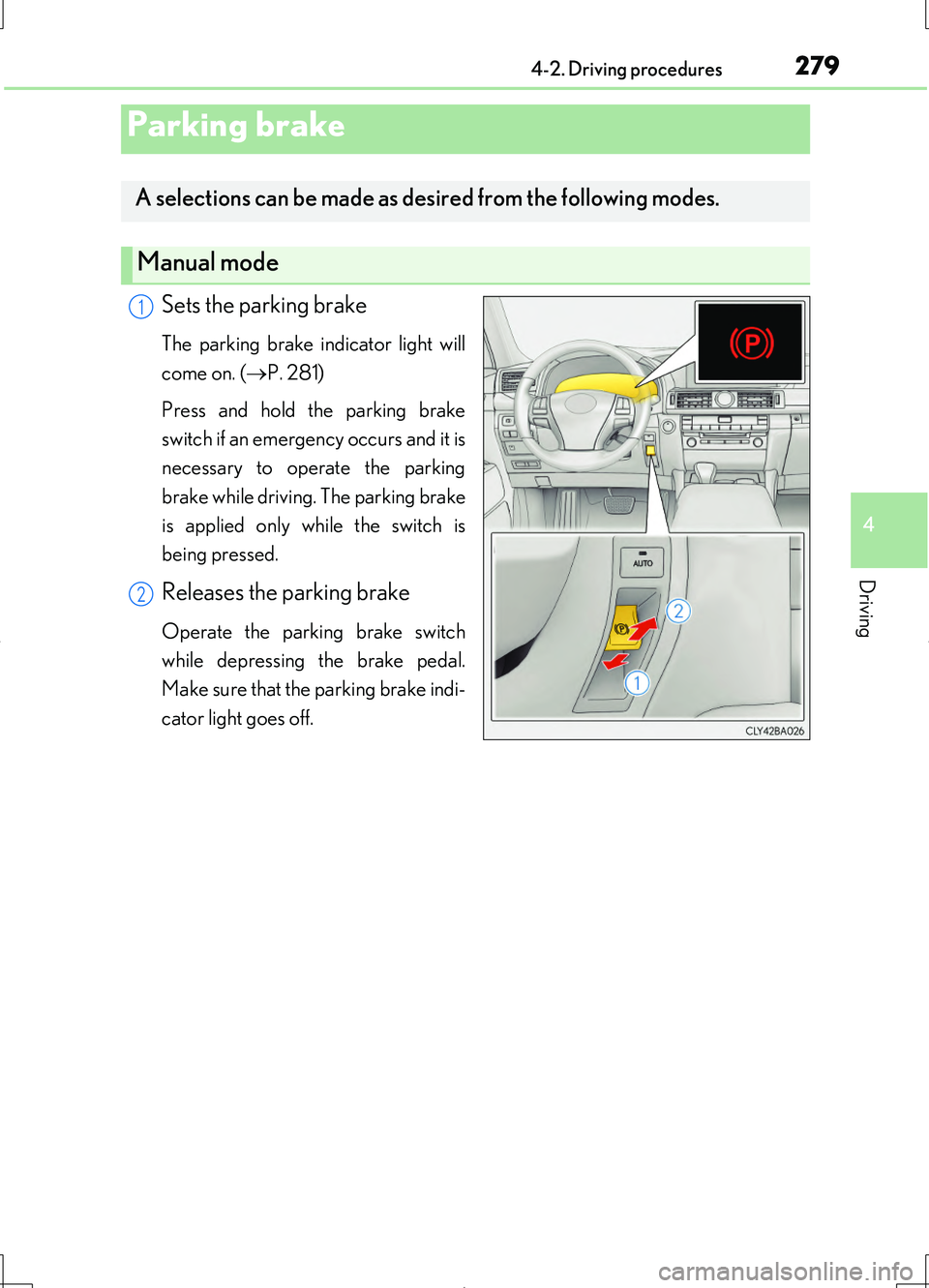
Sets the parking brake
The parking brake indicator light will
come on. ( P. 281)
Press and hold the parking brake
switch if an emergency occurs and it is
necessary to operate the parking
brake while driving. The parking brake
is applied only while the switch is
being pressed.
Releases the parking brake
Operate the parking brake switch
while depressing the brake pedal.
Make sure that the parking brake indi-
cator light goes off.
Parking brake
A selections can be made as desired from the following modes.
Manual mode
1
2
Page 281 of 708
2814-2. Driving procedures
4
Driving
LS460/LS460L_GE (OM50G06E)
■Parking brake indicator light
●Depending on the engine switch mode, the parking brake indicator light will come
on and stay on as described below:
IGNITION ON mode: Comes on until the parking brake is released.
Not in IGNITION ON mode: Stays on for approximately 15 seconds.
●When the engine switch is turned off with the parking brake set, the parking brake
indicator light will stay on for about 15 seconds. This does not indicate a malfunc-
tion.
■Parking brake engaged warning buzzer
A buzzer will sound if the vehicle is driven at a speed of approximately 5 km/h (3
mph) or more with the parking brake engaged.
■When there is a malfunction in the system
Warning lights and/or warning message will turn on or flash. ( P. 607, 614)
Depending on the condition, the parking brake indicator light may flash.
■Usage in winter time
P. 399
NOTICE
■When parking the vehicle
Before you leave the vehicle, set the parking brake, shift the shift lever to P and
make sure that the vehicle does not move.
■When the system malfunctions
Stop the vehicle in a safe place and check the warning messages.
■When the parking brake cannot be released due to a malfunction
Use the parking brake release tool to manually release the parking brake.
( P. 629)
Driving the vehicle with the parking brake set will lead to brake components over-
heating, which may affect braking performance and increase brake wear.
Page 282 of 708
2824-2. Driving procedures
LS460/LS460L_GE (OM50G06E)
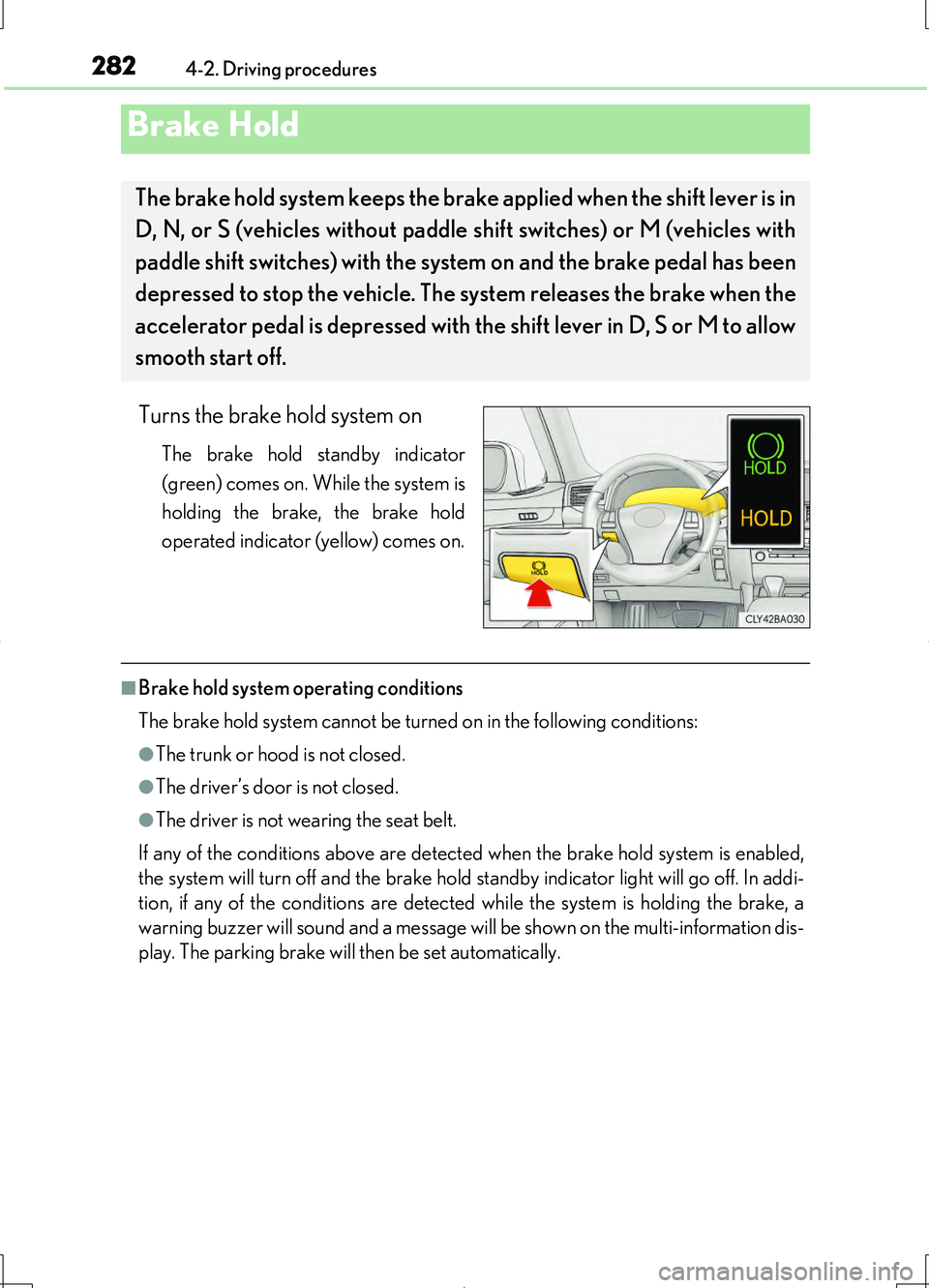
Turns the brake hold system on
The brake hold standby indicator
(green) comes on. While the system is
holding the brake, the brake hold
operated indicator (yellow) comes on.
■Brake hold system operating conditions
The brake hold system cannot be turned on in the following conditions:
●The trunk or hood is not closed.
●The driver’s door is not closed.
●The driver is not wearing the seat belt.
If any of the conditions above are detected when the brake hold system is enabled,
the system will turn off and the brake hold standby indicator light will go off. In addi-
tion, if any of the conditions are detected while the system is holding the brake, a
warning buzzer will sound and a message will be shown on the multi-information dis-
play. The parking brake will then be set automatically.
Brake Hold
The brake hold system keeps the brake applied when the shift lever is in
D, N, or S (vehicles without paddle shift switches) or M (vehicles with
paddle shift switches) with the syst em on and the brake pedal has been
depressed to stop the vehicle. The system releases the brake when the
accelerator pedal is depressed with th e shift lever in D, S or M to allow
smooth start off.
Page 283 of 708
2834-2. Driving procedures
4
Driving
LS460/LS460L_GE (OM50G06E)
■Brake hold function
●If the brake pedal is left released for a period of about 3 minutes after the system
has started holding the brake, the parking brake will be set automatically. In this
case, a warning buzzer sounds and a message is shown on the multi-information
display.
●To turn the system off while the system is holding the brake, firmly depress the
brake pedal and press the switch again.
●The brake hold function may not hold the vehicle when the vehicle is on a steep
incline. In this situation, it may be necessary for the driver to apply the brakes. The
multi-information display will inform the driver of this situation.
■When the parking brake is set automatically while the system is holding the brakes
The parking brake will not be released automatically. Release the parking brake by
operating the parking brake switch, making sure that the parking brake indicator
light goes off. ( P. 279)
■When there is a malfunction in the system
Warning lights and/or warning messages will turn on or flash. ( P. 607, 614)
CAUTION
■When the vehicle is on a steep incline
When using the brake hold system on a steep incline exercise caution. The brake
hold function may not hold the vehicle in such a situation.
■When stopped on a slippery road
The system cannot stop the vehicle when the gripping ability of the tires has been
exceeded. Do not use the system when stopped on a slippery road.
NOTICE
■When parking the vehicle
The brake hold system is not designed for use when parking the vehicle for a long
period of time. Turning the engine switch off while the system is holding the brake
may release the brake, which would cause the vehicle to move. When operating
the engine switch, depress the brake pedal, set the parking brake and shift the shift
lever to P.
Page 285 of 708
285
4
Driving
LS460/LS460L_GE (OM50G06E)
4-3. Operating the lights and wipers
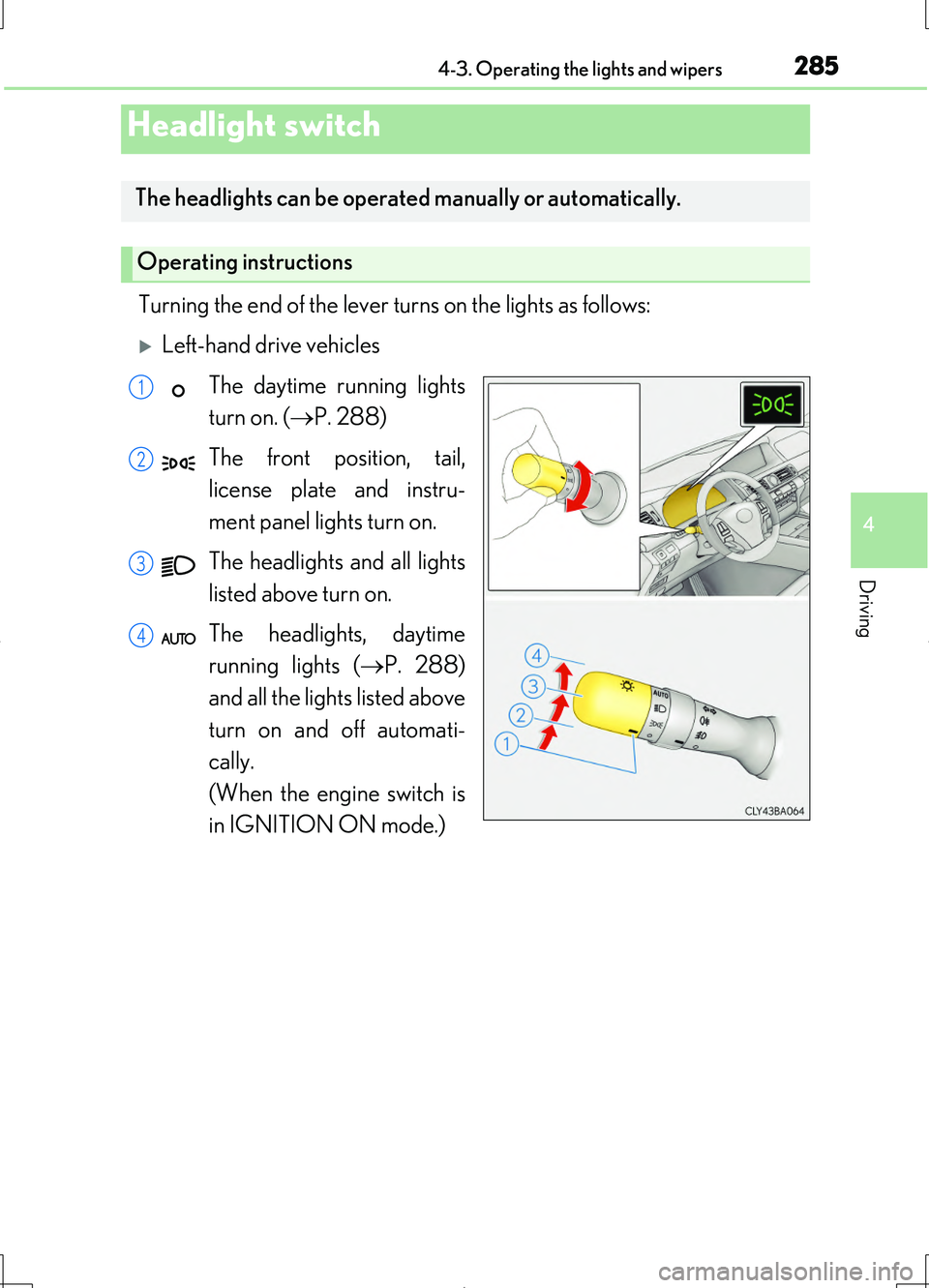
Turning the end of the lever turns on the lights as follows:
Left-hand drive vehicles
The daytime running lights
turn on. ( P. 288)
The front position, tail,
license plate and instru-
ment panel lights turn on.
The headlights and all lights
listed above turn on.
The headlights, daytime
running lights ( P. 288)
and all the lights listed above
turn on and off automati-
cally.
(When the engine switch is
in IGNITION ON mode.)
Headlight switch
The headlights can be operated manually or automatically.
Operating instructions
1
2
3
4