audio LEXUS LX570 2016 User Guide
[x] Cancel search | Manufacturer: LEXUS, Model Year: 2016, Model line: LX570, Model: LEXUS LX570 2016Pages: 632, PDF Size: 10.34 MB
Page 267 of 632

LX570_OM_OM60N01U_(U) 2674-5. Using the driving support systems
4
Driving ■
Operation conditions of each function ●
Lane departure alert function
This function operates when all of the following conditions are met.
• LDA is turned on.
• Vehicle speed is approximately 32 mph (50 km/h) or more.
• System recognizes white (yellow) lines.
• Width of traffic lane is approximately 9.8 ft. (3 m) or more.
• Turn signal lever is not operated.
• Vehicle is driven on a straight road or around a gentle curve with a radius of more
than approximately 492 ft. (150 m).
• No system malfunctions are detected. ( P. 2 6 9 )●
Ve h i c l e s w a y w a r n i n g
This function operates when all of the following conditions are met.
• Setting for “Sway Warning” in (Setting s display) of the multi-information dis-
play is set to “On”. ( P. 5 8 5 )
• Vehicle speed is approximately 32 mph (50 km/h) or more.
• Width of traffic lane is approximately 9.8 ft. (3 m) or more.
• No system malfunctions are detected. ( P. 2 6 9 )■
Temporary cancellation of functions
When operation conditions are no longer me t, a function may be temporarily canceled.
However, when the operation conditions are met again, operation of the function is auto-
matically restored. ( P. 2 6 7 )■
Lane departure alert function
The warning buzzer may be difficult to hear due to external noise, audio playback, etc.
Also, it may be difficult to feel steering wheel vibrations due to the road conditions, etc. ■
White (yellow) lines are on ly on one side of road
The LDA system will not operate for the side on which white (yellow) lines could not be
recognized.
Page 295 of 632

LX570_OM_OM60N01U_(U) 2954-5. Using the driving support systems
4
Driving ●
The shape of the obstacle may prevent a sensor from detecting it. Pay particular atten-
tion to the following obstacles:
• Wires, fences, ropes, etc.
• Cotton, snow and other materials that absorb sound waves
• Sharply-angled objects
•Low obstacles
• Tall obstacles with upper sections projecting outwards in the direction of your vehi-
cle ●
The following situations may occur during use.
• Depending on the shape of the obstacle and other factors, the detection distance
may shorten, or detect ion may be impossible.
• Obstacles may not be detected if they are too close to the sensor.
• There will be a short delay between obst acle detection and display. Even at slow
speeds, there is a possibility that the obstacle w ill come within the sensor’s detection
areas before the display is shown and the buzzer sounds.
• Thin posts or objects lower than the sensor may not be detected when approached,
even if they have been detected once.
• It might be difficult to hear beeps due to th e volume of audio system or air flow noise
of the air conditioning system.■
If “Clean Parking Assist Sensor” is di splayed on the multi-information display
A sensor may be dirty or covered with snow or ice. In such cases, if it is removed from the
sensor, the system should return to normal.
Also, due to the sensor being frozen at low temperatures, a malfunction display may
appear or an obstacle may no t be detected. If the sensor thaws out, the system should
return to normal. ■
If “Parking Assist Malfunction” is di splayed on the multi-information display
Depending on the malfunction of the sensor, the device may not be working normally.
Have the vehicle inspected by your Lexus dealer. ■
Certification for the intuitive parking assist (Canada only)
This ISM device complies with Canadian ICES-001. ■
Customization
Settings (e.g. buzzer sounds volume) can be changed.
(Customizable features: P. 585)
Page 367 of 632
LX570_OM_OM60N01U_(U) 3674-5. Using the driving support systems
4
Driving Press or of the meter control switches, select .
Press or of the meter control switches, select “BSM”, and then press
.
Press or of the meter control switches, select “BSM” or “RCTA”, and
then press . ■
Outside rear view mirror indicator visibility
In strong sunlight, the outside rear view mirror indicator may be difficult to see.■
Hearing RCTA buzzer
The RCTA buzzer may be difficult to hear ov er loud noises, such as if the audio system
volume is high. ■
When “Blind Spot Monitor Unavailable” is shown on the multi-information display
Water, snow, mud, etc., may be built up in the vicinity of the sensor area of bumper. ( P. 3 6 8 )
Removing the water, snow, mud, etc., from the vicinity of the sensor area bumper should
return it to normal.
Also, the sensor may not function normally wh en used in extremely hot or cold weather. ■
When “Blind Spot Monitor System Malfunctio n” is shown on the multi-information dis-
play
There may be a sensor malfunction or volta ge abnormality. Have the vehicle inspected at
your Lexus dealer. ■
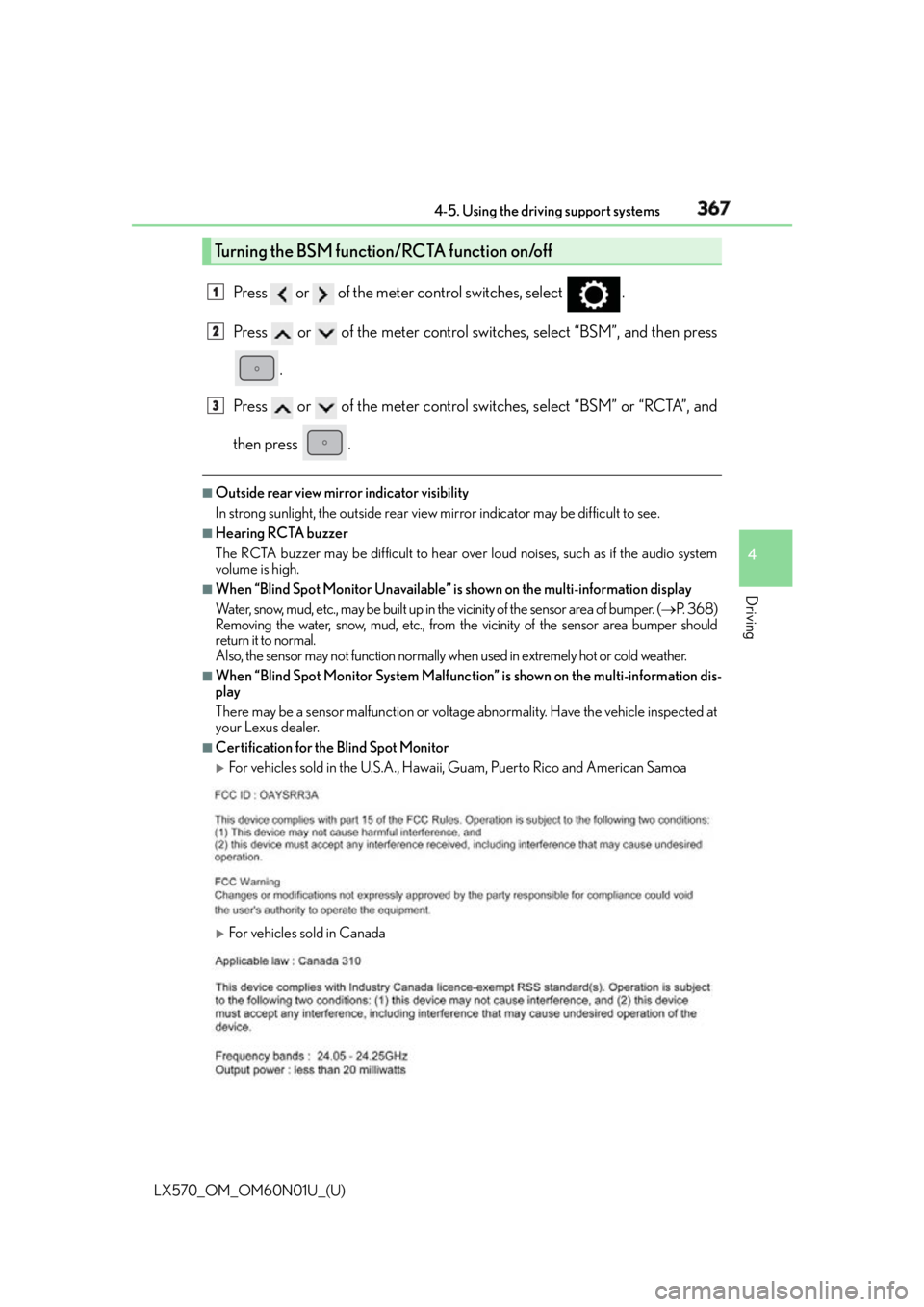
Certification for the Blind Spot Monitor
For vehicles sold in the U.S.A., Hawaii , Guam, Puerto Rico and American Samoa
For vehicles sold in CanadaTurning the BSM function/RCTA function on/off 1
2
3
Page 398 of 632
398 5-1. Remote Touch screen
LX570_OM_OM60N01U_(U) ■
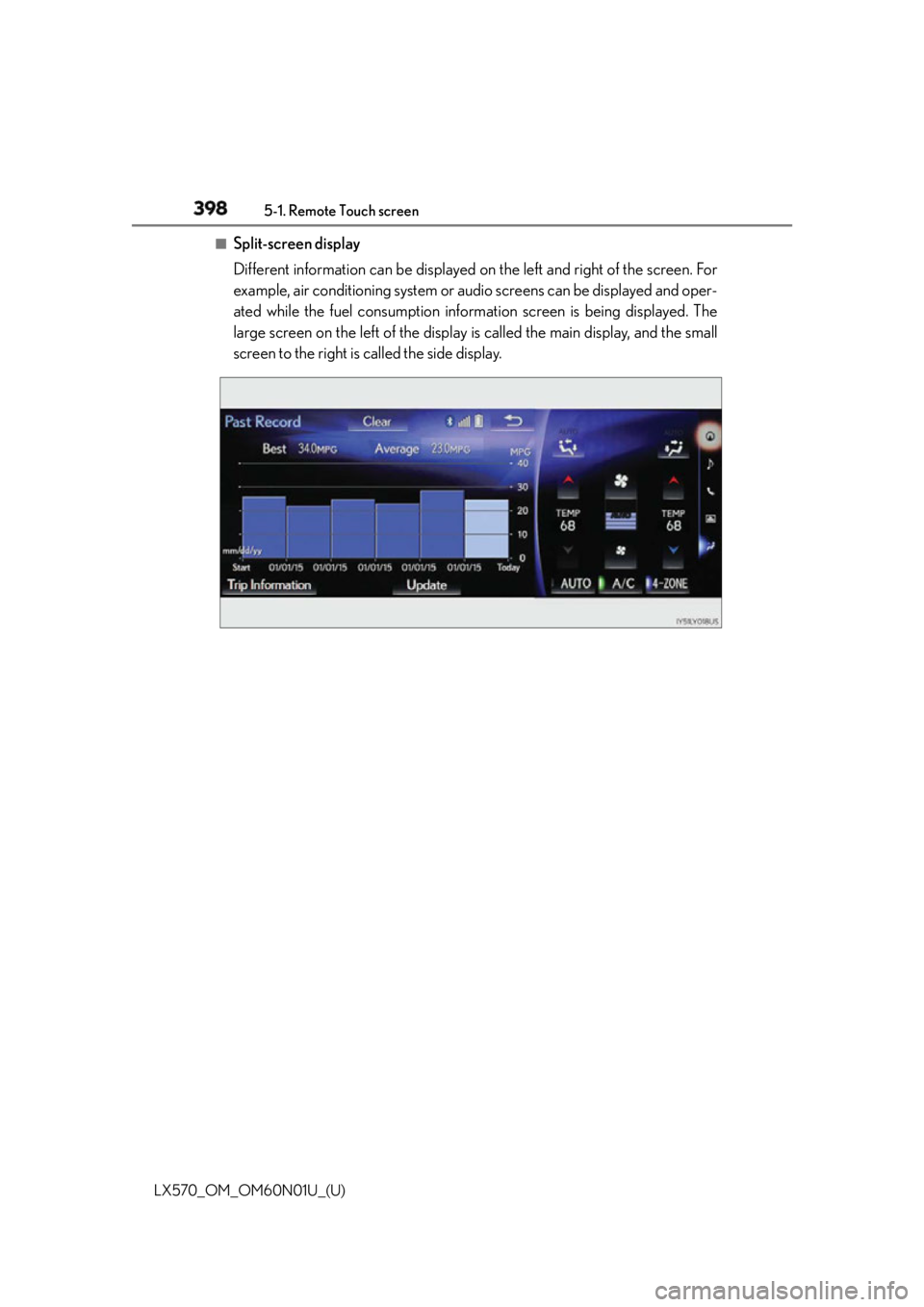
Split-screen display
Different information can be displayed on the left and right of the screen. For
example, air conditioning system or audio screens can be displayed and oper-
ated while the fuel consumption inform ation screen is being displayed. The
large screen on the left of the display is called the main display, and the small
screen to the right is called the side display.
Page 399 of 632
LX570_OM_OM60N01U_(U) 3995-1. Remote Touch screen
5
Interior features ■
Main Display
For details about the functions and operat ion of the main display, refer to the
respective section and “NAVIGATION SYSTEM OWNER’S MANUAL”. ■
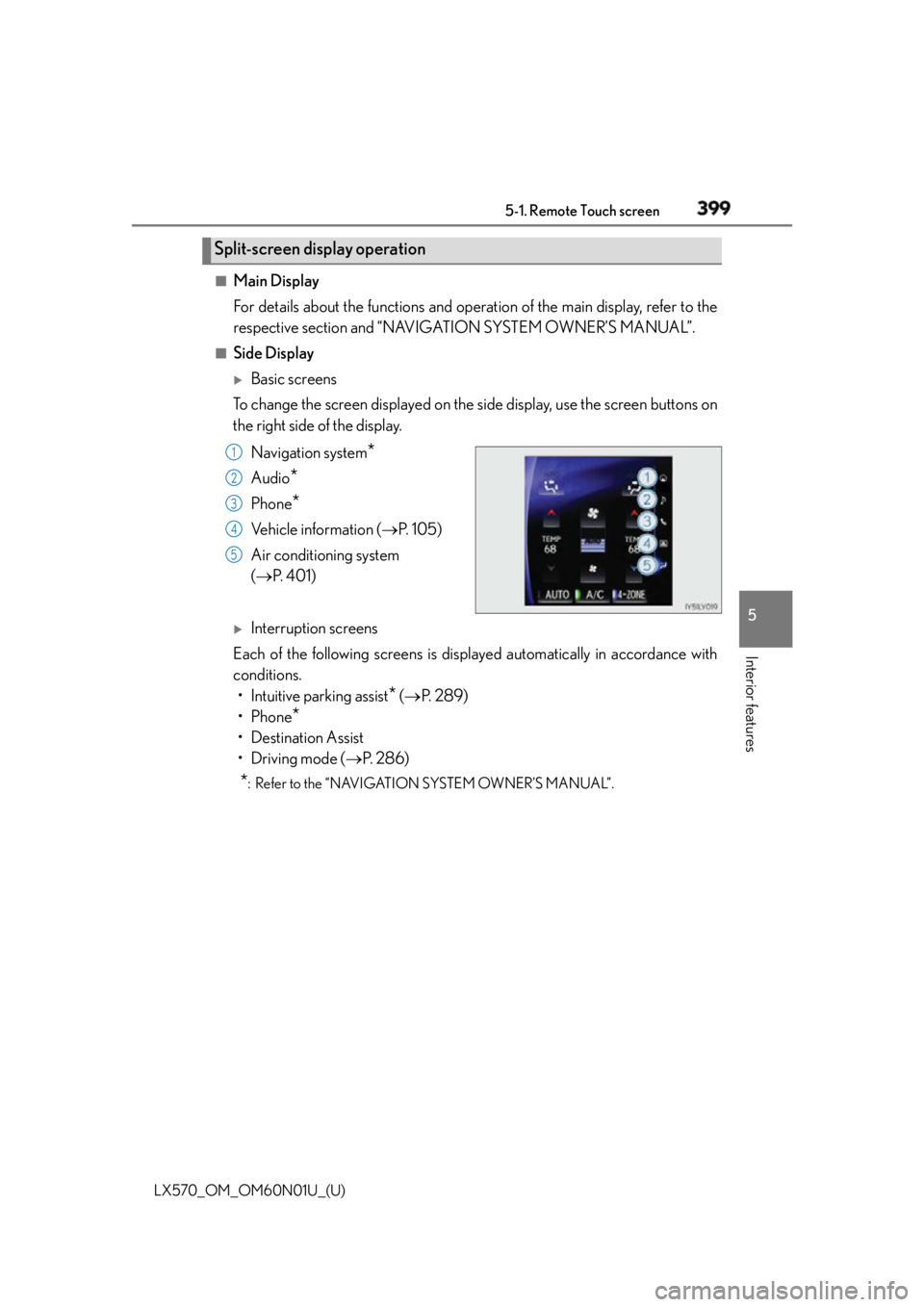
Side Display
Basic screens
To change the screen displayed on the side display, use the screen buttons on
the right side of the display.
Navigation system
*Audio
* Phone
* Vehicle information ( P. 1 0 5 )
Air conditioning system
( P. 4 0 1 )
Interruption screens
Each of the following screens is displayed automatically in accordance with
conditions.
• Intuitive parking assist
* ( P. 2 8 9 )
•Phone
*• Destination Assist
•Driving mode ( P. 2 8 6 )
* : Refer to the “NAVIGATION SYSTEM OWNER’S MANUAL”.Split-screen display operation 1
2
3
4
5
Page 463 of 632
LX570_OM_OM60N01U_(U) 4636-1. Maintenance and care
6
Maintenance and care NOTICE ■
Preventing damage to leather surfaces
Observe the following precautions to avoid damage to and deterioration of leather
surfaces: ●
Remove any dust or dirt from leather surfaces immediately. ●
Do not expose the vehicle to direct sunlight for extended periods of time. Park the
vehicle in the shade, especially during summer. ●
Do not place items made of vinyl, plastic, or containing wax on the upholstery, as they
may stick to the leather su rface if the vehicle interior heats up significantly.■
When cleaning the inside of the windshie ld (vehicles with Lexus Safety System +)
Do not allow glass cleaner to contact the lens. Also, do not touch the lens. ( P. 2 4 6 )■
Water on the floor
Do not wash the vehicle floor with water.
Vehicle systems such as the audio system ma y be damaged if water comes into contact
with electrical components such as the au dio system above or under the floor of the
vehicle. Water may also cause the body to rust. ■
Cleaning the inside of the rear quarter windows and rear window●
Do not use glass cleaner to clean the rear quarter windows and rear window, as this
may cause damage to the rear window defogg er heater wires or antenna. Use a cloth
dampened with lukewarm water to gently wipe the window clean. Wipe the window
in strokes running parallel to the heater wires or antenna. ●
Be careful not to scratch or damage the heater wires or antenna.
Page 529 of 632
5297-2. Steps to take in an emergency
LX570_OM_OM60N01U_(U) 7
When trouble arises ■
When the tire pressure warning light comes on
Inspect the tires to check if a tire is punctured.
If a tire is punctured: P. 5 3 6
If none of the tires are punctured:
Turn the engine switch off then turn it to IGNITION ON mode. Check if the tire pressure
warning light comes on or flashes.
If the tire pressure warning light comes on
After the temperature of the tires has lowere d sufficiently, check the inflation pressure
of each tire and adjust th em to the specified level.
If the warning light does not turn off even after several minutes have elapsed, check
that the inflation pressure of each tire is at the specified level and perform initialization.
( P. 4 8 7 )
If the warning light does not turn off even after several minutes have elapsed, have the
vehicle inspected by your Lexus dealer immediately.
If the tire pressure warning light flashes for 1 minute then stay on
There may be a malfunction in the tire pressure warning system. Have the vehicle
inspected by your Lexus dealer immediately. ■
The tire pressure warning light may turn on due to natural causes
The tire pressure warning light may turn on du e to natural causes such as natural air leaks
or tire inflation pressure changes caused by temperature. In this case, adjusting the tire
inflation pressure will turn off the warning light (after a few minutes). ■
When a tire is replaced with a spare tire
The spare tire is also equipped with the tire pressure warning valve and transmitter. The
tire pressure warning light will turn on if the tire inflation pressure of the spare tire is low. If
a tire goes flat, even though the flat tire is replaced with the spare tire, the tire pressure
warning light does not turn off. Replace the spar e tire with the repaired tire and adjust the
proper tire inflation pressure. The tire pressu re warning light will turn off after a few min-
utes. ■
Conditions that the tire pressure warning system may not function properly
P. 4 9 0 ■
Changing the engine oil
Make sure to reset oil change system ■
Warning buzzer
In some cases, the buzzer may not be heard due to being in a noisy location or audio
sound. 1
2
Page 535 of 632
5357-2. Steps to take in an emergency
LX570_OM_OM60N01U_(U) 7
When trouble arises ■
If a following message is shown, take appr opriate action and confirm that the message
has disappeared. ( P. 3 0 9 )●
“Crawl Not Available Select L4 an d Shift to [D] or [R] Position”●
“Crawl Not Available Check System Operation Conditions” ●
“Turn Assist Function Not Available Check System Operation Conditions” ●
“Turn Assist Function Not Available Activate Crawl Control”■
If “Maintenance Required Soon” is shown (U.S.A. only)
Indicates that all maintenance according to the driven distance on the maintenance
schedule
* should be performed soon.
Comes on approximately 4500 miles (7200 k m) after the message has been reset.
If necessary, perform maintenance.
* : Refer to the separate “Scheduled Maintenance Guide” or “Owner’s Manual Supple-
ment” for the maintenance interval applicable to your vehicle.■
If “Maintenance Required Visit Your Dealer” is shown (U.S.A. only)
Indicates that all maintenance is required to correspond to the driven distance on the
maintenance schedule
* .
Comes on approximately 5000 miles (8000 k m) after the message has been reset.
(The indicator will not work properly unless the message has been reset.)
Perform the necessary maintenance. Please reset the message after the maintenance is
performed ( P. 4 6 5 )
* : Refer to the separate “Scheduled Maintenance Guide” or “Owner’s Manual Supple-
ment” for the maintenance interval applicable to your vehicle.■
If “Oil Maintenance Required Soon” is shown
Indicates that the engine oil is scheduled to be changed. (The indicator will not work
properly unless the message has been reset.)
Check the engine oil, and change if necessar y. After changing the engine oil, the mes-
sage should be reset. ( P. 4 7 5 )■
If “Oil Maintenance Required Visit Your Dealer” is shown
Indicates that the engine oil should be chan ged. (The indicator will not work properly
unless the message has been reset.)
Check and change the engine oil, and oil filter by your Lexus dealer. After changing the
engine oil, the message should be reset. ( P. 4 7 5 )■
If “Visit Your Dealer” is shown
The system or part shown on the multi-info rmation display is malfunctioning. Have the
vehicle inspected by your Lexus dealer immediately. ■
Warning buzzer
In some cases, the buzzer may not be heard due to being in a noisy location or audio
sound.
NOTICE ■
While the engine oil level warning is displayed
Continued engine operation with low engine oil will damage the engine.
Page 554 of 632

554 7-2. Steps to take in an emergency
LX570_OM_OM60N01U_(U) Start the engine of the second vehicle. Increase the engine speed slightly and
maintain at that level for approximately 5 minutes to recharge the battery of
your vehicle.
Open and close any of the doors with the engine switch off.
Maintain the engine speed of the second vehicle and turn the engine switch to
IGNITION ON mode, then start the vehicle’s engine.
Once the vehicle’s engine has started, remove the jumper cables in the exact
reverse order in which they were connected.
Once the engine starts, have the vehicle checked at your Lexus dealer, as soon
as possible. ■
Starting the engine when the battery is discharged
The engine cannot be started by push-starting. ■
Avoiding a discharged battery ●
Turn off the headlights and the audio system while the engine is off. ●
Turn off any unnecessary electrical components when the vehicle is running at a low
speed for an extended period, such as in heavy traffic, etc. ■
Charging the battery
The electricity stored in the battery will discharge gradually even when the vehicle is not
in use, due to natural discharg e and the draining effects of certain electrical appliances. If
the vehicle is left for a long time, the battery may discharge, and the engine may be
unable to start. (The battery recharges automatically during driving.) ■
When the battery is removed or discharged
The power back door must be initialized. ( P. 1 2 6 )4
5
6
7
Page 597 of 632
LX570_OM_OM60N01U_(U) 5978-2. Customization
8
Vehicle specifications ■
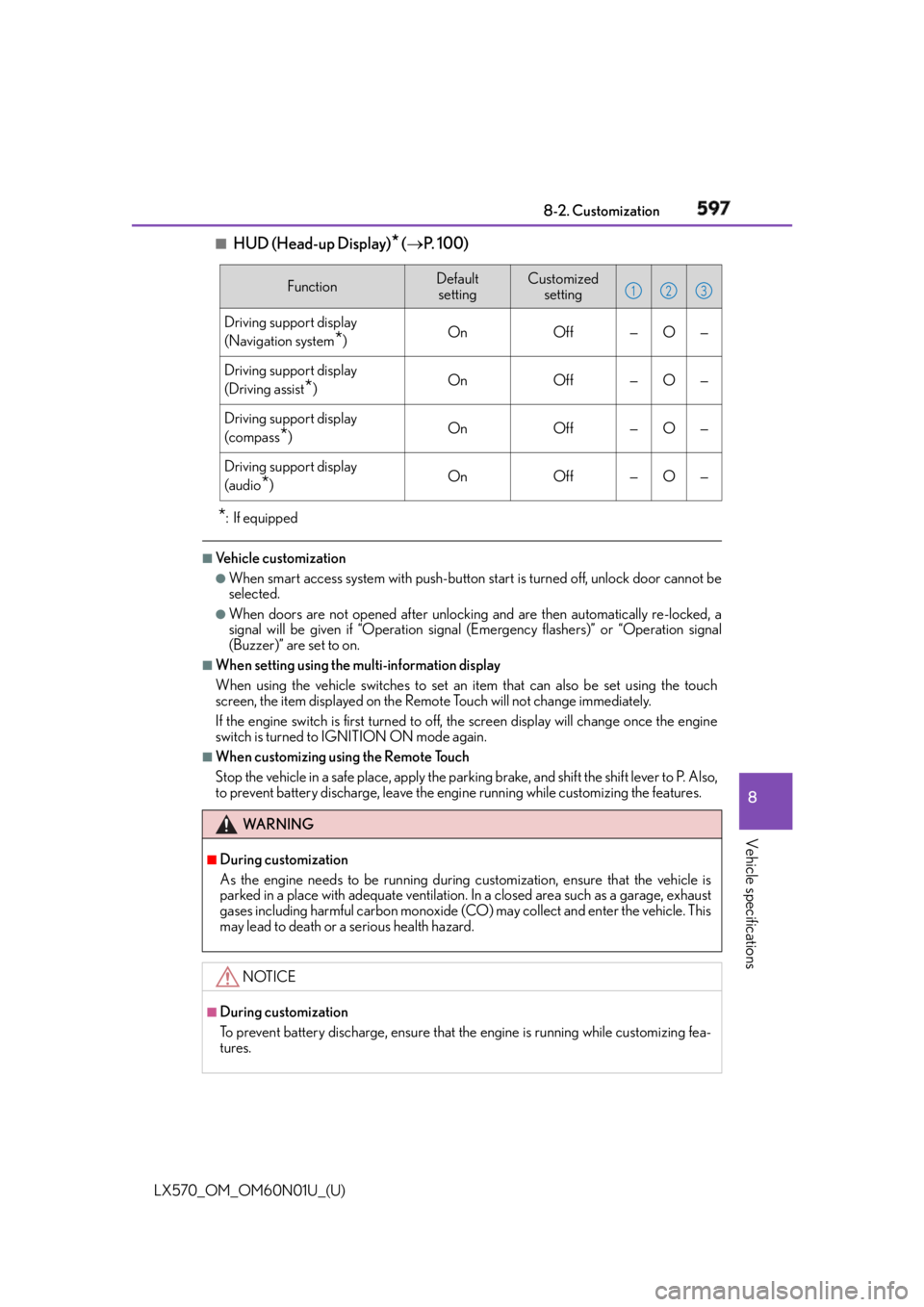
HUD (Head-up Display)
* ( P. 100)
* :If equipped ■
Vehicle customization ●
When smart access system with push-button start is turned off, unlock door cannot be
selected. ●
When doors are not opened after unlocking and are then automatically re-locked, a
signal will be given if “Operation signal (Emergency flashers)” or “Operation signal
(Buzzer)” are set to on. ■
When setting using the multi-information display
When using the vehicle switches to set an item that can also be set using the touch
screen, the item displayed on the Remo te Touch will not change immediately.
If the engine switch is first turned to off, the screen display will change once the engine
switch is turned to IGNITION ON mode again. ■
When customizing using the Remote Touch
Stop the vehicle in a safe place, apply the parking brake, and shift the shift lever to P. Also,
to prevent battery discharge, leave the engi ne running while customizing the features.Function Default
setting Customized
setting
Driving support display
(Navigation system
* ) On Off — O —
Driving support display
(Driving assist
* ) On Off — O —
Driving support display
(compass
* ) On Off — O —
Driving support display
(audio
* ) On Off — O —
WA R N I N G ■
During customization
As the engine needs to be running during customization, ensure that the vehicle is
parked in a place with adequate ventilation. In a closed area such as a garage, exhaust
gases including harmful carbon monoxide (CO) may collect and enter the vehicle. This
may lead to death or a serious health hazard.
NOTICE ■
During customization
To prevent battery discharge, ensure that the engine is running while customizing fea-
tures. 1 2 3