engine LEXUS RX200T 2017 Owners Manual
[x] Cancel search | Manufacturer: LEXUS, Model Year: 2017, Model line: RX200T, Model: LEXUS RX200T 2017Pages: 776, PDF Size: 44.51 MB
Page 287 of 776
287
4
Driving
RX350/RX200t_EE_OM48F32E
4-4. Refueling
●Close all the doors and windows, and turn the engine switch off.
●Confirm the type of fuel.
■Fuel types
P. 739
■Fuel tank opening for unleaded gasoline
To help prevent incorrect fueling, your vehicle has a fuel tank opening that only accom-
modates the special nozzle on unleaded fuel pumps.
Opening the fuel tank cap
Perform the following steps to open the fuel tank cap:
Before refueling the vehicle
Page 303 of 776
3034-5. Using the driving support systems
4
Driving
RX350/RX200t_EE_OM48F32E
WARNING
■When to disable the pre-crash safety system
In the following situations, disable the syst em, as it may not operate properly, possibly leading to an accident resulting in death or serious injury:
●When the vehicle is being towed
●When your vehicle is towing another vehicle
●When transporting the vehicle via truck, boat, train or similar means of transportation
●When the vehicle is raised on a lift with th e engine running and the tires are allowed to rotate freely
●When inspecting the vehicle using a drum tester such as a chassis dynamometer or
speedometer tester, or when using an on vehicle wheel balancer
●When a strong impact is applied to the fron t bumper or front grille, due to an accident or other reasons
●If the vehicle cannot be driven in a stable manner, such as when the vehicle has beenin an accident or is malfunctioning
●When the vehicle is driven in a sporty manner or off-road
●When the tires are not properly inflated
●When the tires are very worn
●When tires of a size other than specified are installed
●When tire chains are installed
●When a compact spare tire or an emergency tire puncture repair kit is used
●If equipment (snow plow, etc.) that may obstruct the radar sensor or camera sensor is
temporarily installed to the vehicle
Page 304 of 776
3044-5. Using the driving support systems
RX350/RX200t_EE_OM48F32E
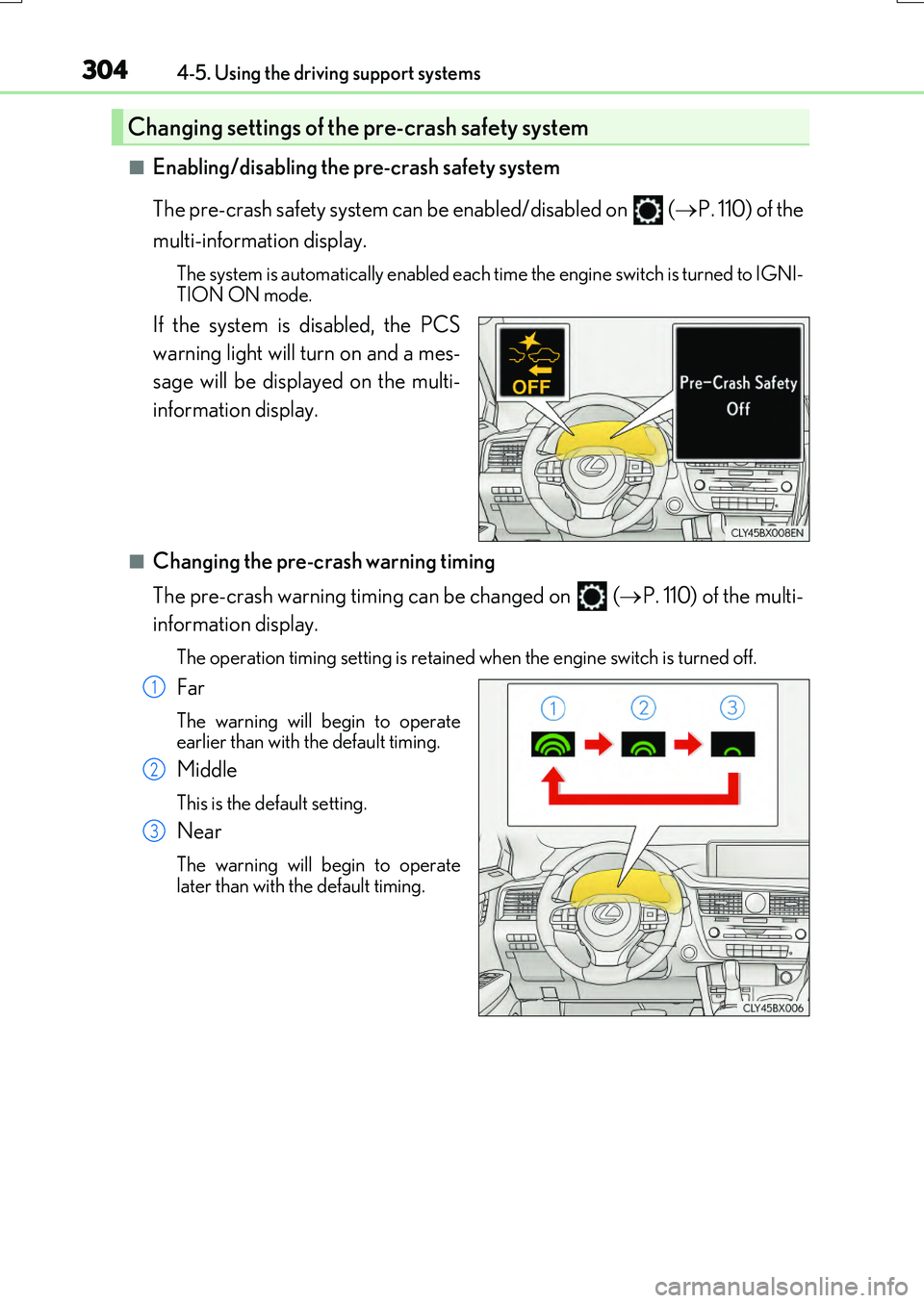
■Enabling/disabling the pre-crash safety system
The pre-crash safety system can be enabled/disabled on ( P. 110) of the
multi-information display.
The system is automatically enabled each time the engine switch is turned to IGNI-
TION ON mode.
If the system is disabled, the PCS
warning light will turn on and a mes-
sage will be displayed on the multi-
information display.
■Changing the pre-crash warning timing
The pre-crash warning timing can be changed on (P. 110) of the multi-
information display.
The operation timing setting is retained when the engine switch is turned off.
Far
The warning will begin to operate
earlier than with the default timing.
Middle
This is the default setting.
Near
The warning will begin to operate
later than with the default timing.
Changing settings of the pre-crash safety system
1
2
3
Page 311 of 776
3114-5. Using the driving support systems
4
Driving
RX350/RX200t_EE_OM48F32E
• After the engine has started the vehicle has not been driven for a certain amount of time• While making a left/right turn and for a few seconds after making a left/right turn
• While driving on a curve and for a few seconds after driving on a curve • If your vehicle is skidding
• If the wheels are misaligned • If a wiper blade is blocking the camera sensor
• The vehicle is wobbling. • The vehicle is being driven at extremely high speeds.• When driving on a hill
• If the radar sensor or camera sensor is misaligned
●In some situations such as the following, sufficient braking force may not be obtained,
preventing the system from performing properly:
• If the braking functions cannot operate to their full extent, such as when the brake parts are extremely cold, extremely hot, or wet
• If the vehicle is not properly maintained (brakes or tires are excessively worn, improper tire inflation pressure, etc.)• When the vehicle is being driven on a gravel road or other slippery surface
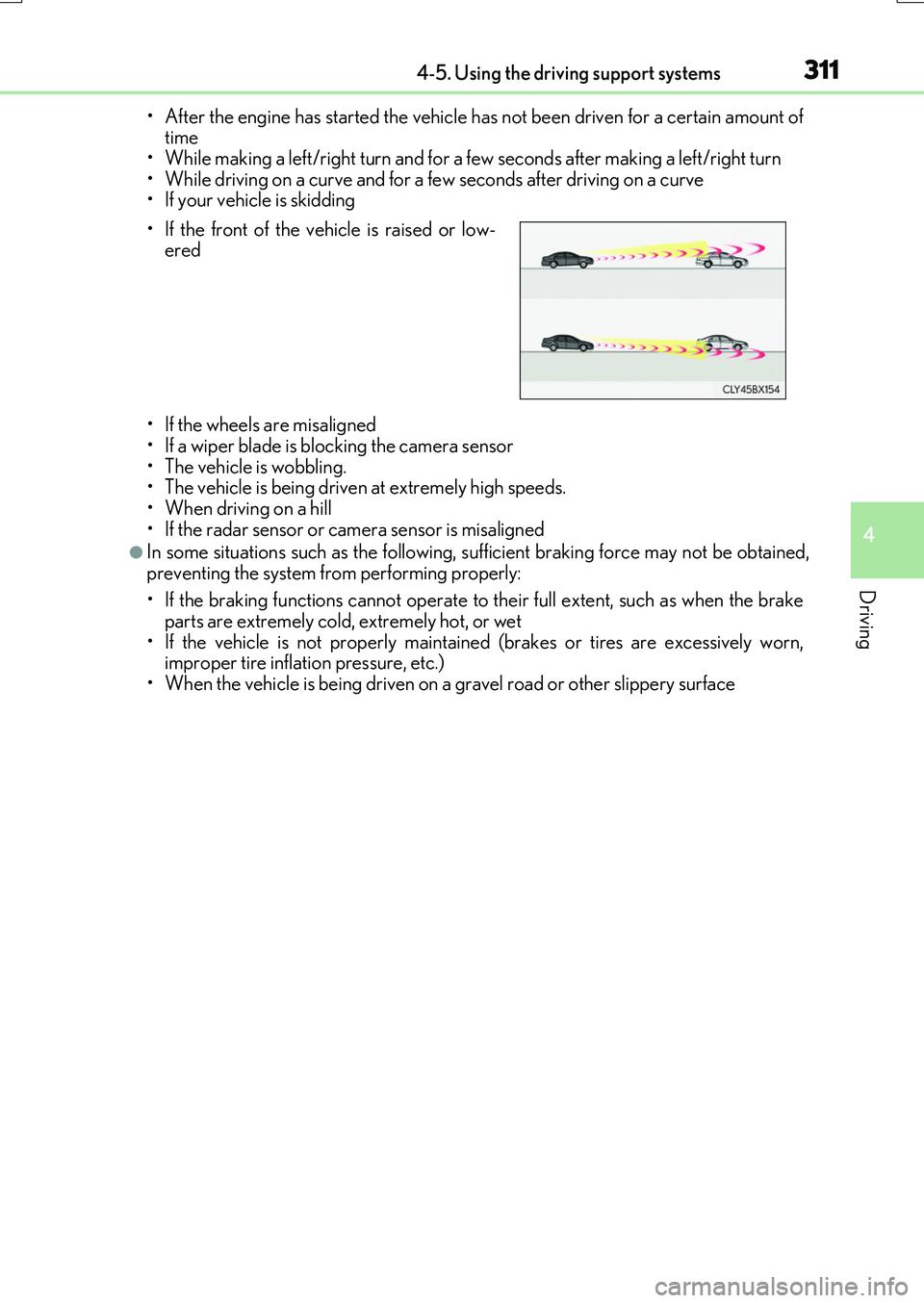
• If the front of the vehicle is raised or low- ered
Page 318 of 776
3184-5. Using the driving support systems
RX350/RX200t_EE_OM48F32E
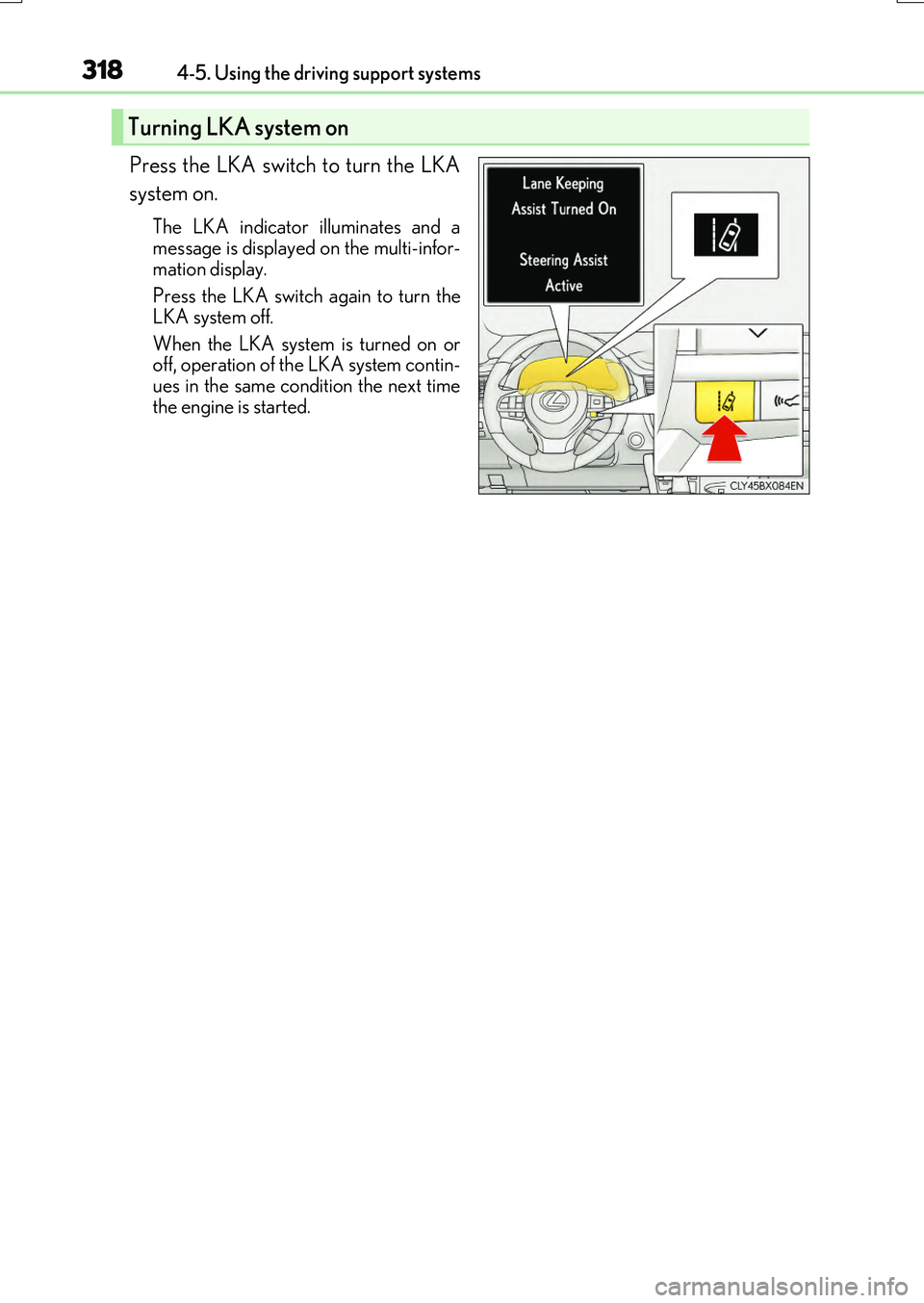
Press the LKA switch to turn the LKA
system on.
The LKA indicator illuminates and a
message is displayed on the multi-infor- mation display.
Press the LKA switch again to turn the
LKA system off.
When the LKA system is turned on or off, operation of the LKA system contin-
ues in the same condition the next time the engine is started.
Turning LKA system on
Page 328 of 776
3284-5. Using the driving support systems
RX350/RX200t_EE_OM48F32E
●Side road speed signs may be detected and displayed (if positioned in sight of the cam- era sensor) while the vehicle is traveling on the main road.
●Roundabout exit road speed signs may be detected and displayed (if positioned in sight
of the camera sensor) while traveling on a roundabout.
■When driving vehicle in country with different speed unit
Since RSA recognizes signs based on the set un it of the meter, it is necessary to change
the set unit of the meter. Adjust the set unit of the meter to the speed unit of signs in the current location. ( P. 740)
■Speed limit sign display
If the engine switch was last turned off while a speed limit sign was displayed on the multi- information display, the same sign displays again when the engine switch is turned to IGNITION ON mode.
■When “Check RSA system” is displaye d on the multi-information display
The system may be malfunctioning. Have the vehicle inspected by any authorized Lexus dealer or repairer, or another duly qua lified and equipped professional immediately.
■Customization
Some functions can be customized. ( P. 110)
Page 335 of 776
3354-5. Using the driving support systems
4
Driving
RX350/RX200t_EE_OM48F32E
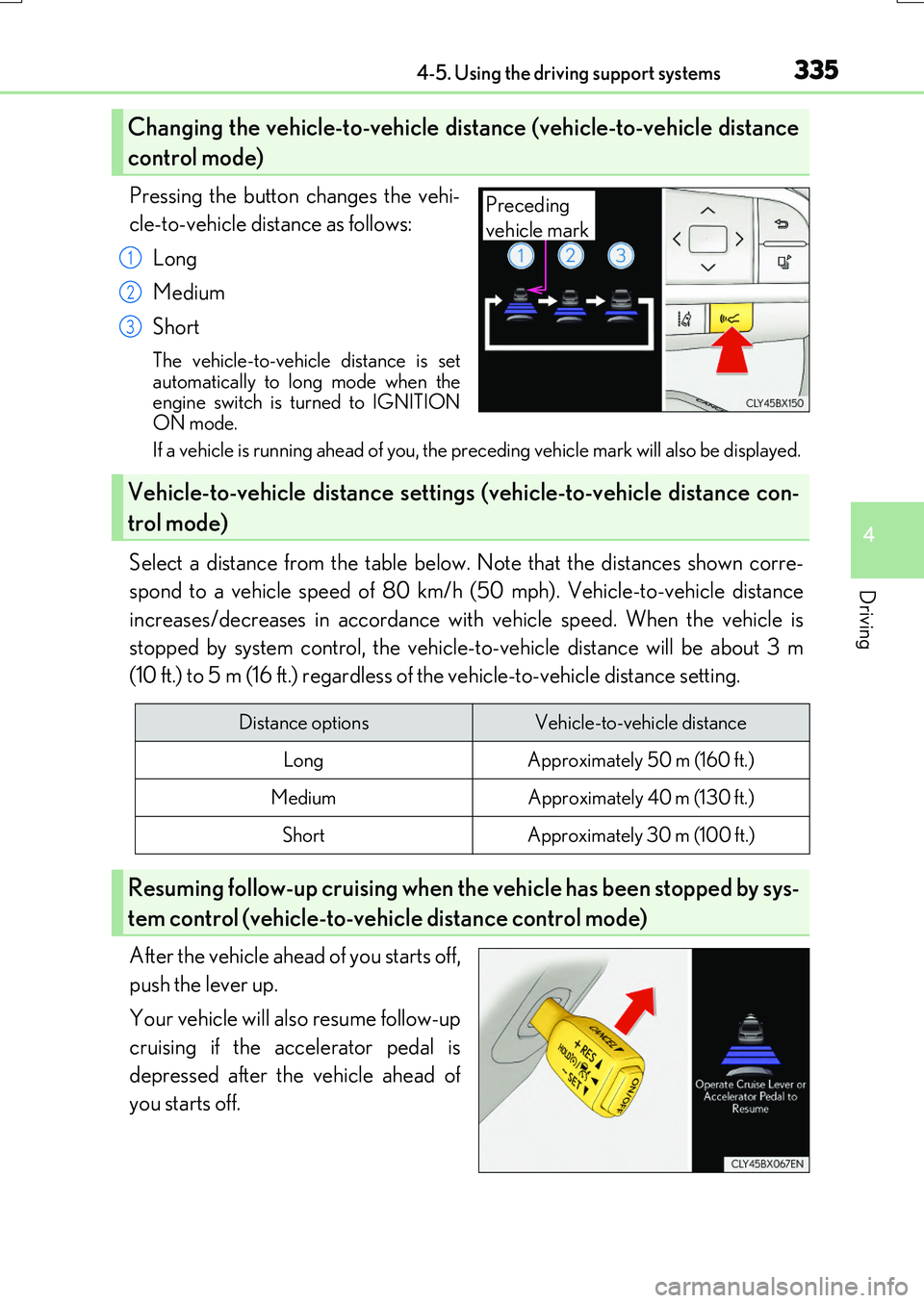
Pressing the button changes the vehi-
cle-to-vehicle distance as follows:
Long
Medium
Short
The vehicle-to-vehicle distance is set automatically to long mode when theengine switch is turned to IGNITION
ON mode.
If a vehicle is running ahead of you, the preceding vehicle mark will also be displayed.
Select a distance from the table below. Note that the distances shown corre-
spond to a vehicle speed of 80 km/h (50 mph). Vehicle-to-vehicle distance
increases/decreases in accordance with vehicle speed. When the vehicle is
stopped by system control, the vehicle- to-vehicle distance will be about 3 m
(10 ft.) to 5 m (16 ft.) regardless of the vehicle-to-vehicle distance setting.
After the vehicle ahead of you starts off,
push the lever up.
Your vehicle will also resume follow-up
cruising if the accelerator pedal is
depressed after the vehicle ahead of
you starts off.
Changing the vehicle-to-vehicle di stance (vehicle-to-vehicle distance
control mode)
Preceding
vehicle mark
1
2
3
Vehicle-to-vehicle distance setting s (vehicle-to-vehicle distance con-
trol mode)
Distance optionsVehicle-to-vehicle distance
LongApproximately 50 m (160 ft.)
MediumApproximately 40 m (130 ft.)
ShortApproximately 30 m (100 ft.)
Resuming follow-up cruising when th e vehicle has been stopped by sys-
tem control (vehicle-to-vehicle distance control mode)
Page 345 of 776
3454-5. Using the driving support systems
4
Driving
RX350/RX200t_EE_OM48F32E
◆When the brake hold system is disabled
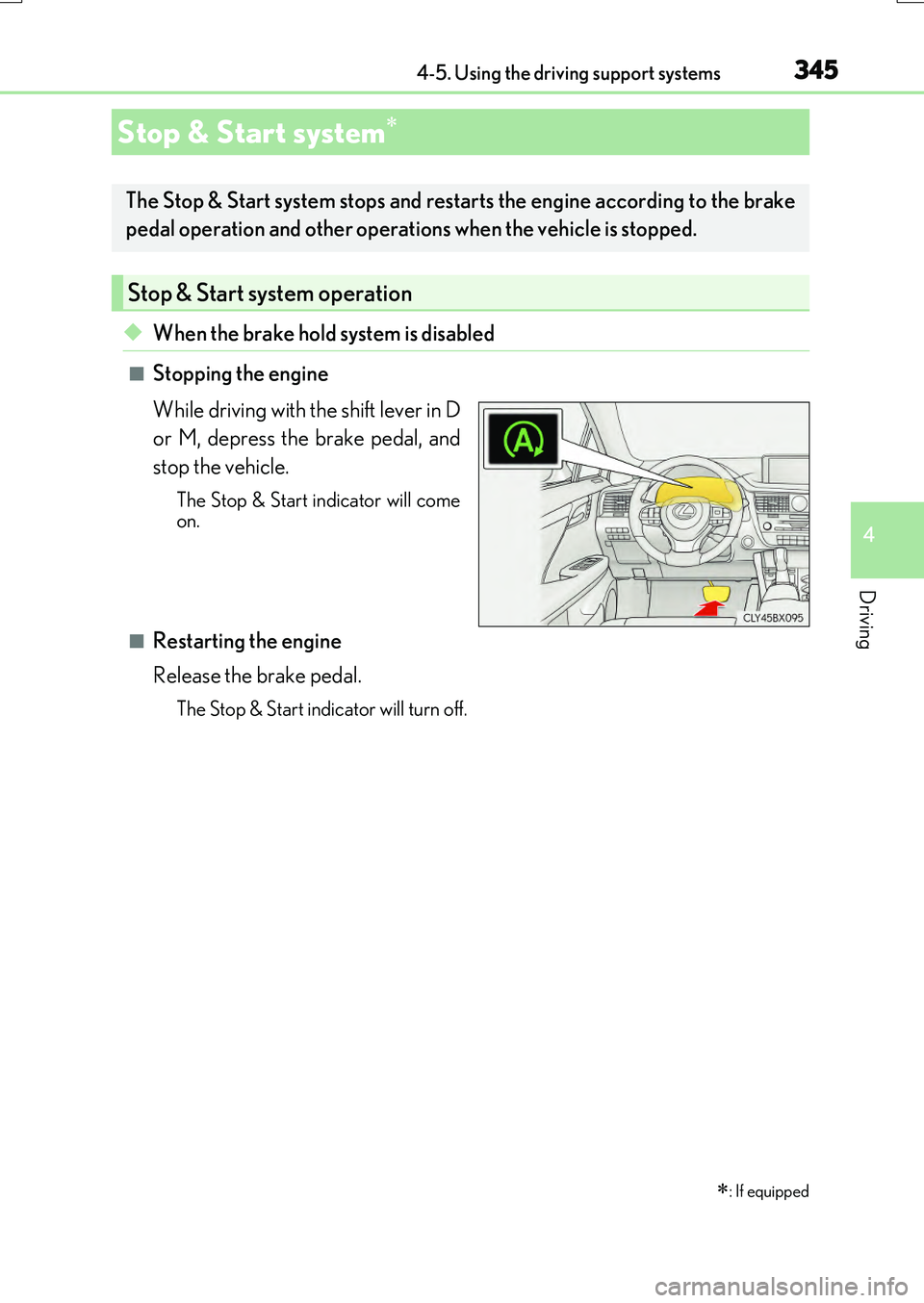
■Stopping the engine
While driving with the shift lever in D
or M, depress the brake pedal, and
stop the vehicle.
The Stop & Start indicator will come on.
■Restarting the engine
Release the brake pedal.
The Stop & Start indicator will turn off.
Stop & Start system
: If equipped
The Stop & Start system stops and restarts the engine according to the brake
pedal operation and other operations when the vehicle is stopped.
Stop & Start system operation
Page 346 of 776
3464-5. Using the driving support systems
RX350/RX200t_EE_OM48F32E
◆When the brake hold system is enabled
The Stop & Start system is operational when the brake hold system is operat-
ing. (P. 263)
■Stopping the engine
While driving with the shift lever in D
or M, depress the brake pedal, and
stop the vehicle.
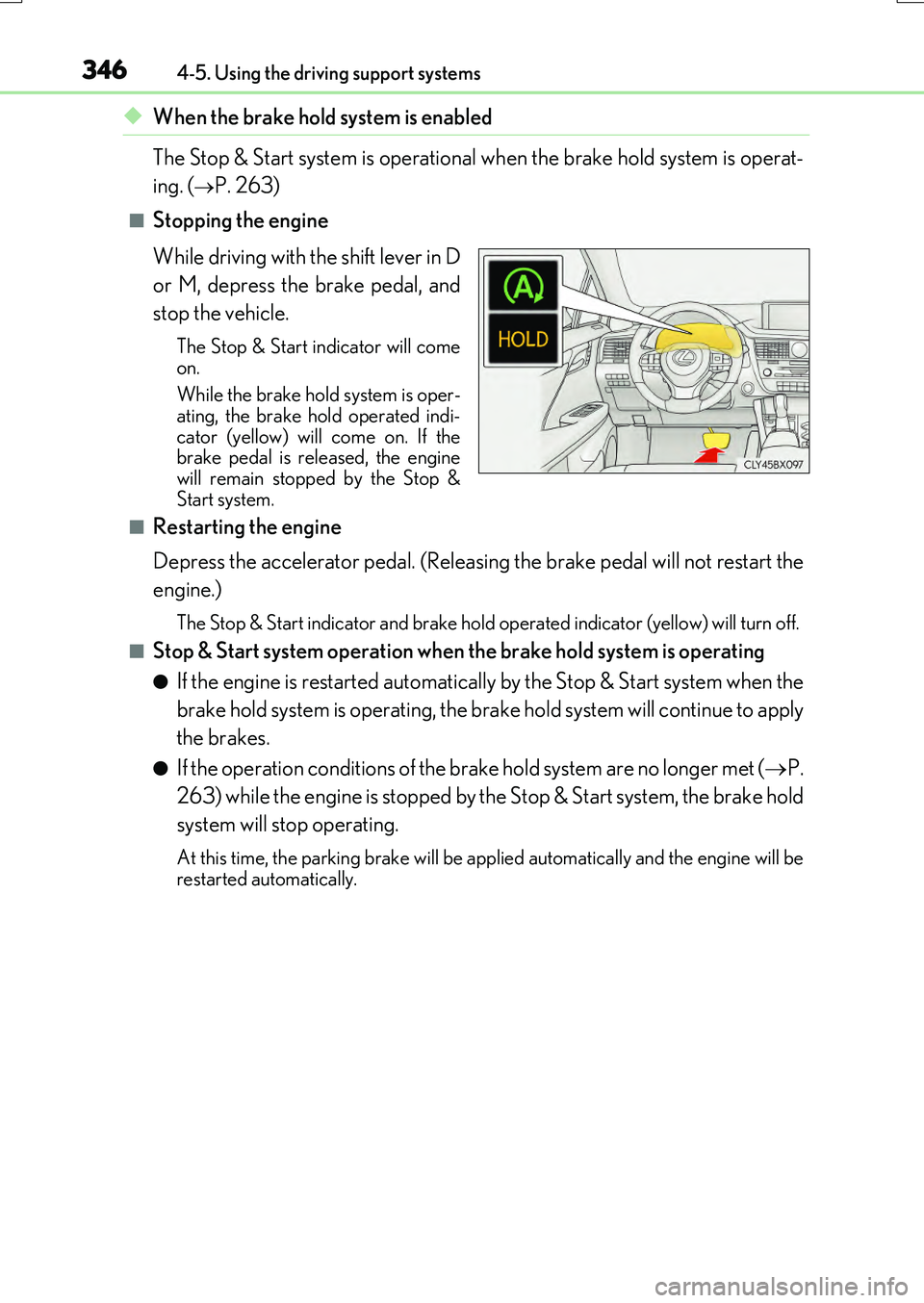
The Stop & Start indicator will come
on.
While the brake hold system is oper- ating, the brake hold operated indi-
cator (yellow) will come on. If the brake pedal is released, the enginewill remain stopped by the Stop &
Start system.
■Restarting the engine
Depress the accelerator pedal. (Releasing the brake pedal will not restart the
engine.)
The Stop & Start indicator and brake hold op erated indicator (yellow) will turn off.
■Stop & Start system operation when the brake hold system is operating
●If the engine is restarted automatically by the Stop & Start system when the
brake hold system is operating, the brake hold system will continue to apply
the brakes.
●If the operation conditions of the brake hold system are no longer met ( P.
263) while the engine is stopped by the Stop & Start system, the brake hold
system will stop operating.
At this time, the parking brake will be a pplied automatically and the engine will be restarted automatically.
Page 347 of 776
3474-5. Using the driving support systems
4
Driving
RX350/RX200t_EE_OM48F32E
◆When the dynamic radar cruise control with full-speed range is operating
(if equipped)
The Stop & Start system is operational during a controlled stop by the
dynamic radar cruise control with full-speed range. (P. 332)
■Stopping the engine
While driving with the dynamic
radar cruise control with full-speed
range in vehicle-to-vehicle distance
control mode, the engine will stop
automatically if the vehicle comes to
a complete stop through a con-
trolled stop. (The engine will stop
automatically even though the brake
pedal is not depressed.)
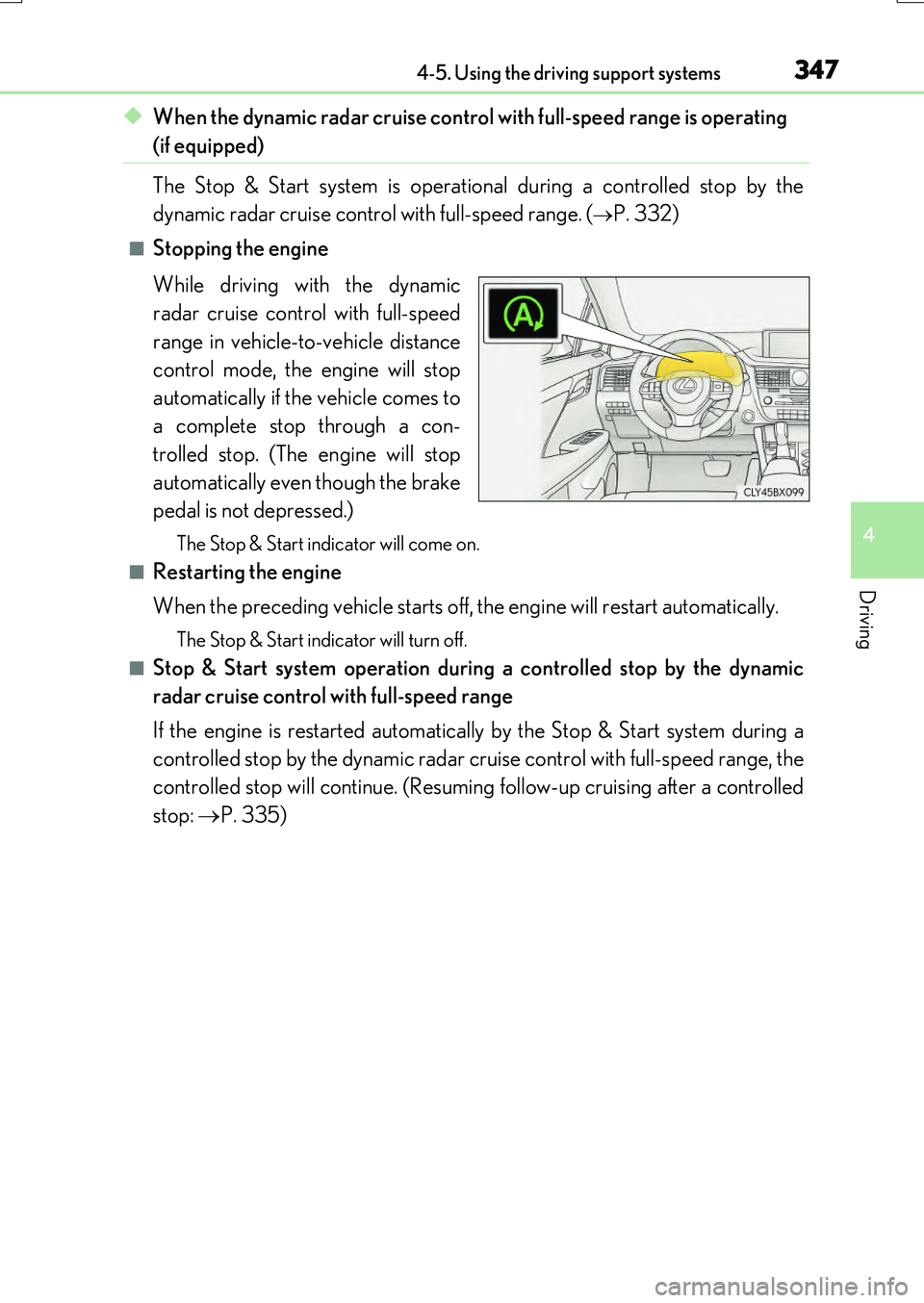
The Stop & Start indicator will come on.
■Restarting the engine
When the preceding vehicle starts off, the engine will restart automatically.
The Stop & Start indicator will turn off.
■Stop & Start system operation during a controlled stop by the dynamic
radar cruise control with full-speed range
If the engine is restarted automatically by the Stop & Start system during a
controlled stop by the dynamic radar cruise control with full-speed range, the
controlled stop will continue. (Resuming follow-up cruising after a controlled
stop: P. 335)