audio LEXUS RX350 2011 User Guide
[x] Cancel search | Manufacturer: LEXUS, Model Year: 2011, Model line: RX350, Model: LEXUS RX350 2011Pages: 821, PDF Size: 13.27 MB
Page 47 of 821
47
nCD player
nPlaying an audio CD
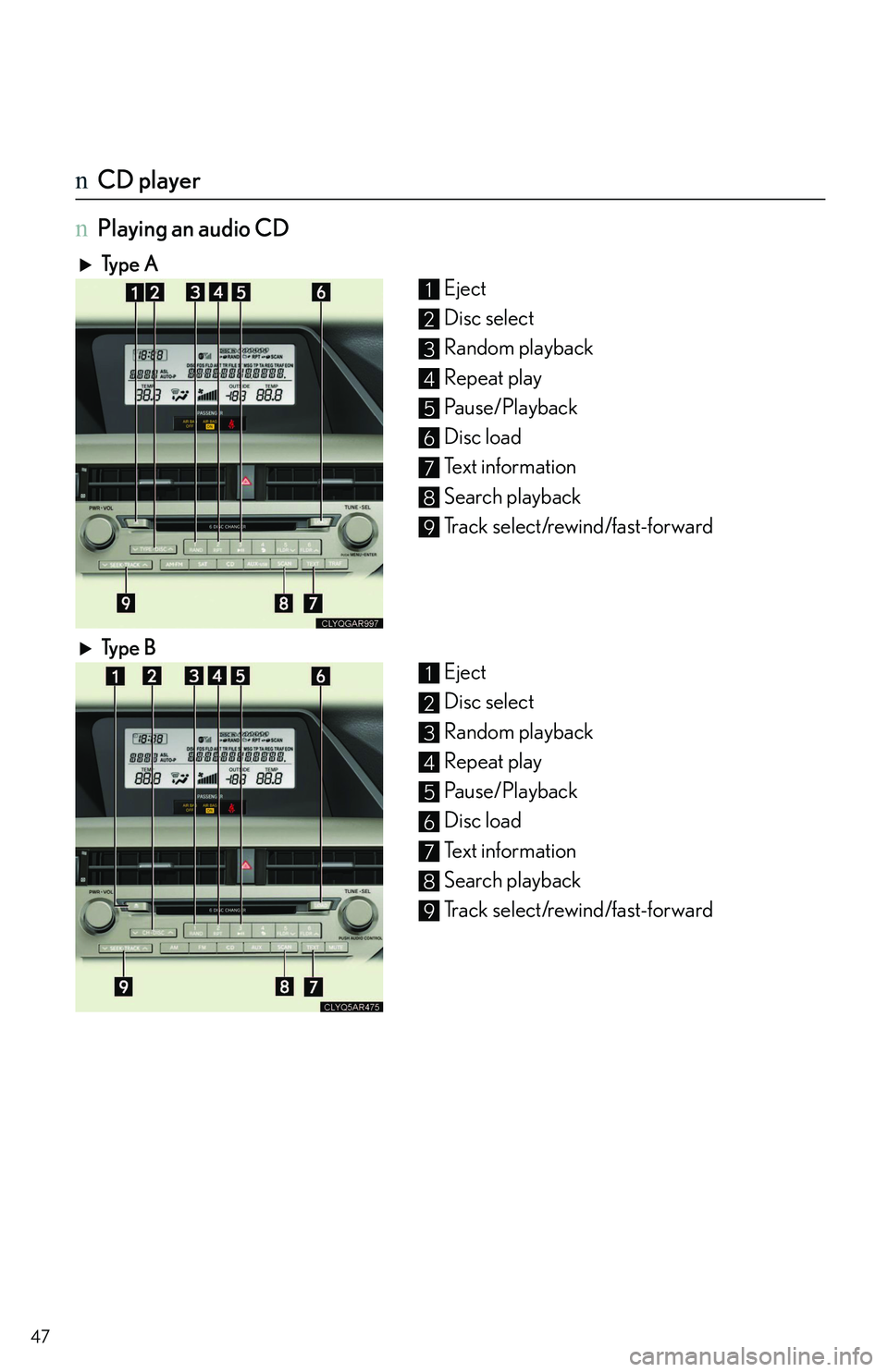
Typ e A
Eject
Disc select
Random playback
Repeat play
Pa u s e / P l a y b a c k
Disc load
Text information
Search playback
Track select/rewind/fast-forward
Ty p e B
Eject
Disc select
Random playback
Repeat play
Pa u s e / P l a y b a c k
Disc load
Text information
Search playback
Track select/rewind/fast-forward
1
2
3
4
5
6
7
8
9
1
2
3
4
5
6
7
8
9
Page 50 of 821
50
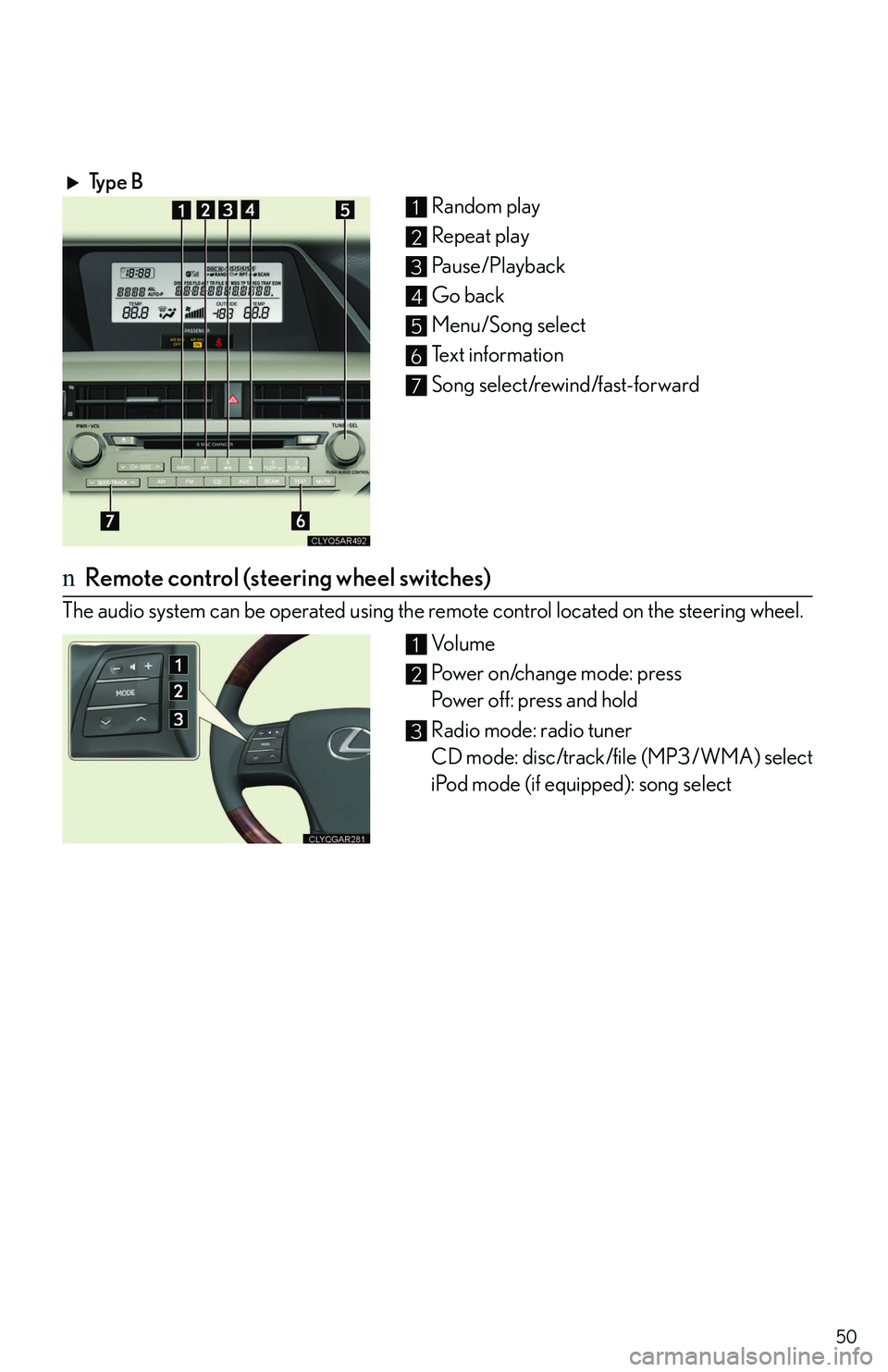
Typ e B
Random play
Repeat play
Pause/Playback
Go back
Menu/Song select
Text information
Song select/rewind/fast-forward
nRemote control (steering wheel switches)
The audio system can be operated using the remote control located on the steering wheel.
Vo l u m e
Power on/change mode: press
Power off: press and hold
Radio mode: radio tuner
CD mode: disc/track/file (MP3/WMA) select
iPod mode (if equipped): song select
1
2
3
4
5
6
7
1
2
3
Page 56 of 821
56
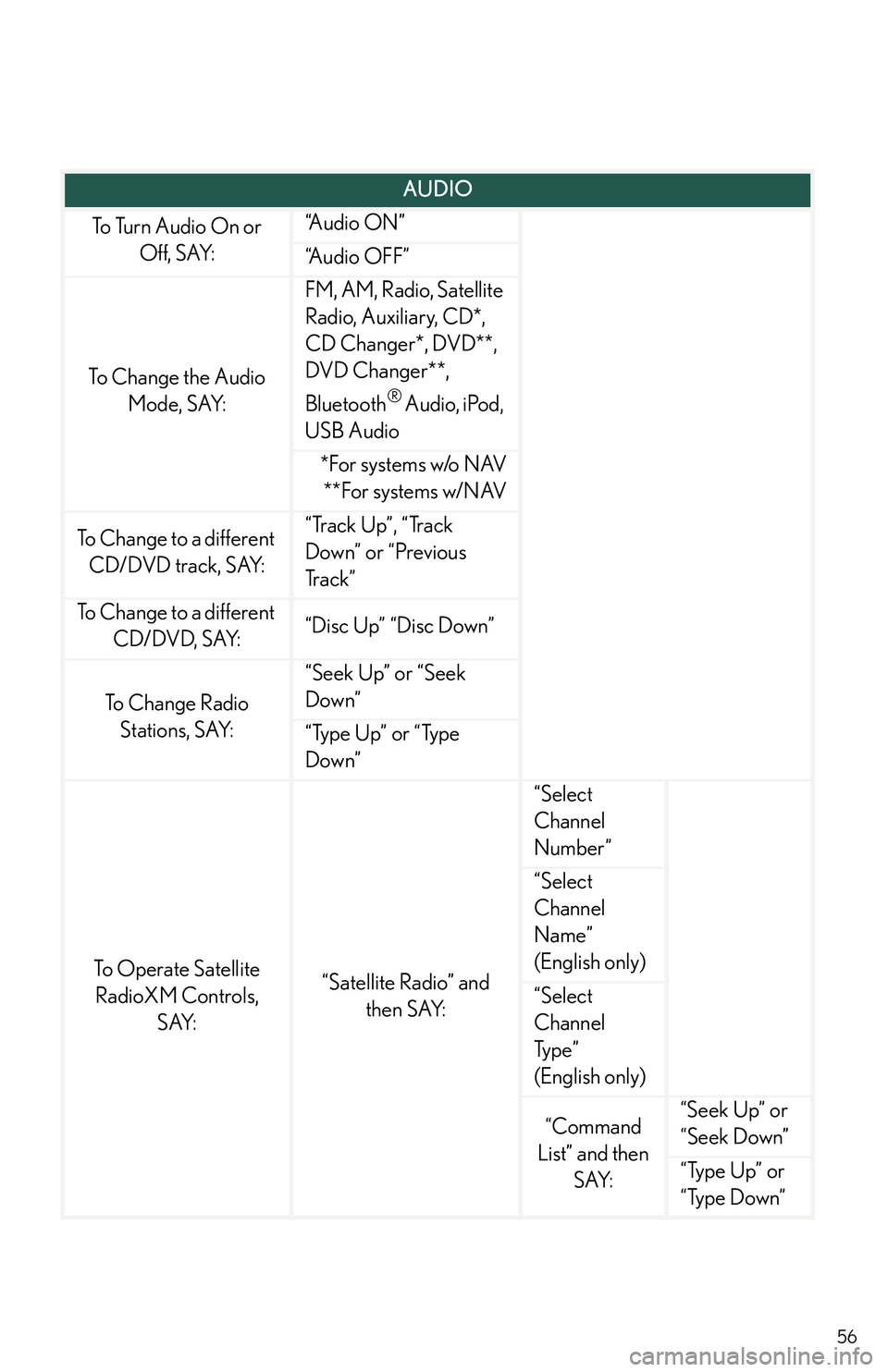
AUDIO
To Turn Audio On or
Off, SAY:
“A u d i o O N ”
“Audio OFF”
To Change the Audio
Mode, SAY:
FM, AM, Radio, Satellite
Radio, Auxiliary, CD*,
CD Changer*, DVD**,
DVD Changer**,
Bluetooth® Audio, iPod,
USB Audio
*For systems w/o NAV
**For systems w/NAV
To Change to a different
CD/DVD track, SAY:
“Track Up”, “Track
Down” or “Previous
Tr a c k ”
To Change to a different
CD/DVD, SAY:“Disc Up” “Disc Down”
To C h a n g e R a d i o
Stations, SAY:
“Seek Up” or “Seek
Down”
“Type Up” or “Type
Down”
To Operate Satellite
RadioXM Controls,
SAY:
“Satellite Radio” and
then SAY:
“Select
Channel
Number”
“Select
Channel
Name”
(English only)
“Select
Channel
Typ e ”
(English only)
“Command
List” and then
SAY:
“Seek Up” or
“Seek Down”
“Type Up” or
“Type Down”
Page 58 of 821
58
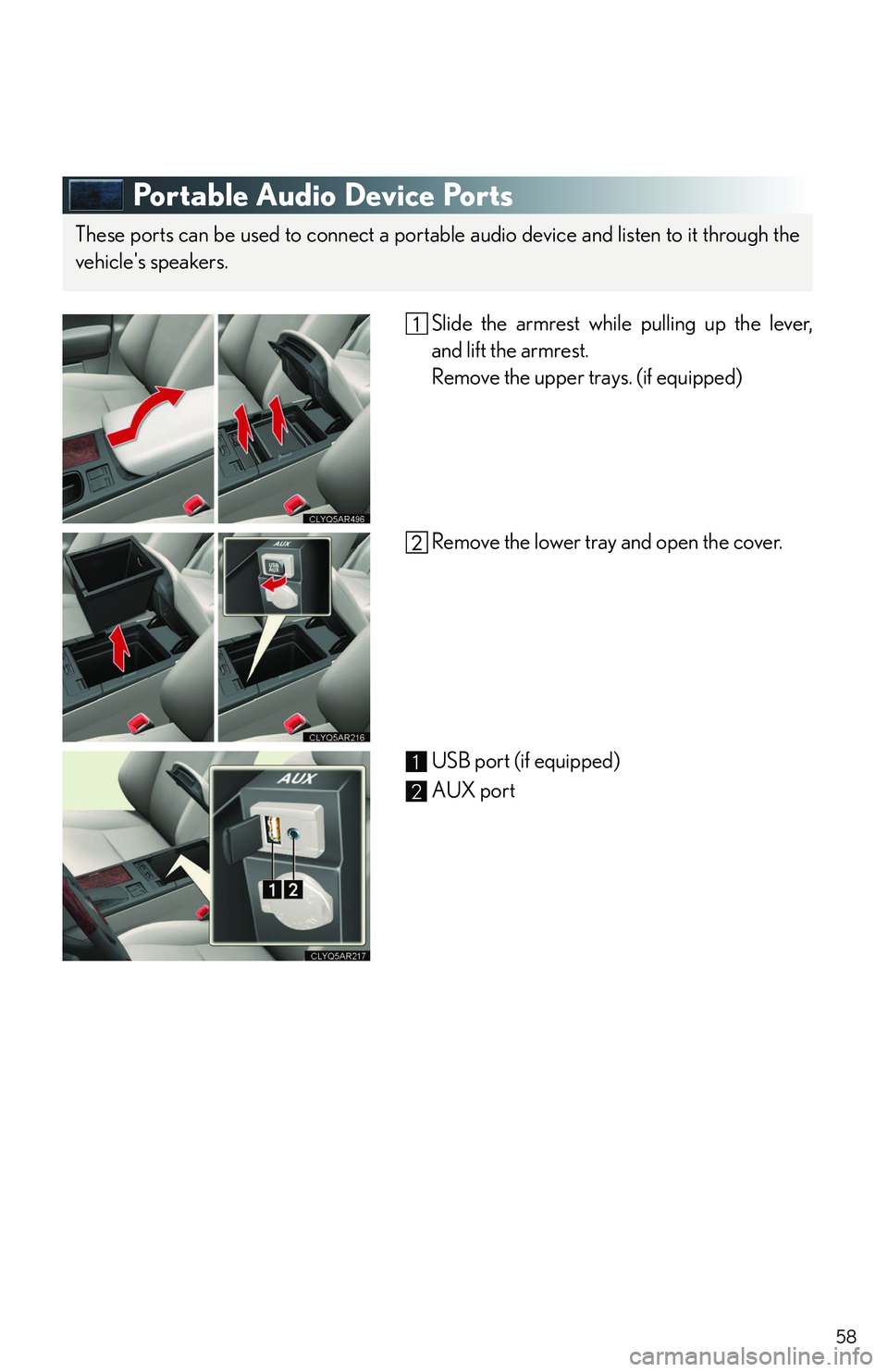
Portable Audio Device Ports
Slide the armrest while pulling up the lever,
and lift the armrest.
Remove the upper trays. (if equipped)
Remove the lower tray and open the cover.
USB port (if equipped)
AUX port
These ports can be used to connect a portable audio device and listen to it through the
vehicle's speakers.
1
2
Page 62 of 821
62
lXM NavWeather™*3
The subscription-based XM NavWeather™ service allows the navigation system to dis-
play weather information on the map.
lXM® NavTraffic*3
The subscription-based XM® NavTraffic service allows the navigation system to display
traffic information on the map.
The following navigation-based Lexus Enform features are available without a sub-
scription:
lLexus Insider
Lexus Insider is an optional service that can send audio messages, or articles, to partici-
pating owner’s vehicles via the navigation system. Potential Lexus Insider subjects might
include, for example, Lexus vehicle technology tips, updates on regional Lexus events, or
audio excerpts from Lexus Magazine articles. Up to 20 articles can be stored at a time.
lVo i c e C o m m a n d
The voice command system enables you to operate the navigation system, audio system
and hands-free system by giving a command.
*1: U.S. Patent No. 7,508,298 B2
*2: Available at no extra charge with an active XM® satellite radio subscription.
*3: Available via separate XM® subscription(s).
nSubscription
After you have signed the Telematics Subscription Service Agreement and are enrolled,
you can begin receiving services. A variety of subscription terms is available for purchase.
Contact your Lexus dealer, call 1-800-25-LEXUS (1-800-255-3987), or push the
“Destination Assist” button in your vehicle for further subscription details. XM NavTraffic®
and XM NavWeather™ require separate XM® subscription(s). XM® Sports and Stocks is
available with an XM® Satellite Radio subscription. After a 90-day free trial, you must set
up the appropriate XM® subscription(s) to continue receiving these services.
Page 75 of 821
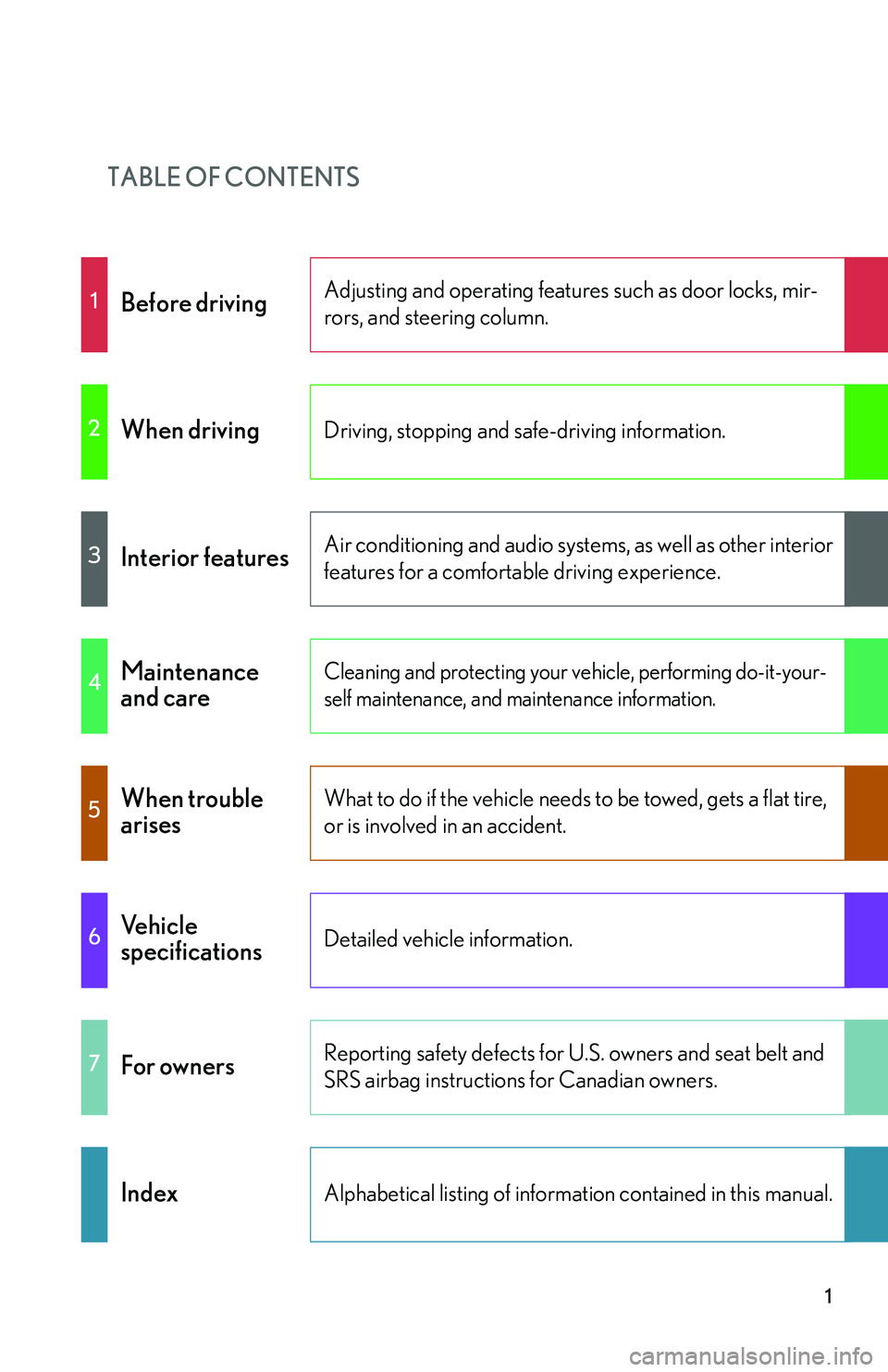
TABLE OF CONTENTS
1
1Before drivingAdjusting and operating features such as door locks, mir-
rors, and steering column.
2When drivingDriving, stopping and safe-driving information.
3Interior featuresAir conditioning and audio systems, as well as other interior
features for a comfortable driving experience.
4Maintenance
and care
Cleaning and protecting your vehicle, performing do-it-your-
self maintenance, and maintenance information.
5When trouble
arises
What to do if the vehicle needs to be towed, gets a flat tire,
or is involved in an accident.
6Vehicle
specificationsDetailed vehicle information.
7For ownersReporting safety defects for U.S. owners and seat belt and
SRS airbag instructions for Canadian owners.
IndexAlphabetical listing of information contained in this manual.
Page 77 of 821
1
2
3
4
5
6
7
3
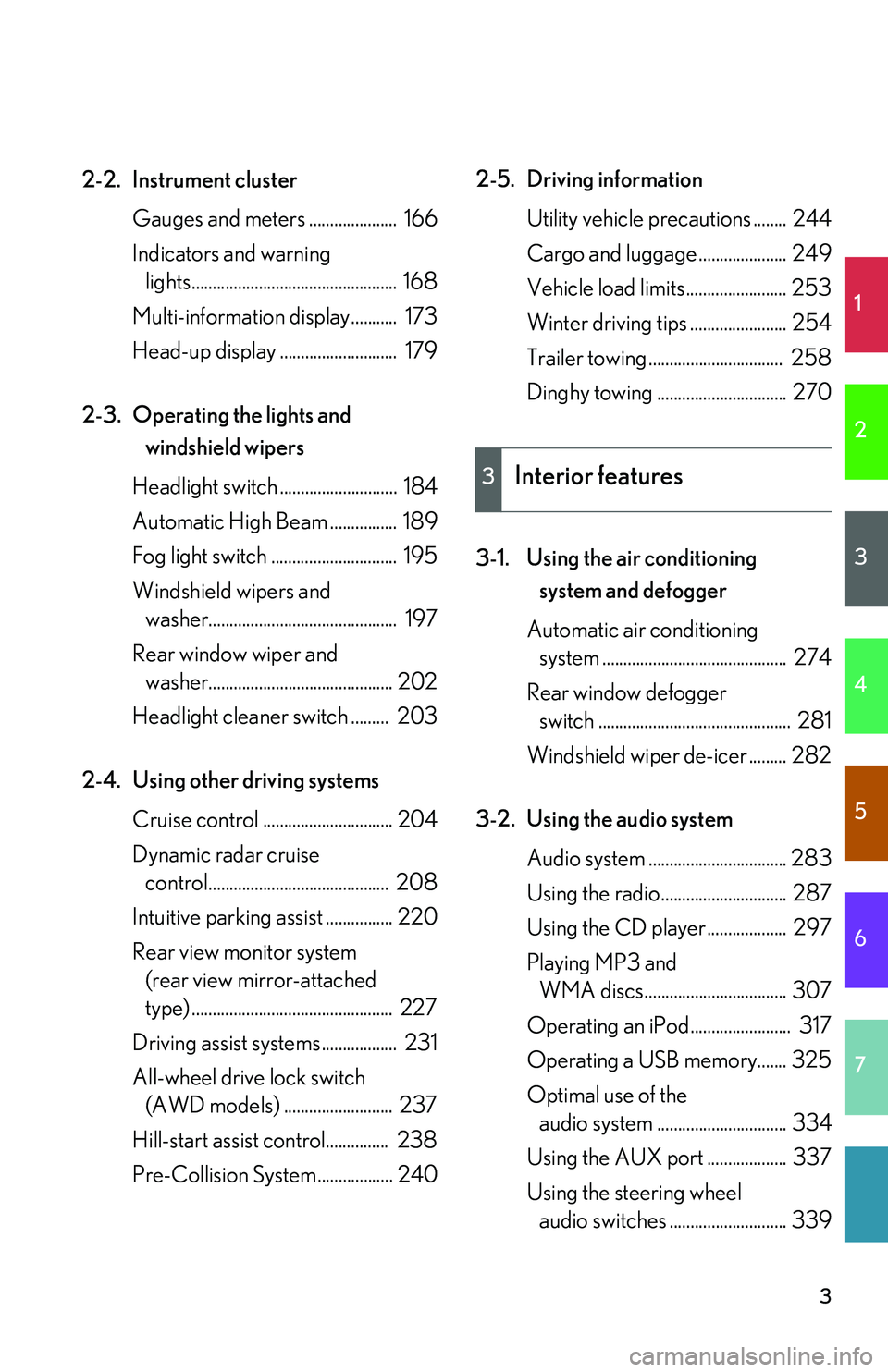
2-2.Instrument cluster
Gauges and meters ..................... 166
Indicators and warning
lights................................................. 168
Multi-information display........... 173
Head-up display ............................ 179
2-3. Operating the lights and
windshield wipers
Headlight switch ............................ 184
Automatic High Beam ................ 189
Fog light switch .............................. 195
Windshield wipers and
washer............................................. 197
Rear window wiper and
washer............................................ 202
Headlight cleaner switch ......... 203
2-4. Using other driving systems
Cruise control ............................... 204
Dynamic radar cruise
control........................................... 208
Intuitive parking assist ................ 220
Rear view monitor system
(rear view mirror-attached
type) ................................................ 227
Driving assist systems.................. 231
All-wheel drive lock switch
(AWD models) .......................... 237
Hill-start assist control............... 238
Pre-Collision System.................. 240
2-5. Driving information
Utility vehicle precautions ........ 244
Cargo and luggage ..................... 249
Vehicle load limits ........................ 253
Winter driving tips ....................... 254
Trailer towing ................................ 258
Dinghy towing ............................... 270
3-1. Using the air conditioning
system and defogger
Automatic air conditioning
system ............................................ 274
Rear window defogger
switch .............................................. 281
Windshield wiper de-icer ......... 282
3-2. Using the audio system
Audio system ................................. 283
Using the radio.............................. 287
Using the CD player................... 297
Playing MP3 and
WMA discs.................................. 307
Operating an iPod........................ 317
Operating a USB memory....... 325
Optimal use of the
audio system ............................... 334
Using the AUX port ................... 337
Using the steering wheel
audio switches ............................ 339
3Interior features
Page 78 of 821
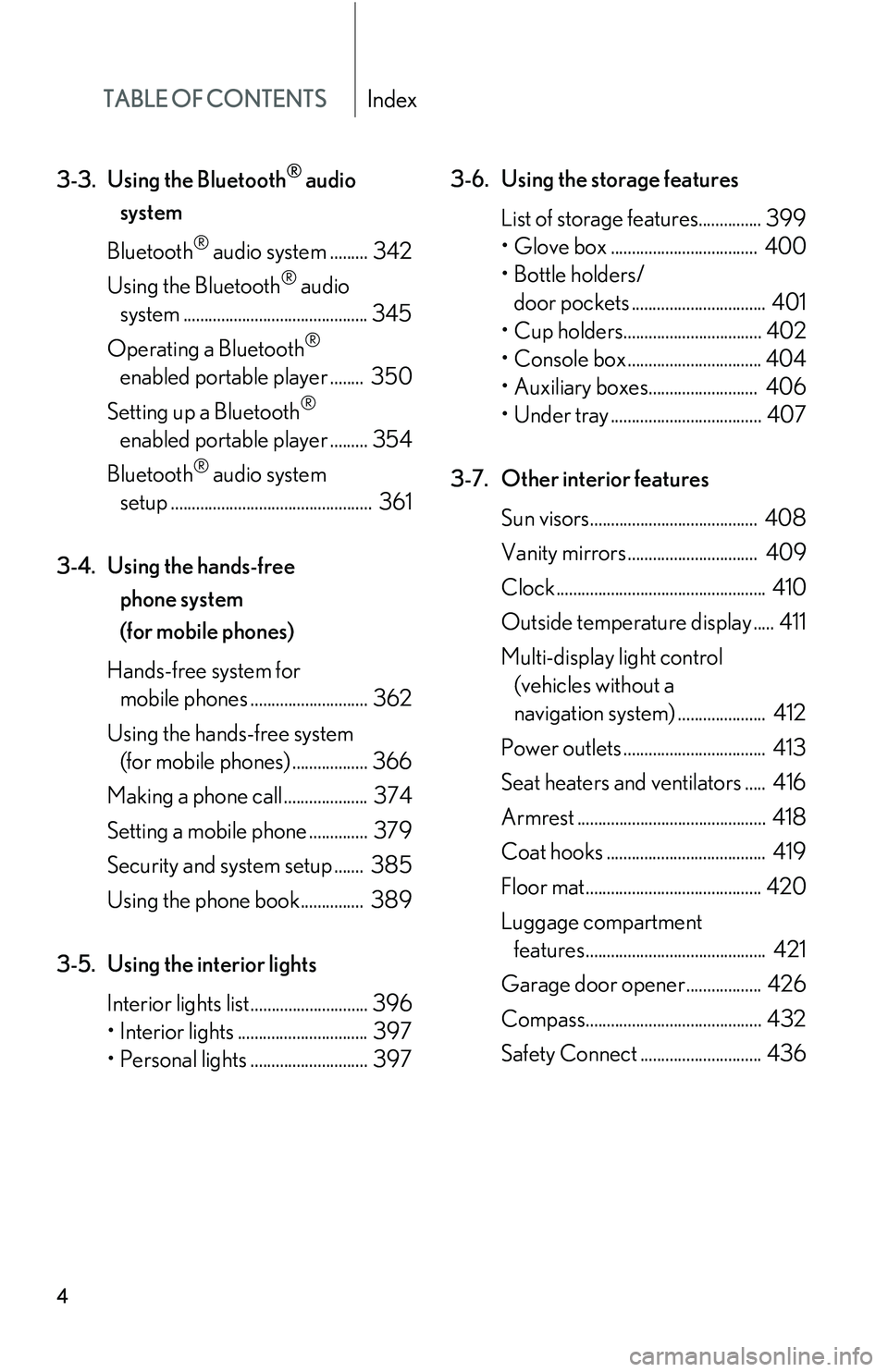
TABLE OF CONTENTSIndex
4
3-3.Using the Bluetooth® audio
system
Bluetooth® audio system ......... 342
Using the Bluetooth® audio
system ............................................ 345
Operating a Bluetooth®
enabled portable player ........ 350
Setting up a Bluetooth®
enabled portable player ......... 354
Bluetooth® audio system
setup ................................................ 361
3-4. Using the hands-free
phone system
(for mobile phones)
Hands-free system for
mobile phones ............................ 362
Using the hands-free system
(for mobile phones) .................. 366
Making a phone call .................... 374
Setting a mobile phone .............. 379
Security and system setup ....... 385
Using the phone book............... 389
3-5. Using the interior lights
Interior lights list............................ 396
Page 90 of 821
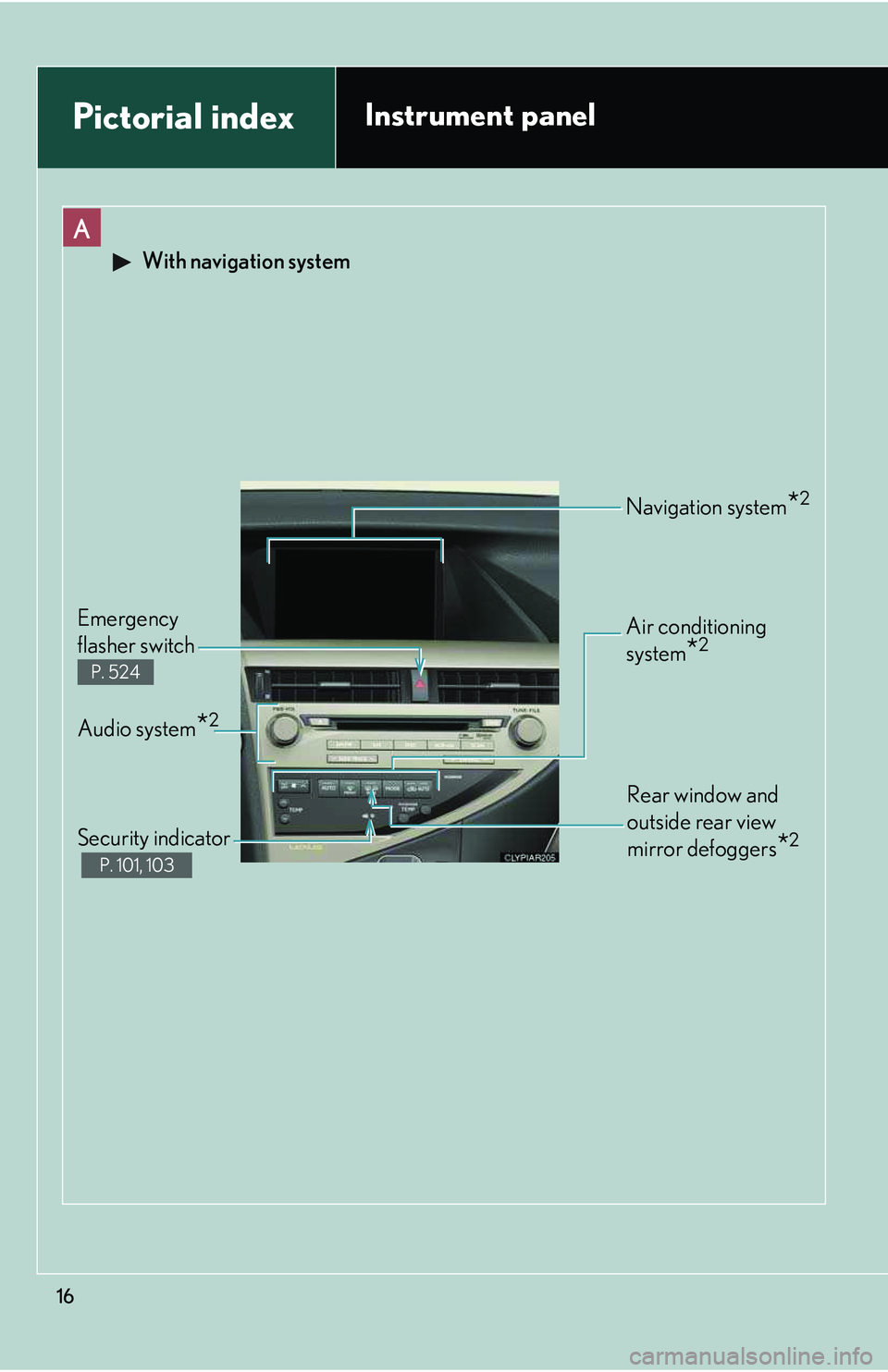
16
Pictorial indexInstrument panel
A
With navigation system
Rear window and
outside rear view
mirror defoggers*2
Audio system*2
Emergency
flasher switch
P. 524
Security indicator
P. 101, 103
Navigation system*2
Air conditioning
system*2
Page 91 of 821
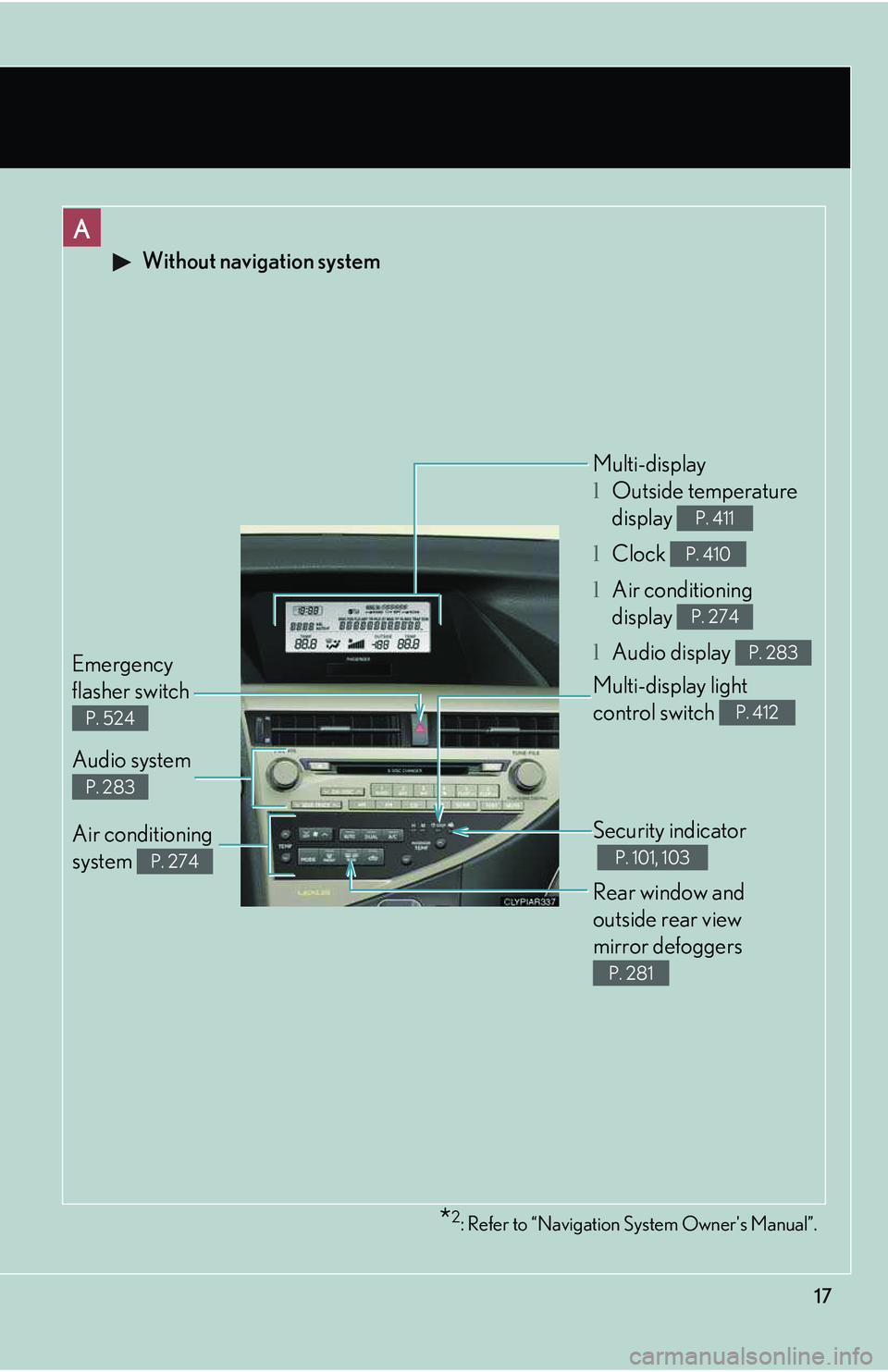
17
A
Without navigation system
Security indicator
P. 101, 103
Audio system
P. 283
Emergency
flasher switch
P. 524
Multi-display
lOutside temperature
display
lClock
lAir conditioning
display
lAudio display
P. 411
P. 410
P. 274
P. 283
Air conditioning
system P. 274
Rear window and
outside rear view
mirror defoggers
P. 281
*2: Refer to “Navigation System Owner's Manual”.
Multi-display light
control switch P. 412