LEXUS RX350 2011 Workshop Manual
RX350 2011
LEXUS
LEXUS
https://www.carmanualsonline.info/img/36/58968/w960_58968-0.png
LEXUS RX350 2011 Workshop Manual
Page 378 of 821
308
3-2. Using the audio system
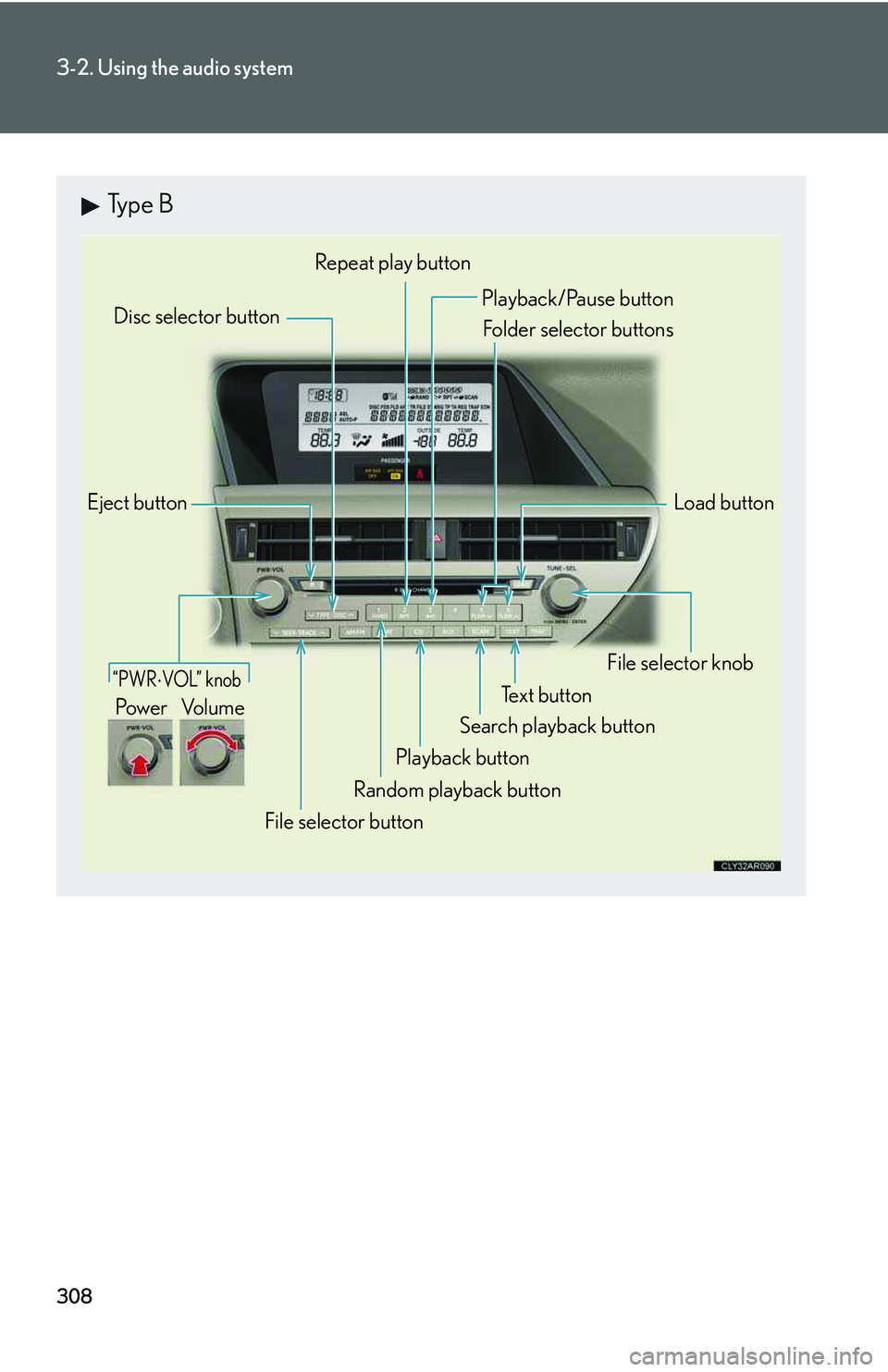
Type B
Eject button
Playback button
Search playback button
Load button
Disc selector button
File selector knob
Random playback button
Repeat play button
Te x t b u t t o n
File selector button
Playback/Pause button
Folder selector buttons
“PWR ⋅ VOL” knob
Po w e r Vo l u m e
Page 379 of 821
309
3-2. Using the audio system
3
Interior features
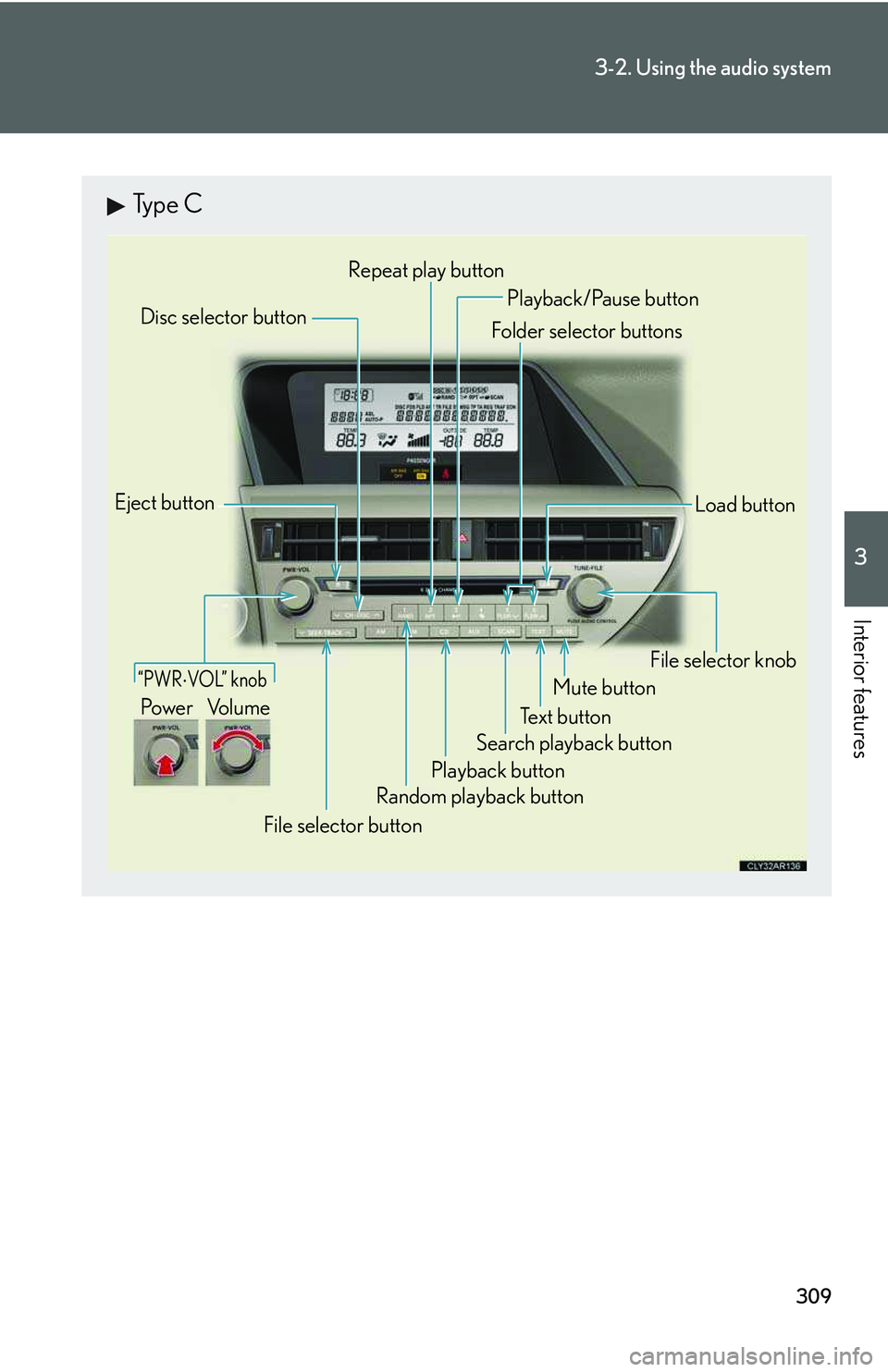
Type C
Random playback button
Eject button
Playback button
Load button
Disc selector button
File selector knob
Te x t b u t t o n
Folder selector buttons
File selector button
Repeat play button
Search playback button
Mute button
“PWR ⋅ VOL” knob
Po w e r Vo l u m e
Playback/Pause button
Page 380 of 821
310
3-2. Using the audio system
Loading and ejecting MP3 and WMA discs
→P. 300, 301
Selecting MP3 and WMA discs
→P. 302
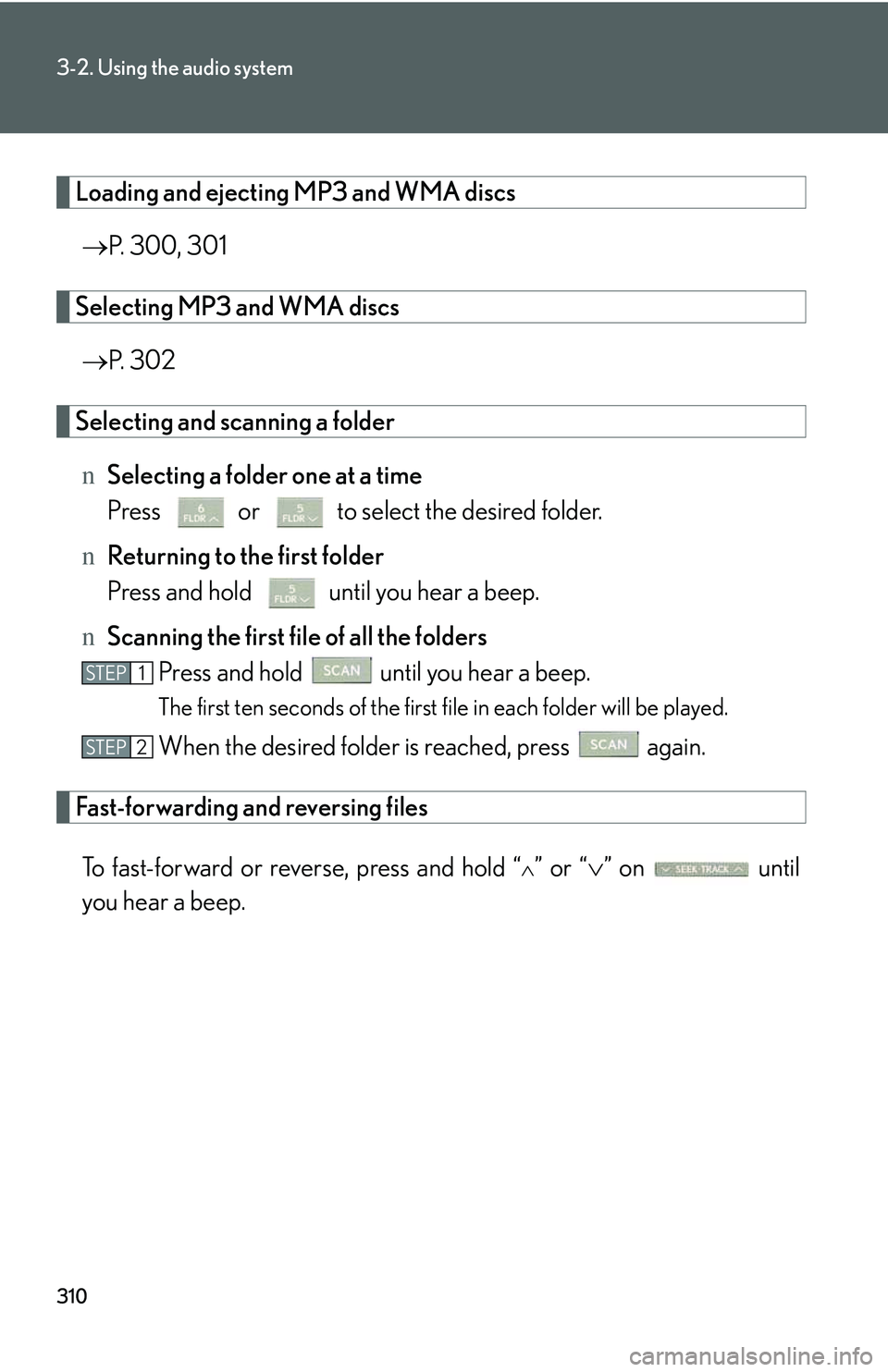
Selecting and scanning a folder
nSelecting a folder one at a time
Press or to select the desired folder.
nReturning to the first folder
Press and hold until you hear a beep.
nScanning the first file of all the folders
Press and hold until you hear a beep.
The first ten seconds of the first file in each folder will be played.
When the desired folder is reached, press again.
Fast-forwarding and reversing files
To fast-forward or reverse, press and hold “∧” or “∨” on until
you hear a beep.
STEP1
STEP2
Page 381 of 821
311
3-2. Using the audio system
3
Interior features
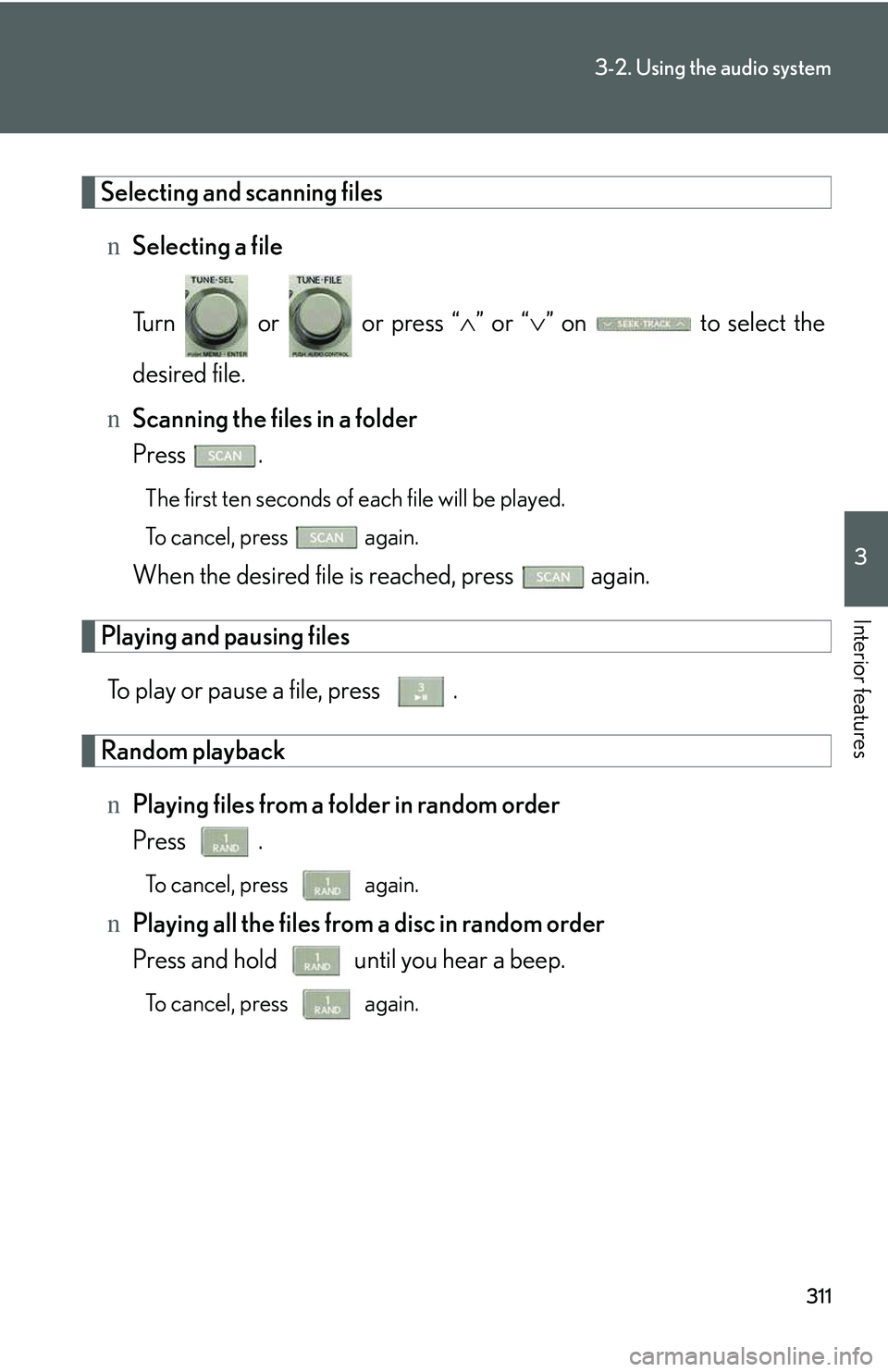
Selecting and scanning files
nSelecting a file
Turn or or press “∧” or “∨” on to select the
desired file.
nScanning the files in a folder
Press .
The first ten seconds of each file will be played.
To cancel, press again.
When the desired file is reached, press again.
Playing and pausing files
To play or pause a file, press .
Random playback
nPlaying files from a folder in random order
Press .
To cancel, press again.
nPlaying all the files from a disc in random order
Press and hold until you hear a beep.
To cancel, press again.
Page 382 of 821
312
3-2. Using the audio system
Repeat play
nRepeating a file
Press .
To cancel, press again.
nRepeating all the files in a folder
Press and hold until you hear a beep.
To cancel, press again.
Switching the display
Press .
Each time the button is pressed, the display changes in the following order:
Folder no./File no./Elapsed time → Folder name → File name → Album title
(MP3 only) → Track title → Artist name
Page 383 of 821
313
3-2. Using the audio system
3
Interior features
nCD player protection feature
→P. 3 0 3
nDisplay
→P. 3 0 3
nWhen “ERROR”, “WAIT” or “NO MUSIC” is shown on the display
“ERROR”: This indicates a problem either in the CD or inside the player. The CD
may be dirty, damaged, or inserted up-side down.
“WAIT”: This indicates that operation is stopped due to a high temperatures inside
the player. Wait for a while and then press . If the CD still cannot be
played back, contact your Lexus dealer.
“NO MUSIC”: This indicates that an MP3/WMA file is not included in the CD.
nDiscs that can be used
→P. 3 0 4
nLens cleaners
→P. 3 0 4
nIf discs are left inside the CD player or in the ejected position for extended peri-
ods of time
→P. 3 0 4
Page 384 of 821
314
3-2. Using the audio system
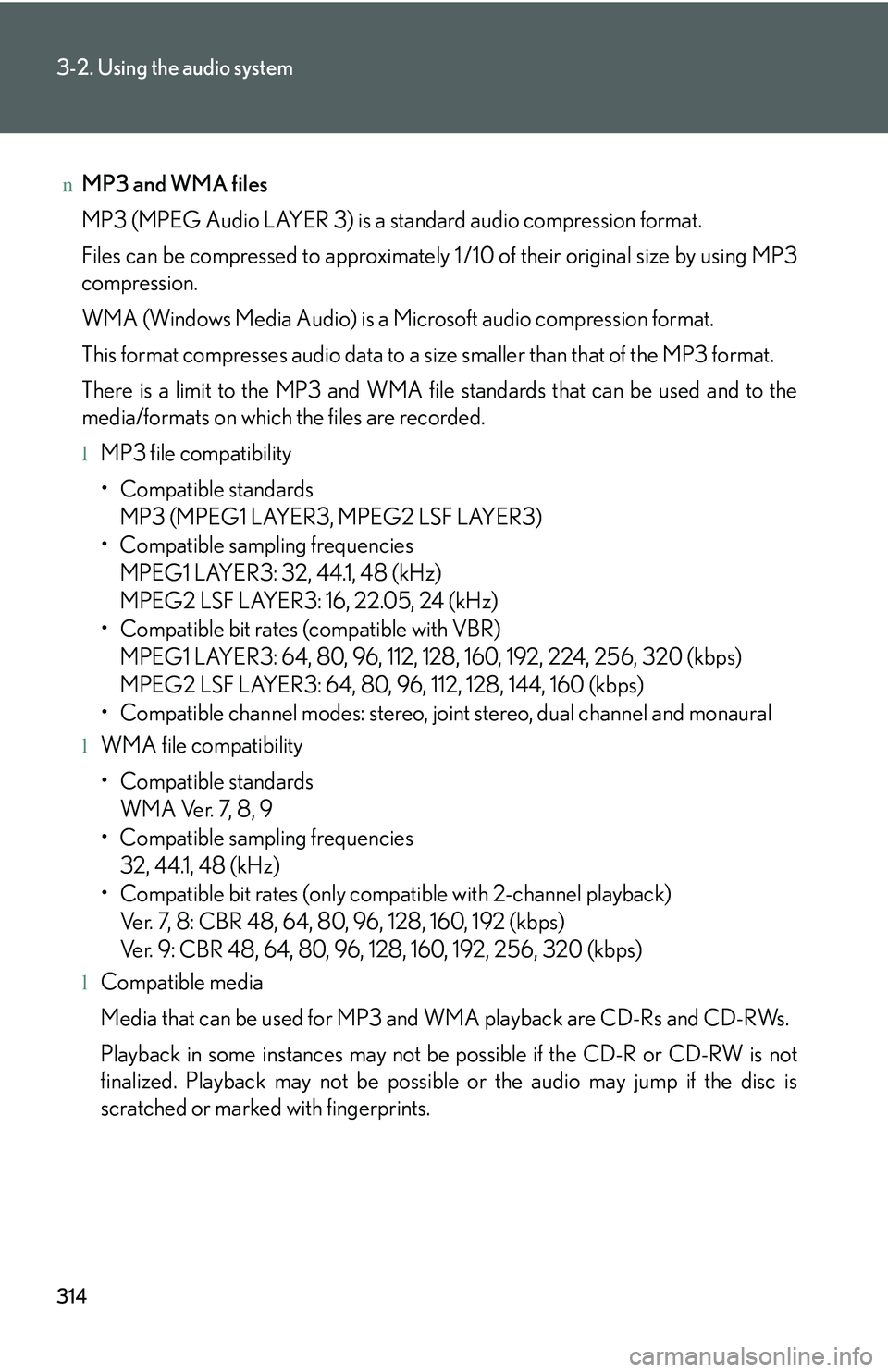
nMP3 and WMA files
MP3 (MPEG Audio LAYER 3) is a standard audio compression format.
Files can be compressed to approximately 1 /10 of their original size by using MP3
compression.
WMA (Windows Media Audio) is a Microsoft audio compression format.
This format compresses audio data to a size smaller than that of the MP3 format.
There is a limit to the MP3 and WMA file standards that can be used and to the
media/formats on which the files are recorded.
lMP3 file compatibility
Page 385 of 821
315
3-2. Using the audio system
3
Interior features
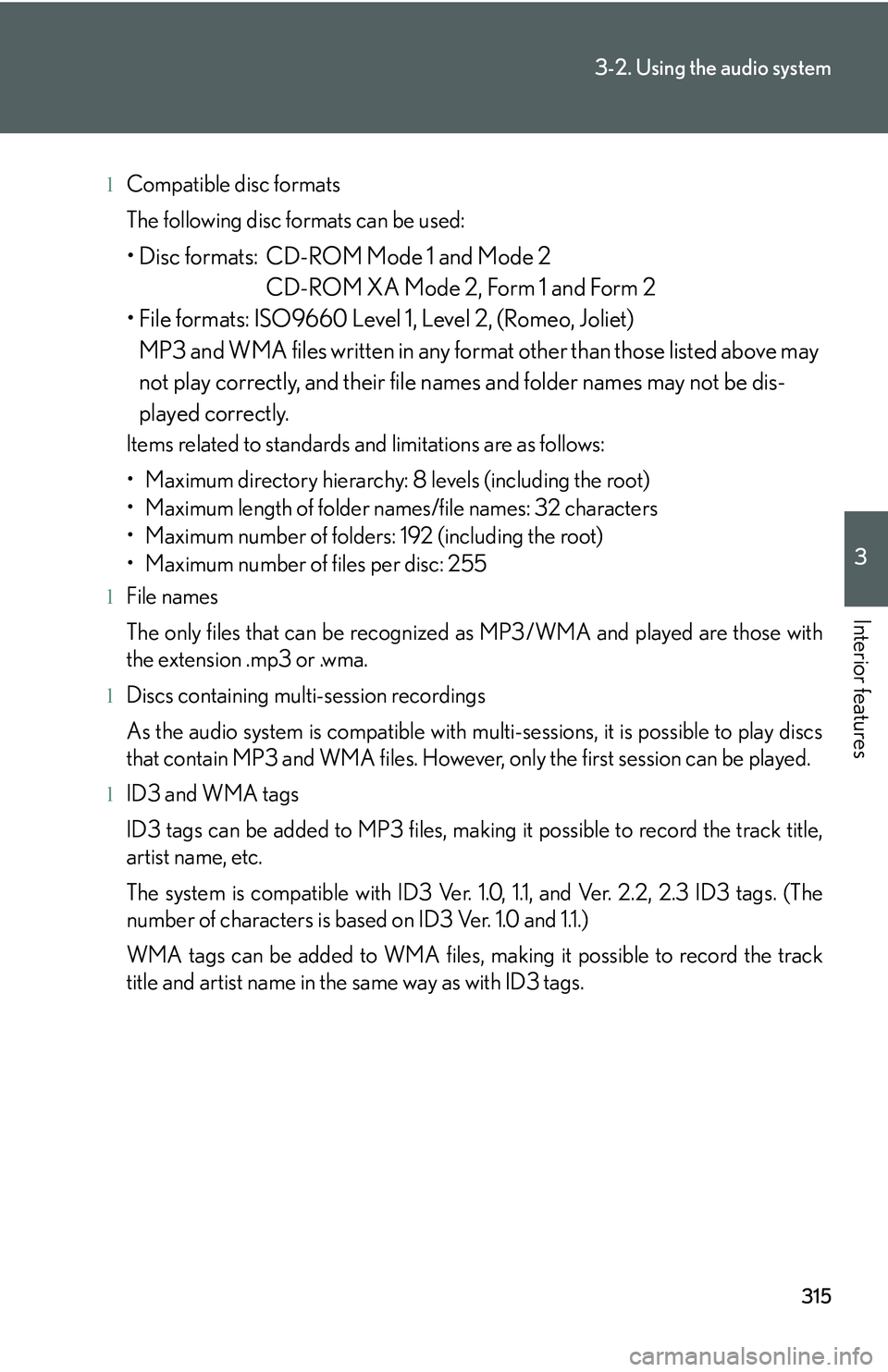
lCompatible disc formats
The following disc formats can be used:
Page 386 of 821
316
3-2. Using the audio system
lMP3 and WMA playback
When a disc containing MP3 or WMA files is inserted, all files on the disc are first
checked. Once the file check is finished, the first MP3 or WMA file is played. To
make the file check finish more quickly, we recommend you do not write in any
files other than MP3 or WMA files or create any unnecessary folders.
Discs that contain a mixture of music data and MP3 or WMA format data cannot
be played.
lExtensions
If the file extensions .mp3 and .wma are used for files other than MP3 and WMA
files, they will be mistakenly recognized and played as MP3 and WMA files. This
may result in large amounts of interference and damage to the speakers.
lPlayback
Page 387 of 821
317
3-2. Using the audio system
3
Interior features
Operating an iPod∗
Connecting an iPod enables you to enjoy music from the vehicle speakers.
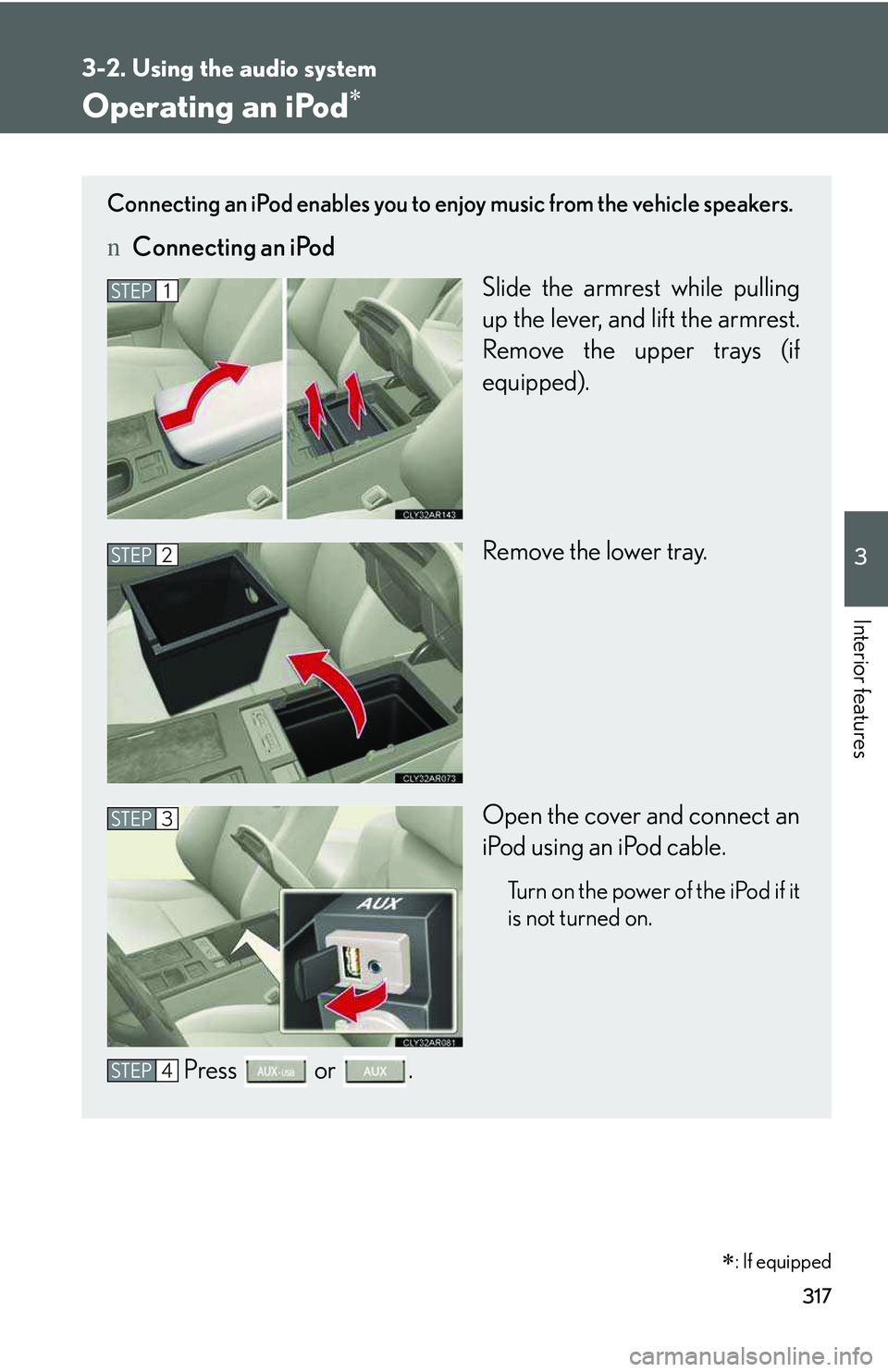
nConnecting an iPod
Slide the armrest while pulling
up the lever, and lift the armrest.
Remove the upper trays (if
equipped).
Remove the lower tray.
Open the cover and connect an
iPod using an iPod cable.
Turn on the power of the iPod if it
is not turned on.
Press or .
STEP1
STEP2
STEP3
STEP4
∗: If equipped