LEXUS RX350 2011 Owner's Manual
RX350 2011
LEXUS
LEXUS
https://www.carmanualsonline.info/img/36/58968/w960_58968-0.png
LEXUS RX350 2011 Owner's Manual
Page 92 of 821
18
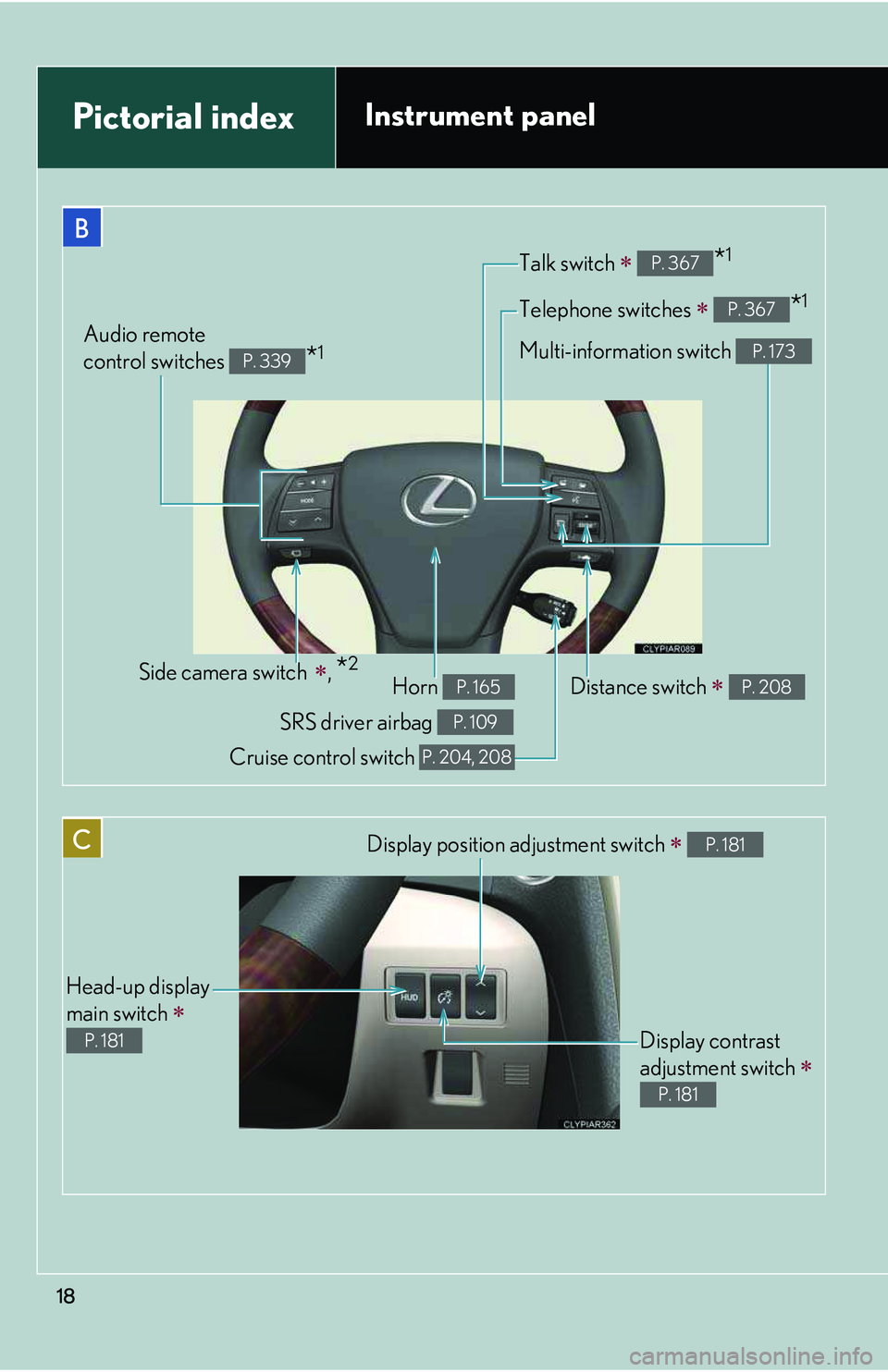
B
Telephone switches ∗ *1P. 367
Talk switch ∗ *1P. 367
Multi-information switch P. 173Audio remote
control switches *1P. 339
C
Head-up display
main switch ∗
P. 181
Display position adjustment switch ∗ P. 181
Display contrast
adjustment switch ∗
P. 181
Distance switch ∗ P. 208Side camera switch ∗, *2
Pictorial indexInstrument panel
Horn P. 165
SRS driver airbag P. 109
Cruise control switch P. 204, 208
Page 102 of 821
29
1-1. Key information
1
Before driving
NOTICE
nTo prevent key damage
Observe the following:
lDo not drop the keys, subject them to strong shocks or bend them.
lDo not expose the keys to high temperatures for a long period of time.
lDo not get the keys wet or wash them in an ultrasonic washer etc.
lDo not attach metallic or magnetic materials to the keys or place the keys close to
such materials.
lDo not disassemble the keys.
lDo not attach a sticker or anything else to the surface of the electronic key.
lDo not place the keys near objects that produce magnetic fields, such as TVs,
audio systems, glass top ranges, or medical electrical equipment, such as low-fre-
quency therapy equipment.
nCarrying the electronic key on your person
Carry the electronic key 3.9 in. (10 cm) or more away from electric appliances that
are turned on.
nIn case of a smart access system with push-button start malfunction or other key-
related problems
Take your vehicle with all the electronic keys provided with your vehicle, including
the card key, to your Lexus dealer.
nWhen a vehicle key is lost
If the key remains lost, the risk of vehicle theft increases significantly. Visit your
Lexus dealer immediately with all remaining electronic keys and the card key that
was provided with your vehicle.
Page 226 of 821
154
2-1. Driving procedures
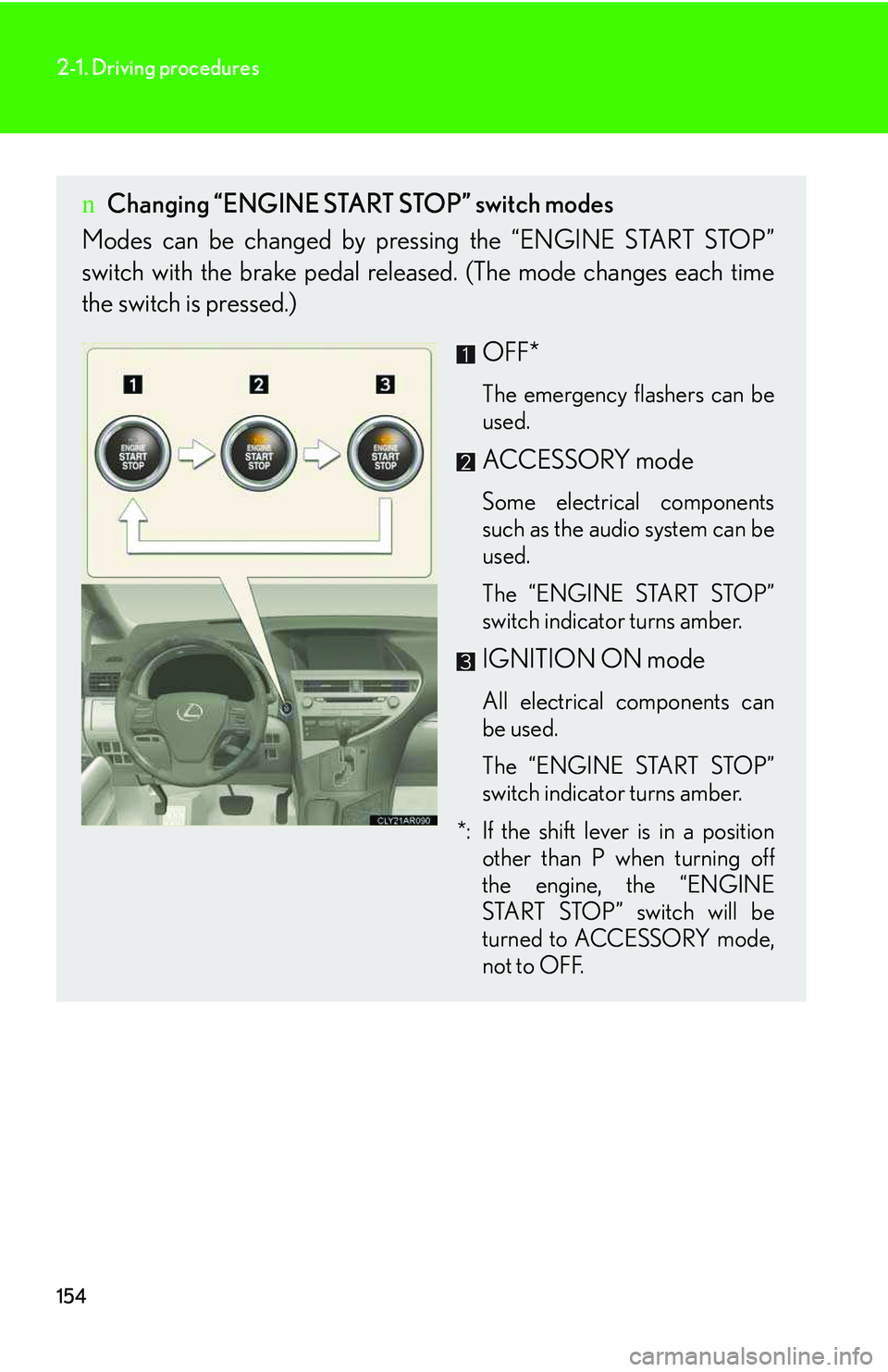
nChanging “ENGINE START STOP” switch modes
Modes can be changed by pressing the “ENGINE START STOP”
switch with the brake pedal released. (The mode changes each time
the switch is pressed.)
OFF*
The emergency flashers can be
used.
ACCESSORY mode
Some electrical components
such as the audio system can be
used.
The “ENGINE START STOP”
switch indicator turns amber.
IGNITION ON mode
All electrical components can
be used.
The “ENGINE START STOP”
switch indicator turns amber.
*: If the shift lever is in a position
other than P when turning off
the engine, the “ENGINE
START STOP” switch will be
turned to ACCESSORY mode,
not to OFF.
Page 252 of 821
180
2-2. Instrument cluster
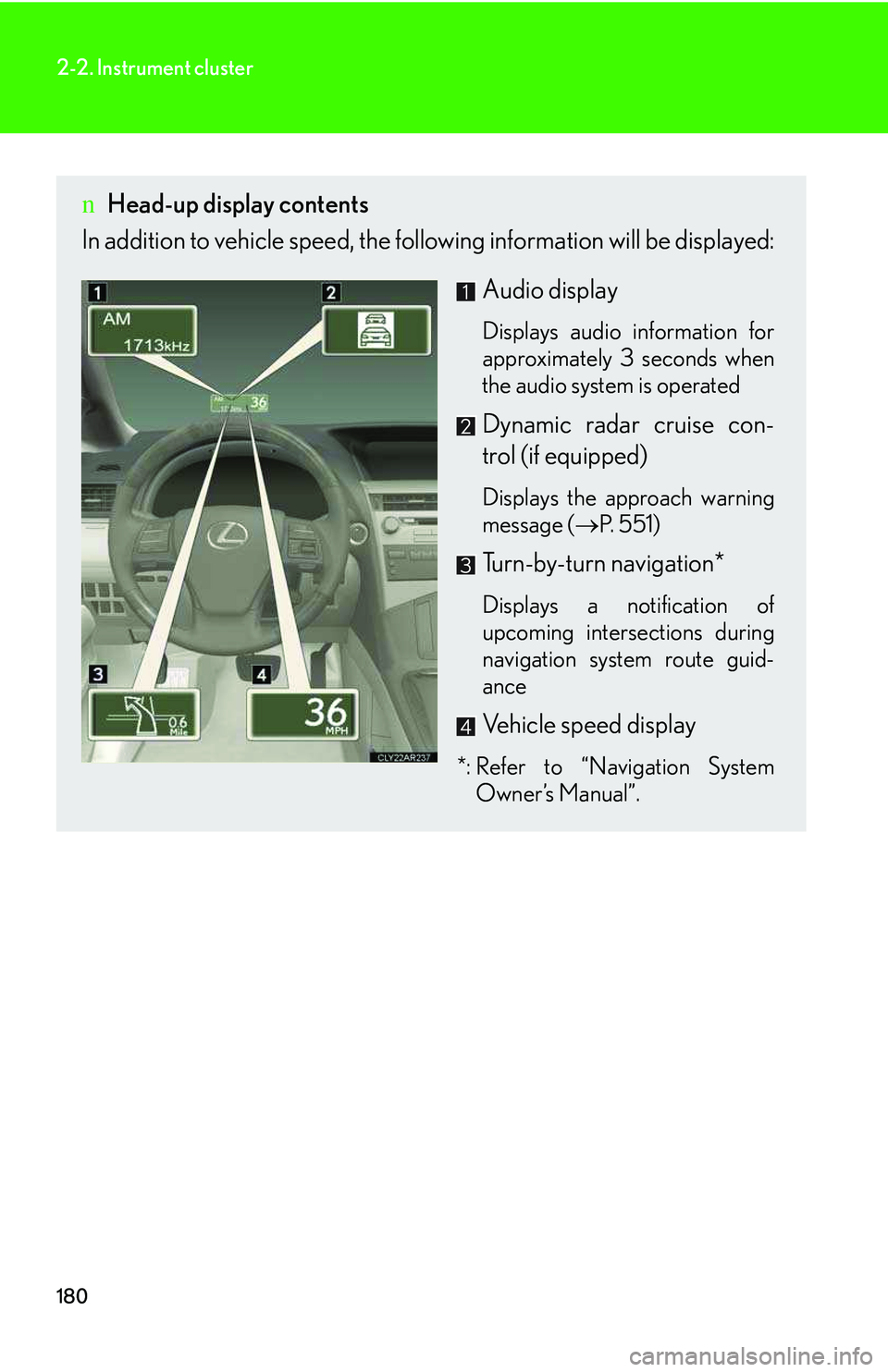
nHead-up display contents
In addition to vehicle speed, the following information will be displayed:
Audio display
Displays audio information for
approximately 3 seconds when
the audio system is operated
Dynamic radar cruise con-
trol (if equipped)
Displays the approach warning
message (→P. 551)
Turn-by-turn navigation*
Displays a notification of
upcoming intersections during
navigation system route guid-
ance
Vehicle speed display
*: Refer to “Navigation System
Owner’s Manual”.
Page 254 of 821
182
2-2. Instrument cluster
Display customization
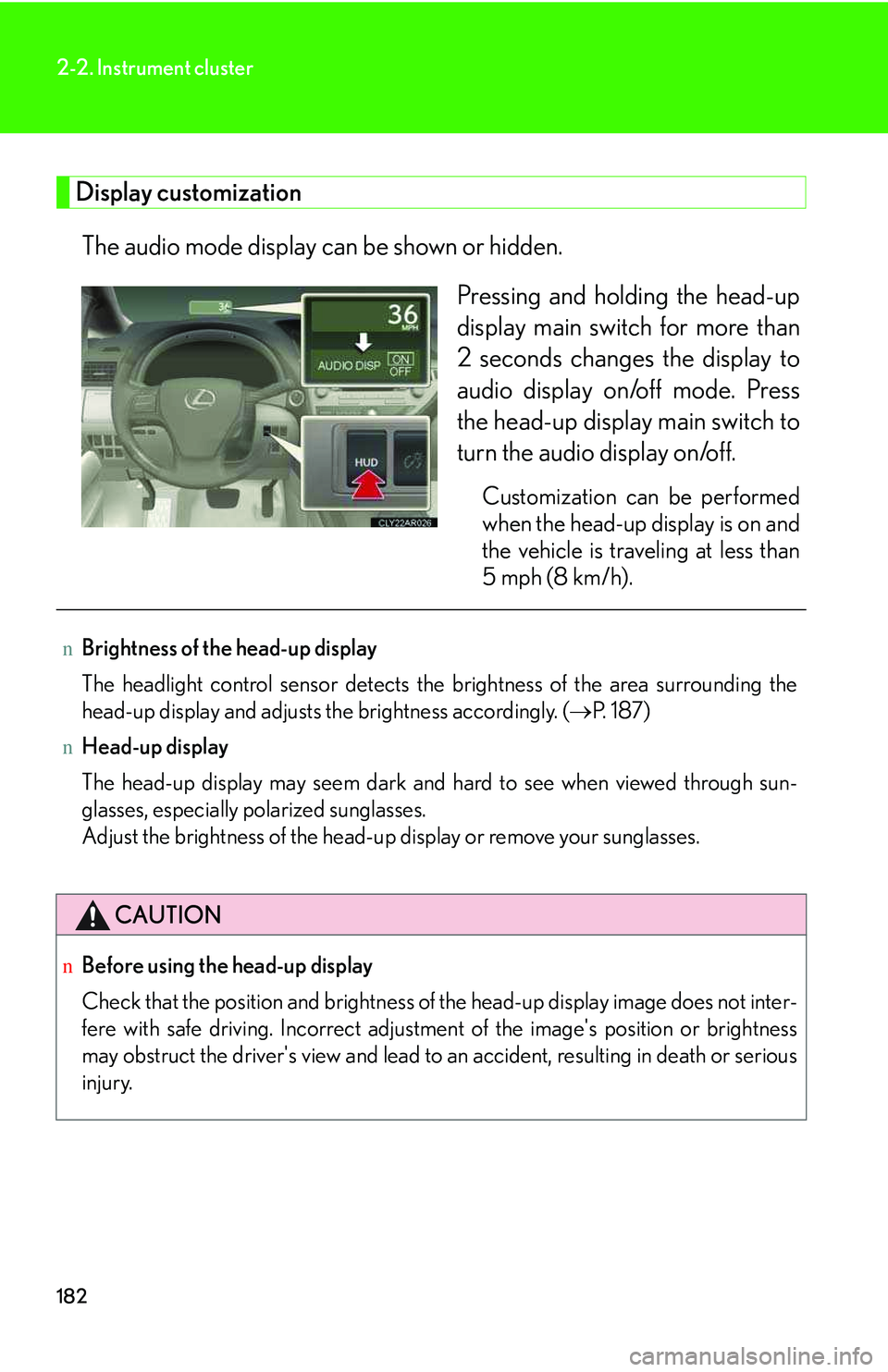
The audio mode display can be shown or hidden.
Pressing and holding the head-up
display main switch for more than
2 seconds changes the display to
audio display on/off mode. Press
the head-up display main switch to
turn the audio display on/off.
Customization can be performed
when the head-up display is on and
the vehicle is traveling at less than
5 mph (8 km/h).
nBrightness of the head-up display
The headlight control sensor detects the brightness of the area surrounding the
head-up display and adjusts the brightness accordingly. (→P. 1 8 7 )
nHead-up display
The head-up display may seem dark and hard to see when viewed through sun-
glasses, especially polarized sunglasses.
Adjust the brightness of the head-up display or remove your sunglasses.
CAUTION
nBefore using the head-up display
Check that the position and brightness of the head-up display image does not inter-
fere with safe driving. Incorrect adjustment of the image's position or brightness
may obstruct the driver's view and lead to an accident, resulting in death or serious
injury.
Page 353 of 821
283
3
Interior features
3-2. Using the audio system
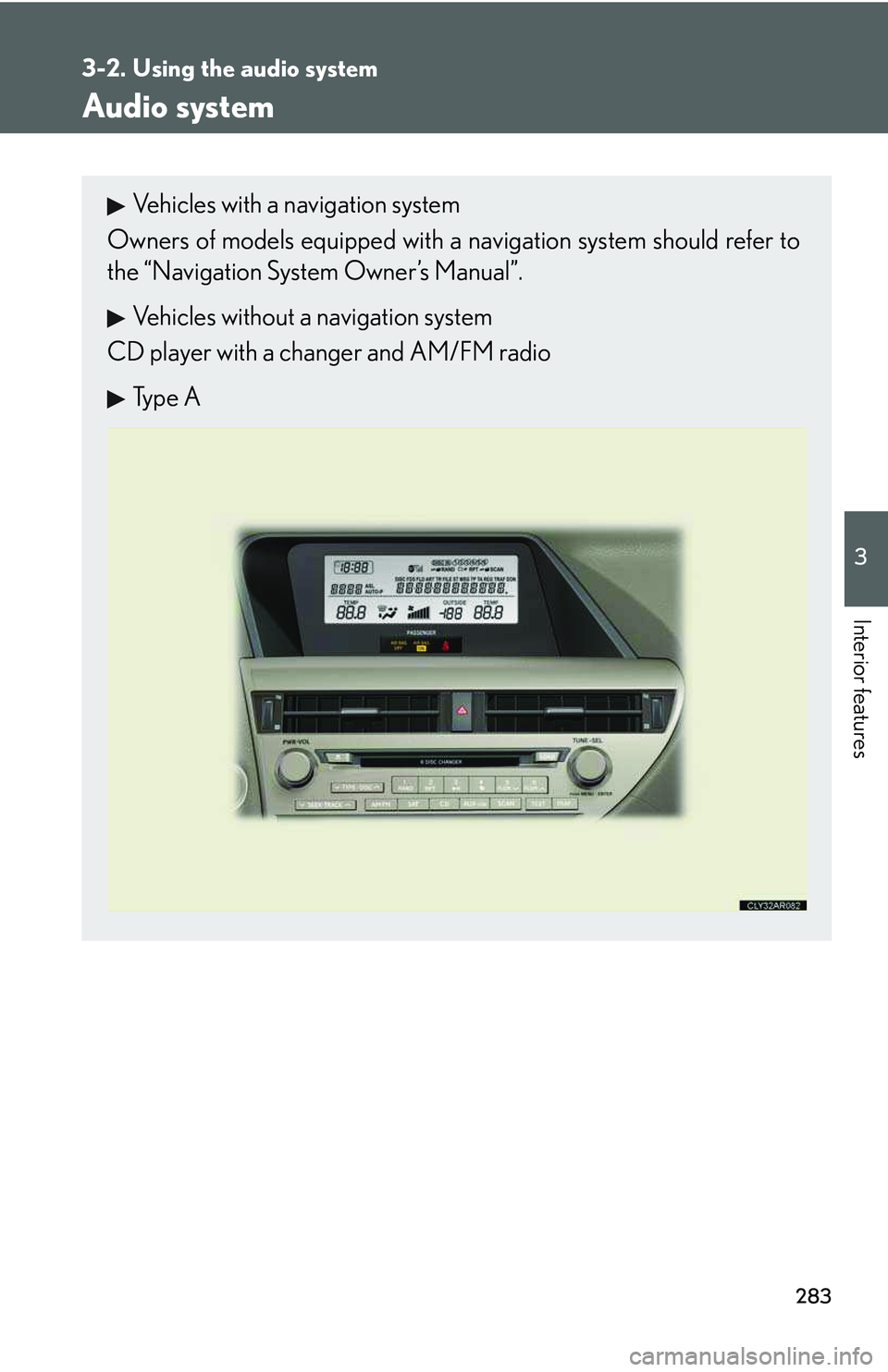
Audio system
Vehicles with a navigation system
Owners of models equipped with a navigation system should refer to
the “Navigation System Owner’s Manual”.
Vehicles without a navigation system
CD player with a changer and AM/FM radio
Type A
Page 354 of 821
284
3-2. Using the audio system
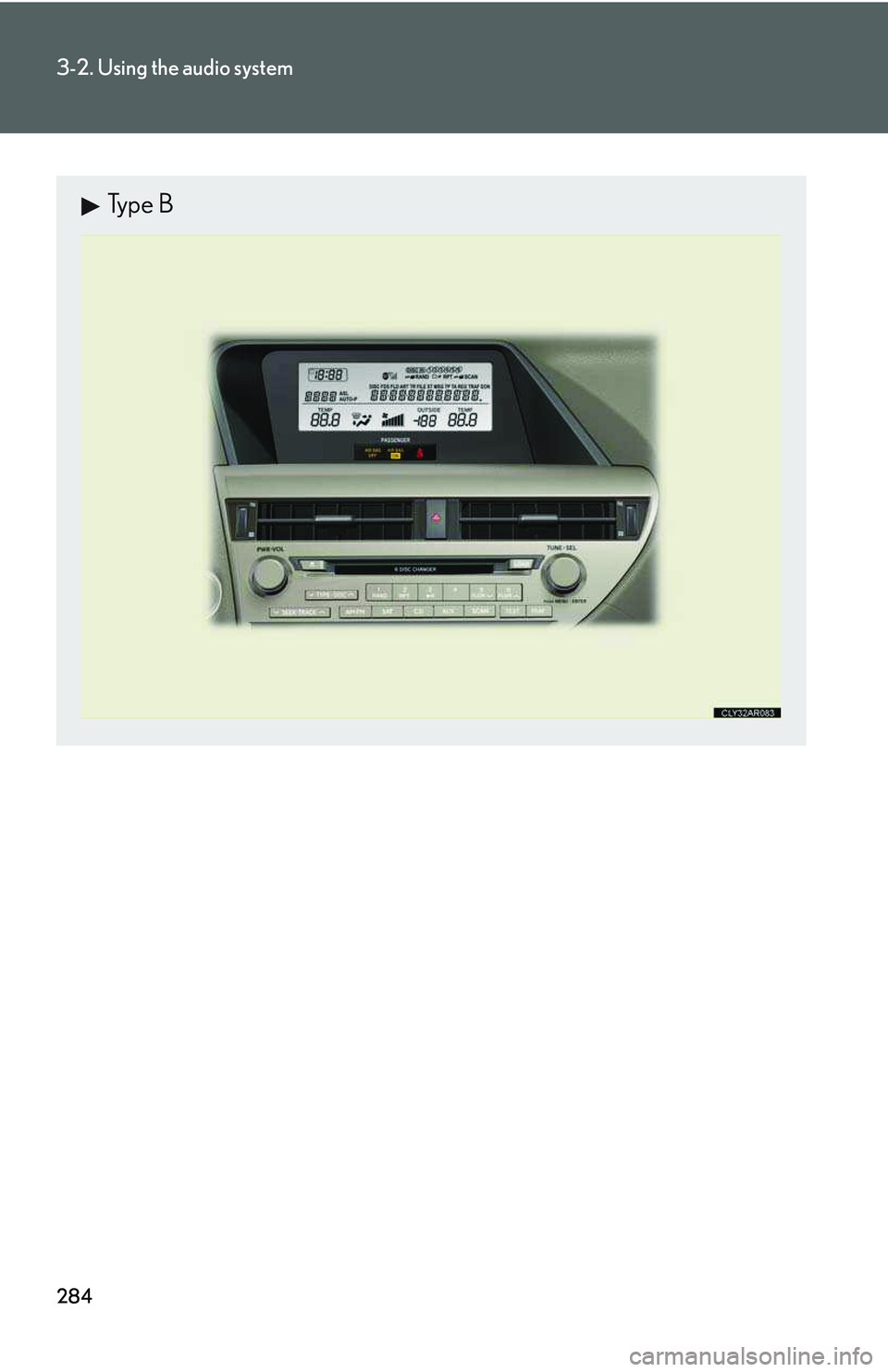
Type B
Page 355 of 821
285
3-2. Using the audio system
3
Interior features
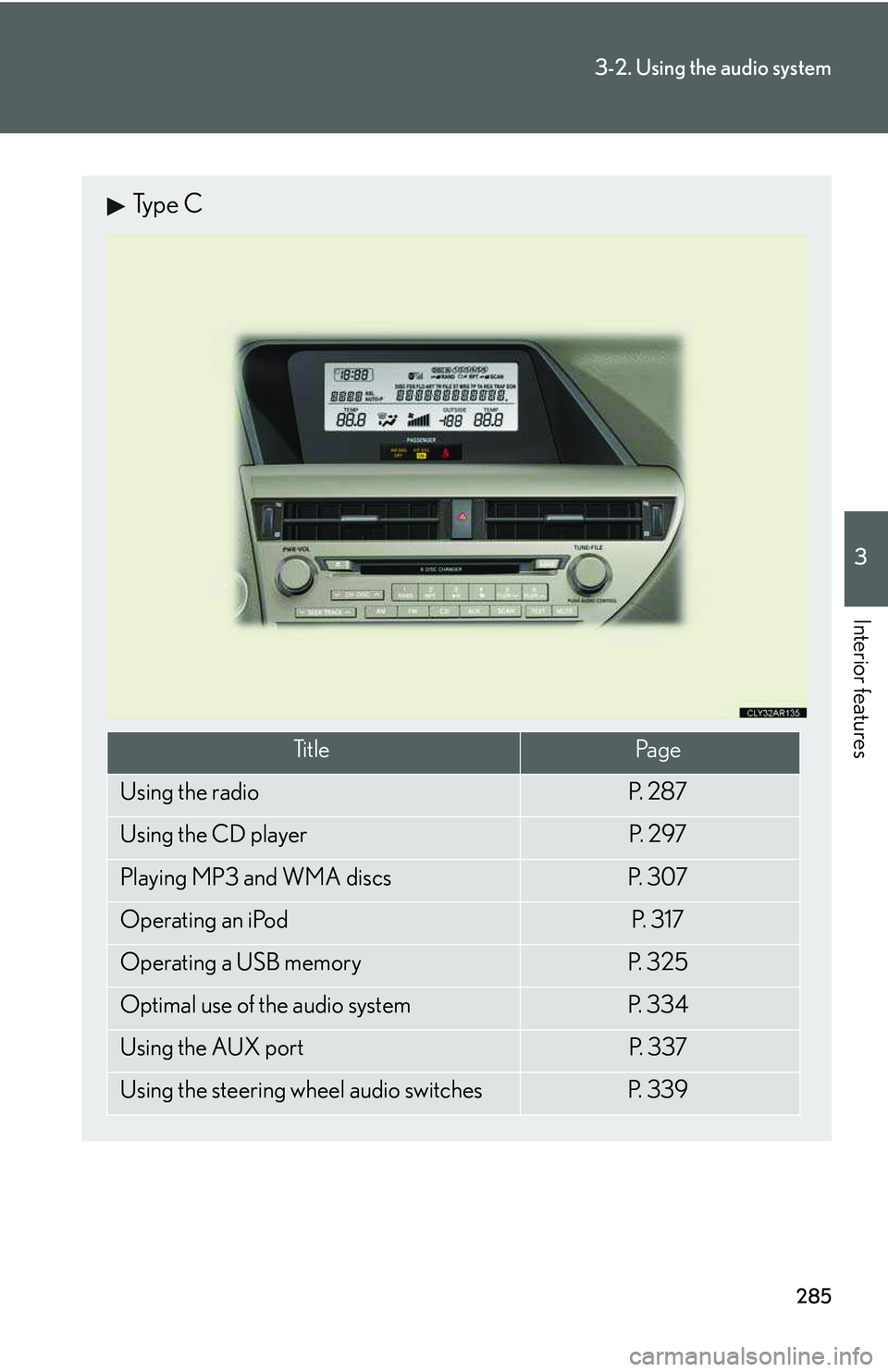
Type C
Ti t l ePa g e
Using the radioP. 2 8 7
Using the CD playerP. 2 9 7
Playing MP3 and WMA discsP. 3 0 7
Operating an iPodP. 3 1 7
Operating a USB memoryP. 3 2 5
Optimal use of the audio systemP. 3 3 4
Using the AUX portP. 3 3 7
Using the steering wheel audio switchesP. 3 3 9
Page 356 of 821
286
3-2. Using the audio system
nUsing mobile phones
Interference may be heard through the audio system’s speakers if a mobile phone is
being used inside or close to the vehicle while the audio system is operating.
CAUTION
nCertification
lPa r t 1 5 o f t h e F CC Ru l e s
FCC Warning:
Any unauthorized changes or modifications to this equipment will void the user’s
authority to operate this device.
lLaser products
Page 357 of 821
287
3-2. Using the audio system
3
Interior features
Using the radio
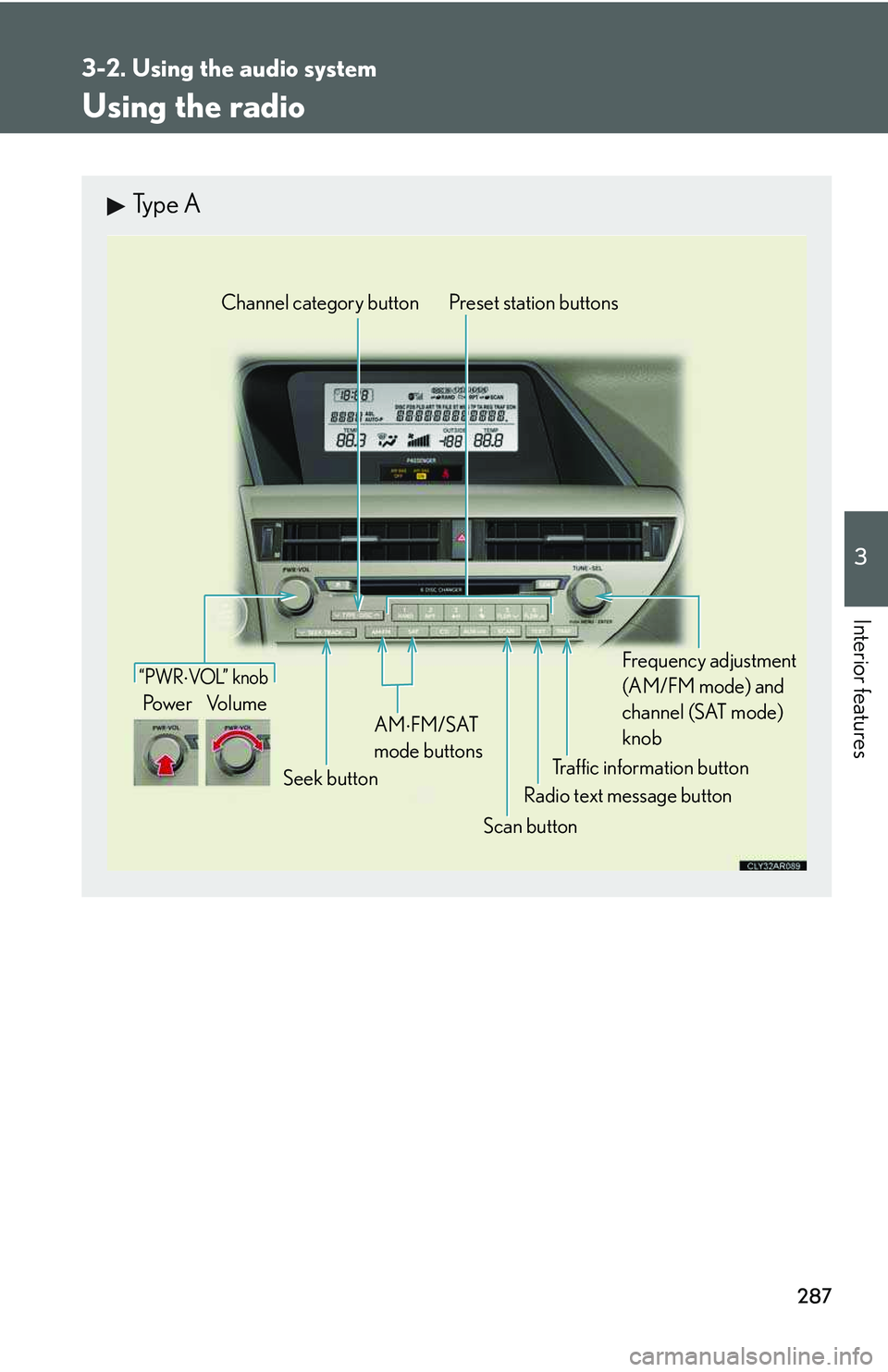
Type A
Traffic information button
Preset station buttons
Radio text message button
Scan button
Seek button
Channel category button
Frequency adjustment
(AM/FM mode) and
channel (SAT mode)
knobAM
⋅
FM/SAT
mode buttons
“PWR ⋅ VOL” k nob
Po w e r Vo l u m e