ECO mode LINCOLN CORSAIR 2023 Workshop Manual
[x] Cancel search | Manufacturer: LINCOLN, Model Year: 2023, Model line: CORSAIR, Model: LINCOLN CORSAIR 2023Pages: 690, PDF Size: 15.04 MB
Page 413 of 690
TOWING YOUR VEHICLE
PRECAUTIONS
Use the following guidelines when towingyour vehicle. Failure to follow this instructioncould result in vehicle damage not coveredby the vehicle warranty.
Note:Make sure you properly secure yourvehicle to the tow vehicle.
Note:If you are unsure of the vehicle’sconfiguration, contact an authorized dealer.
RECREATIONALLY TOWING YOUR
VEHICLE - PLUG-IN HYBRID
ELECTRIC VEHICLE (PHEV)
Follow these guidelines if you have a needfor recreational towing. An example ofrecreational towing is towing your vehiclebehind a motorhome. These guidelinesensure that you do not damage thetransmission.
Note: Put your climate control system inrecirculated air mode to prevent exhaustfumes from entering your vehicle. SeeClimate Control (page 168).
You can tow your vehicle with all four wheelson the ground under the followingconditions:
•You switch Neutral Tow on.
•Your vehicle is facing forward for towingin a forward direction.
•You release the parking brake.
•You do not exceed 70 mph (113 km/h).
Switching Neutral Tow On
1.Switch your vehicle on in accessorymode.
2.Press the menu button on the steeringwheel to enter the information displaymain menu.
3.Select Settings.
4.Select Neutral Tow.
5.Follow the instructions on the informationdisplay.
6.Fully press the brake pedal.
7.Shift into neutral (N).
8.Switch the ignition off.
Note:Switching neutral tow on requiresbattery power.
Note:If the parking brake is applied, amessage appears in the information display.
Note:If your vehicle has an ignition key, youcannot remove the key from the ignitionwhen the transmission is in neutral (N) andyour vehicle is off.
Note:Start the engine and allow it to run fora few minutes at the beginning of each day,and every six hours or fewer. With the enginerunning and your foot on the brake, shift intodrive (D) and then into reverse (R) beforeshifting back into neutral (N). Beforecontinuing to tow, switch neutral tow on.
409
2023 Corsair (CTF) Canada/United States of America, enUSA, Edition date: 202208, DOMTowing Your Vehicle
Page 414 of 690
RECREATIONALLY TOWING YOUR
VEHICLE - GASOLINE, AWD
You cannot recreational tow your vehiclewith all wheels on the ground becausevehicle or transmission damage could occur.You must recreational tow your vehicle withall four wheels off the ground, such as whenusing a car-hauling trailer. Otherwise, youcannot recreational tow your vehicle.
RECREATIONALLY TOWING YOUR
VEHICLE - GASOLINE, FWD
You cannot recreational tow your vehiclewith all wheels on the ground becausevehicle or transmission damage could occur.Place the front wheels on a two-wheel towdolly. If you are using a tow dolly, follow theinstructions specified by the equipmentprovider.
Note:Release the parking brake beforetowing your vehicle. See ManuallyReleasing the Electric Parking Brake (page272).
EMERGENCY TOWING - PLUG-IN
HYBRID ELECTRIC VEHICLE
(PHEV)
If your vehicle becomes inoperable withoutaccess to wheel dollies or a vehicle transporttrailer, it can be flat-towed with all wheels onthe ground, regardless of the powertrain andtransmission configuration, under thefollowing conditions:
•Your vehicle is facing forward for towingin a forward direction.
•You switch Neutral Tow on.
•You release the parking brake.
•Maximum speed is 35 mph (55 km/h).
•Maximum distance is 50 mi (80 km).
Switching Neutral Tow On
1.Switch your vehicle on in accessorymode.
2.Press the menu button on the steeringwheel to enter the instrument clusterdisplay main menu.
3.Select Settings.
4.Select Neutral Tow.
5.Follow the instructions on the informationdisplay.
6.Fully press the brake pedal.
7.Shift into neutral (N).
8.Switch the ignition off.
Note:Failure to follow these instructionscould result in damage to the transmission.
Note:Switching neutral tow on requiresbattery power.
Note: Put your climate control system inrecirculated air mode to prevent exhaustfumes from entering your vehicle. SeeClimate Control (page 168).
Switching Neutral Tow Off
1.Switch your vehicle on in accessorymode.
2.Fully press the brake pedal.
3.Shift into park (P).
410
2023 Corsair (CTF) Canada/United States of America, enUSA, Edition date: 202208, DOMTowing Your Vehicle
Page 442 of 690
Maintain coolant concentration within 48%to 50%, which equates to a freeze pointbetween -29°F (-34°C) and -35°F (-37°C).Coolant concentration should be checkedusing a refractometer. We do not recommendthe use of hydrometers or coolant test stripsfor measuring coolant concentration.
ADDING COOLANT
WARNING: Do not add coolant whenthe vehicle is on or the cooling system ishot. Failure to follow this instruction couldresult in personal injury.
WARNING: Do not remove thecoolant reservoir cap when the engine ison or the cooling system is hot. Wait 10minutes for the cooling system to cooldown. Cover the coolant reservoir cap witha thick cloth to prevent the possibility ofscalding and slowly remove the cap.Failure to follow this instruction could resultin personal injury.
WARNING: Do not allow the fluid totouch your skin or eyes. If this happens,rinse the affected areas immediately withplenty of water and contact your physician.
WARNING: Do not put coolant in thewindshield washer reservoir. If sprayed onthe windshield, coolant could make itdifficult to see through the windshield.
WARNING: Do not add coolantfurther than the MAX mark.
Note: Do not use stop leak pellets, coolingsystem sealants, or non-specified additivesas they can cause damage to the enginecooling or heating systems. Resultingcomponent damage may not be covered bythe vehicle Warranty.
Note:Automotive fluids are notinterchangeable.
It is very important to use prediluted coolantapproved to the correct specification in orderto avoid plugging the small passageways inthe engine cooling system. See Capacitiesand Specifications (page 495). Do not mixdifferent colors or types of coolant in yourvehicle. Mixing of engine coolants or usingan incorrect coolant may harm the engine orcooling system components and may not becovered by the vehicle Warranty.
Note:If prediluted coolant is not available,use the approved concentrated coolantdiluting it to 50/50 with deionised or distilledwater. See Capacities and Specifications(page 495). Using water that has not beendeionised may contribute to depositformation, corrosion and plugging of thesmall cooling system passageways.
Note: Coolants marketed for all makes andmodels may not be approved to ourspecifications and may cause damage tothe cooling system. Resulting componentdamage may not be covered by the vehicleWarranty.
438
2023 Corsair (CTF) Canada/United States of America, enUSA, Edition date: 202208, DOMMaintenance
Page 444 of 690
WARNING: If you continue to driveyour vehicle when the engine isoverheating, the engine could stop withoutwarning. Failure to follow this instructioncould result in the loss of control of yourvehicle.
You may notice a reduction in vehicle speedcaused by reduced engine power in orderto manage the engine coolant temperature. Your vehicle may enter this mode if certainhigh-temperature and high-load conditionstake place. The amount of speed reductiondepends on vehicle loading, grade andoutside temperature. If this occurs, there isno need to stop your vehicle. You cancontinue to drive. See Fail-Safe Cooling(page 407).
The air conditioning may automatically turnon and off during severe operatingconditions to protect the engine fromoverheating. When the coolant temperaturedecreases to the normal operatingtemperature, the air conditioning turns on.
If the coolant temperature gauge moves fullyinto the red zone, or if the coolanttemperature warning or service engine soonmessages appear in your information display,do the following:
1.Stop your vehicle as soon as it is safe todo so. Fully apply the parking brake, shiftinto park (P) or neutral (N).
2.Leave the engine running until thecoolant temperature gauge needlereturns to the normal position. If thetemperature does not drop after severalminutes, follow the remaining steps.
3.Switch the engine off and wait for it tocool. Check the coolant level.
4.If the coolant level is at or below theminimum mark, add prediluted coolantimmediately.
5.If the coolant level is normal, restart theengine and continue.
COOLANT – WARNING LAMPS
If the engine begins to overheat,the coolant temperature gaugemoves toward the red zone.
A warning lamp illuminates and amessage may appear in theinformation display.
440
2023 Corsair (CTF) Canada/United States of America, enUSA, Edition date: 202208, DOMMaintenanceE103308 E67028
Page 491 of 690
CHANGING A FLAT TIRE
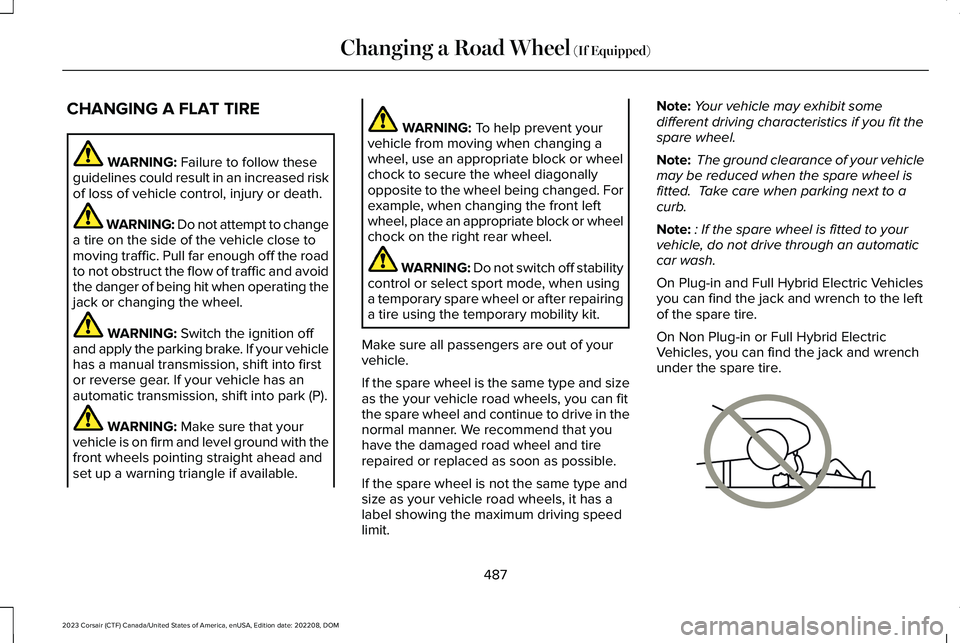
WARNING: Failure to follow theseguidelines could result in an increased riskof loss of vehicle control, injury or death.
WARNING: Do not attempt to changea tire on the side of the vehicle close tomoving traffic. Pull far enough off the roadto not obstruct the flow of traffic and avoidthe danger of being hit when operating thejack or changing the wheel.
WARNING: Switch the ignition offand apply the parking brake. If your vehiclehas a manual transmission, shift into firstor reverse gear. If your vehicle has anautomatic transmission, shift into park (P).
WARNING: Make sure that yourvehicle is on firm and level ground with thefront wheels pointing straight ahead andset up a warning triangle if available.
WARNING: To help prevent yourvehicle from moving when changing awheel, use an appropriate block or wheelchock to secure the wheel diagonallyopposite to the wheel being changed. Forexample, when changing the front leftwheel, place an appropriate block or wheelchock on the right rear wheel.
WARNING: Do not switch off stabilitycontrol or select sport mode, when usinga temporary spare wheel or after repairinga tire using the temporary mobility kit.
Make sure all passengers are out of yourvehicle.
If the spare wheel is the same type and sizeas the your vehicle road wheels, you can fitthe spare wheel and continue to drive in thenormal manner. We recommend that youhave the damaged road wheel and tirerepaired or replaced as soon as possible.
If the spare wheel is not the same type andsize as your vehicle road wheels, it has alabel showing the maximum driving speedlimit.
Note:Your vehicle may exhibit somedifferent driving characteristics if you fit thespare wheel.
Note: The ground clearance of your vehiclemay be reduced when the spare wheel isfitted. Take care when parking next to acurb.
Note:: If the spare wheel is fitted to yourvehicle, do not drive through an automaticcar wash.
On Plug-in and Full Hybrid Electric Vehiclesyou can find the jack and wrench to the leftof the spare tire.
On Non Plug-in or Full Hybrid ElectricVehicles, you can find the jack and wrenchunder the spare tire.
487
2023 Corsair (CTF) Canada/United States of America, enUSA, Edition date: 202208, DOMChanging a Road Wheel (If Equipped)E166722
Page 536 of 690
CENTER DISPLAY PRECAUTIONS
WARNING: Driving while distractedcan result in loss of vehicle control, crashand injury. We strongly recommend thatyou use extreme caution when using anydevice that may take your focus off theroad. Your primary responsibility is the safeoperation of your vehicle. We recommendagainst the use of any hand-held devicewhile driving and encourage the use ofvoice-operated systems when possible.Make sure you are aware of all applicablelocal laws that may affect the use ofelectronic devices while driving.
CENTER DISPLAY LIMITATIONS
Speed-restricted Features
For your safety, some features are notavailable while the vehicle is in motion at orabove 5 mph (8 km/h). Settings that are notcritical while driving your vehicle are shownas restricted on your display. Some of thesesettings include:
•Software updates.
•Personal profiles setup.
•Valet mode setup.
•Driver assistance settings.
•Door keypad code setup.
These restricted features become availablewhen your vehicle is no longer in motion.
STATUS BAR
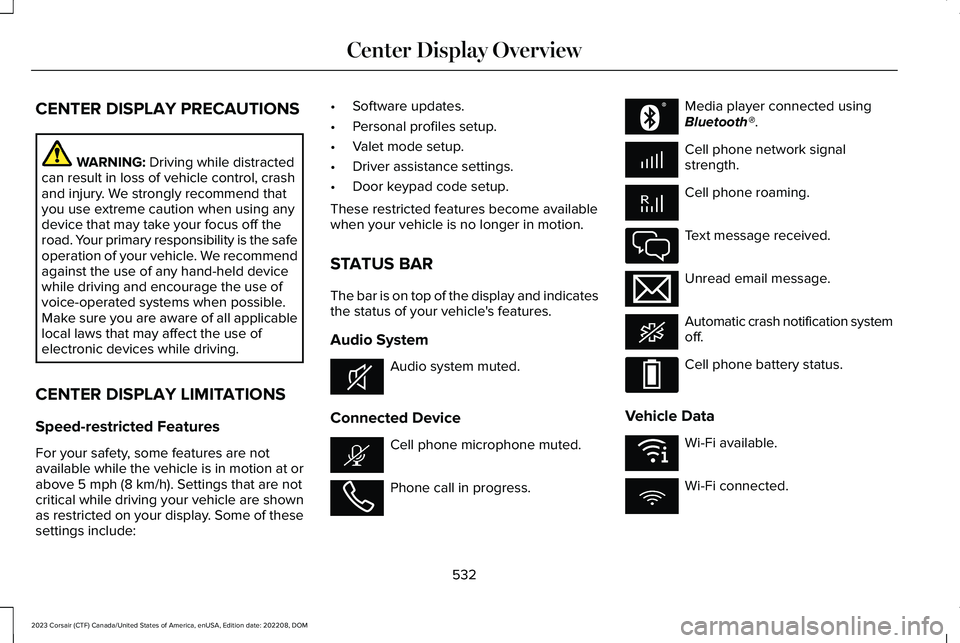
The bar is on top of the display and indicatesthe status of your vehicle's features.
Audio System
Audio system muted.
Connected Device
Cell phone microphone muted.
Phone call in progress.
Media player connected usingBluetooth®.
Cell phone network signalstrength.
Cell phone roaming.
Text message received.
Unread email message.
Automatic crash notification systemoff.
Cell phone battery status.
Vehicle Data
Wi-Fi available.
Wi-Fi connected.
532
2023 Corsair (CTF) Canada/United States of America, enUSA, Edition date: 202208, DOMCenter Display OverviewE353221 E353213 E353208 E335295 E353216 E335293 E353219
Page 558 of 690
This introduces new features and providesupdates to the vehicle's software systems.Make sure to switch Automatic Updates on,set a recurring update schedule and connectyour vehicle to Wi-Fi. Updates could takelonger when not connected to Wi-Fi or couldnot download at all. See Connecting theVehicle to a Wi-Fi Network (page 514). SeeConnecting the Vehicle to a Wi-Fi Network(page 514).
Your vehicle may be able to receive drivablesoftware updates, non-drivable softwareupdates or both. Drivable software updateshappen during normal vehicle usage andrequire limited input from you. You arenotified on your touchscreen and connecteddevice prior to a non-drivable update.
Most updates complete in less than 30minutes, although some updates could takeup to a few hours. Check your touchscreenor connected device for the most accurateestimated update time.
You are notified of the status of the vehiclesoftware update in the touchscreen and onyour connected device. See SoftwareUpdate Indicators (page 555).
Vehicle Software Update Requirements
Non-drivable software updates do not installif any of the following occur:
•Your vehicle is running.
•Your vehicle is switched on.
•Your vehicle is not parked.
•The 12 V battery charge is too low.
•The hazard indicators are switched on.
•The alarm is sounding.
•The doors are open.
•The parking lamps are switched on.
•You are pressing the brake pedal.
•An emergency call is in process.
•Your vehicle is in limp home mode.
Vehicle Software Update Limitations
Once you begin a non-drivable softwareupdate, you cannot:
•Cancel the update.
•Lock, unlock or enter your vehicle unlessyou have a key blade.
•You can open the doors using themechanical latch if child locks are noton.
•Drive your vehicle.
•Start your vehicle.
•Use the remote control to lock, unlock orstart your vehicle.
•Use the alarm, central locks or doortones.
•Use the electronic door locks.
•Charge your vehicle.
•Charging resumes once the updatecompletes.
SOFTWARE UPDATE SETTINGS
To access the Software Updates menu:
554
2023 Corsair (CTF) Canada/United States of America, enUSA, Edition date: 202208, DOMVehicle Software Updates
Page 666 of 690
Predictive Speed Assist –Troubleshooting.............................................325
Adaptive Cruise Control AutomaticCancellation.................................................314Adaptive Cruise Control Indicators..........318Adaptive Cruise Control Limitations..........311Adaptive Cruise Control Precautions......310Adaptive Cruise Control –Troubleshooting.........................................325Adaptive Cruise Control – InformationMessages.........................................................325
Adaptive Cruise Control Videos...............327Adaptive Front Lighting...............................125How Does Adaptive Front LightingWork...................................................................125Switching Adaptive Front Lighting On andOff.......................................................................127
Adaptive Front Lighting –Troubleshooting..........................................127Adaptive Front Lighting – InformationMessages..........................................................127
Adjusting the Exterior Mirrors....................134Adjusting the Headlamps...........................448Adjusting the Instrument Panel LightingBrightness....................................................129Adjusting the Map.........................................551Changing the Format of the Map....................551Zooming the Map In and Out...........................551
Adjusting the Seatbelt Height.....................60Adjusting the Seatbelts DuringPregnancy......................................................59Adjusting the Sound Settings...................522Adjusting the Steering Wheel - VehiclesWith: Manual Adjustable SteeringColumn............................................................111Adjusting the Steering Wheel - VehiclesWith: Power Adjustable SteeringColumn............................................................111Adjusting the Volume...................................521Aid Mode........................................................344How Does Aid Mode Work..............................345What Is Aid Mode...............................................344
Airbag Precautions.........................................68Airbags..............................................................65Front Passenger Sensing System....................69
Air ConditioningSee: Climate Control..........................................168
Air Conditioning System Capacity andSpecification - 2.0L EcoBoost™..............507Air Conditioning System Capacity andSpecification - 2.5L, Plug-In HybridElectric Vehicle (PHEV)............................509Alert and Aid Mode......................................345How Does Alert and Aid Mode Work............345What Is Alert and Aid Mode.............................345
Alert Mode......................................................344How Does Alert Mode Work............................344What Is Alert Mode.............................................344
Alexa Built-In.................................................536Alexa Built-In Requirements......................536Alexa Built-In Settings.................................536All-Wheel Drive.............................................266All-Wheel Drive – Troubleshooting................267
All-Wheel Drive Limitations.......................266All-Wheel Drive Precautions.....................266All-Wheel Drive – Troubleshooting..........267All-Wheel Drive – InformationMessages.........................................................267
AM/FM Radio.................................................523AM/FM Radio Limitations.................................523Selecting a Radio Station.................................523
Ambient Lighting...........................................129Adjusting Ambient Lighting..............................129Switching Ambient Lighting On and Off........129
Anti-Lock Braking System..........................268Anti-Lock Braking System Indicators............268Anti-Lock Braking System Limitations..........268
Anti-Theft Alarm System..............................107Arming the Anti-Theft Alarm System.............108Disarming the Anti-Theft Alarm System........108How Does the Anti-Theft Alarm SystemWork...................................................................107What Are the Inclination Sensors...................108
662
2023 Corsair (CTF) Canada/United States of America, enUSA, Edition date: 202208, DOMIndex
Page 670 of 690
What Are the Child Restraint AnchorPoints...................................................................43
Child Restraints...............................................44Child Restraint Position Information.................44Child Restraints Recommendation...................46
Child Safety......................................................42Child Restraint Anchor Points............................43Child Restraints......................................................44Installing Child Restraints....................................47
Child Safety Locks..........................................55Child Safety Precautions...............................42Cleaning Products.........................................451Cleaning the Exterior..................................452Cleaning Camera Lenses and Sensors........454Cleaning Chrome, Aluminium or StainlessSteel..................................................................453Cleaning Headlamps and Rear Lamps.........452Cleaning Stripes or Graphics..........................453Cleaning the Engine Compartment...............453Cleaning the Exterior Precautions.................452Cleaning the Underbody..................................454Cleaning Wheels................................................453Cleaning Windows and Wiper Blades..........452
Cleaning the Interior....................................454Cleaning Carpets and Floor Mats..................456Cleaning Displays and Screens......................454Cleaning Fabric...................................................455Cleaning Leather................................................455
Cleaning Moonroof Tracks...............................456Cleaning Plastic..................................................454Cleaning Seatbelts.............................................456Cleaning the Instrument Panel.......................454Cleaning Vinyl.....................................................455
Climate Control..............................................168Auto Mode.............................................................170
Climate Control Hints...................................172Closing the Liftgate......................................102Closing the Hands-Free Liftgate.....................103Closing the Liftgate From Inside YourVehicle...............................................................102Closing the Liftgate From Outside YourVehicle...............................................................102Closing the Liftgate Using the RemoteControl...............................................................103
Cold Weather Precautions.........................394Configuring the Trip Computer..................159Connected Navigation.................................551Connected Vehicle.......................................514Connected Vehicle – Troubleshooting..........515Connecting the Vehicle to a MobileNetwork.............................................................514
Connected Vehicle Data...............................29Connected Vehicle Limitations..................514Connected Vehicle Requirements............514
Connected Vehicle –Troubleshooting..........................................515Connected Vehicle – Frequently AskedQuestions..........................................................515
Connected Vehicle Videos.........................518Connecting a Bluetooth® Device.............544Connecting a Trailer....................................386Connecting a Trailer Precautions.............386Connecting the Vehicle to a MobileNetwork.........................................................514Connecting Lincoln Way to the Modem........514Enabling and Disabling the Modem...............514What Is the Modem.............................................514
Connecting the Vehicle to a Wi-FiNetwork.........................................................514Connecting Your Phone.............................538Contacting Us...................................................19Coolant............................................................437Adding Coolant...................................................438Changing the Coolant.......................................439Checking the Coolant Level............................437Coolant – Information Messages....................441Coolant – Warning Lamps................................440Managing the Coolant Temperature.............439
Cooling System Capacity and Specification- 2.0L EcoBoost™........................................503
666
2023 Corsair (CTF) Canada/United States of America, enUSA, Edition date: 202208, DOMIndex
Page 672 of 690

Drive Belt Routing Overview - 2.0LEcoBoost™....................................................442Drive Mode Control.....................................338Drive Modes.........................................................338
Drive Mode Control Videos.......................340Drive Modes..................................................338Conserve..............................................................338Excite.....................................................................339Normal...................................................................339Preserve EV.........................................................339Pure EV.................................................................339Slippery.................................................................339
Driver Alert.....................................................372Driver Alert – Troubleshooting........................373
Driver Alert Limitations................................373Driver Alert Precautions..............................372Driver Alert – Troubleshooting..................373Driver Alert – Information Messages.............373
Driving Economically...................................394Driving Hints..................................................394Driving in Special Conditions..........................395
Driving in Special Conditions....................395Driving In Sand....................................................396Driving on Hilly or Sloping Terrain.................395Driving Through Mud and Water....................395
Driving on Snow and Ice............................394Driving Through Shallow Water...............396
E
Easy Entry and Exit.........................................98Eco Coach.......................................................341Electric Economy...........................................156Electric Parking Brake AudibleWarning........................................................273Electric Parking Brake.................................272Electric Parking Brake –Troubleshooting.............................................273
Electric Parking Brake –Troubleshooting.........................................273Electric Parking Brake – InformationMessages.........................................................274Electric Parking Brake – WarningLamps................................................................273
Electric Power Steering...............................291Electric Power Steering Precautions..............291How Does Electric Power SteeringWork...................................................................291
Electromagnetic Compatibility.................655Emergency Call Limitations..........................77Emergency Call Requirements....................76Emergency Call System Data......................30Emergency Towing - Gasoline....................411Emergency Towing - Plug-In Hybrid ElectricVehicle (PHEV)............................................410Emission Law..................................................651
Enabling Apps on an AndroidDevice..........................................................545Enabling Apps on an iOS Device.............545Enabling or Disabling PersonalProfiles..........................................................548Enabling Remote Start.................................165End User License Agreement....................621Engine Air Filter............................................434Changing the Engine Air Filter........................434
Engine Block Heater...................................207Engine Block Heater Precautions..................207How Does the Engine Block HeaterWork..................................................................208Using the Engine Block Heater......................208
Engine Coolant Temperature Gauge.......140Engine Oil Capacity and Specification -2.0L EcoBoost™..........................................499Engine Oil Capacity and Specification -2.5L, Plug-In Hybrid Electric Vehicle(PHEV)...........................................................501Engine Oil.......................................................432Adding Engine Oil..............................................432Checking the Engine Oil Level.......................432Engine Oil Capacity and Specification..........434Engine Oil Dipstick Overview..........................432Intelligent Oil Life Monitor................................433Resetting the Intelligent Oil LifeMonitor..............................................................433
668
2023 Corsair (CTF) Canada/United States of America, enUSA, Edition date: 202208, DOMIndex