rear ac control LINCOLN MKT 2014 User Guide
[x] Cancel search | Manufacturer: LINCOLN, Model Year: 2014, Model line: MKT, Model: LINCOLN MKT 2014Pages: 498, PDF Size: 7.3 MB
Page 64 of 498
Your vehicle has a collection of crash and occupant sensors which
provide information to the restraints control module which deploys
(activates) the front safety belt pretensioners, rear inflatable safety belts,
driver airbag, passenger airbag, passenger knee airbag, seat mounted side
airbags, and the Safety Canopy. Based on the type of accident (frontal
impact, side impact or rollover) the restraints control module will deploy
the appropriate safety devices.
The restraints control module also monitors the readiness of the above
safety devices plus the crash and occupant sensors. The readiness of the
safety system is indicated by a warning indicator light in the instrument
cluster or by a backup tone if the warning light is not working. See the
Instrument Clusterchapter. Routine maintenance of the airbag is not
required.
A difficulty with the system is indicated by one or more of the following:
•The readiness light will either flash or stay lit.
•The readiness light will not illuminate immediately after the
ignition is turned on.
•A series of five beeps will be heard. The tone pattern will repeat
periodically until the problem or light is repaired.
If any of these things happen, even intermittently, have the supplemental
restraint system serviced at an authorized dealer immediately. Unless
serviced, the system may not function properly in the event of a crash.
The safety belt pretensioners, rear inflatable safety belts and the airbag
supplemental restraint system are designed to activate when the vehicle
sustains frontal or sideways deceleration sufficient to cause the restraints
control module to deploy a safety device or when a certain likelihood of
a rollover event is detected by the rollover sensor.
The fact that the safety belt pretensioners or airbags did not activate for
both front seat occupants in a crash does not mean that something is
wrong with the system. Rather, it means the restraints control module
determined the accident conditions (such as crash severity, belt usage)
were not appropriate to activate these safety devices.
•The design of the front airbags is to activate only in frontal and
near-frontal crashes (not rollovers, side impacts or rear impacts)
unless the crash causes sufficient frontal deceleration.
Supplementary Restraints System63
2014 MKT(mkt)
Owners Guide gf, 1st Printing, April 2013
USA(fus)
Page 78 of 498
Note:If any door or the luggage compartment is open, or if the hood is
open on vehicles with an anti-theft alarm or remote start, the horn
sounds twice and the lamps will not flash.
Activating intelligent access
The intelligent access key must be within 3 feet (1 meter) of your
vehicle.
At the front doors
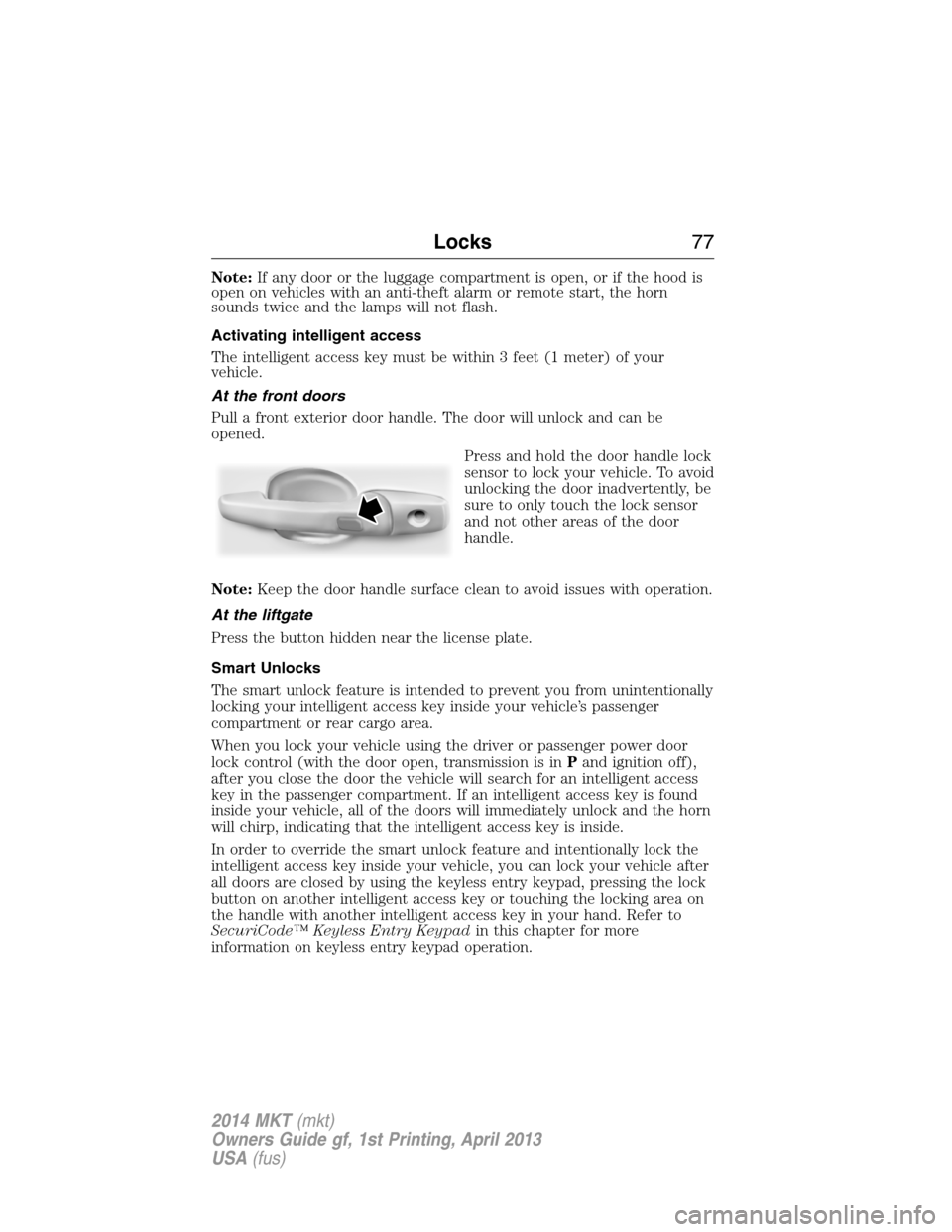
Pull a front exterior door handle. The door will unlock and can be
opened.
Press and hold the door handle lock
sensor to lock your vehicle. To avoid
unlocking the door inadvertently, be
sure to only touch the lock sensor
and not other areas of the door
handle.
Note:Keep the door handle surface clean to avoid issues with operation.
At the liftgate
Press the button hidden near the license plate.
Smart Unlocks
The smart unlock feature is intended to prevent you from unintentionally
locking your intelligent access key inside your vehicle’s passenger
compartment or rear cargo area.
When you lock your vehicle using the driver or passenger power door
lock control (with the door open, transmission is inPand ignition off),
after you close the door the vehicle will search for an intelligent access
key in the passenger compartment. If an intelligent access key is found
inside your vehicle, all of the doors will immediately unlock and the horn
will chirp, indicating that the intelligent access key is inside.
In order to override the smart unlock feature and intentionally lock the
intelligent access key inside your vehicle, you can lock your vehicle after
all doors are closed by using the keyless entry keypad, pressing the lock
button on another intelligent access key or touching the locking area on
the handle with another intelligent access key in your hand. Refer to
SecuriCode™ Keyless Entry Keypadin this chapter for more
information on keyless entry keypad operation.
Locks77
2014 MKT(mkt)
Owners Guide gf, 1st Printing, April 2013
USA(fus)
Page 82 of 498
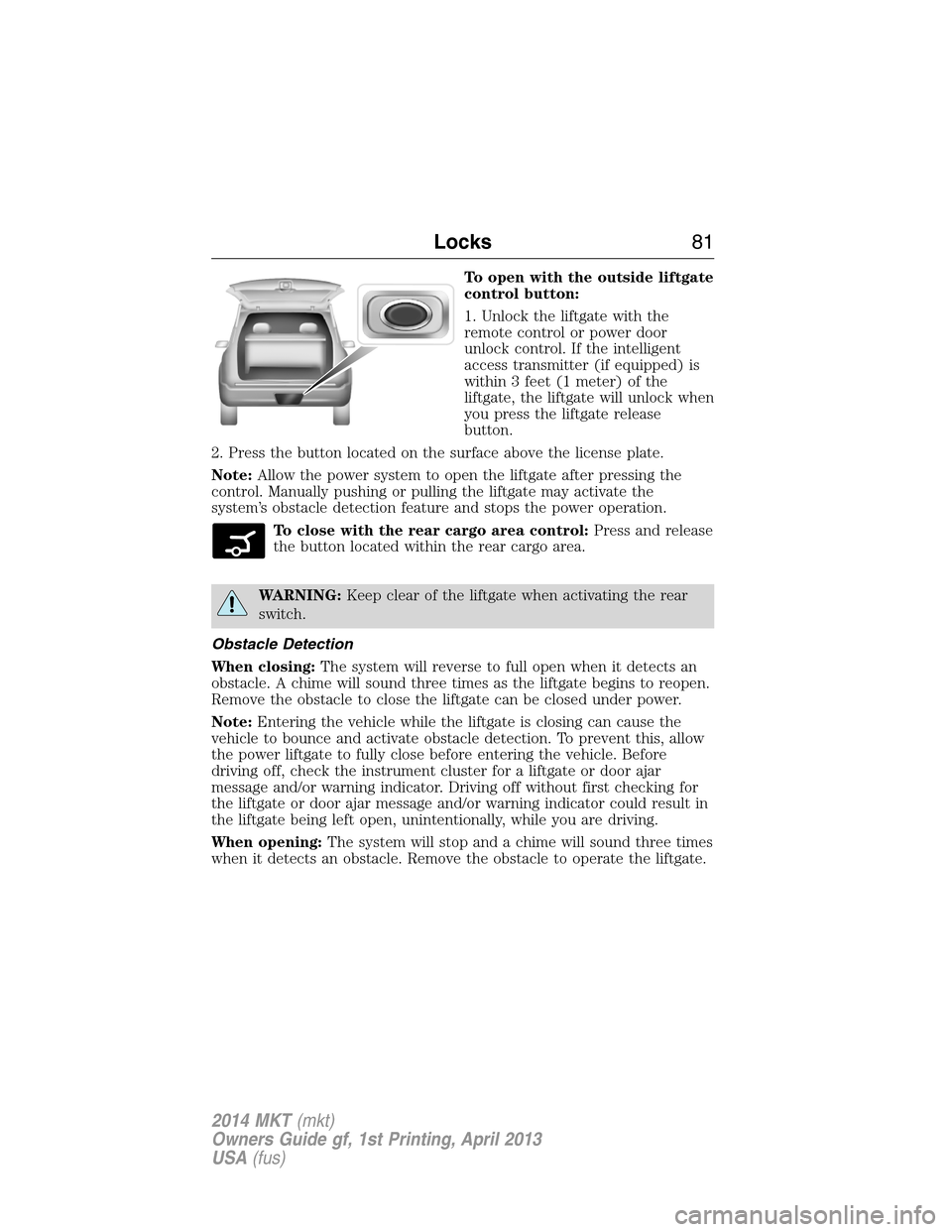
To open with the outside liftgate
control button:
1. Unlock the liftgate with the
remote control or power door
unlock control. If the intelligent
access transmitter (if equipped) is
within 3 feet (1 meter) of the
liftgate, the liftgate will unlock when
you press the liftgate release
button.
2. Press the button located on the surface above the license plate.
Note:Allow the power system to open the liftgate after pressing the
control. Manually pushing or pulling the liftgate may activate the
system’s obstacle detection feature and stops the power operation.
To close with the rear cargo area control:Press and release
the button located within the rear cargo area.
WARNING:Keep clear of the liftgate when activating the rear
switch.
Obstacle Detection
When closing:The system will reverse to full open when it detects an
obstacle. A chime will sound three times as the liftgate begins to reopen.
Remove the obstacle to close the liftgate can be closed under power.
Note:Entering the vehicle while the liftgate is closing can cause the
vehicle to bounce and activate obstacle detection. To prevent this, allow
the power liftgate to fully close before entering the vehicle. Before
driving off, check the instrument cluster for a liftgate or door ajar
message and/or warning indicator. Driving off without first checking for
the liftgate or door ajar message and/or warning indicator could result in
the liftgate being left open, unintentionally, while you are driving.
When opening:The system will stop and a chime will sound three times
when it detects an obstacle. Remove the obstacle to operate the liftgate.
Locks81
2014 MKT(mkt)
Owners Guide gf, 1st Printing, April 2013
USA(fus)
Page 86 of 498
The anti-scan feature will turn off after:
•one minute of keypad inactivity
•pressing the unlock button on the remote control
•the ignition is turned on
•unlocking the vehicle using intelligent access.
Unlocking and Locking the Doors
To unlock the driver door:Enter the factory-set 5-digit code or your
personal code. You must press each number within five seconds of each
other. The interior lamps will illuminate.Note:All doors will unlock if
the two-stage unlocking feature is disabled. Refer toLocking and
Unlockingearlier in this chapter.
To unlock all doors:Enter the factory-set code or your personal code,
then press the3•4control within five seconds.
To lock all doors:Press and hold7•8and9•0at the same time with
the driver door closed. You do not need to enter the keypad code first.
Displaying the Factory Set Code
Note:You will need to have two programmed intelligent access keys for
this procedure.
To display the factory-set code in the information display:
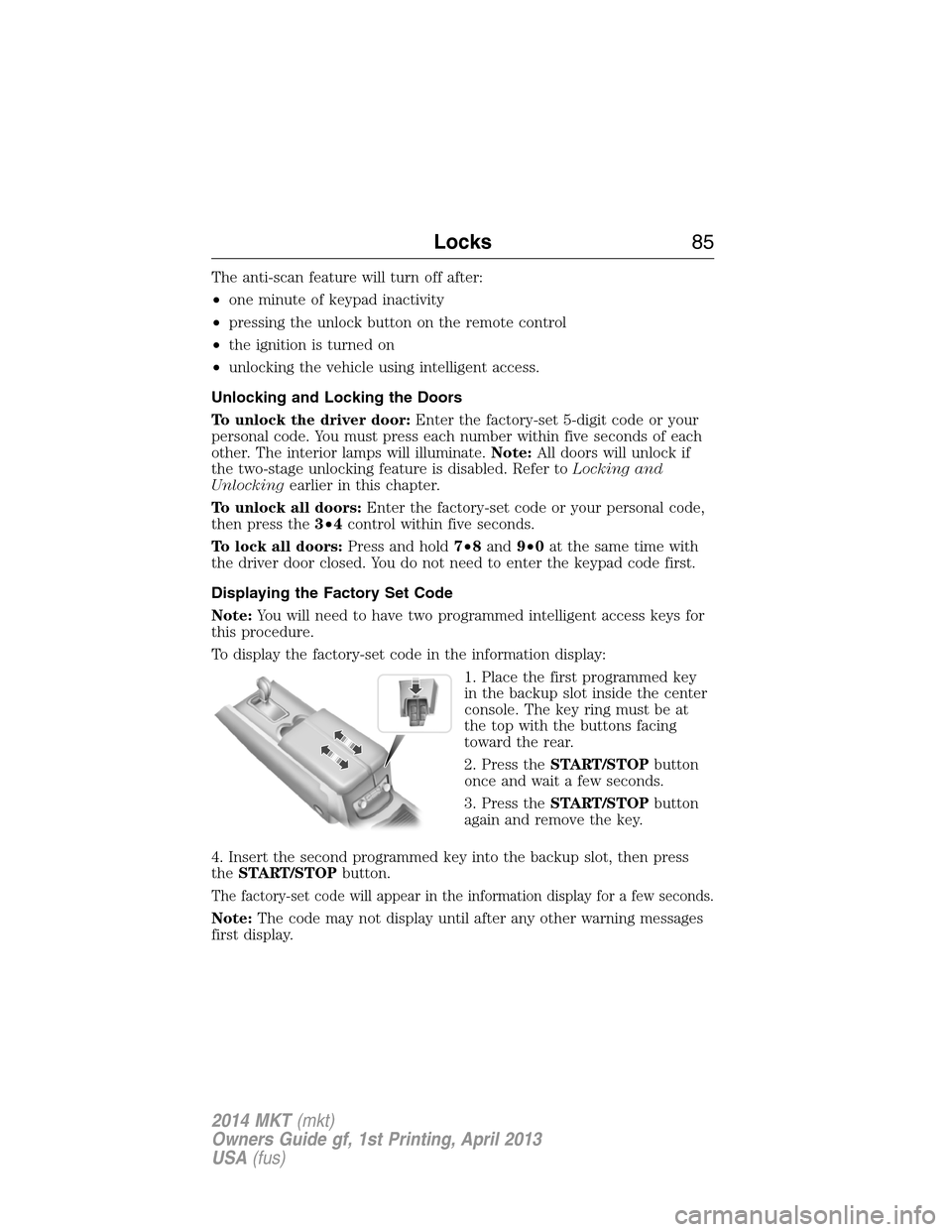
1. Place the first programmed key
in the backup slot inside the center
console. The key ring must be at
the top with the buttons facing
toward the rear.
2. Press theSTART/STOPbutton
once and wait a few seconds.
3. Press theSTART/STOPbutton
again and remove the key.
4. Insert the second programmed key into the backup slot, then press
theSTART/STOPbutton.
The factory-set code will appear in the information display for a few seconds.
Note:The code may not display until after any other warning messages
first display.
Locks85
2014 MKT(mkt)
Owners Guide gf, 1st Printing, April 2013
USA(fus)
Page 90 of 498
ADJUSTING THE STEERING WHEEL
WARNING:Do not adjust the steering wheel when your vehicle
is moving.
Note:Make sure that you are sitting in the correct position. Refer to
Sitting in the Correct Positionin theSeatschapter.
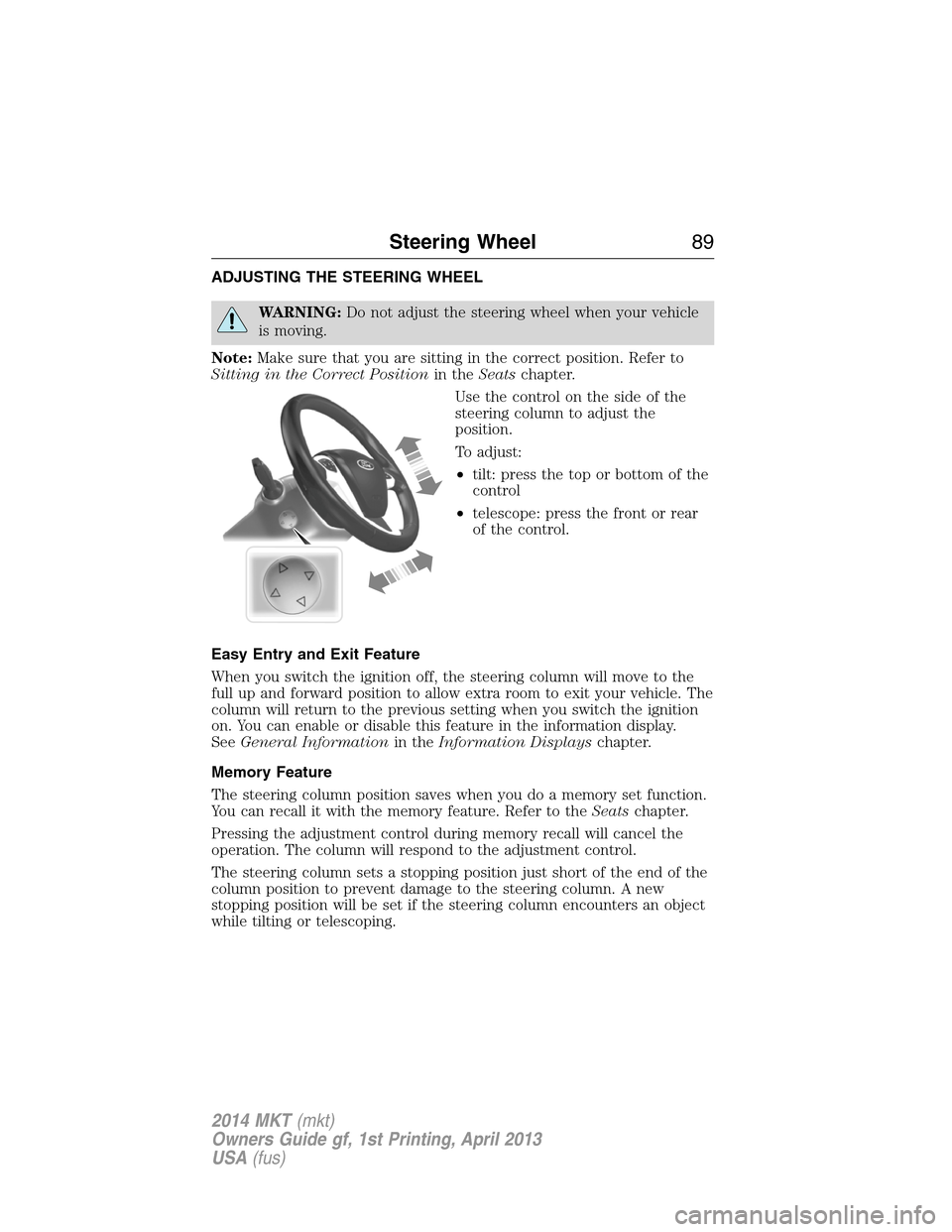
Use the control on the side of the
steering column to adjust the
position.
To adjust:
•tilt: press the top or bottom of the
control
•telescope: press the front or rear
of the control.
Easy Entry and Exit Feature
When you switch the ignition off, the steering column will move to the
full up and forward position to allow extra room to exit your vehicle. The
column will return to the previous setting when you switch the ignition
on. You can enable or disable this feature in the information display.
SeeGeneral Informationin theInformation Displayschapter.
Memory Feature
The steering column position saves when you do a memory set function.
You can recall it with the memory feature. Refer to theSeatschapter.
Pressing the adjustment control during memory recall will cancel the
operation. The column will respond to the adjustment control.
The steering column sets a stopping position just short of the end of the
column position to prevent damage to the steering column. A new
stopping position will be set if the steering column encounters an object
while tilting or telescoping.
Steering Wheel89
2014 MKT(mkt)
Owners Guide gf, 1st Printing, April 2013
USA(fus)
Page 96 of 498
Note:Do not operate the washer when the washer reservoir is empty.
This may cause the washer pump to overheat.
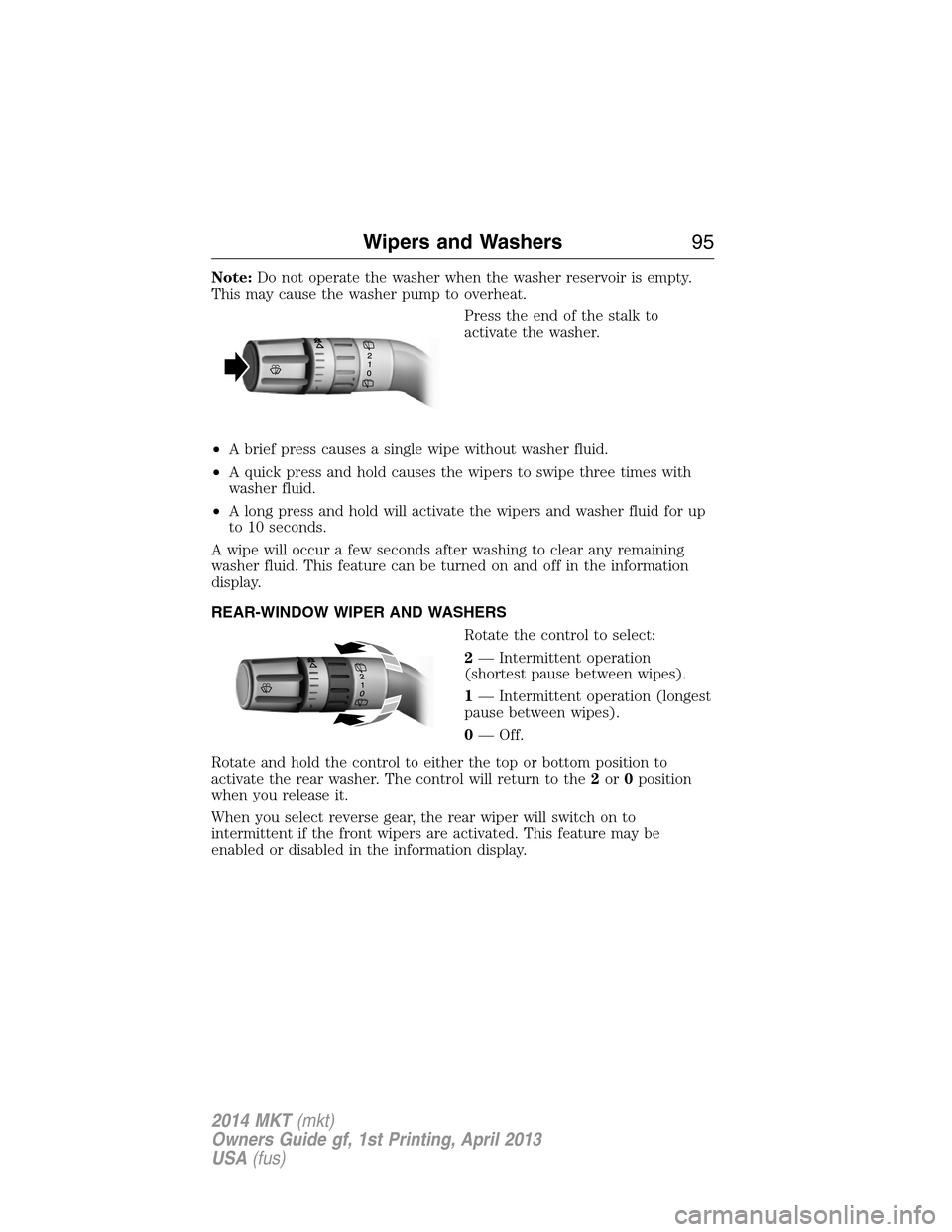
Press the end of the stalk to
activate the washer.
•A brief press causes a single wipe without washer fluid.
•A quick press and hold causes the wipers to swipe three times with
washer fluid.
•A long press and hold will activate the wipers and washer fluid for up
to 10 seconds.
A wipe will occur a few seconds after washing to clear any remaining
washer fluid. This feature can be turned on and off in the information
display.
REAR-WINDOW WIPER AND WASHERS
Rotate the control to select:
2— Intermittent operation
(shortest pause between wipes).
1— Intermittent operation (longest
pause between wipes).
0— Off.
Rotate and hold the control to either the top or bottom position to
activate the rear washer. The control will return to the2or0position
when you release it.
When you select reverse gear, the rear wiper will switch on to
intermittent if the front wipers are activated. This feature may be
enabled or disabled in the information display.
Wipers and Washers95
2014 MKT(mkt)
Owners Guide gf, 1st Printing, April 2013
USA(fus)
Page 106 of 498
POWER WINDOWS
WARNING:Do not leave children unattended in your vehicle
and do not let children play with the power windows. They may
seriously injure themselves.
WARNING:When closing the power windows, you should verify
they are free of obstructions and make sure that children and
pets are not in the proximity of the window openings.
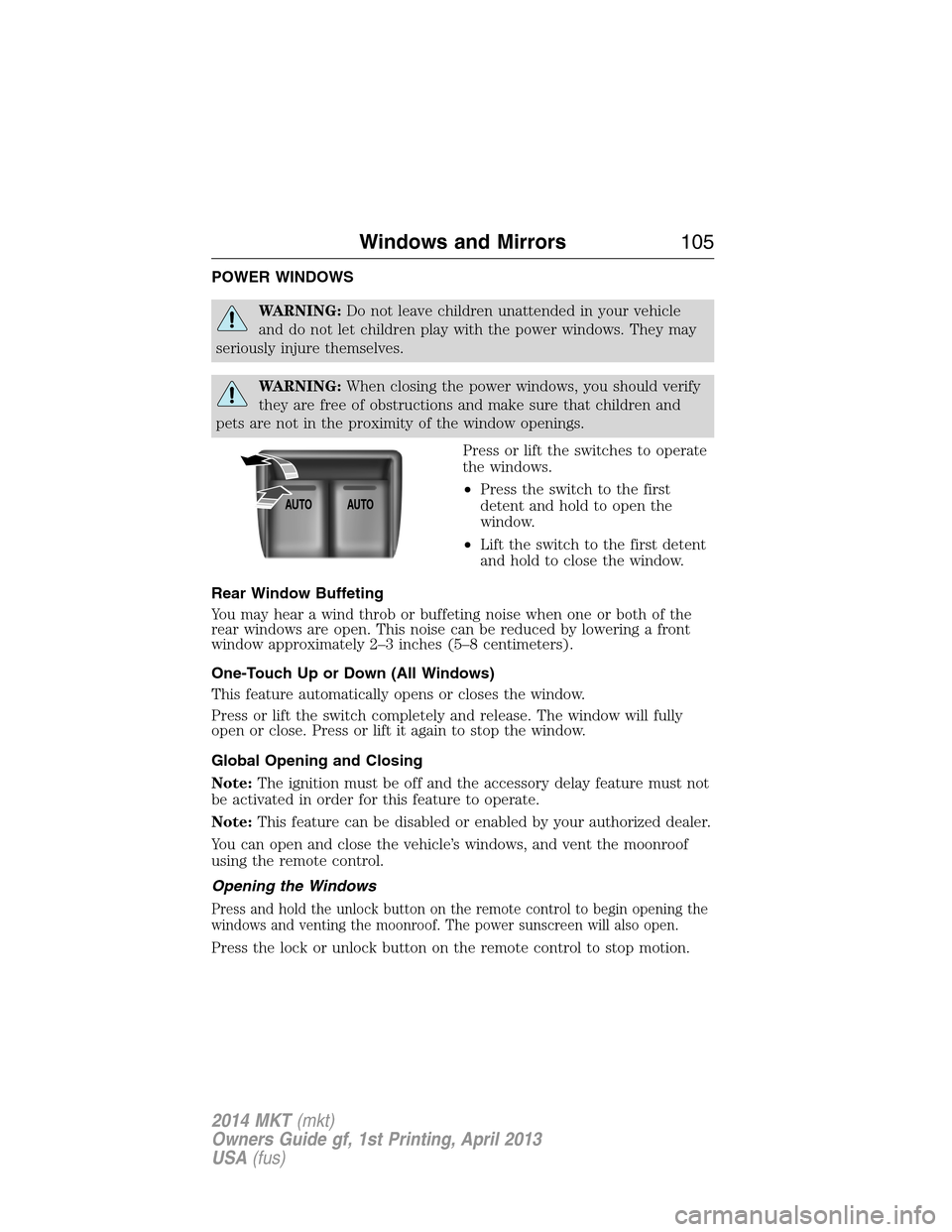
Press or lift the switches to operate
the windows.
•Press the switch to the first
detent and hold to open the
window.
•Lift the switch to the first detent
and hold to close the window.
Rear Window Buffeting
You may hear a wind throb or buffeting noise when one or both of the
rear windows are open. This noise can be reduced by lowering a front
window approximately 2–3 inches (5–8 centimeters).
One-Touch Up or Down (All Windows)
This feature automatically opens or closes the window.
Press or lift the switch completely and release. The window will fully
open or close. Press or lift it again to stop the window.
Global Opening and Closing
Note:The ignition must be off and the accessory delay feature must not
be activated in order for this feature to operate.
Note:This feature can be disabled or enabled by your authorized dealer.
You can open and close the vehicle’s windows, and vent the moonroof
using the remote control.
Opening the Windows
Press and hold the unlock button on the remote control to begin opening the
windows and venting the moonroof. The power sunscreen will also open.
Press the lock or unlock button on the remote control to stop motion.
AUTOAUTO
Windows and Mirrors105
2014 MKT(mkt)
Owners Guide gf, 1st Printing, April 2013
USA(fus)
Page 107 of 498
Closing the Windows
WARNING:Before operating power windows, you should verify
that they are free of obstructions and ensure that children and
pets are not in the proximity of window openings.
Press and hold the lock button on the remote control to begin closing
the windows.
Press the lock or unlock button the remote control to stop motion.
Bounce-Back
The window will stop automatically while closing and reverse some
distance if there is an obstacle in the way.
Overriding the Bounce-Back Feature
WARNING:When you override the bounce-back feature the
window will not reverse if it detects an obstacle. Take care when
closing the windows to avoid personal injury or damage to your vehicle.
Pull up the window switch and hold within two seconds of the window
reaching the bounce-back position. The window will travel up with no
bounce-back protection. The window will stop if you release the switch
before the window is fully closed.
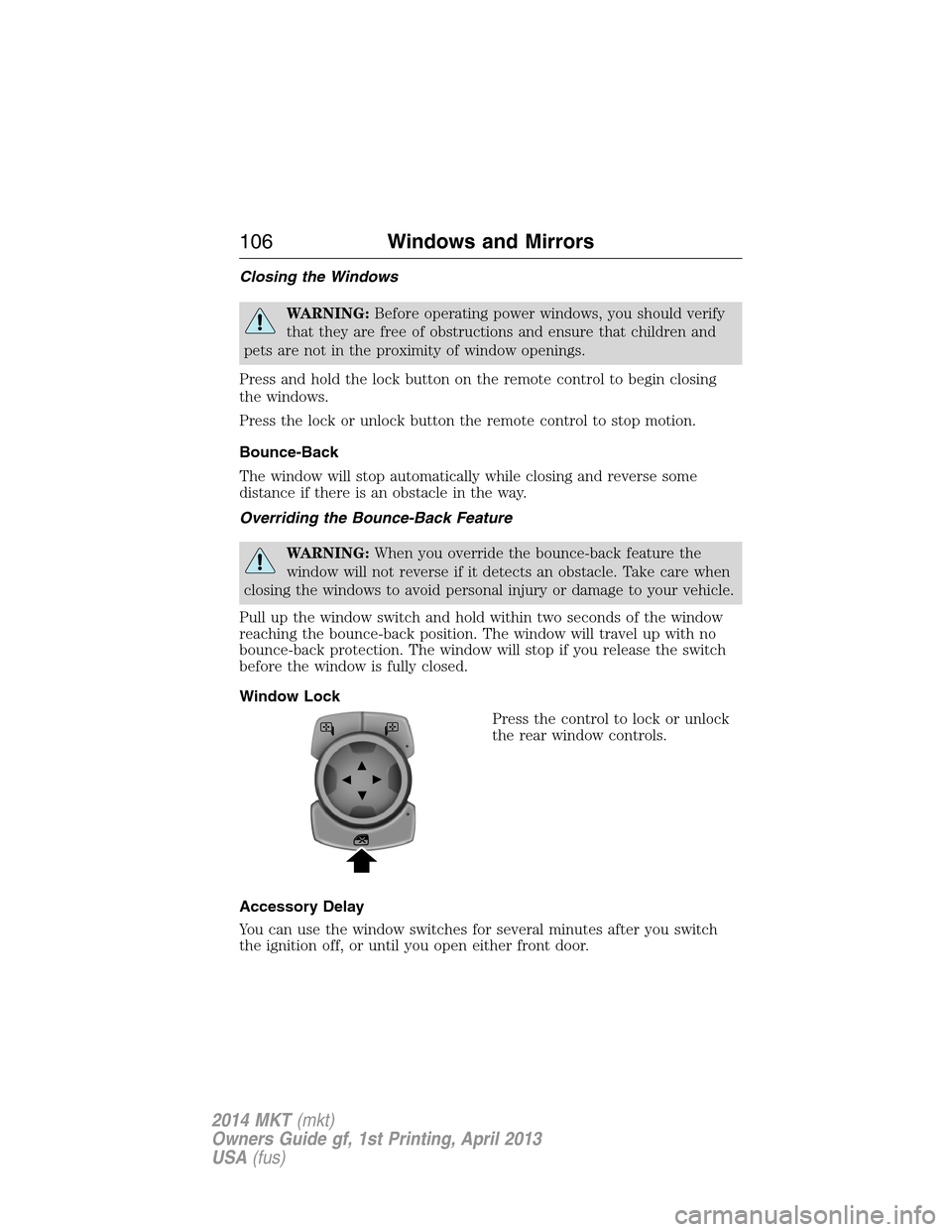
Window Lock
Press the control to lock or unlock
the rear window controls.
Accessory Delay
You can use the window switches for several minutes after you switch
the ignition off, or until you open either front door.
106Windows and Mirrors
2014 MKT(mkt)
Owners Guide gf, 1st Printing, April 2013
USA(fus)
Page 108 of 498
EXTERIOR MIRRORS
Power Exterior Mirrors
WARNING:Do not adjust the mirror while your vehicle is in
motion.
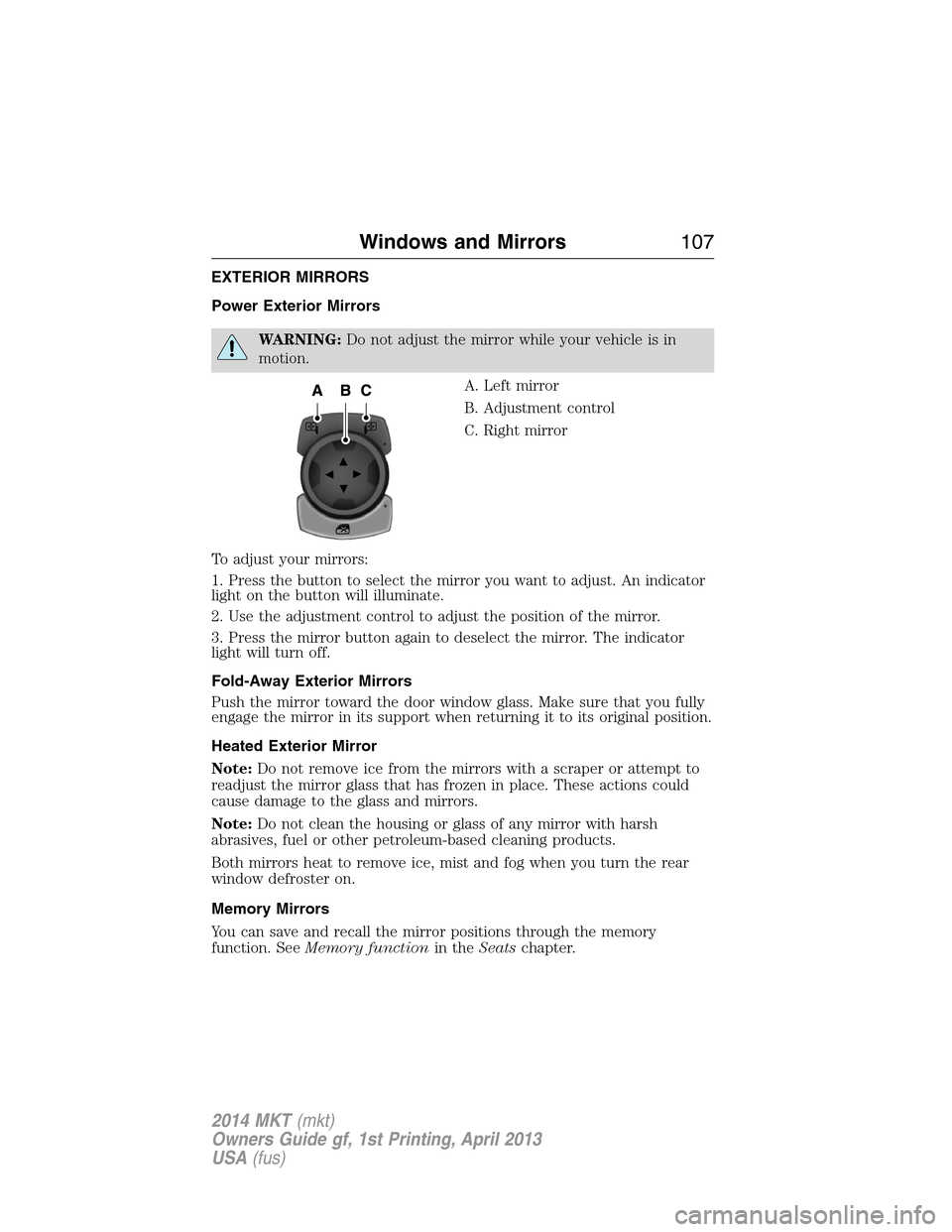
A. Left mirror
B. Adjustment control
C. Right mirror
To adjust your mirrors:
1. Press the button to select the mirror you want to adjust. An indicator
light on the button will illuminate.
2. Use the adjustment control to adjust the position of the mirror.
3. Press the mirror button again to deselect the mirror. The indicator
light will turn off.
Fold-Away Exterior Mirrors
Push the mirror toward the door window glass. Make sure that you fully
engage the mirror in its support when returning it to its original position.
Heated Exterior Mirror
Note:Do not remove ice from the mirrors with a scraper or attempt to
readjust the mirror glass that has frozen in place. These actions could
cause damage to the glass and mirrors.
Note:Do not clean the housing or glass of any mirror with harsh
abrasives, fuel or other petroleum-based cleaning products.
Both mirrors heat to remove ice, mist and fog when you turn the rear
window defroster on.
Memory Mirrors
You can save and recall the mirror positions through the memory
function. SeeMemory functionin theSeatschapter.
Windows and Mirrors107
2014 MKT(mkt)
Owners Guide gf, 1st Printing, April 2013
USA(fus)
Page 112 of 498
Note:Do not attempt to move the sunshades manually or sunshade
damage or malfunction may occur. The sunshade track clips are designed
to release the sunshade crossbar in order to prevent damage to the
system. If this happens, you may need to slide the sunshade crossbar
ends back into position to regain proper function. See your authorized
dealer for proper moonroof or sunshade operating, diagnostic or repair
instructions.
Note:If the moonroof is excessively operated, the glass and shade
motors will go into a fail-safe jog mode. This mode allows manual
intermittent operation to prevent overheating or damage to the motor.
The motors will return to normal operation after a period of idle time.
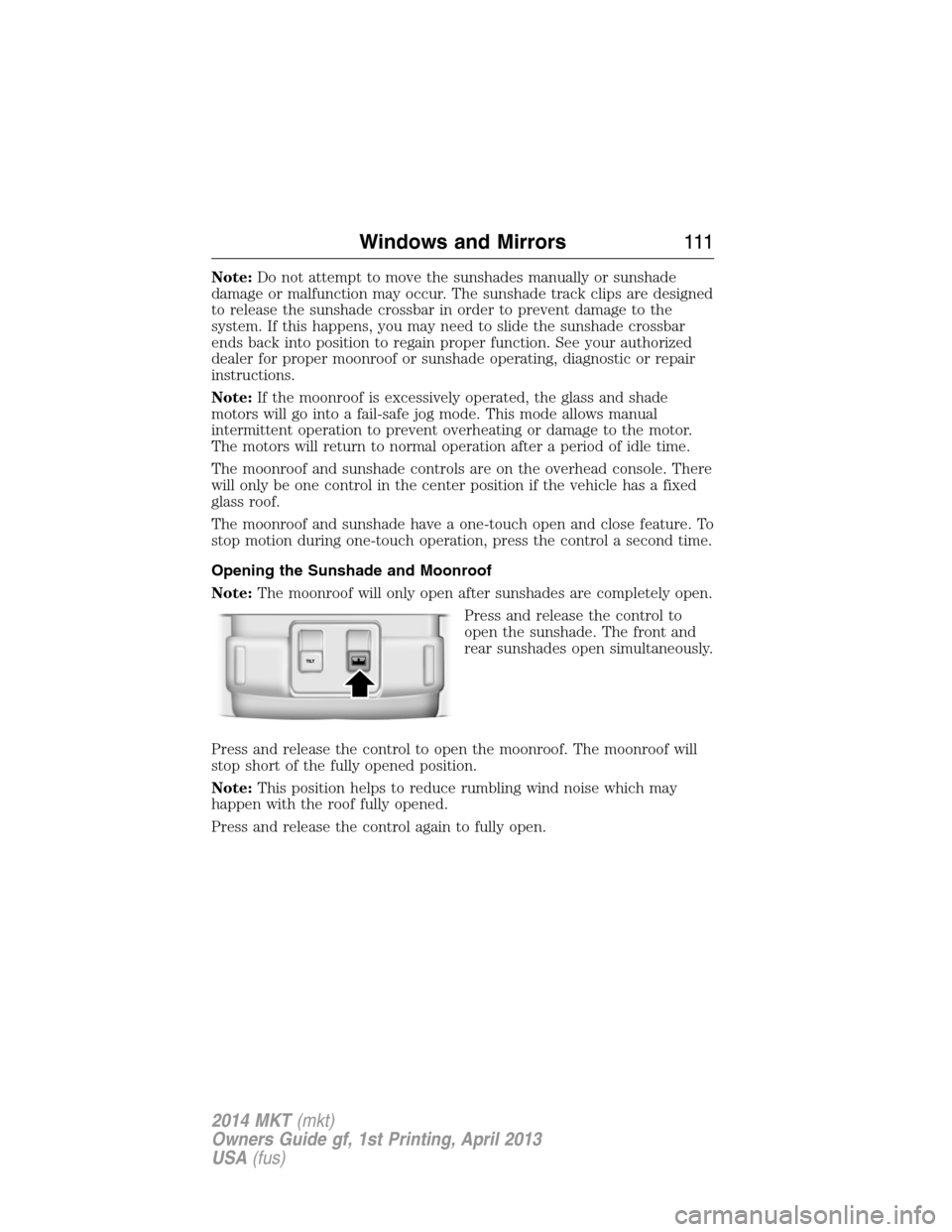
The moonroof and sunshade controls are on the overhead console. There
will only be one control in the center position if the vehicle has a fixed
glass roof.
The moonroof and sunshade have a one-touch open and close feature. To
stop motion during one-touch operation, press the control a second time.
Opening the Sunshade and Moonroof
Note:The moonroof will only open after sunshades are completely open.
Press and release the control to
open the sunshade. The front and
rear sunshades open simultaneously.
Press and release the control to open the moonroof. The moonroof will
stop short of the fully opened position.
Note:This position helps to reduce rumbling wind noise which may
happen with the roof fully opened.
Press and release the control again to fully open.
Windows and Mirrors111
2014 MKT(mkt)
Owners Guide gf, 1st Printing, April 2013
USA(fus)