ESP LINCOLN MKZ 2013 Owner's Manual
[x] Cancel search | Manufacturer: LINCOLN, Model Year: 2013, Model line: MKZ, Model: LINCOLN MKZ 2013Pages: 474, PDF Size: 3.79 MB
Page 191 of 474
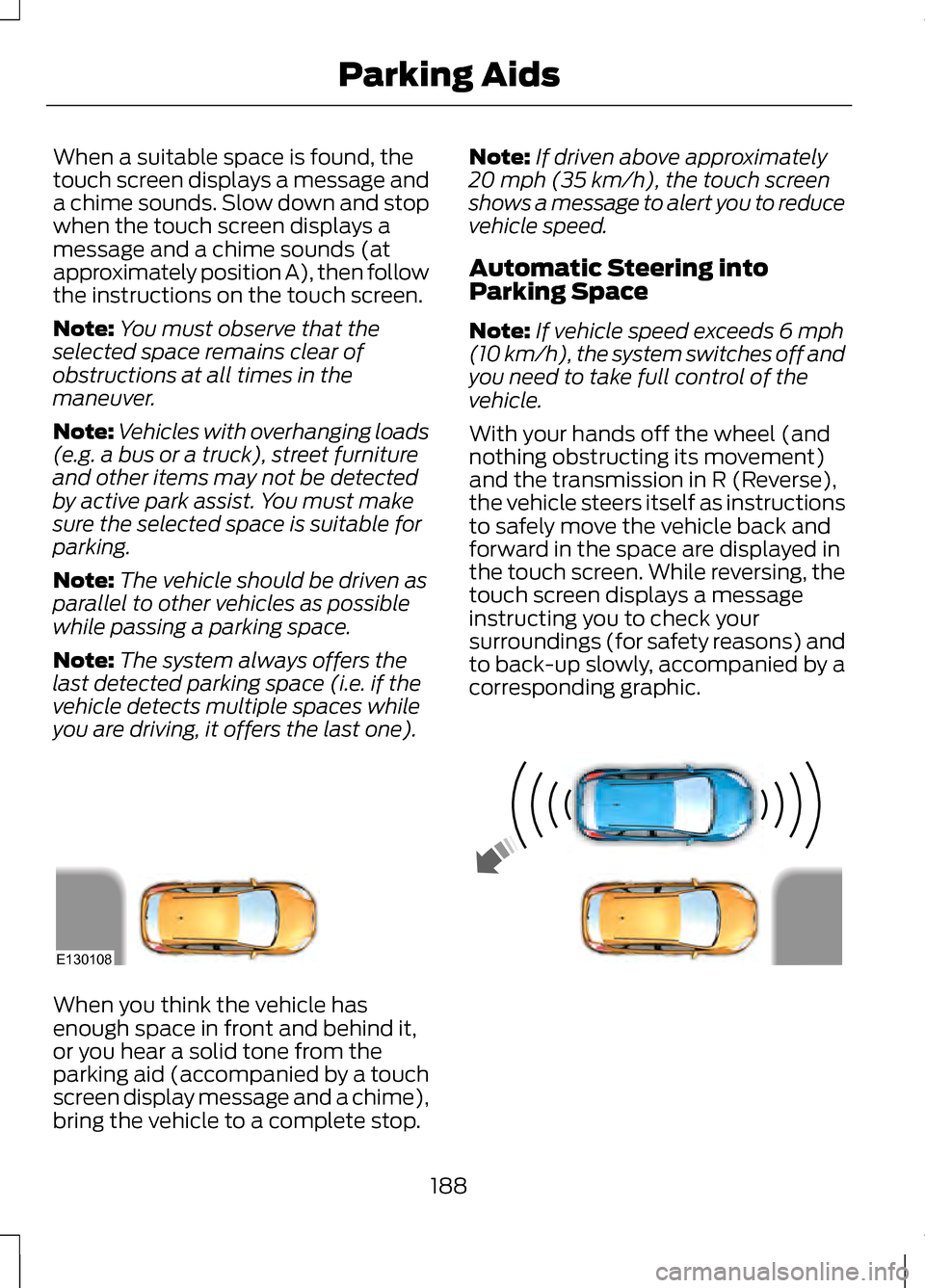
When a suitable space is found, the
touch screen displays a message and
a chime sounds. Slow down and stop
when the touch screen displays a
message and a chime sounds (at
approximately position A), then follow
the instructions on the touch screen.
Note:
You must observe that the
selected space remains clear of
obstructions at all times in the
maneuver.
Note: Vehicles with overhanging loads
(e.g. a bus or a truck), street furniture
and other items may not be detected
by active park assist. You must make
sure the selected space is suitable for
parking.
Note: The vehicle should be driven as
parallel to other vehicles as possible
while passing a parking space.
Note: The system always offers the
last detected parking space (i.e. if the
vehicle detects multiple spaces while
you are driving, it offers the last one). Note:
If driven above approximately
20 mph (35 km/h), the touch screen
shows a message to alert you to reduce
vehicle speed.
Automatic Steering into
Parking Space
Note: If vehicle speed exceeds 6 mph
(10 km/h), the system switches off and
you need to take full control of the
vehicle.
With your hands off the wheel (and
nothing obstructing its movement)
and the transmission in R (Reverse),
the vehicle steers itself as instructions
to safely move the vehicle back and
forward in the space are displayed in
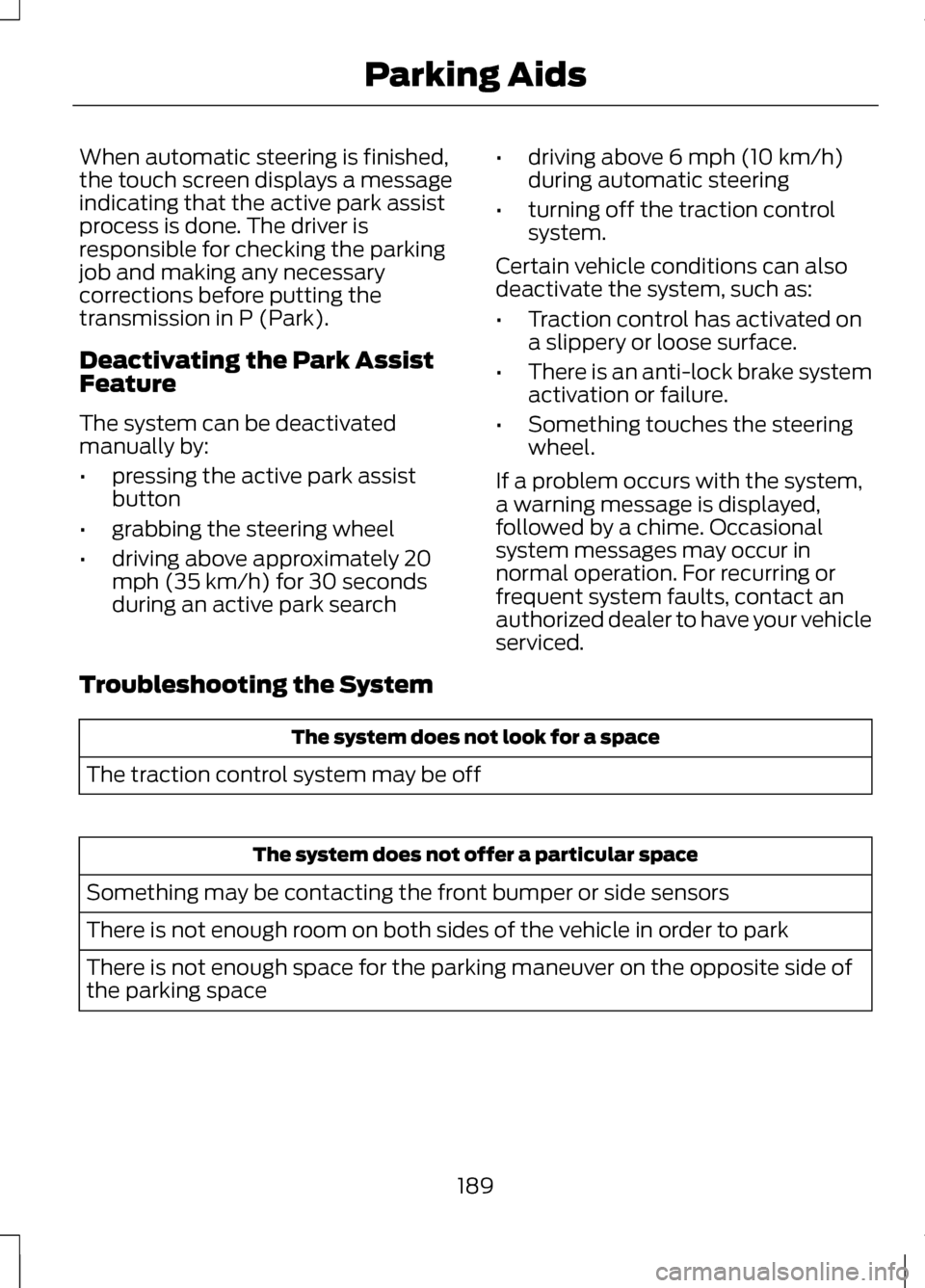
the touch screen. While reversing, the
touch screen displays a message
instructing you to check your
surroundings (for safety reasons) and
to back-up slowly, accompanied by a
corresponding graphic. When you think the vehicle has
enough space in front and behind it,
or you hear a solid tone from the
parking aid (accompanied by a touch
screen display message and a chime),
bring the vehicle to a complete stop.
188
Parking AidsE130108
Page 192 of 474
When automatic steering is finished,
the touch screen displays a message
indicating that the active park assist
process is done. The driver is
responsible for checking the parking
job and making any necessary
corrections before putting the
transmission in P (Park).
Deactivating the Park Assist
Feature
The system can be deactivated
manually by:
•
pressing the active park assist
button
• grabbing the steering wheel
• driving above approximately 20
mph (35 km/h) for 30 seconds
during an active park search •
driving above 6 mph (10 km/h)
during automatic steering
• turning off the traction control
system.
Certain vehicle conditions can also
deactivate the system, such as:
• Traction control has activated on
a slippery or loose surface.
• There is an anti-lock brake system
activation or failure.
• Something touches the steering
wheel.
If a problem occurs with the system,
a warning message is displayed,
followed by a chime. Occasional
system messages may occur in
normal operation. For recurring or
frequent system faults, contact an
authorized dealer to have your vehicle
serviced.
Troubleshooting the System The system does not look for a space
The traction control system may be off The system does not offer a particular space
Something may be contacting the front bumper or side sensors
There is not enough room on both sides of the vehicle in order to park
There is not enough space for the parking maneuver on the opposite side of
the parking space
189
Parking Aids
Page 199 of 474
Switching Cruise Control Off
Note:
You will erase the set speed if
you switch the system off.
Press and release OFF or switch the
ignition off.
USING ADAPTIVE CRUISE
CONTROL
(IF EQUIPPED) WARNINGS
Always pay close attention to
changing road conditions,
especially when using adaptive cruise
control. Adaptive cruise control
cannot replace attentive driving.
Failing to follow any of the warnings
below or failing to pay attention to the
road may result in a collision, serious
injury or death. Adaptive cruise control is not a
collision warning or avoidance
system. Adaptive cruise control will not
detect stationary or slow moving
vehicles below 6 mph (10 km/h). Adaptive cruise control will not
detect pedestrians or objects in
the roadway. Adaptive cruise control will not
detect oncoming vehicles in the
same lane. Do not use the adaptive cruise
control when entering or leaving
a highway, in heavy traffic or on roads
that are winding, slippery or unpaved. WARNINGS
Do not use in poor visibility,
specifically fog, rain, spray or
snow. Note:
It is your responsibility to stay
alert, drive safely and be in control of
the vehicle at all times.
The system is designed to
automatically adjust your speed to
maintain a proper distance between
you and the vehicle in front of you in
the same lane. You can select from
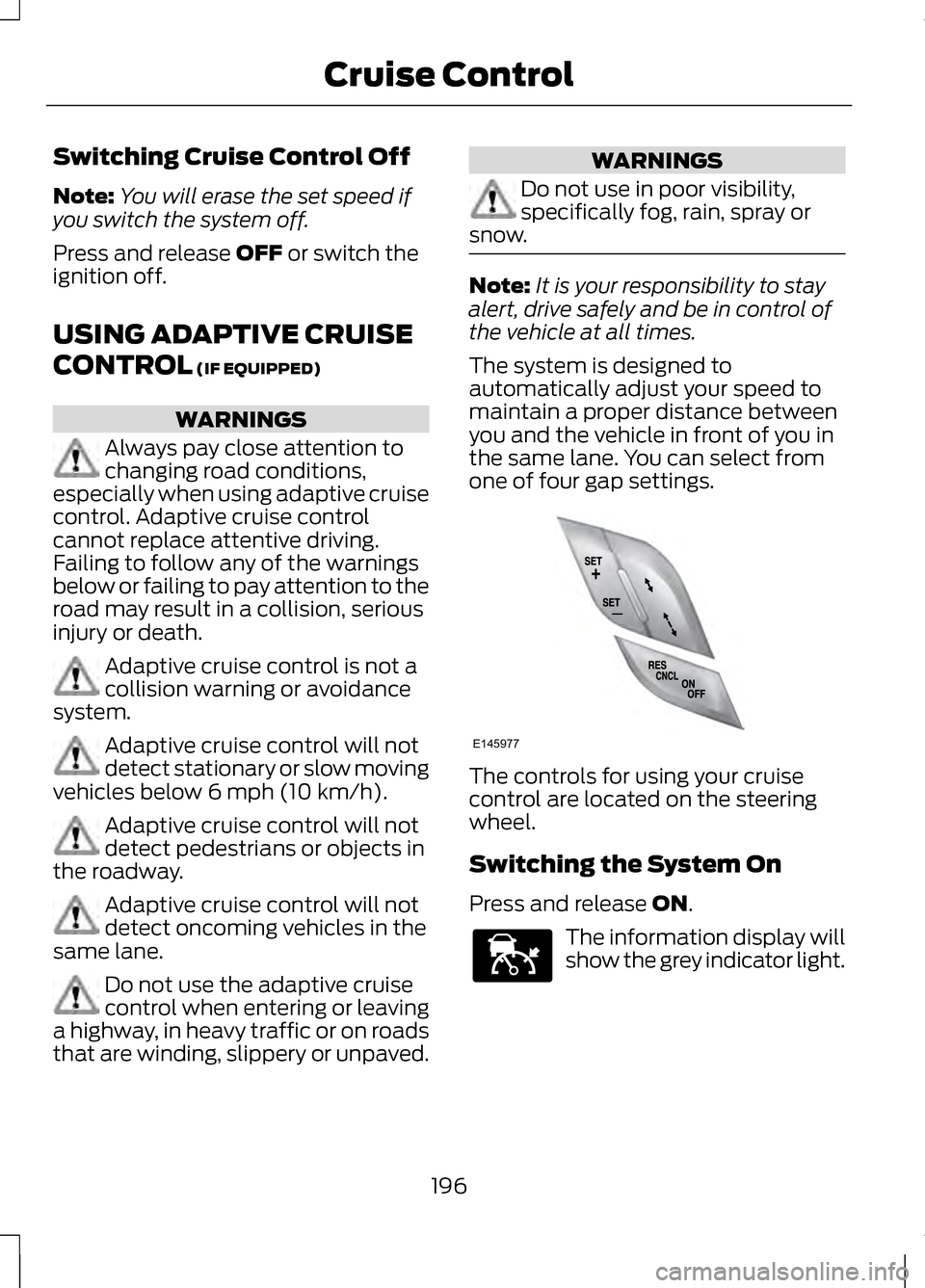
one of four gap settings. The controls for using your cruise
control are located on the steering
wheel.
Switching the System On
Press and release
ON.
The information display will
show the grey indicator light.
196
Cruise ControlE145977 E144529
Page 201 of 474
•
the vehicle speed falls below 12
mph (20 km/h)
• a new gap distance is set.
The vehicle brakes will be
automatically applied to slow the
vehicle to maintain a safe distance
from the vehicle in front. The
maximum braking which is applied by
the system is limited and can be
overridden by applying the brakes.
If the system predicts that its
maximum braking level will not be
sufficient, an audible warning will
sound while the system continues to
brake. This is accompanied by a
heads-up display; a red warning bar
illuminating on the windshield. You
should take immediate action.
Setting the Gap Distance
Note: It is your responsibility to select
a gap appropriate to the driving
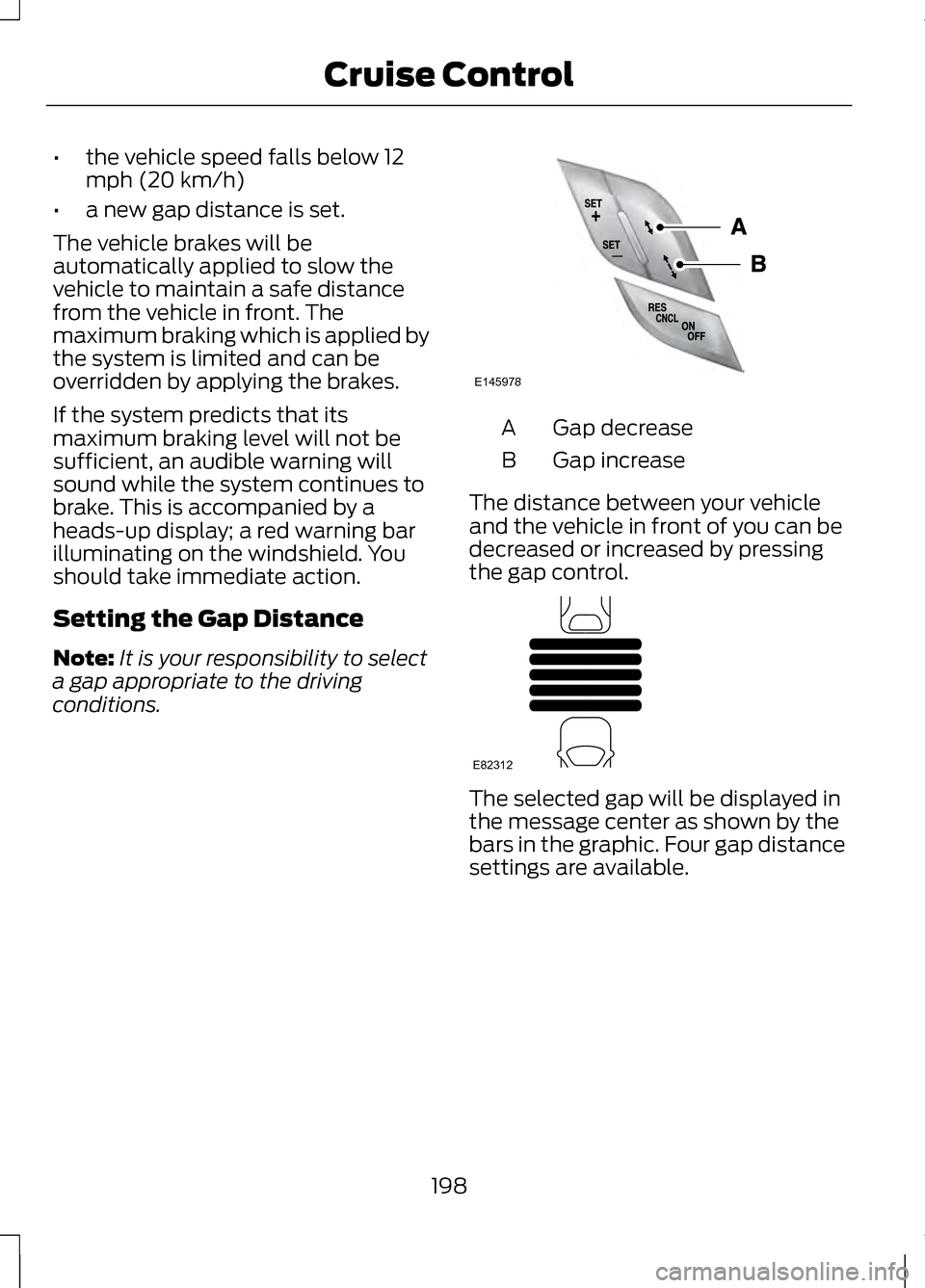
conditions. Gap decrease
A
Gap increase
B
The distance between your vehicle
and the vehicle in front of you can be
decreased or increased by pressing
the gap control. The selected gap will be displayed in
the message center as shown by the
bars in the graphic. Four gap distance
settings are available.
198
Cruise ControlE145978 E82312
Page 205 of 474
Action
Cause
Clean the grille surface in front of the
radar or remove the object causing the obstruction.
The surface of the radar in the grille is
dirty or obstructed in some way.
Wait a short time. It may take several
minutes for the radar to detect that it is no longer obstructed
The surface of the radar in the grille is
clean but the message remains in the display.
Do not use the system in these condi-tion because it may not detect, warn, or respond to potential collisions.
Heavy rain or snow is interfering with
the radar signals.
Do not use the system in these condi-tion because it may not detect, warn, or respond to potential collisions.
Swirling water, or snow or ice on the
surface of the road may interfere with the radar signals.
Wait a short time or switch to normalcruise control.
You are in a desert or remote area with
no other vehicles and no roadside objects.
Due to the nature of radar technology,
it is possible to get a blockage warning
and not be blocked. This can happen,
for example, when driving in sparse
rural or desert environments. A false
blocked condition will either self clear
or clear after a key cycle.
Switching to Normal Cruise
Control WARNING
Normal cruise control will not
brake due to slower vehicles.
Always be aware of which mode is
selected and apply the brakes when
necessary. You can manually change from
adaptive cruise control to normal
cruise control through the information
display.
The cruise control indicator
light will replace the adaptive
cruise control indicator light
if normal cruise control is selected.
The gap setting will not be displayed,
the system will not automatically
respond to lead vehicles and
automatic braking will not be
activated. The system will default to
adaptive cruise control when the
engine is started.
202
Cruise ControlE71340
Page 206 of 474
DRIVER ALERT (IF EQUIPPED)
PRINCIPLE OF OPERATION WARNING
The driver alert system is
designed to aid you. It is not
intended to replace your attention and
judgment. You are still responsible to
drive with due care and attention. Note:
The system will store the on/off
setting in the information display menu
through ignition cycles.
Note: If enabled in the menu, the
system will be active at speeds above
40 mph (64 km/h).
Note: The system works as long as one
lane marking can be detected by the
camera.
Note: If the camera is blocked or if the
windshield is damaged, the system
may not function.
Note: The system may not be
available in poor weather or other low
visibility conditions.
The system automatically monitors
your driving behavior using various
inputs including the front camera
sensor.
If the system detects that your driving
alertness is reduced below a certain
threshold, the system will alert you
using a chime and a message in the
cluster display. USING DRIVER ALERT
Switching the system on and off
By default, the system is enabled. You
may disable or re-enable the system
by selecting Setting then Driver Assist
then Driver Alert in the menu. When
activated, the system will monitor
your alertness level based upon your
driving behavior in relation to the lane
markings, and other factors.
System Warnings
Note:
Note: The system will not issue
warnings below approximately 40 mph
(65 km/h).
The warning system is in two stages.
At first the system issues a temporary
warning that you need to take a rest.
This message will only appear for a
short time. If the system detects
further reduction in driving alertness,
another warning may be issued which
will remain in the information display
for a longer time. Press OK on the
steering wheel control to clear the
warning
System Display
When active the system will run
automatically in the background and
only issue a warning if required. You
can view the status at any time using
the information display. See General
Information
(page 100).
The alertness level is shown by six
steps in a colored bar.
203
Driving Aids
Page 207 of 474
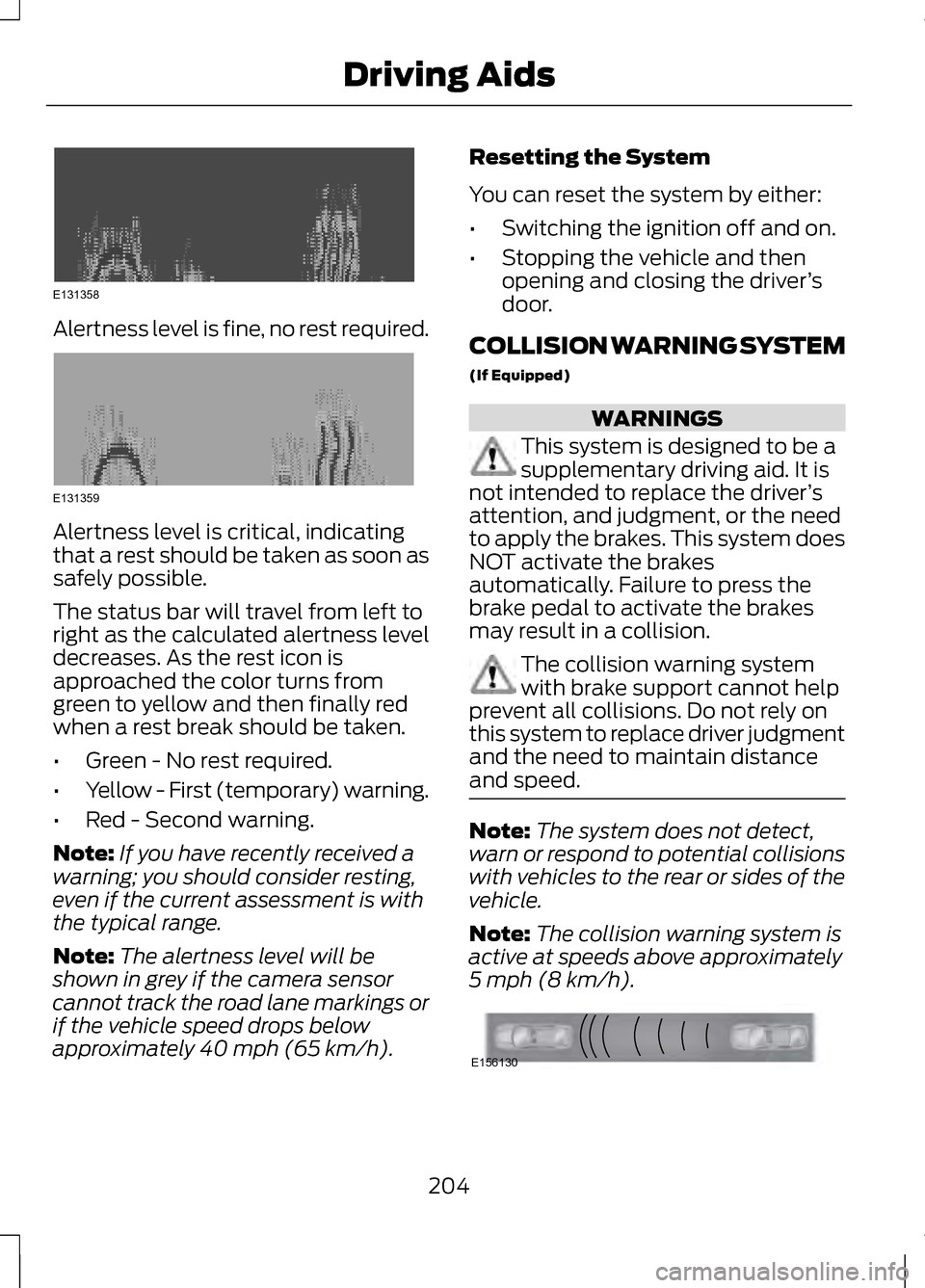
Alertness level is fine, no rest required.
Alertness level is critical, indicating
that a rest should be taken as soon as
safely possible.
The status bar will travel from left to
right as the calculated alertness level
decreases. As the rest icon is
approached the color turns from
green to yellow and then finally red
when a rest break should be taken.
•
Green - No rest required.
• Yellow - First (temporary) warning.
• Red - Second warning.
Note: If you have recently received a
warning; you should consider resting,
even if the current assessment is with
the typical range.
Note: The alertness level will be
shown in grey if the camera sensor
cannot track the road lane markings or
if the vehicle speed drops below
approximately 40 mph (65 km/h). Resetting the System
You can reset the system by either:
•
Switching the ignition off and on.
• Stopping the vehicle and then
opening and closing the driver ’s
door.
COLLISION WARNING SYSTEM
(If Equipped) WARNINGS
This system is designed to be a
supplementary driving aid. It is
not intended to replace the driver ’s
attention, and judgment, or the need
to apply the brakes. This system does
NOT activate the brakes
automatically. Failure to press the
brake pedal to activate the brakes
may result in a collision. The collision warning system
with brake support cannot help
prevent all collisions. Do not rely on
this system to replace driver judgment
and the need to maintain distance
and speed. Note:
The system does not detect,
warn or respond to potential collisions
with vehicles to the rear or sides of the
vehicle.
Note: The collision warning system is
active at speeds above approximately
5 mph (8 km/h). 204
Driving AidsE131358 E131359 E156130
Page 210 of 474
System Limitations
WARNING
The collision warning system
’s
brake support can only help
reduce the speed at which a collision
occurs if the driver applies the
vehicle ’s brakes. The brake pedal
must be pressed just like any typical
braking situation. Due to the nature of radar technology,
there may be certain instances where
vehicles do not provide a collision
warning. These include:
•
Stationary vehicles or vehicles
moving below 6 mph (10 km/h).
• Pedestrians or objects in the
roadway.
• Oncoming vehicles in the same
lane.
• Severe weather conditions (see
blocked sensor section).
• Debris build-up on the grille near
the headlamps (see blocked
sensor section).
• Small distance to vehicle ahead.
• Steering wheel and pedal
movements are large (very active
driving style).
•
Certain conditions may reduce the
visibility of the warning lamp;
therefore, it is recommended to keep
the audible warning on. If the front end of the vehicle is hit or
damaged, the radar sensing zone may
be altered causing missed or false
collision warnings. See your
authorized dealer to have your
collision warning radar checked for
proper coverage and operation.
LINCOLN DRIVE CONTROL
The Lincoln driving experience is
delivered through a suite of
sophisticated electronic vehicle
systems that continuously monitor
both your inputs and the road
conditions to optimize ride comfort,
steering, handling, and powertrain
response and sound.
These systems include:
•
Continuously Controlled Damping
which dynamically adjusts the
shock absorbers in real time to
match the road surface and your
inputs.
• Electronically Power-Assisted
Steering which adjusts steering
effort and feel based on vehicle
speed and your inputs.
• Active Noise Control which utilizes
vehicle electronics to enhance the
acoustic experience.
• Electronic Stability Control and
Traction Control which maintain
vehicle control in adverse
conditions or high performance
driving.
• Electronic Throttle Control which
enhances the powertrain response
to your inputs.
207
Driving Aids
Page 211 of 474
These systems have a range of modes
which you can choose from in order
to customize your ideal driving
experience:
•
Comfort – Provides a more relaxed
driving experience. Steering effort
is decreased, suspension
movement is more fluid. Comfort
mode is ideal when enhanced
traveling comfort is desired.
• Normal – Delivers a balanced
combination of comfortable,
controlled ride and confident
handling and powerful yet quiet
powertrain sound. This mode
provides an engaging drive
experience and a direct connection
to the road without sacrificing any
of the composure demanded from
a luxury vehicle. Unwanted noises
from the powertrain are cancelled
while desired sounds are shaped
to deliver a smooth powerful note.
This setting is ideal for everyday
use and daily driving.
• Sport – Provides a sportier driving
experience. Suspension stiffens,
with an emphasis on handling and
control. The engine responds more
directly to your inputs and takes
on a more powerful tone. Sport
mode is intended to be used during
more spirited driving.
You can configure which of the
Adaptive Drive modes is active when
the vehicle is in D (Drive) or in S
(Sport). The configuration is retained
until modified from the main menu on
the information display. See General
Information (page 100). LANE KEEPING SYSTEM WARNING
The system is designed to aid the
driver. It is not intended to
replace the driver ’s attention and
judgment. The driver is still
responsible to drive with due care and
attention. Note:
The system needs to be
activated by the driver at each key
cycle.
Note: The system works above 40
mph (64 km/h).
Note: The system works as long as one
lane marking can be detected by the
camera.
Note: If the camera is blocked or if the
windshield is damaged, the system
may not function.
Note: When Aid mode is on and the
system detects no driver steering
activity for a short continuous period
of time, the system alerts the driver to
put their hands on the steering wheel.
The system may detect a light
grip/touch on the steering wheel as
hands off driving.
The system detects unintentional
drifting toward the outside of the lane
and alerts and/or aids the driver to
stay in the lane through the steering
system and instrument cluster display.
The system automatically detects and
tracks the road lane markings using a
camera that is mounted behind the
interior rear view mirror.
208
Driving Aids
Page 241 of 474
ROADSIDE ASSISTANCE
Vehicles Sold In The U.S.:
Getting Roadside Assistance
To fully assist you should you have a
vehicle concern Ford Motor Company
offers a complimentary roadside
assistance program. This program is
separate from the New Vehicle
Limited Warranty. The service is
available:
•
24-hours, seven days a week.
• for the coverage period listed on
the Roadside Assistance Card
included in your Owner's Manual
portfolio.
Roadside assistance will cover:
• a flat tire change with a good spare
(except vehicles that have been
supplied with a tire inflation kit).
• battery jump start.
• lock-out assistance (key
replacement cost is the customer's
responsibility).
• fuel delivery — Independent
Service Contractors, if not
prohibited by state, local or
municipal law shall deliver up to
2.0 gallons (7.5L) of gasoline or
5.0 gallons (18.9L) of diesel fuel
to a disabled vehicle. Fuel delivery
service is limited to two no-charge
occurrences within a 12-month
period. •
winch out — available within 100
feet (30.5 meters) of a paved or
county maintained road, no
recoveries.
• towing — Ford and Lincoln eligible
vehicles towed to an authorized
dealer within 35 miles (56 km) of
the disablement location or to the
nearest authorized dealer. If a
member requests to be towed to
an authorized dealer more than 35
miles (56 km) from the
disablement location, the member
shall be responsible for any
mileage costs in excess of 35 miles
(56 km).
Trailers shall be covered up to $200
if the disabled eligible vehicle requires
service at the nearest authorized
dealer. If the trailer is disabled, but the
towing vehicle is operational, the
trailer does not qualify for any
roadside services.
Vehicles Sold In The U.S. :
Using Roadside Assistance
Complete the roadside assistance
identification card and place it in your
wallet for quick reference. This card
is found in the owner's information
portfolio in the glove compartment.
U.S. Lincoln vehicle customers who
require Roadside Assistance, call
1-800-521-4140.
238
Roadside Emergencies