light LINCOLN MKZ 2013 Service Manual
[x] Cancel search | Manufacturer: LINCOLN, Model Year: 2013, Model line: MKZ, Model: LINCOLN MKZ 2013Pages: 474, PDF Size: 3.79 MB
Page 147 of 474
For questions or comments, please
contact HomeLink at
www.homelink.com or
1-800-355-3515.
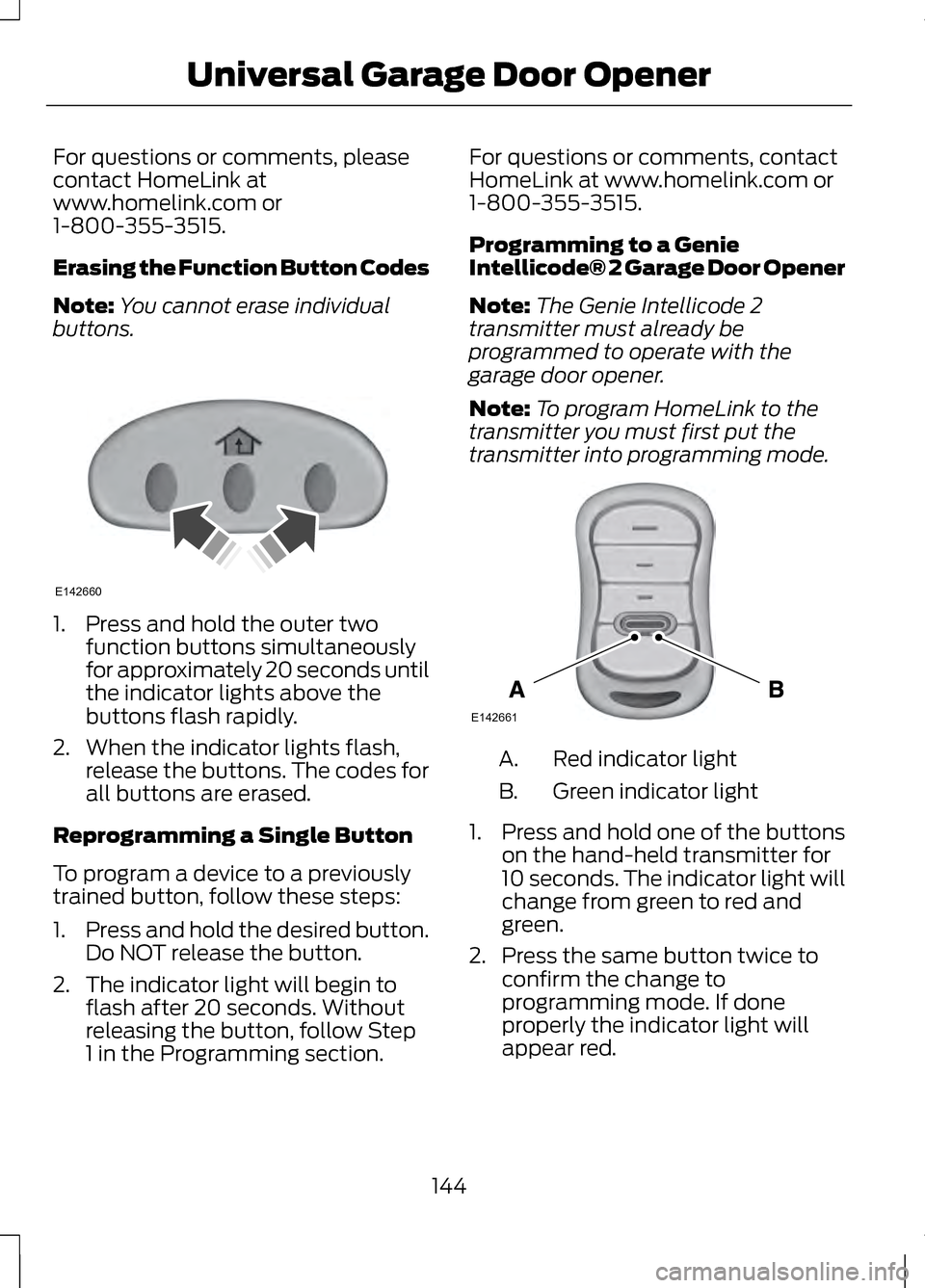
Erasing the Function Button Codes
Note:
You cannot erase individual
buttons. 1. Press and hold the outer two
function buttons simultaneously
for approximately 20 seconds until
the indicator lights above the
buttons flash rapidly.
2. When the indicator lights flash, release the buttons. The codes for
all buttons are erased.
Reprogramming a Single Button
To program a device to a previously
trained button, follow these steps:
1. Press and hold the desired button.
Do NOT release the button.
2. The indicator light will begin to flash after 20 seconds. Without
releasing the button, follow Step
1 in the Programming section. For questions or comments, contact
HomeLink at www.homelink.com or
1-800-355-3515.
Programming to a Genie
Intellicode® 2 Garage Door Opener
Note:
The Genie Intellicode 2
transmitter must already be
programmed to operate with the
garage door opener.
Note: To program HomeLink to the
transmitter you must first put the
transmitter into programming mode. Red indicator light
A.
Green indicator light
B.
1. Press and hold one of the buttons
on the hand-held transmitter for
10 seconds. The indicator light will
change from green to red and
green.
2. Press the same button twice to confirm the change to
programming mode. If done
properly the indicator light will
appear red.
144
Universal Garage Door OpenerE142660 E142661
Page 148 of 474
3. Hold the transmitter within 1–
3
inches (2 –8 centimeter) of the
button on the visor you want to
program.
4. Press and hold both the programmed Genie button on the
hand-held transmitter and the
button you want to program. The
indicator light on the visor will flash
rapidly when the programming is
successful.
Note: The Genie transmitter will
transmit for up to 30 seconds. If
HomeLink does not program within 30
seconds the Genie transmitter will need
to be pressed again. If the Genie
transmitter indicator light displays
green and red, release the button until
the indicator light turns off before
pressing the button again.
Once HomeLink has been
programmed successfully, the Genie
transmitter must be changed out of
program mode. To do this:
1. Press and hold the previously programmed Genie button on the
hand-held transmitter for 10
seconds. The indicator light will
change from red to red and green.
2. Press the same button twice to confirm the change. If done
correctly the indicator light will
turn green.
Programming HomeLink to the
Genie Intellicode Garage Door
Opener Motor
Note: You may need a ladder to
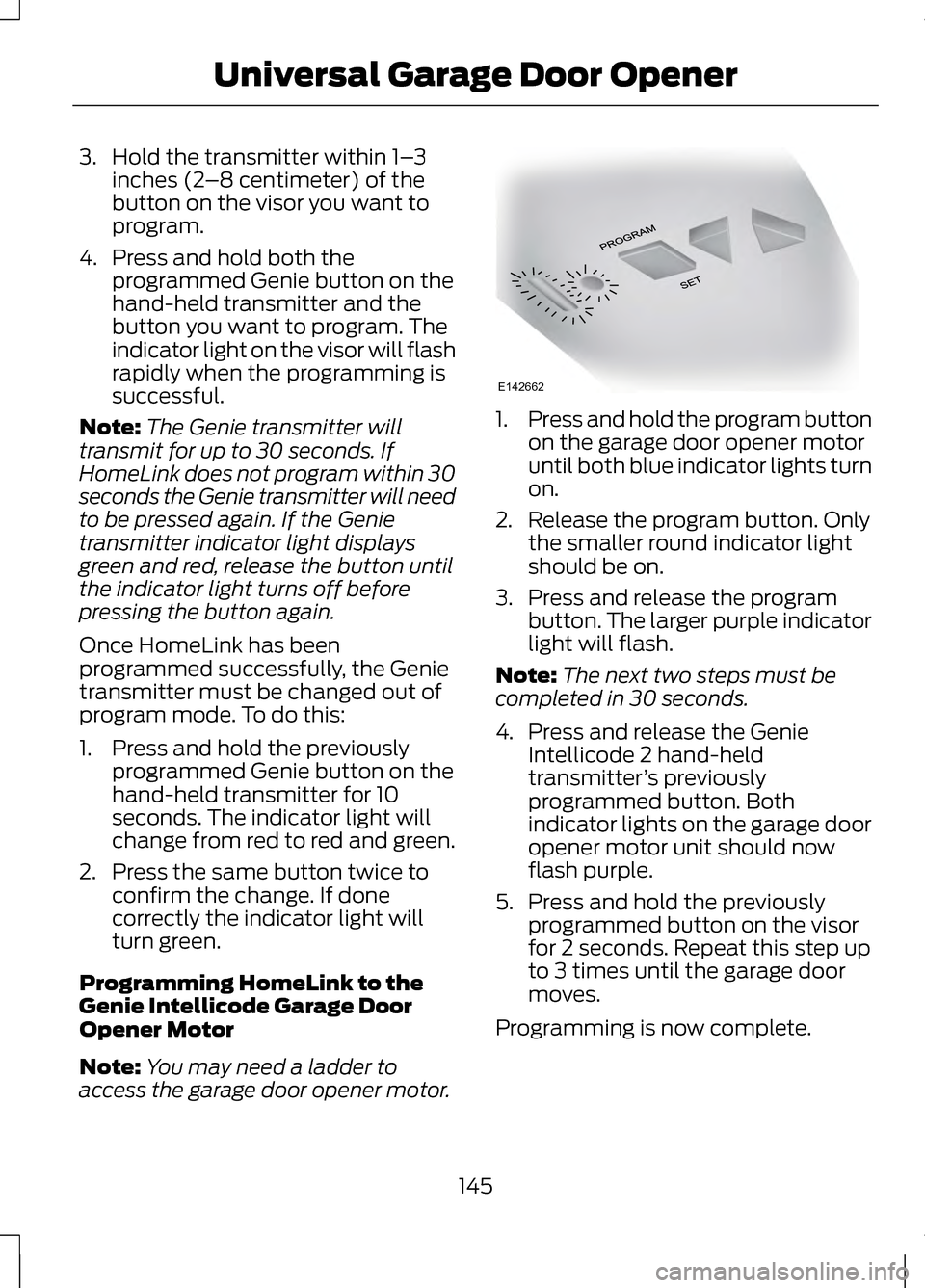
access the garage door opener motor. 1.
Press and hold the program button
on the garage door opener motor
until both blue indicator lights turn
on.
2. Release the program button. Only the smaller round indicator light
should be on.
3. Press and release the program button. The larger purple indicator
light will flash.
Note: The next two steps must be
completed in 30 seconds.
4. Press and release the Genie Intellicode 2 hand-held
transmitter ’s previously
programmed button. Both
indicator lights on the garage door
opener motor unit should now
flash purple.
5. Press and hold the previously programmed button on the visor
for 2 seconds. Repeat this step up
to 3 times until the garage door
moves.
Programming is now complete.
145
Universal Garage Door OpenerE142662
Page 149 of 474
Clearing a HomeLink Device
To erase programming from the three
HomeLink buttons press and hold the
two outer HomeLink buttons until the
indicator light begins to flash. The
indicator light will begin flashing in 10
to 20 seconds, at which time both
buttons should be released.
Programming has now been erased,
and the indicator light should blink
slowly to indicate the device is in train
mode when any of the three
HomeLink buttons are pressed.
FCC and RSS-210 Industry Canada
Compliance
This device complies with Part 15 of
the FCC Rules and with RSS-210 of
Industry Canada. Operation is subject
to the following two conditions: (1)
this device may not cause harmful
interference, and (2) this device must
accept any interference received,
including interference that may cause
undesired operation.
Changes or modifications to your
device not expressly approved by the
party responsible for compliance can
void the user
’s authority to operate
the equipment.
146
Universal Garage Door Opener
Page 150 of 474
12 Volt DC Power Point
WARNING
Do not plug optional electrical
accessories into the cigar lighter
socket (if equipped). Improper use of
the lighter can cause damage not
covered by your warranty, and can
result in fire or serious injury. Note:
If used when the engine is not
running, the battery will discharge.
There may be insufficient power to
restart your engine.
Note: Do not insert objects other than
an accessory plug into the power point.
This will damage the outlet and blow
the fuse.
Note: Do not hang any type of
accessory or accessory bracket from
the plug.
Note: Do not use the power point over
the vehicle capacity of 12 volt DC 180
watts or a fuse may blow.
Note: Do not use the power point for
operating a cigar lighter element.
Note: Improper use of the power point
can cause damage not covered by your
warranty.
Note: Always keep the power point
caps closed when not in use.
Run the engine for full capacity use of
the power point. To prevent the
battery from being discharged: •
Do not use the power point longer
than necessary when the engine is
not running.
• Do not leave devices plugged in
overnight or when the vehicle is
parked for extended periods.
Locations
Power points may be found:
• in the front of the center console
• inside the center console storage
bin
• on the rear of the center console.
110 Volt AC Power Point (If
Equipped) WARNING
Do not keep electrical devices
plugged in the power point
whenever the device is not in use. Do
not use any extension cord with the
110 volt AC power point, since it will
defeat the safety protection design.
Doing so my cause the power point to
overload due to powering multiple
devices that can reach beyond the 150
watt load limit and could result in fire
or serious injury. Note:
Keep the engine running to use
the power point.
147
Auxiliary Power Points
Page 151 of 474
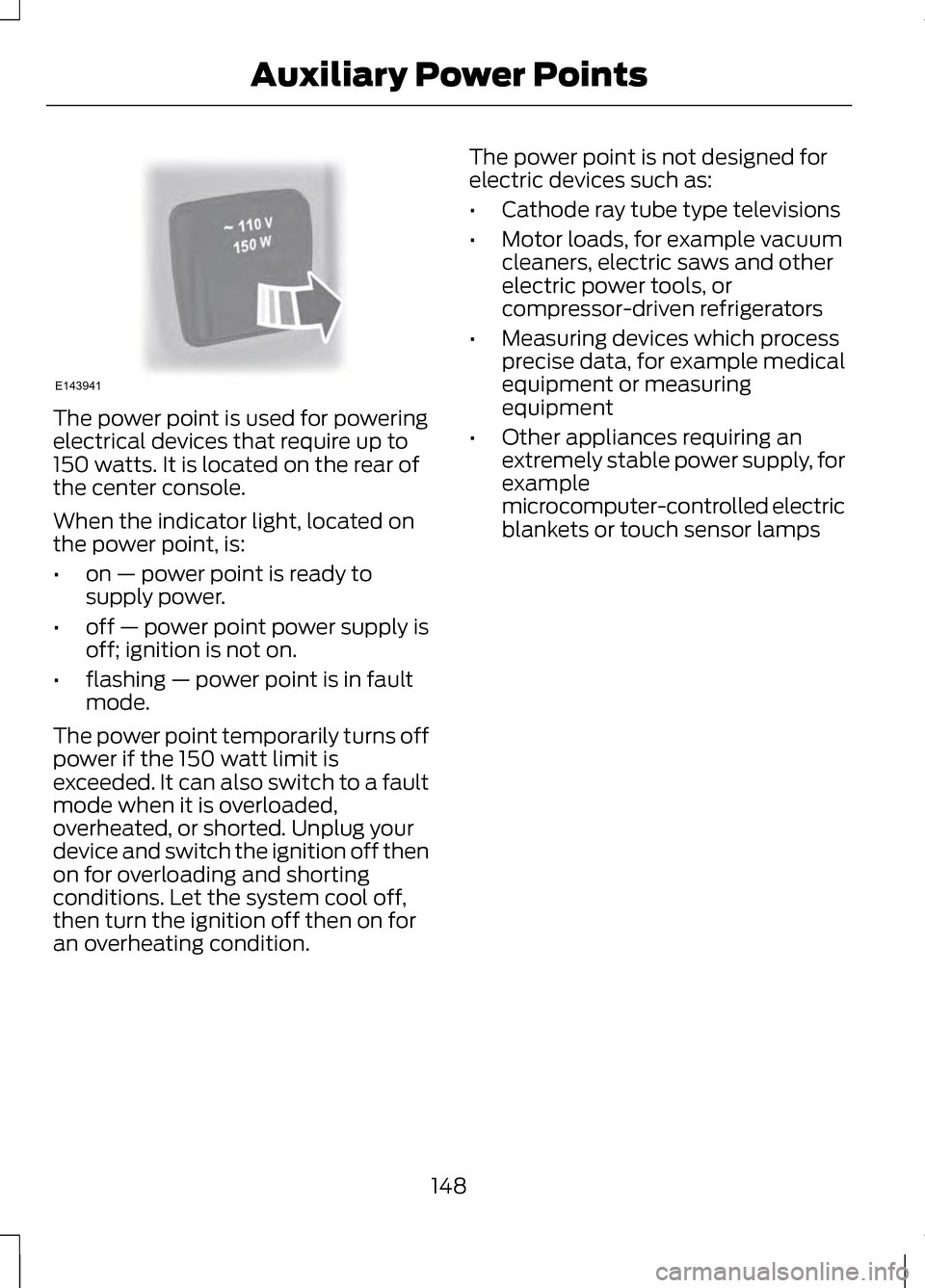
The power point is used for powering
electrical devices that require up to
150 watts. It is located on the rear of
the center console.
When the indicator light, located on
the power point, is:
•
on — power point is ready to
supply power.
• off — power point power supply is
off; ignition is not on.
• flashing — power point is in fault
mode.
The power point temporarily turns off
power if the 150 watt limit is
exceeded. It can also switch to a fault
mode when it is overloaded,
overheated, or shorted. Unplug your
device and switch the ignition off then
on for overloading and shorting
conditions. Let the system cool off,
then turn the ignition off then on for
an overheating condition. The power point is not designed for
electric devices such as:
•
Cathode ray tube type televisions
• Motor loads, for example vacuum
cleaners, electric saws and other
electric power tools, or
compressor-driven refrigerators
• Measuring devices which process
precise data, for example medical
equipment or measuring
equipment
• Other appliances requiring an
extremely stable power supply, for
example
microcomputer-controlled electric
blankets or touch sensor lamps
148
Auxiliary Power PointsE143941
Page 156 of 474
2. Put the transmission in position P
or N.
3. Press the START button. The engine may continue cranking for
up to 15 seconds or until it starts.
Note: If you cannot start the engine on
the first try, wait for a short period and
try again.
If you have difficulty starting the
engine when the temperature is below
-13°F (-25°C), press the accelerator
pedal slightly and try again.
If you cannot start the engine after
three attempts, wait 10 seconds and
follow this procedure:
1. Fully press the brake pedal.
2. Fully press the accelerator pedal and hold it there.
3. Put the transmission in position P.
4. Press the START button.
Guarding Against Exhaust
Fumes WARNING
If you smell exhaust fumes inside
your vehicle, have your vehicle
checked by your authorized dealer
immediately. Do not drive your vehicle
if you smell exhaust fumes. Carbon
monoxide is present in exhaust fumes.
Take precautions to avoid its
dangerous effects. Important Ventilating
Information
If you stop your vehicle and the leave
the engine idling for long periods, we
recommend that you do one of the
following:
•
Open the windows at least 1 inch
(2.5 centimeters)
• Set your climate control to outside
air.
ENGINE BLOCK HEATER
(IF
EQUIPPED) WARNINGS
Failure to follow engine block
heater instructions could result
in property damage or serious
personal injury. Do not use your heater with
ungrounded electrical systems
or two-pronged adapters. There is a
risk of electrical shock. Note:
The heater is most effective
when outdoor temperatures are below
0°F (-18°C).
The heater acts as a starting aid by
warming the engine coolant. This
allows the climate control system to
respond quickly. The equipment
includes a heater element (installed
in the engine block) and a wire
harness. You can connect the system
to a grounded 120 volt AC electrical
source.
153
Starting and Stopping the Engine
Page 159 of 474
•
Fuels can also be harmful if
absorbed through the skin. If fuel
is splashed on the skin, clothing or
both, promptly remove
contaminated clothing and wash
skin thoroughly with soap and
water. Repeated or prolonged skin
contact with fuel liquid or vapor
causes skin irritation.
• Be particularly careful if you are
taking “Antabuse ” or other forms
of disulfiram for the treatment of
alcoholism. Breathing gasoline
vapors, or skin contact could cause
an adverse reaction. In sensitive
individuals, serious personal injury
or sickness may result. If fuel is
splashed on the skin, promptly
wash skin thoroughly with soap
and water. Consult a physician
immediately if you experience an
adverse reaction.
FUEL QUALITY
Note: We recommend that you use
only high quality fuel without additives
or other engine treatments.
Do not use leaded gasoline or gasoline
with additives containing other
metallic compounds (e.g.
manganese-based). They could
damage the emission system.
Choosing the Right Fuel
Note: Use of any fuel other than those
recommended may cause powertrain
damage, a loss of vehicle performance
and repairs may not be covered under
warranty. If your vehicle is not a flexible fuel
vehicle, then only use unleaded fuel
or unleaded fuel blended with a
maximum of 15% ethanol. Do not use
fuel ethanol (E85), diesel fuel, fuel
methanol, leaded fuel or any other
fuel because it could damage or
impair the emission control system.
The use of leaded fuel is prohibited by
law.
Your vehicle was not designed to use
fuel or fuel additives with metallic
compounds, including
manganese-based additives.
Octane Recommendations
Regular unleaded gasoline with a
pump (R+M)/2 octane rating of 87 is
recommended. Some fuel stations
offer fuels posted as regular with an
octane rating below 87, particularly in
high altitude areas. Do not use fuels
that have a posted rating below 87
octane. Premium fuel will provide
improved performance and is
recommended for severe duty usage
such as trailer tow.
Do not be concerned if your engine
sometimes knocks lightly. However,
if it knocks heavily while you are using
fuel with the recommended octane
rating, see your authorized dealer to
prevent any engine damage.
RUNNING OUT OF FUEL
Avoid running out of fuel because this
situation may have an adverse effect
on vehicle components.
156
Fuel and Refueling
Page 165 of 474
Illumination of the service engine soon
indicator, charging system warning
light or the temperature warning light,
fluid leaks, strange odors, smoke or
loss of engine power could indicate
that the emission control system is
not working properly.
An improperly operating or damaged
exhaust system may allow exhaust to
enter the vehicle. Have a damaged or
improperly operating exhaust system
inspected and repaired immediately.
Do not make any unauthorized
changes to your vehicle or engine. By
law, vehicle owners and anyone who
manufactures, repairs, services, sells,
leases, trades vehicles, or supervises
a fleet of vehicles are not permitted
to intentionally remove an emission
control device or prevent it from
working. Information about your
vehicle
’s emission system is on the
Vehicle Emission Control Information
Decal located on or near the engine.
This decal also lists engine
displacement
Please consult your warranty
information for complete details. On-Board Diagnostics (OBD-II)
Your vehicle is equipped with a
computer that monitors the engine
’s
emission control system. This system
is commonly known as the on-board
diagnostics system (OBD-II). The
OBD-II system protects the
environment by ensuring that your
vehicle continues to meet government
emission standards. The OBD-II
system also assists your authorized
dealer in properly servicing your
vehicle. When the service engine
soon indicator illuminates,
the OBD-II system has
detected a malfunction. Temporary
malfunctions may cause the service
engine soon indicator to illuminate.
Examples are:
1. The vehicle has run out of fuel —the
engine may misfire or run poorly.
2. Poor fuel quality or water in the fuel —the engine may misfire or run
poorly.
3. The fuel fill inlet may not have been properly closed. See
Refueling (page 158).
4. Driving through deep water —the
electrical system may be wet.
162
Fuel and Refueling
Page 168 of 474
AUTOMATIC
TRANSMISSION
WARNINGS
Always set the parking brake
fully and make sure the vehicle
is in P (Park). Turn the ignition off
whenever you leave your vehicle. Do not apply the brake pedal and
accelerator pedal
simultaneously. Applying both pedals
simultaneously for more than three
seconds will limit engine rpm, which
may result in difficulty maintaining
speed in traffic and could lead to
serious injury. Push Button Shift
Transmission
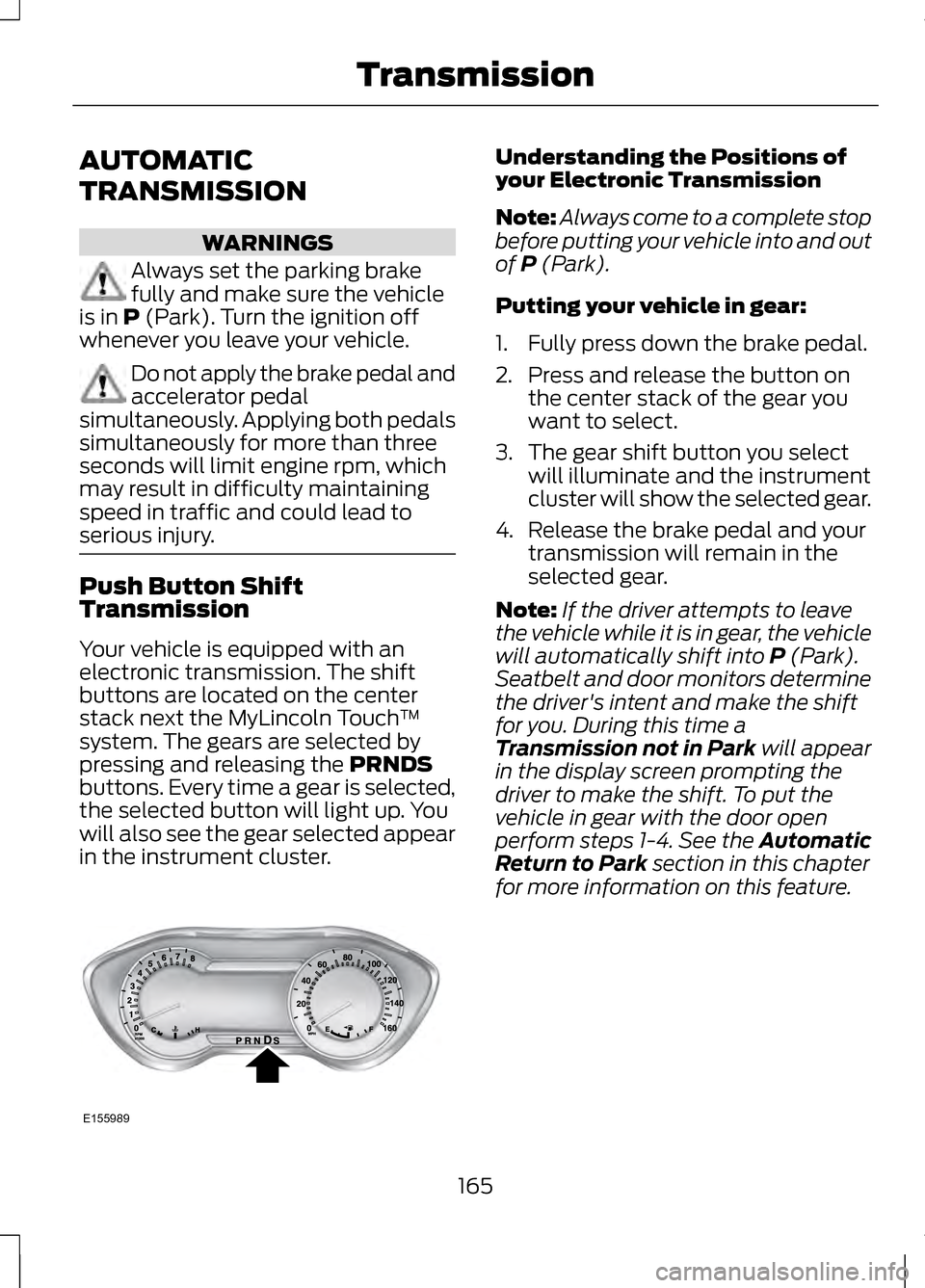
Your vehicle is equipped with an
electronic transmission. The shift
buttons are located on the center
stack next the MyLincoln Touch
™
system. The gears are selected by
pressing and releasing the
PRNDS
buttons. Every time a gear is selected,
the selected button will light up. You
will also see the gear selected appear
in the instrument cluster. Understanding the Positions of
your Electronic Transmission
Note:
Always come to a complete stop
before putting your vehicle into and out
of
P (Park).
Putting your vehicle in gear:
1. Fully press down the brake pedal.
2. Press and release the button on the center stack of the gear you
want to select.
3. The gear shift button you select will illuminate and the instrument
cluster will show the selected gear.
4. Release the brake pedal and your transmission will remain in the
selected gear.
Note: If the driver attempts to leave
the vehicle while it is in gear, the vehicle
will automatically shift into
P (Park).
Seatbelt and door monitors determine
the driver's intent and make the shift
for you. During this time a
Transmission not in Park
will appear
in the display screen prompting the
driver to make the shift. To put the
vehicle in gear with the door open
perform steps 1-4. See the Automatic
Return to Park
section in this chapter
for more information on this feature.
165
TransmissionE155989
Page 173 of 474
If Your Vehicle Gets Stuck In
Mud or Snow
Note:
Do not rock the vehicle if the
engine is not at normal operating
temperature or damage to the
transmission may occur.
Note: Do not rock the vehicle for more
than a minute or damage to the
transmission and tires may occur, or
the engine may overheat.
If your vehicle gets stuck in mud or
snow, it may be rocked out by shifting
between forward and reverse gears,
stopping between shifts in a steady
pattern. Press lightly on the
accelerator in each gear.
HILL START ASSIST (IF
EQUIPPED) WARNINGS
The system does not replace the
parking brake. When you leave
your vehicle, always apply the parking
brake and put the vehicle in
P (Park). You must remain in your vehicle
once you have activated the
system. During all times, you are
responsible for controlling your
vehicle, supervising the system and
intervening, if required. If the engine is revved
excessively, or if a malfunction
is detected, the system will be
deactivated. The system makes it easier to pull
away when your vehicle is on a slope
without the need to use the parking
brake.
When the system is active, your
vehicle will remain stationary on the
slope for two to three seconds after
you release the brake pedal. This
allows you time to move your foot
from the brake to the accelerator
pedal. The brakes are released
automatically once the engine has
developed sufficient drive to prevent
your vehicle from rolling down the
slope. This is an advantage when
pulling away on a slope, (for example
from a car park ramp, traffic lights or
when reversing uphill into a parking
space).
The system will activate
automatically on any slope which can
result in significant vehicle rollback.
Using Hill Start Assist
1.
Press the brake pedal to bring your
vehicle to a complete standstill.
Keep the brake pedal pressed.
2. If the sensors detect that your vehicle is on a slope, the system
will be activated automatically.
3. When you remove your foot from the brake pedal, your vehicle will
remain on the slope without rolling
away for approximately two or
three seconds. This hold time will
automatically be extended if you
are in the process of driving off.
4. Drive off in the normal manner. The brakes will be released
automatically.
170
Transmission