light LINCOLN MKZ 2014 Owners Manual
[x] Cancel search | Manufacturer: LINCOLN, Model Year: 2014, Model line: MKZ, Model: LINCOLN MKZ 2014Pages: 468, PDF Size: 4.49 MB
Page 314 of 468
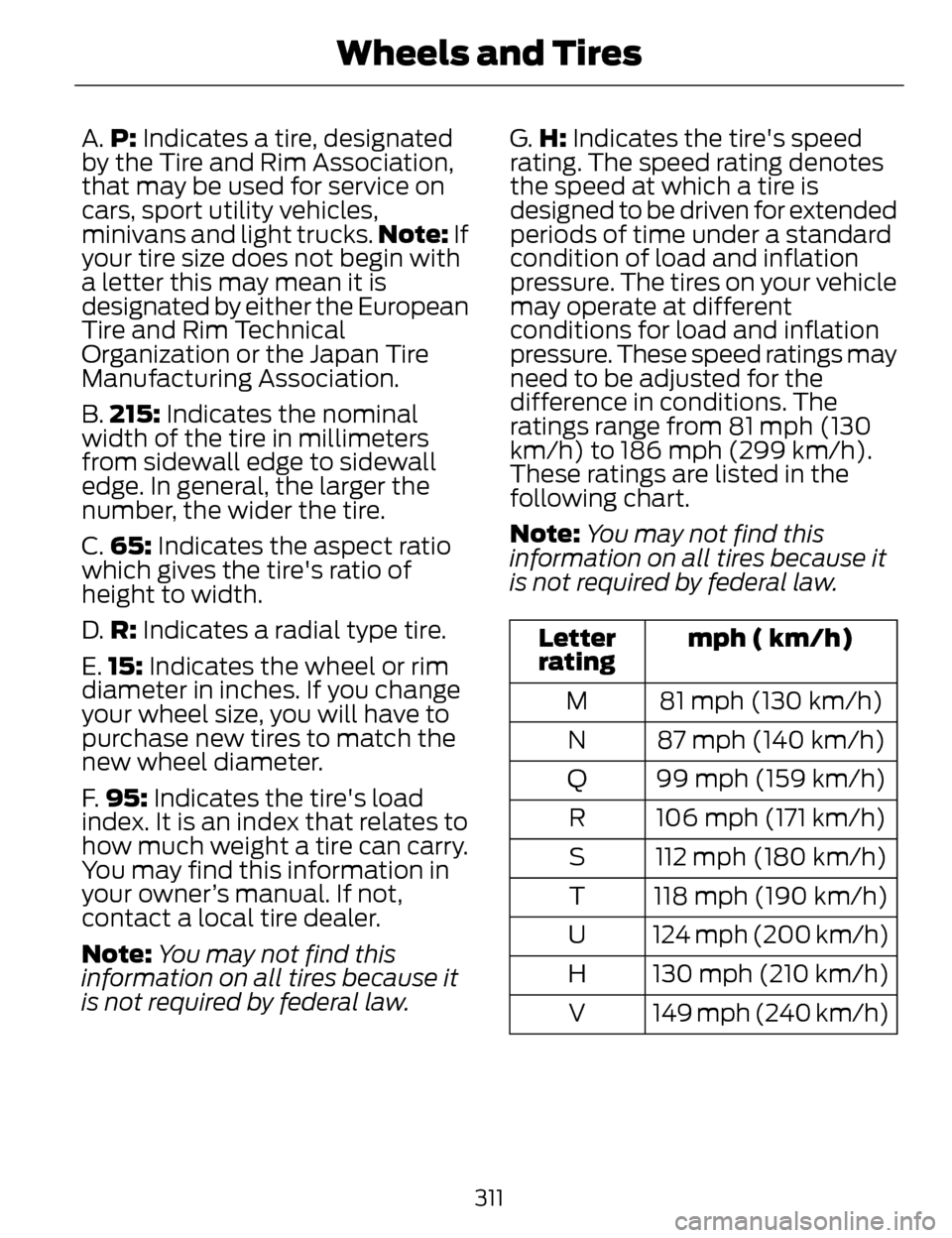
A.P: Indicates a tire, designated
by the Tire and Rim Association,
that may be used for service on
cars, sport utility vehicles,
minivans and light trucks. Note: If
your tire size does not begin with
a letter this may mean it is
designated by either the European
Tire and Rim Technical
Organization or the Japan Tire
Manufacturing Association.
B. 215: Indicates the nominal
width of the tire in millimeters
from sidewall edge to sidewall
edge. In general, the larger the
number, the wider the tire.
C. 65: Indicates the aspect ratio
which gives the tire's ratio of
height to width.
D. R: Indicates a radial type tire.
E. 15: Indicates the wheel or rim
diameter in inches. If you change
your wheel size, you will have to
purchase new tires to match the
new wheel diameter.
F. 95: Indicates the tire's load
index. It is an index that relates to
how much weight a tire can carry.
You may find this information in
your owner’s manual. If not,
contact a local tire dealer.
Note: You may not find this
information on all tires because it
is not required by federal law. G.
H: Indicates the tire's speed
rating. The speed rating denotes
the speed at which a tire is
designed to be driven for extended
periods of time under a standard
condition of load and inflation
pressure. The tires on your vehicle
may operate at different
conditions for load and inflation
pressure. These speed ratings may
need to be adjusted for the
difference in conditions. The
ratings range from 81 mph (130
km/h) to 186 mph (299 km/h).
These ratings are listed in the
following chart.
Note: You may not find this
information on all tires because it
is not required by federal law.
mph ( km/h)
Letter
rating
81 mph (130 km/h)
M
87 mph (140 km/h)
N
99 mph (159 km/h)
Q
106 mph (171 km/h)
R
112 mph (180 km/h)
S
118 mph (190 km/h)
T
124 mph (200 km/h)
U
130 mph (210 km/h)
H
149 mph (240 km/h)
V
311
Wheels and Tires
Page 317 of 468
LT type tires have some additional
information beyond those of P
type tires; these differences are
described below.
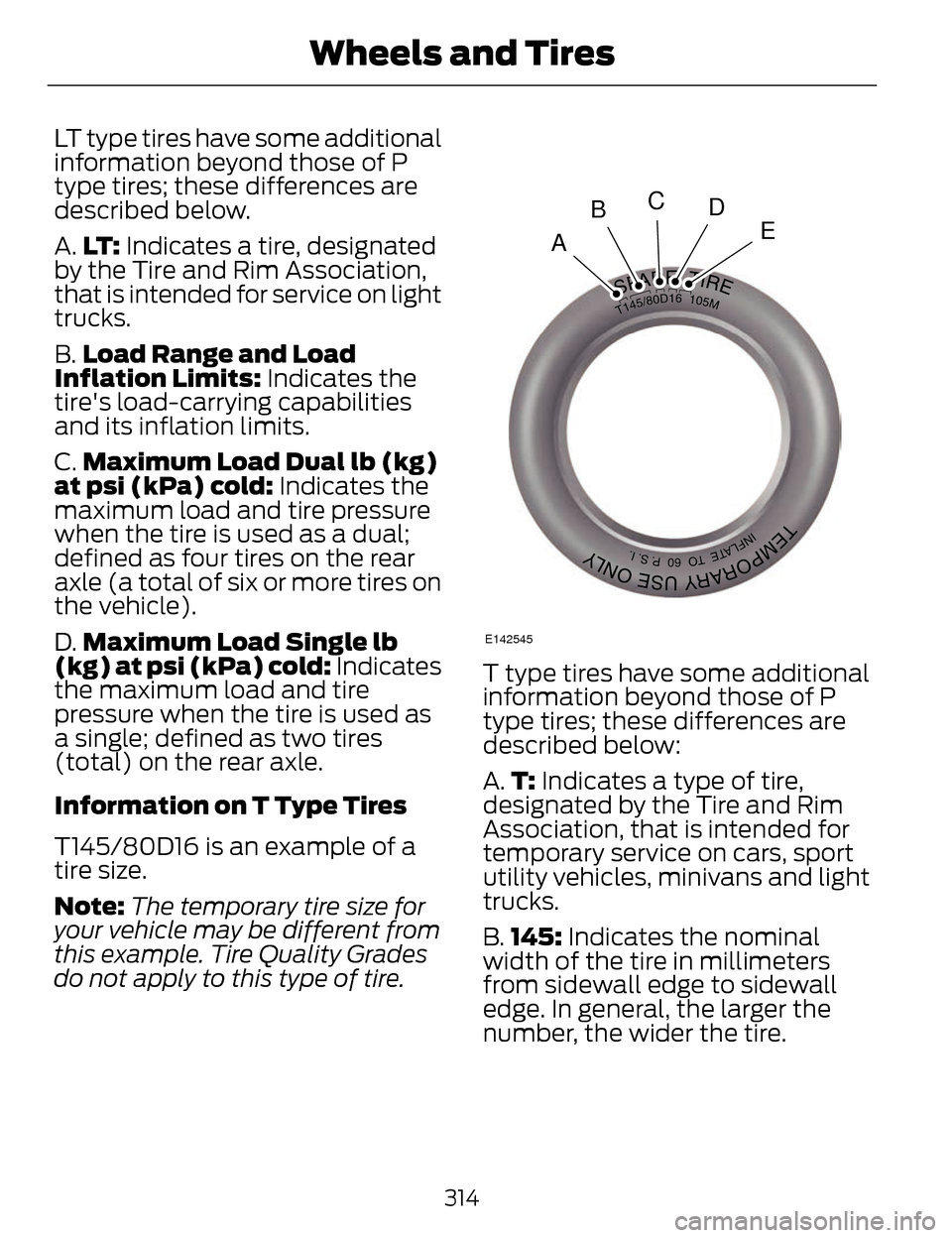
A.LT : Indicates a tire, designated
by the Tire and Rim Association,
that is intended for service on light
trucks.
B. Load Range and Load
Inflation Limits: Indicates the
tire's load-carrying capabilities
and its inflation limits.
C. Maximum Load Dual lb (kg)
at psi (kPa) cold: Indicates the
maximum load and tire pressure
when the tire is used as a dual;
defined as four tires on the rear
axle (a total of six or more tires on
the vehicle).
D. Maximum Load Single lb
(kg) at psi (kPa) cold: Indicates
the maximum load and tire
pressure when the tire is used as
a single; defined as two tires
(total) on the rear axle.
Information on T Type Tires
T145/80D16 is an example of a
tire size.
Note: The temporary tire size for
your vehicle may be different from
this example. Tire Quality Grades
do not apply to this type of tire.
A
BCDE
E142545
T type tires have some additional
information beyond those of P
type tires; these differences are
described below:
A. T: Indicates a type of tire,
designated by the Tire and Rim
Association, that is intended for
temporary service on cars, sport
utility vehicles, minivans and light
trucks.
B. 145: Indicates the nominal
width of the tire in millimeters
from sidewall edge to sidewall
edge. In general, the larger the
number, the wider the tire.
314
Wheels and Tires
Page 326 of 468
USING SNOW CHAINS
WARNINGS
If you choose to install snow tires
on your vehicle, they must be the
same size, construction, and load
range as the original tires listed on the
tire placard, and they must be
installed on all four wheels. Mixing
tires of different size or construction
on your vehicle can adversely affect
your vehicle's handling and braking,
and may lead to loss of vehicle
control.
Do not use snow chains or cables
on this vehicle as they may cause
damage to your vehicle which may
lead to loss of vehicle control.
Snow chains have not been approved
for use on your vehicle.
The original equipment tires on your
vehicle may have an all-weather tread
design to provide traction, handling,
and braking performance in
year-round driving. You may install
snow tires for improved traction when
driving in areas with sustained periods
of snow or icy driving conditions.
CHANGING A ROAD WHEEL
WARNINGS
The use of tire sealants may
damage your tire pressure
monitoring system and should not be
used. However, if you must use a
sealant, the tire pressure monitoring
system sensor and valve stem on the
wheel must be replaced by an
authorized dealer.
If the tire pressure monitor
sensor becomes damaged, it will
no longer function. See Tire Pressure
Monitoring System (page 303).
Note: The tire pressure monitoring
system indicator light will illuminate
when the spare tire is in use. To restore
the full function of the monitoring
system, all road wheels equipped with
tire pressure monitoring sensors must
be mounted on the vehicle.
If you get a flat tire while driving, do
not apply the brake heavily. Instead,
gradually decrease your speed. Hold
the steering wheel firmly and slowly
move to a safe place on the side of
the road.
Have a flat serviced by an authorized
dealer in order to prevent damage to
the tire pressure monitoring system
sensors. See Tire Pressure
Monitoring System (page 303).
Replace the spare tire with a road tire
as soon as possible. During repairing
or replacing of the flat tire, have the
authorized dealer inspect the tire
pressure monitoring system sensor
for damage.
323
Wheels and Tires
Page 347 of 468
Press to access your home screen.
Depending on your vehicle’s option
package and software, your screens
may vary in appearance from the
descriptions in this section. Your
features may also be limited
depending on your market. Check with
an authorized dealer for availability.
E142608
INFORMATION
Press to select any of the following:
• Services
• Travel Link
• Alerts
• Calendar
• Apps
ENTERTAINMENT
Press to select any of the following:
•AM
•FM
• SIRIUS
•CD
•USB
• BT Stereo
• SD Card
• A/V In
Using the Touch-Sensitive
Controls on Your System
To turn a feature on and off, just touch
the graphic with your finger. To get the
best performance from the
touch-sensitive controls:
• Do not press hard on the controls. They are sensitive to light touch.
• Use your bare finger to touch the center of a touch-control graphic.
Touching off-center of the graphic
may affect operation of a nearby
control.
• Make sure your hands are clean and dry.
• Since the touchscreen operates based on the touch of a finger, you
may have trouble using it if you are
wearing gloves.
• Keep metal and other conductive material away from the surface of
the touchscreen as this may cause
electronic interference (for
example, inadvertently turning on
a feature other than the one you
meant to turn on).
Depending on your vehicle and option
package, you may also have these
controls on your bezel:
• Power: Switch the media or climate features off and on.
• VOL: Control the volume of
playing media.
• Fan: Control the speed of the climate system fan.
• Seek and Tune buttons: Use as you normally would in media modes.
344
MyLincoln Touch™
Page 356 of 468
From this screen, you can also make
other adjustments such as 12-hour or
24-hour mode, activate GPS time
synchronization and have the system
automatically update new time zones.
You can also turn the outside air
temperature display off and on. It
appears at the top center of the
touchscreen, next to the time and
date.
The system automatically saves any
updates you make to the settings.
Display
You can adjust the touchscreen
display through the touchscreen or by
pressing the voice button on your
steering wheel controls and when
prompted, say, "Display settings".
E142607
Press the Settings icon >
Display, to access and make
adjustments using the
touchscreen.
• Brightness allows you to make
the screen display brighter or
dimmer.
• Auto DIM, when set to On, lets
you use the Auto Dim Manual
Offset feature.
• Mode allows you to set the screen
to a certain brightness or have the
system automatically change
based on the outside light level, or
turn the display off.
• If you select AUTO or NIGHT,
you have the options of turning
the display's Auto Dim feature
on or off and changing the Auto
Dim Manual Offset feature. •
Auto Dim Manual Offset allows
you to adjust screen dimming as
the outside lighting conditions
change from day to night.
• Edit Wallpaper
• You can have your touchscreen
display the default photo or
upload your own.
Uploading Photos for Your Home
Screen Wallpaper
Note: You cannot load photos directly
from your camera. You must access
the photos either from your USB mass
storage device or from an SD card.
Note: Photographs with extremely
large dimensions (such as 2048 x
1536) may not be compatible and
appear as a blank (black) image on the
display.
Your system allows you to upload and
view up to 32 photos.
E142607
To access, press the Settings
icon > Display > Edit
Wallpaper, and then follow
the system prompts to upload your
photographs.
Only the photograph(s), which meets
the following conditions, display:
• Compatible file formats are as follows: .jpg, .gif, .png, .bmp
• Each file must be 1.5 MB or less.
• Recommended dimensions: 800 x 384
353
MyLincoln Touch™
Page 357 of 468
Sound
E142607
Press the Settings icon >
Sound, then select from the
following:
Sound
Bass
Midrange Treble
Set Balance and Fade
DSP
*
THX Deep Note Demo*
Occupancy Mode*
Speed Compensated Volume
* Your vehicle may not have these
sound settings.
Vehicle
E142607
Press the Settings icon >
Vehicle, then select from
the following:
• Ambient Lighting
• Vehicle Health Report
• Rear View Camera
• Enable Valet Mode. Ambient Lighting (If Equipped)
When you turn this feature on,
ambient lighting illuminates footwells
and cupholders with a choice of
colors. To access and make
adjustments:
E142607
1. Press the Settings icon > Vehicle
> Ambient Lighting.
2. Touch the desired color.
3. Use the scroll bar to increase or decrease the intensity.
To turn the feature on or off, press the
power button.
Vehicle Health Report
Turn Automatic Reminders on and
off and set the mileage interval at
which you would like to receive the
reports. Press ? for more information
on these selections.
When done making your selections,
press Run Vehicle Health Report
Now if you want your report.
You can find more information on
Vehicle Health Report in this chapter.
See Information (page 392).
Rear View Camera
This menu allows you to access
settings for your rear view camera.
E142607
Press the Settings icon >
Vehicle > Rear View
Camera, then select from
the following settings:
354
MyLincoln Touch™
Page 369 of 468
![LINCOLN MKZ 2014 Owners Manual Sample commands
"Play [album] <name>"**
"Play [artist] <name>"**
"Play [genre] <name>"**
"Play [playlist] <name>"**
"Play [song] <name>"**
"Play <name>"
"Play <name (song or album)> by <artist name>"](/img/15/6982/w960_6982-368.png "LINCOLN MKZ 2014 Owners Manual Sample commands
\"Play [album] <name>\"**
\"Play [artist] <name>\"**
\"Play [genre] <name>\"**
\"Play [playlist] <name>\"**
\"Play [song] <name>\"**
\"Play <name>\"
\"Play <name (song or album)> by <artist name>\"")
Sample commands
"Play [album]
"Play [artist]
"Play [genre]
"Play [playlist]
"Play [song]
"Play
"Play
"Sirius <0-223>"
*
"Sports games"*
*
This command is only usable if you
have an active subscription to Sirius
satellite radio.
** The commands that have [ ] around
the word means that the word is
optional. For example, if you say, "Play
Metallica", this is the same as the
voice command, "Play [artist]
AM/FM Radio
E142611
Touch the AM or FM tab to
listen to the radio.
To change between AM and FM
presets, just touch the AM or FM tab. Memory Presets
Save a station by pressing and holding
one of the memory preset areas.
There is a brief mute while the radio
saves the station. Sound returns when
finished.
HD Radio
Touch this button to turn HD Radio
on. The light on the button illuminates
when the feature is on. HD Radio
allows you to receive radio broadcasts
digitally, where available, providing
free, crystal-clear sound. See HD
Radio information later in this chapter.
Scan
Touch this button to go to the next
strong AM or FM radio station. The
light on the button illuminates when
the feature is on.
Options
Sound Settings
Touch this button to adjust settings
for:
•Bass
• Midrange
• Treble
• Balance and Fade
• THX Deep Note Demo
• DSP (Digital Signal processing)
• Occupancy Mode
• Speed Compensated Volume.
Note:
Your vehicle may not have all
these sound settings.
366
MyLincoln Touch™
Page 371 of 468
The multicast indicator appears in FM
mode (only) if the current station is
broadcasting multiple digital
broadcasts. The highlighted numbers
signify available digital channels
where new or different content is
available. HD1 signifies the main
programming status and is available
in analog and digital broadcasts.
Other multicast stations (HD2 through
HD7) are only available digitally.
TA G allows you to save a song to
download later when you are on an
acquired HD Radio station and the
feature is on. To turn the feature on
and use it:
1. Press AM or FM > Options > TA G
Button > On.
2. When you hear a song you like, touch TA G .
3. The system automatically saves the song's information and
transfers it to your portable music
player (if supported) when you
connect it to the system. The
system automatically transfers the
tag to your player (if already
connected) and a pop-up confirms
the transfer. 4. When you access iTunes with your
portable music player, the tags
appear to you as a reminder. The
system allows you to tag up to
approximately 100 songs. For a list
of devices that support tagging,
see www.SYNCMyRide.com,
www.SYNCMyRide.ca or
www.syncmaroute.ca.
When HD Radio broadcasts are active,
you can access the following
functions:
• Scan allows you to hear a brief
sampling of all available stations.
This feature still works when HD
Radio reception is on, although it
does not scan for HD2-HD7
channels. You may see the HD logo
appear if the station has a digital
broadcast.
• Memory presets allow you to
save an active channel as a
memory preset. Touch and hold a
memory preset slot until the sound
returns. There is a brief mute while
the radio saves the station. Sound
returns when finished. When
switching to an HD2 or HD3
memory preset, the sound mutes
before the digital audio plays,
because the system has to
reacquire the digital signal.
Note: As with any saved radio station,
you cannot access the saved station if
your vehicle is outside the station’s
reception area.
368
MyLincoln Touch™
Page 372 of 468
HD Radio Reception and Station Troubleshooting
Potential reception issues
If you are listening to a multicast station and you
are on the fringe of the reception area, the station
may mute due to weak signal strength.
Reception area
If you are listening to HD1, the system switches back
to the analog broadcast until the digital broadcast
is available again. However, if you are listening to
any of the possible HD2-HD7 multicast channels,
the station mutes and stays muted unless it is able
to connect to the digital signal again.
When the system first receives a station (aside from
HD2-HD7 multicast stations), it first plays the
station in the analog version. Once the receiver
verifies the station is an HD Radio station, it shifts
to the digital version. Depending on the station
quality, you may hear a slight sound change when
the station changes from analog to digital. Blending
is the shift from analog to digital sound or digital
back to analog sound.
Station blending
In order to provide the best possible
experience, use the contact form to
report any station issues found while
listening to a station broadcasting
with HD Radio technology.
Independent entities own and operate
each station. These stations are
responsible for ensuring all audio
streams and data fields are accurate.
369
MyLincoln Touch™
Page 408 of 468
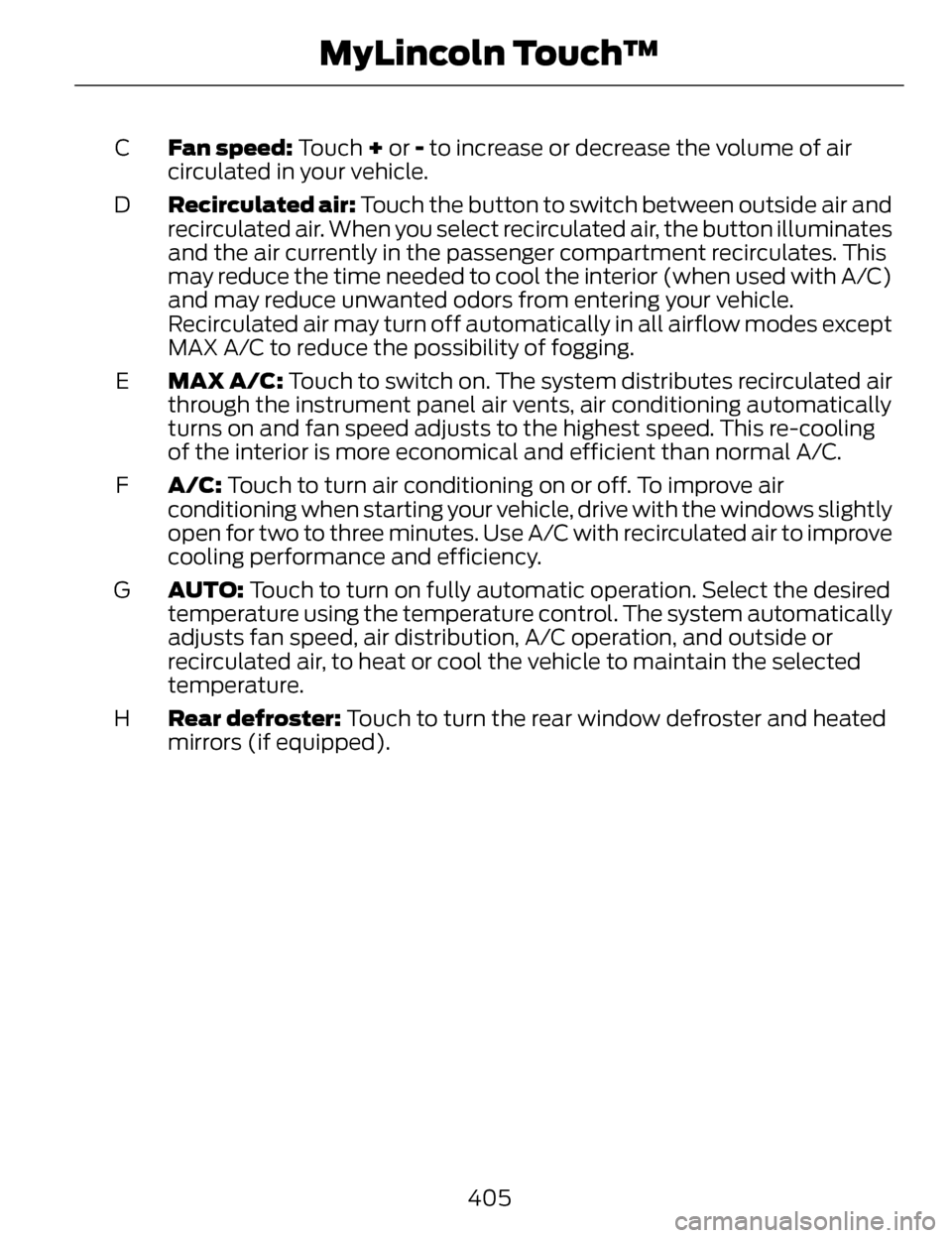
Fan speed: Touch + or - to increase or decrease the volume of air
circulated in your vehicle.
C
Recirculated air: Touch the button to switch between outside air and
recirculated air. When you select recirculated air, the button illuminates
and the air currently in the passenger compartment recirculates. This
may reduce the time needed to cool the interior (when used with A/C)
and may reduce unwanted odors from entering your vehicle.
Recirculated air may turn off automatically in all airflow modes except
MAX A/C to reduce the possibility of fogging.
D
MAX A/C: Touch to switch on. The system distributes recirculated air
through the instrument panel air vents, air conditioning automatically
turns on and fan speed adjusts to the highest speed. This re-cooling
of the interior is more economical and efficient than normal A/C.
E
A/C: Touch to turn air conditioning on or off. To improve air
conditioning when starting your vehicle, drive with the windows slightly
open for two to three minutes. Use A/C with recirculated air to improve
cooling performance and efficiency.
F
AUTO: Touch to turn on fully automatic operation. Select the desired
temperature using the temperature control. The system automatically
adjusts fan speed, air distribution, A/C operation, and outside or
recirculated air, to heat or cool the vehicle to maintain the selected
temperature.
G
Rear defroster: Touch to turn the rear window defroster and heated
mirrors (if equipped).
H
405
MyLincoln Touch™