intelligent access LINCOLN MKZ 2016 Owners Manual
[x] Cancel search | Manufacturer: LINCOLN, Model Year: 2016, Model line: MKZ, Model: LINCOLN MKZ 2016Pages: 544, PDF Size: 5.77 MB
Page 57 of 544
GENERAL INFORMATION ON
RADIO FREQUENCIES
This device complies with Part 15 of the FCC
Rules and with Industry Canada
license-exempt RSS standard(s). Operation
is subject to the following two conditions: (1)
This device may not cause harmful
interference, and (2) This device must accept
any interference received, including
interference that may cause undesired
operation.
Note:Changes or modifications not
expressively approved by the party
responsible for compliance could void the
user's authority to operate the equipment.
The term IC before the radio certification
number only signifies that Industry Canada
technical specifications were met. The typical operating range for your
transmitter is approximately 33 feet (10
meters). Vehicles with the remote start
feature will have a greater range. One of the
following could cause a decrease in
operating range:
• weather conditions
• nearby radio towers
• structures around the vehicle
• other vehicles parked next to your
vehicle
Other short-distance radio transmitters, such
as amateur radios, medical equipment,
wireless headphones, remote controls and
alarm systems may operate on the same
frequency as your remote control. If other
transmitters are operating on those
frequencies, you may not be able to use your
remote control. Using your remote control
near some types of electronic equipment,
such as USB devices, computers or cell
phones can interfere with remote operation.
Operating your remote control near metal or
metallic-finished purses, bags or clothing can
interfere with remote operation. You can lock
and unlock the doors with the key. Note:
Make sure to lock your vehicle before
leaving it unattended.
Note: If you are in range, the remote control
will operate if you press any button
unintentionally.
Intelligent Access
The system uses a radio frequency signal to
communicate with your vehicle and authorize
your vehicle to unlock when one of the
following conditions are met:
• You touch the inside of any exterior door handle within 3 ft (1 m) proximity of an
intelligent access key.
• You press the luggage compartment button.
• You press a button on the transmitter.
If excessive radio frequency interference is
present in the area or if the transmitter
battery is low, you may need to mechanically
unlock your door. You can use the
mechanical key blade in your intelligent
access key to open the driver door in this
situation. See Remote Control (page 55).
54
Keys and Remote Controls
Page 58 of 544
REMOTE CONTROL
Intelligent Access Key
E144506
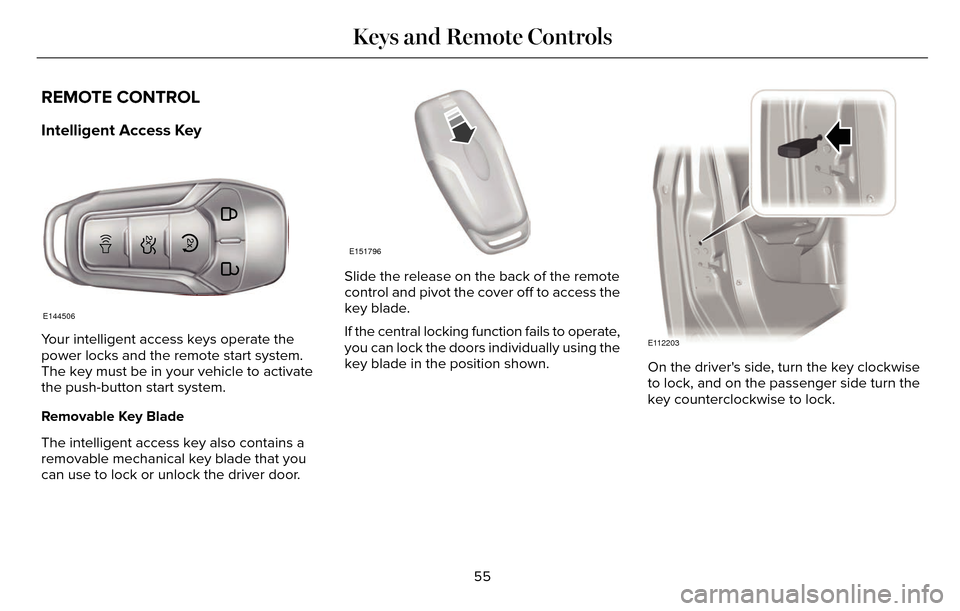
Your intelligent access keys operate the
power locks and the remote start system.
The key must be in your vehicle to activate
the push-button start system.
Removable Key Blade
The intelligent access key also contains a
removable mechanical key blade that you
can use to lock or unlock the driver door.
E151796
Slide the release on the back of the remote
control and pivot the cover off to access the
key blade.
If the central locking function fails to operate,
you can lock the doors individually using the
key blade in the position shown.
E112203
On the driver's side, turn the key clockwise
to lock, and on the passenger side turn the
key counterclockwise to lock.
55
Keys and Remote Controls
Page 59 of 544
E151795
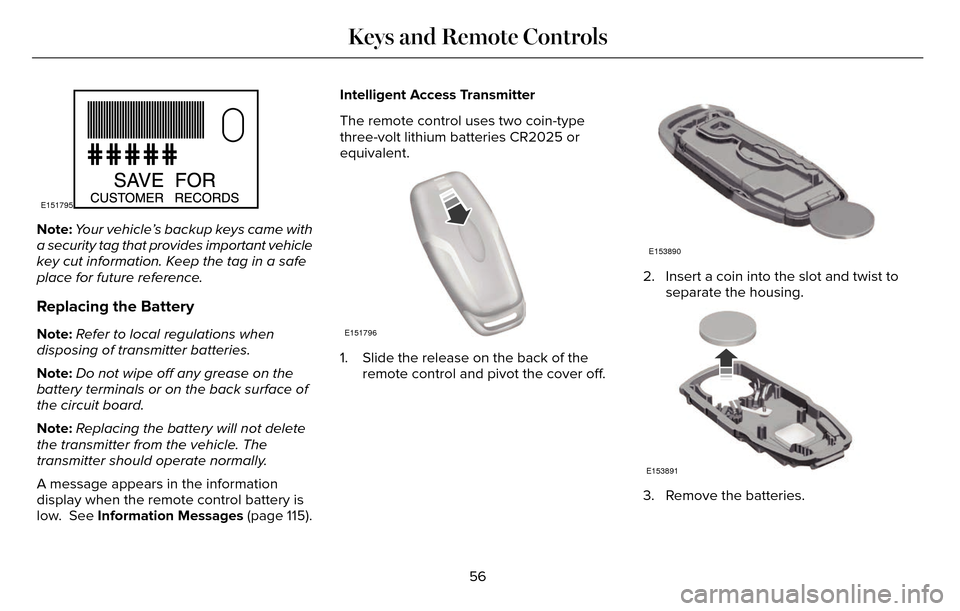
Note:Your vehicle’s backup keys came with
a security tag that provides important vehicle
key cut information. Keep the tag in a safe
place for future reference.
Replacing the Battery
Note: Refer to local regulations when
disposing of transmitter batteries.
Note: Do not wipe off any grease on the
battery terminals or on the back surface of
the circuit board.
Note: Replacing the battery will not delete
the transmitter from the vehicle. The
transmitter should operate normally.
A message appears in the information
display when the remote control battery is
low. See Information Messages (page 115). Intelligent Access Transmitter
The remote control uses two coin-type
three-volt lithium batteries CR2025 or
equivalent.E151796
1. Slide the release on the back of the
remote control and pivot the cover off.
E153890
2. Insert a coin into the slot and twist toseparate the housing.
E153891
3. Remove the batteries.
56
Keys and Remote Controls
Page 62 of 544
Memory Feature
If programmed to a pre-set position, the
integrated keyhead transmitter or intelligent
access key recalls the driver seat and
exterior mirror positions when you unlock
your vehicle. It also recalls the power
steering column and pedal positions. See
Memory Function (page 145).
REPLACING A LOST KEY OR
REMOTE CONTROL
Replacement keys or remote controls can
be purchased from an authorized dealer.
Authorized dealers can program remote
controls for your vehicle. See Passive
Anti-Theft System (page 77).
To re-program the passive anti-theft system
see an authorized dealer.59
Keys and Remote Controls
Page 64 of 544
• Various vehicle speed minders can beset. Once you select a speed, it will be
shown in the display, followed by an
audible tone when the preselected
vehicle speed is exceeded.
• Audio system maximum volume of 45%. A message will be shown in the display
when you attempt to exceed the limited
volume. Also, the speed-sensitive or
compensated automatic volume control
will be disabled. • Always on setting. When this is selected,
you will not be able to switch off Advance
Trac or traction control, 911 Assist or
Emergency Assist, or the do not disturb
feature (if your vehicle is equipped with
these features).
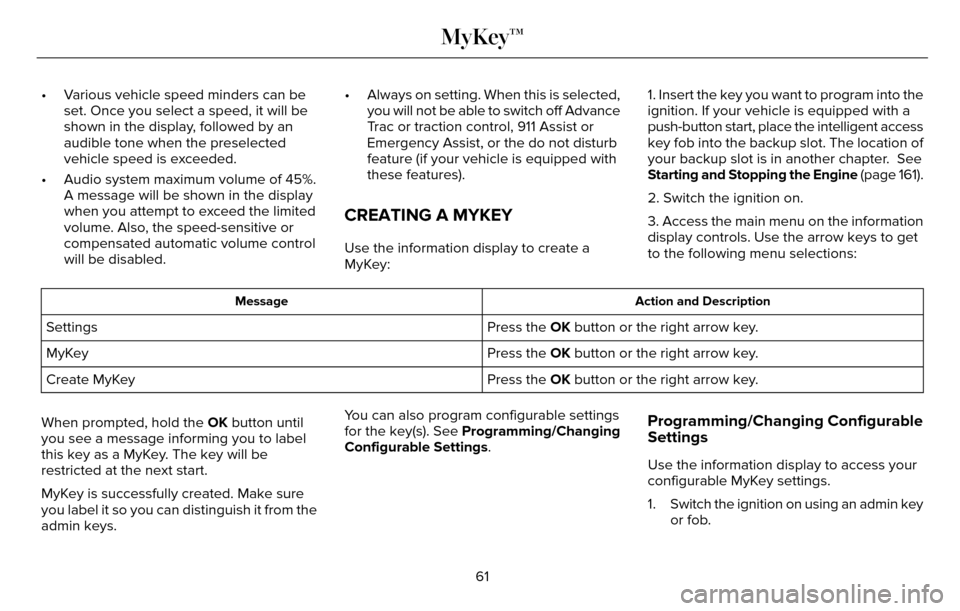
CREATING A MYKEY
Use the information display to create a
MyKey: 1. Insert the key you want to program into the
ignition. If your vehicle is equipped with a
push-button start, place the intelligent access
key fob into the backup slot. The location of
your backup slot is in another chapter. See
Starting and Stopping the Engine
(page 161).
2. Switch the ignition on.
3. Access the main menu on the information
display controls. Use the arrow keys to get
to the following menu selections:
Action and Description
Message
Press the OK button or the right arrow key.
Settings
Press the OK button or the right arrow key.
MyKey
Press the OK button or the right arrow key.
Create MyKey
When prompted, hold the OK button until
you see a message informing you to label
this key as a MyKey. The key will be
restricted at the next start.
MyKey is successfully created. Make sure
you label it so you can distinguish it from the
admin keys. You can also program configurable settings
for the key(s). See Programming/Changing
Configurable Settings.
Programming/Changing Configurable
Settings
Use the information display to access your
configurable MyKey settings.
1. Switch the ignition on using an admin key
or fob.
61
MyKey™
Page 70 of 544
LOCKING AND UNLOCKING
You can use the power door lock control or
the remote control to lock and unlock your
vehicle.
Power Door Locks
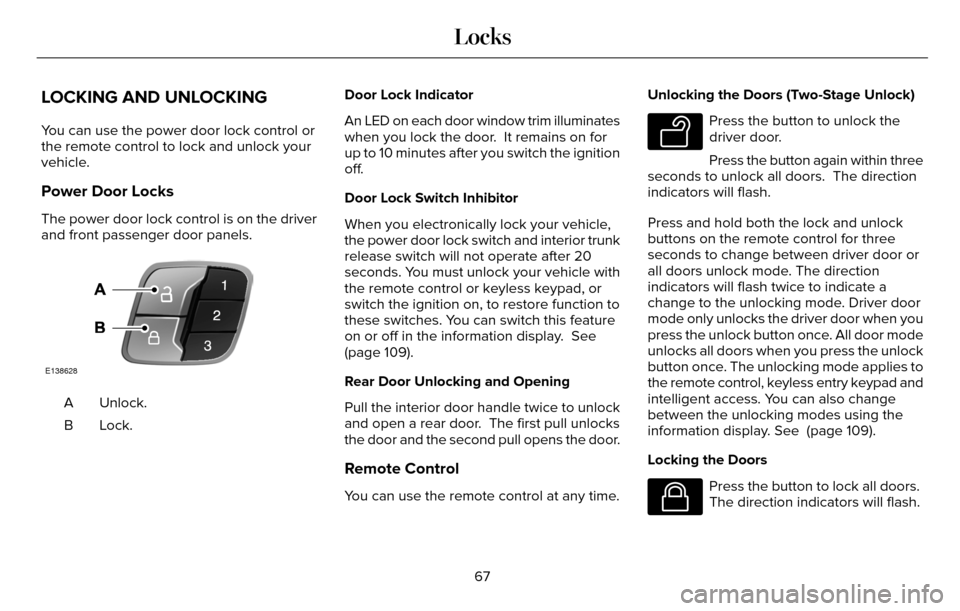
The power door lock control is on the driver
and front passenger door panels.
E138628
Unlock.
A
Lock.B Door Lock Indicator
An LED on each door window trim illuminates
when you lock the door. It remains on for
up to 10 minutes after you switch the ignition
off.
Door Lock Switch Inhibitor
When you electronically lock your vehicle,
the power door lock switch and interior trunk
release switch will not operate after 20
seconds. You must unlock your vehicle with
the remote control or keyless keypad, or
switch the ignition on, to restore function to
these switches. You can switch this feature
on or off in the information display. See
(page 109).
Rear Door Unlocking and Opening
Pull the interior door handle twice to unlock
and open a rear door. The first pull unlocks
the door and the second pull opens the door.
Remote Control
You can use the remote control at any time. Unlocking the Doors (Two-Stage Unlock)
E138629
Press the button to unlock the
driver door.
Press the button again within three
seconds to unlock all doors. The direction
indicators will flash.
Press and hold both the lock and unlock
buttons on the remote control for three
seconds to change between driver door or
all doors unlock mode. The direction
indicators will flash twice to indicate a
change to the unlocking mode. Driver door
mode only unlocks the driver door when you
press the unlock button once. All door mode
unlocks all doors when you press the unlock
button once. The unlocking mode applies to
the remote control, keyless entry keypad and
intelligent access. You can also change
between the unlocking modes using the
information display. See (page 109).
Locking the Doors
E138623
Press the button to lock all doors.
The direction indicators will flash.
67
Locks
Page 71 of 544
Press the button again within three seconds
to confirm that all the doors are closed. The
doors will lock again, the horn will sound and
the direction indicators will flash if all the
doors and the luggage compartment are
closed.
Mislock
If any door or the luggage compartment is
open, or if the hood is open on vehicles with
an anti-theft alarm or remote start, the horn
will sound twice and the direction indicators
will not flash. You can switch this feature on
or off in the information display. See (page
109).
Opening the Luggage Compartment
E138630
Press twice within three seconds
to open the luggage compartment.
Make sure to close and latch the luggage
compartment before driving your vehicle. An
unlatched luggage compartment may cause
objects to fall out or block your view. Note:
The luggage compartment release
button only works when your vehicle speed
is less than 5 mph (8 km/h).
Activating Intelligent Access
You must have the intelligent access key
within 3 ft (1 m) of your vehicle.
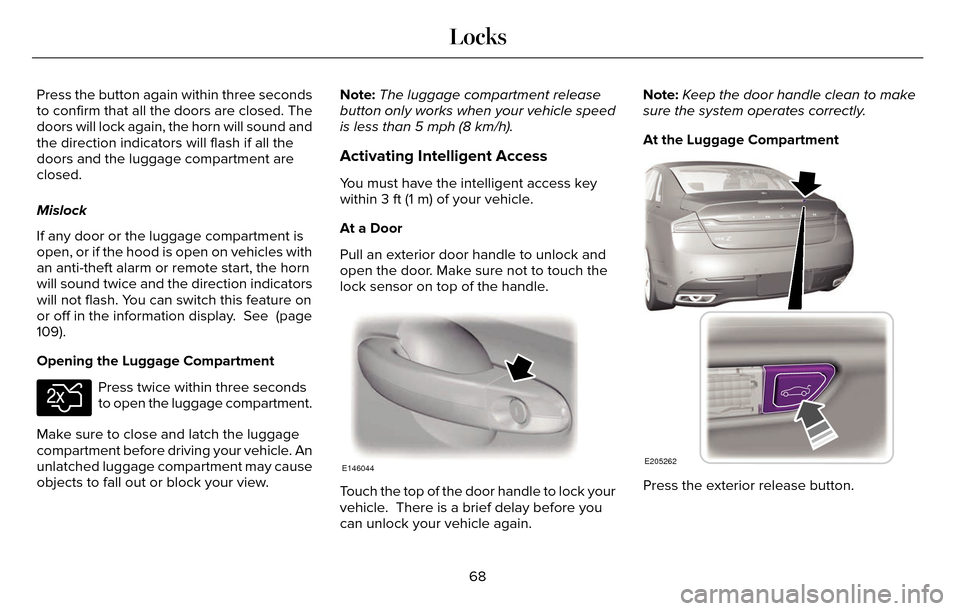
At a Door
Pull an exterior door handle to unlock and
open the door. Make sure not to touch the
lock sensor on top of the handle.
E146044
Touch the top of the door handle to lock your
vehicle. There is a brief delay before you
can unlock your vehicle again. Note:
Keep the door handle clean to make
sure the system operates correctly.
At the Luggage Compartment
E205262
Press the exterior release button.
68
Locks
Page 72 of 544
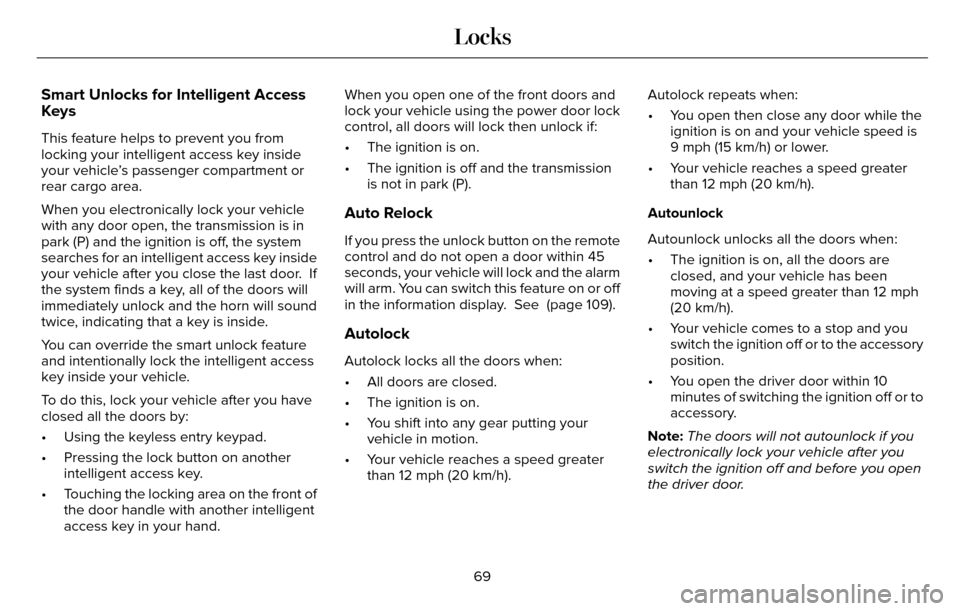
Smart Unlocks for Intelligent Access
Keys
This feature helps to prevent you from
locking your intelligent access key inside
your vehicle’s passenger compartment or
rear cargo area.
When you electronically lock your vehicle
with any door open, the transmission is in
park (P) and the ignition is off, the system
searches for an intelligent access key inside
your vehicle after you close the last door. If
the system finds a key, all of the doors will
immediately unlock and the horn will sound
twice, indicating that a key is inside.
You can override the smart unlock feature
and intentionally lock the intelligent access
key inside your vehicle.
To do this, lock your vehicle after you have
closed all the doors by:
• Using the keyless entry keypad.
• Pressing the lock button on anotherintelligent access key.
• Touching the locking area on the front of the door handle with another intelligent
access key in your hand. When you open one of the front doors and
lock your vehicle using the power door lock
control, all doors will lock then unlock if:
• The ignition is on.
• The ignition is off and the transmission
is not in park (P).
Auto Relock
If you press the unlock button on the remote
control and do not open a door within 45
seconds, your vehicle will lock and the alarm
will arm. You can switch this feature on or off
in the information display. See (page 109).
Autolock
Autolock locks all the doors when:
• All doors are closed.
• The ignition is on.
• You shift into any gear putting yourvehicle in motion.
• Your vehicle reaches a speed greater than 12 mph (20 km/h). Autolock repeats when:
• You open then close any door while the
ignition is on and your vehicle speed is
9 mph (15 km/h) or lower.
• Your vehicle reaches a speed greater than 12 mph (20 km/h).
Autounlock
Autounlock unlocks all the doors when:
• The ignition is on, all the doors are closed, and your vehicle has been
moving at a speed greater than 12 mph
(20 km/h).
• Your vehicle comes to a stop and you switch the ignition off or to the accessory
position.
• You open the driver door within 10 minutes of switching the ignition off or to
accessory.
Note: The doors will not autounlock if you
electronically lock your vehicle after you
switch the ignition off and before you open
the driver door.
69
Locks
Page 73 of 544
Enabling or Disabling Autolock and
Autounlock
Note:You can switch autounlock and
autolock on or off independently of each
other.
You can switch these features on or off in
the information display or an authorized
dealer can do it for you. See (page 109).
Illuminated Entry
The interior lamps and some exterior lamps
illuminate when you unlock the doors with
the remote control.
The illuminated entry system will turn off the
lights if:
• The ignition is on.
• You press the remote control lock button.
• After 25 seconds of illumination.
The lights do not turn off if:
• You turn them on with the lamp control.
• Any door is open.
Illuminated Exit
The interior lamps and some exterior lamps
illuminate when all doors are closed and you
switch the ignition off.
The lamps will turn off if all the doors remain
closed and:
• 25 seconds have elapsed.
• You press the push button ignition switch.
Battery Saver
If you leave the courtesy lamps, interior
lamps or headlamps on, the battery saver
shuts them off 10 minutes after you switch
the ignition off.
Accessory Mode Battery Saver for
Intelligent Access Keys
If you leave the ignition switched on, it shuts
off when it detects a certain amount of
battery drain, or after 45 minutes.
Luggage Compartment
From Inside Your Vehicle
E138633
Press the button on the
instrument panel to open the
luggage compartment.
With the Remote Control
E138630
Press twice within three seconds
to open the luggage compartment.
70
Locks
Page 74 of 544
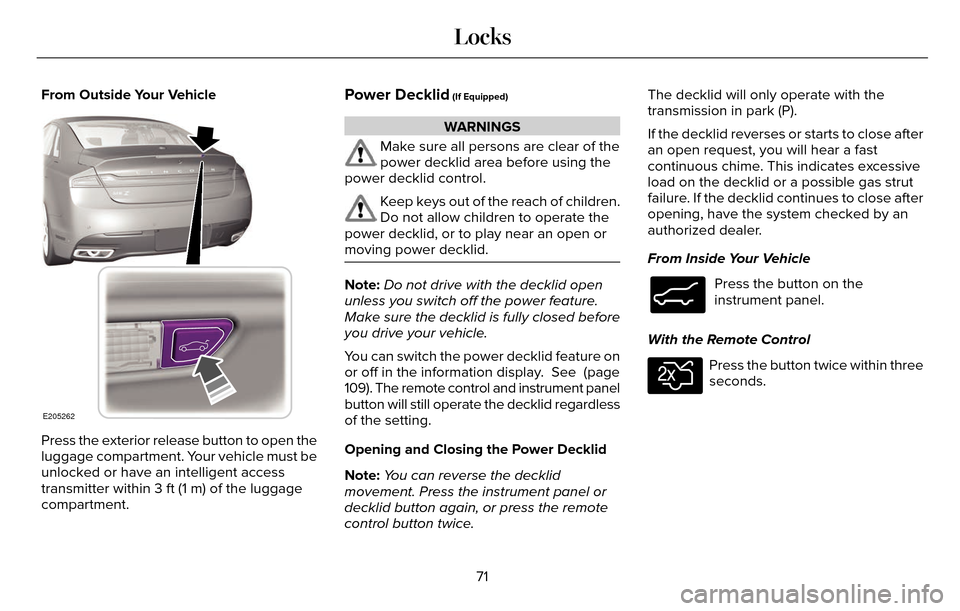
From Outside Your Vehicle
E205262
Press the exterior release button to open the
luggage compartment. Your vehicle must be
unlocked or have an intelligent access
transmitter within 3 ft (1 m) of the luggage
compartment.
Power Decklid (If Equipped)
WARNINGS
Make sure all persons are clear of the
power decklid area before using the
power decklid control.
Keep keys out of the reach of children.
Do not allow children to operate the
power decklid, or to play near an open or
moving power decklid.
Note: Do not drive with the decklid open
unless you switch off the power feature.
Make sure the decklid is fully closed before
you drive your vehicle.
You can switch the power decklid feature on
or off in the information display. See (page
109). The remote control and instrument panel
button will still operate the decklid regardless
of the setting.
Opening and Closing the Power Decklid
Note: You can reverse the decklid
movement. Press the instrument panel or
decklid button again, or press the remote
control button twice. The decklid will only operate with the
transmission in park (P).
If the decklid reverses or starts to close after
an open request, you will hear a fast
continuous chime. This indicates excessive
load on the decklid or a possible gas strut
failure. If the decklid continues to close after
opening, have the system checked by an
authorized dealer.
From Inside Your Vehicle
E138633
Press the button on the
instrument panel.
With the Remote Control
E138630
Press the button twice within three
seconds.
71
Locks