ECO mode LINCOLN MKZ HYBRID 2013 Owner's Manual
[x] Cancel search | Manufacturer: LINCOLN, Model Year: 2013, Model line: MKZ HYBRID, Model: LINCOLN MKZ HYBRID 2013Pages: 475, PDF Size: 3.89 MB
Page 142 of 475
Note:
When the system is in AUTO
mode, and the interior and exterior
temperatures are high, the system
automatically selects recirculated air
to maximize cooling of the interior.
When the system reaches the selected
air temperature, it automatically
switches to outside air.
Note: When you select windshield
defrosting and defogging, the
instrument panel and footwell level
functions automatically switch off and
air conditioning switches on. Outside
air flows into your vehicle.
Heating the Interior Quickly
1. Press the AUTO button.
2. Adjust the temperature control to the desired setting.
Recommended Settings for
Heating
1. Press the AUTO button.
2. Adjust the temperature control to a comfortable setting.
Cooling the Interior Quickly
1. Press the MAX A/C button.
2. Adjust the temperature control to the desired setting.
Recommended Settings for
Cooling
1. Press the AUTO button.
2. Adjust the temperature to a comfortable setting. Side Window Defogging in Cold
Weather
1. Press the defrost button.
2. Adjust the temperature control to
the desired setting.
HEATED WINDOWS AND
MIRRORS
Heated Rear Window
Note: You must switch the ignition on
to use this feature.
Press the button to clear the rear
window of thin ice and fog. Press the
button again within 10 minutes to
switch it off. It switches off
automatically after 10 minutes, or
when you switch the ignition off.
Do not use razor blades or other
sharp objects to clean the inside
of the rear window or to remove
decals from the inside of the rear
window. This may cause damage
to the heated grid lines, which your
warranty does not cover.
Heated Exterior Mirror
Note: Do not remove ice from the
mirrors with a scraper or attempt to
readjust the mirror glass if it has frozen
in place. These actions could cause
damage to the glass and mirrors.
Note: Do not clean the housing or
glass of any mirror with harsh
abrasives, fuel or other
petroleum-based cleaning products.
140
MKZ (CC9) Climate Control
Page 148 of 475
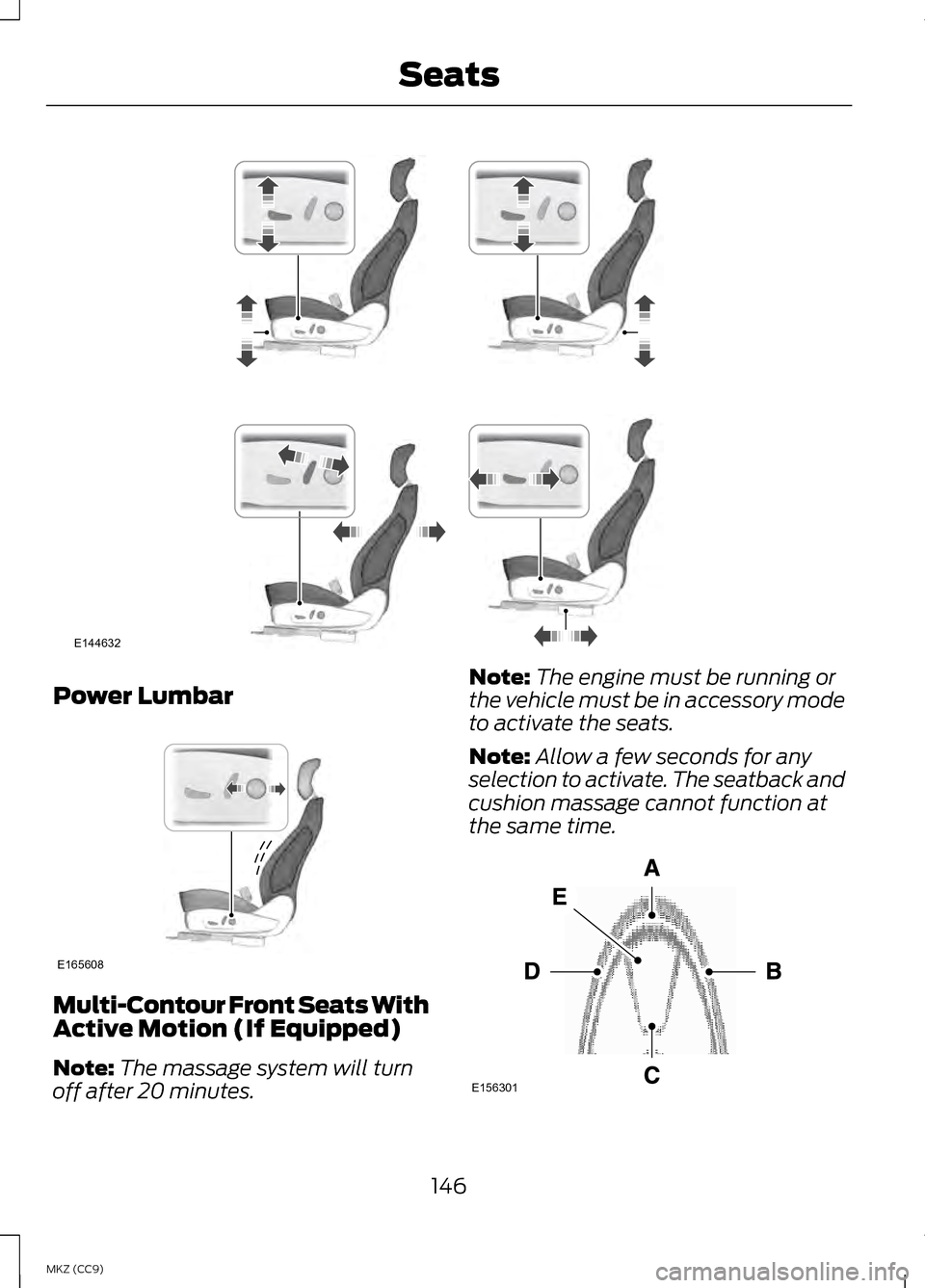
Power Lumbar
Multi-Contour Front Seats With
Active Motion (If Equipped)
Note:
The massage system will turn
off after 20 minutes. Note:
The engine must be running or
the vehicle must be in accessory mode
to activate the seats.
Note: Allow a few seconds for any
selection to activate. The seatback and
cushion massage cannot function at
the same time. 146
MKZ (CC9) SeatsE144632 E165608 E156301
Page 149 of 475
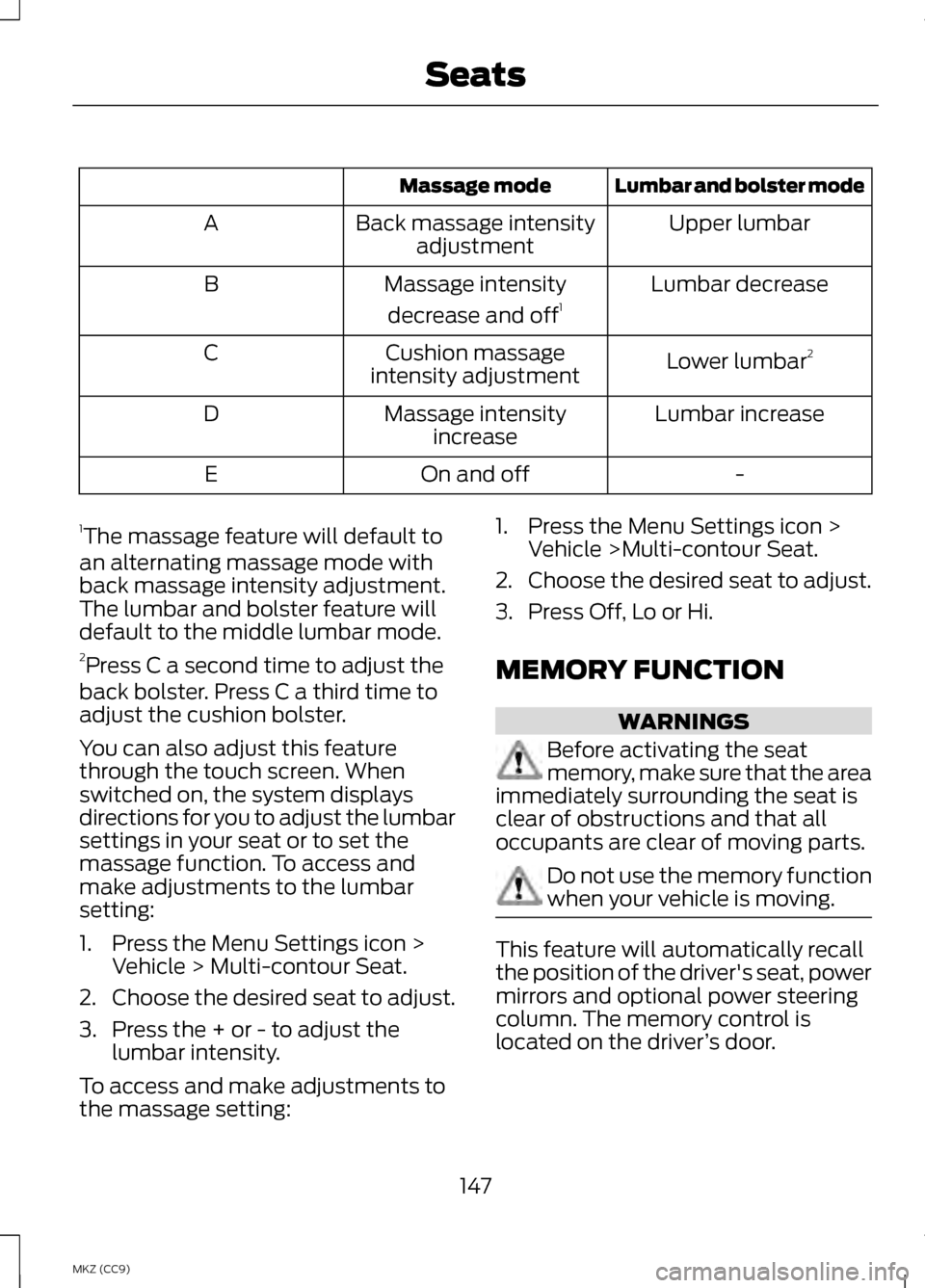
Lumbar and bolster mode
Massage mode
Upper lumbar
Back massage intensity
adjustment
A
Lumbar decrease
Massage intensity
decrease and off 1
B
Lower lumbar2
Cushion massage
intensity adjustment
C
Lumbar increase
Massage intensity
increase
D
-
On and off
E
1 The massage feature will default to
an alternating massage mode with
back massage intensity adjustment.
The lumbar and bolster feature will
default to the middle lumbar mode.
2 Press C a second time to adjust the
back bolster. Press C a third time to
adjust the cushion bolster.
You can also adjust this feature
through the touch screen. When
switched on, the system displays
directions for you to adjust the lumbar
settings in your seat or to set the
massage function. To access and
make adjustments to the lumbar
setting:
1. Press the Menu Settings icon > Vehicle > Multi-contour Seat.
2. Choose the desired seat to adjust.
3. Press the + or - to adjust the lumbar intensity.
To access and make adjustments to
the massage setting: 1. Press the Menu Settings icon >
Vehicle >Multi-contour Seat.
2. Choose the desired seat to adjust.
3. Press Off, Lo or Hi.
MEMORY FUNCTION WARNINGS
Before activating the seat
memory, make sure that the area
immediately surrounding the seat is
clear of obstructions and that all
occupants are clear of moving parts. Do not use the memory function
when your vehicle is moving.
This feature will automatically recall
the position of the driver's seat, power
mirrors and optional power steering
column. The memory control is
located on the driver
’s door.
147
MKZ (CC9) Seats
Page 157 of 475
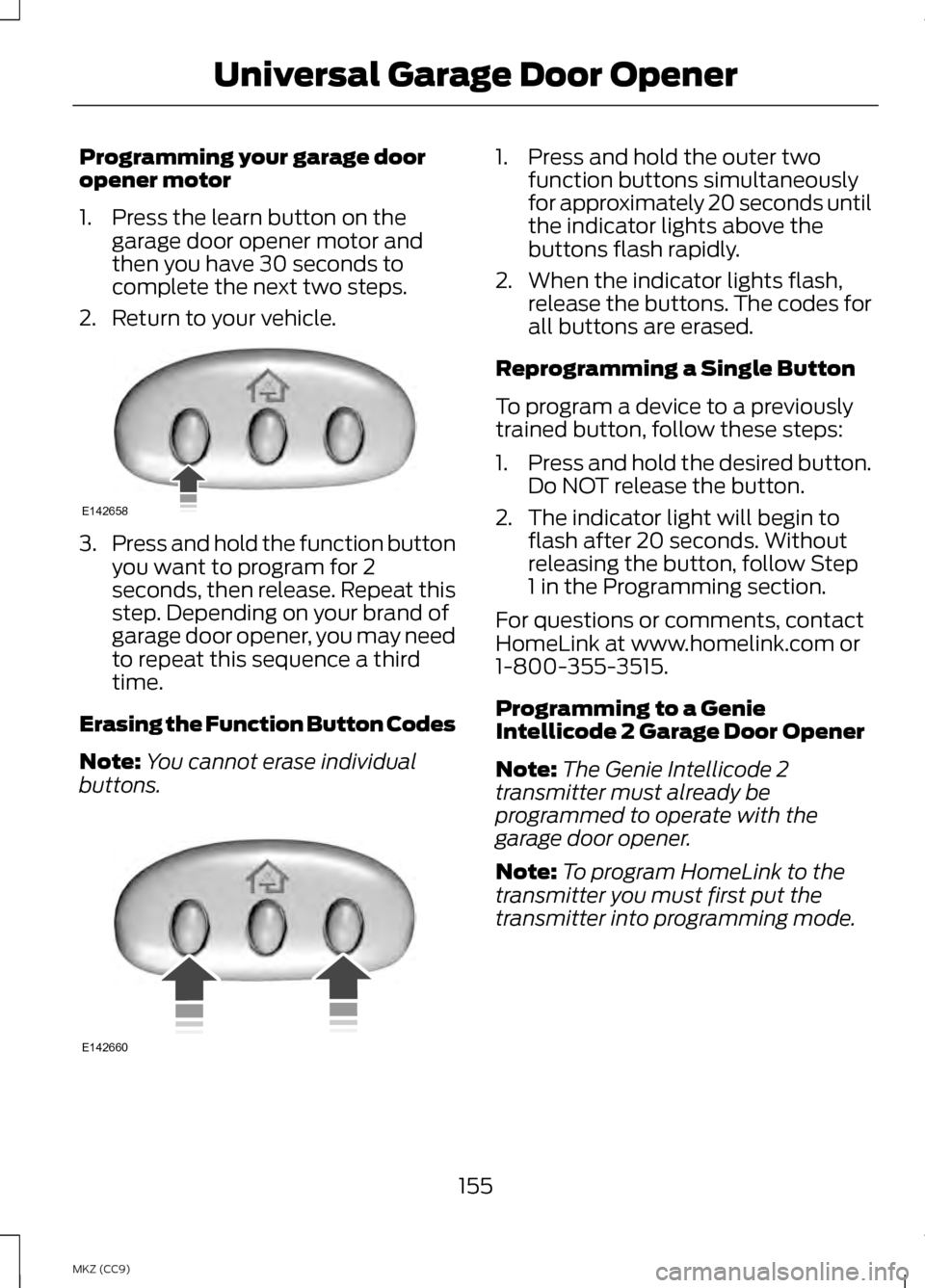
Programming your garage door
opener motor
1. Press the learn button on the
garage door opener motor and
then you have 30 seconds to
complete the next two steps.
2. Return to your vehicle. 3.
Press and hold the function button
you want to program for 2
seconds, then release. Repeat this
step. Depending on your brand of
garage door opener, you may need
to repeat this sequence a third
time.
Erasing the Function Button Codes
Note: You cannot erase individual
buttons. 1. Press and hold the outer two
function buttons simultaneously
for approximately 20 seconds until
the indicator lights above the
buttons flash rapidly.
2. When the indicator lights flash, release the buttons. The codes for
all buttons are erased.
Reprogramming a Single Button
To program a device to a previously
trained button, follow these steps:
1. Press and hold the desired button.
Do NOT release the button.
2. The indicator light will begin to flash after 20 seconds. Without
releasing the button, follow Step
1 in the Programming section.
For questions or comments, contact
HomeLink at www.homelink.com or
1-800-355-3515.
Programming to a Genie
Intellicode 2 Garage Door Opener
Note: The Genie Intellicode 2
transmitter must already be
programmed to operate with the
garage door opener.
Note: To program HomeLink to the
transmitter you must first put the
transmitter into programming mode.
155
MKZ (CC9) Universal Garage Door OpenerE142658 E142660
Page 158 of 475
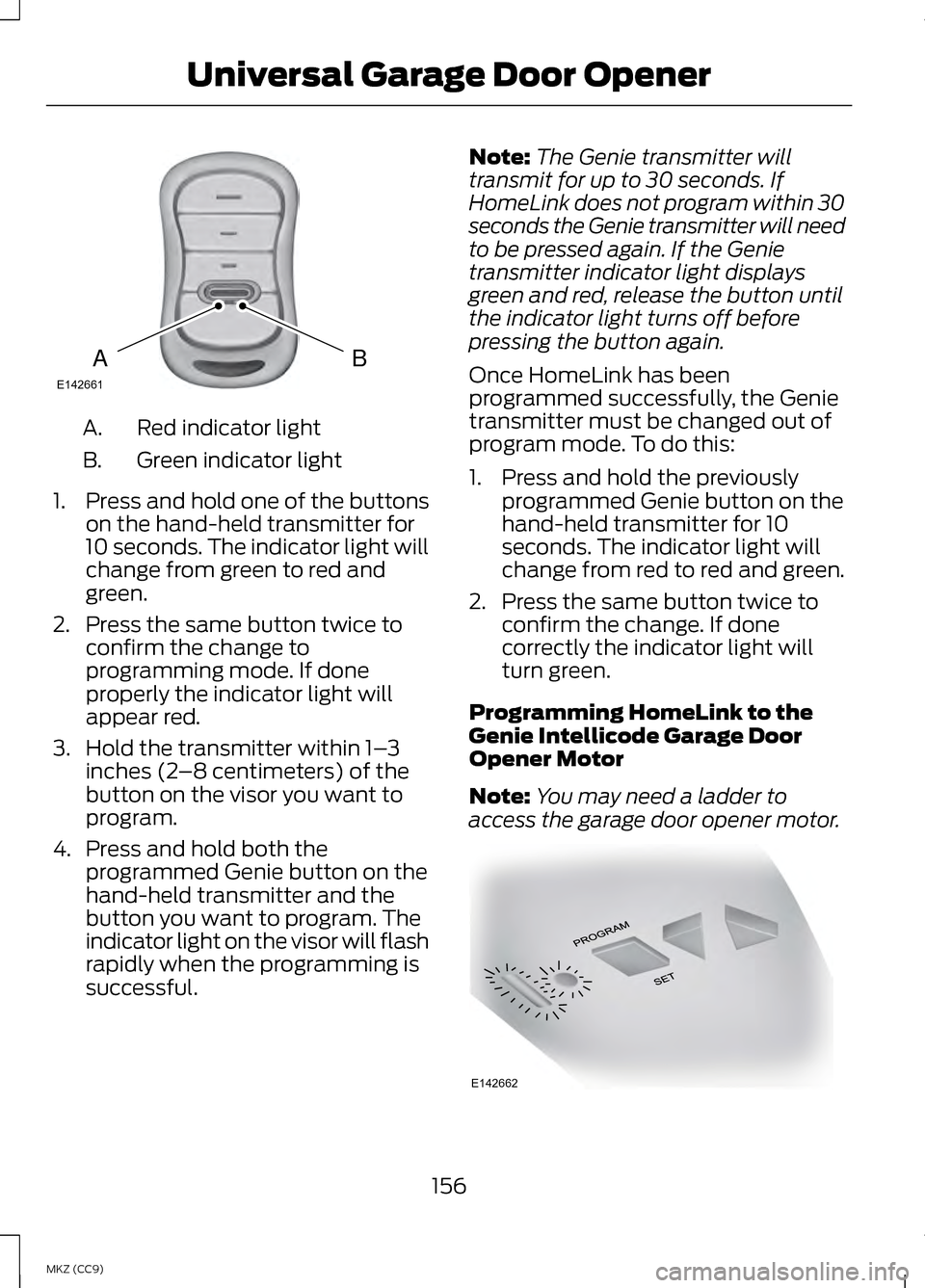
Red indicator light
A.
Green indicator light
B.
1. Press and hold one of the buttons
on the hand-held transmitter for
10 seconds. The indicator light will
change from green to red and
green.
2. Press the same button twice to confirm the change to
programming mode. If done
properly the indicator light will
appear red.
3. Hold the transmitter within 1– 3
inches (2 –8 centimeters) of the
button on the visor you want to
program.
4. Press and hold both the programmed Genie button on the
hand-held transmitter and the
button you want to program. The
indicator light on the visor will flash
rapidly when the programming is
successful. Note:
The Genie transmitter will
transmit for up to 30 seconds. If
HomeLink does not program within 30
seconds the Genie transmitter will need
to be pressed again. If the Genie
transmitter indicator light displays
green and red, release the button until
the indicator light turns off before
pressing the button again.
Once HomeLink has been
programmed successfully, the Genie
transmitter must be changed out of
program mode. To do this:
1. Press and hold the previously programmed Genie button on the
hand-held transmitter for 10
seconds. The indicator light will
change from red to red and green.
2. Press the same button twice to confirm the change. If done
correctly the indicator light will
turn green.
Programming HomeLink to the
Genie Intellicode Garage Door
Opener Motor
Note: You may need a ladder to
access the garage door opener motor. 156
MKZ (CC9) Universal Garage Door OpenerBAE142661 E142662
Page 159 of 475
1.
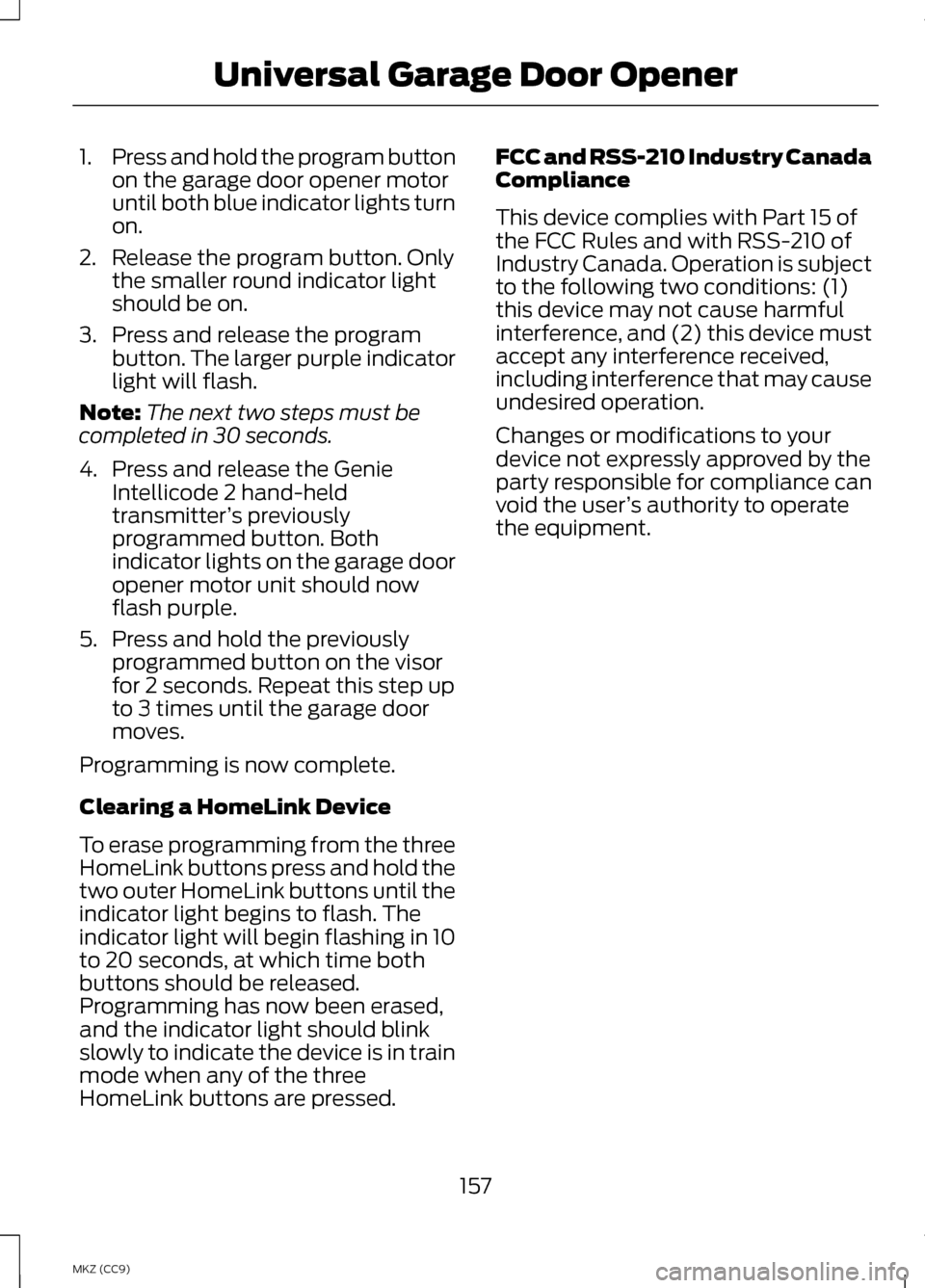
Press and hold the program button
on the garage door opener motor
until both blue indicator lights turn
on.
2. Release the program button. Only the smaller round indicator light
should be on.
3. Press and release the program button. The larger purple indicator
light will flash.
Note: The next two steps must be
completed in 30 seconds.
4. Press and release the Genie Intellicode 2 hand-held
transmitter ’s previously
programmed button. Both
indicator lights on the garage door
opener motor unit should now
flash purple.
5. Press and hold the previously programmed button on the visor
for 2 seconds. Repeat this step up
to 3 times until the garage door
moves.
Programming is now complete.
Clearing a HomeLink Device
To erase programming from the three
HomeLink buttons press and hold the
two outer HomeLink buttons until the
indicator light begins to flash. The
indicator light will begin flashing in 10
to 20 seconds, at which time both
buttons should be released.
Programming has now been erased,
and the indicator light should blink
slowly to indicate the device is in train
mode when any of the three
HomeLink buttons are pressed. FCC and RSS-210 Industry Canada
Compliance
This device complies with Part 15 of
the FCC Rules and with RSS-210 of
Industry Canada. Operation is subject
to the following two conditions: (1)
this device may not cause harmful
interference, and (2) this device must
accept any interference received,
including interference that may cause
undesired operation.
Changes or modifications to your
device not expressly approved by the
party responsible for compliance can
void the user
’s authority to operate
the equipment.
157
MKZ (CC9) Universal Garage Door Opener
Page 163 of 475
GENERAL INFORMATION
WARNINGS
Extended idling at high engine
speeds can produce very high
temperatures in the engine and
exhaust system, creating the risk of
fire or other damage. Do not park, idle or drive your
vehicle on dry grass or other dry
ground cover. The emission system
heats up the engine compartment and
exhaust system, creating the risk of
fire. Do not start the engine in a
closed garage or in other
enclosed areas. Exhaust fumes can
be toxic. Always open the garage door
before you start the engine. If you smell exhaust fumes inside
your vehicle, have your vehicle
checked by an authorized dealer
immediately. Do not drive your vehicle
if you smell exhaust fumes. If you disconnect the battery, your
vehicle may exhibit some unusual
driving characteristics for
approximately 5 miles (8 kilometers)
after you reconnect it. This is because
the engine management system must
realign itself with the engine. You can
disregard any unusual driving
characteristics during this period.
The powertrain control system meets
all Canadian interference-causing
equipment standard requirements
regulating the impulse electrical field
or radio noise. When you start the engine, avoid
pressing the accelerator pedal before
and during operation. Only use the
accelerator pedal when you have
difficulty starting the engine.
KEYLESS STARTING
Note:
The keyless starting system may
not function if the key is close to metal
objects or electronic devices such as
cellular phones.
Note: A valid key must be located
inside your vehicle to switch the ignition
on and start the engine.
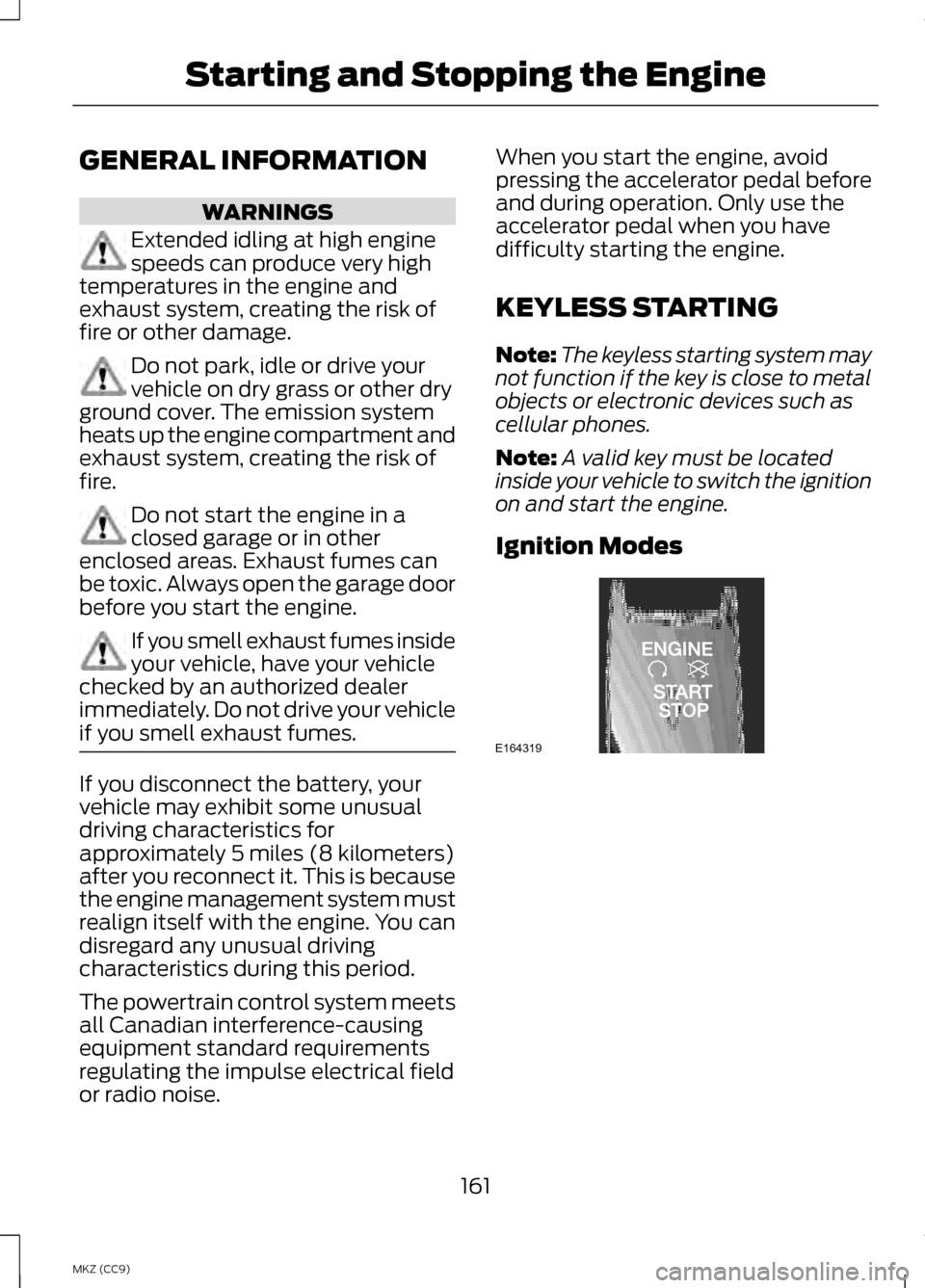
Ignition Modes 161
MKZ (CC9) Starting and Stopping the EngineE164319
Page 170 of 475
During certain events (such as vehicle
servicing) your low voltage 12-volt
battery may become disconnected or
disabled. Once the battery is
reconnected and after driving the
vehicle, the engine may continue to
operate for three to five seconds after
the key is turned to off. This is a
normal condition.
Braking: Your hybrid is equipped with
standard hydraulic braking and
regenerative braking. Regenerative
braking is performed by your
transmission and it captures brake
energy and stores it in your high
voltage battery.
Driving to optimize fuel economy
Note:
Having your engine running is
not always an indication of inefficiency.
In some cases, it is actually more
efficient than driving in electric mode.
Your fuel economy should improve
throughout your hybrid's break-in
period. As with any vehicle, your
driving habits and accessory usage
can significantly impact your fuel
economy. For best results, keep in
mind these tips: •
Keep the tires properly inflated and
only use the recommended size.
• Aggressive driving increases the
amount of energy required to move
your vehicle. In general, you can
achieve better fuel economy with
mild to moderate acceleration and
deceleration. Moderate braking is
particularly important since it
allows you to maximize the energy
captured by the regenerative
braking system.
Additional Tips:
• Do not carry extra loads.
• Be mindful of adding external
accessories that may increase
aerodynamic drag.
• Observe posted speed limits.
• Perform all scheduled
maintenance.
• There is no need to wait for your
engine to warm up. The vehicle is
ready to drive immediately after
starting.
EV+ Mode
Your vehicle will recognize your
frequent destinations and allow for
more EV driving as you approach
them. For example, when nearing your
home it should be easier to stay in
electric mode. The EV indicator will
display EV+ when this mode is active.
You should see this about 1/8 mile
(200 meters) from a frequent
destination. See Information
Displays (page 103).
168
MKZ (CC9) Unique Driving Characteristics
Page 189 of 475
N (Neutral)
Press the N button to put the vehicle
in N (Neutral). In neutral, the vehicle
can be started and is free to roll. Hold
the brake pedal down while in this
position.
Stay in Neutral mode
Stay in Neutral mode allows the
vehicle to stay in
N (Neutral) when
you exit the vehicle. The vehicle must
be stationary to enter this mode.
To enter Stay in Neutral mode:
1. Press the
N (Neutral) button on
the shifter assembly.
2. The message
Select N Again to
Enter Stay in Neutral mode will
appear in the information display
screen.
3. Press the N (Neutral) button again
to enter Stay in Neutral mode.
The message
Stay in Neutral mode
engaged will appear in the
instrument cluster when the vehicle
has entered Stay in Neutral mode.
Note: During this mode the
N button
will flash continuously and the
instrument cluster will display N as the
selected gear.
Exiting Stay in Neutral mode
To disable Stay in Neutral mode put
the vehicle in another gear. See the
Putting the Vehicle in Gear section
for instructions on how to do this. Entering a Carwash
Note:
Always put the vehicle in Stay
in Neutral mode when entering an
automatic car wash. Failure to do this
could result in vehicle damage that
may not be covered by warranty.
D (Drive)
The normal driving position for the
best fuel economy.
D (Drive) with Grade Assist The grade assist button is
located on the instrument
panel next the MyLincoln
Touch ™ system. Press the grade
assist button to activate and
deactivate grade assist.
Grade assist:
• Provides additional grade braking
with a combination of engine
motoring and high-voltage battery
charging to help maintain vehicle
speed when descending a grade.
• As the vehicle determines the
amount of engine motoring and
high-voltage battery charging, you
may notice the engine speed
increasing and decreasing to help
maintain your vehicle speed when
descending a grade. The grade assist lamp will
appear in the instrument
cluster when grade assist is
turned on.
187
MKZ (CC9) TransmissionE144523 E144523
Page 191 of 475
5. Release the override button.
6.
The vehicle will remain in Stay in
Neutral mode for wrecker towing
purposes or can be shifted to the
desired gear and driven (if the
vehicle can be driven).
7. Release the parking brake.
If Your Vehicle Gets Stuck In
Mud or Snow
Note: Do not rock the vehicle if the
engine is not at normal operating
temperature or damage to the
transmission may occur.
Note: Do not rock the vehicle for more
than a minute or damage to the
transmission and tires may occur, or
the engine may overheat.
If your vehicle gets stuck in mud or
snow, it may be rocked out by shifting
between forward and reverse gears,
stopping between shifts in a steady
pattern. Press lightly on the
accelerator in each gear.
HILL START ASSIST WARNINGS
The system does not replace the
parking brake. When you leave
your vehicle, always apply the parking
brake and put the vehicle in P (Park). You must remain in your vehicle
once you have activated the
system. WARNINGS
During all times, you are
responsible for controlling your
vehicle, supervising the system and
intervening, if required. If the engine is revved
excessively, or if a malfunction
is detected, the system will be
deactivated. The system makes it easier to pull
away when your vehicle is on a slope
without the need to use the parking
brake.
When the system is active, your
vehicle will remain stationary on the
slope for two to three seconds after
you release the brake pedal. This
allows you time to move your foot
from the brake to the accelerator
pedal. The brakes are released
automatically once the engine has
developed sufficient drive to prevent
your vehicle from rolling down the
slope. This is an advantage when
pulling away on a slope, (for example
from a car park ramp, traffic lights or
when reversing uphill into a parking
space).
The system will activate
automatically on any slope that will
cause significant vehicle rollback.
Using Hill Start Assist
1.
Press the brake pedal to bring your
vehicle to a complete standstill.
Keep the brake pedal pressed.
189
MKZ (CC9) Transmission