manual LINCOLN MKZ HYBRID 2013 Owners Manual
[x] Cancel search | Manufacturer: LINCOLN, Model Year: 2013, Model line: MKZ HYBRID, Model: LINCOLN MKZ HYBRID 2013Pages: 475, PDF Size: 3.89 MB
Page 1 of 475
June 2013
Second Printing
Owner’s Manual
Lincoln MKZ
Litho in U.S.A.
DH6J 19A321 EA
2013 MKZ HYBRID
OWNER’S MANUAL
2013 MKZ HYBRID
OWNER’S MANUAL
lincolnowner.comlincolncanada.com
Page 3 of 475
Introduction
About This Manual..................................7
Symbols Glossary
....................................7
Data Recording........................................9
California Proposition 65
.....................11
Perchlorate................................................11
Lincoln Credit
...........................................12
Replacement Parts Recommendation..............................12
Special Notices
.......................................13
Mobile Communications Equipment............................................13
Export Unique Options........................13
Child Safety
General Information.............................15
Child Seat Positioning
..........................17
Booster Seats
..........................................18
Installing Child Seats
............................21
Child Safety Locks................................29
Safety Belts
Principle of Operation..........................31
Fastening the Safety Belts................32
Safety Belt Height Adjustment.......36
Safety Belt Warning Lamp and Indicator Chime.................................37
Safety Belt Minder
................................38
Child Restraint and Safety Belt Maintenance......................................39
Personal Safety System ™
Personal Safety System ™
.................41Supplementary Restraints
System
Principle of Operation
.........................42
Driver and Passenger Airbags..........43
Knee Airbag
............................................44
Front Passenger Sensing System..................................................45
Side Airbags............................................47
Side Curtain Airbags............................48
Crash Sensors and Airbag Indicator...............................................50
Airbag Disposal.......................................51
Keys and Remote Controls
General Information on Radio Frequencies.........................................52
Remote Control
.....................................53
Replacing a Lost Key or Remote Control..................................................56
MyKey ™
Principle of Operation.........................57
Creating a MyKey
..................................58
Clearing All MyKeys.............................58
Checking MyKey System Status...................................................59
Using MyKey With Remote Start Systems...............................................59
MyKey Troubleshooting
.....................59
Locks
Locking and Unlocking.......................62
Keyless Entry...........................................67
Interior Luggage Compartment Release
.................................................70
1
MKZ Hybrid (CC9) Table of Contents
Page 9 of 475
ABOUT THIS MANUAL
Thank you for choosing Lincoln. We
recommend that you take some time
to get to know your vehicle by reading
this manual. The more that you know
about it, the greater the safety and
pleasure you will get from driving it.
WARNING
Driving while distracted can
result in loss of vehicle control,
crash and injury. We strongly
recommend that you use extreme
caution when using any device that
may take your focus off the road. Your
primary responsibility is the safe
operation of your vehicle. We
recommend against the use of any
handheld device while driving and
encourage the use of voice-operated
systems when possible. Make sure you
are aware of all applicable local laws
that may affect the use of electronic
devices while driving. Note:
This manual describes product
features and options available
throughout the range of available
models, sometimes even before they
are generally available. It may describe
options not fitted to your vehicle.
Note: Some of the illustrations in this
manual may be used for different
models, so may appear different to you
on your vehicle. However, the essential
information in the illustrations is
always correct.
Note: Always use and operate your
vehicle in line with all applicable laws
and regulations. Note:
Pass on this manual when
selling your vehicle. It is an integral part
of the vehicle.
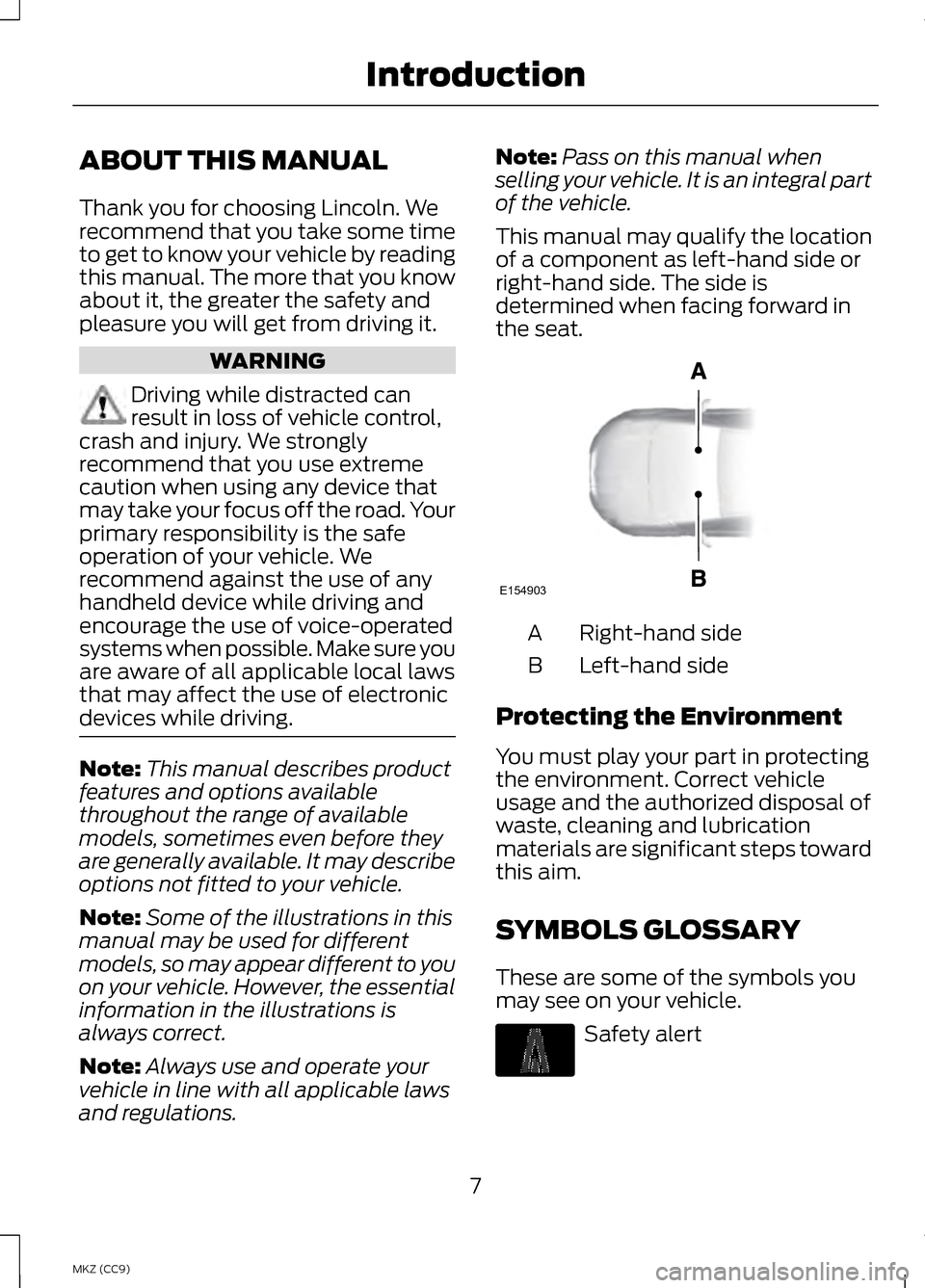
This manual may qualify the location
of a component as left-hand side or
right-hand side. The side is
determined when facing forward in
the seat. Right-hand side
A
Left-hand side
B
Protecting the Environment
You must play your part in protecting
the environment. Correct vehicle
usage and the authorized disposal of
waste, cleaning and lubrication
materials are significant steps toward
this aim.
SYMBOLS GLOSSARY
These are some of the symbols you
may see on your vehicle. Safety alert
7
MKZ (CC9) IntroductionE154903
Page 10 of 475
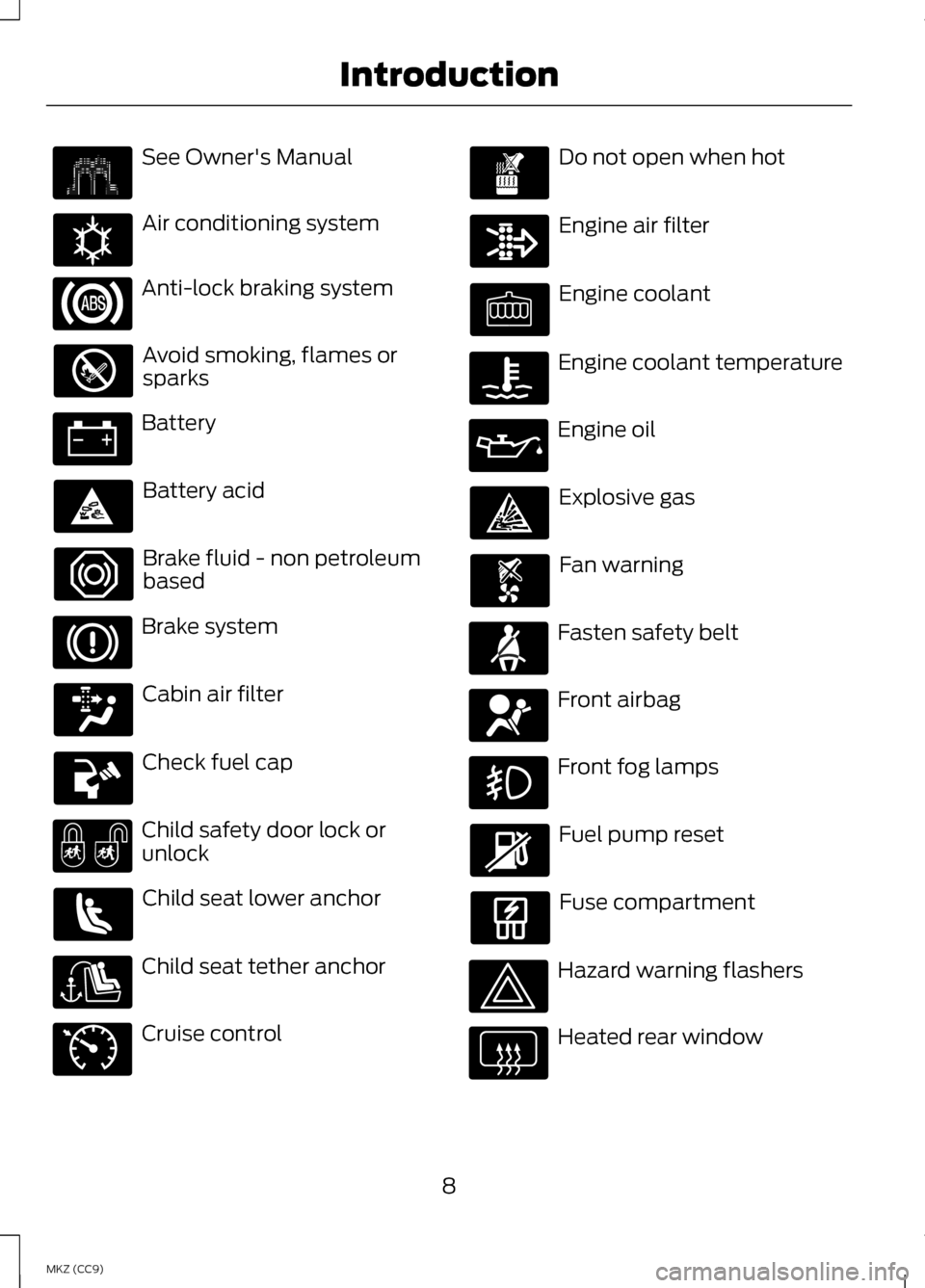
See Owner's Manual
Air conditioning system
Anti-lock braking system
Avoid smoking, flames or
sparks
Battery
Battery acid
Brake fluid - non petroleum
based
Brake system
Cabin air filter
Check fuel cap
Child safety door lock or
unlock
Child seat lower anchor
Child seat tether anchor
Cruise control Do not open when hot
Engine air filter
Engine coolant
Engine coolant temperature
Engine oil
Explosive gas
Fan warning
Fasten safety belt
Front airbag
Front fog lamps
Fuel pump reset
Fuse compartment
Hazard warning flashers
Heated rear window
8
MKZ (CC9) Introduction E162384 E71340
Page 14 of 475
Web Address
www.dtsc.ca.gov/hazardouswaste/ perchlorate
LINCOLN CREDIT
Lincoln Automotive Financial Services
offers a full range of financing and
lease plans to help you acquire your
vehicle. If you have financed or leased
your vehicle through Lincoln
Automotive Financial Services, thank
you for your business.
For your convenience we offer a
number of ways to contact us, as well
as help manage your account.
Phone: 1-888-498-8801
For more information regarding
Lincoln Automotive Financial Services,
as well as access Account Manager,
please go to www.LincolnAFS.com.
REPLACEMENT PARTS
RECOMMENDATION
Your vehicle has been built to the
highest standards using quality parts.
We recommend that you demand the
use of genuine Ford and Motorcraft
parts whenever your vehicle requires
scheduled maintenance or repair. You
can clearly identify genuine Ford and
Motorcraft parts by looking for the
Ford, FoMoCo or Motorcraft branding
on the parts or their packaging. Scheduled Maintenance and
Mechanical Repairs
One of the best ways for you to make
sure that your vehicle provides years
of service is to have it maintained in
line with our recommendations using
parts that conform to the
specifications detailed in this Owner
’s
Manual. Genuine Ford and Motorcraft
parts meet or exceed these
specifications.
Collision Repairs
We hope that you never experience a
collision, but accidents do happen.
Genuine Ford replacement collision
parts meet our stringent requirements
for fit, finish, structural integrity,
corrosion protection and dent
resistance. During vehicle
development we validate these parts
deliver the intended level of protection
as a whole system. A great way to
know for sure you are getting this level
of protection is to use genuine Ford
replacement collision parts.
Warranty on Replacement
Parts
Genuine Ford and Motorcraft
replacement parts are the only
replacement parts that benefit from
a Ford Warranty. Damage caused to
your vehicle as a result of the failure
of non-Ford parts may not be covered
by the Ford Warranty. For additional
information, refer to the terms and
conditions of the Ford Warranty.
12
MKZ (CC9) Introduction
Page 15 of 475
SPECIAL NOTICES
New Vehicle Limited Warranty
For a detailed description of what is
covered and what is not covered by
your vehicle
’s New Vehicle Limited
Warranty, refer to the Warranty
Manual that is provided to you along
with your Owner ’s Manual.
Special Instructions
For your added safety, your vehicle is
fitted with sophisticated electronic
controls. WARNINGS
Failure to follow the specific
warnings and instructions could
result in personal injury. See
Supplementary Restraints System
(page 42). Front seat mounted rear-facing
child or infant seats should
NEVER
be placed in front of an active
passenger airbag. MOBILE
COMMUNICATIONS
EQUIPMENT
Using mobile communications
equipment is becoming increasingly
important in the conduct of business
and personal affairs. However, you
must not compromise your own or
others’
safety when using such
equipment. Mobile communications
can enhance personal safety and
security when appropriately used, particularly in emergency situations.
Safety must be paramount when
using mobile communications
equipment to avoid negating these
benefits. Mobile communication
equipment includes, but is not limited
to, cellular phones, pagers, portable
email devices, text messaging devices
and portable two-way radios.
WARNING
Driving while distracted can
result in loss of vehicle control,
crash and injury. We strongly
recommend that you use extreme
caution when using any device that
may take your focus off the road. Your
primary responsibility is the safe
operation of your vehicle. We
recommend against the use of any
hand-held device while driving and
encourage the use of voice-operated
systems when possible. Make sure you
are aware of all applicable local laws
that may affect the use of electronic
devices while driving. EXPORT UNIQUE OPTIONS
For your particular global region, your
vehicle may be equipped with
features and options that are different
from the features and options that are
described in this Owner
’s Manual. A
market unique supplement may be
supplied that complements this book.
By referring to the market unique
supplement, if provided, you can
properly identify those features,
recommendations and specifications
that are unique to your vehicle. This
Owner ’s Manual is written primarily
13
MKZ (CC9) Introduction
Page 16 of 475

for the U.S. and Canadian Markets.
Features or equipment listed as
standard may be different on units
built for Export.
Refer to this
Owner ’s Manual for all other
required information and
warnings.
14
MKZ (CC9) Introduction
Page 57 of 475
This feature allows you to start your
vehicle from outside the vehicle. The
transmitter has an extended operating
range.
Vehicles with automatic climate
control can be configured to operate
when the vehicle is remote started.
See Climate Control (page 138). A
manual climate control system will
run at the setting it was set to when
you switched the vehicle off.
Many states and provinces have
restrictions for the use of remote start.
Check your local and state or
provincial laws for specific
requirements regarding remote start
systems.
The remote start system will not work
if:
• the ignition is on
• the alarm system is triggered
• you disable the feature
• the hood is open
• the transmission is not in
P
• the vehicle battery voltage is too
low
• the service engine soon light is on.
Remote Control Feedback
An LED on the remote control
provides status feedback of remote
start or stop commands. Status
LED
Remote start orextension
successful
Solid green
Remote stopsuccessful;engine off
Solid red
Remote start orstop failed
Blinking red
Waiting for
status update
Blinking green
Remote Starting the Vehicle
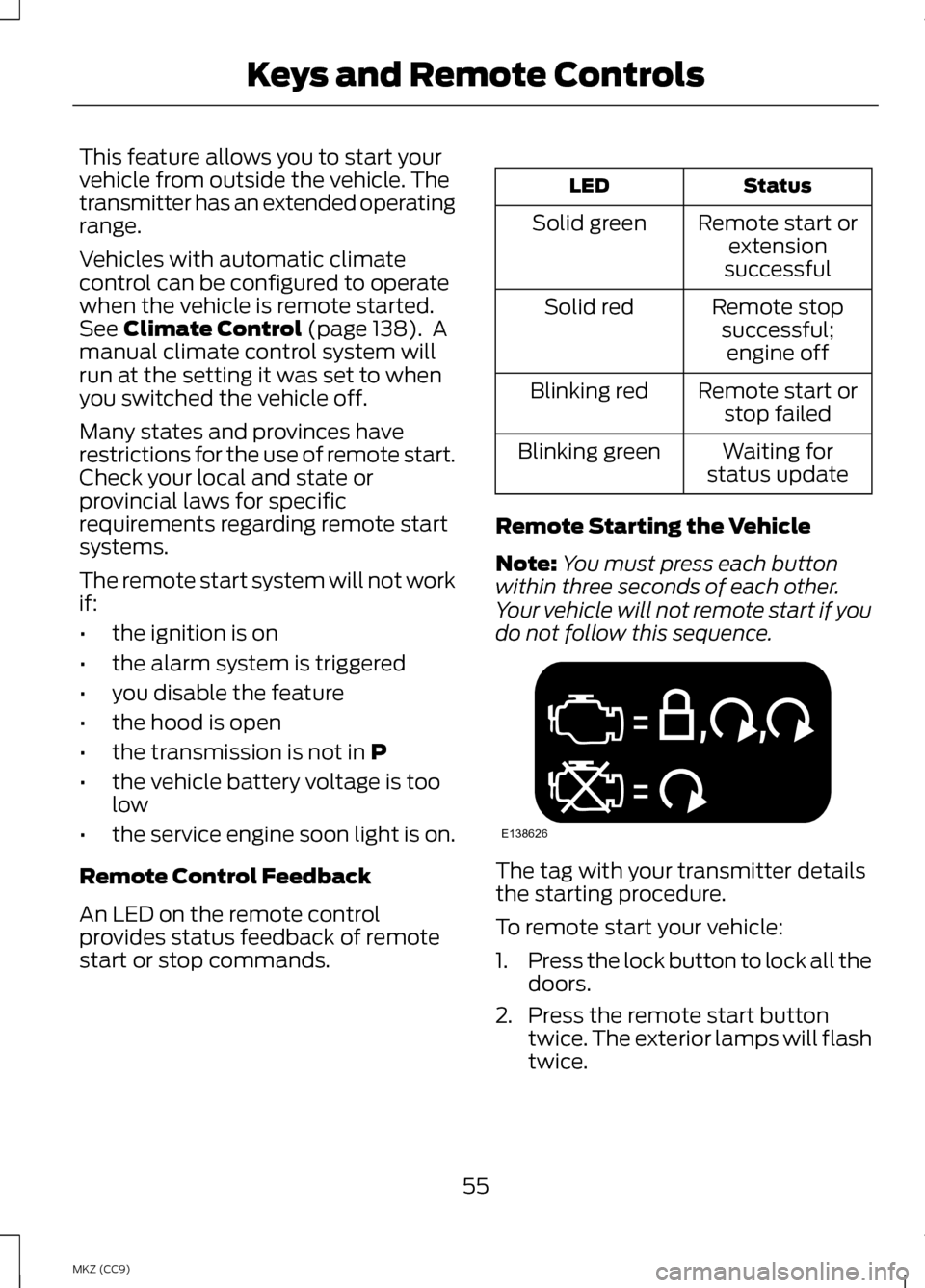
Note: You must press each button
within three seconds of each other.
Your vehicle will not remote start if you
do not follow this sequence. The tag with your transmitter details
the starting procedure.
To remote start your vehicle:
1.
Press the lock button to lock all the
doors.
2. Press the remote start button twice. The exterior lamps will flash
twice.
55
MKZ (CC9) Keys and Remote ControlsE138626
Page 69 of 475
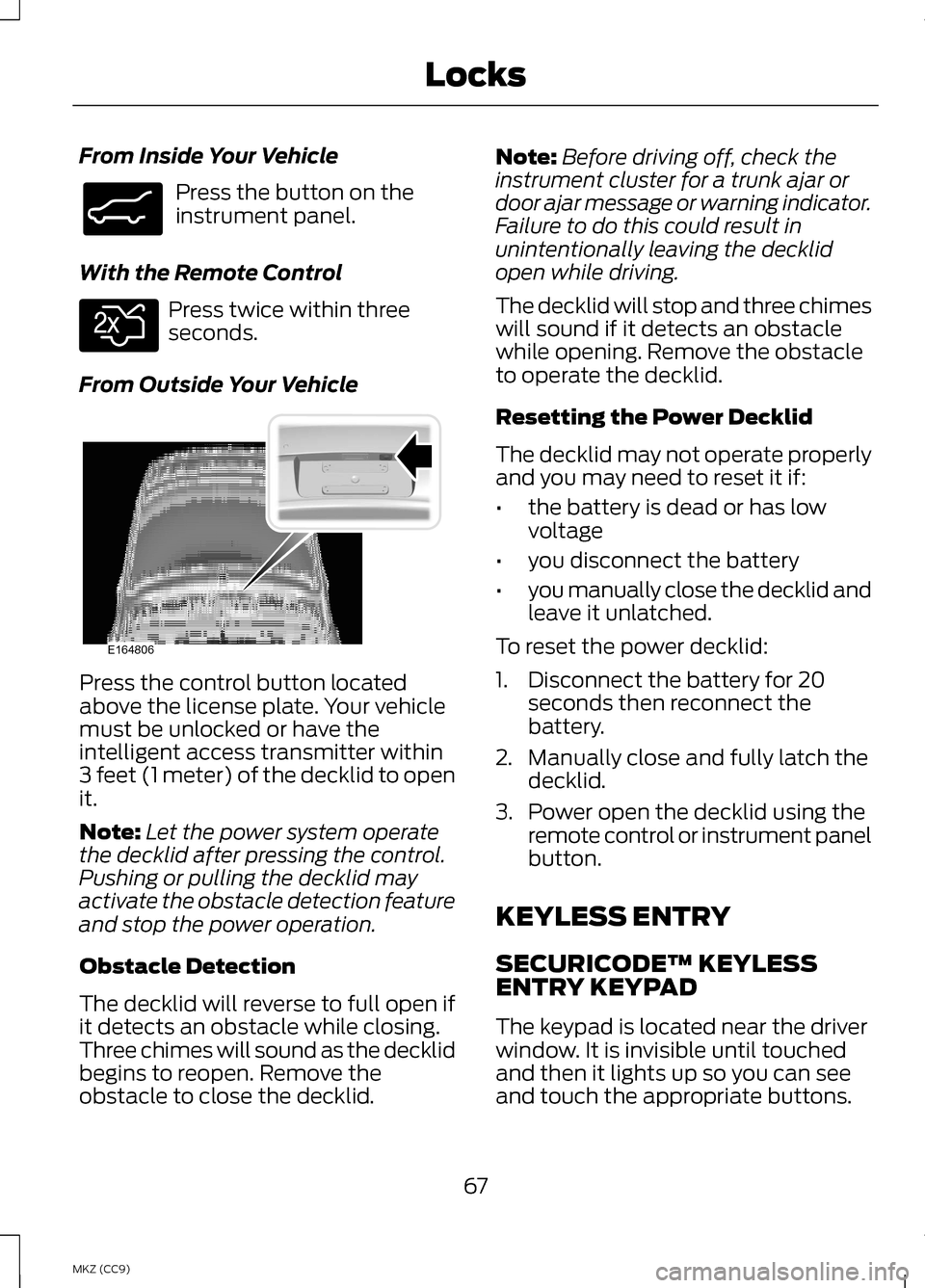
From Inside Your Vehicle
Press the button on the
instrument panel.
With the Remote Control Press twice within three
seconds.
From Outside Your Vehicle Press the control button located
above the license plate. Your vehicle
must be unlocked or have the
intelligent access transmitter within
3 feet (1 meter) of the decklid to open
it.
Note:
Let the power system operate
the decklid after pressing the control.
Pushing or pulling the decklid may
activate the obstacle detection feature
and stop the power operation.
Obstacle Detection
The decklid will reverse to full open if
it detects an obstacle while closing.
Three chimes will sound as the decklid
begins to reopen. Remove the
obstacle to close the decklid. Note:
Before driving off, check the
instrument cluster for a trunk ajar or
door ajar message or warning indicator.
Failure to do this could result in
unintentionally leaving the decklid
open while driving.
The decklid will stop and three chimes
will sound if it detects an obstacle
while opening. Remove the obstacle
to operate the decklid.
Resetting the Power Decklid
The decklid may not operate properly
and you may need to reset it if:
• the battery is dead or has low
voltage
• you disconnect the battery
• you manually close the decklid and
leave it unlatched.
To reset the power decklid:
1. Disconnect the battery for 20 seconds then reconnect the
battery.
2. Manually close and fully latch the decklid.
3. Power open the decklid using the remote control or instrument panel
button.
KEYLESS ENTRY
SECURICODE™ KEYLESS
ENTRY KEYPAD
The keypad is located near the driver
window. It is invisible until touched
and then it lights up so you can see
and touch the appropriate buttons.
67
MKZ (CC9) LocksE138633 E138630 E164806
Page 84 of 475
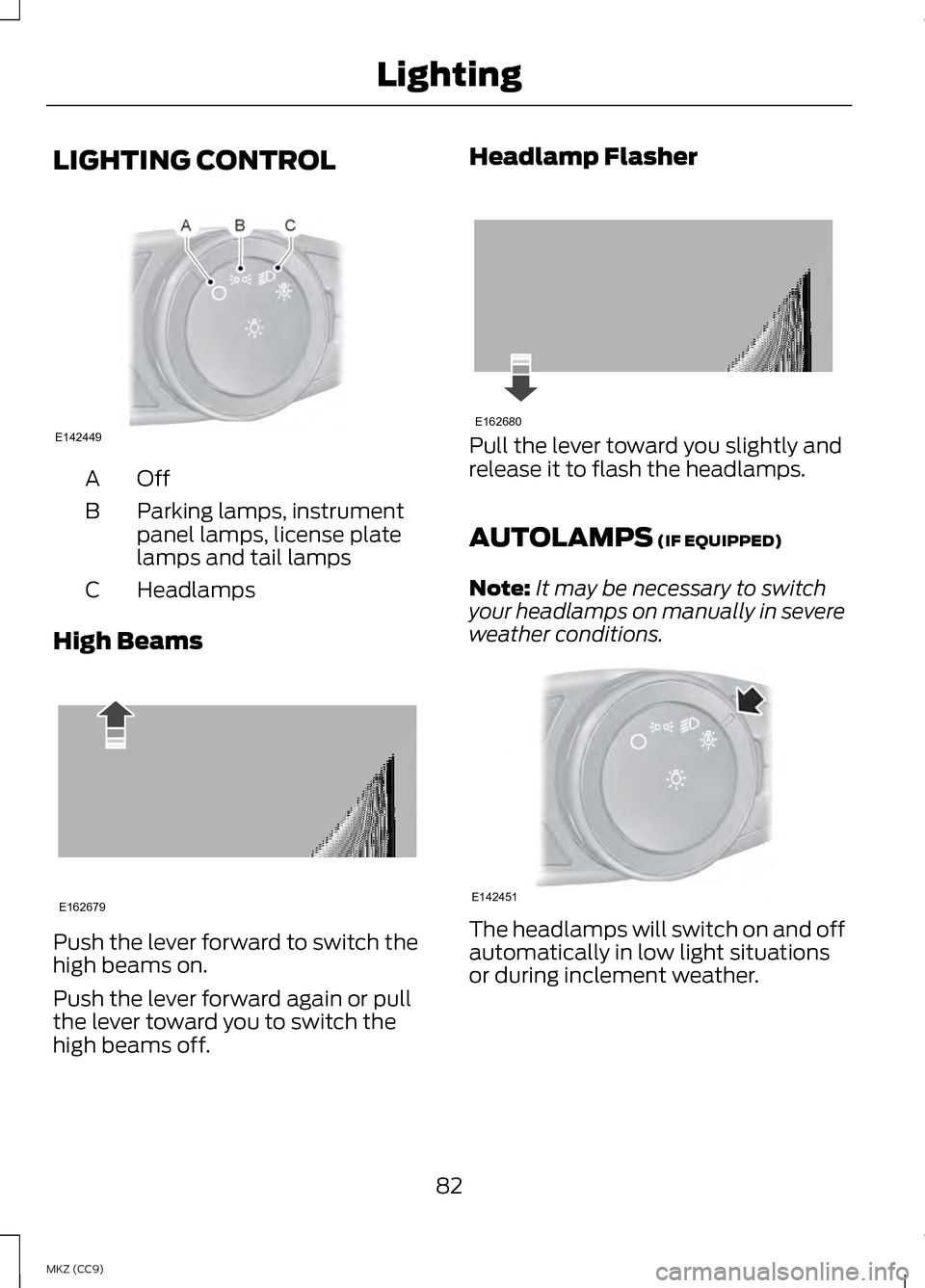
LIGHTING CONTROL
OffA
Parking lamps, instrument
panel lamps, license plate
lamps and tail lamps
B
Headlamps
C
High Beams Push the lever forward to switch the
high beams on.
Push the lever forward again or pull
the lever toward you to switch the
high beams off. Headlamp Flasher
Pull the lever toward you slightly and
release it to flash the headlamps.
AUTOLAMPS (IF EQUIPPED)
Note: It may be necessary to switch
your headlamps on manually in severe
weather conditions. The headlamps will switch on and off
automatically in low light situations
or during inclement weather.
82
MKZ (CC9) LightingE142449 E162679 E162680 E142451