ECU LINCOLN NAVIGATOR 2018 Workshop Manual
[x] Cancel search | Manufacturer: LINCOLN, Model Year: 2018, Model line: NAVIGATOR, Model: LINCOLN NAVIGATOR 2018Pages: 649, PDF Size: 4.96 MB
Page 603 of 649
(b) use your own personal judgment whiledriving. If you feel that a route suggested bythe TeleNav Software instructs you toperform an unsafe or illegal maneuver,places you in an unsafe situation, or directsyou into an area that you consider to beunsafe, do not follow such instructions;
(c) do not input destinations, or otherwisemanipulate the TeleNav Software, unlessyour vehicle is stationary and parked;
(d) do not use the TeleNav Software for anyillegal, unauthorized, unintended, unsafe,hazardous, or unlawful purposes, or in anymanner inconsistent with this Agreement;
(e) arrange all GPS and wireless devices andcables necessary for use of the TeleNavSoftware in a secure manner in your vehicleso that they will not interfere with yourdriving and will not prevent the operation ofany safety device (such as an airbag).
You agree to indemnify and hold TeleNavharmless against all claims resulting from anydangerous or otherwise inappropriate useof the TeleNav Software in any movingvehicle, including as a result of your failureto comply with the directions above.
2. Account Information
You agree: (a) when registering the TeleNavSoftware, to provide TeleNav with true,accurate, current, and complete informationabout yourself, and (b) to inform TeleNavpromptly of any changes to such information,and to keep it true, accurate, current andcomplete.
3. Software License
•Subject to your compliance with theterms of this Agreement, TeleNav herebygrants to you a personal, non-exclusive,non-transferable license (except asexpressly permitted below in connectionwith your permanent transfer of theTeleNav Software license), without theright to sublicense, to use the TeleNavSoftware (in object code form only) inorder to access and use the TeleNavSoftware. This license shall terminateupon any termination or expiration of thisAgreement. You agree that you will usethe TeleNav Software only for yourpersonal business or leisure purposes,and not to provide commercial navigationservices to other parties.
3.1 License Limitations
•(a) reverse engineer, decompile,disassemble, translate, modify, alter orotherwise change the TeleNav Softwareor any part thereof; (b) attempt to derivethe source code, audio library orstructure of the TeleNav Software withoutthe prior express written consent ofTeleNav; (c) remove from the TeleNavSoftware, or alter, any of TeleNav's or itssuppliers' trademarks, trade names,logos, patent or copyright notices, orother notices or markings; (d) distribute,sublicense or otherwise transfer theTeleNav Software to others, except aspart of your permanent transfer of theTeleNav Software; or (e) use the TeleNavSoftware in any manner that
I. infringes the intellectual property orproprietary rights, rights of publicity orprivacy or other rights of any party,
ii. violates any law, statute, ordinance orregulation, including but not limited to lawsand regulations related to spamming, privacy,consumer and child protection, obscenity ordefamation, or
600
Navigator (TB9) Canada/United States of America, enUSA, Edition date: 201708, Third-Printing-
Appendices
Page 608 of 649
communication with any positioning devicesor any mobile or wireless-connectedelectronic or computer devices, includingwithout limitation cellular phones, palmtopand handheld computers, pagers, andpersonal digital assistants or PDAs.
Warning. The Data may contain inaccurateor incomplete information due to thepassage of time, changing circumstances,sources used and the nature of collectingcomprehensive geographic data, any ofwhich may lead to incorrect results.
No Warranty. This Data is provided to you“as is,” and you agree to use it at your ownrisk. Telenav and its licensors (and theirlicensors and suppliers) make no guarantees,representations or warranties of any kind,express or implied, arising by law orotherwise, including but not limited to,content, quality, accuracy, completeness,effectiveness, reliability, fitness for aparticular purpose, usefulness, use or resultsto be obtained from this Data, or that theData or server will be uninterrupted orerror-free.
Disclaimer of Warranty: TELENAV AND ITSLICENSORS (INCLUDING THEIR LICENSORSAND SUPPLIERS) DISCLAIM ANYWARRANTIES, EXPRESS OR IMPLIED, OFQUALITY, PERFORMANCE,MERCHANTABILITY, FITNESS FOR APARTICULAR PURPOSE ORNON-INFRINGEMENT. Some States,Territories and Countries do not allow certainwarranty exclusions, so to that extent theabove exclusion may not apply to you.
Disclaimer of Liability: TELENAV AND ITSLICENSORS (INCLUDING THEIR LICENSORSAND SUPPLIERS) SHALL NOT BE LIABLE TOYOU: IN RESPECT OF ANY CLAIM, DEMANDOR ACTION, IRRESPECTIVE OF THENATURE OF THE CAUSE OF THE CLAIM,DEMAND OR ACTION ALLEGING ANY LOSS,INJURY OR DAMAGES, DIRECT ORINDIRECT, WHICH MAY RESULT FROM THEUSE OR POSSESSION OF THEINFORMATION; OR FOR ANY LOSS OFPROFIT, REVENUE, CONTRACTS ORSAVINGS, OR ANY OTHER DIRECT,INDIRECT, INCIDENTAL, SPECIAL ORCONSEQUENTIAL DAMAGES ARISING OUTOF YOUR USE OF OR INABILITY TO USE
THIS INFORMATION, ANY DEFECT IN THEINFORMATION, OR THE BREACH OF THESETERMS OR CONDITIONS, WHETHER IN ANACTION IN CONTRACT OR TORT OR BASEDON A WARRANTY, EVEN IF TELENAV ORITS LICENSORS HAVE BEEN ADVISED OFTHE POSSIBILITY OF SUCH DAMAGES.Some States, Territories and Countries donot allow certain liability exclusions ordamages limitations, so to that extent theabove may not apply to you.
Export Control. You shall not export fromanywhere any part of the Data or any directproduct thereof except in compliance with,and with all licenses and approvals requiredunder, applicable export laws, rules andregulations, including but not limited to thelaws, rules and regulations administered bythe Office of Foreign Assets Control of theU.S. Department of Commerce and theBureau of Industry and Security of the U.S.Department of Commerce. To the extent thatany such export laws, rules or regulationsprohibit HERE from complying with any of itsobligations hereunder to deliver or distributeData, such failure shall be excused and shallnot constitute a breach of this Agreement.
605
Navigator (TB9) Canada/United States of America, enUSA, Edition date: 201708, Third-Printing-
Appendices
Page 612 of 649
II. Mexico. The following provision appliesto the Data for Mexico, which includescertain data from the Instituto Nacional deEstadística y Geografía (“INEGI”):
A. Any and all copies of the Data and/orpackaging containing Data for Mexicoshall contain the following notice: “Fuente:INEGI (Instituto Nacional de Estadística yGeografía)”
III. Latin America Territory
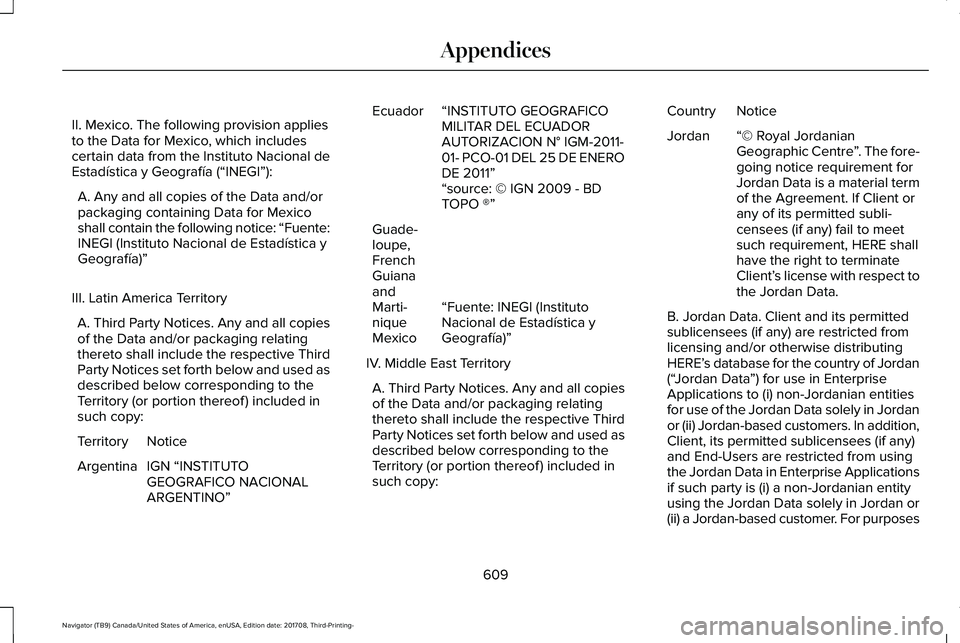
A. Third Party Notices. Any and all copiesof the Data and/or packaging relatingthereto shall include the respective ThirdParty Notices set forth below and used asdescribed below corresponding to theTerritory (or portion thereof ) included insuch copy:
NoticeTerritory
IGN “INSTITUTOGEOGRAFICO NACIONALARGENTINO”
Argentina
“INSTITUTO GEOGRAFICOMILITAR DEL ECUADORAUTORIZACION N° IGM-2011-01- PCO-01 DEL 25 DE ENERODE 2011”
Ecuador
“source: © IGN 2009 - BDTOPO ®”
“Fuente: INEGI (InstitutoNacional de Estadística yGeografía)”
Guade-loupe,FrenchGuianaandMarti-niqueMexico
IV. Middle East Territory
A. Third Party Notices. Any and all copiesof the Data and/or packaging relatingthereto shall include the respective ThirdParty Notices set forth below and used asdescribed below corresponding to theTerritory (or portion thereof ) included insuch copy:
NoticeCountry
“© Royal JordanianGeographic Centre”. The fore-going notice requirement forJordan Data is a material termof the Agreement. If Client orany of its permitted subli-censees (if any) fail to meetsuch requirement, HERE shallhave the right to terminateClient’s license with respect tothe Jordan Data.
Jordan
B. Jordan Data. Client and its permittedsublicensees (if any) are restricted fromlicensing and/or otherwise distributingHERE’s database for the country of Jordan(“Jordan Data”) for use in EnterpriseApplications to (i) non-Jordanian entitiesfor use of the Jordan Data solely in Jordanor (ii) Jordan-based customers. In addition,Client, its permitted sublicensees (if any)and End-Users are restricted from usingthe Jordan Data in Enterprise Applicationsif such party is (i) a non-Jordanian entityusing the Jordan Data solely in Jordan or(ii) a Jordan-based customer. For purposes
609
Navigator (TB9) Canada/United States of America, enUSA, Edition date: 201708, Third-Printing-
Appendices
Page 615 of 649
update such list from time to time. Thelicense rights granted to Client under thisTL with respect to the Data for suchcountries are contingent upon Client’scompliance with all applicable laws andregulations, including, without limitation,any required licenses or approvals todistribute the Application incorporatingsuch Data in such respective countries.
VI. Australia Territory
A. Third Party Notices. Any and all copiesof the Data and/or packaging relatingthereto shall include the respective ThirdParty Notices set forth below and used asdescribed below corresponding to theTerritory (or portion thereof ) included insuch copy:
Copyright. Based on data providedunder license from PSMA AustraliaLimited (www.psma.com.au).
Product incorporates data which is ©20XX Telstra Corporation Limited, GMHolden Limited, Intelematics AustraliaPty Ltd and Continental Pty Ltd.
B. Third Party Notices for Australia. Inaddition to the foregoing, the End-UserTerms for any Application containing RDS-TMC Traffic Codes for Australia shallcontain the following notice: “Productincorporates traffic location codes whichis © 20XX Telstra Corporation Limited andits licensors.”
AT&T Vehicle Network Carrier TelematicsDisclosure
END USER FOR PURPOSES OF THISSECTION MEANS YOU AND YOUR HEIRS,EXECUTORS, LEGAL PERSONALREPRESENTATITVES AND PERMITEDASSIGNS. FOR PURPOSES OF THISSECTION “UNDERLYING WIRELESS SERVICECARRIER” INCLUDES ITS AFFILIATES ANDCONTRACTORS AND THEIR RESPECTIVEOFFICERS, DIRECTORS, EMPLOYEES,SUCCESSORS AND ASSIGNS. END USERHAS NO CONTRACTUAL RELATIONSHIP
WITH THE UNDERLYING WIRELESS SERVICECARRIER AND END USER IS NOT A THIRDPARTY BENEFICIARY OF ANY AGREEMENTBETWEEN FORD AND UNDERLYINGCARRIER. END USER UNDERSTANDS ANDAGREES THAT THE UNDERLYING CARRIERHAS NO LEGAL, EQUITABLE, OR OTHERLIABILITY OF ANY KIND TO END USER. INANY EVENT, REGARDLESS OF THE FORMOF THE ACTION, WHETHER FOR BREACHOF CONTRACT, WARRANTY, NEGLIGENCE,STRICT LIABILITY IN TORT OR OTHERWISE,END USER'S EXCLUSIVE REMEDY FORCLAIMS ARISING IN ANY WAY INCONNECTION WITH THIS AGREEMENT, FORANY CAUSE WHATSOEVER, INCLUDINGBUT NOT LIMITED TO ANY FAILURE ORDISRUPTION OF SERVICE PROVIDEDHEREUNDER, IS LIMITED TO PAYMENT OFDAMAGES IN AN AMOUNT NOT TO EXCEEDTHE AMOUNT PAID BY END USER FOR THESERVICES DURING THE TWO-MONTHPERIOD PRECEDING THE DATE THE CLAIMAROSE.
612
Navigator (TB9) Canada/United States of America, enUSA, Edition date: 201708, Third-Printing-
Appendices
Page 616 of 649
(ii) END USER AGREES TO INDEMNIFY ANDHOLD HARMLESS THE UNDERLYINGWIRELESS SERVICE CARRIER AND ITSOFFICERS, EMPLOYEES, AND AGENTSAGAINST ANY AND ALL CLAIMS,INCLUDING WITHOUT LIMITATION CLAIMSFOR LIBEL, SLANDER, OR ANY PROPERTYDAMAGE, PERSONAL INJURY OR DEATH,ARISING IN ANY WAY, DIRECTLY ORINDIRECTLY, IN CONNECTION WITH THISAGREEMENT OR THE USE, FAILURE TO USE,OR INABILITY TO USE THE DEVICE EXCEPTWHERE THE CLAIMS RESULT FROM THEUNDERLYING CARRIER’S GROSSNEGLIGENCE OR WILLFUL MISCONDUCT.THIS INDEMNITY WILL SURVIVE THETERMINATION OF THE AGREEMENT.
(iii) END USER HAS NO PROPERTY RIGHTIN ANY NUMBER ASSIGNED TO THEDEVICE.
(iv) END USER UNDERSTANDS THAT FORDAND THE UNDERLYING CARRIER CANNOTGUARANTY THE SECURITY OF WIRELESSTRANSMISSIONS, AND WILL NOT BE LIABLEFOR ANY LACK OF SECURITY RELATINGTO THE USE OF THE SERVICES
THE SERVICE IS FOR [END USER’S] USEONLY AND END USER MAY NOT RESELLTHE SERVICE TO ANY OTHER PARTY ENDUSER UNDERSTANDS THAT THEUNDERLYING CARRIER DOES NOTGUARANTEE ANY END USERUNINTERRUPTED SERVICE OR COVERAGE.THE UNDERLYING CARRIER DOES NOTWARRANT THAT END USERS CAN OR WILLBE LOCATED USING THE SERVICE. THEUNDERLYING CARRIER MAKES NOWARRANTY, EXPRESS OR IMPLIED, OFMERCHANTABILITY OR FITNESS FOR APARTICULAR PURPOSE, SUITABILITY, ORPERFORMANCE REGARDING ANY SERVICESOR GOODS, AND IN NO EVENT SHALLAT&T BE LIABLE, WHETHER OR NOT DUETO ITS OWN NEGLIGENCE, FOR ANY: (A)ACT OR OMISSION OF A THIRD PARTY; (B)MISTAKES, OMISSIONS, INTERRUPTIONS,ERRORS, FAILURES TO TRANSMIT, DELAYS,OR DEFECTS IN THE SERVICE PROVIDEDBY OR THROUGH THE UNDERLYINGCARRIER; (C) DAMAGE OR INJURY CAUSEDBY SUSPENSION OR TERMINATION BY THEUNDERLYING CARRIER; OR (D) DAMAGE ORINJURY CAUSED BY A FAILURE OR DELAYIN CONNECTING A CALL TO ANY ENTITY,
INCLUDING 911 OR ANY OTHEREMERGENCY SERVICE. TO THE FULLEXTENT ALLOWED BY LAW, THE END USERRELEASES, INDEMNIFIES AND HOLDS THEUNDERLYING CARRIER HARMLESS FROMAND AGAINST ANY AND ALL CLAIMS OFANY PERSON OR ENTITY FOR DAMAGESOF ANY NATURE ARISING IN ANY WAYFROM OR RELATING TO, DIRECTLY ORINDIRECTLY, SERVICES PROVIDED BY THEUNDERLYING CARRIER OR ANY PERSON’SUSE THEREOF, INCLUDING CLAIMS ARISINGIN WHOLE OR IN PART FROM THE ALLEGEDNEGLIGENCE OF THE UNDERLYINGCARRIER.
VII. China Territory
Personal Use Only
You agree to use this Data together with[insert name of Client Application] for thesolely personal, non-commercial purposesfor which you were licensed, and not forservice bureau, time-sharing or other similarpurposes. Accordingly, but subject to therestrictions set forth in the followingparagraphs, you may copy this Data only asnecessary for your personal use to (i) view
613
Navigator (TB9) Canada/United States of America, enUSA, Edition date: 201708, Third-Printing-
Appendices
Page 642 of 649
J
Jump Starting the Vehicle..........................329Connecting the Jumper Cables......................330Jump Starting........................................................331Preparing Your Vehicle.....................................329Removing the Jumper Cables..........................331
K
Keyless Entry....................................................76Displaying the Factory-Set Code......................78Locking and Unlocking........................................77SECURICODE™ KEYLESS ENTRYKEYPAD...............................................................76
Keyless Starting..............................................191Switching the Ignition On...................................191
Keys and Remote Controls..........................62
L
Lane Keeping System.................................266Switching the System On and Off..................267System Display...................................................269System Settings..................................................268Troubleshooting..................................................270
Liftgate...............................................................79
Liftgate Window..............................................110Opening the Liftgate Window...........................110
Lighting Control..............................................96Flashing the Headlamp High Beam.................97Headlamp High Beam.........................................97
Lighting..............................................................96General Information.............................................96
Limited Slip Differential..............................224Locking Function................................................224Spare Tire.............................................................224Trailer Towing......................................................224
Lincoln Automotive Financial Services......12Lincoln Protect..............................................549Lincoln Protect (CANADA ONLY)...................550Lincoln Protect Extended Service Plans (U.S.Only)..................................................................549
Load CarriersSee: Roof Racks and Load Carriers................291
Load Carrying................................................288Load Limit.......................................................293Special Loading Instructions for Owners ofPick-up Trucks and Utility-typeVehicles............................................................297Vehicle Loading - with and without aTrailer................................................................293
Locking and Unlocking..................................72Activating Intelligent Access..............................73Approach Detection Illumination......................76
Autolock..................................................................75Battery Saver..........................................................76Illuminated Entry....................................................76Illuminated Exit......................................................76Locking and Unlocking the Doors with theKey Blade............................................................75Power Door Locks................................................72Remote Control.....................................................72Smart Unlocks for Intelligent AccessKeys......................................................................75
Lug NutsSee: Changing a Road Wheel..........................414
M
Maintenance...................................................361General Information............................................361
Memory Function...........................................167Driver Seat Memory............................................167Easy Entry and Exit Feature..............................168Passenger Seat Memory...................................168Personal Profiles..................................................169Saving a PreSet Position...................................167
Message CenterSee: Information Displays..................................119
MirrorsSee: Heated Windows and Mirrors.................156See: Windows and Mirrors................................104
639
Navigator (TB9) Canada/United States of America, enUSA, Edition date: 201708, Third-Printing-
Index
Page 643 of 649
Mobile Communications Equipment...........14Moonroof.........................................................109Bounce-Back.........................................................110Opening and Closing the Moonroof...............110
Motorcraft Parts............................................423MyKey — Troubleshooting............................70MyKey™..............................................................68Principle of Operation.........................................68
N
Navigation......................................................496cityseeker.............................................................505Destination Mode...............................................497Map Mode............................................................496Navigation Map Updates.................................506Navigation Menu................................................502SiriusXM Traffic and Travel Link.....................506SYNC AppLink....................................................505Waypoints.............................................................504
Normal Scheduled Maintenance.............556Intelligent Oil-Life Monitor...............................556Normal Maintenance Intervals........................558
O
Oil Change Indicator Reset.......................365
Oil CheckSee: Engine Oil Check......................................364
Opening and Closing the Hood................361Ordering Additional Owner'sLiterature.....................................................340Obtaining a French Owner’s Manual............340
Overhead Console.......................................189
P
Parking Aids...................................................237Principle of Operation.......................................237
Passive Anti-Theft System............................83SecuriLock™............................................................83
PATSSee: Passive Anti-Theft System........................83
Pedals................................................................93Perchlorate........................................................12Personal Safety System™...............................51How Does the Personal Safety SystemWork?....................................................................51
Phone..............................................................487During a Phone Call...........................................493Making Calls........................................................492Pairing Your Cell Phone for the FirstTime...................................................................488Phone Menu........................................................489Receiving Calls....................................................493
Smartphone Connectivity................................495Text Messaging...................................................494
Post-Crash Alert System..............................331Power Door LocksSee: Locking and Unlocking..............................72
Power Liftgate..................................................79Obstacle Detection...............................................81Opening and Closing the Liftgate....................79Setting the Liftgate Open Height......................81Stopping the Liftgate Movement......................80Using the Hands-Free Liftgate...........................81
Power Running Boards..................................87Power Seats....................................................163Adjusting the Lumbar Support.........................165Adjusting the Multi-Contour Front Seats WithActive Motion ..................................................165
Power Windows.............................................104Accessory Delay..................................................105Bounce-Back........................................................104One-Touch Down................................................104One-Touch Up......................................................104Window Lock........................................................105
Pre-Collision Assist.......................................281Adjusting the Pre-Collision AssistSettings.............................................................284Blocked Sensors.................................................284Distance Indication and Alert..........................282Using the Pre-Collision Assist System..........282
640
Navigator (TB9) Canada/United States of America, enUSA, Edition date: 201708, Third-Printing-
Index
Page 645 of 649
Running-InSee: Breaking-In.................................................324
Running Out of Fuel.....................................201Adding Fuel From a Portable FuelContainer..........................................................201Filling a Portable Fuel Container.....................201
S
Safety Canopy™...............................................58Safety Precautions........................................199Satellite Radio...............................................442Satellite Radio Electronic Serial Number(ESN)..................................................................444Satellite Radio Reception Factors..................443SiriusXM Satellite Radio Service.....................443Troubleshooting..................................................444
Scheduled Maintenance Record..............563Scheduled Maintenance............................552Seatbelt Extension.........................................50Seatbelt Height Adjustment.........................46Seatbelt Reminder..........................................47Belt-Minder™...........................................................47
Seatbelts...........................................................40Principle of Operation.........................................40
Seatbelt Warning Lamp and IndicatorChime..............................................................46Conditions of operation.......................................47
Seats.................................................................158Security..............................................................83Settings............................................................510911 Assist................................................................517Ambient Lighting................................................526Bluetooth...............................................................513Clock.......................................................................512Display..................................................................528General.................................................................523Media Player..........................................................511Mobile Apps........................................................522Navigation.............................................................519Personal Profiles.................................................529Phone.....................................................................513Radio.......................................................................517SiriusXM.................................................................518Sound.....................................................................510Valet Mode...........................................................529Vehicle..................................................................526Voice Control.......................................................528Wi-Fi and Hotspot..............................................524
Side Airbags.....................................................57Side Sensing System..................................240Obstacle Distance Indicator............................240
Sitting in the Correct Position....................158Snow ChainsSee: Using Snow Chains..................................408
Spare WheelSee: Changing a Road Wheel..........................414
Special Notices.................................................13New Vehicle Limited Warranty...........................13On Board Diagnostics Data LinkConnector............................................................14Special Instructions...............................................13
Special Operating Conditions ScheduledMaintenance...............................................560Exceptions............................................................563
Speed ControlSee: Cruise Control...........................................256
Stability Control.............................................233Principle of Operation.......................................233
Starting a Gasoline Engine.........................192Automatic Engine Shutdown............................193Failure to Start......................................................193Guarding Against Exhaust Fumes...................194Important Ventilating Information...................194Stopping the Engine When Your Vehicle isMoving...............................................................194Stopping the Engine When Your Vehicle isStationary..........................................................194
Starting and Stopping the Engine..............191General Information.............................................191
Steering..........................................................280Electric Power Steering....................................280
Steering Wheel................................................89
642
Navigator (TB9) Canada/United States of America, enUSA, Edition date: 201708, Third-Printing-
Index