ignition LINCOLN NAVIGATOR 2018 Workshop Manual
[x] Cancel search | Manufacturer: LINCOLN, Model Year: 2018, Model line: NAVIGATOR, Model: LINCOLN NAVIGATOR 2018Pages: 649, PDF Size: 4.96 MB
Page 204 of 649
RUNNING OUT OF FUEL
Running out of fuel can cause damage notcovered by the vehicle Warranty.
If your vehicle runs out of fuel:
•Add a minimum of 1.3 gal (5 L) of fuel torestart the engine.
•You may need to switch the ignition fromoff to on several times after refueling toallow the fuel system to pump the fuelfrom the tank to the engine. Whenrestarting, cranking time takes a fewseconds longer than normal.
Note:If your vehicle is on a steep slope,more fuel may be required.
Filling a Portable Fuel Container
WARNING: Flow of fuel through afuel pump nozzle can produce staticelectricity. This can cause a fire if you arefilling an ungrounded fuel container.
Use the following guidelines to avoidelectrostatic charge build-up, which canproduce a spark, when filling an ungroundedfuel container:
•Only use an approved fuel container totransfer fuel to your vehicle. Place thecontainer on the ground when filling it.
•Do not fill a fuel container when it isinside your vehicle (including the cargoarea).
•Keep the fuel pump nozzle in contactwith the fuel container when filling it.
•Do not use a device that holds the fuelpump nozzle lever in the fill position.
Adding Fuel From a Portable FuelContainer
WARNING: Do not insert the nozzleof a fuel container or an aftermarket funnelinto the fuel filler neck. This may damagethe fuel system filler neck or its seal andcause fuel to run onto the ground.
WARNING: Do not try to pry open orpush open the capless fuel system withforeign objects. This could damage the fuelsystem and its seal and cause injury to youor others.
WARNING: Do not dispose of fuel inthe household refuse or the public sewagesystem. Use an authorized waste disposalfacility.
When refueling the vehicle fuel tank from afuel container, use the fuel filler funnelincluded with your vehicle. See Fuel FillerFunnel Location (page 200).
Note:Do not use aftermarket funnels as theymay not work with the capless fuel systemand can damage it.
When refueling the vehicle fuel tank from afuel container, do the following:
1. Fully open the fuel filler door.
2. Fully insert the fuel filler funnel into thefuel filler inlet.
201
Navigator (TB9) Canada/United States of America, enUSA, Edition date: 201708, Third-Printing-
Fuel and Refueling
Page 210 of 649
•An open or pinched sensor hose.
•Incorrect engine oil level.
•Incorrect fuel for climatic conditions.
•Incorrect engine oil viscosity for climacticconditions.
Note:Some vehicles have a lifetime fuel filterthat is integrated with the fuel tank. Regularmaintenance or replacement is not needed.
Note:If these checks do not help you correctthe concern, have your vehicle checked assoon as possible.
Noise Emissions Warranty, ProhibitedTampering Acts and Maintenance
On January 1, 1978, Federal regulationbecame effective governing the noiseemission on trucks over 10,000 lb (4,536 kg)Gross Vehicle Weight Rating (GVWR). Thepreceding statements concerning prohibitedtampering acts and maintenance, and thenoise warranty found in the Warranty Guide,are applicable to complete chassis cabs over10,000 lb (4,536 kg) GVWR.
CATALYTIC CONVERTER
WARNING: Do not park, idle or driveyour vehicle on dry grass or other dryground cover. The emission system heatsup the engine compartment and exhaustsystem, creating the risk of fire.
WARNING: The normal operatingtemperature of the exhaust system is veryhigh. Never work around or attempt torepair any part of the exhaust system untilit has cooled. Use special care whenworking around the catalytic converter.The catalytic converter heats up to a veryhigh temperature after only a short periodof engine operation and stays hot after theengine is switched off.
WARNING: Exhaust leaks may resultin entry of harmful and potentially lethalfumes into the passenger compartment. Ifyou smell exhaust fumes inside yourvehicle, have your vehicle inspectedimmediately. Do not drive if you smellexhaust fumes.
Your vehicle has various emission controlcomponents and a catalytic converter thatenables it to comply with applicable exhaustemission standards.
To make sure that the catalytic converter andother emission control components continueto work properly:
•Do not crank the engine for more than10 seconds at a time.
•Do not run the engine with a spark pluglead disconnected.
•Do not push-start or tow-start yourvehicle. Use booster cables. See JumpStarting the Vehicle (page 329).
•Use only the specified fuel listed.
•Do not switch the ignition off when yourvehicle is moving.
•Avoid running out of fuel.
•Have the items listed in scheduledmaintenance information performedaccording to the specified schedule.
Note:Resulting component damage maynot be covered by the vehicle Warranty.
207
Navigator (TB9) Canada/United States of America, enUSA, Edition date: 201708, Third-Printing-
Engine Emission Control
Page 212 of 649
If the service engine soon indicator remainson, have your vehicle serviced at the firstavailable opportunity. Although somemalfunctions detected by the OBD-II may nothave symptoms that are apparent, continueddriving with the service engine soon indicatoron can result in increased emissions, lowerfuel economy, reduced engine andtransmission smoothness and lead to morecostly repairs.
Readiness for Inspection andMaintenance (I/M) Testing
Some state and provincial and localgovernments may haveInspection/Maintenance (I/M) programs toinspect the emission control equipment onyour vehicle. Failure to pass this inspectioncould prevent you from getting a vehicleregistration.
If the service engine soon indicatoris on or the bulb does not work,your vehicle may need service.See On-Board Diagnostics.
Your vehicle may not pass the I/M test if theservice engine soon indicator is on or notworking properly (bulb is burned out), or ifthe OBD-II system has determined that someof the emission control systems have notbeen properly checked. In this case, thevehicle is not ready for I/M testing.
If the vehicle’s engine or transmission hasjust been serviced, or the battery hasrecently run down or been replaced, theOBD-II system may indicate that the vehicleis not ready for I/M testing. To determine ifthe vehicle is ready for I/M testing, turn theignition key to the on position for 15 secondswithout cranking the engine. If the serviceengine soon indicator blinks eight times, itmeans that the vehicle is not ready for I/Mtesting; if the service engine soon indicatorstays on solid, it means that your vehicle isready for I/M testing.
The OBD-II system checks the emissioncontrol system during normal driving. Acomplete check may take several days.
If the vehicle is not ready for I/M testing, youcan perform the following driving cycleconsisting of mixed city and highway driving:
1. 15 minutes of steady driving on anexpressway or highway followed by 20minutes of stop-and-go driving with atleast four 30-second idle periods.
2.Allow your vehicle to sit for at least eighthours with the ignition off. Then, start thevehicle and complete the above drivingcycle. The vehicle must warm up to itsnormal operating temperature. Oncestarted, do not turn off the vehicle untilthe above driving cycle is complete.
If the vehicle is still not ready for I/M testing,you need to repeat the above driving cycle.
209
Navigator (TB9) Canada/United States of America, enUSA, Edition date: 201708, Third-Printing-
Engine Emission Control
Page 213 of 649
AUTOMATIC TRANSMISSION
WARNING: Always fully apply theparking brake and make sure you shift intopark (P). Failure to follow this instructioncould result in personal injury or death.
WARNING: Do not use tow/haulwhen the road surface is slippery. Failureto follow this instruction could result in theloss of control of your vehicle.
WARNING: When your vehicle isstationary, keep the brake pedal fullypressed when shifting gears. Failure tofollow this instruction could result inpersonal injury, death or property damage.
Note:You may not be able to shift out ofpark (P) unless the intelligent access key isinside your vehicle.
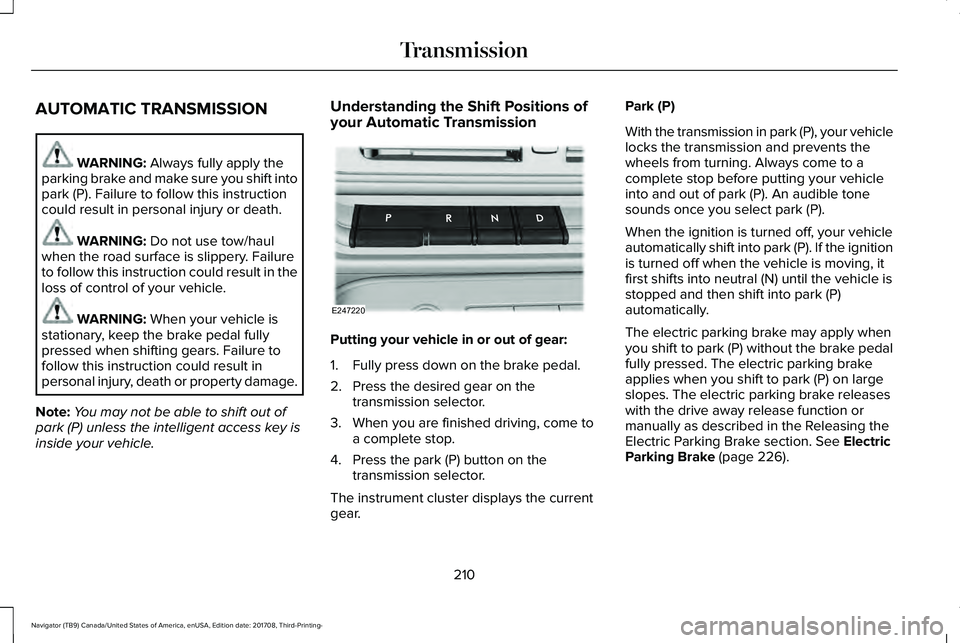
Understanding the Shift Positions ofyour Automatic Transmission
Putting your vehicle in or out of gear:
1. Fully press down on the brake pedal.
2. Press the desired gear on thetransmission selector.
3. When you are finished driving, come toa complete stop.
4. Press the park (P) button on thetransmission selector.
The instrument cluster displays the currentgear.
Park (P)
With the transmission in park (P), your vehiclelocks the transmission and prevents thewheels from turning. Always come to acomplete stop before putting your vehicleinto and out of park (P). An audible tonesounds once you select park (P).
When the ignition is turned off, your vehicleautomatically shift into park (P). If the ignitionis turned off when the vehicle is moving, itfirst shifts into neutral (N) until the vehicle isstopped and then shift into park (P)automatically.
The electric parking brake may apply whenyou shift to park (P) without the brake pedalfully pressed. The electric parking brakeapplies when you shift to park (P) on largeslopes. The electric parking brake releaseswith the drive away release function ormanually as described in the Releasing theElectric Parking Brake section. See ElectricParking Brake (page 226).
210
Navigator (TB9) Canada/United States of America, enUSA, Edition date: 201708, Third-Printing-
TransmissionE247220
Page 214 of 649
Automatic Return to Park
Note:This feature does not operate whenyour vehicle is in Stay in Neutral mode orneutral tow.
Your vehicle has a feature that automaticallyshifts your vehicle into park (P) when any ofthe following conditions occur:
•You turn the vehicle off.
•You open the driver's door with yourseatbelt unlatched with the vehiclestopped.
•You unlatch your seatbelt when thedriver's door is open with the vehiclestopped.
If you turn your vehicle off when moving,your vehicle first shifts into neutral (N) untilit stops and then shift into park (P)automatically.
Note:If you have waited an extended periodof time, 2-15 minutes before starting yourvehicle, unlatching your seatbelt can causethis feature to activate, even with the driverdoor closed.
Note:This feature may not work properly ifthe door ajar switch is malfunctioning. If yourdoor ajar indicator does not illuminate whenyou open the driver’s door or the indicatorilluminates with the driver’s door closed, seeyour authorized dealer.
Reverse (R)
With the selector in reverse (R), your vehiclemoves backward. Always come to acomplete stop before shifting into and outof reverse (R).
Neutral (N)
With the selector in neutral (N), your vehiclecan be started and is free to roll. Hold thebrake pedal down when in this position.
Stay in Neutral Mode
Note:Stay in neutral mode is a temporaryvehicle state with the ignition off. Once inthis mode, sufficient battery voltage must bemaintained or your vehicle returns to park.Extended usage of Stay in Neutral modemay result in a battery voltage reduction toa level where the vehicle may no longerstart. Do not tow your vehicle in this mode.
Note:Always put your vehicle in Stay inNeutral mode when entering an automaticcar wash. Failure to do this could result invehicle damage not covered by warranty.
Stay in Neutral mode allows your vehicle tostay in neutral when you exit your vehicle.Your vehicle must be stationary to enter thismode.
To enter Stay in Neutral mode:
•Press the neutral (N) button on thetransmission selector.
•Press the neutral (N) button again toenter Stay in Neutral mode.
A message appears in your informationdisplay screen when your vehicle hasentered Stay in Neutral mode.
To exit Stay in Neutral mode, apply the brakeand select a different gear.
Stay in Neutral Mode - No Start
Use this to move your transmission from thepark position in the event of a no startsituation. If your vehicle has a dead battery,an external power source is required. Do nottow your vehicle in this mode.
211
Navigator (TB9) Canada/United States of America, enUSA, Edition date: 201708, Third-Printing-
Transmission
Page 224 of 649
If your vehicle goes from one type of surfaceto another (i.e. from concrete to gravel) theremay be a change in the way your vehicleresponds to a maneuver (i.e. steering,acceleration or braking).
Sand
When driving over sand, try to keep all fourwheels on the most solid area of the trail.Avoid reducing the tire pressures but shiftto a lower gear and drive steadily throughthe terrain. Apply the accelerator slowly andavoid excessive wheel slip.
Avoid driving at excessive speeds, thiscauses vehicle momentum to work againstyou and your vehicle could become stuck tothe point that assistance may be requiredfrom another vehicle. Remember, you maybe able to back out the way you came if youproceed with caution.
Mud and Water
Note:Driving through deep water maydamage the vehicle.
If you must drive through high water, driveslowly. Traction or brake capability may belimited.
When driving through water, determine thedepth and avoid water higher than thebottom of the hubs. If the ignition systemgets wet, your vehicle may stall.
Once through water, always try the brakes.Wet brakes do not stop your vehicle aseffectively as dry brakes. Drying can beimproved by applying light pressure to thebrake pedal when moving slowly.
Be cautious of sudden changes in vehiclespeed or direction when you are driving inmud. Even 4X4 vehicles can lose traction inslick mud. As when you are driving oversand, apply the accelerator slowly and avoidspinning your wheels. If the vehicle doesslide, steer in the direction of the slide untilyou regain control of the vehicle.
If the transmission, transfer case or front axleare submerged in water, their fluids shouldbe checked and changed, if necessary.
If the front or rear axle is submerged in water,the axle lubricant should be replaced.
After driving through mud, clean off residuestuck to rotating driveshafts and tires. Excessmud stuck on tires and rotating driveshaftscauses an imbalance that could damagedrive components.
Driving on Hilly or Sloping Terrain
Note:Avoid driving crosswise or turning onsteep slopes or hills.
Note: Avoid turning on steep slopes or hills. A danger lies in losing traction, slippingsideways and possible vehicle roll over. Whenever driving on a hill, determinebeforehand the route you will use. Do notdrive over the crest of a hill without seeingwhat conditions are on the other side. Donot drive in reverse over a hill without theaid of an observer.
Although natural obstacles may make itnecessary to travel diagonally up or down ahill or steep incline, you should always try todrive straight up or straight down.
221
Navigator (TB9) Canada/United States of America, enUSA, Edition date: 201708, Third-Printing-
Four-Wheel Drive (If Equipped)
Page 228 of 649
GENERAL INFORMATION
Note: Occasional brake noise is normal. Ifa metal-to-metal, continuous grinding orcontinuous squeal sound is present, thebrake linings may be worn-out and anauthorized dealer should check them. If thevehicle has continuous vibration or shudderin the steering wheel while braking, anauthorized dealer should check your vehicle.
Note:Brake dust may accumulate on thewheels, even under normal drivingconditions. Some dust is inevitable as thebrakes wear and does not contribute tobrake noise. See Cleaning the Wheels(page 389).
See Warning Lamps andIndicators (page 113).
Wet brakes result in reduced brakingefficiency. Gently press the brake pedal afew times when driving from a car wash orstanding water to dry the brakes.
Brake Over Accelerator
In the event the accelerator pedal becomesstuck or entrapped, apply steady and firmpressure to the brake pedal to slow thevehicle and reduce engine power. If youexperience this condition, apply the brakesand bring your vehicle to a safe stop. Switchthe engine off, move the transmission to park(P) and apply the parking brake. Inspect theaccelerator pedal and the area around it forany items or debris that may be obstructingits movement.If none are found and thecondition persists, have your vehicle towedto the nearest authorized dealer.
Emergency Brake Assist
Emergency brake assist detects when youbrake heavily by measuring the rate at whichyou press the brake pedal. It providesmaximum braking efficiency as long as youpress the pedal. Emergency brake assistcan reduce stopping distances in criticalsituations.
Anti-lock Brake System
This system helps you maintain steeringcontrol during emergency stops by keepingthe brakes from locking.
This lamp momentarily illuminateswhen you switch the ignition on. Ifthe light does not illuminate duringstart up, remains on or flashes, the anti-lockbraking system may be disabled. Have thesystem checked by an authorized dealer. Ifthe anti-lock brake system is disabled,normal braking is still effective.
If the brake warning lampilluminates with the parking brakereleased, have your brake systemserviced immediately.
It also illuminates momentarily when youswitch the ignition on to confirm the lamp isfunctional. If it does not illuminate when youswitch the ignition on, or begins to flash atany time, have the system checked by anauthorized dealer.
225
Navigator (TB9) Canada/United States of America, enUSA, Edition date: 201708, Third-Printing-
BrakesE138644 E138644
Page 229 of 649
HINTS ON DRIVING WITH ANTI-
LOCK BRAKES
The anti-lock braking system does noteliminate the risks when:
•You drive too closely to the vehicle infront of you.
•Your vehicle is hydroplaning.
•You take corners too fast.
•The road surface is poor.
Note: If the system activates, the brakepedal may pulse and may travel further. Maintain pressure on the brake pedal. Youmay also hear a noise from the system. Thisis normal.
ELECTRIC PARKING BRAKE
WARNING: Always fully apply theparking brake and make sure you shift intopark (P). Failure to follow this instructioncould result in personal injury or death.
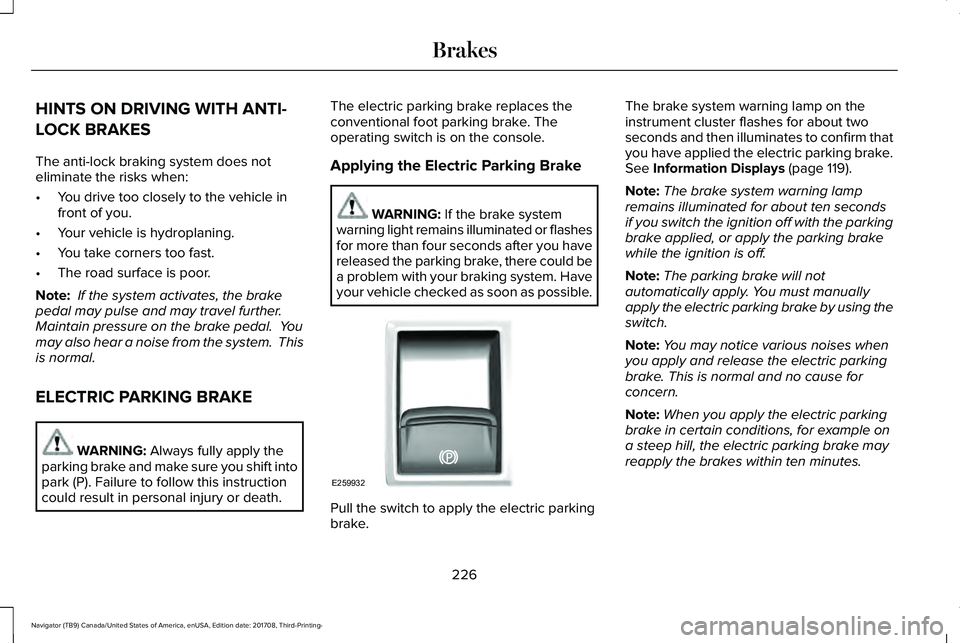
The electric parking brake replaces theconventional foot parking brake. Theoperating switch is on the console.
Applying the Electric Parking Brake
WARNING: If the brake systemwarning light remains illuminated or flashesfor more than four seconds after you havereleased the parking brake, there could bea problem with your braking system. Haveyour vehicle checked as soon as possible.
Pull the switch to apply the electric parkingbrake.
The brake system warning lamp on theinstrument cluster flashes for about twoseconds and then illuminates to confirm thatyou have applied the electric parking brake.See Information Displays (page 119).
Note:The brake system warning lampremains illuminated for about ten secondsif you switch the ignition off with the parkingbrake applied, or apply the parking brakewhile the ignition is off.
Note:The parking brake will notautomatically apply. You must manuallyapply the electric parking brake by using theswitch.
Note:You may notice various noises whenyou apply and release the electric parkingbrake. This is normal and no cause forconcern.
Note:When you apply the electric parkingbrake in certain conditions, for example ona steep hill, the electric parking brake mayreapply the brakes within ten minutes.
226
Navigator (TB9) Canada/United States of America, enUSA, Edition date: 201708, Third-Printing-
BrakesE259932
Page 230 of 649
Using the Electric Parking Brake In AnEmergency
WARNING: With the exception ofemergency conditions (for example, thebrake pedal is broken or is blocked), donot apply the electric parking brake whilethe vehicle is moving. On bends, or poorroad surfaces or weather conditions,emergency braking can cause the vehicleto skid out of control or off the road.
Note:Repeated use of the electric parkingbrake to slow the vehicle while moving maycause damage to the brake system.
If there is a problem with the brake pedalwhile driving, you can use the electricparking brake in an emergency to stop thevehicle.
Pull and hold the electric parking brakeswitch while the vehicle is moving to slowyour vehicle. The rear brake lights turn on,a warning lamp illuminates and a warningtone sounds. The vehicle will continue tocome to a stop as long as you pull the switch.When your vehicle speed is below 3 mph(5 km/h), the electric parking brake will beapplied.
Releasing the Electric Parking Brake
You can release the electric parking brakeeither manually by pressing the switch orautomatically.
Note:Do not drive with the parking brakeapplied as this will cause damage to thebrake system. You must manually releasethe electric parking brake by pressing theswitch while pressing the brake pedal.
Manual Release
You can manually release the electric parkingbrake by:
•Switching the ignition on.
•Pressing and holding the brake pedal.
•Pressing the electric parking brakeswitch.
When you release the electric parking brake,the brake system warning lamp turns off.
Automatic Release - Drive Away Release
WARNING: If the brake systemwarning light remains illuminated or flashesfor more than four seconds after you havereleased the parking brake, there could bea problem with your braking system. Haveyour vehicle checked as soon as possible.
227
Navigator (TB9) Canada/United States of America, enUSA, Edition date: 201708, Third-Printing-
Brakes
Page 232 of 649
When the system is active, your vehicle willremain stationary on the slope for two tothree seconds after you release the brakepedal. This allows you time to move yourfoot from the brake to the accelerator pedal. The brakes release automatically when theengine has sufficient torque to prevent yourvehicle from rolling down the grade. This isan advantage when pulling away on a slope,for example from a car park ramp, trafficlights or when reversing uphill into a parkingspace.
The system will activate automatically on anyslope that will cause significant vehiclerollback. For vehicles with a manualtransmission, you can switch this feature offusing the information display. SeeInformation Displays (page 119). The systemwill remain on or off depending on how itwas last set.
Note:There is no warning lamp to indicatethe system is either on or off.
Note:If your vehicle is equipped with AutoHold, Hill Start Assist will not be availablewhile Auto Hold is active.
Using Hill Start Assist
1. Bring your vehicle to a completestandstill. Keep the brake pedal pressedand select an uphill gear (for example,drive (D) or first (1) when facing uphill orreverse (R) when facing downhill).
2. If the sensors detect that your vehicle ison a slope, the system will activateautomatically.
3. When you remove your foot from thebrake pedal, your vehicle will remain onthe slope without rolling away for abouttwo or three seconds. This hold time willautomatically be extended if you are inthe process of driving off.
4. Drive off in the normal manner. Thebrakes will release automatically.
Switching the System On and Off
You can switch this feature on or off if yourvehicle is equipped with a manualtransmission and an information display. SeeGeneral Information (page 119). The systemremembers the last setting when you startyour vehicle.
If your vehicle is not equipped with a manualtransmission and an information display, youcannot turn the system on or off. When youswitch the ignition on, the systemautomatically turns on.
AUTO HOLD
WARNING: The system does notreplace the parking brake. When you leaveyour vehicle, always apply the parkingbrake.
WARNING: You must remain in yourvehicle when the system turns on. At alltimes, you are responsible for controllingyour vehicle, supervising the system andintervening, if required. Failure to take caremay result in the loss of control of yourvehicle, serious personal injury or death.
229
Navigator (TB9) Canada/United States of America, enUSA, Edition date: 201708, Third-Printing-
Brakes