ignition LINCOLN NAVIGATOR 2018 Manual PDF
[x] Cancel search | Manufacturer: LINCOLN, Model Year: 2018, Model line: NAVIGATOR, Model: LINCOLN NAVIGATOR 2018Pages: 649, PDF Size: 4.96 MB
Page 289 of 649
Changing the drive mode automaticallychanges the functionality of the followingsystems:
•Electronically power-assisted steeringsystem adjusts steering effort and feelbased on the mode you select. SeeSteering (page 280).
•Electronic stability control and tractioncontrol maintain your vehicle control inadverse conditions or high performancedriving. See Stability Control (page 233).
•Electronic throttle control enhances thepowertrain response to your inputs.
•Transmission controls optimize with shiftschedules tuned to each mode.
•Driveline settings optimize for eachmode.
Using the System
The system automatically tailors your vehicleconfiguration for each mode you select.
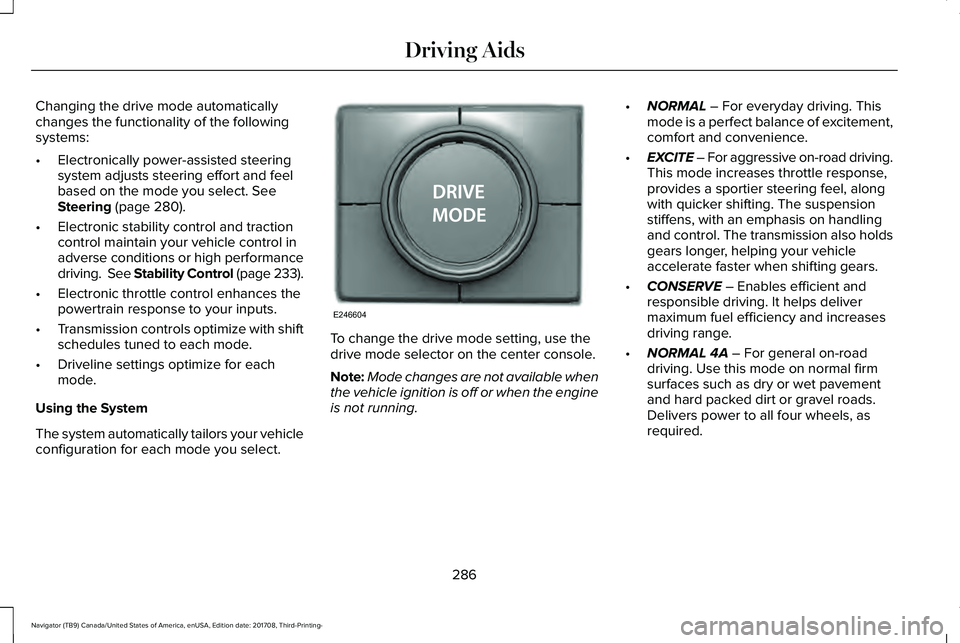
To change the drive mode setting, use thedrive mode selector on the center console.
Note:Mode changes are not available whenthe vehicle ignition is off or when the engineis not running.
•NORMAL – For everyday driving. Thismode is a perfect balance of excitement,comfort and convenience.
•EXCITE – For aggressive on-road driving.This mode increases throttle response,provides a sportier steering feel, alongwith quicker shifting. The suspensionstiffens, with an emphasis on handlingand control. The transmission also holdsgears longer, helping your vehicleaccelerate faster when shifting gears.
•CONSERVE – Enables efficient andresponsible driving. It helps delivermaximum fuel efficiency and increasesdriving range.
•NORMAL 4A – For general on-roaddriving. Use this mode on normal firmsurfaces such as dry or wet pavementand hard packed dirt or gravel roads.Delivers power to all four wheels, asrequired.
286
Navigator (TB9) Canada/United States of America, enUSA, Edition date: 201708, Third-Printing-
Driving AidsE246604
Page 319 of 649
The controller shows gain setting, output bargraph, and trailer connectivity status in theinformation display. They appear in theinformation display as follows:
•Trailer Brake Controller Gain (withouttrailer connected): Shows the current gainsetting during a given ignition cycle andwhen adjusting the gain. This alsodisplays if you use the manual controllever or make gain adjustments with notrailer connected.
•Trailer Brake Controller Gain Output:Displays when you push your vehicle'sbrake pedal, or upon use of the manualcontrol. Bar indicators illuminate in theinformation display to indicate theamount of power going to the trailerbrakes relative to the brake pedal ormanual control input. One bar indicatesthe least amount of output; six barsindicate maximum output.
•Trailer Connected: Displays when thesystem senses a correct trailer wiringconnection (a trailer with electric trailerbrakes) during a given ignition cycle.
•Trailer Disconnected: Displays,accompanied by a single audible time,when the system senses a trailerconnection and then a disconnection,either intentional or unintentional, duringa given ignition cycle. It also displays if atruck or trailer-wiring fault occurs causingthe trailer to appear disconnected. Thismessage can also display if you use themanual control lever without a trailerconnected. After disconnecting the trailerconnector, press the brake pedal forapproximately five seconds to allow thesystem to detect and update the trailerstatus.
B: Manual control lever: Slide the controllever to the left to turn on the trailer's electricbrakes independent of the tow vehicle's. Seethe following Procedure for adjusting gainsection for instructions on proper use of thisfeature. If you use the manual control whilethe brake is also applied, the greater of thetwo inputs determines the power sent to thetrailer brakes.
•Stop lamps: Using the manual controllever illuminates both the trailer brakelamps and your vehicle brake lampsexcept the center high-mount stop lamp,if you make the proper electricalconnection to the trailer. Pressing yourvehicle brake pedal also illuminates bothtrailer and vehicle brake lamps.
Procedure for Adjusting Gain
Note:Only perform this procedure in atraffic-free environment at speeds ofapproximately 20–25 mph (32–40 km/h).
316
Navigator (TB9) Canada/United States of America, enUSA, Edition date: 201708, Third-Printing-
Towing
Page 321 of 649
Points to Remember
Note:Do not attempt removal of the trailerbrake controller without consulting theWorkshop Manual. Damage to the unit mayresult.
•Adjust gain setting before using thetrailer brake controller for the first time.
•Adjust gain setting, using the procedureabove, whenever road, weather andtrailer or vehicle loading conditionschange from when the gain was initiallyset.
•Only use the manual control lever forproper adjustment of the gain duringtrailer setup. Misuse, such as applicationduring trailer sway, could cause instabilityof trailer or tow vehicle.
•Avoid towing in adverse weatherconditions. The trailer brake controllerdoes not provide anti-lock control of thetrailer wheels. Trailer wheels can lock upon slippery surfaces, resulting in reducedstability of trailer and tow vehicle.
•The trailer brake controller is equippedwith a feature that reduces output atvehicle speeds below 11 mph (18 km/h)so trailer and vehicle braking is not jerkyor harsh. This feature is only availablewhen applying the brakes using yourvehicle's brake pedal, not the controller.
•The controller interacts with the brakecontrol system and powertrain controlsystem of your vehicle to provide thebest performance on different roadconditions.
•Your vehicle's brake system and thetrailer brake system work independentlyof each other. Changing the gain settingon the controller does not affect theoperation of your vehicle's brakeswhether you attach a trailer or not.
•When you switch the engine off, thecontroller output is disabled and thedisplay and module shut down. Thecontroller module and display turn onwhen you switch the ignition on.
•The trailer brake controller is only afactory-installed or dealer-installed item.Lincoln is not responsible for warranty orperformance of the controller due tomisuse or customer installation.
Trailer Lamps
WARNING: Never connect any trailerlamp wiring to the vehicle's tail lamp wiring;this may damage the electrical systemresulting in fire. Contact your authorizeddealer as soon as possible for assistancein proper trailer tow wiring installation.Additional electrical equipment may berequired.
Trailer lamps are required on most towedvehicles. Make sure all running lights, brakelights, turn signals and hazard lights areworking.
318
Navigator (TB9) Canada/United States of America, enUSA, Edition date: 201708, Third-Printing-
Towing
Page 323 of 649
Your vehicle may be equipped with atemporary or conventional spare tire. Atemporary spare tire is different in size(diameter or width), tread-type (All-Seasonor All-Terrain) or is from a differentmanufacturer than the road tires on yourvehicle. Consult information on the tire labelor Safety Compliance label for limitationswhen using.
Launching or Retrieving a Boat orPersonal Watercraft (PWC)
Note:Disconnect the wiring to the trailerbefore backing the trailer into the water.
Note:Reconnect the wiring to the trailerafter removing the trailer from the water.
When backing down a ramp during boatlaunching or retrieval:
•Do not allow the static water level to riseabove the bottom edge of the rearbumper.
•Do not allow waves to break higher than6 in (15 cm) above the bottom edge ofthe rear bumper.
Exceeding these limits may allow water toenter vehicle components:
•Causing internal damage to thecomponents.
•Affecting driveability, emissions, andreliability.
Replace the rear axle lubricant anytime therear axle has been submerged in water.Water may have contaminated the rear axlelubricant, which is not normally checked orchanged unless a leak is suspected or otheraxle repair is required.
TOWING THE VEHICLE ON FOUR
WHEELS
WARNING: If your vehicle has asteering wheel lock make sure the ignitionis in the accessory or on position whenbeing towed.
Recreational Towing
Note:Put your climate control system inrecirculated air mode to prevent exhaustfumes from entering your vehicle. SeeClimate Control (page 151).
Follow these guidelines if you have a needfor recreational towing, such as towing yourvehicle behind a motorhome. Theseguidelines are designed to prevent damageto your transmission.
Two-wheel Drive Vehicles
You cannot tow a two-wheel drive vehiclewith any wheels on the ground as vehicle ortransmission damage may occur. You musttow your vehicle with all four wheels off theground, for example when using acar-hauling trailer.
320
Navigator (TB9) Canada/United States of America, enUSA, Edition date: 201708, Third-Printing-
Towing
Page 324 of 649
Four-wheel Drive Vehicles Without 4x4LOW
If your vehicle does not have 4x4 Low, youcannot tow your vehicle with any wheels onthe ground or vehicle damage may occur.You must tow your vehicle with all fourwheels off the ground, for example whenusing a car-hauling trailer.
Four-wheel Drive Vehicles With 4x4 LOW
You can only tow a vehicle with 4X4 LOWwith all wheels on the ground by placing thetransfer case in its neutral position andengaging the four wheel down towingfeature. Perform the steps outlined in thefollowing section after positioning yourvehicle behind the tow vehicle and properlysecuring them together.
Four-wheel-down Towing
Note:If completed successfully, theinformation display shows Neutral TowEnabled Leave Transmission in Neutral.This indicates that your vehicle is safe to towwith all wheels on the ground.
Note:If you do not see the message in theinformation display, you must perform theprocedure again from the beginning.
Note:Make sure you properly secure yourvehicle to the tow vehicle.
1. Start your vehicle.
2. Confirm that your vehicle is in NORMALmode. See Drive Mode Control (page285).
3. Place your vehicle in stay in neutralmode. See Automatic Transmission(page 210).
4. Switch your vehicle off by pressing theengine START/STOP button once. ATransmission Not in Park messageappears in the information display.
5.Place your vehicle in accessory mode bypressing the start button once withoutpressing the brake pedal.
6. Press and hold the brake pedal.
7. Enable neutral tow through theinformation display by selecting Settingsfrom the menu. See General Information(page 119).
8. Then select Advanced Settings.
9. Then select Vehicle.
10. Then select Neutral Tow.
11. Press and hold the OK button until theinformation display states Neutral TowEnabled Leave Transmission inNeutral.
Note:If completed successfully, theinformation display shows Neutral TowEnabled Leave Transmission in Neutral.This indicates that your vehicle is safe to towwith all wheels on the ground.
Note:If you do not see the message in theinformation display, you must perform theprocedure again from the beginning.
Note:You may hear an audible noise as thetransfer case shifts into neutral, this isnormal.
12. Leave the transmission in neutral (N)and switch the ignition off by pressingthe engine START/STOP button oncewithout pressing the brake pedal. Youdo not need to leave your keys in thevehicle. You can lock and unlock yourvehicle as you normally do.
321
Navigator (TB9) Canada/United States of America, enUSA, Edition date: 201708, Third-Printing-
Towing
Page 325 of 649
WARNING: Do not disconnect thebattery during recreational towing. Itprevents the transfer case from shiftingproperly and may cause the vehicle to roll,even if the transmission is in park (P).
WARNING: Shifting the transfer caseto its neutral position for recreationaltowing may cause the vehicle to roll, evenif the transmission is in park (P). It mayinjure the driver and others. Make sure youpress the foot brake and the vehicle is ina secure, safe position when you shift toneutral (N).
Note:Failing to put the transfer case in itsneutral position can damage vehiclecomponents.
Note:You can check four-wheel-downtowing status at any time by opening thedriver's door or turning the ignition to theaccessory or on position. A messageappears in the information display confirmingyour vehicle is in neutral tow.
To exit four-wheel-down towing and returnthe transfer case to its 2H position:
1. With your vehicle still properly securedto the tow vehicle, press the brake pedaland start the engine.
2. Switch your vehicle off by pressing theengine START/STOP button once.
3.Place your vehicle in accessory mode bypressing the start button once withoutpressing the brake pedal.
4. Press the brake pedal.
5.Place the transmission back into park (P).
6. Release the brake pedal.
Note:If completed successfully, theinformation display shows 2H and NeutralTow Disabled.
Note:If the indicator light and message donot display, you must perform the procedureagain from the beginning.
Note:You may hear an audible noise as thetransfer case shifts out of its neutral position,this is normal.
Note:If Shift Delayed Pull Forward displaysin the instrument cluster, transfer case geartooth blockage is present. See theinstructions following this section.
7.Apply the parking brake, then disconnectyour vehicle from the tow vehicle.
8. Release the parking brake, start theengine, and shift the transmission intodrive (D) to make sure the transfer caseis out of the neutral tow position.
9.If the transfer case does not successfullyshift out of neutral (N), set the parkingbrake until you can have your vehicleserviced.
Resolving the Shift Delayed Pull Forwardor To Exit 4x4 LOW Shift to N Message
If the instrument cluster displays thesemessages, perform the following:
1. Press and hold the brake pedal.
2.Put the transmission into neutral (N), thenstart the engine.
3. With the engine running, shift thetransmission into drive (D) and let thevehicle roll forward, up to 3 ft (1 m). Youmay hear an audible noise as the transfercase shifts out of its neutral position. Thisis normal.
322
Navigator (TB9) Canada/United States of America, enUSA, Edition date: 201708, Third-Printing-
Towing
Page 331 of 649
If you need to arrange roadside assistancefor yourself, Lincoln Motor Companyreimburses a reasonable amount for towingto the nearest Lincoln dealership within100 mi (160 km). To obtain reimbursementinformation, United States clients, call1-800-521-4140. Clients need to submit theiroriginal receipts.
Vehicles Sold in Canada: GettingRoadside Assistance
To fully assist you should you have a vehicleconcern, Lincoln Motor Company offers acomplimentary roadside assistance program. This program is eligible within Canada or thecontinental United States.
This program is separate from the NewVehicle Limited Warranty, beginning fromthe original warranty start date and lasts thelife of the vehicle for the original owner.Subsequent owners receive coverage thatis concurrent with the 6 years or 70,000 mi(110,000 km) (whichever occurs first)powertrain warranty coverage period.
If you purchased your vehicle in Canada andrequire roadside assistance, please call1-800-387-9333.
Vehicles Sold in Canada: UsingRoadside Assistance
Complete the roadside assistanceidentification card and place it in your walletfor quick reference.
In Canada, this card is found in the WarrantyGuide in the glove compartment of yourvehicle.
Vehicles Sold in Canada: RoadsideAssistance Program Coverage
The service is available 24 hours a day,seven days a week.
Canadian roadside coverage and benefitsmay differ from the U.S. coverage.
For complete program coverage detailsreview your warranty guide, contact yourdealer, call us in Canada at 1-800-387-9333,or visit our website atwww.lincolncanada.com.
HAZARD FLASHERS
Note:The hazard flashers operate when theignition is in any position, or if the key is notin the ignition. If used when the vehicle is notrunning, the battery loses charge. As a result,there may be insufficient power to restartyour vehicle.
The flasher control is on theinstrument panel. Use your hazardflashers when your vehicle iscreating a safety hazard for other motorists.
•Press the flasher control and all front andrear direction indicators flash.
•Press the button again to switch them off.
FUEL SHUTOFF
WARNING: If your vehicle has beeninvolved in a crash, have the fuel systemchecked. Failure to follow this instructioncould result in fire, personal injury or death.
328
Navigator (TB9) Canada/United States of America, enUSA, Edition date: 201708, Third-Printing-
Roadside Emergencies
Page 378 of 649
Note:For flexible fuel vehicles, if you areoperating on E85, you may experience poorstarts or an inability to start the engine anddriveability problems until the fuel trim andethanol content have been relearned.
Make sure that you dispose of old batteriesin an environmentally friendly way. Seekadvice from your local authority aboutrecycling old batteries.
If storing your vehicle for more than 30 dayswithout recharging the battery, werecommend that you disconnect the negativebattery cable to maintain battery charge forquick starting.
Battery Management System (If Equipped)
The battery management system monitorsbattery conditions and takes actions toextend battery life. If excessive battery drainis detected, the system temporarily disablessome electrical systems to protect thebattery.
Systems included are:
•Heated rear window.
•Heated seats.
•Climate control.
•Heated steering wheel.
•Audio unit.
•Navigation system.
A message may appear in the informationdisplays to alert you that battery protectionactions are active. These messages are onlyfor notification that an action is taking place,and not intended to indicate an electricalproblem or that the battery requiresreplacement.
After battery replacement, or in some casesafter charging the battery with an externalcharger, the battery management systemrequires eight hours of vehicle sleep time torelearn the battery state of charge. Duringthis time your vehicle must remain fullylocked with the ignition switched off.
Note:Prior to relearning the battery state ofcharge, the battery management systemmay temporarily disable some electricalsystems.
Electrical Accessory Installation
To make sure the battery managementsystem works correctly, do not connect anelectrical device ground connection directlyto the battery negative post. This can causeinaccurate measurements of the batterycondition and potential incorrect systemoperation.
Note:If you add electrical accessories orcomponents to the vehicle, it may adverselyaffect battery performance and durability.This may also affect the performance ofother electrical systems in the vehicle.
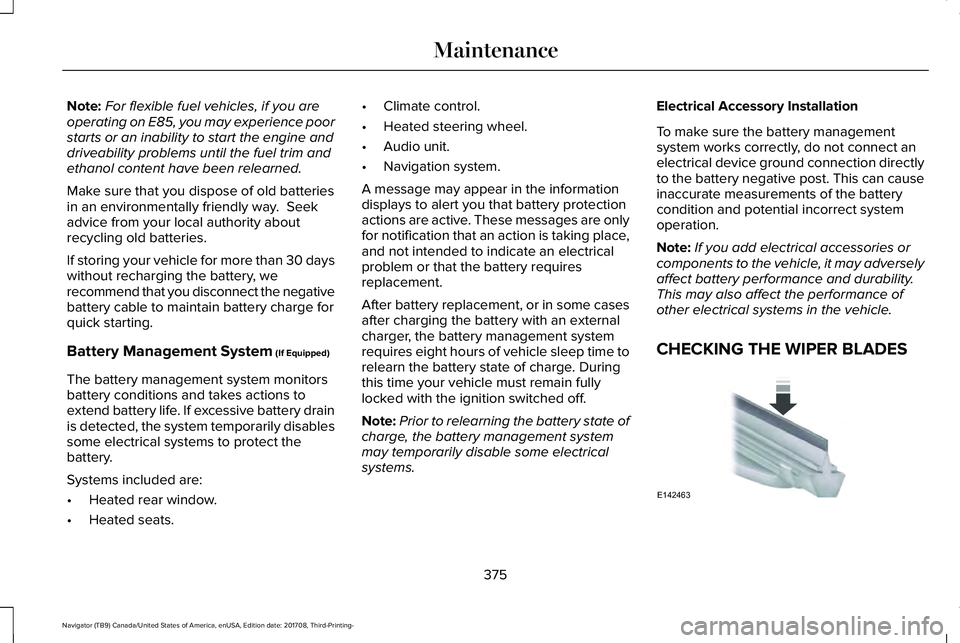
CHECKING THE WIPER BLADES
375
Navigator (TB9) Canada/United States of America, enUSA, Edition date: 201708, Third-Printing-
MaintenanceE142463
Page 388 of 649
•Do not allow wax to come in contact withany non-body (low-gloss black) coloredtrim. The wax will discolor or stain theparts over time.
•Roof racks.
•Bumpers.
•Grained door handles.
•Side moldings.
•Mirror housings.
•Windshield cowl area.
•Do not apply wax to glass areas.
•After waxing, your car's paint should feelsmooth, and be free of streaks andsmudges.
CLEANING THE ENGINE
Engines are more efficient when they areclean because grease and dirt buildup keepthe engine warmer than normal.
When washing:
•Take care when using a power washerto clean the engine. The high-pressurefluid could penetrate the sealed partsand cause damage.
•Do not spray a hot engine with cold waterto avoid cracking the engine block orother engine components.
•Spray Motorcraft Engine Shampoo andDegreaser on all parts that requirecleaning and pressure rinse clean. InCanada, use Motorcraft Engine Shampoo.
•Never wash or rinse the engine while itis hot or running; water in the runningengine may cause internal damage.
•Never wash or rinse any ignition coil,spark plug wire or spark plug well, or thearea in and around these locations.
•Cover the battery, power distribution box,and air filter assembly to prevent waterdamage when cleaning the engine.
CLEANING THE WINDOWS AND
WIPER BLADES
Car wash chemicals and environmentalfallout can result in windshield and wiperblade contamination. Dirty windshield andwipers will result in poor windshield wiperoperation. Keep the windshield and wiperblades clean to maintain windshield wiperperformance.
To clean the windshield and wiper blades:
•Clean the windshield with a non-abrasiveglass cleaner. When cleaning the interiorof the windshield, avoid getting any glasscleaner on the instrument panel or doorpanels. Wipe any glass cleaner off thesesurfaces immediately.
•For windshields contaminated with treesap, chemicals, wax or bugs, clean theentire windshield using steel wool (nogreater than 0000 grade) in a circularmotion and rinse with water.
•Clean the wiper blades with isopropylrubbing alcohol or windshield washerconcentrate.
385
Navigator (TB9) Canada/United States of America, enUSA, Edition date: 201708, Third-Printing-
Vehicle Care
Page 420 of 649
WARNING: Always use the jackprovided as original equipment with yourvehicle. If using a jack other than the oneprovided, make sure the jack capacity isadequate for the vehicle weight, includingany vehicle cargo or modifications. If youare unsure if the jack capacity is adequate,contact the authorized dealer.
WARNING: Switch off the runningboards before jacking or placing any objectunder your vehicle. Never place your handbetween the extended running board andyour vehicle. A moving running board maycause injury.
WARNING: Only use the spare wheelcarrier to stow the wheel provided withyour vehicle. Other wheel sizes couldcause the spare wheel carrier to fail if itdoes not fit securely or is too heavy.
1.Park the vehicle on firm, level ground andactivate the hazard flashers.
2. Apply the parking brake, place thetransmission in park (P) and switch theignition off.
3.Block the wheels diagonally opposite theflat tire, for example, if the left front tireis flat, block the right rear wheel.
Removing the Jack and Tools
Note:Pay close attention to the orientationof the jack and tool kit bag, because it needsto be reinstalled after changing the tire.
1. Open the liftgate and lift the load floorbehind the third row seat. If your vehiclehas an access panel, you need to thenunlatch and remove this panel.
2. Remove the wing nut by turning itcounterclockwise.
3. Remove the jack and tool kit bag fromthe bracket, loosen the straps andremove the tool bag from the jack.
Removing the Spare Tire
1.Remove the swivel wrench from the toolkit bag, open the spare tire winch accessplug at the bottom of the compartmentfor the jack and tools tray.
417
Navigator (TB9) Canada/United States of America, enUSA, Edition date: 201708, Third-Printing-
Wheels and TiresE175447 E252435