driver LINCOLN NAVIGATOR 2023 Owner's Manual
[x] Cancel search | Manufacturer: LINCOLN, Model Year: 2023, Model line: NAVIGATOR, Model: LINCOLN NAVIGATOR 2023Pages: 660, PDF Size: 14.04 MB
Page 93 of 660
DOORS AND LOCKS AUDIBLE
WARNINGS
Door Ajar Audible Warning
Sounds when a door is not fully closed andyour vehicle is moving.
DOORS AND LOCKS –
TROUBLESHOOTING
DOORS AND LOCKS – WARNINGLAMPS
Door Ajar Warning Lamp
Illuminates when you switch theignition on and remains on if anydoor or the hood is open.
DOORS AND LOCKS – INFORMATION MESSAGES
ActionMessage
Displays if a door is open. Fully close the door.Driver Door Ajar
Passenger Door Ajar
Rear Left Door Ajar
Rear Right Door Ajar
Displays if a hood is open. Fully close the hood.Hood Ajar
89
2023 Navigator (TB9) Canada/United States of America, enUSA, Edition date: 202207, DOMDoors and LocksE249859
Page 95 of 660
WHAT IS KEYLESS ENTRY
The system allows you to lock and unlockyour vehicle without taking the passive keyout of your pocket or purse.
KEYLESS ENTRY LIMITATIONS
Make sure your remote control is within 3 ft(1 m) from the front door handles and thetailgate.
The system could not function if:
•The remote control remains stationaryfor about a minute.
•The vehicle battery has no charge.
•The remote control battery has nocharge.
•There is interference causing issues withthe remote control frequencies.
•The remote control is too close to metalobjects or electronic devices, for examplekeys or a cell phone.
KEYLESS ENTRY SETTINGS
Switching Keyless Entry On and Off
1.Switch the ignition on using an originalkey that has not been created as aMyKey.
2.Press Settings on the touchscreen.
3.Press Vehicle Settings.
4.Press Locks.
Reprogramming the UnlockingFunction
You can enable two-stage unlocking functionallowing you to unlock only the driver doorwhen you touch the unlock sensor.
Press and hold both the lock and unlockbuttons on the remote control for fourseconds to disable or enable two-stageunlocking.
If you program the unlocking function so thatonly the driver door unlocks, you can unlockall of the other doors from inside your vehicleusing the power door lock control. You canunlock individual doors by pulling the interiordoor handles on those doors.
USING KEYLESS ENTRY
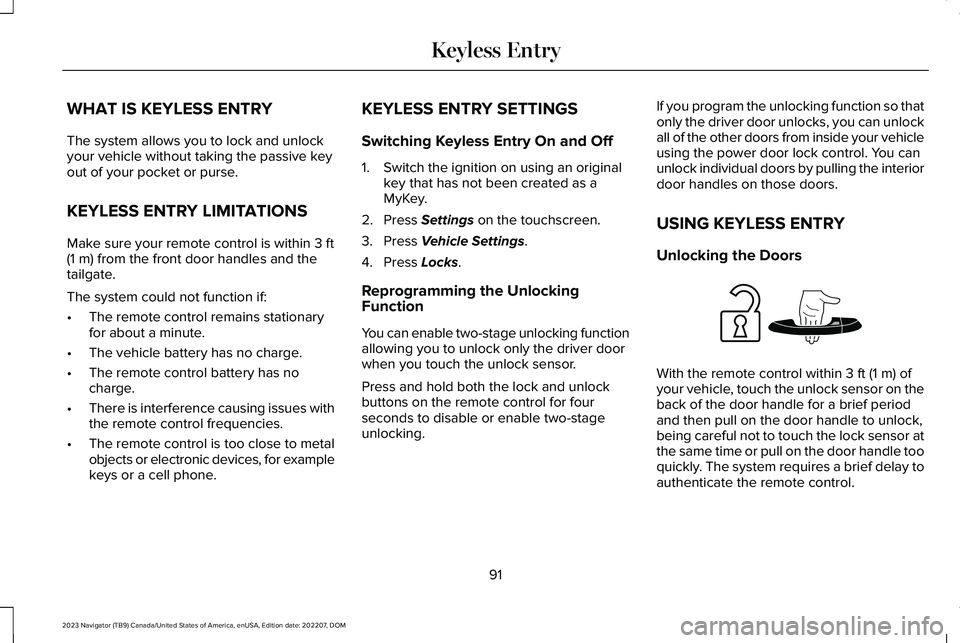
Unlocking the Doors
With the remote control within 3 ft (1 m) ofyour vehicle, touch the unlock sensor on theback of the door handle for a brief periodand then pull on the door handle to unlock,being careful not to touch the lock sensor atthe same time or pull on the door handle tooquickly. The system requires a brief delay toauthenticate the remote control.
91
2023 Navigator (TB9) Canada/United States of America, enUSA, Edition date: 202207, DOMKeyless EntryE248553
Page 97 of 660
WHAT IS THE KEYLESS ENTRY
KEYPAD
SecuriCode Invisible Keypad
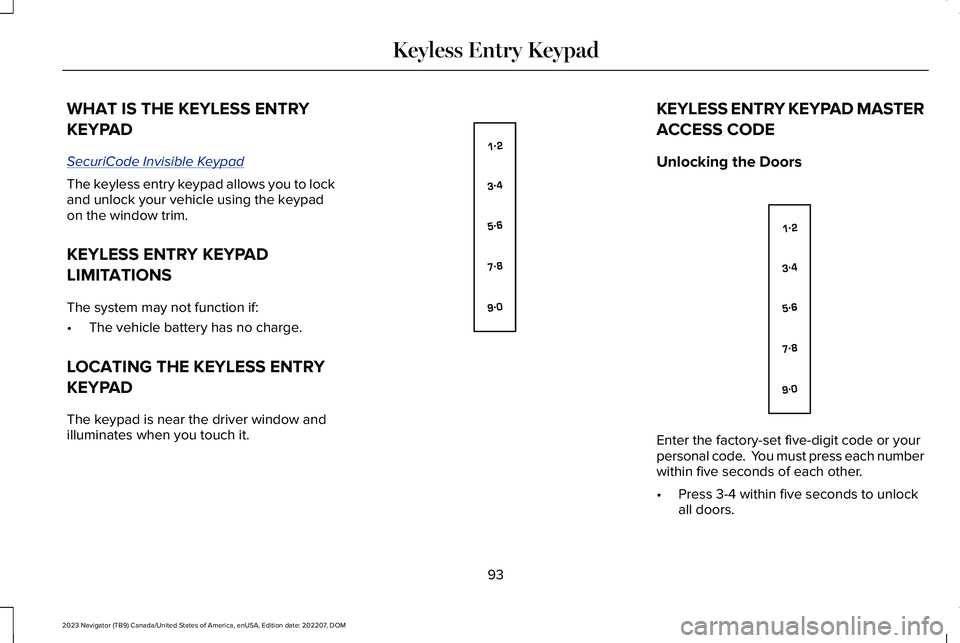
The keyless entry keypad allows you to lockand unlock your vehicle using the keypadon the window trim.
KEYLESS ENTRY KEYPAD
LIMITATIONS
The system may not function if:
•The vehicle battery has no charge.
LOCATING THE KEYLESS ENTRY
KEYPAD
The keypad is near the driver window andilluminates when you touch it.
KEYLESS ENTRY KEYPAD MASTER
ACCESS CODE
Unlocking the Doors
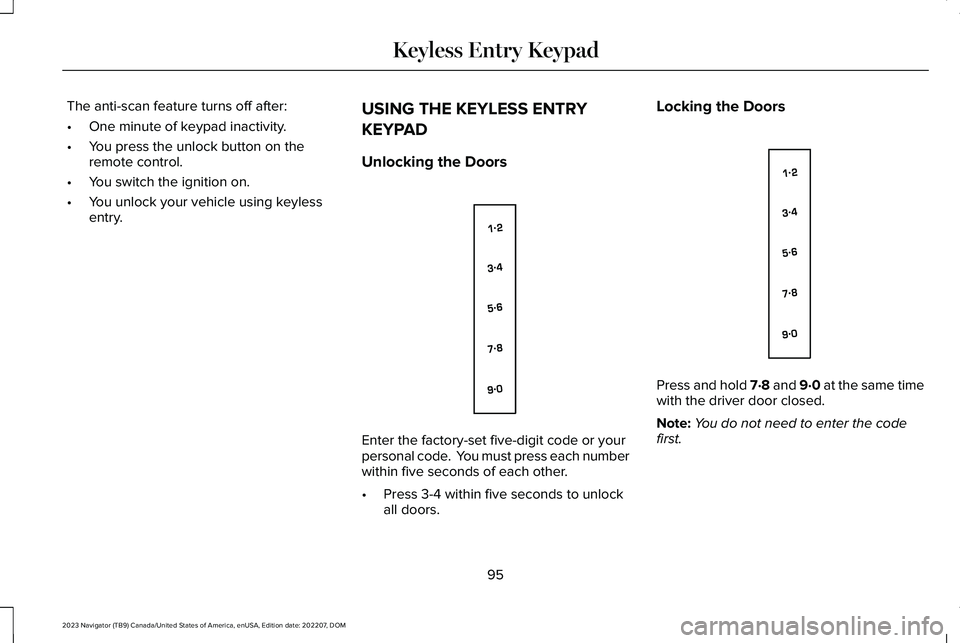
Enter the factory-set five-digit code or yourpersonal code. You must press each numberwithin five seconds of each other.
•Press 3-4 within five seconds to unlockall doors.
93
2023 Navigator (TB9) Canada/United States of America, enUSA, Edition date: 202207, DOMKeyless Entry KeypadE138637 E138637
Page 98 of 660
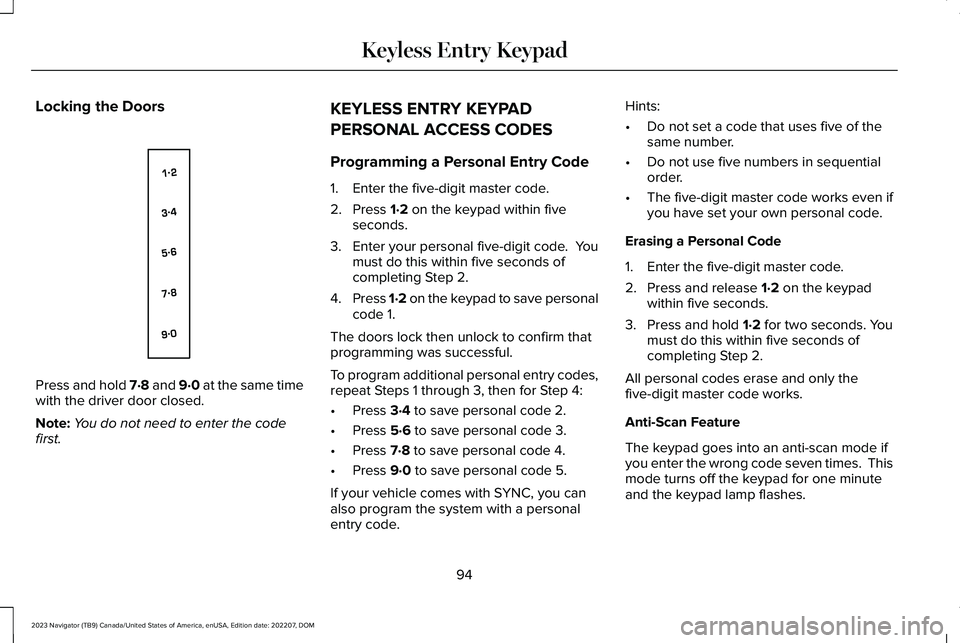
Locking the Doors
Press and hold 7·8 and 9·0 at the same timewith the driver door closed.
Note:You do not need to enter the codefirst.
KEYLESS ENTRY KEYPAD
PERSONAL ACCESS CODES
Programming a Personal Entry Code
1.Enter the five-digit master code.
2.Press 1·2 on the keypad within fiveseconds.
3.Enter your personal five-digit code. Youmust do this within five seconds ofcompleting Step 2.
4.Press 1·2 on the keypad to save personalcode 1.
The doors lock then unlock to confirm thatprogramming was successful.
To program additional personal entry codes,repeat Steps 1 through 3, then for Step 4:
•Press 3·4 to save personal code 2.
•Press 5·6 to save personal code 3.
•Press 7·8 to save personal code 4.
•Press 9·0 to save personal code 5.
If your vehicle comes with SYNC, you canalso program the system with a personalentry code.
Hints:
•Do not set a code that uses five of thesame number.
•Do not use five numbers in sequentialorder.
•The five-digit master code works even ifyou have set your own personal code.
Erasing a Personal Code
1.Enter the five-digit master code.
2.Press and release 1·2 on the keypadwithin five seconds.
3.Press and hold 1·2 for two seconds. Youmust do this within five seconds ofcompleting Step 2.
All personal codes erase and only thefive-digit master code works.
Anti-Scan Feature
The keypad goes into an anti-scan mode ifyou enter the wrong code seven times. Thismode turns off the keypad for one minuteand the keypad lamp flashes.
94
2023 Navigator (TB9) Canada/United States of America, enUSA, Edition date: 202207, DOMKeyless Entry KeypadE138637
Page 99 of 660
The anti-scan feature turns off after:
•One minute of keypad inactivity.
•You press the unlock button on theremote control.
•You switch the ignition on.
•You unlock your vehicle using keylessentry.
USING THE KEYLESS ENTRY
KEYPAD
Unlocking the Doors
Enter the factory-set five-digit code or yourpersonal code. You must press each numberwithin five seconds of each other.
•Press 3-4 within five seconds to unlockall doors.
Locking the Doors
Press and hold 7·8 and 9·0 at the same timewith the driver door closed.
Note:You do not need to enter the codefirst.
95
2023 Navigator (TB9) Canada/United States of America, enUSA, Edition date: 202207, DOMKeyless Entry KeypadE138637 E138637
Page 101 of 660
HOW DOES EASY ENTRY AND
EXIT WORK
Easy entry and exit moves the driver seatrearward up to 2 in (5 cm) and the steeringcolumn up when you switch the ignition off.The driver seat and steering column returnto their previous positions when you switchthe ignition on.
Note:Depending on your vehicle, the columnmay move up and in.
SWITCHING EASY ENTRY AND
EXIT ON AND OFF
1.Press Settings on the touchscreen.
2.Press Vehicle.
3.Select Easy Entry/Exit.
If you press any adjustment or memorybutton when in easy exit mode, the systemcancels the operation.
97
2023 Navigator (TB9) Canada/United States of America, enUSA, Edition date: 202207, DOMEasy Entry and Exit
Page 127 of 660
SWITCHING THE DAYTIME RUNNINGLAMPS ON AND OFF - VEHICLESWITH: DAYTIME RUNNING LAMPS(DRL)
WARNING: The daytime runninglamps system does not activate the rearlamps and may not provide adequatelighting during low visibility drivingconditions. Make sure you switch theheadlamps on, as appropriate, during alllow visibility conditions. Failure to do somay result in a crash.
Daytime running lamps are always on unlessyou switch on the headlamps or your vehicleis in park (P).
USING THE FRONT FOG LAMPS
To switch the lamps on or off:
1.Set the lighting control to the parkinglamps, headlamps or autolamps position.
Note:When the lighting control is in theautolamps position, you cannot switch thefog lamps on unless the low beamheadlamps are on.
2.
Press the button on the lightingcontrol to switch the front fog lamps onor off.
Note:Only switch the front fog lamps onduring reduced visibility.
Note:The brightness of the daytime runninglamps may decrease when the front foglamps are switched on.
Front Fog Lamps Indicator
It illuminates when you switch thefront fog lamps on.
SWITCHING WELCOME LIGHTING ONAND OFF
Welcome lighting turns on the exterior lampswhen you approach your vehicle with anauthenticated device or unlock the doors.
1.Press Settings on the touchscreen.
2.Press Vehicle Settings.
3.Press Lighting.
4.Switch Welcome Lighting on or off.
EXTERIOR LAMP INDICATORS
Front Fog Lamp
It illuminates when you switch thefront fog lamps on.
Turn Signal Lamp
It flashes when you switch the turnsignal lamps on.
Note:An increase in the rate of flashingwarns of a failed turn signal lamp.
EXTERIOR LAMPS ON AUDIBLEWARNING
Sounds when you open the driver door andthe exterior lamps are on.
123
2023 Navigator (TB9) Canada/United States of America, enUSA, Edition date: 202207, DOMExterior Lighting E67018
Page 140 of 660
INTERIOR MIRROR PRECAUTIONS
WARNING: Do not adjust the mirrorswhen your vehicle is moving. This couldresult in the loss of control of your vehicle,serious personal injury or death.
Note:Do not clean the mirror housing orglass with harsh abrasives, fuel or otherpetroleum-based cleaning products.
AUTO-DIMMING INTERIOR MIRROR
WHAT IS THE AUTO-DIMMINGINTERIOR MIRROR
The mirror dims to reduce the effect of brightlight from behind. It returns to normal whenthe bright light from behind is no longerpresent or if you shift into reverse (R).
AUTO-DIMMING INTERIOR MIRRORLIMITATIONS
Do not block the sensors on the front andback of the mirror.
Note:A rear center passenger or raised rearcenter head restraint could prevent light fromreaching the sensor.
CHILDMINDER MIRROR
CHILDMINDER MIRRORPRECAUTIONS
WARNING: Do not use thechildminder mirror to view rearward traffic,do not allow rear passengers to distractyou from the driving task, and make surethe rear view mirror has a clear view ofrearward traffic. Failure to do so couldincrease the risk of a crash from an unseenvehicle, which may result in serious injury.
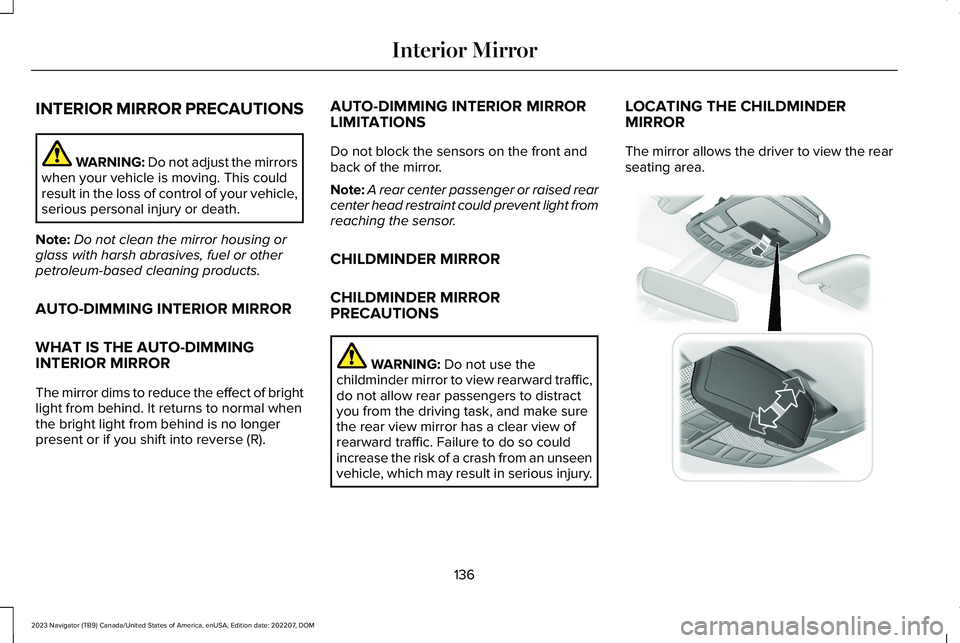
LOCATING THE CHILDMINDERMIRROR
The mirror allows the driver to view the rearseating area.
136
2023 Navigator (TB9) Canada/United States of America, enUSA, Edition date: 202207, DOMInterior Mirror E369501
Page 143 of 660
Loose Mirror
If your power folding mirrors are manuallyfolded, they may not work properly evenafter you reposition them. You need to resetthem if:
•The mirrors vibrate when you drive.
•The mirrors feel loose.
•The mirrors do not stay in the folded orunfolded position.
•One of the mirrors is not in its normaldriving position.
To reset the mirrors perform the followingsteps:
1.Fold or retract both mirrors manually.
2.Using the power folding/powertelescoping mirror control switch, operatethe mirrors until you hear an audible click.
3.Operate the power folding or powertelescoping mirrors an additional 3 to 4times to synchronize the mirrors.
AUTO-DIMMING EXTERIOR MIRROR
WHAT IS THE AUTO-DIMMINGEXTERIOR MIRROR
The driver exterior mirror dims when theinterior auto-dimming mirror turns on.
Memory Mirrors (If Equipped)
You can save and recall the mirror positionsthrough the memory function. See ExteriorMirrors (page 138).
Heated Exterior Mirrors
See Switching the Heated Rear Window Onand Off (page 160).
Signal Indicator Mirrors (If Equipped)
The forward-facing portion of the appropriatemirror housing blinks when you switch onthe direction indicator.
Lincoln Welcome Mat (If Equipped)
Projection lights, on the bottom of the mirrorhousings, project an image onto the grounda short distance from the vehicle.
Blind Spot Monitor
See What Is Blind Spot Information System(page 311).
360 Degree Camera (If Equipped)
See What Is the 360 Degree Camera (page261).
139
2023 Navigator (TB9) Canada/United States of America, enUSA, Edition date: 202207, DOMExterior Mirrors
Page 158 of 660
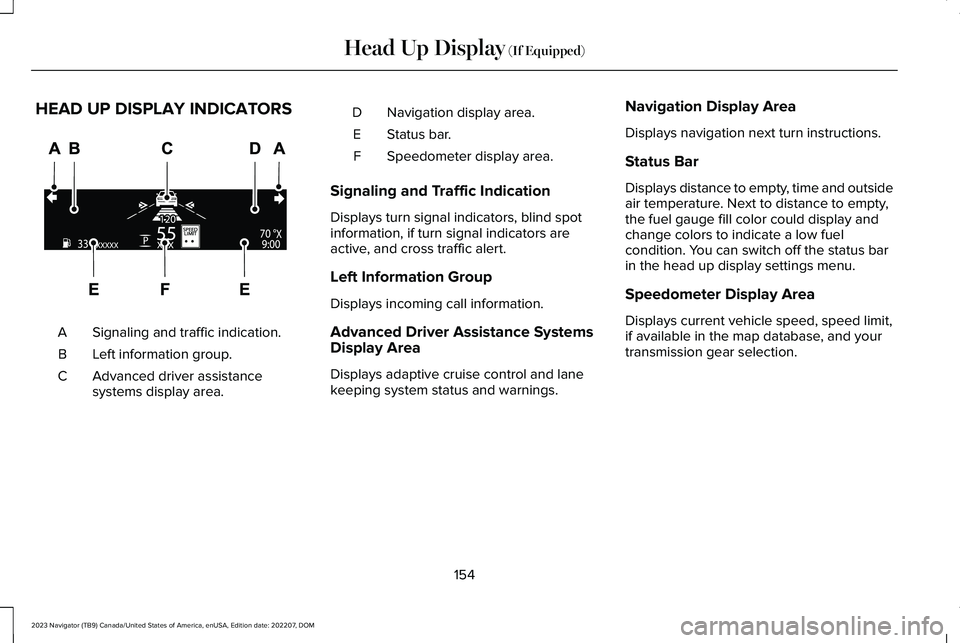
HEAD UP DISPLAY INDICATORS
Signaling and traffic indication.A
Left information group.B
Advanced driver assistancesystems display area.C
Navigation display area.D
Status bar.E
Speedometer display area.F
Signaling and Traffic Indication
Displays turn signal indicators, blind spotinformation, if turn signal indicators areactive, and cross traffic alert.
Left Information Group
Displays incoming call information.
Advanced Driver Assistance SystemsDisplay Area
Displays adaptive cruise control and lanekeeping system status and warnings.
Navigation Display Area
Displays navigation next turn instructions.
Status Bar
Displays distance to empty, time and outsideair temperature. Next to distance to empty,the fuel gauge fill color could display andchange colors to indicate a low fuelcondition. You can switch off the status barin the head up display settings menu.
Speedometer Display Area
Displays current vehicle speed, speed limit,if available in the map database, and yourtransmission gear selection.
154
2023 Navigator (TB9) Canada/United States of America, enUSA, Edition date: 202207, DOMHead Up Display (If Equipped)E355334