light LINCOLN NAVIGATOR 2023 Owner's Guide
[x] Cancel search | Manufacturer: LINCOLN, Model Year: 2023, Model line: NAVIGATOR, Model: LINCOLN NAVIGATOR 2023Pages: 660, PDF Size: 14.04 MB
Page 143 of 660
Loose Mirror
If your power folding mirrors are manuallyfolded, they may not work properly evenafter you reposition them. You need to resetthem if:
•The mirrors vibrate when you drive.
•The mirrors feel loose.
•The mirrors do not stay in the folded orunfolded position.
•One of the mirrors is not in its normaldriving position.
To reset the mirrors perform the followingsteps:
1.Fold or retract both mirrors manually.
2.Using the power folding/powertelescoping mirror control switch, operatethe mirrors until you hear an audible click.
3.Operate the power folding or powertelescoping mirrors an additional 3 to 4times to synchronize the mirrors.
AUTO-DIMMING EXTERIOR MIRROR
WHAT IS THE AUTO-DIMMINGEXTERIOR MIRROR
The driver exterior mirror dims when theinterior auto-dimming mirror turns on.
Memory Mirrors (If Equipped)
You can save and recall the mirror positionsthrough the memory function. See ExteriorMirrors (page 138).
Heated Exterior Mirrors
See Switching the Heated Rear Window Onand Off (page 160).
Signal Indicator Mirrors (If Equipped)
The forward-facing portion of the appropriatemirror housing blinks when you switch onthe direction indicator.
Lincoln Welcome Mat (If Equipped)
Projection lights, on the bottom of the mirrorhousings, project an image onto the grounda short distance from the vehicle.
Blind Spot Monitor
See What Is Blind Spot Information System(page 311).
360 Degree Camera (If Equipped)
See What Is the 360 Degree Camera (page261).
139
2023 Navigator (TB9) Canada/United States of America, enUSA, Edition date: 202207, DOMExterior Mirrors
Page 151 of 660
Cruise Control (If Equipped)
See Instrument Cluster (page 142).
Front Fog Lamp
See Exterior Lighting (page 120).
Headlamp High Beam
See Exterior Lighting (page 120).
Hill Descent Control
See Hill Descent Control (page250).
Hill Start Assist
See Hill Start Assist (page 242).
Lane Centering
See Lane Centering (page 279).
Lane Keeping System
See Lane Keeping System (page300).
Parking Lamps
See Exterior Lighting (page 120).
Pre-Collision Assist
See Pre-Collision Assist (page 321).
Rear Fog Lamp
See Exterior Lighting (page 120).
Stability and Traction Control
See Stability Control (page 247).See Traction Control (page 245).
Turn Signal
See Exterior Lighting (page 120).
147
2023 Navigator (TB9) Canada/United States of America, enUSA, Edition date: 202207, DOMInstrument ClusterE71340 E67019 E163171 E274708 E297977 E308131 E71341 E329466 E67040 E138639 E130458 E67018
Page 152 of 660
USING THE INSTRUMENT
CLUSTER DISPLAY CONTROLS
WARNING: Driving while distractedcan result in loss of vehicle control, crashand injury. We strongly recommend thatyou use extreme caution when using anydevice that may take your focus off theroad. Your primary responsibility is the safeoperation of your vehicle. We recommendagainst the use of any hand-held devicewhile driving and encourage the use ofvoice-operated systems when possible.Make sure you are aware of all applicablelocal laws that may affect the use ofelectronic devices while driving.
Note:Some options could appear slightlydifferent or not at all if the items are optional.
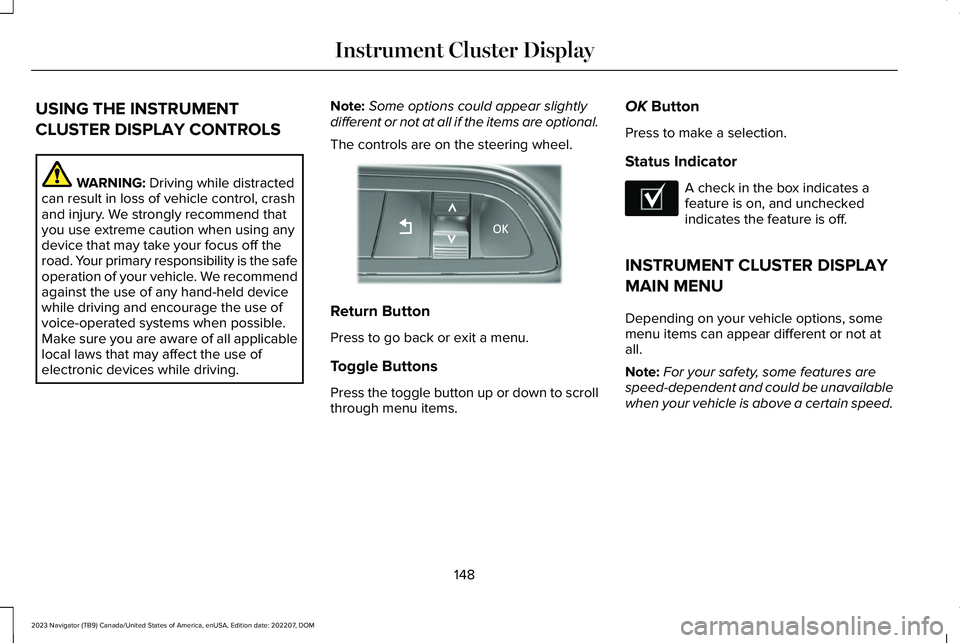
The controls are on the steering wheel.
Return Button
Press to go back or exit a menu.
Toggle Buttons
Press the toggle button up or down to scrollthrough menu items.
OK Button
Press to make a selection.
Status Indicator
A check in the box indicates afeature is on, and uncheckedindicates the feature is off.
INSTRUMENT CLUSTER DISPLAY
MAIN MENU
Depending on your vehicle options, somemenu items can appear different or not atall.
Note:For your safety, some features arespeed-dependent and could be unavailablewhen your vehicle is above a certain speed.
148
2023 Navigator (TB9) Canada/United States of America, enUSA, Edition date: 202207, DOMInstrument Cluster DisplayE357886 E204495
Page 156 of 660
WHAT IS THE HEAD UP DISPLAY
The system displays information on a displayscreen in your field of vision, allowing you tokeep your eyes on the road. You can selectwhich information the system displays.
SWITCHING THE HEAD UP
DISPLAY ON AND OFF
Use the instrument cluster controls on thesteering wheel to navigate to the head updisplay menu.
ActionMenu Item
Press the OK button.HUD
Press the OK button.HUD On
Note:The system remembers the last settingwhen you start the engine.
HEAD UP DISPLAY SETTINGS
You can control the system's options throughthe instrument cluster display by using theHUD, OK and arrow buttons on your steeringwheel. See Using the Instrument ClusterDisplay Controls (page 148).
You can adjust the display according to yourheight to make viewing the content easier.You can also adjust what content displaysand the brightness of the content. Thesystem's options appear in the instrumentcluster while the updates happen in the headup display.
Note:If HUD On is unchecked, other optionsof the system are hidden.
Note:The head up display menuautomatically closes after a certain periodof inactivity.
Note:The head up display image brightnessautomatically adjusts to the brightness ofthe ambient environment. You have theability to adjust the brightness furtheraccording to your preference.
Note:In some instances, sunlight can causesome reflections in and around the head updisplay image.
152
2023 Navigator (TB9) Canada/United States of America, enUSA, Edition date: 202207, DOMHead Up Display (If Equipped)
Page 165 of 660
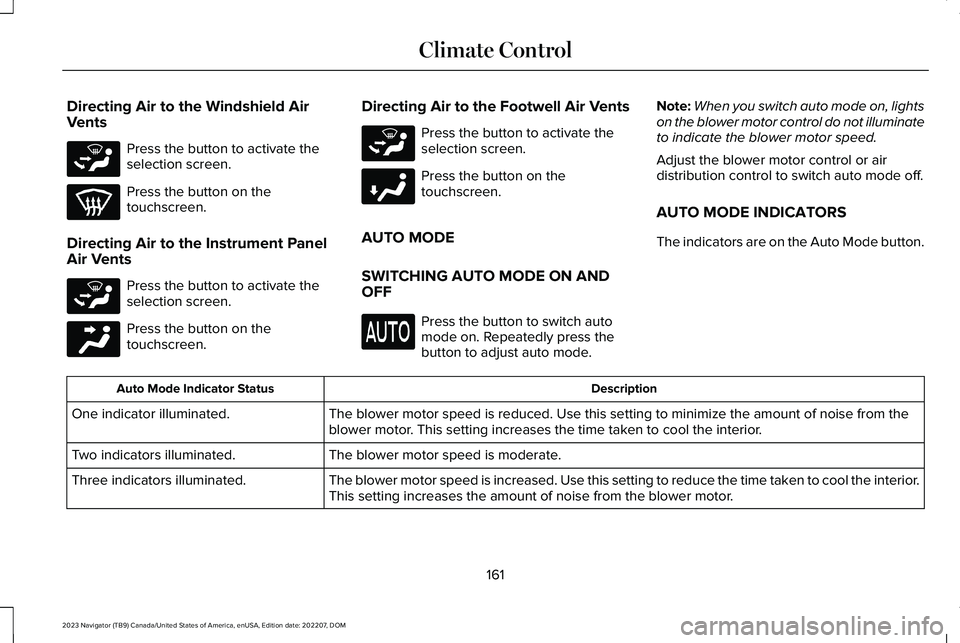
Directing Air to the Windshield AirVents
Press the button to activate theselection screen.
Press the button on thetouchscreen.
Directing Air to the Instrument PanelAir Vents
Press the button to activate theselection screen.
Press the button on thetouchscreen.
Directing Air to the Footwell Air Vents
Press the button to activate theselection screen.
Press the button on thetouchscreen.
AUTO MODE
SWITCHING AUTO MODE ON ANDOFF
Press the button to switch automode on. Repeatedly press thebutton to adjust auto mode.
Note:When you switch auto mode on, lightson the blower motor control do not illuminateto indicate the blower motor speed.
Adjust the blower motor control or airdistribution control to switch auto mode off.
AUTO MODE INDICATORS
The indicators are on the Auto Mode button.
DescriptionAuto Mode Indicator Status
The blower motor speed is reduced. Use this setting to minimize the amount of noise from theblower motor. This setting increases the time taken to cool the interior.One indicator illuminated.
The blower motor speed is moderate.Two indicators illuminated.
The blower motor speed is increased. Use this setting to reduce the time taken to cool the interior.This setting increases the amount of noise from the blower motor.Three indicators illuminated.
161
2023 Navigator (TB9) Canada/United States of America, enUSA, Edition date: 202207, DOMClimate ControlE265283 E265283 E244097 E265283 E244098
Page 171 of 660
FRONT SEAT PRECAUTIONS
WARNING: Sitting improperly, out ofposition or with the seatback reclined toofar can take weight off the seat cushionand affect the decision of the passengersensing system, resulting in serious injuryor death in the event of a crash. Always situpright against your seat back, with yourfeet on the floor.
WARNING: Do not recline the seatbackrest too far as this can cause theoccupant to slide under the seatbelt,resulting in personal injury in the event ofa crash.
WARNING: Do not place objectshigher than the top of the seat backrest.Failure to follow this instruction could resultin personal injury or death in the event ofa sudden stop or crash.
WARNING: Do not adjust the driverseat or seat backrest when your vehicle ismoving. This may result in sudden seatmovement, causing the loss of control ofyour vehicle.
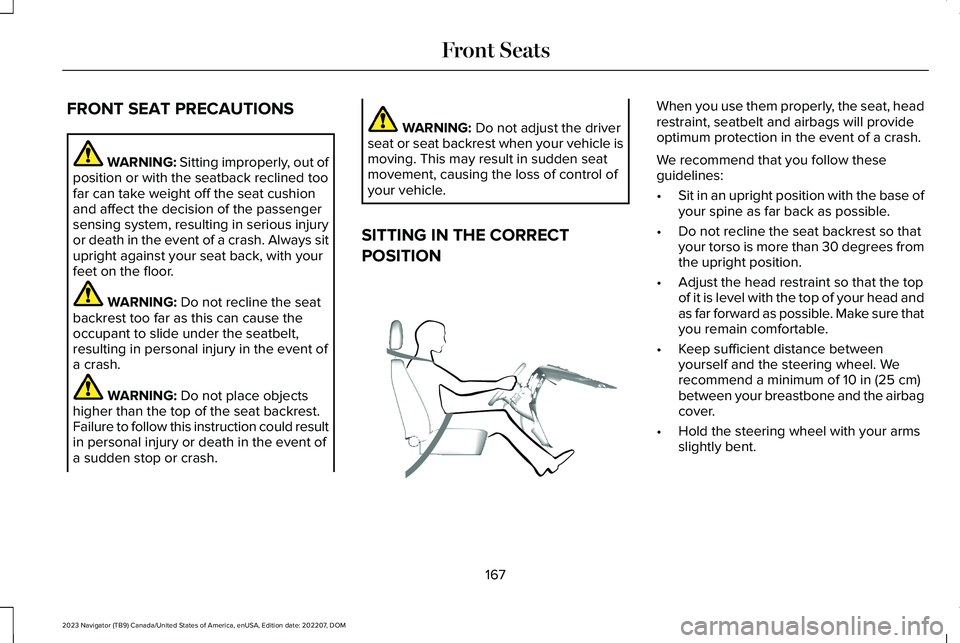
SITTING IN THE CORRECT
POSITION
When you use them properly, the seat, headrestraint, seatbelt and airbags will provideoptimum protection in the event of a crash.
We recommend that you follow theseguidelines:
•Sit in an upright position with the base ofyour spine as far back as possible.
•Do not recline the seat backrest so thatyour torso is more than 30 degrees fromthe upright position.
•Adjust the head restraint so that the topof it is level with the top of your head andas far forward as possible. Make sure thatyou remain comfortable.
•Keep sufficient distance betweenyourself and the steering wheel. Werecommend a minimum of 10 in (25 cm)between your breastbone and the airbagcover.
•Hold the steering wheel with your armsslightly bent.
167
2023 Navigator (TB9) Canada/United States of America, enUSA, Edition date: 202207, DOMFront SeatsE68595
Page 172 of 660
•Bend your legs slightly so that you canpress the pedals fully.
•Position the shoulder strap of the seatbeltover the center of your shoulder andposition the lap strap tightly across yourhips.
Make sure that your driving position iscomfortable and that you can maintain fullcontrol of your vehicle.
POWER SEATS
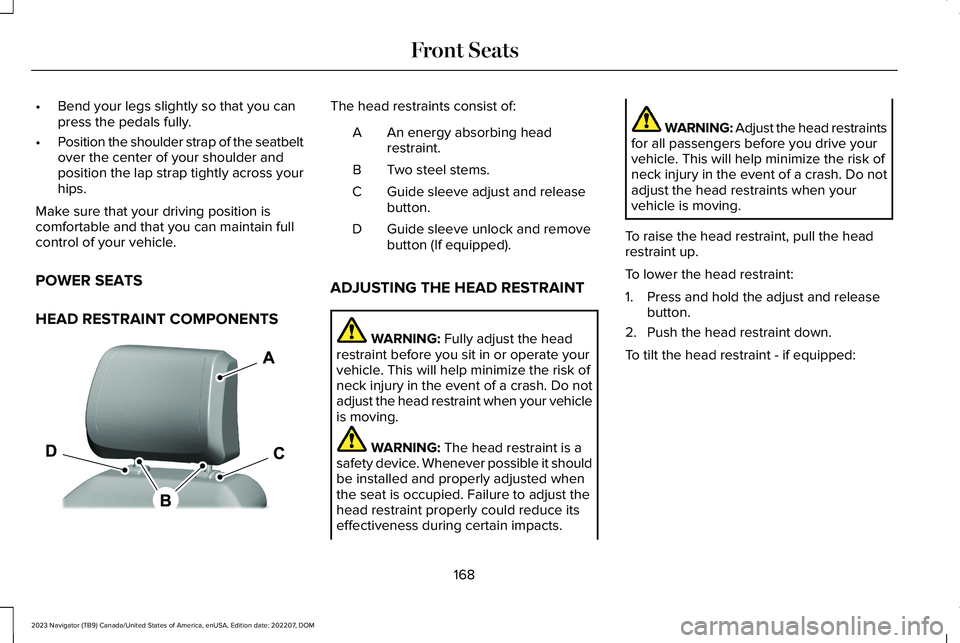
HEAD RESTRAINT COMPONENTS
The head restraints consist of:
An energy absorbing headrestraint.A
Two steel stems.B
Guide sleeve adjust and releasebutton.C
Guide sleeve unlock and removebutton (If equipped).D
ADJUSTING THE HEAD RESTRAINT
WARNING: Fully adjust the headrestraint before you sit in or operate yourvehicle. This will help minimize the risk ofneck injury in the event of a crash. Do notadjust the head restraint when your vehicleis moving.
WARNING: The head restraint is asafety device. Whenever possible it shouldbe installed and properly adjusted whenthe seat is occupied. Failure to adjust thehead restraint properly could reduce itseffectiveness during certain impacts.
WARNING: Adjust the head restraintsfor all passengers before you drive yourvehicle. This will help minimize the risk ofneck injury in the event of a crash. Do notadjust the head restraints when yourvehicle is moving.
To raise the head restraint, pull the headrestraint up.
To lower the head restraint:
1.Press and hold the adjust and releasebutton.
2.Push the head restraint down.
To tilt the head restraint - if equipped:
168
2023 Navigator (TB9) Canada/United States of America, enUSA, Edition date: 202207, DOMFront SeatsE327921
Page 177 of 660
You can also adjust this feature through thetouchscreen.
HEATED SEATS
HEATED SEAT PRECAUTIONS
WARNING: Use caution when usingthe heated seat if you are unable to feelpain to your skin because of advancedage, chronic illness, diabetes, spinal cordinjury, medication, alcohol use, exhaustionor other physical conditions. The heatedseat could cause burns even at lowtemperatures, especially if used for longperiods of time. Failure to follow thisinstruction could result in personal injury.
WARNING: Do not poke sharpobjects into the seat cushion or seatbackrest. This could damage the heatedseat element and cause it to overheat.Failure to follow this instruction could resultin personal injury.
WARNING: Do not place anything onthe seat that blocks the heat, for examplea seat cover or a cushion. This could causethe seat to overheat. Failure to follow thisinstruction could result in personal injury.
Do not:
•Place heavy objects on the seat.
•Operate the heated seat if water or anyother liquid spills on the seat. Allow theseat to dry.
SWITCHING THE HEATED SEATS ONAND OFF
The vehicle must be running to use thisfeature.
Press the heated seat symbol to cyclethrough the various heat settings and off.More indicator lights indicate warmersettings.
Note:The heated seats may remain on afteryou remote start your vehicle, based on yourremote start settings. The heated seats mayalso turn on when you start your vehicle ifthey were on when you switched yourvehicle off.
Automatic Climate Controlled Seats (If
Equipped)
When you switch the auto setting on, theclimate controlled seats switch between theheated seats and ventilated seats to matchyour climate control setting.
173
2023 Navigator (TB9) Canada/United States of America, enUSA, Edition date: 202207, DOMFront SeatsE146322
Page 178 of 660
VENTILATED SEATS
VENTILATED SEAT PRECAUTIONS
Do not:
•Spill liquid on the front seats. This maycause the air vent holes to becomeblocked and not work properly.
•Place cargo or objects under the seats.They may block the air intake causingthe air vents to not work properly.
SWITCHING THE VENTILATED SEATSON AND OFF
Automatic Climate Controlled Seats
The vehicle must be running to use thisfeature.
Press this symbol on the climate controls orthe touchscreen to cycle through the variousventilation settings and off. More indicatorlights indicate higher fan speeds.
Note:When you switch the climate controlfan speed and the ventilated seats to theirmaximum settings, the ventilated seatsprovide increased cooling.
If the engine falls below 350 RPM while theventilated seats are on, the feature turnsitself off unless the vehicle is inAuto-Start-Stop mode. You may need toreactivate the ventilated seats.
Note:The ventilated seats may remain onafter you remote start your vehicle, basedon your remote start settings. The ventilatedseats may also turn on when you start yourvehicle if they were on when you switchedyour vehicle off.
174
2023 Navigator (TB9) Canada/United States of America, enUSA, Edition date: 202207, DOMFront SeatsE224689
Page 187 of 660
The rear seat heat controls are on the rearof the center console.
Press the heated seat symbol to cyclethrough the various heat settings and off.More indicator lights indicate warmersettings.
Note:The heated seats may remain on afteryou remote start your vehicle, based on yourremote start settings. The heated seats mayalso turn on when you start your vehicle ifthey were on when you switched yourvehicle off.
Automatic Climate Controlled Seats (If
Equipped)
When you switch the auto setting on, theclimate controlled seats switch between theheated seats and ventilated seats to matchyour climate control setting.
VENTILATED SEATS
VENTILATED SEAT PRECAUTIONS
Do not:
•Spill liquid on the seats. This may causethe air vent holes to become blocked andnot work properly.
•Place cargo or objects under the seats.They may block the air intake causingthe air vents to not work properly.
SWITCHING THE VENTILATED SEATSON AND OFF
The vehicle must be running to use thisfeature.
Press this symbol on the climate controls orthe rear touchscreen to cycle through thevarious ventilation settings and off. Moreindicator lights indicate higher fan speeds.
Note:When you switch the climate controlfan speed and the ventilated seats to theirmaximum settings, the ventilated seatsprovide increased cooling.
If the engine falls below 350 RPM while theventilated seats are on, the feature switchesitself off unless the vehicle is inAuto-Start-Stop mode. You may need toreactivate the ventilated seats.
Note:The ventilated seats may remain onafter you remote start your vehicle, basedon your remote start settings. The ventilatedseats may also switch on when you startyour vehicle if they were on when youswitched your vehicle off.
183
2023 Navigator (TB9) Canada/United States of America, enUSA, Edition date: 202207, DOMRear SeatsE146322 E224689