seats LINCOLN NAVIGATOR 2023 Workshop Manual
[x] Cancel search | Manufacturer: LINCOLN, Model Year: 2023, Model line: NAVIGATOR, Model: LINCOLN NAVIGATOR 2023Pages: 660, PDF Size: 14.04 MB
Page 649 of 660
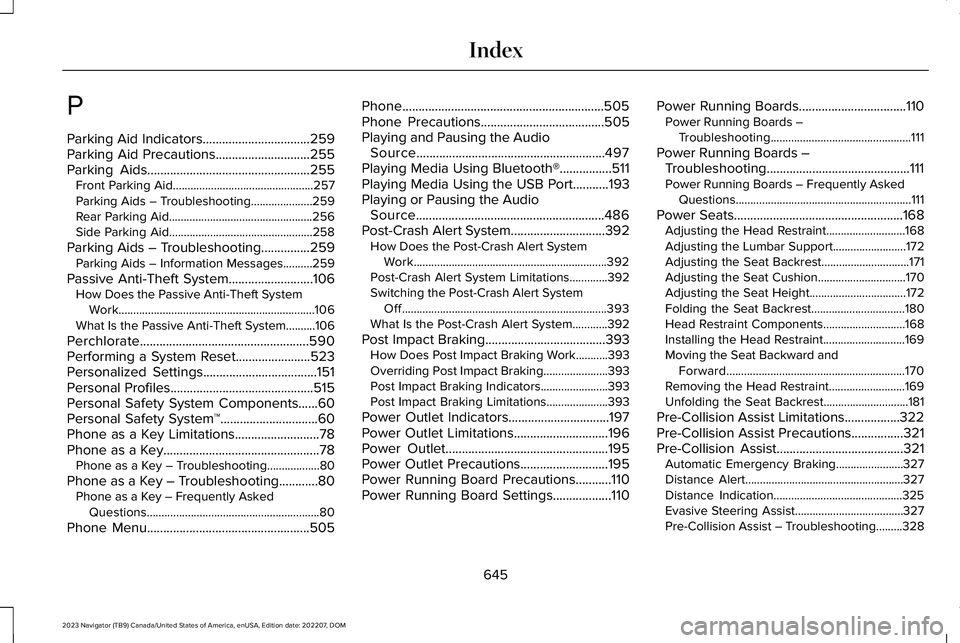
P
Parking Aid Indicators.................................259Parking Aid Precautions.............................255Parking Aids..................................................255Front Parking Aid................................................257Parking Aids – Troubleshooting.....................259Rear Parking Aid.................................................256Side Parking Aid.................................................258
Parking Aids – Troubleshooting...............259Parking Aids – Information Messages..........259
Passive Anti-Theft System..........................106How Does the Passive Anti-Theft SystemWork...................................................................106What Is the Passive Anti-Theft System..........106
Perchlorate....................................................590Performing a System Reset.......................523Personalized Settings...................................151Personal Profiles............................................515Personal Safety System Components......60Personal Safety System™..............................60Phone as a Key Limitations..........................78Phone as a Key................................................78Phone as a Key – Troubleshooting..................80
Phone as a Key – Troubleshooting............80Phone as a Key – Frequently AskedQuestions...........................................................80
Phone Menu..................................................505
Phone..............................................................505Phone Precautions......................................505Playing and Pausing the AudioSource..........................................................497Playing Media Using Bluetooth®................511Playing Media Using the USB Port...........193Playing or Pausing the AudioSource..........................................................486Post-Crash Alert System.............................392How Does the Post-Crash Alert SystemWork..................................................................392Post-Crash Alert System Limitations.............392Switching the Post-Crash Alert SystemOff......................................................................393What Is the Post-Crash Alert System............392
Post Impact Braking.....................................393How Does Post Impact Braking Work...........393Overriding Post Impact Braking......................393Post Impact Braking Indicators.......................393Post Impact Braking Limitations.....................393
Power Outlet Indicators...............................197Power Outlet Limitations.............................196Power Outlet..................................................195Power Outlet Precautions...........................195Power Running Board Precautions...........110Power Running Board Settings..................110
Power Running Boards.................................110Power Running Boards –Troubleshooting................................................111
Power Running Boards –Troubleshooting............................................111Power Running Boards – Frequently AskedQuestions............................................................111
Power Seats....................................................168Adjusting the Head Restraint...........................168Adjusting the Lumbar Support.........................172Adjusting the Seat Backrest..............................171Adjusting the Seat Cushion..............................170Adjusting the Seat Height.................................172Folding the Seat Backrest................................180Head Restraint Components............................168Installing the Head Restraint............................169Moving the Seat Backward andForward.............................................................170Removing the Head Restraint..........................169Unfolding the Seat Backrest.............................181
Pre-Collision Assist Limitations.................322Pre-Collision Assist Precautions................321Pre-Collision Assist.......................................321Automatic Emergency Braking.......................327Distance Alert......................................................327Distance Indication............................................325Evasive Steering Assist.....................................327Pre-Collision Assist – Troubleshooting.........328
645
2023 Navigator (TB9) Canada/United States of America, enUSA, Edition date: 202207, DOMIndex
Page 650 of 660
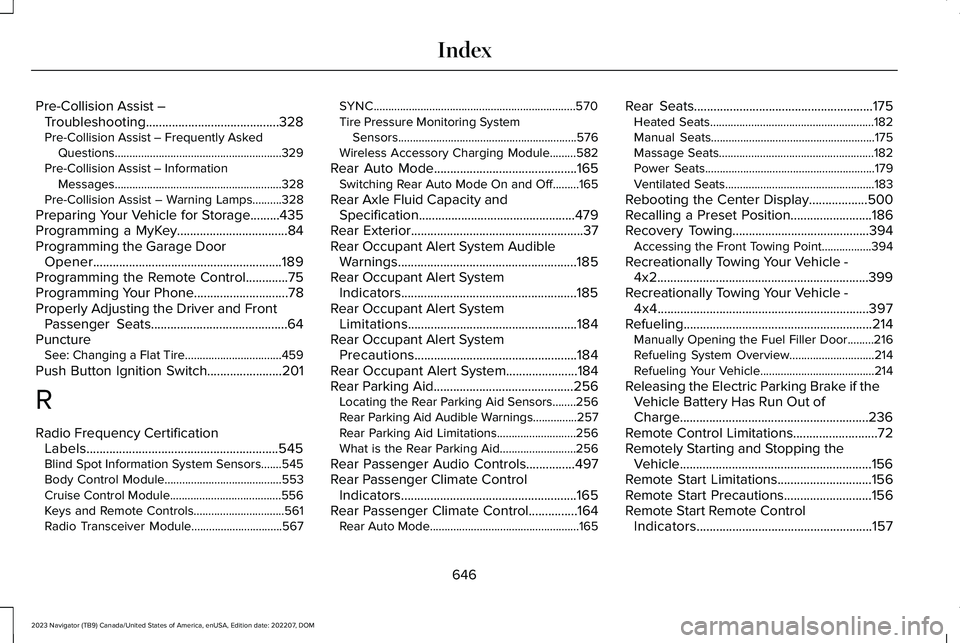
Pre-Collision Assist –Troubleshooting.........................................328Pre-Collision Assist – Frequently AskedQuestions.........................................................329Pre-Collision Assist – InformationMessages.........................................................328Pre-Collision Assist – Warning Lamps..........328
Preparing Your Vehicle for Storage.........435Programming a MyKey..................................84Programming the Garage DoorOpener..........................................................189Programming the Remote Control.............75Programming Your Phone.............................78Properly Adjusting the Driver and FrontPassenger Seats..........................................64PunctureSee: Changing a Flat Tire.................................459
Push Button Ignition Switch.......................201
R
Radio Frequency CertificationLabels...........................................................545Blind Spot Information System Sensors.......545Body Control Module........................................553Cruise Control Module......................................556Keys and Remote Controls...............................561Radio Transceiver Module...............................567
SYNC.....................................................................570Tire Pressure Monitoring SystemSensors.............................................................576Wireless Accessory Charging Module.........582
Rear Auto Mode............................................165Switching Rear Auto Mode On and Off.........165
Rear Axle Fluid Capacity andSpecification................................................479Rear Exterior.....................................................37Rear Occupant Alert System AudibleWarnings.......................................................185Rear Occupant Alert SystemIndicators......................................................185Rear Occupant Alert SystemLimitations....................................................184Rear Occupant Alert SystemPrecautions..................................................184Rear Occupant Alert System......................184Rear Parking Aid...........................................256Locating the Rear Parking Aid Sensors........256Rear Parking Aid Audible Warnings...............257Rear Parking Aid Limitations...........................256What is the Rear Parking Aid..........................256
Rear Passenger Audio Controls...............497Rear Passenger Climate ControlIndicators......................................................165Rear Passenger Climate Control...............164Rear Auto Mode...................................................165
Rear Seats.......................................................175Heated Seats........................................................182Manual Seats........................................................175Massage Seats.....................................................182Power Seats..........................................................179Ventilated Seats...................................................183
Rebooting the Center Display..................500Recalling a Preset Position.........................186Recovery Towing..........................................394Accessing the Front Towing Point.................394
Recreationally Towing Your Vehicle -4x2.................................................................399Recreationally Towing Your Vehicle -4x4.................................................................397Refueling..........................................................214Manually Opening the Fuel Filler Door.........216Refueling System Overview.............................214Refueling Your Vehicle.......................................214
Releasing the Electric Parking Brake if theVehicle Battery Has Run Out ofCharge..........................................................236Remote Control Limitations..........................72Remotely Starting and Stopping theVehicle...........................................................156Remote Start Limitations.............................156Remote Start Precautions...........................156Remote Start Remote ControlIndicators......................................................157
646
2023 Navigator (TB9) Canada/United States of America, enUSA, Edition date: 202207, DOMIndex
Page 656 of 660
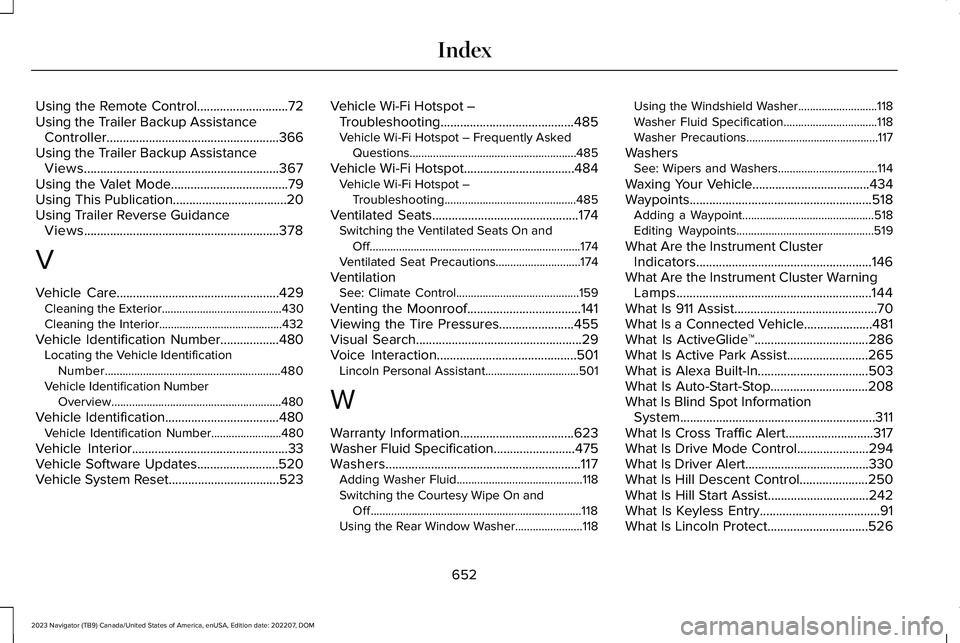
Using the Remote Control............................72Using the Trailer Backup AssistanceController.....................................................366Using the Trailer Backup AssistanceViews............................................................367Using the Valet Mode....................................79Using This Publication...................................20Using Trailer Reverse GuidanceViews............................................................378
V
Vehicle Care..................................................429Cleaning the Exterior.........................................430Cleaning the Interior..........................................432
Vehicle Identification Number..................480Locating the Vehicle IdentificationNumber............................................................480Vehicle Identification NumberOverview..........................................................480
Vehicle Identification...................................480Vehicle Identification Number........................480
Vehicle Interior................................................33Vehicle Software Updates.........................520Vehicle System Reset..................................523
Vehicle Wi-Fi Hotspot –Troubleshooting.........................................485Vehicle Wi-Fi Hotspot – Frequently AskedQuestions.........................................................485
Vehicle Wi-Fi Hotspot..................................484Vehicle Wi-Fi Hotspot –Troubleshooting.............................................485
Ventilated Seats.............................................174Switching the Ventilated Seats On andOff........................................................................174Ventilated Seat Precautions.............................174
VentilationSee: Climate Control..........................................159
Venting the Moonroof...................................141Viewing the Tire Pressures.......................455Visual Search...................................................29Voice Interaction...........................................501Lincoln Personal Assistant................................501
W
Warranty Information...................................623Washer Fluid Specification.........................475Washers............................................................117Adding Washer Fluid...........................................118Switching the Courtesy Wipe On andOff........................................................................118Using the Rear Window Washer.......................118
Using the Windshield Washer...........................118Washer Fluid Specification................................118Washer Precautions.............................................117
WashersSee: Wipers and Washers..................................114
Waxing Your Vehicle....................................434Waypoints........................................................518Adding a Waypoint.............................................518Editing Waypoints...............................................519
What Are the Instrument ClusterIndicators......................................................146What Are the Instrument Cluster WarningLamps............................................................144What Is 911 Assist............................................70What Is a Connected Vehicle.....................481What Is ActiveGlide™...................................286What Is Active Park Assist.........................265What is Alexa Built-In..................................503What Is Auto-Start-Stop..............................208What Is Blind Spot InformationSystem............................................................311What Is Cross Traffic Alert...........................317What Is Drive Mode Control......................294What Is Driver Alert......................................330What Is Hill Descent Control.....................250What Is Hill Start Assist...............................242What Is Keyless Entry.....................................91What Is Lincoln Protect...............................526
652
2023 Navigator (TB9) Canada/United States of America, enUSA, Edition date: 202207, DOMIndex