light MASERATI GHIBLI 2019 User Guide
[x] Cancel search | Manufacturer: MASERATI, Model Year: 2019, Model line: GHIBLI, Model: MASERATI GHIBLI 2019Pages: 384, PDF Size: 13.33 MB
Page 37 of 384
Unlock the Vehicle with
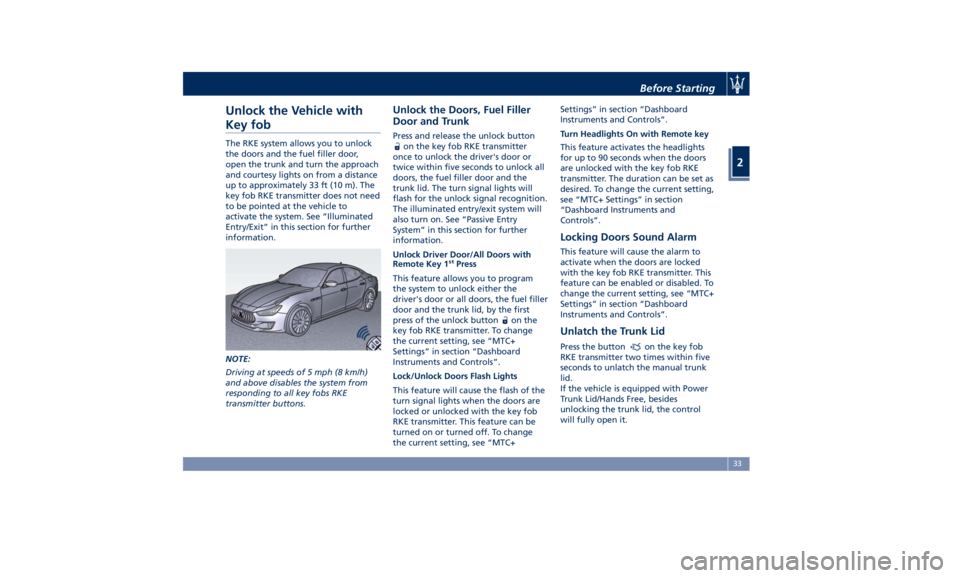
Key fob The RKE system allows you to unlock
the doors and the fuel filler door,
open the trunk and turn the approach
and courtesy lights on from a distance
up to approximately 33 ft (10 m). The
key fob RKE transmitter does not need
to be pointed at the vehicle to
activate the system. See “Illuminated
Entry/Exit” in this section for further
information.
NOTE:
Driving at speeds of 5 mph (8 km/h)
and above disables the system from
responding to all key fobs RKE
transmitter buttons. Unlock the Doors, Fuel Filler
Door and Trunk Press and release the unlock button
on the key fob RKE transmitter
once to unlock the driver's door or
twice within five seconds to unlock all
doors, the fuel filler door and the
trunk lid. The turn signal lights will
flash for the unlock signal recognition.
The illuminated entry/exit system will
also turn on. See “Passive Entry
System” in this section for further
information.
Unlock Driver Door/All Doors with
Remote Key 1 st
Press
This feature allows you to program
the system to unlock either the
driver's door or all doors, the fuel filler
door and the trunk lid, by the first
press of the unlock button
on the
key fob RKE transmitter. To change
the current setting, see “MTC+
Settings” in section “Dashboard
Instruments and Controls”.
Lock/Unlock Doors Flash Lights
This feature will cause the flash of the
turn signal lights when the doors are
locked or unlocked with the key fob
RKE transmitter. This feature can be
turned on or turned off. To change
the current setting, see “MTC+ Settings” in section “Dashboard
Instruments and Controls”.
Turn Headlights On with Remote key
This feature activates the headlights
for up to 90 seconds when the doors
are unlocked with the key fob RKE
transmitter. The duration can be set as
desired. To change the current setting,
see “MTC+ Settings” in section
“Dashboard Instruments and
Controls”.
Locking Doors Sound Alarm This feature will cause the alarm to
activate when the doors are locked
with the key fob RKE transmitter. This
feature can be enabled or disabled. To
change the current setting, see “MTC+
Settings” in section “Dashboard
Instruments and Controls”.
Unlatch the Trunk Lid Press the button on the key fob
RKE transmitter two times within five
seconds to unlatch the manual trunk
lid.
If the vehicle is equipped with Power
Trunk Lid/Hands Free, besides
unlocking the trunk lid, the control
will fully open it.Before Starting
2
33
Page 41 of 384
How to use Remote Start All of the following conditions must
be met before the engine will remote
start:
• System not disabled from previous
remote start event.
• Vehicle theft alarm not active.
• Doors closed.
• Hood closed.
• Trunk lid closed.
• Hazard lights switched off.
• Brake pedal not pressed.
• Battery at an acceptable charge
level.
• The shift lever is in P (Park) position.
• The vehicle transmission is in
automatic mode.
• The remote start has not been
activated yet two consecutive times.
If EPB (Electric Parking Brake) is not
selected, at key-off in some conditions
the remote start system may not allow
engine to start. We suggest to set
“Auto Apply On” function through
the switch on the right-side of the
steering wheel (refer to “Instrument
Cluster” in section “Dashboard
Instrument and Controls”). WARNING!
• Do not start or run an engine in a
closed garage or confined area.
Exhaust gas contains Carbon
Monoxide (CO) which is odorless
and colorless
• Keep key fobs RKE transmitter away
from children. Operation of the
Remote Start System, windows,
door locks or other controls could
cause serious injury or death.
Engine Remote Start Abort
Message on Instrument Cluster The following messages will display on
the instrument cluster if the vehicle
fails to remote start or exits remote
start prematurely:
• “Remote Start Canceled Door
Open”.
• “Remote Start Canceled Trunk
Open”.
• “Remote Start Canceled Fuel Low”.
• “Remote Start Canceled Time
Expired”.
• “Remote Start Disabled Start Vehicle
to Reset”. The message on the instrument cluster
stays active as long as the ignition
switch is in RUN position.
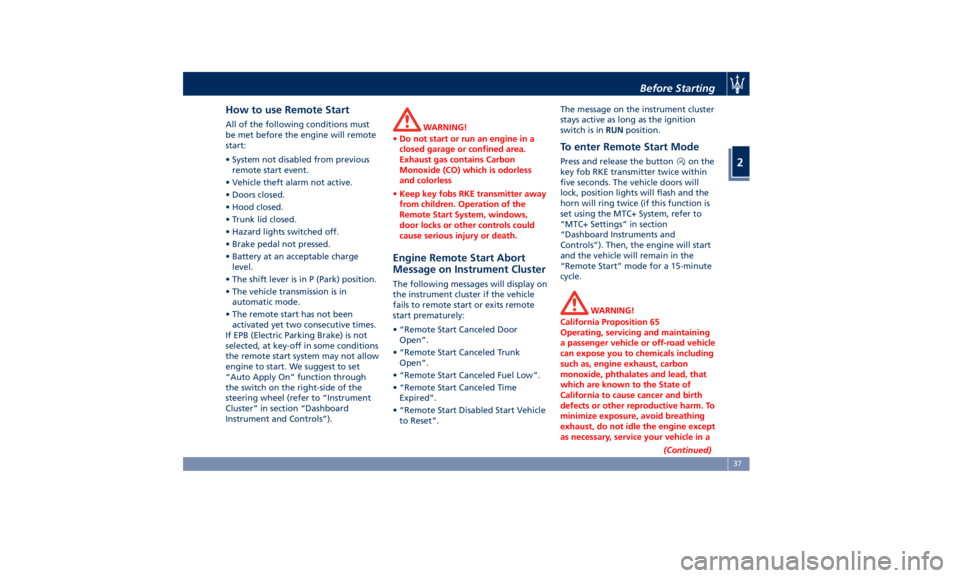
To enter Remote Start Mode Press and release the button on the
key fob RKE transmitter twice within
five seconds. The vehicle doors will
lock, position lights will flash and the
horn will ring twice (if this function is
set using the MTC+ System, refer to
“MTC+ Settings” in section
“Dashboard Instruments and
Controls”). Then, the engine will start
and the vehicle will remain in the
“Remote Start” mode for a 15-minute
cycle.
WARNING!
California Proposition 65
Operating, servicing and maintaining
a passenger vehicle or off-road vehicle
can expose you to chemicals including
such as, engine exhaust, carbon
monoxide, phthalates and lead, that
which are known to the State of
California to cause cancer and birth
defects or other reproductive harm. To
minimize exposure, avoid breathing
exhaust, do not idle the engine except
as necessary, service your vehicle in a
(Continued)Before Starting
2
37
Page 42 of 384
(Continued)
well-ventilated area and wear gloves
or wash your hands frequently when
servicing your vehicle. For more
information go to:
www.P65Warnings.ca.gov/passenger-
vehicle
NOTE:
• In
case of an engine fault or low fuel
level, the vehicle will start and then
shut down in 10 seconds.
• The position lights will turn on and
remain lighted up during “Remote
Start” mode.
• For security reasons, power window
and power sunroof operation are
disabled when the vehicle is in the
“Remote Start” mode.
• The engine can be started two
consecutive times (two 15-minute
cycles) with the key fob RKE transmitter. However, the ignition
must be cycled to the RUN position
before you can repeat the start
sequence for a third cycle.
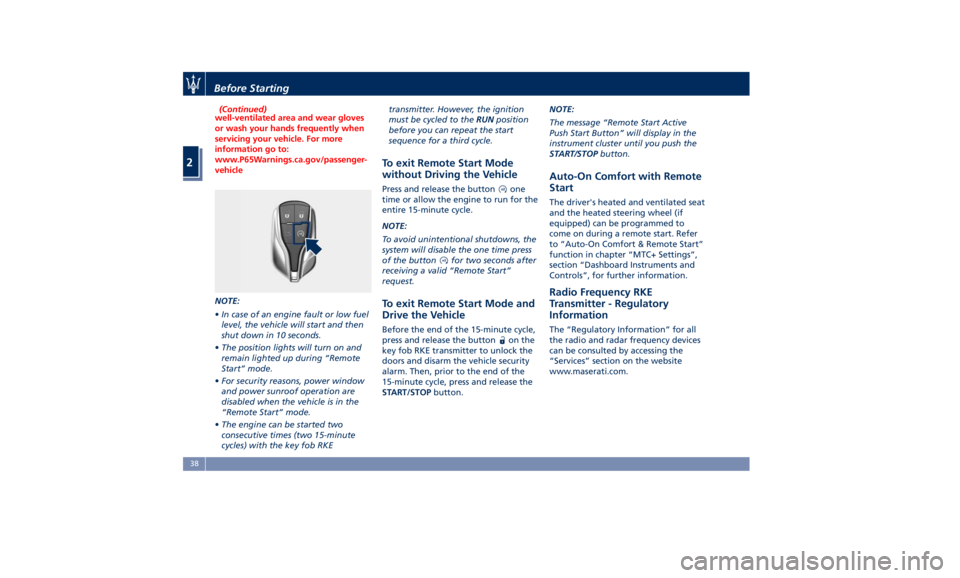
To exit Remote Start Mode
without Driving the Vehicle Press and release the button one
time or allow the engine to run for the
entire 15-minute cycle.
NOTE:
To avoid unintentional shutdowns, the
system will disable the one time press
of the button
for two seconds after
receiving a valid “Remote Start”
request.
To exit Remote Start Mode and
Drive the Vehicle Before the end of the 15-minute cycle,
press and release the button
on the
key fob RKE transmitter to unlock the
doors and disarm the vehicle security
alarm. Then, prior to the end of the
15-minute cycle, press and release the
START/STOP button. NOTE:
The message “Remote Start Active
Push Start Button” will display in the
instrument cluster until you push the
START/STOP button.
Auto-On Comfort with Remote
Start The driver's heated and ventilated seat
and the heated steering wheel (if
equipped) can be programmed to
come on during a remote start. Refer
to “Auto-On Comfort & Remote Start”
function in chapter “MTC+ Settings”,
section “Dashboard Instruments and
Controls”, for further information.
Radio Frequency RKE
Transmitter - Regulatory
Information The “Regulatory Information” for all
the radio and radar frequency devices
can be consulted by accessing the
“Services” section on the website
www.maserati.com.Before Starting
2
38
Page 46 of 384
(Continued)
• The “Passive Entry” system does not
lock and unlock the doors directly
and immediately but with a slight
delay (about 2 seconds).
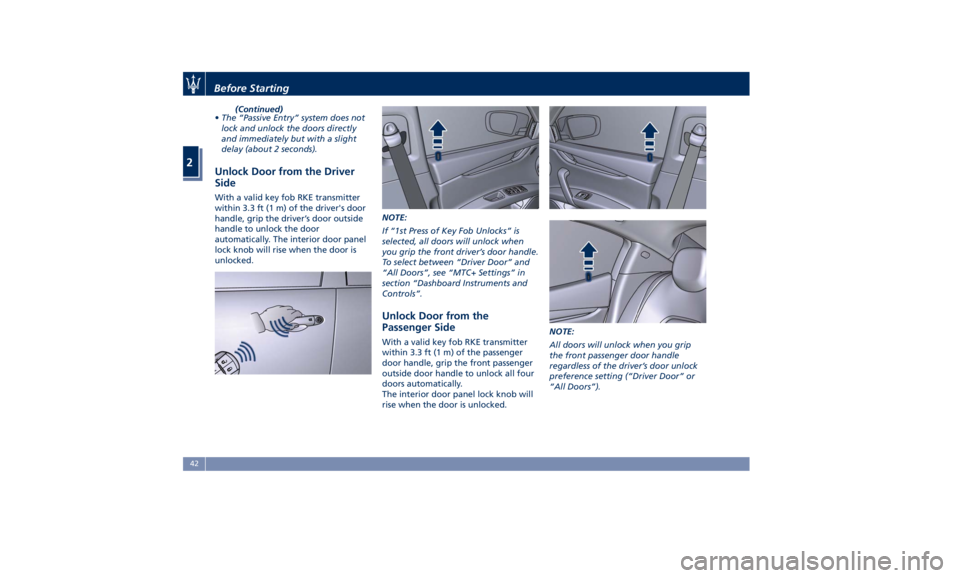
Unlock Door from the Driver
Side With a valid key fob RKE transmitter
within 3.3 ft (1 m) of the driver's door
handle, grip the driver’s door outside
handle to unlock the door
automatically. The interior door panel
lock knob will rise when the door is
unlocked. NOTE:
If “1st Press of Key Fob Unlocks” is
selected, all doors will unlock when
you grip the front driver’s door handle.
To select between “Driver Door” and
“All Doors”, see “MTC+ Settings” in
section “Dashboard Instruments and
Controls”.
Unlock Door from the
Passenger Side With a valid key fob RKE transmitter
within 3.3 ft (1 m) of the passenger
door handle, grip the front passenger
outside door handle to unlock all four
doors automatically.
The interior door panel lock knob will
rise when the door is unlocked. NOTE:
All doors will unlock when you grip
the front passenger door handle
regardless of the driver’s door unlock
preference setting (“Driver Door” or
“All Doors”).Before Starting
2
42
Page 48 of 384
will cancel vehicle lock and alarm
system arming thus leaving vehicle
unlocked.
Since when the doors are locked, the
"Passive Entry" system waits for about
16 seconds before verifying if a key
fob RKE transmitter is present inside
the vehicle.
Release the Lid and Enter the
Trunk For vehicles equipped with manual
trunk lid, with the key fob within 3.3 ft
(1 m) of the lid, press the button
located between the licence plate
lights and lift it manually.
For vehicles equipped with Power
Trunk Lid/Hands Free, with the key fob
within 3.3 ft (1 m) of the lid, press the
button located between the license
plate lights, the power trunk lid will
automatically open until it has reached
its maximum height; if the same
button is not pressed again to stop it
(for more information, see chapter
“Trunk Lid Operation” in this section).
If the vehicle had already been
unlocked through key fob or “Passive
Entry”, the presence of the key fob is
not required; simply use the button
located between the license plate
lights to open the trunk lid manually
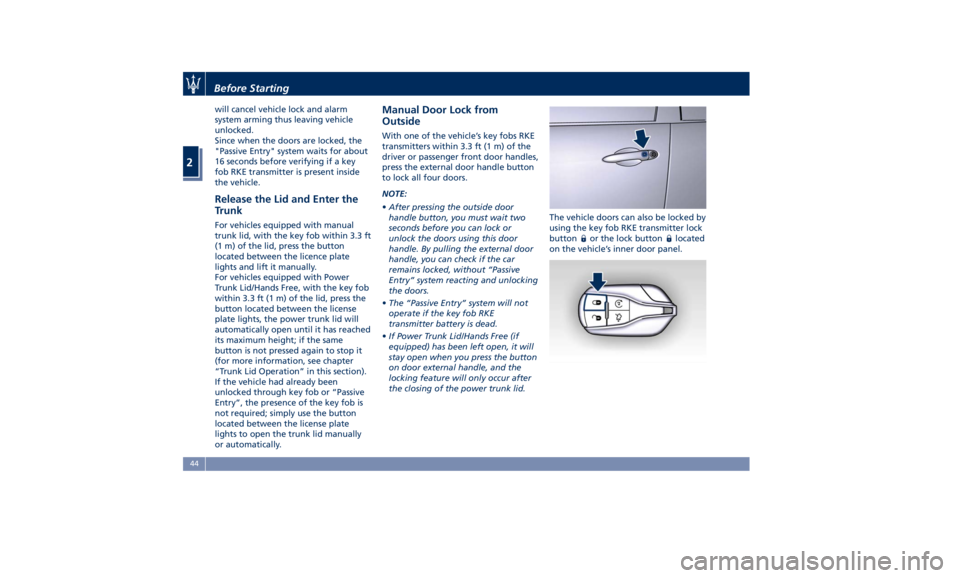
or automatically. Manual Door Lock from
Outside With one of the vehicle’s key fobs RKE
transmitters within 3.3 ft (1 m) of the
driver or passenger front door handles,
press the external door handle button
to lock all four doors.
NOTE:
• After pressing the outside door
handle button, you must wait two
seconds before you can lock or
unlock the doors using this door
handle. By pulling the external door
handle, you can check if the car
remains locked, without “Passive
Entry” system reacting and unlocking
the doors.
• The “Passive Entry” system will not
operate if the key fob RKE
transmitter battery is dead.
• If Power Trunk Lid/Hands Free (if
equipped) has been left open, it will
stay open when you press the button
on door external handle, and the
locking feature will only occur after
the closing of the power trunk lid. The vehicle doors can also be locked by
using the key fob RKE transmitter lock
button
or the lock button located
on the vehicle’s inner door panel.Before Starting
2
44
Page 50 of 384
NOTE:
• The power window switches will
remain active for up to 10 minutes
after the ignition switch is turned to
the OFF position. Opening either
front door will cancel this feature.
The time lapse can be set. See “MTC+
Settings” in section “Dashboard
Instruments and Controls” for
further information.
• Frequent activations of the power
windows could result in a temporary
lock out of the motors. In this case,
wait a moment before a new
activation.
WARNING!
Improper use of the power windows
and the sunroof (if equipped) can
however be dangerous, even with the
anti-pinch prevention system. Before
and during activation of the power
window, always check that the
passengers are not exposed to the risk
of injury both by the moving window
and by personal objects that could be
dragged or hit by it. Do not leave
unattended children in a vehicle with
a key fob RKE transmitter inside.
When getting out the vehicle, always
remove the key fob RKE transmitter to prevent the windows being
accidentally activated, posing a risk to
passengers remaining onboard.
Auto-Down Feature The driver door power window switch
and some model passenger door
power window switches have an
auto-down feature.
Press the window switch to the second
detent, release, and the window will
go completely down automatically.
To open the window part way, press
the window switch to the first detent
and release it when you want the
window to stop.
To stop the window from going all the
way down during the auto-down
operation, pull up on the switch
briefly.
Auto-Up Feature with
Anti-Pinch Protection Lift the window switch to the second
detent, release, and the window will
go all the way up automatically.
To stop the window from going all the
way up during the auto-up operation,
push down on the switch briefly.
To close the window part way, lift the
window switch to the first detent and release it when you want the window
to stop.
NOTE:
• If the window runs into any obstacle
during auto-closure, it will reverse
direction and then go back down.
Remove the obstacle and use the
window switch again to close the
window.
• Any impact due to rough road
conditions may trigger the auto
reverse function unexpectedly during
auto-closure. If this happens, pull the
switch lightly to the first detent and
hold to close the window manually.
• Frequent activations of the
anti-pinch function could disable the
auto-down and auto-up function of
the windows. In order to re-activate
this function proceed with a reset
cycle as described in the next
paragraph.
WARNING!
There is no anti-pinch protection when
the window is almost closed. Be sure
to clear all objects from the area
before closing the window.Before Starting
2
46
Page 51 of 384
Reset Auto-Up/Down Should the auto-up/down feature stop
working, the window probably needs
to be reset.
To reset auto-up/down, pull the
window switch up to close the
window completely and push the
window switch down to open the
window completely.
Open the Windows and
Sunroof with RKE Transmitter
and Ignition Off When the ignition switch is in OFF
position, windows can be opened by
pressing the
button on the RKE
transmitter.
• Press the button and release it;
• Press a second time the
button
and keep it pressed until complete
opening of the windows, if they
were closed.
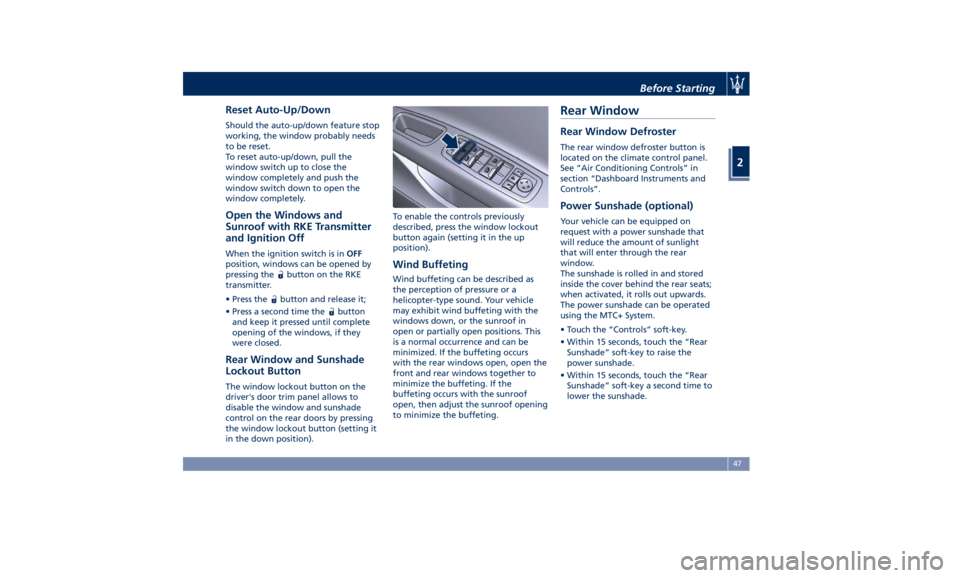
Rear Window and Sunshade
Lockout Button The window lockout button on the
driver's door trim panel allows to
disable the window and sunshade
control on the rear doors by pressing
the window lockout button (setting it
in the down position). To enable the controls previously
described, press the window lockout
button again (setting it in the up
position).
Wind Buffeting Wind buffeting can be described as
the perception of pressure or a
helicopter-type sound. Your vehicle
may exhibit wind buffeting with the
windows down, or the sunroof in
open or partially open positions. This
is a normal occurrence and can be
minimized. If the buffeting occurs
with the rear windows open, open the
front and rear windows together to
minimize the buffeting. If the
buffeting occurs with the sunroof
open, then adjust the sunroof opening
to minimize the buffeting.Rear Window Rear Window Defroster The rear window defroster button is
located on the climate control panel.
See “Air Conditioning Controls” in
section “Dashboard Instruments and
Controls”.
Power Sunshade (optional) Your vehicle can be equipped on
request with a power sunshade that
will reduce the amount of sunlight
that will enter through the rear
window.
The sunshade is rolled in and stored
inside the cover behind the rear seats;
when activated, it rolls out upwards.
The power sunshade can be operated
using the MTC+ System.
• Touch the “Controls” soft-key.
• Within 15 seconds, touch the “Rear
Sunshade” soft-key to raise the
power sunshade.
• Within 15 seconds, touch the “Rear
Sunshade” soft-key a second time to
lower the sunshade.Before Starting
2
47
Page 53 of 384
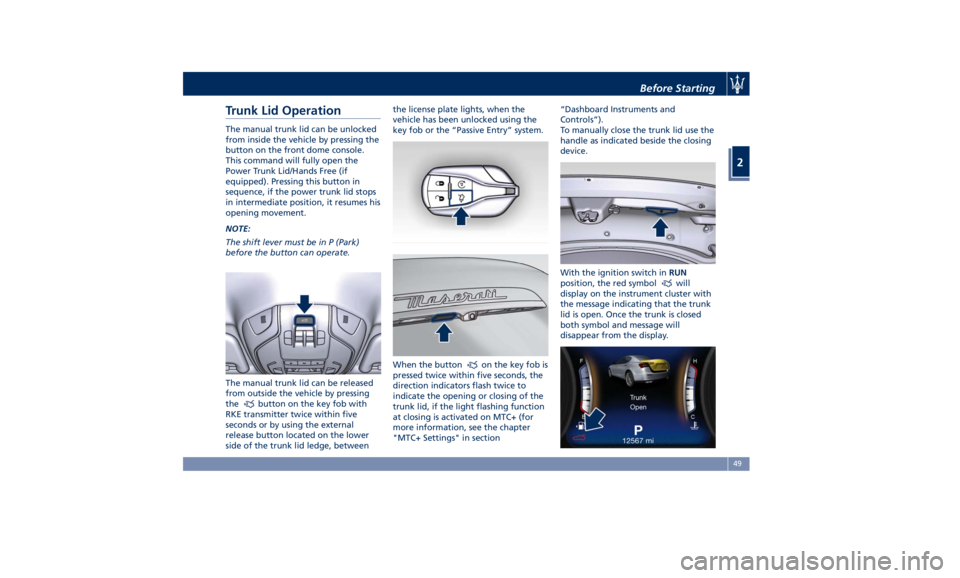
Trunk Lid Operation The manual trunk lid can be unlocked
from inside the vehicle by pressing the
button on the front dome console.
This command will fully open the
Power Trunk Lid/Hands Free (if
equipped). Pressing this button in
sequence, if the power trunk lid stops
in intermediate position, it resumes his
opening movement.
NOTE:
The shift lever must be in P (Park)
before the button can operate.
The manual trunk lid can be released
from outside the vehicle by pressing
the
button on the key fob with
RKE transmitter twice within five
seconds or by using the external
release button located on the lower
side of the trunk lid ledge, between the license plate lights, when the
vehicle has been unlocked using the
key fob or the “Passive Entry” system.
When the button
on the key fob is
pressed twice within five seconds, the
direction indicators flash twice to
indicate the opening or closing of the
trunk lid, if the light flashing function
at closing is activated on MTC+ (for
more information, see the chapter
"MTC+ Settings" in section “Dashboard Instruments and
Controls”).
To manually close the trunk lid use the
handle as indicated beside the closing
device.
With the ignition switch in RUN
position, the red symbol
will
display on the instrument cluster with
the message indicating that the trunk
lid is open. Once the trunk is closed
both symbol and message will
disappear from the display.Before Starting
2
49
Page 54 of 384
With the ignition device in the OFF
position, the trunk open symbol and
message will display until closure.
See “Passive Entry System” in this
section for more information on trunk
lid operation with the “Passive Entry”
feature.
Power Trunk Lid/Hands Free
(optional) Automatic opening and closing
movement of the trunk lid is driven by
electric actuators and a motorized
latch ensuring lid locking upon closing.
Power Trunk lid can be opened using
button
on the key fob RKE
transmitter and the button on the
front dome console used also for
non-power version.
The
button on key fob and button
on dome console not only allows user
to completely open the Power Trunk
Lid/Hands Free, but also to stop it at
any intermediate position by pressing
the button again at anytime you wish
to stop and resume the opening
process.
In addition to these commands, it is
possible open and close the Power
Trunk Lid/Hands Free by simply moving
your foot under the rear bumper, if
the vehicle is so equipped with the
kick sensor option, as specified in the paragraph “Hands Free Power Trunk
Release and Closing”. In this latter
case, the lid will be opened and closed
only if the “Passive Entry” system
acknowledges the presence of the key
fob RKE transmitter within 3.3 ft (1 m)
of the trunk lid.
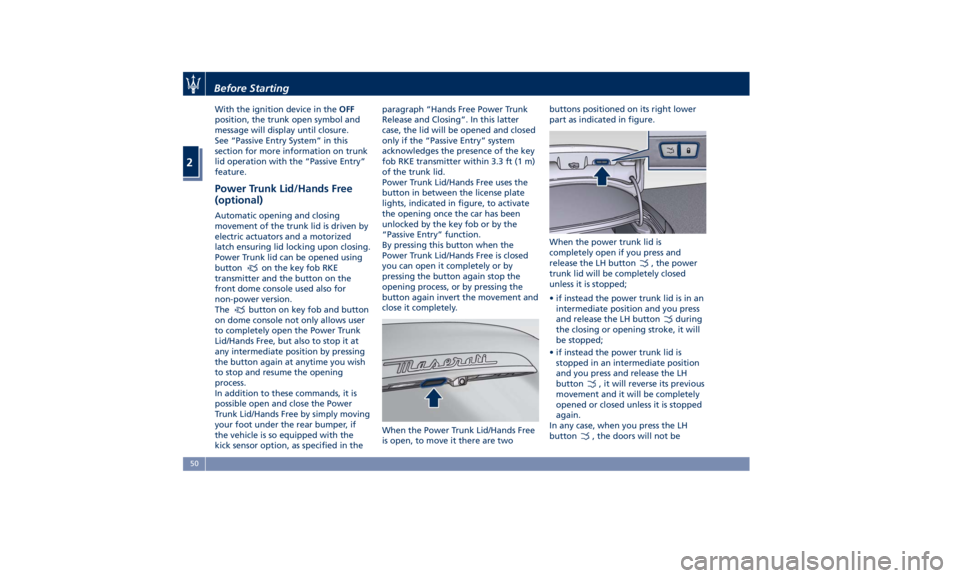
Power Trunk Lid/Hands Free uses the
button in between the license plate
lights, indicated in figure, to activate
the opening once the car has been
unlocked by the key fob or by the
“Passive Entry” function.
By pressing this button when the
Power Trunk Lid/Hands Free is closed
you can open it completely or by
pressing the button again stop the
opening process, or by pressing the
button again invert the movement and
close it completely.
When the Power Trunk Lid/Hands Free
is open, to move it there are two buttons positioned on its right lower
part as indicated in figure.
When the power trunk lid is
completely open if you press and
release the LH button
, the power
trunk lid will be completely closed
unless it is stopped;
• if instead the power trunk lid is in an
intermediate position and you press
and release the LH button
during
the closing or opening stroke, it will
be stopped;
• if instead the power trunk lid is
stopped in an intermediate position
and you press and release the LH
button
, it will reverse its previous
movement and it will be completely
opened or closed unless it is stopped
again.
In any case, when you press the LH
button
, the doors will not beBefore Starting
2
50
Page 56 of 384
protection system able to stop its
movement when an obstacle is
detected along the path: when
opening or closing, it stops
automatically and then slightly moves
back.
After the closing command, when
Power Trunk Lid/Hands Free starts
closing, all the indicators will blink to
warn anyone within range. Apart from
activating indicators blinking when
power trunk lid is operated, it is also
possible to activate a sound warning
by selecting the relevant function
within MTC+ user settings (see “MTC+
Settings” in section “Dashboard
Instruments and Controls”). When
Power Trunk Lid/Hands Free edge
reaches the car body, the motor
locking the latch is activated
automatically.
If necessary, the Power Trunk
Lid/Hands Free can also be opened or
closed manually. This operation could
be required when the trunk lid
remains open for a long period of
time.
WARNING!
• Activate Power Trunk Lid/Hand Free
only when vehicle is at a standstill. • Always pay utmost attention when
opening and closing Power Trunk
Lid/Hand Free.
• After the closing command, always
make sure that Power Trunk
Lid/Hand Free is completely closed.
CAUTION!
• Under extreme weather conditions,
trunk lid seal could freeze and
compromise Power Trunk Lid/Hand
Free automatic opening and closing.
• Before opening Power Trunk
Lid/Hand Free, make sure that no
objects or snow are set on trunk lid
or might jam or prevent its opening.
Hands Free Power Trunk Release and
Closing
This
mode is controlled by the “Passive
Entry” system (see paragraph “Passive
Entry System” in this section), which
automatically releases and closes the
Power Trunk Lid/Hands Free when you
place your foot in the area under the
rear bumper.
The system will only operate if the
system acknowledges the presence of
the key fob RKE transmitter within 3.3
ft (1 m) of the Power Trunk Lid/Hands
Free. The range of the sensors that detect
your foot movement extends along
and underneath the central portion of
the rear bumper.
To activate the Power Trunk Lid/Hands
Free, stand behind the vehicle, near
the trunk lid, and move your foot
under the bumper as if to kick
something. Do not place your foot too
close to the bumper or touch the
underbody.
WARNING!
• Pay careful attention to the exhaust
tailpipes as they can reach high
temperatures and, in case of contact,
they can cause severe burns.
• When it is not necessary to open the
Power Trunk Lid/Hand Free with the
Hands Free mode, make sure the key
fob results outside the range of use
(3.3 ft/1 m). Otherwise, the Power
Trunk Lid/Hand Free can be opened
accidentally by an unintentional
movement of the foot.Before Starting
2
52