display MAZDA MODEL 3 5-DOOR 2017 Owners Manual
[x] Cancel search | Manufacturer: MAZDA, Model Year: 2017, Model line: MODEL 3 5-DOOR, Model: MAZDA MODEL 3 5-DOOR 2017Pages: 612
Page 334 of 612
5–42
Interior Features
Audio System
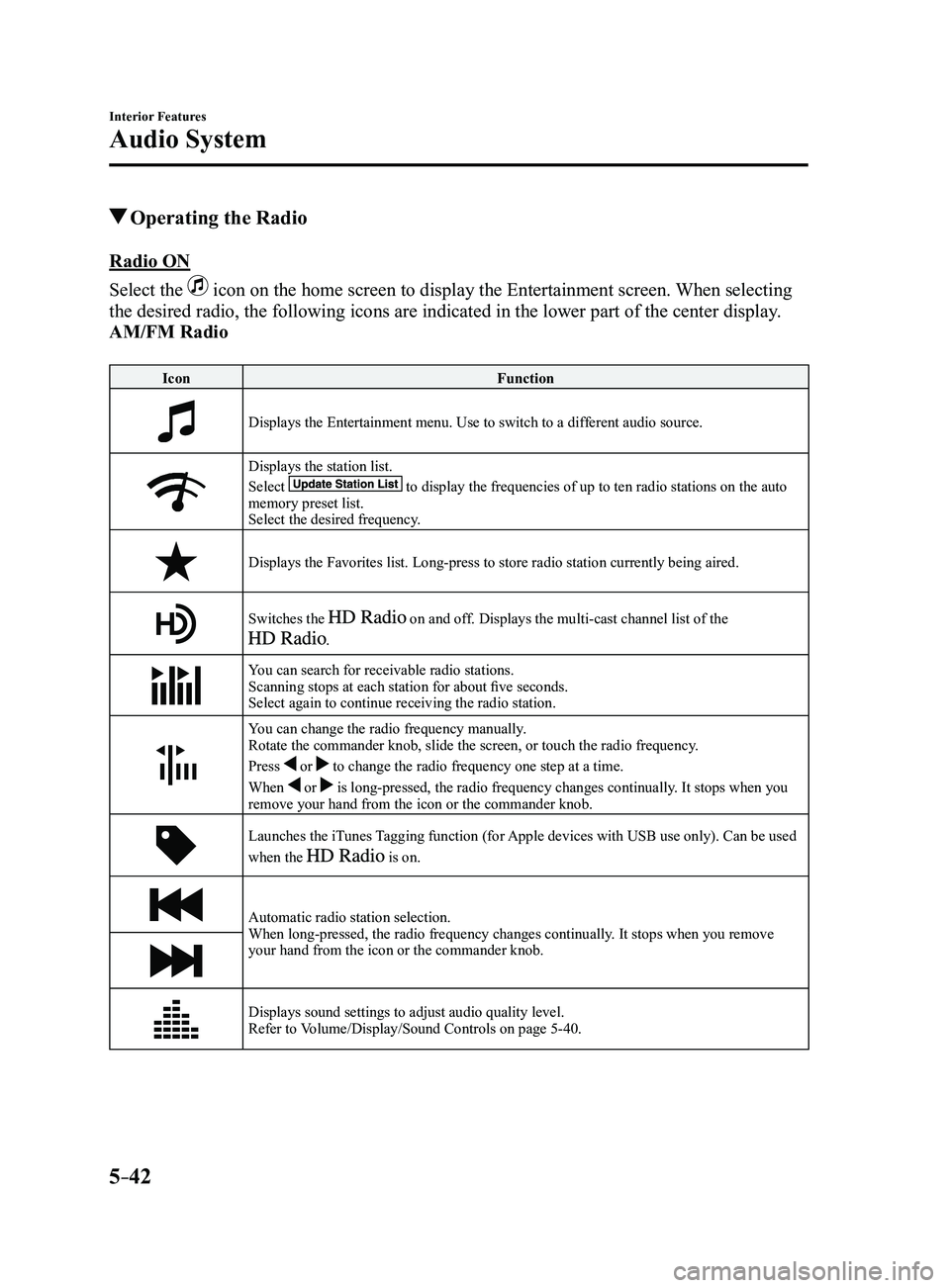
Operating the Radio
Radio ON
Select the
icon on the home screen to display the Entertainment screen. When selecting
the desired radio, the following icons are indicated in the lower part o\
f the center display.
AM/FM Radio
IconFunction
Displays the Entertainment menu. Use to switch to a different audio source.
Displays the station list.
Select to display the frequencies of up to ten radio stations on the auto memory preset list.
Select the desired frequency.
Displays the Favorites list. Long-press to store radio station currently\
being aired.
Switches the on and off. Displays the multi-cast channel list of the
.
You can search for receivable radio stations.
Scanning stops at each station for about five seconds.
Select again to continue receiving the radio station.
You can change the radio frequency manually.
Rotate the commander knob, slide the screen, or touch the radio frequency.
Press
or to change the radio frequency one step at a time.
When
or is long-pressed, the radio frequency changes continually. It stops when you
remove your hand from the icon or the commander knob.
Launches the iTunes Tagging function (for Apple devices with USB use only). Can be used
when the is on.
Automatic radio station selection.
When long-pressed, the radio frequency changes continually. It stops when you remove
your hand from the icon or the commander knob.
Displays sound settings to adjust audio quality level.
Refer to Volume/Display/Sound Controls on page 5-40.
Mazda3_8FL6-EA-16F_Edition2.indb 422016/08/10 17:37:38
Page 335 of 612
5–43
Interior Features
Audio System
*Some models.
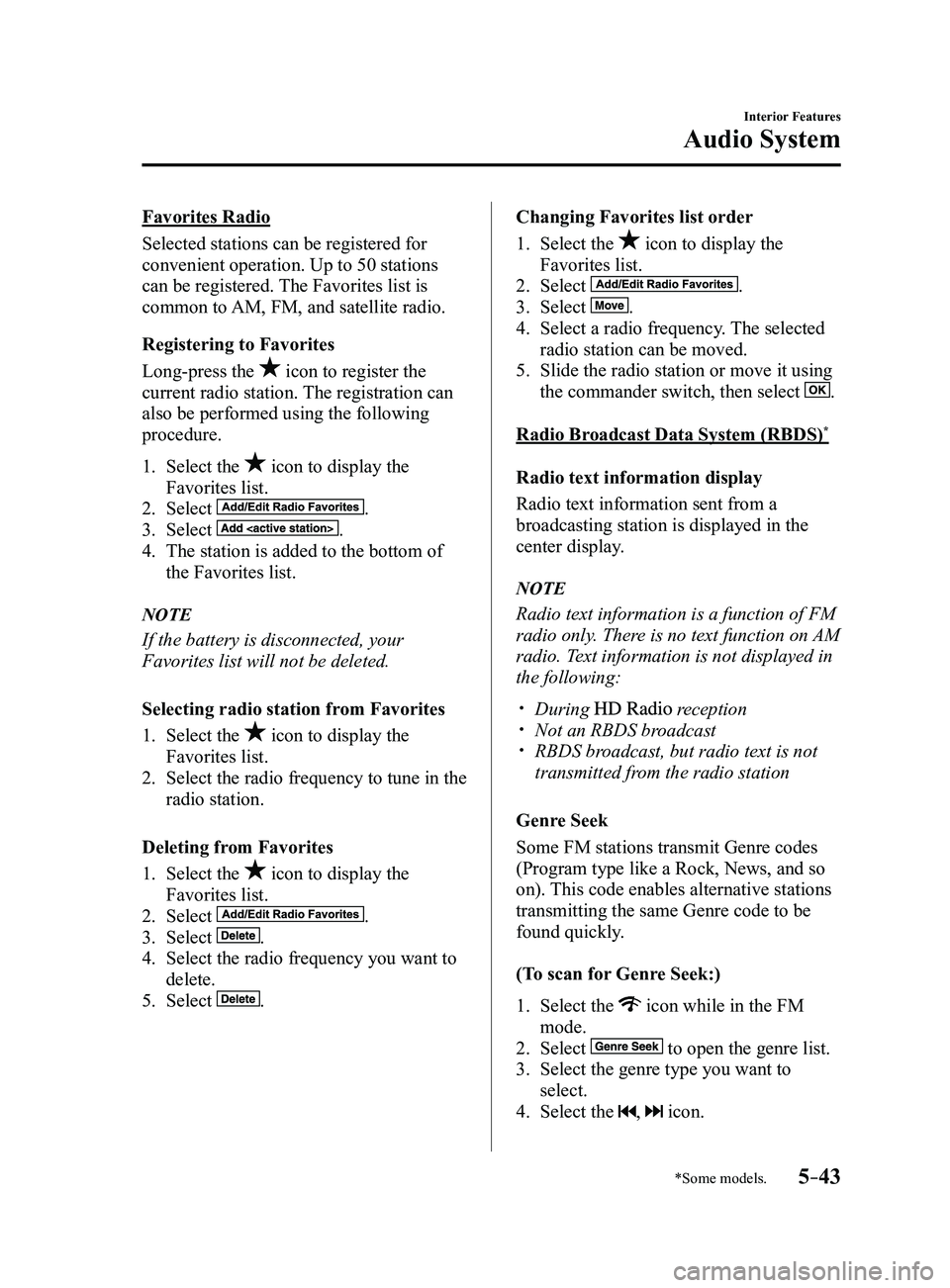
Favorites Radio
Selected stations can be registered for
convenient operation. Up to 50 stations
can be registered. The Favorites list is
common to AM, FM, and satellite radio.
Registering to Favorites
Long-press the
icon to register the
current radio station. The registration can
also be performed using the following
procedure.
1. Select the icon to display the
Favorites list.
2. Select .
3. Select .
4. The station is added to the bottom of
the Favorites list.
NOTE
If the battery is disconnected, your
Favorites list will not be deleted.
Selecting radio station from Favorites
1. Select the icon to display the
Favorites list.
2. Select the radio frequency to tune in the
radio station.
Deleting from Favorites
1. Select the icon to display the
Favorites list.
2. Select .
3. Select .
4. Select the radio frequency you want to
delete.
5. Select .
Changing Favorites list order
1. Select the icon to display the
Favorites list.
2. Select .
3. Select .
4. Select a radio frequency . The selected
radio station can be moved.
5. Slide the radio station or move it using
the commander switch, then select .
Radio Broadcast Data System (RBDS)*
Radio text information display
Radio text information sent from a
broadcasting station is displayed in the
center display.
NOTE
Radio text information is a function of FM
radio only. There is no text function on AM
radio. Text information is not displayed in
the following:
During reception Not an RBDS broadcast RBDS broadcast, but radio text is not
transmitted from the radio station
Genre Seek
Some FM stations transmit Genre codes
(Program type like a Rock, News, and so
on). This code enables alternative stations
transmitting the same Genre code to be
found quickly.
(To scan for Genre Seek:)
1. Select the icon while in the FM
mode.
2. Select to open the genre list.
3. Select the genre type you want to
select.
4. Select the , icon.
Mazda3_8FL6-EA-16F_Edition2.indb 432016/08/10 17:37:40
Page 336 of 612
5–44
Interior Features
Audio System
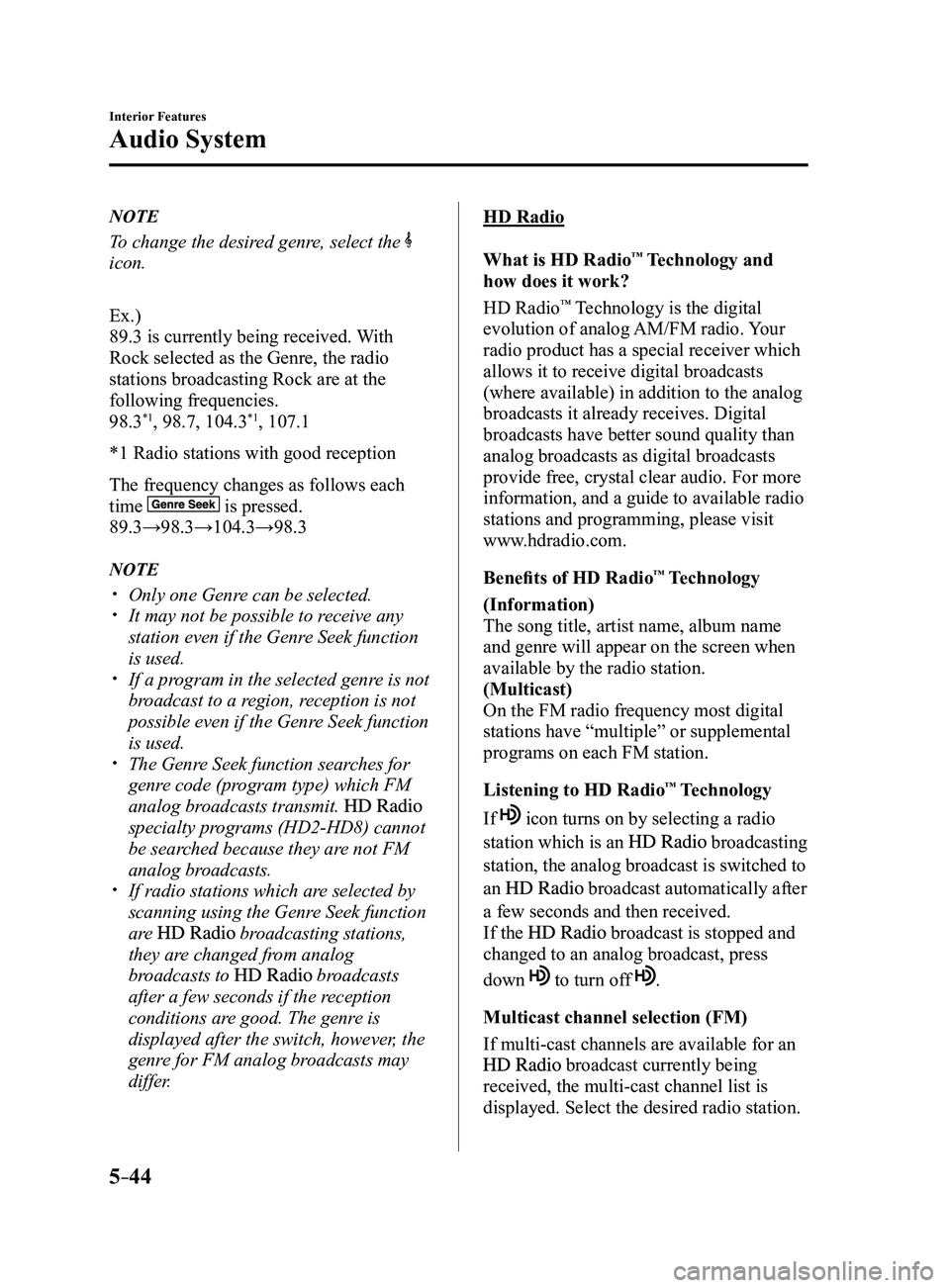
NOTE
To change the desired genre, select the
icon.
Ex.)
89.3 is currently being received. With
Rock selected as the Genre, the radio
stations broadcasting Rock are at the
following frequencies.
98.3
*1, 98.7, 104.3*1, 107.1
*1 Radio stations with good reception
The frequency changes as follows each
time
is pressed.
89.3→98.3→104.3→98.3
NOTE
Only one Genre can be selected. It may not be possible to r eceive any
station even if the Genre Seek function
is used.
If a program in the selected genre is not
broadcast to a region, reception is not
possible even if the Genre Seek function
is used.
The Genre Seek function searches for
genre code (program type) which FM
analog broadcasts transmit.
specialty programs (HD2-HD8) cannot
be searched because they are not FM
analog broadcasts.
If radio stations which are selected by
scanning using the Genre Seek function
are
broadcasting stations,
they are changed from analog
broadcasts to
broadcasts
after a few seconds if the reception
conditions are good. The genre is
displayed after the switch, however, the
genre for FM analog broadcasts may
differ.
HD Radio
What is HD Radio
™ Technology and
how does it work?
HD Radio
™ Technology is the digital
evolution of analog AM/FM radio. Your
radio product has a special receiver which
allows it to receive digital broadcasts
(where available) in addition to the analog
broadcasts it already receives. Digital
broadcasts have better sound quality than
analog broadcasts as digital broadcasts
provide free, crystal clear audio. For more
information, and a guide to available radio
stations and programming, please visit
www.hdradio.com.
Benefits of HD Radio
™ Technology
(Information)
The song title, artist name, album name
and genre will appear on the screen when
available by the radio station.
(Multicast)
On the FM radio frequency most digital
stations have “multiple” or supplemental
programs on each FM station.
Listening to HD Radio
™ Technology
If
icon turns on by selecting a radio
station which is an broadcasting
station, the analog broadcast is switched to
an
broadcast automatically after
a few seconds and then received.
If the
broadcast is stopped and
changed to an analog broadcast, press
down
to turn off .
Multicast channel selection (FM)
If multi-cast channels are available for an
broadcast currently being
received, the multi-cast channel list is
displayed. Select the desired radio station.
Mazda3_8FL6-EA-16F_Edition2.indb 442016/08/10 17:37:41
Page 337 of 612
5–45
Interior Features
Audio System
*Some models.
NOTE
If an analog broadcast is received once
and is received while HD1 is
selected, the audio unit switches to the
station automatically.
When the icon is illuminated, there
could be a noticeable difference in
sound quality and volume when a
change from digital to analog signals
occurs. If the sound quality and volume
become noticeably diminished or cut
off, select the
icon to turn off
( icon is not illuminated). Once an analog br oadcast is received
when HD1 is selected from the Favorite
channels, it is switched to
automatically. If the radio reception
conditions are poor, or HD is off,
switching to
broadcasts is
not possible. When an HD specialty channel (HD2 to
HD8) is selected from the Favorite
channels, “Signal Lost” is displayed
and no audio is output until
is received. If the radio reception
conditions are poor, “Signal Lost”
continues to be displayed.
If the icon is not illuminated,
information such as song titles of the
station are received,
however, the audio output is analog.
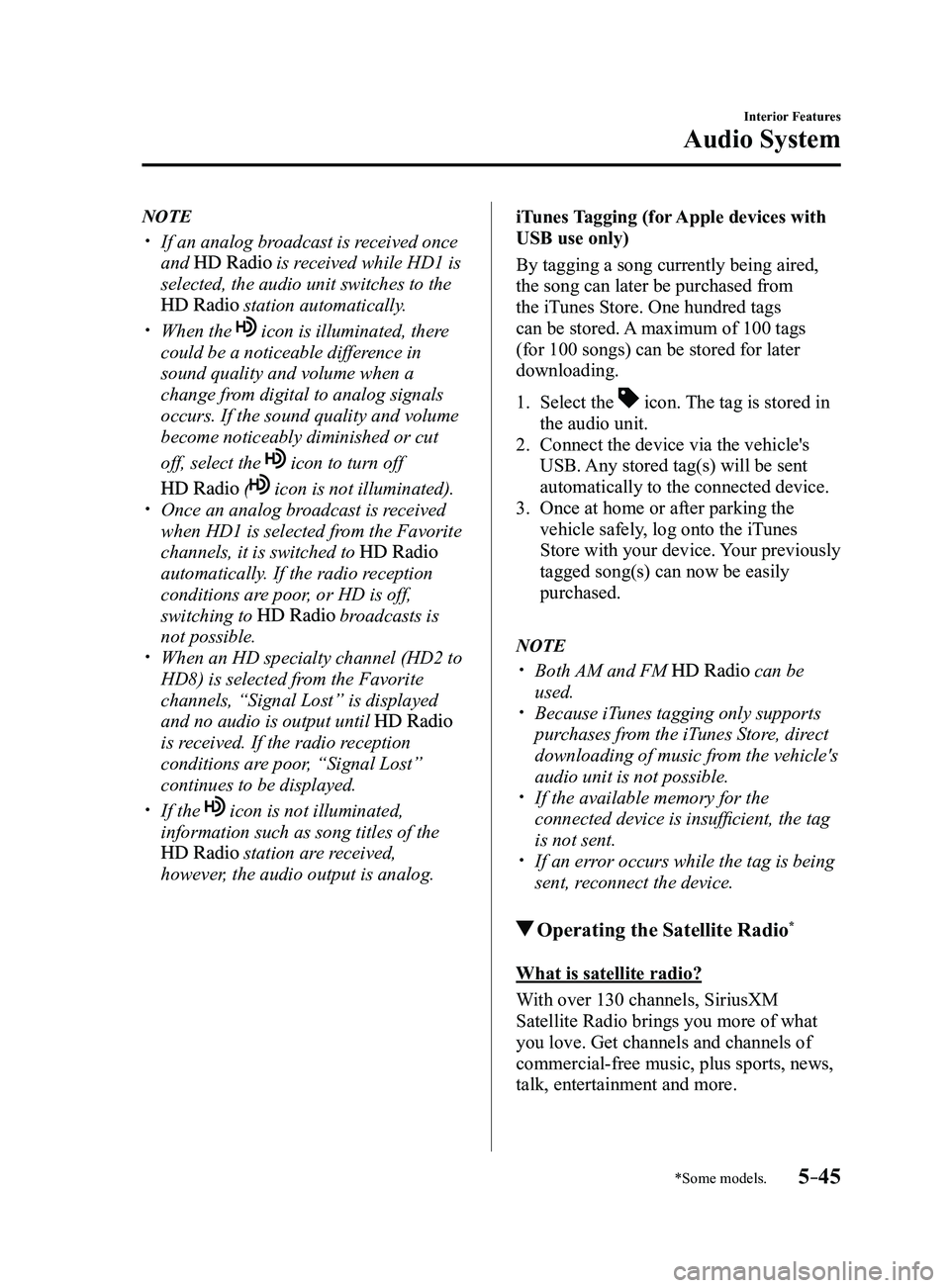
iTunes Tagging (for Apple devices with
USB use only)
By tagging a song currently being aired,
the song can later be purchased from
the iTunes Store. One hundred tags
can be stored. A maximum of 100 tags
(for 100 songs) can be stored for later
downloading.
1. Select the icon. The tag is stored in
the audio unit.
2. Connect the device via the vehicle's
USB. Any stored tag(s) will be sent
automatically to the connected device.
3. Once at home or after parking the
vehicle safely, log onto the iTunes
Store with your device. Your previously
tagged song(s) can now be easily
purchased.
NOTE
Both AM and FM can be
used. Because iTunes tagging only supports
purchases from the iTunes Store, direct
downloading of music from the vehicle's
audio unit is not possible.
If the available memory for the
connected device is insufficient, the tag
is not sent.
If an error occurs while the tag is being
sent, reconnect the device.
Operating the Satellite Radio*
What is satellite radio?
With over 130 channels, SiriusXM
Satellite Radio brings you more of what
you love. Get channels and channels of
commercial-free music, plus sports, news,
talk, entertainment and more.
Mazda3_8FL6-EA-16F_Edition2.indb 452016/08/10 17:37:41
Page 338 of 612
5–46
Interior Features
Audio System
Commercial-free music from nearly
every genre —rock to pop, hip-hop to
country, jazz, classical and more. Plus
live performances and artist-dedicated
channels.
Live sports Play-by-Play & Expert Talk
—every NFL game, every NASCAR
®
race, 24/7 sports talk, college sports and
more.
Exclusive entertainment, comedy and
talk —The biggest names, compelling
talk, hilarious comedy.
World-class news plus local traffic and
weather.
Sign up for SiriusXM Satellite Radio
today!
NOTE
To listen to SiriusXM, a prior
subscription (fee-based) is required. The channels which you can r eceive
depend on the package you subscribe
to.
Satellite radio is broadcast as Sirius,
XM, and SiriusXM in the U.S.A.,
and Sirius and XM in Canada. In
this owner’s manual, only the name
SiriusXM is used.
For traffic and weather channels, map
information is not displayed and only
audio broadcasts can be received.
Call 877-447-0011 (U.S.A.)/
877-209-0079 (Canada) to activate.
For more information, visit www.
siriusxm.com (U.S.A.)/www.siriusxm.
ca (Canada). Satellite radio is only
available in regions providing satellite
radio service (some areas of the United
States and Canada). Contact Authorized
Mazda Dealer for details.
How to Activate Satellite Radio
You must call SiriusXM to activate your
service. Activation is free and takes only a
few minutes.
New customers can receive a free
introductory subscription with a limited
term trial offer by calling 877-447-0011
(U.S.A.)/877-209-0079 (Canada) to
activate.
SiriusXM service uses an ID code to
identify your radio. This code is needed to
activate SiriusXM service, and report any
problems.
Please have the following information
ready:
Radio ID (8-digit electronic serial No.)
Refer to Displaying the Radio ID (ESN) Valid credit card information (may not
be required at initial sign-up)
Be sure you are parked outside with a clear
view of open sky, you will be instructed
to turn on your radio (in SiriusXM mode
and tuned to channel 184 (Sirius)/1 (XM
and SiriusXM)). Activation typically takes
only 2—5 minutes.
Displaying the Radio ID (ESN)
When channel 0 is selected, the radio ID is
displayed. Use the PREVIOUS or NEXT
channel buttons to select channel 0.
Mazda3_8FL6-EA-16F_Edition2.indb 462016/08/10 17:37:41
Page 339 of 612
5–47
Interior Features
Audio System
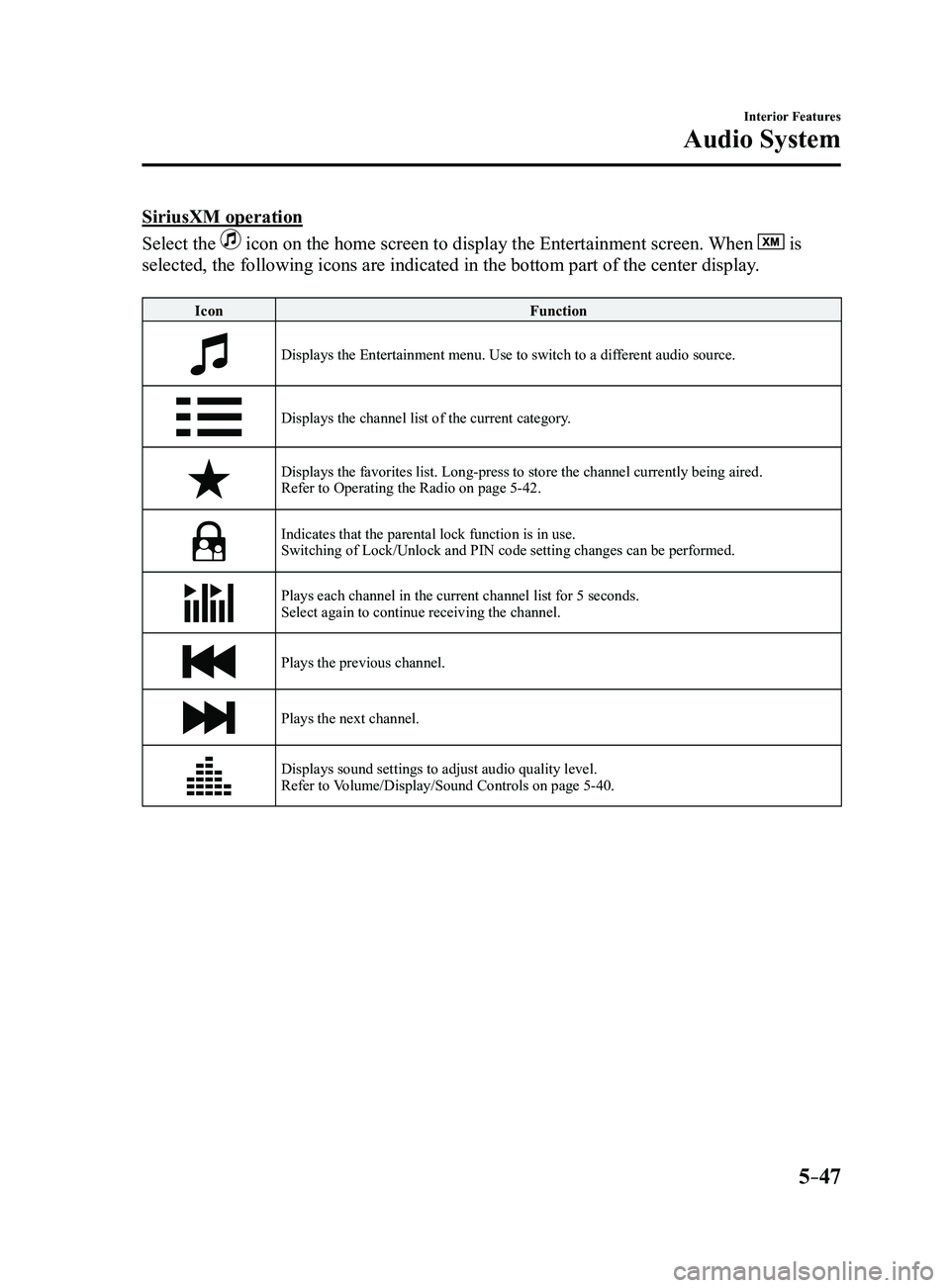
SiriusXM operation
Select the
icon on the home screen to display the Entertainment screen. When is
selected, the following icons are indicated in the bottom part of the ce\
nter display.
Icon Function
Displays the Entertainment menu. Use to switch to a different audio source.
Displays the channel list of the current category.
Displays the favorites list. Long-press to store the channel currently b\
eing aired.
Refer to Operating the Radio on page 5-42.
Indicates that the parental lock function is in use.Switching of Lock/Unlock and PIN code setting changes can be performed.
Plays each channel in the current channel list for 5 seconds.
Select again to continue receiving the channel.
Plays the previous channel.
Plays the next channel.
Displays sound settings to adjust audio quality level.
Refer to Volume/Display/Sound Controls on page 5-40.
Mazda3_8FL6-EA-16F_Edition2.indb 472016/08/10 17:37:42
Page 340 of 612
5–48
Interior Features
Audio System
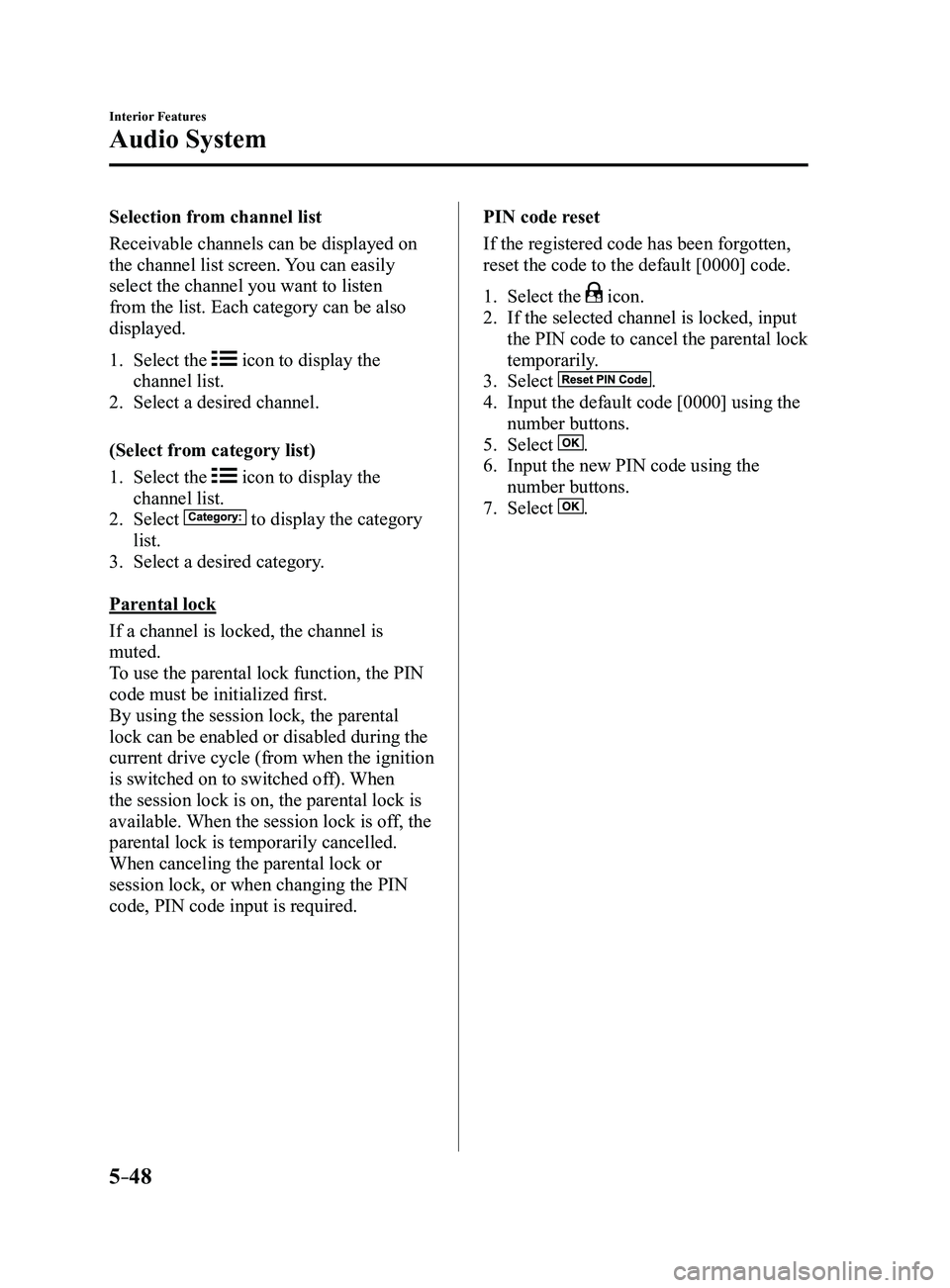
Selection from channel list
Receivable channels can be displayed on
the channel list screen. You can easily
select the channel you want to listen
from the list. Each category can be also
displayed.
1. Select the icon to display the
channel list.
2. Select a desired channel.
(Select from category list)
1. Select the icon to display the
channel list.
2. Select to display the category
list.
3. Select a desired category .
Parental lock
If a channel is locked, the channel is
muted.
To use the parental lock function, the PIN
code must be initialized first.
By using the session lock, the parental
lock can be enabled or disabled during the
current drive cycle (from when the ignition
is switched on to switched off). When
the session lock is on, the parental lock is
available. When the session lock is off, the
parental lock is temporarily cancelled.
When canceling the parental lock or
session lock, or when changing the PIN
code, PIN code input is required. PIN code reset
If the registered code has been forgotten,
reset the code to the default [0000] code.
1. Select the icon.
2. If the selected channel is locked, input
the PIN code to cancel the parental lock
temporarily.
3. Select .
4. Input the default code [0000] using the
number buttons.
5. Select .
6. Input the new PIN code using the
number buttons.
7. Select .
Mazda3_8FL6-EA-16F_Edition2.indb 482016/08/10 17:37:43
Page 343 of 612
5–51
Interior Features
Audio System
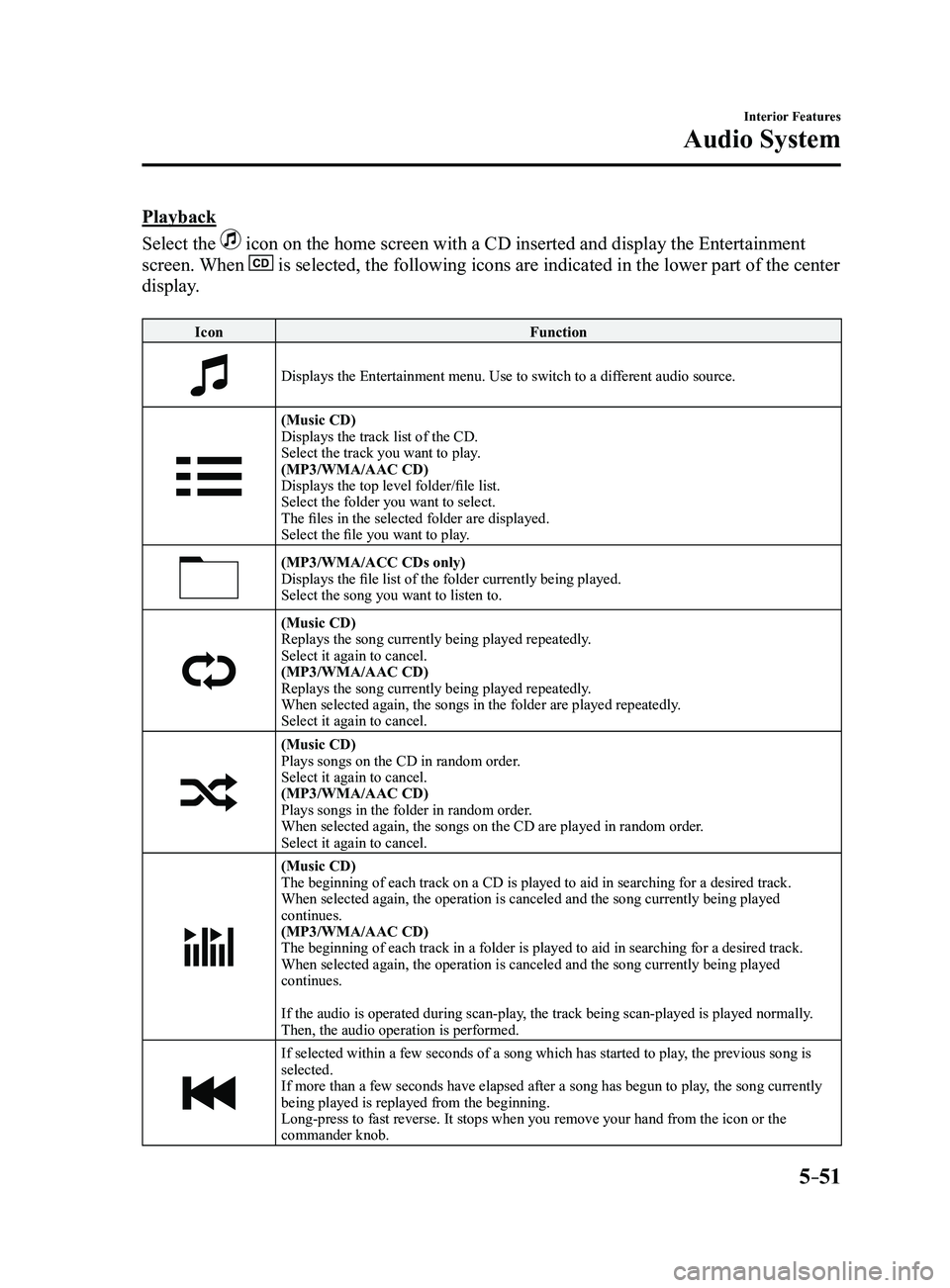
Playback
Select the
icon on the home screen with a CD inserted and display the Entertainment
screen. When is selected, the following icons are indicated in the lower part of the\
center
display.
IconFunction
Displays the Entertainment menu. Use to switch to a different audio source.
(Music CD)
Displays the track list of the CD.
Select the track you want to play.
(MP3/WMA/AAC CD)
Displays the top level folder/file list.
Select the folder you want to select.
The files in the selected folder are displayed.
Select the file you want to play.
(MP3/WMA/ACC CDs only)Displays the file list of the folder currently being played.
Select the song you want to listen to.
(Music CD)Replays the song currently being played repeatedly.
Select it again to cancel.
(MP3/WMA/AAC CD)
Replays the song currently being played repeatedly.
When selected again, the songs in the folder are played repeatedly.
Select it again to cancel.
(Music CD)Plays songs on the CD in random order.
Select it again to cancel.
(MP3/WMA/AAC CD)
Plays songs in the folder in random order.
When selected again, the songs on the CD are played in random order.
Select it again to cancel.
(Music CD)
The beginning of each track on a CD is played to aid in searching for a \
desired track.
When selected again, the operation is canceled and the song currently be\
ing played
continues.
(MP3/WMA/AAC CD)
The beginning of each track in a folder is played to aid in searching fo\
r a desired track.
When selected again, the operation is canceled and the song currently be\
ing played
continues.
If the audio is operated during scan-play, the track being scan-played is played normally.
Then, the audio operation is performed.
If selected within a few seconds of a song which has started to play, the previous song is
selected.
If more than a few seconds have elapsed after a song has begun to play, the song currently
being played is replayed from the beginning.
Long-press to fast reverse. It stops when you remove your hand from the \
icon or the
commander knob.
Mazda3_8FL6-EA-16F_Edition2.indb 512016/08/10 17:37:45
Page 344 of 612
5–52
Interior Features
Audio System
IconFunction
Plays a CD. When selected again, playback is temporarily stopped.
Advances to the beginning of the next song.
Long-press to fast forward. It stops when you remove your hand from the \
icon or the
commander knob.
Displays sound settings to adjust audio quality level.
Refer to Volume/Display/Sound Controls on page 5-40.
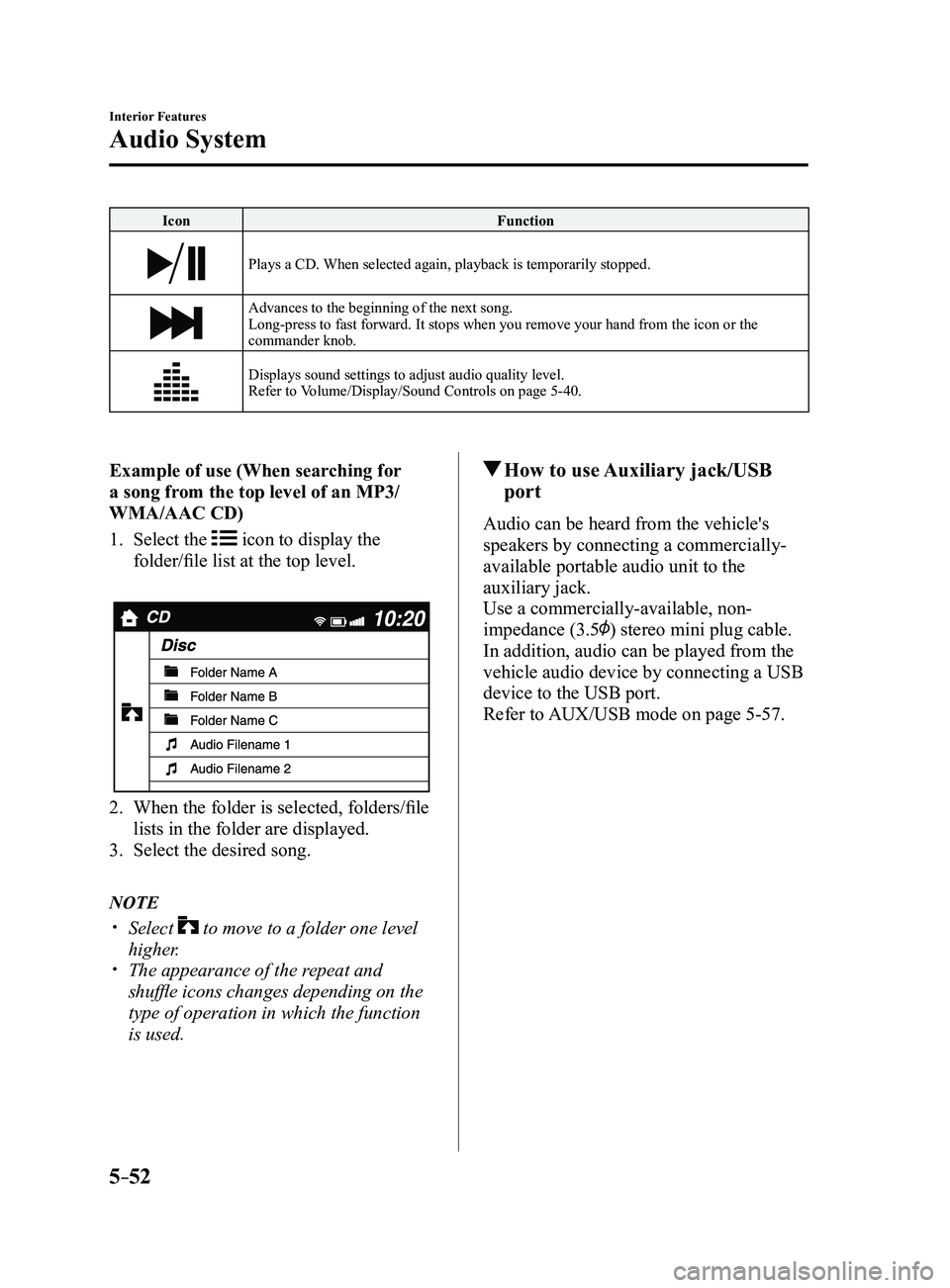
Example of use (When searching for
a song from the top level of an MP3/
WMA/AAC CD)
1. Select the icon to display the
folder/file list at the top level.
2. When the folder is selected, folders/file
lists in the folder are displayed.
3. Select the desired song.
NOTE
Select to move to a folder one level
higher. The appearance of the r epeat and
shuffle icons changes depending on the
type of operation in which the function
is used.
How to use Auxiliary jack/USB
port
Audio can be heard from the vehicle's
speakers by connecting a commercially-
available portable audio unit to the
auxiliary jack.
Use a commercially-available, non-
impedance (3.5
) stereo mini plug cable.
In addition, audio can be played from the
vehicle audio device by connecting a USB
device to the USB port.
Refer to AUX/USB mode on page
5-57.
Mazda3_8FL6-EA-16F_Edition2.indb 522016/08/10 17:37:45
Page 345 of 612
5–53
Interior Features
Audio System
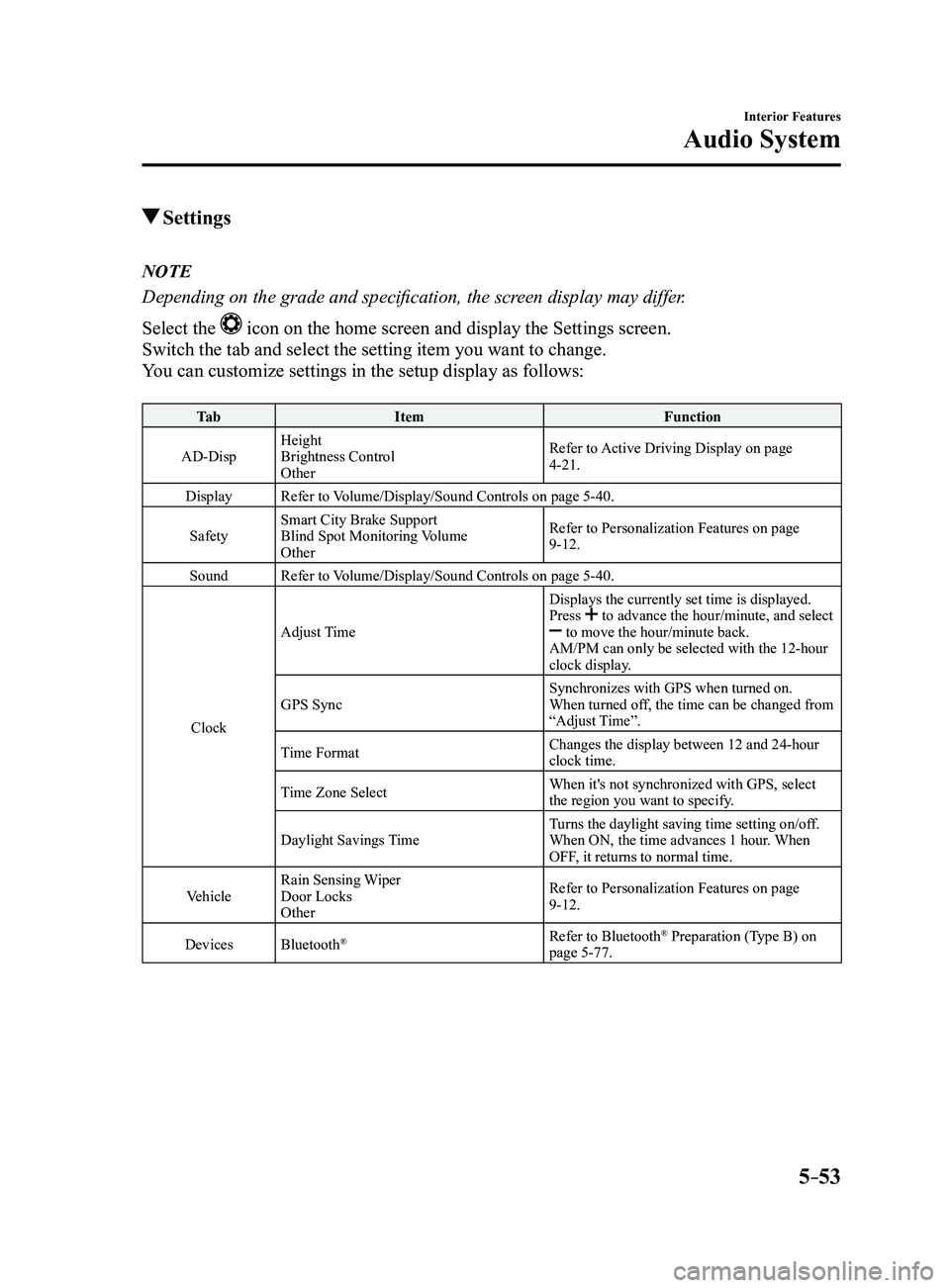
Settings
NOTE
Depending on the grade and specification, the screen display may differ.
Select the
icon on the home screen and display the Settings screen.
Switch the tab and select the setting item you want to change.
You can customize settings in the setup display as follows:
Ta bItem Function
AD-Disp Height
Brightness Control
Other Refer to Active Driving Display on page
4-21.
Display Refer to Volume/Display/Sound Controls on page
5-40.
Safety Smart City Brake Support
Blind Spot Monitoring Volume
Other Refer to Personalization Features on page
9-12.
Sound Refer to Volume/Display/Sound Controls on page
5-40.
Clock Adjust Time
Displays the currently set time is displayed.
Press
to advance the hour/minute, and select to move the hour/minute back.
AM/PM can only be selected with the 12-hour
clock display.
GPS Sync Synchronizes with GPS when turned on.
When turned off, the time can be changed from
“Adjust Time”.
Time Format Changes the display between 12 and 24-hour
clock time.
Time Zone Select When it's not synchronized with GPS, select
the region you want to specify.
Daylight Savings Time Turns the daylight saving time setting on/off.
When ON, the time advances 1 hour. When
OFF, it returns to normal time.
Vehicle Rain Sensing Wiper
Door Locks
Other Refer to Personalization Features on page
9-12.
Devices Bluetooth
®Refer to Bluetooth® Preparation (Type B) on
page 5-77.
Mazda3_8FL6-EA-16F_Edition2.indb 532016/08/10 17:37:46