warning MAZDA MODEL 3 5-DOOR 2017 Owners Manual
[x] Cancel search | Manufacturer: MAZDA, Model Year: 2017, Model line: MODEL 3 5-DOOR, Model: MAZDA MODEL 3 5-DOOR 2017Pages: 612
Page 307 of 612
5–15
Interior Features
Climate Control System
Windshield Defrosting and
Defogging
Press the windshield defroster switch.
In this position, the outside air position
is automatically selected, and the air
conditioner automatically turns on. The
air conditioner will directly dehumidify
the air to the front windshield and side
windows on page
5-4.
Airflow amount will be increased.
WARNING
Set the temperature control to the hot
or warm position when defogging
(
position):
Using the position with the
temperature control set to the cold
position is dangerous as it will cause
the outside of the windshield to fog up.
Your vision will be hampered, which
could lead to a serious accident.
NOTE
Use the temperature control dial to
increase the air flow temperature and
defog the windshield more quickly.
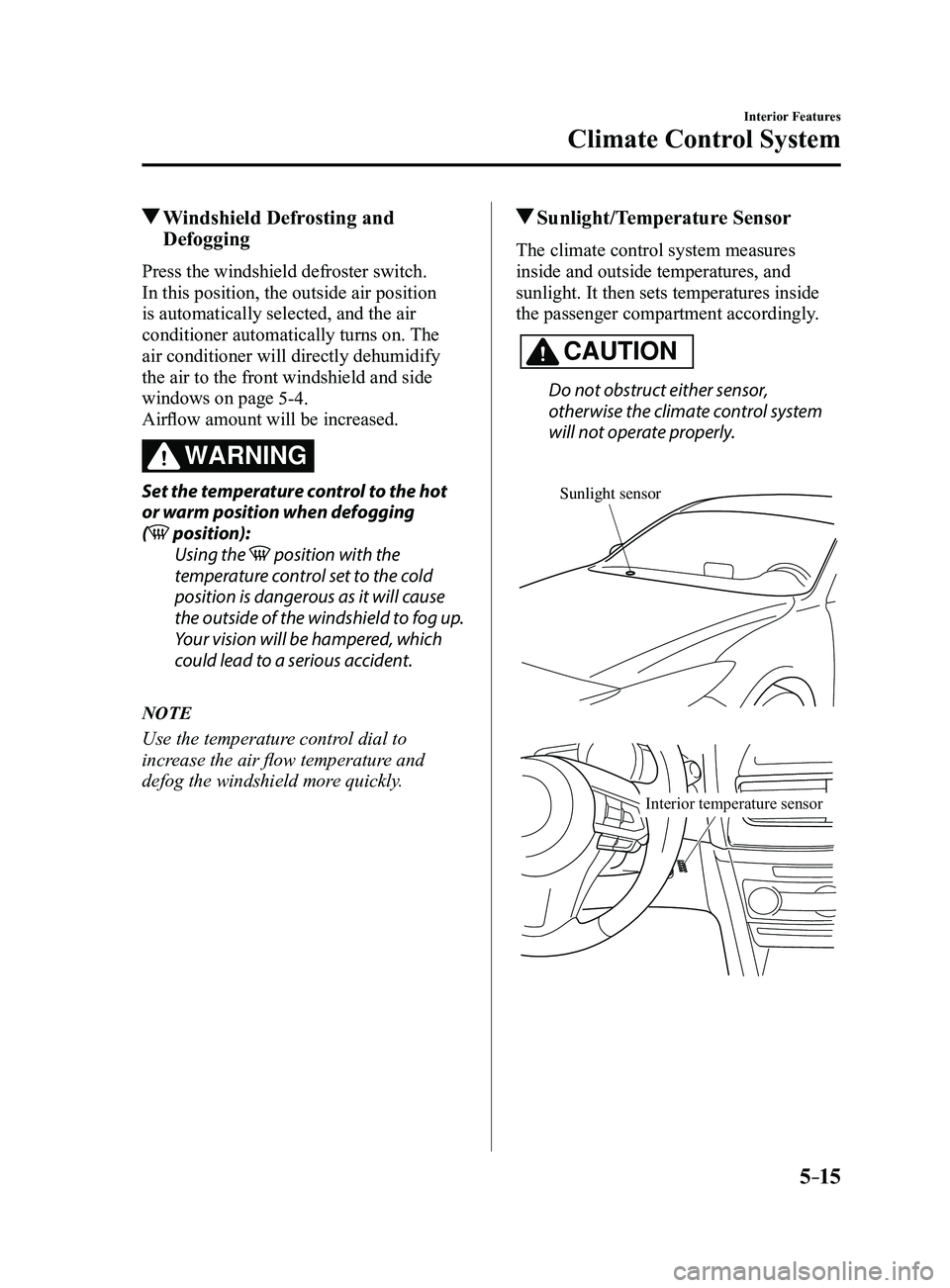
Sunlight/Temperature Sensor
The climate control system measures
inside and outside temperatures, and
sunlight. It then sets temperatures inside
the passenger compartment accordingly.
CAUTION
Do not obstruct either sensor,
otherwise the climate control system
will not operate properly.
Sunlight sensor
Interior temperature sensor
Mazda3_8FL6-EA-16F_Edition2.indb 152016/08/10 17:37:18
Page 309 of 612
5–17
Interior Features
Audio System
*Some models.
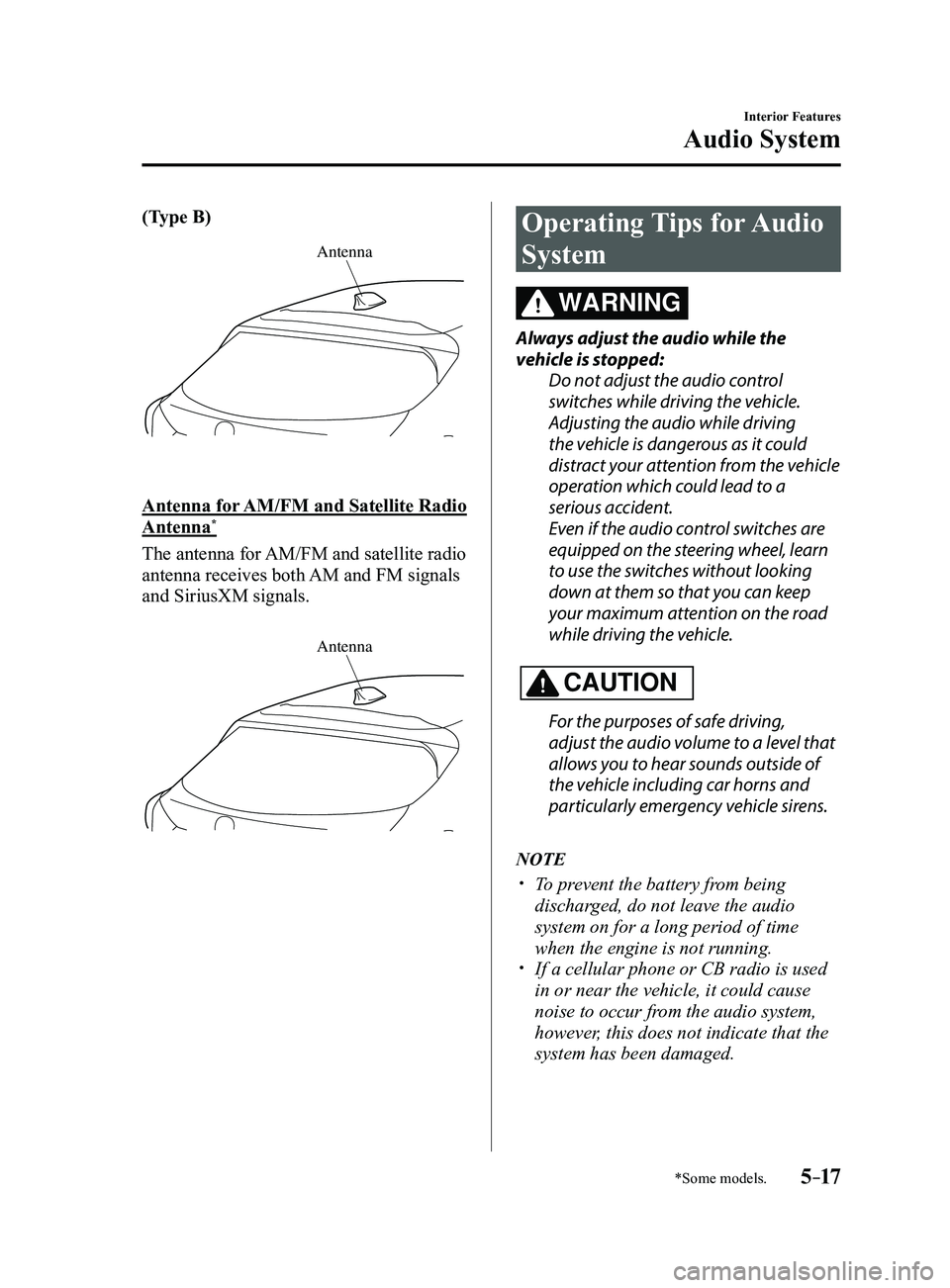
(Type B)
Antenna
Antenna for AM/FM and Satellite Radio
Antenna*
The antenna for AM/FM and satellite radio
antenna receives both AM and FM signals
and SiriusXM signals.
Antenna
Operating Tips for Audio
System
WARNING
Always adjust the audio while the
vehicle is stopped:Do not adjust the audio control
switches while driving the vehicle.
Adjusting the audio while driving
the vehicle is dangerous as it could
distract your attention from the vehicle
operation which could lead to a
serious accident.
Even if the audio control switches are
equipped on the steering wheel, learn
to use the switches without looking
down at them so that you can keep
your maximum attention on the road
while driving the vehicle.
CAUTION
For the purposes of safe driving,
adjust the audio volume to a level that
allows you to hear sounds outside of
the vehicle including car horns and
particularly emergency vehicle sirens.
NOTE
To prevent the battery from being
discharged, do not leave the audio
system on for a long period of time
when the engine is not running.
If a cellular phone or CB radio is used
in or near the vehicle, it could cause
noise to occur from the audio system,
however, this does not indicate that the
system has been damaged.
Mazda3_8FL6-EA-16F_Edition2.indb 172016/08/10 17:37:19
Page 330 of 612
5–38
Interior Features
Audio System
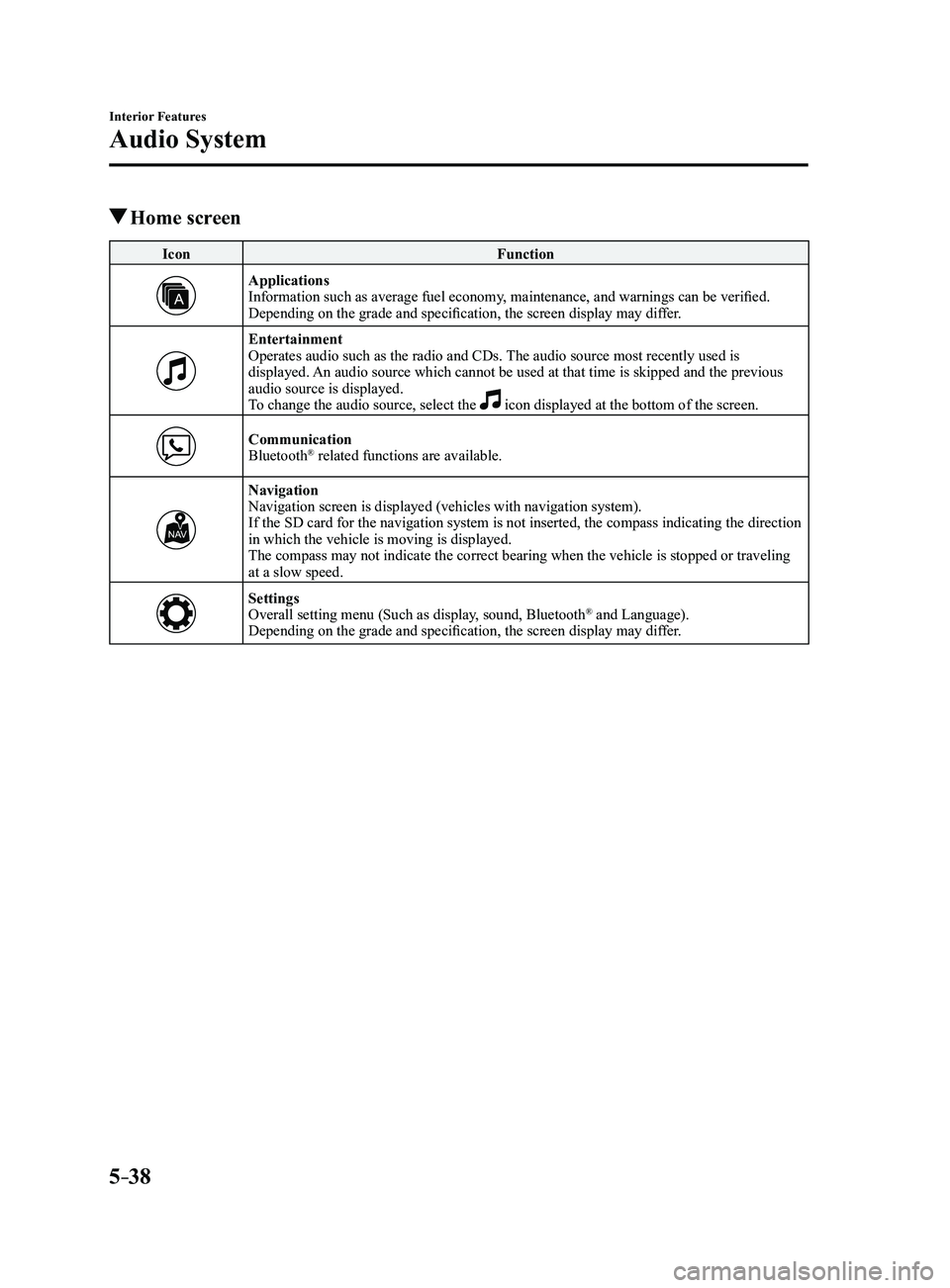
Home screen
IconFunction
ApplicationsInformation such as average fuel economy, maintenance, and warnings can be verified.
Depending on the grade and specification, the screen display may differ.
EntertainmentOperates audio such as the radio and CDs. The audio source most recently used is
displayed. An audio source which cannot be used at that time is skipped and the pre\
vious
audio source is displayed.
To change the audio source, select the
icon displayed at the bottom of the screen.
CommunicationBluetooth® related functions are available.
NavigationNavigation screen is displayed (vehicles with navigation system).
If the SD card for the navigation system is not inserted, the compass in\
dicating the direction
in which the vehicle is moving is displayed.
The compass may not indicate the correct bearing when the vehicle is sto\
pped or traveling
at a slow speed.
SettingsOverall setting menu (Such as display, sound, Bluetooth® and Language).
Depending on the grade and specification, the screen display may differ.
Mazda3_8FL6-EA-16F_Edition2.indb 382016/08/10 17:37:33
Page 347 of 612
5–55
Interior Features
Audio System
*Some models.
Applications
NOTE
Depending on the grade and specification,
the screen display may differ.
Select the
icon on the home screen to
display the Applications screen. The
following information can be verified.
Top screenItemFunction
HD Radio™ Traffic
Map*— —
Fuel Economy
Monitor
Fuel
Consumption
Control
Status
(Vehicles
with
i-ELOOP)
SettingsRefer
to Fuel
Economy
Monitor
on page
4-75.
Vehicle
Status
Monitor
Maintenance Scheduled
Maintenance
Tire Rotation
Oil Change Refer to
Maintenance
Monitor
(Type B
audio) on
page
6-18.
Warning
Guidance
Warnings
currently
active can be
verified. Refer to If
a Warning
Light
Turns On
or Flashes
on page
7-25.
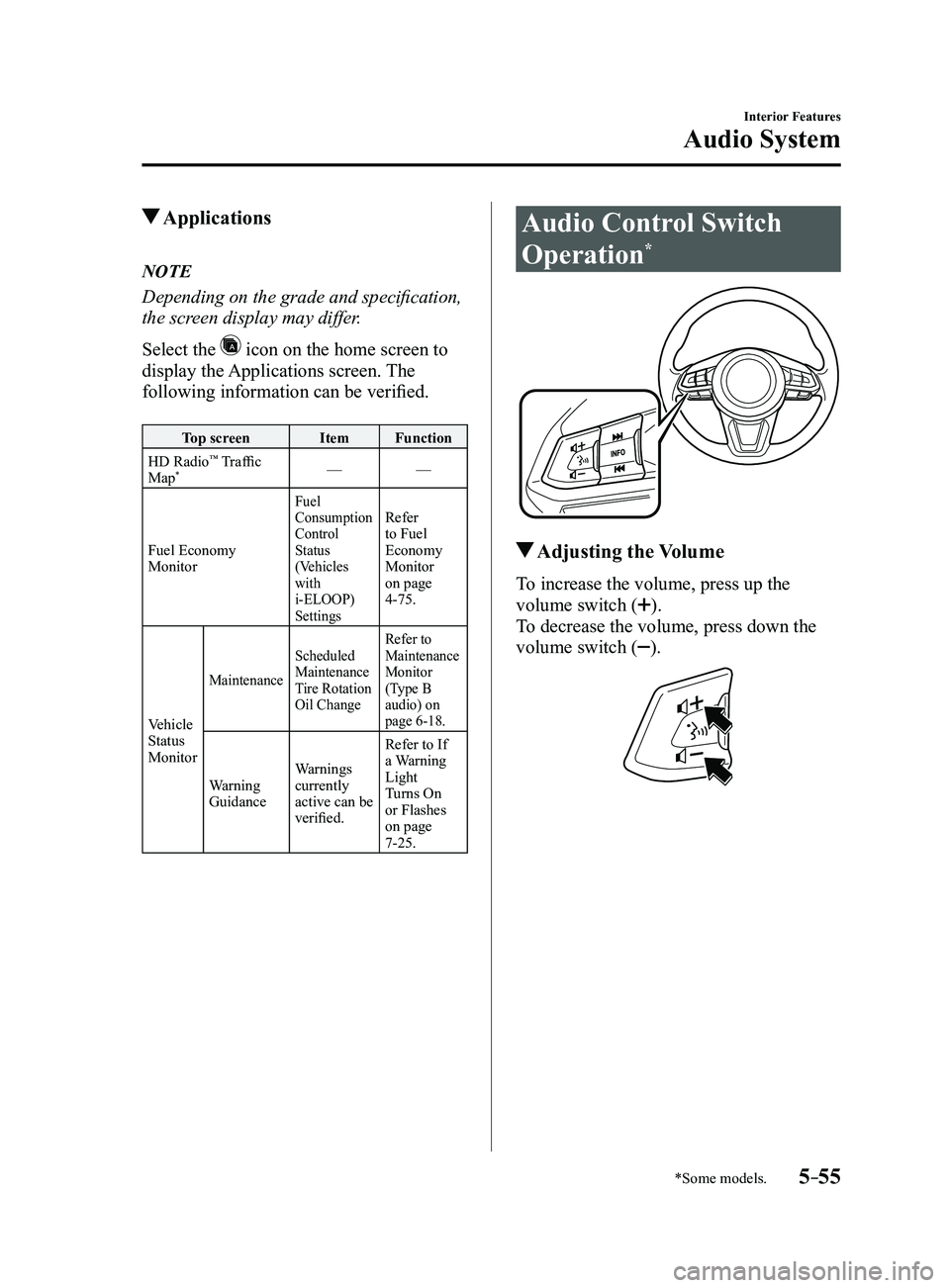
Audio Control Switch
Operation*
Adjusting the Volume
To increase the volume, press up the
volume switch (
).
To decrease the volume, press down the
volume switch (
).
Mazda3_8FL6-EA-16F_Edition2.indb 552016/08/10 17:37:47
Page 350 of 612
5–58
Interior Features
Audio System
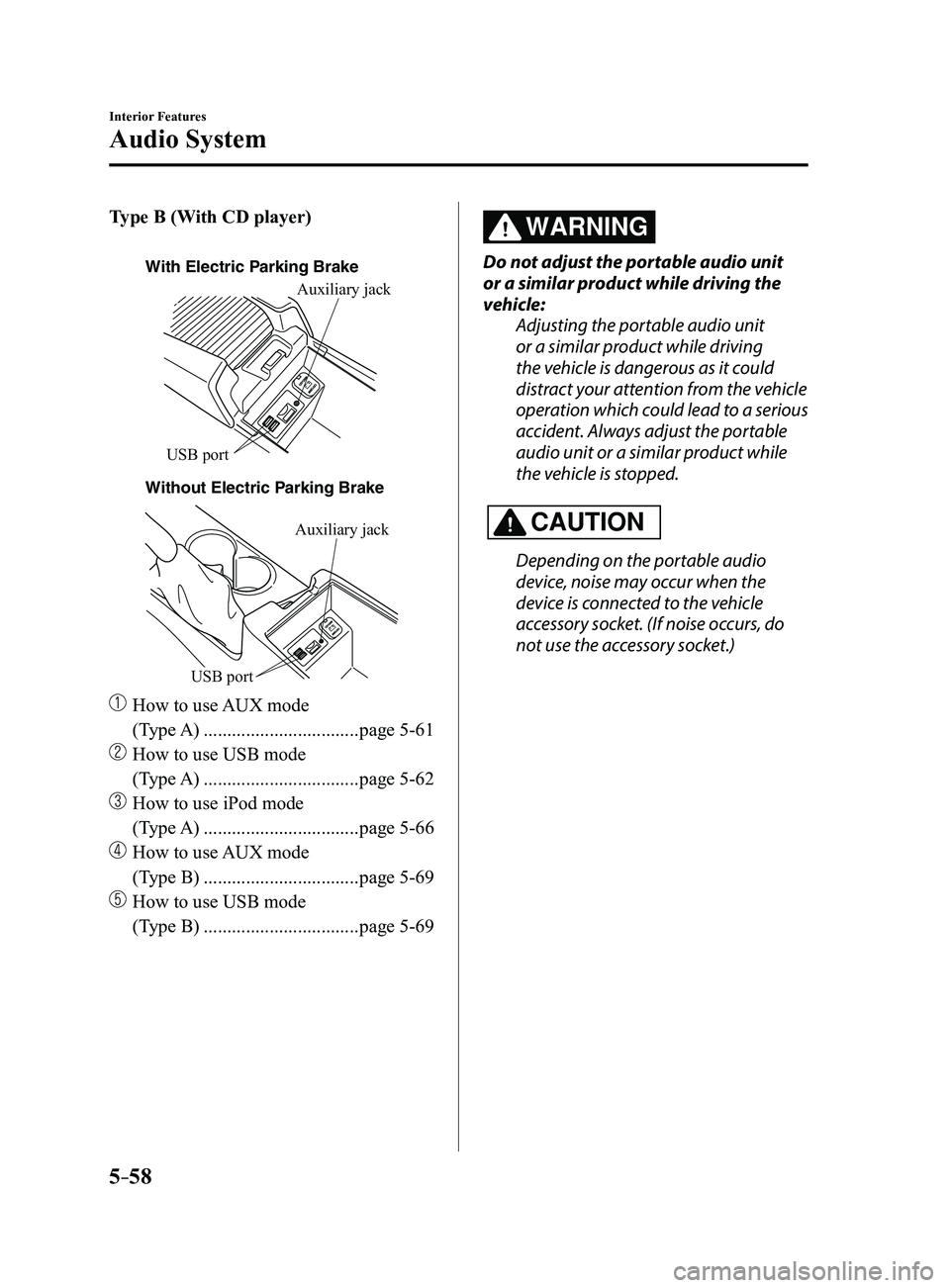
Type B (With CD player)
With Electric Parking Brake
Without Electric P
arking BrakeAuxiliary jack
USB port
Auxiliary jack
USB port
How to use
AUX mode
(Type A)
.................................page 5-61
How to use USB mode
(Type A)
.................................page 5-62
How to use iPod mode
(Type A)
.................................page 5-66
How to use AUX mode
(Type B)
.................................page 5-69
How to use USB mode
(Type B)
.................................page 5-69
WARNING
Do not adjust the portable audio unit
or a similar product while driving the
vehicle: Adjusting the portable audio unit
or a similar product while driving
the vehicle is dangerous as it could
distract your attention from the vehicle
operation which could lead to a serious
accident. Always adjust the portable
audio unit or a similar product while
the vehicle is stopped.
CAUTION
Depending on the portable audio
device, noise may occur when the
device is connected to the vehicle
accessory socket. (If noise occurs, do
not use the accessory socket.)
Mazda3_8FL6-EA-16F_Edition2.indb 582016/08/10 17:37:49
Page 352 of 612
5–60
Interior Features
Audio System
Type B (With CD player)
With Electric Parking Brake
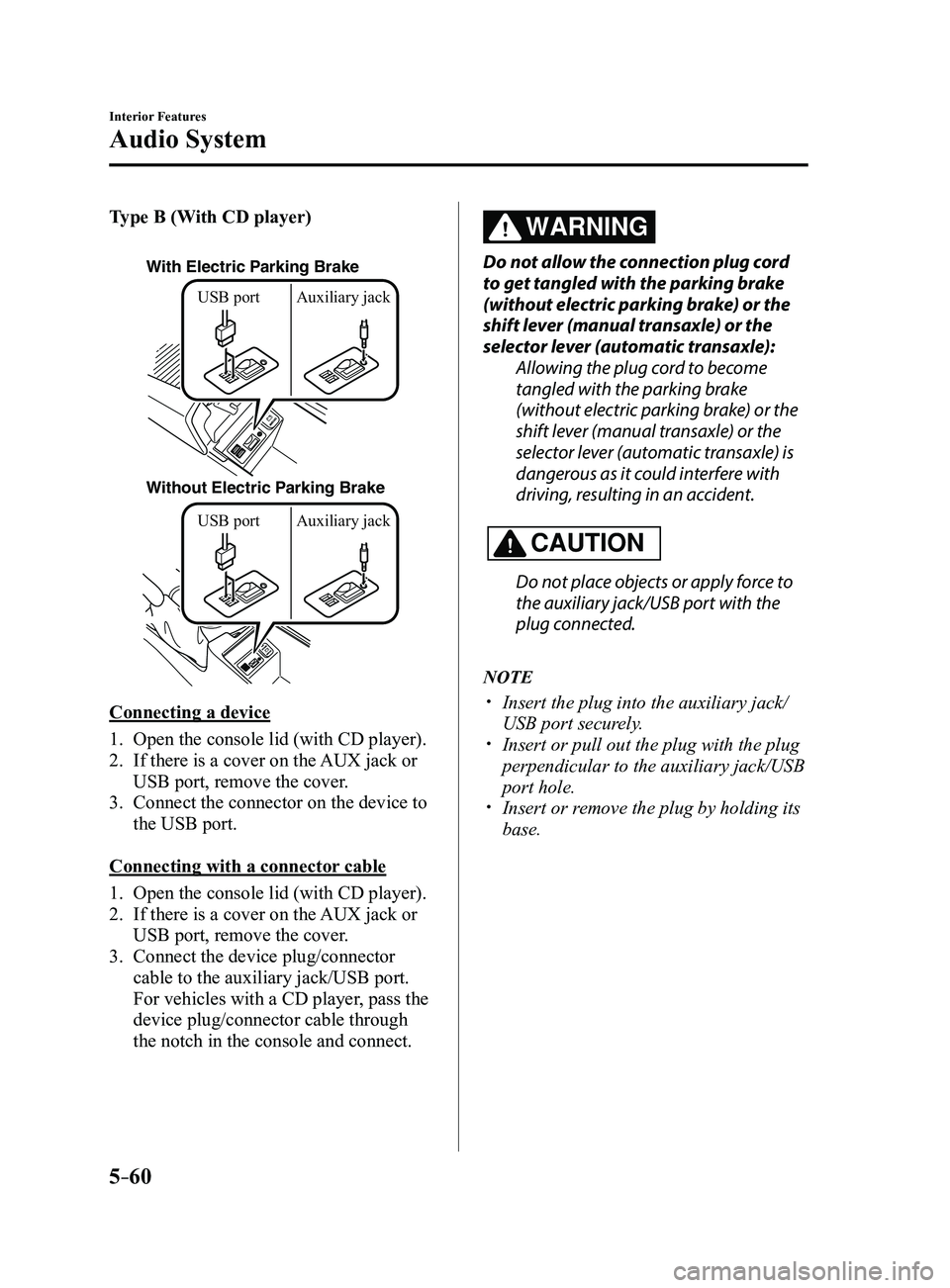
Without Electric Parking BrakeUSB port Auxiliary jack USB port Auxiliary jack
Connecting a device
1. Open the console lid (with CD player).
2. If there is a cover on the AUX jack or
USB port, remove the cover.
3. Connect the connector on the device to
the USB port.
Connecting with a connector cable
1. Open the console lid (with CD player).
2. If there is a cover on the AUX jack or
USB port, remove the cover.
3. Connect the device plug/connector
cable to the auxiliary jack/USB port.
For vehicles with a CD player, pass the
device plug/connector cable through
the notch in the console and connect.
WARNING
Do not allow the connection plug cord
to get tangled with the parking brake
(without electric parking brake) or the
shift lever (manual transaxle) or the
selector lever (automatic transaxle):
Allowing the plug cord to become
tangled with the parking brake
(without electric parking brake) or the
shift lever (manual transaxle) or the
selector lever (automatic transaxle) is
dangerous as it could interfere with
driving, resulting in an accident.
CAUTION
Do not place objects or apply force to
the auxiliary jack/USB port with the
plug connected.
NOTE
Insert the plug into the auxiliary jack/
USB port securely. Insert or pull out the plug with the plug
perpendicular to the auxiliary jack/USB
port hole.
Insert or remove the plug by holding its
base.
Mazda3_8FL6-EA-16F_Edition2.indb 602016/08/10 17:37:50
Page 406 of 612
5–114
Interior Features
Interior Equipment
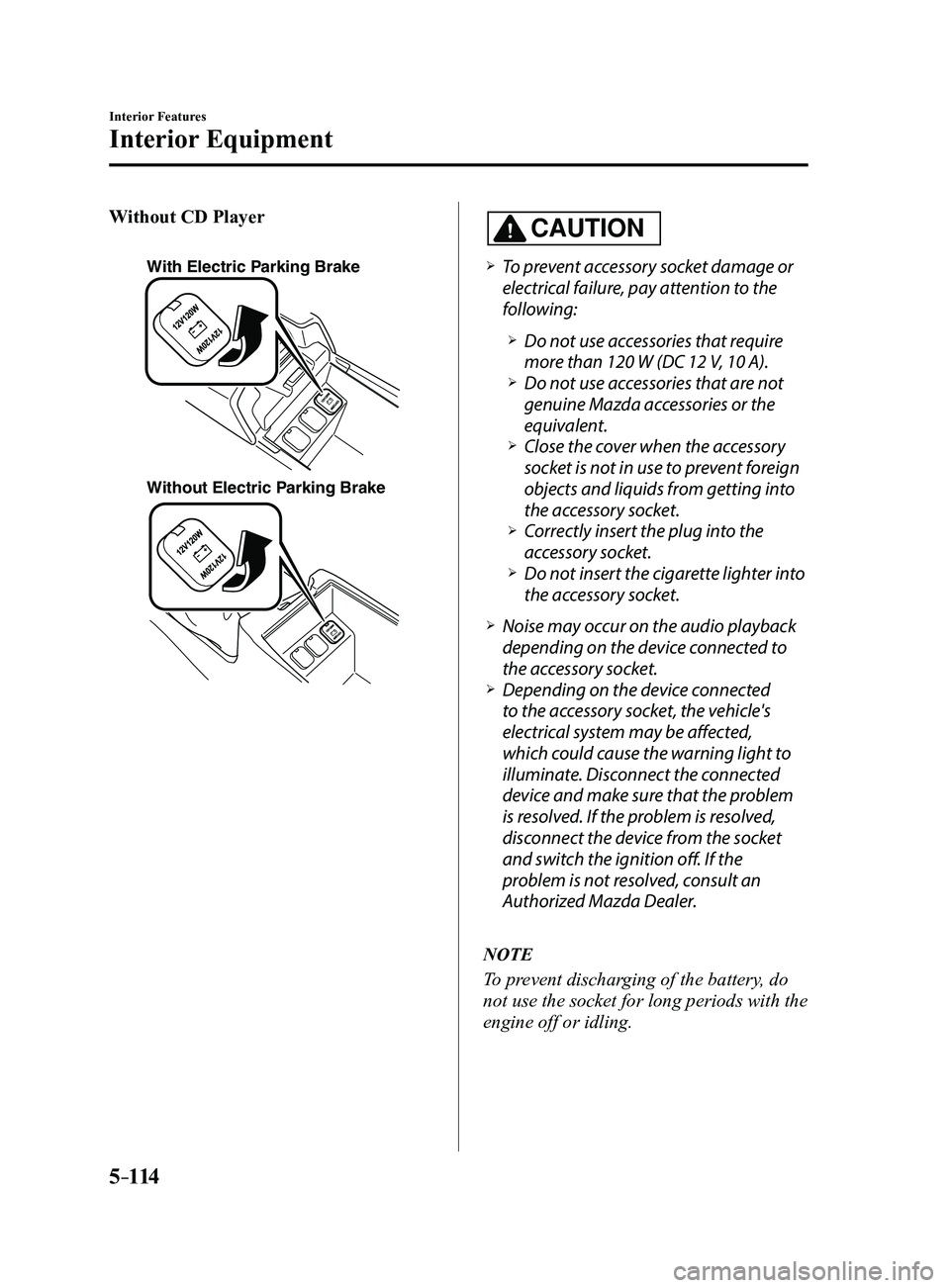
Without CD Player
With Electric Parking Brake
Without Electric Parking Brake
CAUTION
To prevent accessory socket damage or
electrical failure, pay attention to the
following:
Do not use accessories that require
more than 120 W (DC 12 V, 10 A). Do not use accessories that are not
genuine Mazda accessories or the
equivalent.
Close the cover when the accessory
socket is not in use to prevent foreign
objects and liquids from getting into
the accessory socket.
Correctly insert the plug into the
accessory socket. Do not insert the cigarette lighter into
the accessory socket.
Noise may occur on the audio playback
depending on the device connected to
the accessory socket.
Depending on the device connected
to the accessory socket, the vehicle's
electrical system may be affected,
which could cause the warning light to
illuminate. Disconnect the connected
device and make sure that the problem
is resolved. If the problem is resolved,
disconnect the device from the socket
and switch the ignition off. If the
problem is not resolved, consult an
Authorized Mazda Dealer.
NOTE
To prevent discharging of the battery, do
not use the socket for long periods with the
engine off or idling.
Mazda3_8FL6-EA-16F_Edition2.indb 1142016/08/10 17:38:24
Page 407 of 612
5–115
Interior Features
Interior Equipment
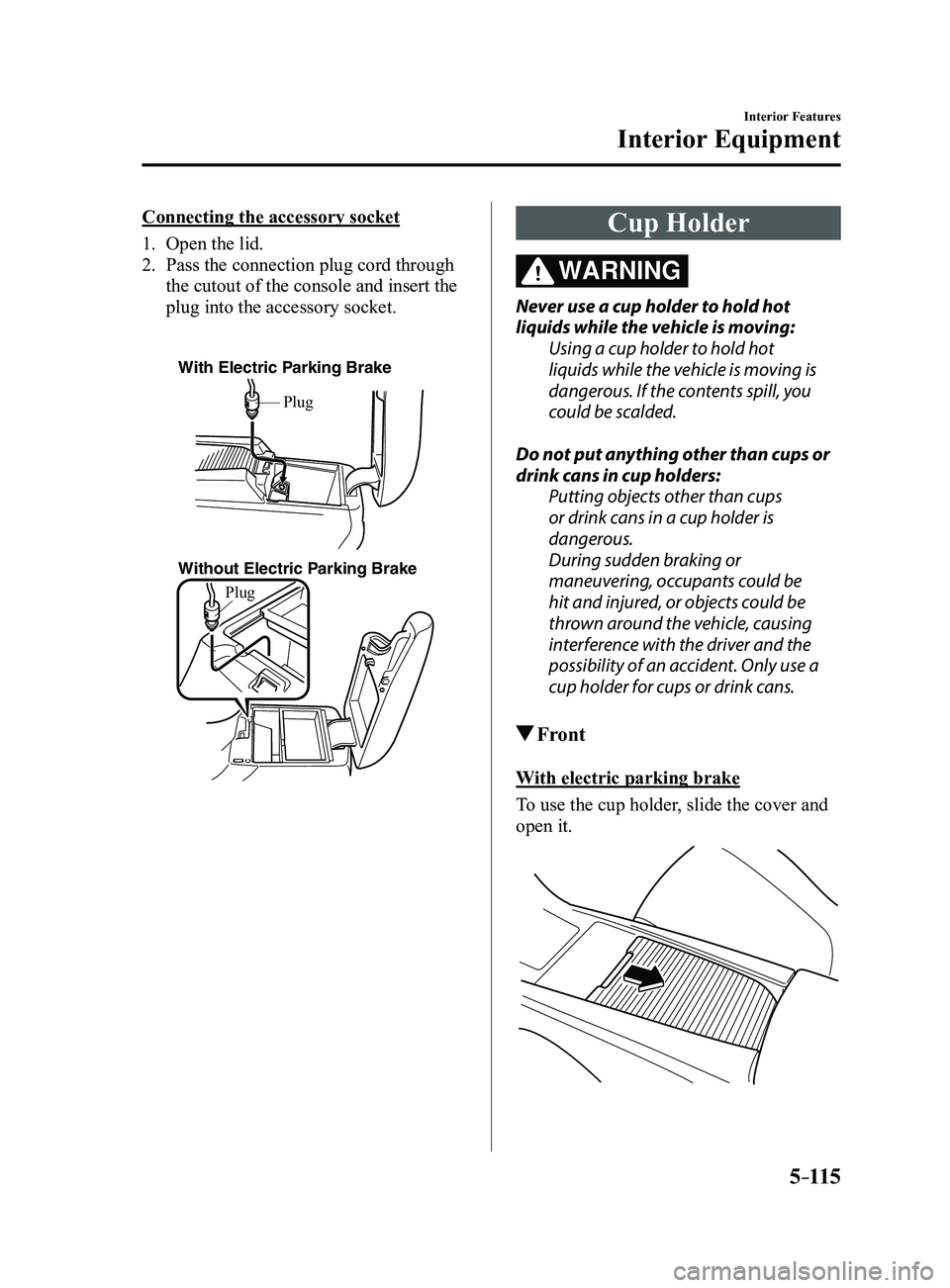
Connecting the accessory socket
1. Open the lid.
2. Pass the connection plug cord through
the cutout of the console and insert the
plug into the accessory socket.
With Electric Parking Brake
Without Electric Parking Brake
Plug
Plug
Cup Holder
WARNING
Never use a cup holder to hold hot
liquids while the vehicle is moving:Using a cup holder to hold hot
liquids while the vehicle is moving is
dangerous. If the contents spill, you
could be scalded.
Do not put anything other than cups or
drink cans in cup holders: Putting objects other than cups
or drink cans in a cup holder is
dangerous.
During sudden braking or
maneuvering, occupants could be
hit and injured, or objects could be
thrown around the vehicle, causing
interference with the driver and the
possibility of an accident. Only use a
cup holder for cups or drink cans.
Front
With electric parking brake
To use the cup holder, slide the cover and
open it.
Mazda3_8FL6-EA-16F_Edition2.indb 1152016/08/10 17:38:25
Page 409 of 612
5–117
Interior Features
Interior Equipment
*Some models.
Storage Compartments
WARNING
Keep storage boxes closed when
driving:Driving with the storage boxes open is
dangerous. To reduce the possibility of
injury in an accident or a sudden stop,
keep the storage boxes closed when
driving.
Do not put articles in storage spaces
with no lid: Putting articles in storage spaces with
no lid is dangerous as they could be
thrown around the cabin if the vehicle
is suddenly accelerated and cause
injury depending on how the article is
stored.
CAUTION
Do not leave lighters or eyeglasses
in the storage boxes while parked
under the sun. A lighter could explode
or the plastic material in eyeglasses
could deform and crack from high
temperature.
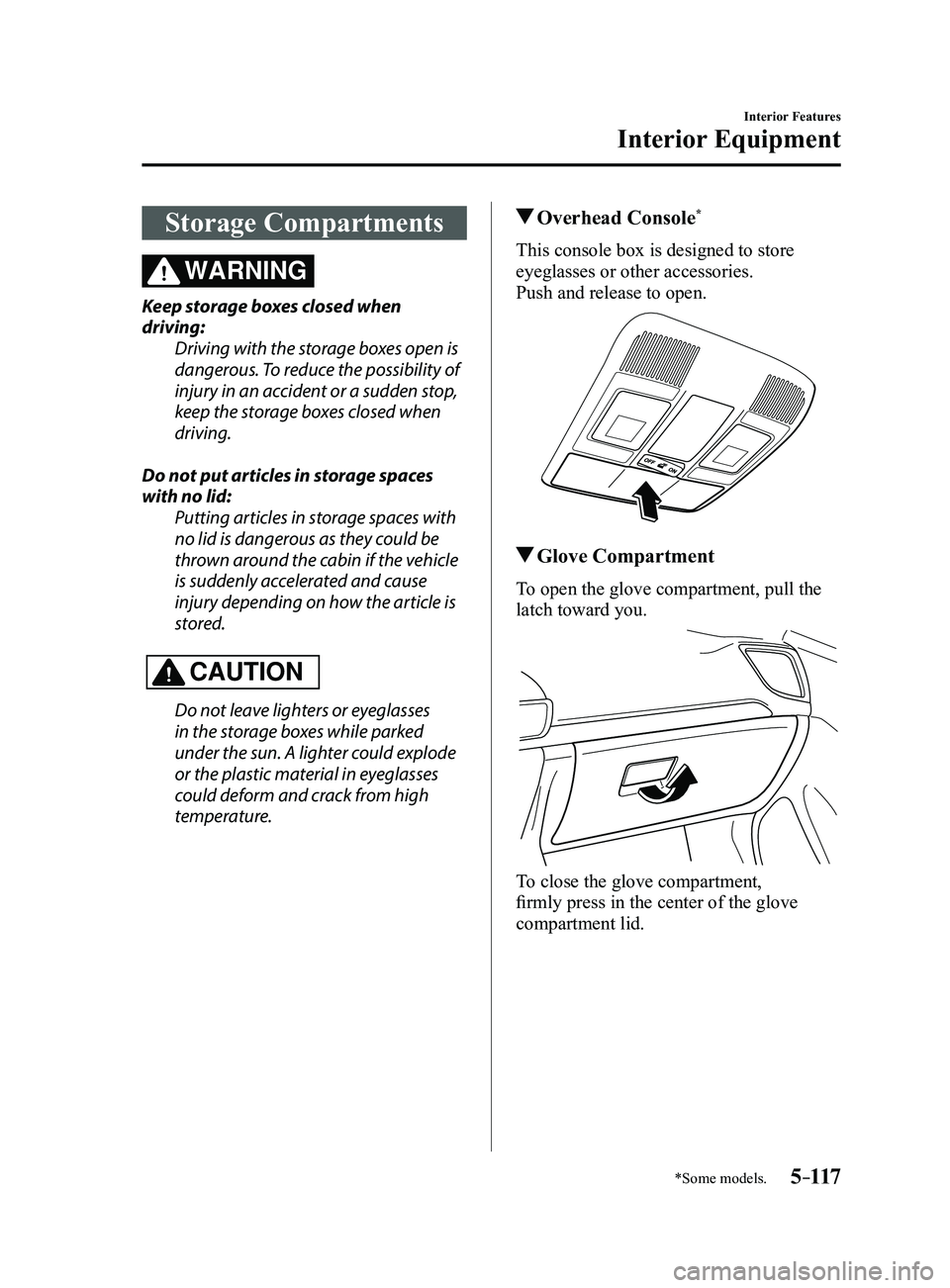
Overhead Console*
This console box is designed to store
eyeglasses or other accessories.
Push and release to open.
Glove Compartment
To open the glove compartment, pull the
latch toward you.
To close the glove compartment,
firmly press in the center of the glove
compartment lid.
Mazda3_8FL6-EA-16F_Edition2.indb 1172016/08/10 17:38:27
Page 411 of 612
5–119
Interior Features
Interior Equipment
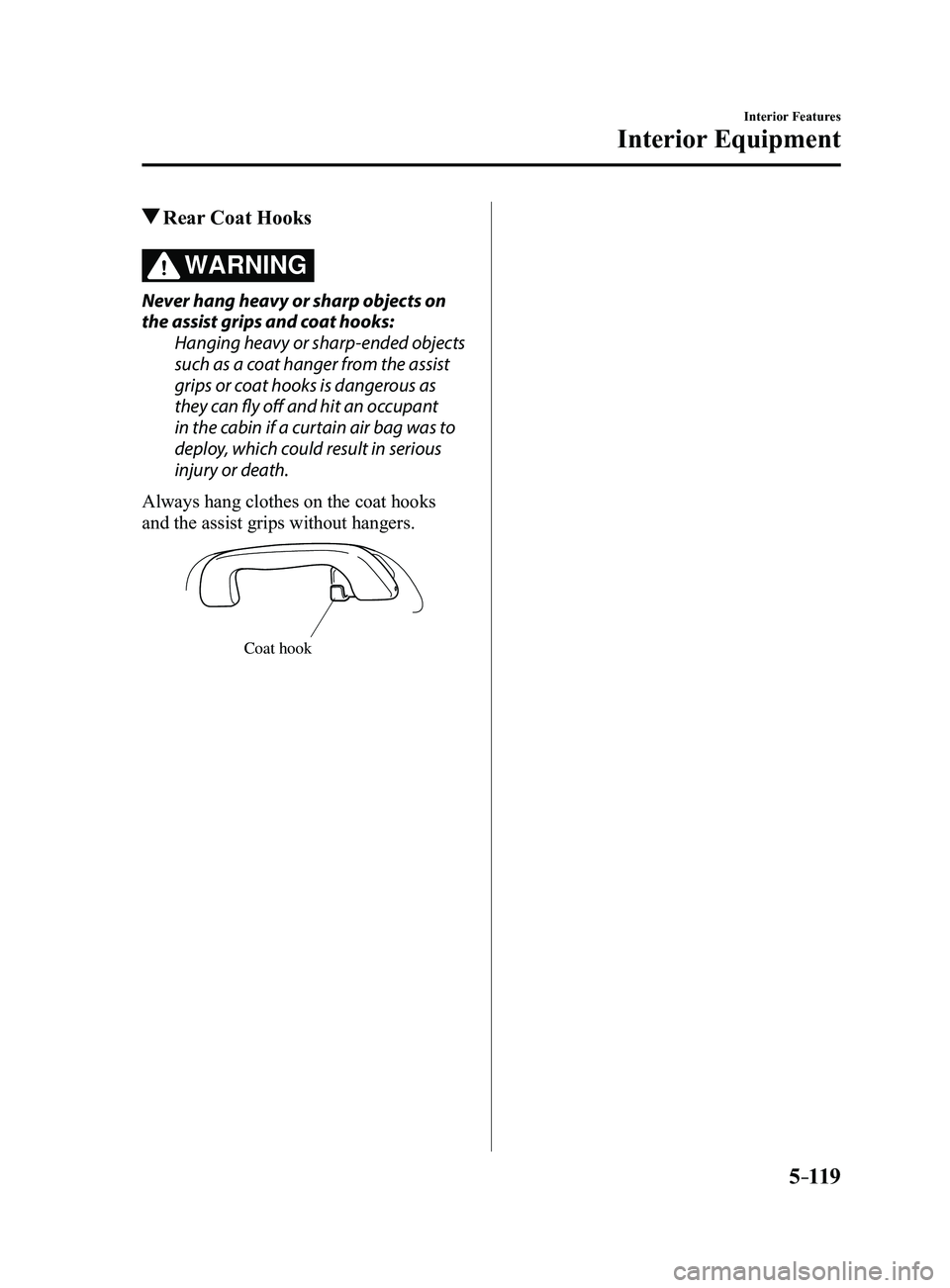
Rear Coat Hooks
WARNING
Never hang heavy or sharp objects on
the assist grips and coat hooks:Hanging heavy or sharp-ended objects
such as a coat hanger from the assist
grips or coat hooks is dangerous as
they can fly off and hit an occupant
in the cabin if a curtain air bag was to
deploy, which could result in serious
injury or death.
Always hang clothes on the coat hooks
and the assist grips without hangers.
Coat hook
Mazda3_8FL6-EA-16F_Edition2.indb 1192016/08/10 17:38:28