warning MAZDA MODEL 3 5-DOOR 2017 Owners Manual
[x] Cancel search | Manufacturer: MAZDA, Model Year: 2017, Model line: MODEL 3 5-DOOR, Model: MAZDA MODEL 3 5-DOOR 2017Pages: 612
Page 237 of 612
4–107
When Driving
i-ACTIVSENSE
*Some models.
Mazda Radar Cruise Control (MRCC)*
The Mazda Radar Cruise Control (MRCC) system is designed to maintain headway control*1
according to the vehicle speed using a radar sensor (front) to detect \
the distance to a vehicle
ahead, and by presetting the vehicle speed between 30 km/h (19 mph) an\
d 145 km/h (90 mph),
the driver is freed from having to constantly use the accelerator or bra\
ke pedals.
*1 Headway Control: Control of the distance between your vehicle and the ve\
hicle ahead
detected by the Mazda Radar Cruise Control (MRCC) system.
Additionally, if your vehicle starts closing in on the vehicle ahead because, for ex\
ample, the
vehicle ahead brakes suddenly, a warning sound and a warning indication in the display are
activated simultaneously to alert you to maintain a sufficient distance between the vehicles.
Use the Mazda Radar Cruise Control (MRCC) system on expressways and other highways
which do not require a lot of repeated acceleration and deceleration.
WARNING
Do not rely completely on the Mazda Radar Cruise Control (MRCC) system and always
drive carefully:
The Mazda Radar Cruise Control (MRCC) system is designed to reduce load on the driver,
and although it maintains a constant vehicle speed, or specifically, it maintains a constant
distance between your vehicle and the detected vehicle ahead according to the vehicle
speed, the system has detection limitations depending on the type of vehicle ahead and its
conditions, the weather conditions, and the road conditions. Additionally, the system may
be unable to decelerate sufficiently to avoid hitting the vehicle ahead if the vehicle ahead
applies the brakes suddenly or another vehicle cuts into the driving lane, which could result in
an accident. Always verify the safety of the surrounding area and depress the brake pedal or
accelerator pedal while keeping a safer distance from vehicles ahead or on-coming vehicles.
Do not use the Mazda Radar Cruise Control (MRCC) system in the following locations.
Otherwise, it could lead to an accident:
Roads with sharp cur ves and where vehicle traffic is heavy and there is insufficient
space between vehicles. Roads where frequent and repetitive acceleration and
deceleration occur (Driving under these conditions using the Mazda Radar Cruise
Control (MRCC) system is not possible).
When entering and exiting interchanges, service areas, and parking areas of highways
(If you exit a highway while headway control is in use, the vehicle ahead will no longer
be tracked and your vehicle may accelerate to the set speed).
Slippery roads such as ice or snow-bound roads (The tires could spin causing you to
lose vehicle control). Long descending slopes (to maintain distance between vehicles, the system automatically
and continuously applies the brakes which could result in the loss of brake power).
For the purposes of safety, switch the Mazda Radar Cruise Control (MRCC) system off
when it is not being used.
Mazda3_8FL6-EA-16F_Edition2.indb 1072016/08/10 17:36:46
Page 238 of 612
4–10 8
When Driving
i-ACTIVSENSE
CAUTION
If the vehicle is towed or you are towing something, switch the Mazda Radar Cruise
Control (MRCC) system off to prevent an incorrect operation.
NOTE
The Mazda Radar Cruise Control (MRCC) system operates when all of the following
conditions are met.
The vehicle speed is about 30 km/h (19 mph) to 145 km/h (90 mph). The Mazda Radar Cruise Control (MRCC) system is turned on. The parking brake is not applied. The Smart Brake Support (SBS) is not malfunctioning. The Dynamic Stability Control (DSC) is operating normally. All doors are closed. The driver's seat belt is fastened.
(Manual transaxle)
The shift lever is in a position other than r everse (R) or neutral (N). The clutch pedal is not depressed.
(Automatic transaxle)
The selector lever is in the drive (D) position or manual (M) positi\
on (manual mode).
In the following cases, the warnings may not activate even if your vehic\
le starts closing in
on the vehicle ahead.
You are driving at the same speed as the vehicle ahead. Directly after the Mazda Radar Cruise Control (MRCC) system has been set. When the accelerator pedal is depr essed or directly after the accelerator pedal is
released. Another vehicle cuts into the driving lane.
The following are not detected as physical objects.
Vehicles approaching in the opposite direction Pedestrians Stationary objects (stopped vehicles, obstructions)
If a vehicle ahead is traveling at an extr emely low speed, the system may not detect it
correctly. During headway control travel, do not set the system on two-wheeled vehicles such as
motorcycles and bicycles. Do not use the Mazda Radar Cruise Contr ol (MRCC) system under conditions in which
the close proximity warnings are frequently activated.
Mazda3_8FL6-EA-16F_Edition2.indb 1082016/08/10 17:36:46
Page 239 of 612
4–109
When Driving
i-ACTIVSENSE
During headway control travel, the system accelerates and decelerates your vehicle in
conjunction with the speed of the vehicle ahead. However, if it is necessary to accelerate
for a lane change or if the vehicle ahead brakes suddenly causing you to\
close in on the
vehicle rapidly, accelerate using the accelerator pedal or decelerate using the brake
pedal depending on the conditions.
While the Mazda Radar Cruise Contr ol (MRCC) system is in use, it does not cancel even
if the selector lever (automatic transaxle)/shift lever (manual trans\
axle) is operated and
any intended engine braking will not occur. If deceleration is required, lower the vehicle
speed setting or depress the brake pedal.
The brake lights are illuminated while the Mazda Radar Cruise Control (MRCC)
automatic braking is operating. The Mazda Radar Cruise Contr ol (MRCC) warning light (amber) illuminates when the
system has a malfunction.
Refer to Warning Lights on page 4-24. The headway contr ol operation can be canceled and the system can be switched to only
cruise control. Refer to Cruise Control Function on page 4-115.
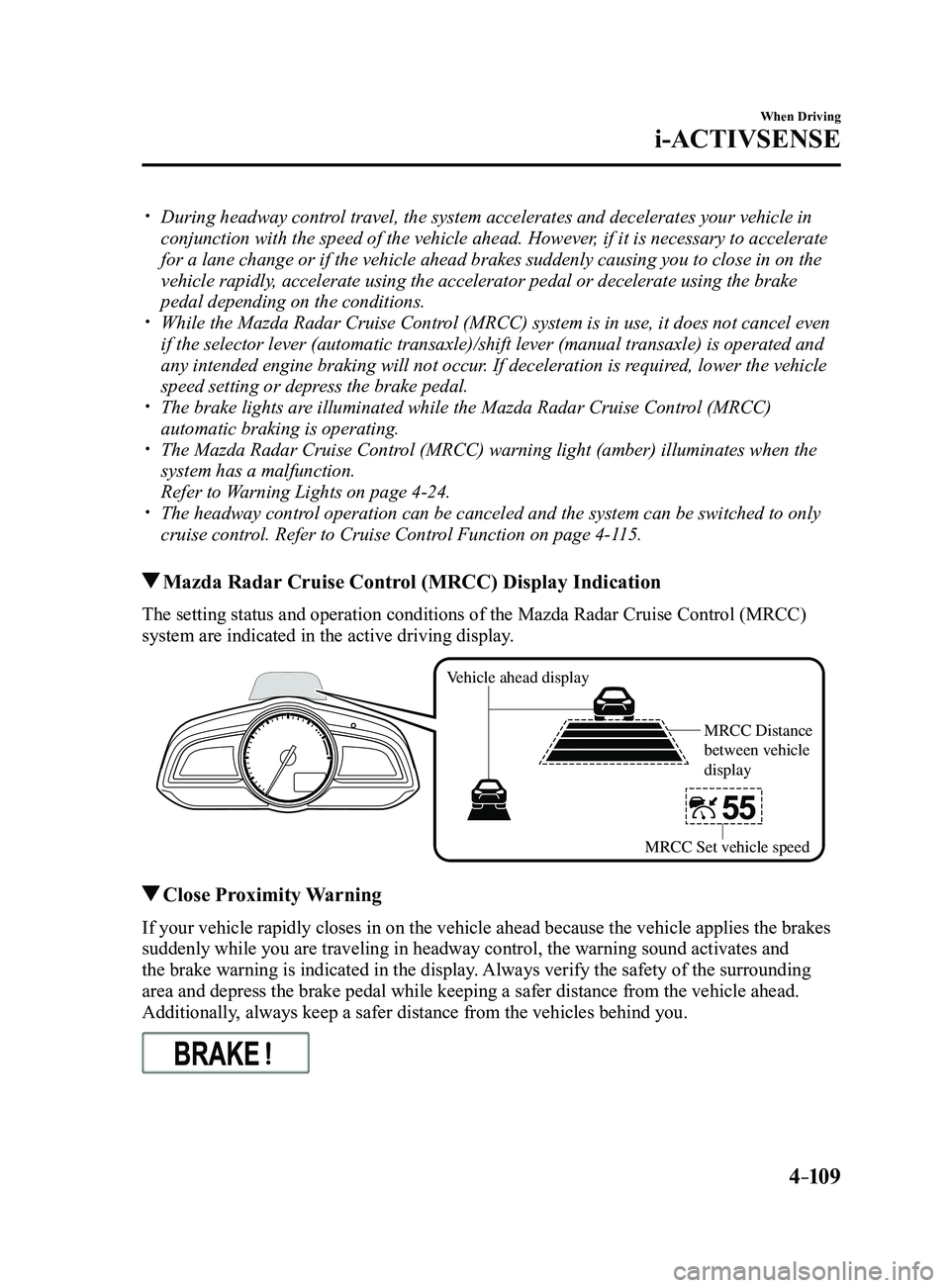
Mazda Radar Cruise Control (MRCC) Display Indication
The setting status and operation conditions of the Mazda Radar Cruise Control (MRCC)
system are indicated in the active driving display.
Vehicle ahead display
MRCC Distance
between vehicle
display
MRCC Set vehicle speed
Close Proximity Warning
If your vehicle rapidly closes in on the vehicle ahead because the vehic\
le applies the brakes
suddenly while you are traveling in headway control, the warning sound a\
ctivates and
the brake warning is indicated in the display. Always verify the safety of the surrounding
area and depress the brake pedal while keeping a safer distance from the\
vehicle ahead.
Additionally, always keep a safer distance from the vehicles behind you.
Mazda3_8FL6-EA-16F_Edition2.indb 1092016/08/10 17:36:47
Page 242 of 612
4–112
When Driving
i-ACTIVSENSE
Changing the Set Vehicle Speed
Changing the set vehicle speed using the
SET switch
Press the SET
switch to accelerate.
Press the SET
switch to decelerate.
The set vehicle speed changes as follows
each time the SET switch is pressed.
Short press 1km/h (1 mph)
Long press 10 km/h (5 mph)
NOTE
For example, the set vehicle speed is
changed by pressing the SET switch four
times as follows:
The vehicle speed accelerates or
decelerates by 4 km/h (4 mph).
To accelerate using the accelerator
pedal
Depress the accelerator pedal and press
and release the SET
or SET switch at
the desired speed. If a switch cannot be
operated, the system returns to the set
speed when you release your foot from the
accelerator pedal.
CAUTION
The warnings and brake control do not
operate while the accelerator pedal is
depressed.
NOTE
When accelerating using the SET
switch while in headway control, the set
vehicle speed can be adjusted but
acceleration is not possible. If there is
no longer a vehicle ahead, acceleration
continues until reaching the set vehicle
speed. Check the set vehicle speed by
viewing the set vehicle speed display in
the active driving display.
When depressing the accelerator pedal,
the inter-vehicle distance display in the
active driving display changes to the
white-line display.
The minimum settable speed is 30 km/h
(19 mph). If the set vehicle speed
reaches 30 km/h (19 mph) using the
switch operation, constant speed travel
is maintained at about 30 km/h (19
mph) even if the SET
switch is
pressed. The Mazda Radar Cruise
Control (MRCC) system is not canceled.
To Deactivate
The Mazda Radar Cruise Control (MRCC)
is deactivated when the OFF/CAN switch
is pressed twice.
When the system is temporarily
canceled
In the following cases, the Mazda Radar
Cruise Control (MRCC) is temporarily
canceled, the Mazda Radar Cruise Control
(MRCC) set indication (green) is turned
off, and the Mazda Radar Cruise Control
(MRCC) main indication (white) is turned
on.
The OFF/CAN switch is pressed once. The brake pedal is depressed. The parking brake is applied.
Mazda3_8FL6-EA-16F_Edition2.indb 1122016/08/10 17:36:50
Page 245 of 612
4–115
When Driving
i-ACTIVSENSE
Cruise Control Function
While this function is operating, the
headway control operation is canceled and
only the cruise control function operates.
The vehicle speed can be set more than
about 25 km/h (16 mph).
Use the cruise control function on
expressways and other highways which do
not require a lot of repeated acceleration
and deceleration.
WARNING
Do not use the cruise control function in
the following locations:
Otherwise, it could lead to an accident.
Roads with sharp cur ves and where
vehicle traffic is heavy and there is
insufficient space between vehicles.
(Driving under these conditions
using the cruise control function is
not possible)
Steep down slopes (Set speed may
be exceeded because sufficient
engine braking cannot be applied)
Slippery roads such as ice or snow-
bound roads (Tires could spin
causing you to lose vehicle control)
Always drive carefully: The warnings and brake control
will not operate after the headway
control function is canceled and the
system is switched to only the cruise
control function. Depress the brake
pedal to decelerate according to the
surrounding conditions while keeping
a safer distance from the vehicle ahead
and always driving carefully.
Switching to cruise control function
When the MODE switch is pressed while
the Mazda Radar Cruise Control (MRCC)
system is turned on, the system switches to
the cruise control function.
When the system switches to the cruise
control function, the cruise main indication
(white) is displayed in the instrument
cluster and the active driving display to
notify the driver as follows:
The Mazda Radar Cruise Control
(MRCC) set indication (green) or the
Mazda Radar Cruise Control (MRCC)
main indication (white) is turned off,
and the cruise main indication (white) is
turned on.
WARNING
Always turn off the cruise control
function when it is not in use:Leaving the cruise control function
turned on when it is not in use
is dangerous as it could operate
unexpectedly, resulting in an accident.
How to set the speed
Adjust the system to the desired vehicle
speed using the accelerator pedal.
When the SET
or SET switch is
pressed, the cruise set indication (green) is
turned on and headway control begins.
NOTE
The system may not be able to maintain
the set speed constantly depending on
driving conditions such as steep up or
down slopes.
The speed will continue incr easing
while the SET switch is pressed and
held. The speed will continue
decreasing while the SET
switch is
pressed and held.
Mazda3_8FL6-EA-16F_Edition2.indb 1152016/08/10 17:36:51
Page 247 of 612
4–117
When Driving
i-ACTIVSENSE
*Some models.
Lane-keep Assist System (LAS) & Lane Departure
Warning System (LDWS)*
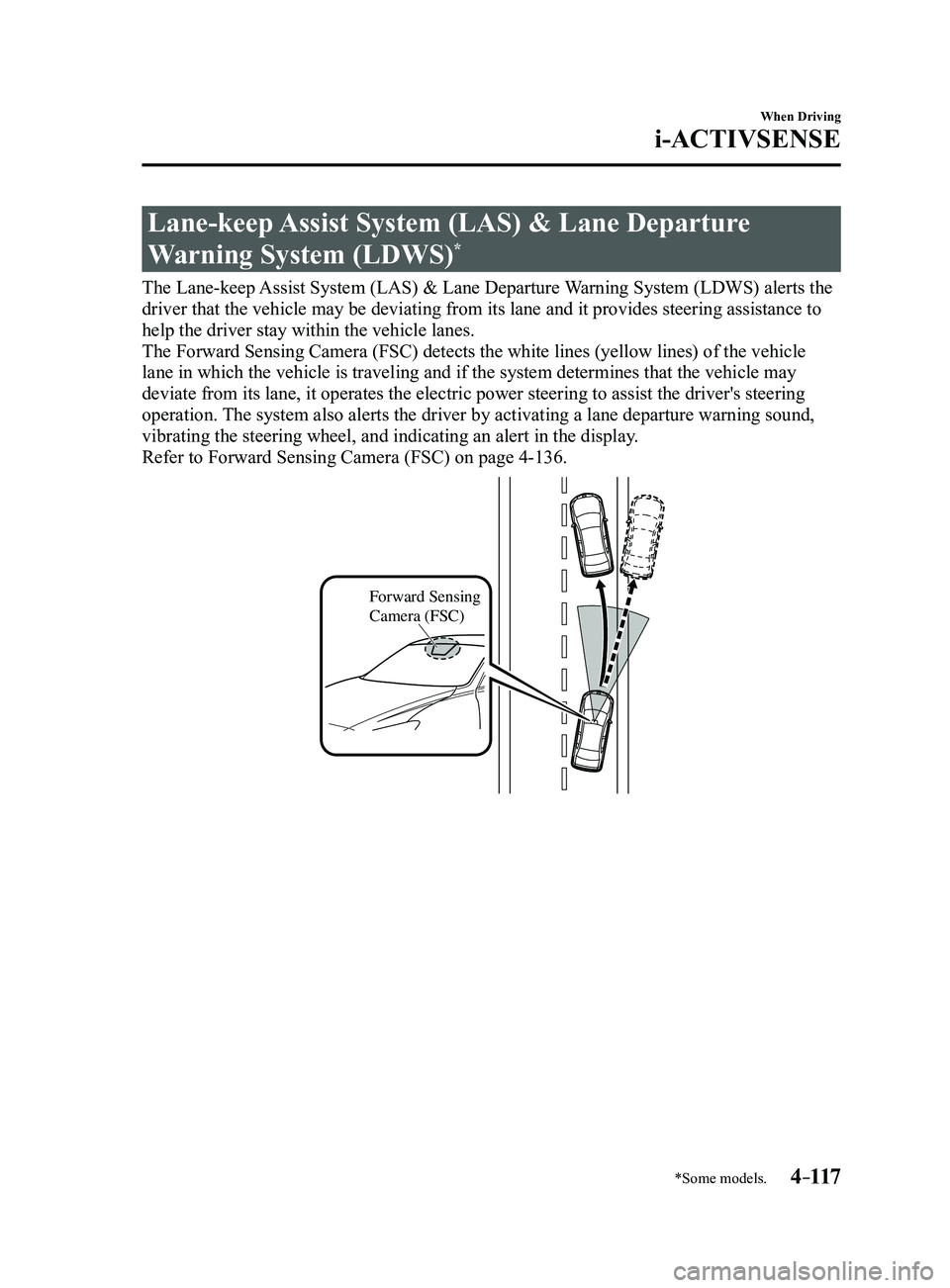
The Lane-keep Assist System (LAS) & Lane Departure Warning System (LDWS) alerts the
driver that the vehicle may be deviating from its lane and it provides s\
teering assistance to
help the driver stay within the vehicle lanes.
The Forward Sensing Camera (FSC) detects the white lines (yellow line\
s) of the vehicle
lane in which the vehicle is traveling and if the system determines that\
the vehicle may
deviate from its lane, it operates the electric power steering to assist\
the driver's steering
operation. The system also alerts the driver by activating a lane departure warning\
sound,
vibrating the steering wheel, and indicating an alert in the display.
Refer to Forward Sensing Camera (FSC) on page
4-136.
Forward Sensing
Camera (FSC)
Mazda3_8FL6-EA-16F_Edition2.indb 1172016/08/10 17:36:52
Page 248 of 612
4–118
When Driving
i-ACTIVSENSE
WARNING
Do not rely completely on the Lane-keep Assist System (LAS) & Lane Departure
Warning System (LDWS):
The Lane-keep Assist System (LAS) & Lane Departure Warning System (LDWS) is not an
automatic driving system. In addition, the system is not designed to compensate for a
driver's lack of caution, and over-reliance on the system could lead to an accident.
The detection ability of the Lane-keep Assist System (LAS) & Lane Departure Warning
System (LDWS) is limited. Always stay on course using the steering wheel and drive
with care.
Do not use the Lane-keep Assist System (LAS) & Lane Departure Warning System
(LDWS) in the following cases: The system may not operate adequately according to the actual driving conditions,
resulting in an accident.
Driving on roads with tight curves. Driving under bad weather conditions (rain, fog, and snow). Slippery roads such as ice or snow-bound roads. Roads with heav y traffic and insufficient distance between vehicles. Roads with no whit e (yellow) lane lines. Narrow roads resulting from road construction or lane closures. The vehicle is driven on a temporary lane or section with a closed lane resulting from
road construction where there may be multiple white (yellow) lane lines or they are
interrupted.
The tire pressures are not adjusted to the specified pressure. Tires of a different specified size are used, such as an emergency spare tire.
CAUTION
Heed the following cautions so that the Lane-keep Assist System (LAS) & Lane Departure
Warning System (LDWS) can operate normally.
Do not modify the suspensions. Always use wheels of the specified type and size for the front and rear wheels. Consult
an Authorized Mazda Dealer for tire replacement.
NOTE
When the turn signal lever is operated for a lane change, the Lane-keep \
Assist System
(LAS) & Lane Departure Warning System (LDWS) is automatically disabled. The
Lane-keep Assist System (LAS) & Lane Departure Warning System (LDWS) becomes
operational again when the turn signal lever is returned and the system detects white
(yellow) lane lines while the vehicle is being driven normally within \
its vehicle lane.
Mazda3_8FL6-EA-16F_Edition2.indb 1182016/08/10 17:36:52
Page 249 of 612
 line, the system determines that")
4–119
When Driving
i-ACTIVSENSE
If the steering wheel, accelerator pedal, or brake pedal is operated abr\
uptly and the vehicle
moves close to a white (yellow) line, the system determines that the d\
river is making a lane
change and the Lane-keep Assist System (LAS) & Lane Departure Warning System (LDWS)
operation is temporarily canceled. The Lane-keep Assist System (LAS) & Lane Departure
Warning System (LDWS) becomes operational again when the system detects\
white (yellow)
lane lines while the vehicle is being driven normally within its vehicle\
lane.
If the vehicle deviates from its lane repeatedly within a short period of time, the Lane-
keep Assist System (LAS) & Lane Departure Warning System (LDWS) may not operate. When white (yellow) lane lines ar e not detected, the Lane-keep Assist System (LAS) &
Lane Departure Warning System (LDWS) does not operate. Under the following conditions, the Lane-keep Assist System (LAS) & Lane Departure
Warning System (LDWS) may not be able to detect white (yellow) lane l\
ines correctly and
it may not operate normally.
If an object placed on the dashboard is reflected in the windshield and picked up by the
camera. Heavy luggage is loaded in the luggage compartment or on the r ear seat and the
vehicle is tilted. The tire pressures are not adjusted to the specified pressure. Tires other than conventional tires are equipped. When the vehicle is driven on the guiding branch to or from the rest area or tollgate of
a highway. The white (yellow) lane lines are less visible because of dirt or fading/patchiness. A vehicle in front of your vehicle is running near a white (yellow) lane line making \
it
less visible. A white (yellow) lane line is less visible because of bad weather (rai\
n, fog, or snow). The vehicle is driven on a temporary lane or section with a closed lane \
resulting from
construction where there may be multiple white (yellow) lane lines or they are interrupted.
A misleading line is picked up on the road such as a temporary line for construction,
or because of shade, lingering snow, or grooves filled with water. The surrounding brightness suddenly changes such as when entering or exiting a t\
unnel. The illumination of the headlights is weakened because of dirt or the op\
tical axis is
deviated. The windshield is dirty or foggy . The windshield, camera is fogged (water dr oplets). Back-light is reflected off the road surface. The road surface is wet and shiny after rain, or there are puddles on the road. The shade of a guar drail parallel to a white (yellow) lane line is cast on the road. The width of the driving lane is narr ow (less than about 2.5 m (98 in)) or wide (more
than about 4.5 m (178 in)) Driving on roads with tight curves. The road is excessively uneven. The vehicle is shaken after hitting a r oad bump. There are two or more adjacent white (yellow) lane lines. There are various road markings or lane markings of various shapes near an intersection.
Mazda3_8FL6-EA-16F_Edition2.indb 1192016/08/10 17:36:52
Page 250 of 612
4–120
When Driving
i-ACTIVSENSE
System Operation
If the Lane-keep Assist System (LAS) & Lane Departure Warning System (LDWS) OFF
indicator light in the instrument cluster turns off when the ignition is switched ON, the
system goes on standby.
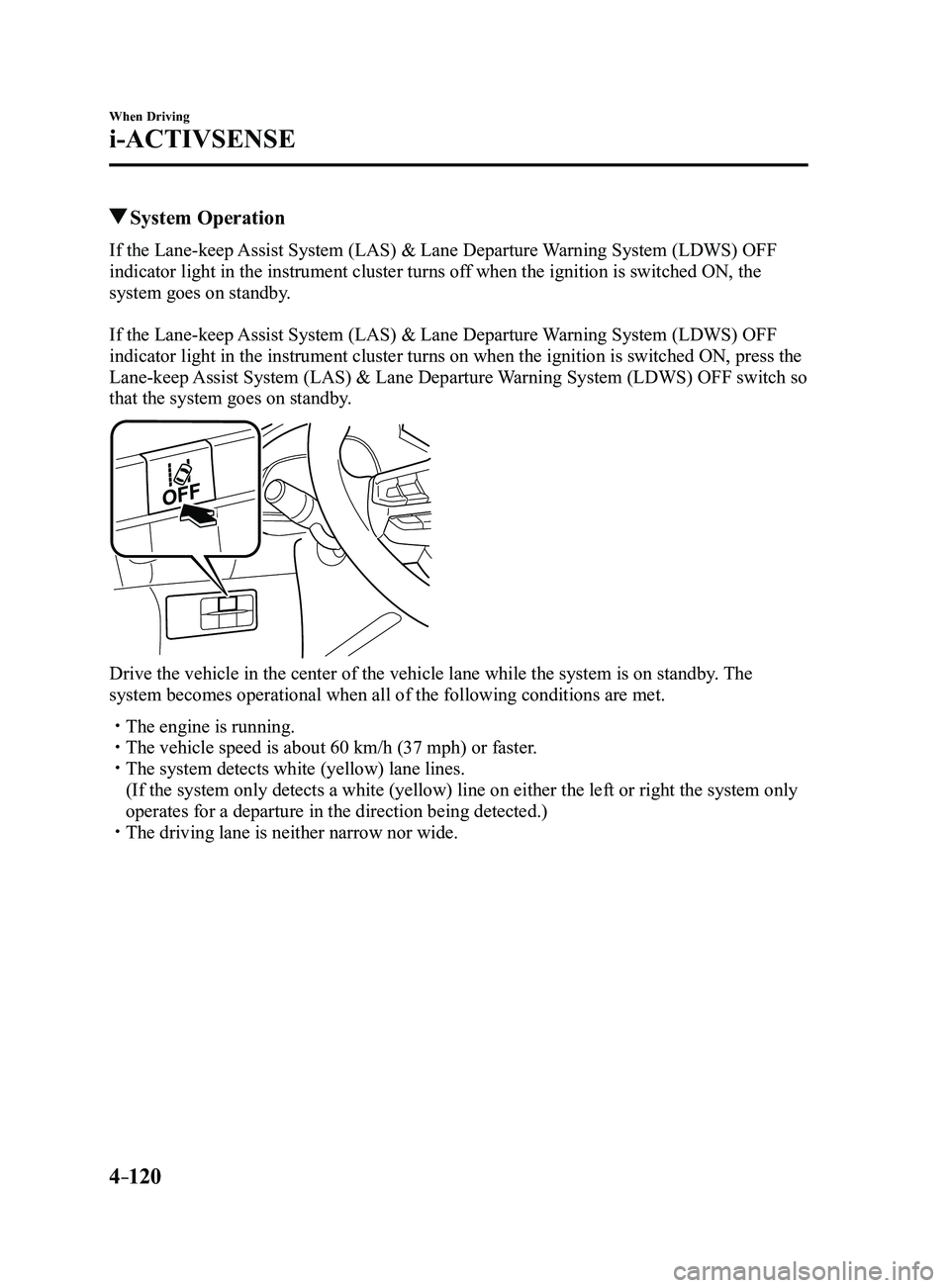
If the Lane-keep Assist System (LAS) & Lane Departure Warning System (LDWS) OFF
indicator light in the instrument cluster turns on when the ignition is switched ON, press the
Lane-keep Assist System (LAS) & Lane Departure Warning System (LDWS) OFF switch so
that the system goes on standby.
Drive the vehicle in the center of the vehicle lane while the system is \
on standby. The
system becomes operational when all of the following conditions are met.\
The engine is running. The vehicle speed is about 60 km/h (37 mph) or faster. The system detects white (yellow) lane lines.
(If the system only detects a white (yellow) line on either the left \
or right the system only
operates for a departure in the direction being detected.) The driving lane is neither narrow nor wide.
Mazda3_8FL6-EA-16F_Edition2.indb 1202016/08/10 17:36:53
Page 251 of 612
4–121
When Driving
i-ACTIVSENSE
The Lane-keep Assist System (LAS) & Lane Departure Warning System (LDWS) goes on
stand-by status in the following cases:
The system cannot detect white (yellow) lane lines. The vehicle speed is less than about 60 km/h (37 mph). The ABS/TCS/DSC is operating. The DSC is turned off.
(If the DSC is turned of f while the system is operational, a warning beep is heard and the
system goes on standby.) The vehicle is making a sharp curve. The steering wheel is operated abruptly . The brake pedal is depressed. The width of a lane is excessively narrow or wide.
NOTE
The Lane-keep Assist System (LAS) & Lane Departure Warning System (LDWS) does not
operate until the system detects white (yellow) lane lines on either t\
he left or right. When the system detects a white (yellow) lane line on one side only , the system will not
activate warnings for the lane line on the side that is not being detect\
ed. The warning is
only for a lane deviation on the side that is being detected.
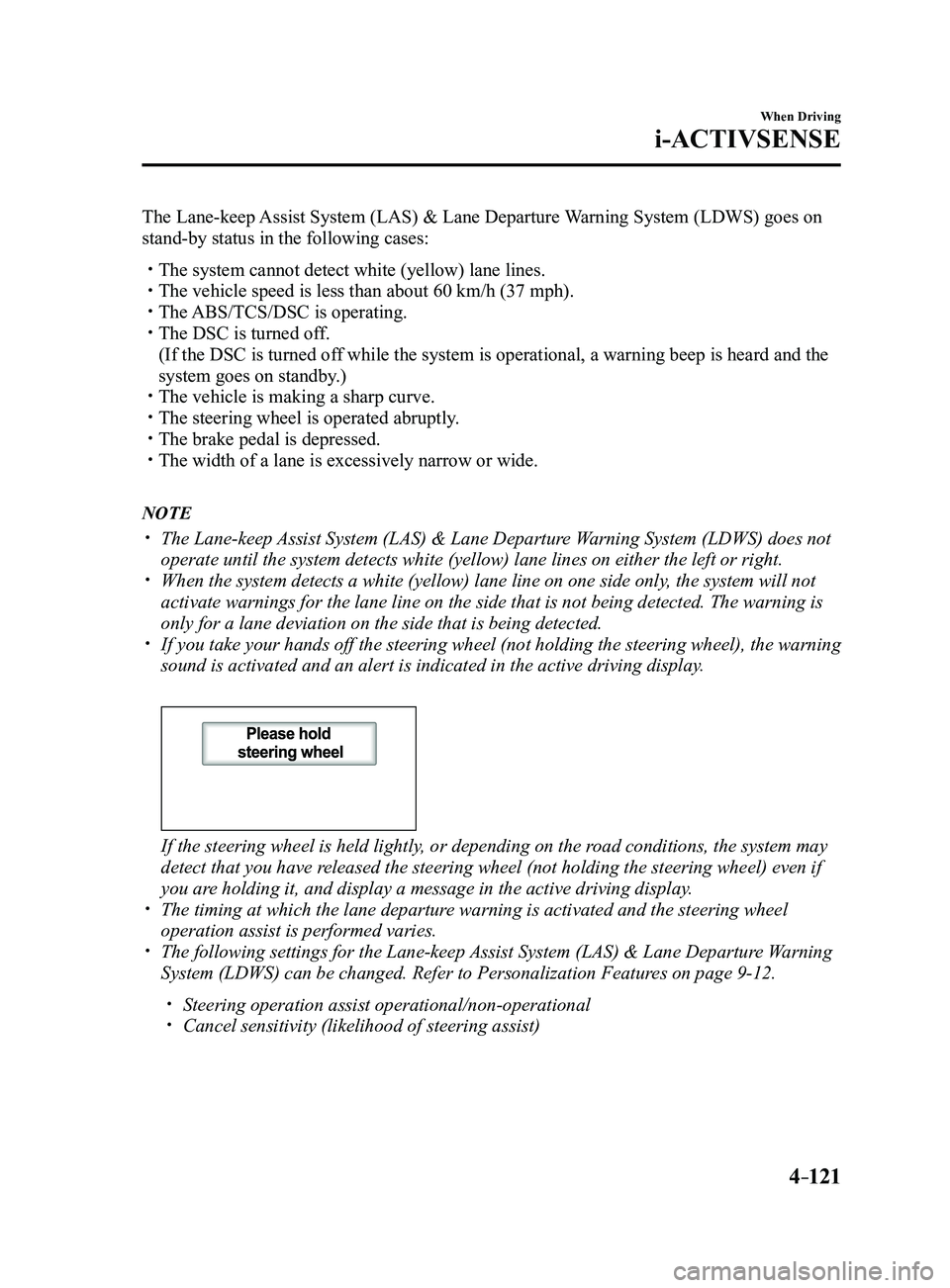
If you take your hands off the steering wheel (not holding the steering\
wheel), the warning
sound is activated and an alert is indicated in the active driving displ\
ay.
If the steering wheel is held lightly, or depending on the road conditions, the system may
detect that you have released the steering wheel (not holding the steering wheel) even if
you are holding it, and display a message in the active driving display.
The timing at which the lane departur e warning is activated and the steering wheel
operation assist is performed varies. The following settings for the Lane-keep Assist System (LAS) & Lane Departure Warning
System (LDWS) can be changed. Refer to Personalization Features on page 9-12.
Steering operation assist operational/non-operational Cancel sensitivity (likelihood of steering assist)
Mazda3_8FL6-EA-16F_Edition2.indb 1212016/08/10 17:36:53