ignition MAZDA MODEL 3 5-DOOR 2017 Manual PDF
[x] Cancel search | Manufacturer: MAZDA, Model Year: 2017, Model line: MODEL 3 5-DOOR, Model: MAZDA MODEL 3 5-DOOR 2017Pages: 612
Page 223 of 612
4–93
When Driving
i-ACTIVSENSE
Canceling Operation of Blind Spot
Monitoring (BSM)
The Blind Spot Monitoring (BSM)
and Rear Cross Traffic Alert (RCTA)
systems are turned off and the Blind Spot
Monitoring (BSM) OFF indicator light in
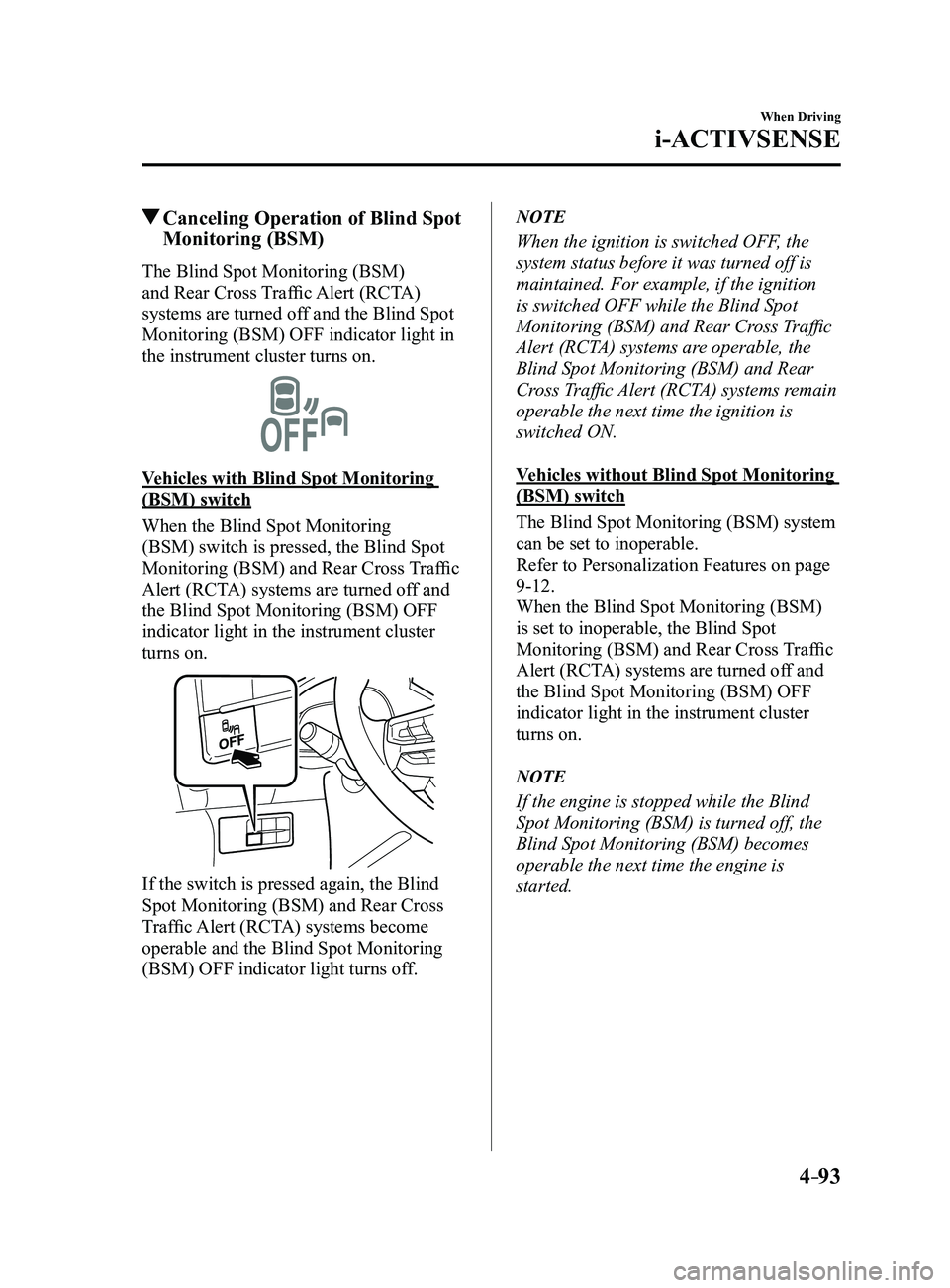
the instrument cluster turns on.
Vehicles with Blind Spot Monitoring
(BSM) switch
When the Blind Spot Monitoring
(BSM) switch is pressed, the Blind Spot
Monitoring (BSM) and Rear Cross Traffic
Alert (RCTA) systems are turned off and
the Blind Spot Monitoring (BSM) OFF
indicator light in the instrument cluster
turns on.
If the switch is pressed again, the Blind
Spot Monitoring (BSM) and Rear Cross
Traffic Alert (RCTA) systems become
operable and the Blind Spot Monitoring
(BSM) OFF indicator light turns off.
NOTE
When the ignition is switched OFF, the
system status before it was turned off is
maintained. For example, if the ignition
is switched OFF while the Blind Spot
Monitoring (BSM) and Rear Cross Traffic
Alert (RCTA) systems are operable, the
Blind Spot Monitoring (BSM) and Rear
Cross Traffic Alert (RCTA) systems remain
operable the next time the ignition is
switched ON.
Vehicles without Blind Spot Monitoring
(BSM) switch
The Blind Spot Monitoring (BSM) system
can be set to inoperable.
Refer to Personalization Features on page
9-12.
When the Blind Spot Monitoring (BSM)
is set to inoperable, the Blind Spot
Monitoring (BSM) and Rear Cross Traffic
Alert (RCTA) systems are turned off and
the Blind Spot Monitoring (BSM) OFF
indicator light in the instrument cluster
turns on.
NOTE
If the engine is stopped while the Blind
Spot Monitoring (BSM) is turned off, the
Blind Spot Monitoring (BSM) becomes
operable the next time the engine is
started.
Mazda3_8FL6-EA-16F_Edition2.indb 932016/08/10 17:36:40
Page 231 of 612
4–101
When Driving
i-ACTIVSENSE
*Some models.
Distance Recognition Support System (DRSS)*
The Distance Recognition Support System (DRSS) measures the distance between your
vehicle and a vehicle ahead using a radar sensor (front) while the veh\
icle speed is about 30
km/h (19 mph) or faster, and if your vehicle approaches a vehicle ahead more closely than
what is appropriate for maintaining distance between the vehicles accord\
ing to the vehicle
speed, a notification in the active driving display is indicated to advise you to keep a safe
distance from the vehicle ahead.
WARNING
Do not rely completely on the Distance Recognition Support System (DRSS) and always
drive carefully:The Distance Recognition Support System (DRSS) provides advice for safer driving and
notifies the driver of a recommended, safer distance to maintain with a vehicle ahead.
The ability to detect a vehicle ahead is limited depending on the type of vehicle ahead,
the weather conditions, and the traffic conditions. Therefore, if the accelerator and brake
pedals are not operated correctly it could lead to an accident. Always verify the safety of
the surrounding area and depress the brake pedal or accelerator pedal while keeping a
safer distance from vehicles ahead or on-coming vehicles.
NOTE
The Distance Recognition Support System (DRSS) operates when all of th\
e following
conditions are met:
The ignition is switched ON. The Distance Recognition Support System (DRSS) is on. The selector lever is in a position other than r everse (R). The vehicle speed is 30 km/h or faster (19 mph or faster).
The objects which activate the system are 4-wheeled vehicles. The Distance Recognition Support System (DRSS) may also operate in the\
pr esence of
motorcycles and bicycles. The Distance Recognition Support System (DRSS) system may not operate \
normally
under the following conditions:
The Dynamic Stability Control (DSC) has a malfunction. The vehicle ahead is traveling at an extr emely slow speed.
The system does not operate with the following objects:
Vehicles approaching in the opposite direction. Stationary objects (stopped vehicles, obstructions)
Mazda3_8FL6-EA-16F_Edition2.indb 1012016/08/10 17:36:43
Page 232 of 612
4–102
When Driving
i-ACTIVSENSE
Indication on Display
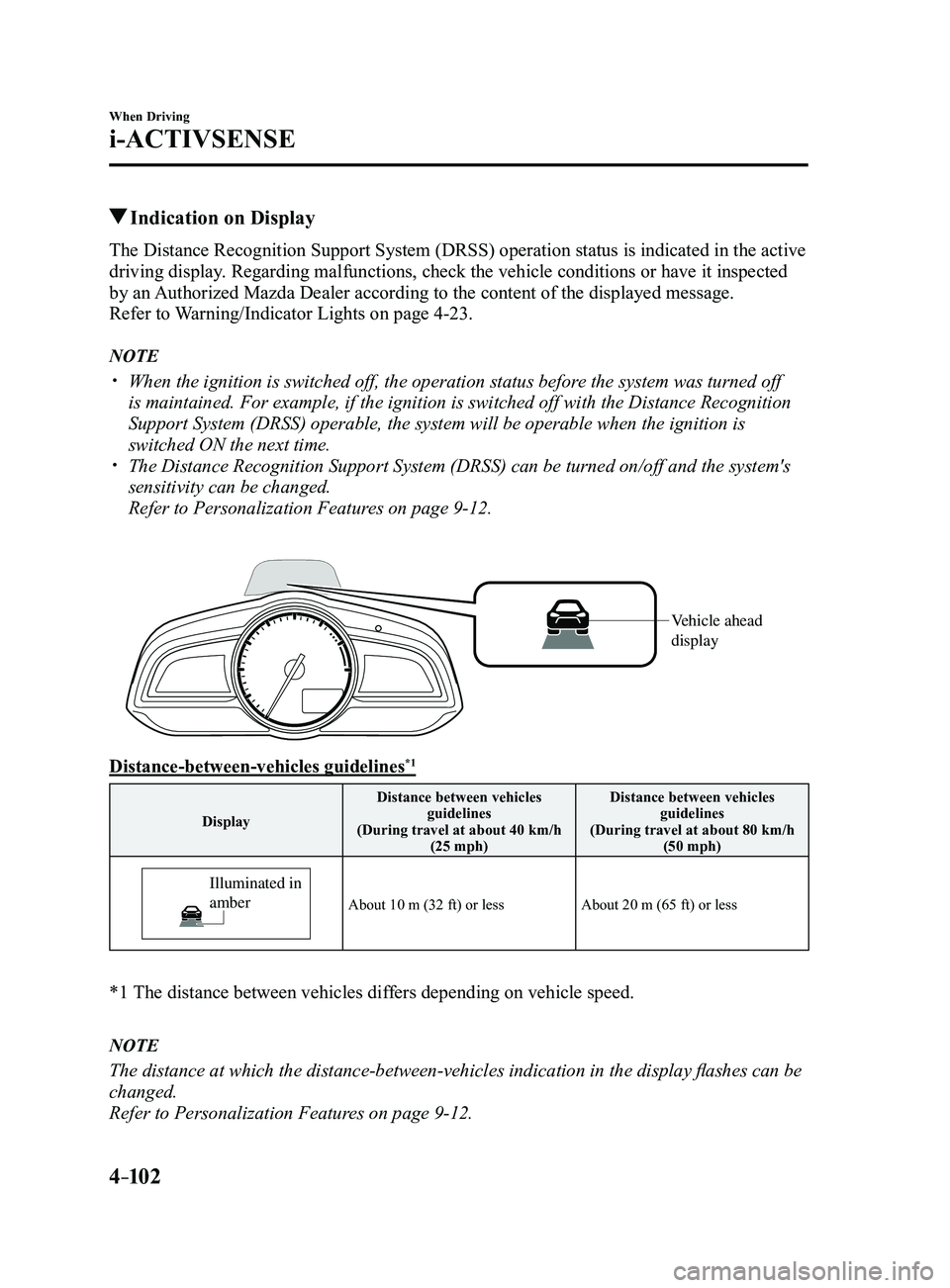
The Distance Recognition Support System (DRSS) operation status is indicated in the active
driving display. Regarding malfunctions, check the vehicle conditions or have it inspected
by an Authorized Mazda Dealer according to the content of the displayed messag\
e.
Refer to Warning/Indicator Lights on page
4-23.
NOTE
When the ignition is switched off, the operation status before the system was turned off
is maintained. For example, if the ignition is switched off with the Dis\
tance Recognition
Support System (DRSS) operable, the system will be operable when the i\
gnition is
switched ON the next time.
The Distance Recognition Support System (DRSS) can be turned on/off an\
d the system's
sensitivity can be changed.
Refer to Personalization Features on page 9-12.
Vehicle ahead
display
Distance-between-vehicles guidelines*1
DisplayDistance between vehicles
guidelines
(During travel at about 40 km/h (25 mph) Distance between vehicles
guidelines
(During travel at about 80 km/h (50 mph)
Illuminated in
amber
About 10 m (32 ft) or lessAbout 20 m (65 ft) or less
*1 The distance between vehicles dif fers depending on vehicle speed.
NOTE
The distance at which the distance-between-vehicles indication in the display flashes can be
changed.
Refer to Personalization Features on page
9-12.
Mazda3_8FL6-EA-16F_Edition2.indb 1022016/08/10 17:36:44
Page 240 of 612
4–110
When Driving
i-ACTIVSENSE
Setting the System
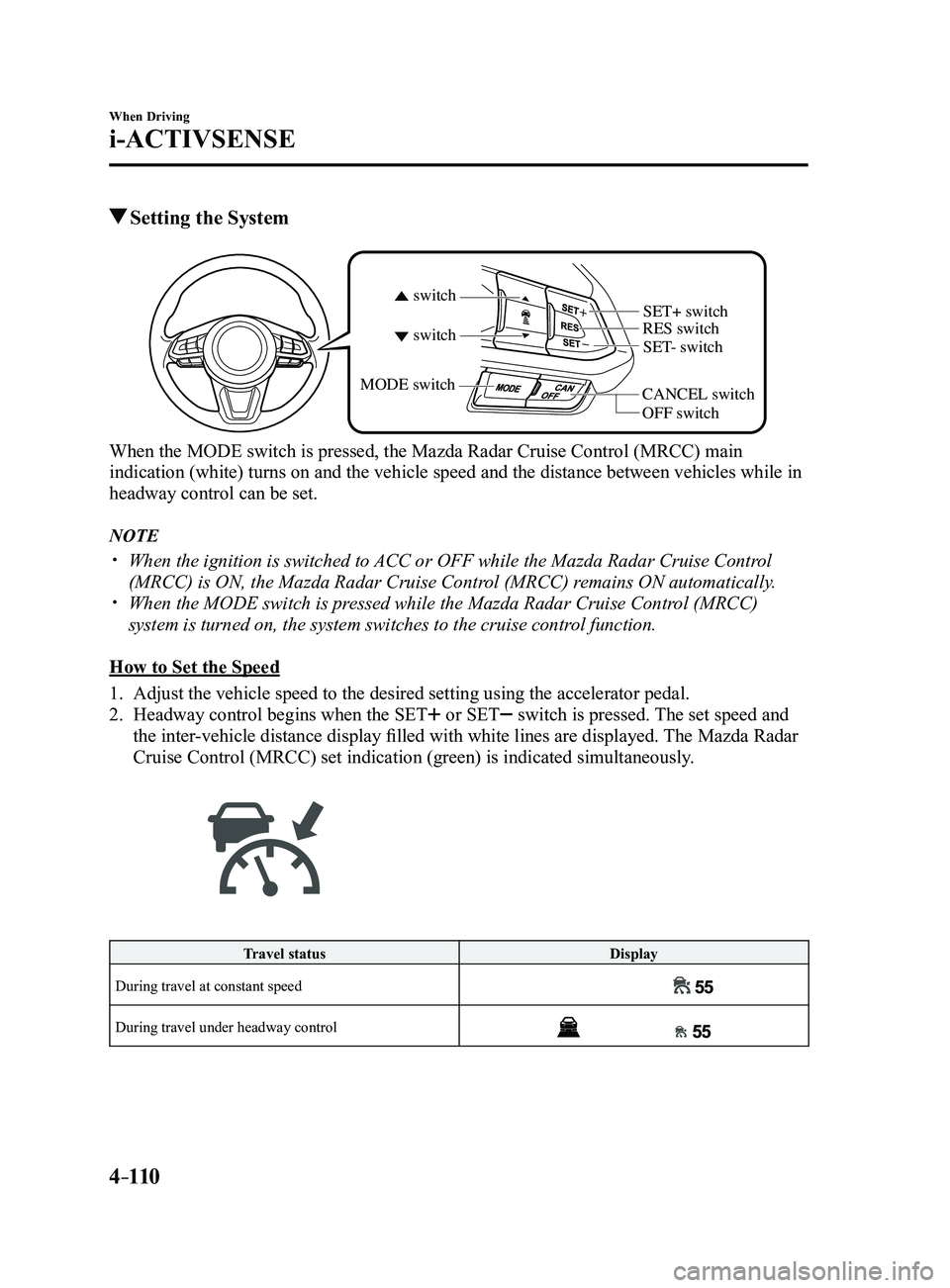
CANCEL switchRES switch
OFF switch
switch switchMODE switch
SET- switch
SET+ switch
When the MODE switch is pressed, the Mazda Radar Cruise Control (MRCC) main
indication (white) turns on and the vehicle speed and the distance bet\
ween vehicles while in
headway control can be set.
NOTE
When the ignition is switched to
ACC or OFF while the Mazda Radar Cruise Control
(MRCC) is ON, the Mazda Radar Cruise Control (MRCC) remains ON automatically. When the MODE switch is pressed while the Mazda Radar Cruise Control (MRCC)
system is turned on, the system switches to the cruise control function.
How to Set the Speed
1. Adjust the vehicle speed to the desired setting using the accelerator pe\
dal.
2. Headway control begins when the SET or SET switch is pressed. The set speed and
the inter-vehicle distance display filled with white lines are displayed. The Mazda Radar
Cruise Control (MRCC) set indication (green) is indicated simultaneously.
Travel status Display
During travel at constant speed
During travel under headway control
Mazda3_8FL6-EA-16F_Edition2.indb 1102016/08/10 17:36:48
Page 241 of 612

4–111
When Driving
i-ACTIVSENSE
NOTE
If a vehicle ahead is detected while traveling at a constant speed, the \
vehicle-ahead
indication is displayed and headway control is performed. Additionally, when a vehicle
ahead is no longer detected, the vehicle-ahead indication turns off and \
the system
switches back to travel at constant speed.
Headway control is not possible if the vehicle ahead is driving faster than the set s\
peed.
Adjust the system to the desired vehicle speed using the accelerator pedal.
How to Set the Distance Between Vehicles During Headway Control
The distance between vehicles is set to a shorter distance each time the\
switch is pressed.
The distance between vehicles is set to a longer distance by pressing th\
e
switch. The
distance-between-vehicles can be set to 4 levels; Long, medium, short, a\
nd extremely short
distance.
Distance-between-vehicles guideline (at 80 km/h (50 mph) vehicle speed) Display
Long (about 50 m (164 ft))
Medium (about 40 m (131 ft))
Short (about 30 m (98 ft))
Extremely short (about 25 m (82 ft))
NOTE
The distance between vehicles differs depending on the vehicle speed, an\
d the slower the
vehicle speed, the shorter the distance. When the ignition is switched to ACC or OFF and then the engine is started again, the
system automatically sets the distance between vehicles to the previous setting.
Mazda3_8FL6-EA-16F_Edition2.indb 1112016/08/10 17:36:49
Page 250 of 612
4–120
When Driving
i-ACTIVSENSE
System Operation
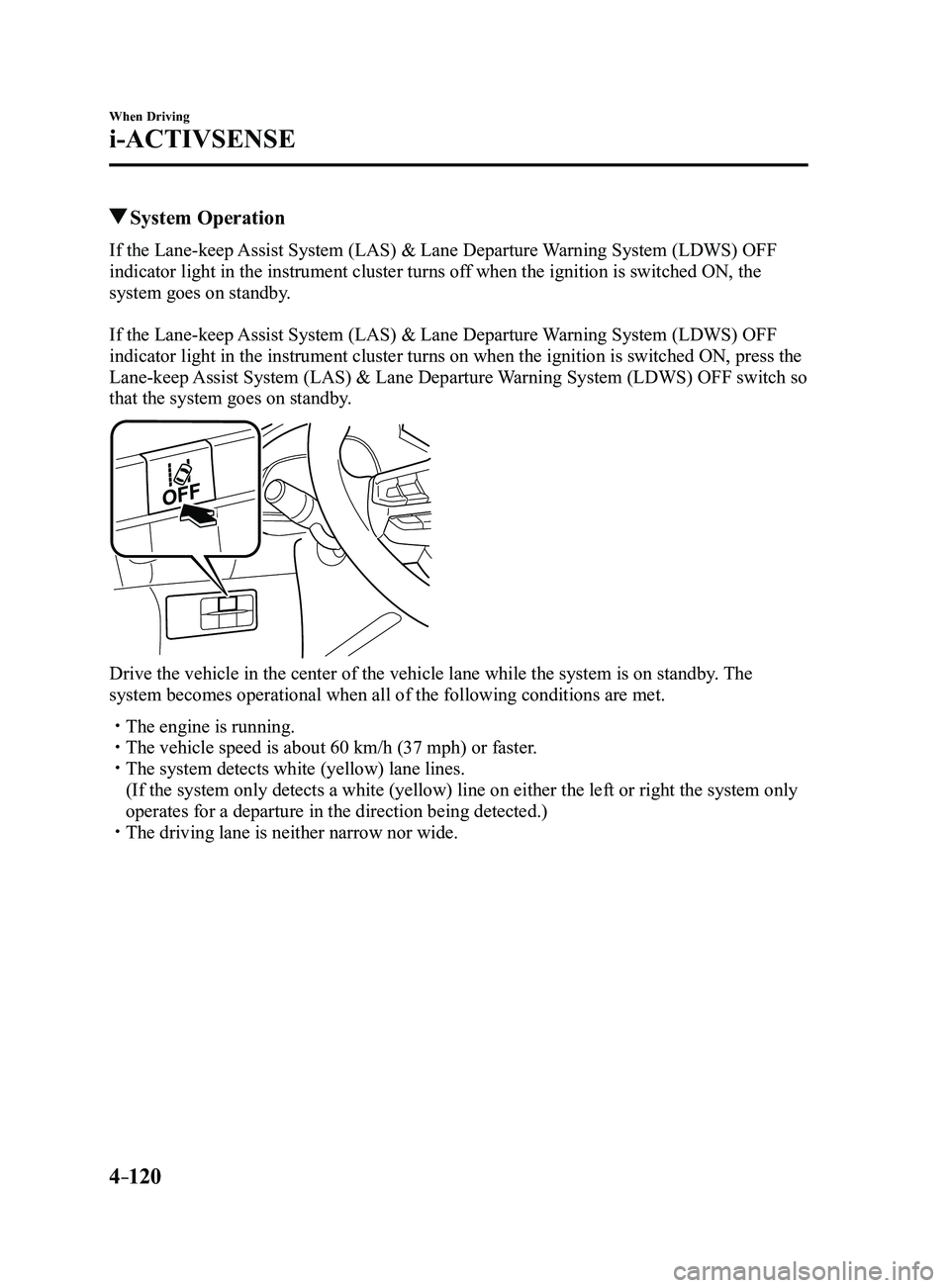
If the Lane-keep Assist System (LAS) & Lane Departure Warning System (LDWS) OFF
indicator light in the instrument cluster turns off when the ignition is switched ON, the
system goes on standby.
If the Lane-keep Assist System (LAS) & Lane Departure Warning System (LDWS) OFF
indicator light in the instrument cluster turns on when the ignition is switched ON, press the
Lane-keep Assist System (LAS) & Lane Departure Warning System (LDWS) OFF switch so
that the system goes on standby.
Drive the vehicle in the center of the vehicle lane while the system is \
on standby. The
system becomes operational when all of the following conditions are met.\
The engine is running. The vehicle speed is about 60 km/h (37 mph) or faster. The system detects white (yellow) lane lines.
(If the system only detects a white (yellow) line on either the left \
or right the system only
operates for a departure in the direction being detected.) The driving lane is neither narrow nor wide.
Mazda3_8FL6-EA-16F_Edition2.indb 1202016/08/10 17:36:53
Page 253 of 612
 & Lane Departure Warning
System (LDWS) operation may not operate for a period of 5 seconds at t\
he m")
4–123
When Driving
i-ACTIVSENSE
NOTE
After the operation, the Lane-keep Assist System (LAS) & Lane Departure Warning
System (LDWS) operation may not operate for a period of 5 seconds at t\
he most until the
lane lines are detected.
Under the following conditions, the Lane-keep Assist System (LAS) & Lane Departure
Warning System (LDWS) cancels the warning/steering assist automatically\
.
The driver takes his/her hands off the steering wheel.
(The Lane-keep Assist System (LAS) & Lane Departure Warning System (LDWS)
is designed to assist the driver's steering operation and it will resume operation
automatically when the driver holds the steering wheel.)
The DSC OFF switch is pr essed to cancel the DSC.
Steering operation assist OFF (non-operational)
The steering operation assist for the Lane-keep Assist System (LAS) & Lane Departure
Warning System (LDWS) can be changed to non-operational (OFF).
Refer to Setting Change (Personalization Features) on page
9-12.
When the steering operation assist has been changed to inoperable (OFF)\
, operate the Lane-
keep Assist System (LAS) & Lane Departure Warning System (LDWS) as follows:
System operation
If the Lane-keep Assist System (LAS) & Lane Departure Warning System (LDWS) OFF
indicator light in the instrument cluster turns off when the ignition is switched ON, the
system goes on standby.
If the Lane-keep Assist System (LAS) & Lane Departure Warning System (LDWS) OFF
indicator light in the instrument cluster turns on when the ignition is switched ON, press the
Lane-keep Assist System (LAS) & Lane Departure Warning System (LDWS) OFF switch so
that the system goes on standby.
Mazda3_8FL6-EA-16F_Edition2.indb 1232016/08/10 17:36:54
Page 255 of 612
4–125
When Driving
i-ACTIVSENSE
(Auto cancel of warnings)
When the following operations are performed, the Lane-keep Assist System (LAS) &
Lane Departure Warning System (LDWS) determines that the driver intends to make a
lane change and the system operation is canceled automatically. The Lane-keep Assist
System (LAS) & Lane Departure Warning System (LDWS) resumes automatically after the
operation.
The steering wheel is operated abruptly. The brake pedal is depressed. The accelerator pedal is depressed.
(To cancel the automatic sensitivity cancel function, deselect “Warning sensitivity” in the
personalization features setting.) The turn signal lever is operated. The vehicle crosses a lane line.
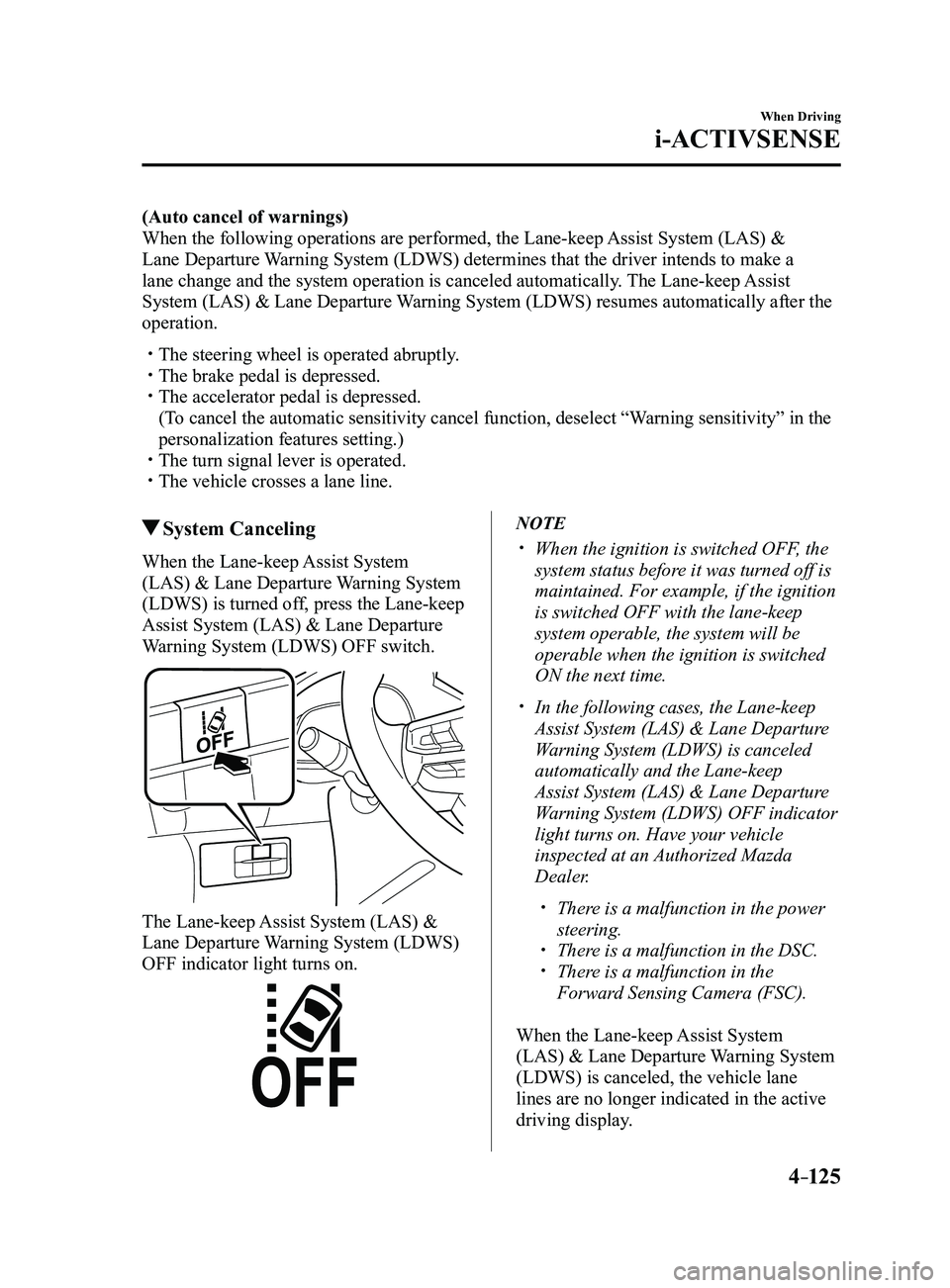
System Canceling
When the Lane-keep Assist System
(LAS) & Lane Departure Warning System
(LDWS) is turned off, press the Lane-keep
Assist System (LAS) & Lane Departure
Warning System (LDWS) OFF switch.
The Lane-keep Assist System (LAS) &
Lane Departure Warning System (LDWS)
OFF indicator light turns on.
NOTE
When the ignition is switched OFF, the
system status before it was turned off is
maintained. For example, if the ignition
is switched OFF with the lane-keep
system operable, the system will be
operable when the ignition is switched
ON the next time.
In the following cases, the Lane-keep
Assist System (LAS) & Lane Departure
Warning System (LDWS) is canceled
automatically and the Lane-keep
Assist System (LAS) & Lane Departure
Warning System (LDWS) OFF indicator
light turns on. Have your vehicle
inspected at an Authorized Mazda
Dealer.
There is a malfunction in the power
steering. There is a malfunction in the DSC. There is a malfunction in the
Forward Sensing Camera (FSC).
When the Lane-keep Assist System
(LAS) & Lane Departure Warning System
(LDWS) is canceled, the vehicle lane
lines are no longer indicated in the active
driving display.
Mazda3_8FL6-EA-16F_Edition2.indb 1252016/08/10 17:36:54
Page 264 of 612
 system operates when all of the followin\
g conditions are
met:
The ignition is switched ON. The Smart Brake Support (S")
4–134
When Driving
i-ACTIVSENSE
NOTE
The Smart Brake Support (SBS) system operates when all of the followin\
g conditions are
met:
The ignition is switched ON. The Smart Brake Support (SBS) system is on. The vehicle speed is about 15 km/h or faster (10 mph or faster). The relative speed between your vehicle and the vehicle ahead is about 15 km/\
h or
faster (10 mph or faster). The Dynamic Stability Control (DSC) is not operating.
The Smart Brake Support (SBS) system may not operate under the followi\
ng conditions:
If the vehicle is accelerated rapidly and it comes close to a vehicle ah\
ead. The vehicle is driven at the same speed as the vehicle ahead. The accelerator pedal is depr essed. The brake pedal is depressed. The steering wheel is being operated. The selector lever is being operated. The turn signal is being used. When the vehicle ahead is not equipped with taillights or the taillights\
ar e turned off. When warnings and messages, such as a dirty windshield, related to the Forward
Sensing Camera (FSC) are being displayed in the center display.
Although the objects which activate the system are four-wheeled vehicles, the radar
sensor (front) could detect the following objects, determine them to be an obstru\
ction, and
operate the Smart Brake Support (SBS) system.
Objects on the road at the entrance to a curve (including guardrails and snow banks). A vehicle appears in the opposite lane while cornering or rounding a curve. When crossing a narrow bridge. When passing under a low gate or thr ough a tunnel or narrow gate. When entering an underground parking area. Metal objects, bumps, or pr otruding objects on the road. If you suddenly come close to a vehicle ahead. When driving in areas where there is high grass or forage. Two-wheeled vehicles such as motorbikes or bicycles. Pedestrians or non-metallic objects such as standing tr ees.
The Smart Brake Support (SBS) warning indication (amber) turns on wh\
en the system has
a malfunction.
Refer to Warning Lights on page 4-23.
Mazda3_8FL6-EA-16F_Edition2.indb 1342016/08/10 17:36:58
Page 277 of 612
4–147
When Driving
Cruise Control
Cruise Main Indication (White),
Cruise Set Indication (white)/
Indicator Light (Green)
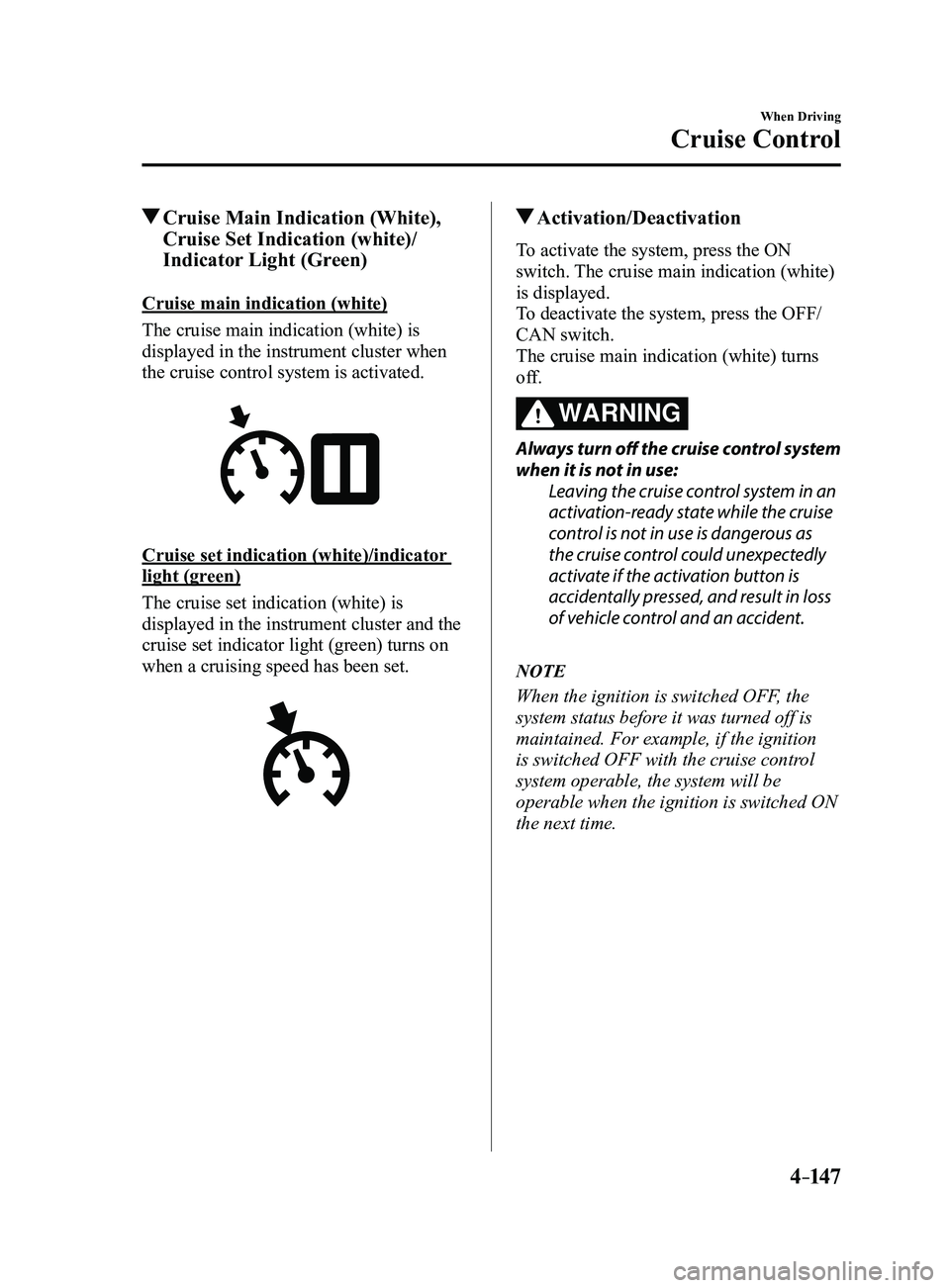
Cruise main indication (white)
The cruise main indication (white) is
displayed in the instrument cluster when
the cruise control system is activated.
Cruise set indication (white)/indicator
light (green)
The cruise set indication (white) is
displayed in the instrument cluster and the
cruise set indicator light (green) turns on
when a cruising speed has been set.
Activation/Deactivation
To activate the system, press the ON
switch. The cruise main indication (white)
is displayed.
To deactivate the system, press the OFF/
CAN switch.
The cruise main indication (white) turns
off.
WARNING
Always turn off the cruise control system
when it is not in use:Leaving the cruise control system in an
activation-ready state while the cruise
control is not in use is dangerous as
the cruise control could unexpectedly
activate if the activation button is
accidentally pressed, and result in loss
of vehicle control and an accident.
NOTE
When the ignition is switched OFF, the
system status before it was turned off is
maintained. For example, if the ignition
is switched OFF with the cruise control
system operable, the system will be
operable when the ignition is switched ON
the next time.
Mazda3_8FL6-EA-16F_Edition2.indb 1472016/08/10 17:37:02